Difference between revisions of "Trutzbox Manual"
(→Statistics) |
(→Preconditions) |
||
| (11 intermediate revisions by the same user not shown) | |||
| Line 1: | Line 1: | ||
== The TrutzBox<sup>®</sup> == | == The TrutzBox<sup>®</sup> == | ||
| + | <!-- ==================================================== --> | ||
| + | <!-- ====================== Chapter 1 ====================== --> | ||
| + | <!-- ==================================================== --> | ||
Comprehensive background information and technical details that go beyond setting up and using the TrutzBox<sup>®</sup> are provided by the ''Comidio Compendium''', see https://comidio.de/trutzbox-kompendium/. | Comprehensive background information and technical details that go beyond setting up and using the TrutzBox<sup>®</sup> are provided by the ''Comidio Compendium''', see https://comidio.de/trutzbox-kompendium/. | ||
| Line 205: | Line 208: | ||
==<span style="color: green">Fast Lane (for TrutzBox<sup>®</sup> Administrator)</span>== | ==<span style="color: green">Fast Lane (for TrutzBox<sup>®</sup> Administrator)</span>== | ||
| + | <!-- ==================================================== --> | ||
| + | <!-- ====================== Chapter 2 ====================== --> | ||
| + | <!-- ==================================================== --> | ||
Chapter 2 contains information for technically affine users: | Chapter 2 contains information for technically affine users: | ||
| Line 455: | Line 461: | ||
[[#top|-> <u> Table of Contents </u> (of this manual)]] | [[#top|-> <u> Table of Contents </u> (of this manual)]] | ||
<br/> | <br/> | ||
| + | |||
| + | |||
| + | |||
| + | |||
| + | |||
| + | |||
==TrutzBox<sup>®</sup> Setup (for TrutzBox<sup>®</sup> Administrator)== | ==TrutzBox<sup>®</sup> Setup (for TrutzBox<sup>®</sup> Administrator)== | ||
| + | <!-- ==================================================== --> | ||
| + | <!-- ====================== Chapter 3 ====================== --> | ||
| + | <!-- ==================================================== --> | ||
| + | |||
This chapter includes | This chapter includes | ||
*Start-up of the TrutzBox<sup>®</sup> | *Start-up of the TrutzBox<sup>®</sup> | ||
| Line 721: | Line 737: | ||
[[#top|-> <u>Table of Contents </u> (of this manual)]] | [[#top|-> <u>Table of Contents </u> (of this manual)]] | ||
<BR/> | <BR/> | ||
| − | [[File: | + | [[File:3_2_2_SetUp_Einrichtung_060.png|700px|link=]] |
<BR/><BR/> | <BR/><BR/> | ||
| − | In the trust query, set the | + | In the trust query, set the upper check mark (1).<BR/> |
| − | Click on "Weiter" ( | + | Click on "Weiter" (2). |
<BR/><BR/> | <BR/><BR/> | ||
[[#top|-> <u>Table of Contents </u> (of this manual)]] | [[#top|-> <u>Table of Contents </u> (of this manual)]] | ||
| Line 1,186: | Line 1,202: | ||
[[#top|-> <u>Table of Contents </u> (of this manual)]] | [[#top|-> <u>Table of Contents </u> (of this manual)]] | ||
<BR/><BR/> | <BR/><BR/> | ||
| + | |||
| + | |||
| + | |||
| + | |||
| + | |||
| + | |||
| + | |||
== Use of the TrutzBox<sup>®</sup> (-> for users)== | == Use of the TrutzBox<sup>®</sup> (-> for users)== | ||
| + | <!-- ==================================================== --> | ||
| + | <!-- ====================== Chapter 4 ====================== --> | ||
| + | <!-- ==================================================== --> | ||
| + | |||
The TrutzBox<sup>® </sup> is delivered by Comidio with security settings suitable for everyday use, so that even inexperienced users can email and surf immediately protected and without a trace. | The TrutzBox<sup>® </sup> is delivered by Comidio with security settings suitable for everyday use, so that even inexperienced users can email and surf immediately protected and without a trace. | ||
| Line 1,742: | Line 1,769: | ||
| − | ===== | + | ===== Preconditions ===== |
In order to use the TrutzChat service, a '''TrutzMail address''' and an '''XMPP-enabled program'' on the mobile device (PC or mobile) are required. Chat programs that support the XMPP protocol are available for all common operating systems with different features. | In order to use the TrutzChat service, a '''TrutzMail address''' and an '''XMPP-enabled program'' on the mobile device (PC or mobile) are required. Chat programs that support the XMPP protocol are available for all common operating systems with different features. | ||
| Line 1,757: | Line 1,784: | ||
<table border=1 width="700"> | <table border=1 width="700"> | ||
<tr> | <tr> | ||
| − | <td width="160">Apple | + | <td width="160">Apple MacOS</td> |
| − | <td width="540">Adium (https://adium.im)</td> | + | <td width="540">Adium (https://adium.im) oder Swift (https://swift.im)</td> |
</tr> | </tr> | ||
<tr> | <tr> | ||
<td>Microsoft Windows</td> | <td>Microsoft Windows</td> | ||
| − | <td>PSI (http://psi-im.org)</td> | + | <td>PSI (http://psi-im.org) oder Swift (https://swift.im)</td> |
</tr> | </tr> | ||
<tr> | <tr> | ||
| Line 1,833: | Line 1,860: | ||
| − | ===== Setting up and using chat rooms | + | ===== Setting up and using chat rooms ====== |
The TrutzBox is also used by clubs, groups of friends, schools, industrial projects etc. to communicate with each other safely. Such closed user groups can not only hold video conferences and exchange secure e-mails with several users simultaneously, but also communicate together via one (or more) chat rooms. Such chat rooms are also called Multi User Chat (MUC). | The TrutzBox is also used by clubs, groups of friends, schools, industrial projects etc. to communicate with each other safely. Such closed user groups can not only hold video conferences and exchange secure e-mails with several users simultaneously, but also communicate together via one (or more) chat rooms. Such chat rooms are also called Multi User Chat (MUC). | ||
<br/><<br/> | <br/><<br/> | ||
| Line 1,857: | Line 1,884: | ||
<br/><<br/> | <br/><<br/> | ||
The chat room is then located on the TrutzBox on which the room was created. Participants from another TrutzBox are automatically notified with the invitation and connect to this room. | The chat room is then located on the TrutzBox on which the room was created. Participants from another TrutzBox are automatically notified with the invitation and connect to this room. | ||
| − | |||
==== TrutzMeeting: Audio- and Video-Conference Service ==== | ==== TrutzMeeting: Audio- and Video-Conference Service ==== | ||
| Line 2,082: | Line 2,108: | ||
[[#top|-> <u>Table of Contents </u> (of this manual)]] | [[#top|-> <u>Table of Contents </u> (of this manual)]] | ||
<br/> | <br/> | ||
| + | |||
| + | |||
| + | |||
| + | |||
| + | |||
| + | |||
| + | |||
| + | |||
| + | |||
| + | |||
| + | |||
| + | |||
| + | |||
| + | |||
| + | |||
| + | |||
| + | |||
| + | |||
| + | |||
| + | |||
| + | |||
| + | |||
| + | |||
== Administrating the TrutzBox<sup>®</sup> (for TrutzBox<sup>®</sup> Administrator) == | == Administrating the TrutzBox<sup>®</sup> (for TrutzBox<sup>®</sup> Administrator) == | ||
| + | <!-- ==================================================== --> | ||
| + | <!-- ====================== Chapter 5 ====================== --> | ||
| + | <!-- ==================================================== --> | ||
| + | |||
The TrutzBox<sup>® </sup> is delivered by Comidio with security settings suitable for everyday use, so that even inexperienced users can email and surf immediately protected and without a trace. | The TrutzBox<sup>® </sup> is delivered by Comidio with security settings suitable for everyday use, so that even inexperienced users can email and surf immediately protected and without a trace. | ||
| Line 2,580: | Line 2,633: | ||
[[File:TrutzMail 70 Webmail.png|600px|link=]] | [[File:TrutzMail 70 Webmail.png|600px|link=]] | ||
<br/> | <br/> | ||
| − | Here you can access TrutzMail directly via webmail. For general information on TrutzMail, see chapter "Using the TrutzBox -> Encrypted Mailing - TrutzMail". Users can access TrutzMail directly via <nowiki>https://trutzbox/mail</nowiki. | + | Here you can access TrutzMail directly via webmail. For general information on TrutzMail, see chapter "Using the TrutzBox -> Encrypted Mailing - TrutzMail". Users can access TrutzMail directly via <nowiki>https://trutzbox/mail</nowiki>. |
<br/> | <br/> | ||
[[#top|-> <u>Table of Contents </u> (of this manual)]] | [[#top|-> <u>Table of Contents </u> (of this manual)]] | ||
| Line 2,592: | Line 2,645: | ||
[[#top|-> <u>Table of Contents </u> (of this manual)]] | [[#top|-> <u>Table of Contents </u> (of this manual)]] | ||
| − | ==== | + | ==== Remote access ==== |
[[File:20160114 TB UI 55200.png|600px|link=]] | [[File:20160114 TB UI 55200.png|600px|link=]] | ||
| Line 2,613: | Line 2,666: | ||
=== System === | === System === | ||
| − | ==== System-Updates | + | ==== System-Updates and -Reset ==== |
Under this menu item | Under this menu item | ||
*update-logs can be downloaded, | *update-logs can be downloaded, | ||
| Line 2,667: | Line 2,720: | ||
#Download TrutzBox<sup>®</sup> certificate from TrutzBox<sup>®</sup> according to the Wiki manual (6.1.1). | #Download TrutzBox<sup>®</sup> certificate from TrutzBox<sup>®</sup> according to the Wiki manual (6.1.1). | ||
#Import and confirm TrutzBox<sup>®</sup> certificate from PC into browser according to Wiki manual (6.1.2). | #Import and confirm TrutzBox<sup>®</sup> certificate from PC into browser according to Wiki manual (6.1.2). | ||
| − | Download and confirm TrutzBox<sup>®</sup> certificate upon request by e-mail client. | + | #Download and confirm TrutzBox<sup>®</sup> certificate upon request by e-mail client. |
<br> | <br> | ||
[[#top|-> <u>Table of Contents </u> (of this manual)]] | [[#top|-> <u>Table of Contents </u> (of this manual)]] | ||
| Line 2,712: | Line 2,765: | ||
==== Switch on/off ==== | ==== Switch on/off ==== | ||
| − | [File:20160114 TB UI 56400.png|600px|link=]] | + | [[File:20160114 TB UI 56400.png|600px|link=]]<br> |
Situations may occur in which shutting down and then restarting the TrutzBox<sup>®</sup> makes sense. | Situations may occur in which shutting down and then restarting the TrutzBox<sup>®</sup> makes sense. | ||
| Line 3,371: | Line 3,424: | ||
[[#top|-> <u>Table of Contents </u> (of this manual)]] | [[#top|-> <u>Table of Contents </u> (of this manual)]] | ||
<br><br> | <br><br> | ||
| + | |||
| + | |||
| + | |||
| + | |||
| + | |||
| + | |||
| + | |||
| + | |||
| + | |||
| + | |||
| + | |||
| + | |||
| + | |||
| + | |||
| + | |||
| + | |||
| + | |||
| + | |||
| + | |||
| + | |||
| + | |||
| + | |||
| + | |||
| + | |||
| + | |||
| + | |||
== TrutzBox<sup>®</sup> Certificates, Connectivity and Network == | == TrutzBox<sup>®</sup> Certificates, Connectivity and Network == | ||
| + | <!-- ==================================================== --> | ||
| + | <!-- ====================== Chapter 6 ====================== --> | ||
| + | <!-- ==================================================== --> | ||
=== Certificates === | === Certificates === | ||
| Line 4,160: | Line 4,242: | ||
<br/><br/> | <br/><br/> | ||
[[#top|-> <u>Table of Contents </u> (of this manual)]] | [[#top|-> <u>Table of Contents </u> (of this manual)]] | ||
| + | |||
| + | |||
== Comidio Customer Area (-> for users)== | == Comidio Customer Area (-> for users)== | ||
| + | <!-- ==================================================== --> | ||
| + | <!-- ====================== Chapter 7 ====================== --> | ||
| + | <!-- ==================================================== --> | ||
=== Registration and order process === | === Registration and order process === | ||
| Line 4,334: | Line 4,421: | ||
<br/><br/> | <br/><br/> | ||
[[#top|-> <u>Table of Contents </u> (of this manual)]]<br/> | [[#top|-> <u>Table of Contents </u> (of this manual)]]<br/> | ||
| + | |||
== Application example == | == Application example == | ||
| + | <!-- ==================================================== --> | ||
| + | <!-- ====================== Chapter 8 ====================== --> | ||
| + | <!-- ==================================================== --> | ||
| + | |||
=== Limiting TV tracking === | === Limiting TV tracking === | ||
| Line 4,366: | Line 4,458: | ||
However, the TV can also exchange data via protocols and ports other than http. These ports/protocols can be controlled and blocked with TrutzBase. | However, the TV can also exchange data via protocols and ports other than http. These ports/protocols can be controlled and blocked with TrutzBase. | ||
| + | |||
| + | |||
==What to do if... ? == | ==What to do if... ? == | ||
| + | <!-- ==================================================== --> | ||
| + | <!-- ====================== Chapter 9 ====================== --> | ||
| + | <!-- ==================================================== --> | ||
=== ... WLAN is not working? === | === ... WLAN is not working? === | ||
| Line 4,820: | Line 4,917: | ||
[[#top|-> <u>Table of Contents </u> (of this manual)]] | [[#top|-> <u>Table of Contents </u> (of this manual)]] | ||
<br /><br /> | <br /><br /> | ||
| + | == Support in error analysis == | ||
| + | <!-- ==================================================== --> | ||
| + | <!-- ====================== Chapter 10 ====================== --> | ||
| + | <!-- ==================================================== --> | ||
| − | |||
For error analysis or optimisation of TrutzBox<sup>®</sup> settings it can be helpful if Comidio Support can get a "picture" of the current situation of TrutzBox<sup>®</sup> at the customer.<br> | For error analysis or optimisation of TrutzBox<sup>®</sup> settings it can be helpful if Comidio Support can get a "picture" of the current situation of TrutzBox<sup>®</sup> at the customer.<br> | ||
For this purpose, Comidio may ask the customer to record information about states and settings and to transmit it to Comidio. | For this purpose, Comidio may ask the customer to record information about states and settings and to transmit it to Comidio. | ||
| Line 4,870: | Line 4,970: | ||
Generating the file: '"systeminfo.txt" | Generating the file: '"systeminfo.txt" | ||
| − | ==== | + | ==== File creation: logs.zip ==== |
In the TrutzBox user interface in the navigation menu go to: | In the TrutzBox user interface in the navigation menu go to: | ||
System -> Debug | System -> Debug | ||
| Line 5,233: | Line 5,333: | ||
<br/> | <br/> | ||
== Access and passwords == | == Access and passwords == | ||
| + | <!-- ==================================================== --> | ||
| + | <!-- ====================== Chapter 11 ====================== --> | ||
| + | <!-- ==================================================== --> | ||
The following accesses and passwords are used chronologically to operate and use the TrutzBox<sup>®</sup>: | The following accesses and passwords are used chronologically to operate and use the TrutzBox<sup>®</sup>: | ||
| Line 5,350: | Line 5,453: | ||
</tr> | </tr> | ||
</table> | </table> | ||
| + | |||
| + | |||
| + | |||
== Information and statements == | == Information and statements == | ||
| + | <!-- ==================================================== --> | ||
| + | <!-- ====================== Chapter 12 ====================== --> | ||
| + | <!-- ==================================================== --> | ||
| + | |||
=== Headline information that PGP- and S/MIME-encrypted emails are no longer secure === | === Headline information that PGP- and S/MIME-encrypted emails are no longer secure === | ||
Latest revision as of 15:23, 17 November 2020
Contents
- 1 The TrutzBox®
- 2 Fast Lane (for TrutzBox® Administrator)
- 3 TrutzBox® Setup (for TrutzBox® Administrator)
- 4 Use of the TrutzBox® (-> for users)
- 5 Administrating the TrutzBox® (for TrutzBox® Administrator)
- 5.1 TrutzBox® overview
- 5.2 Accounts
- 5.3 TrutzBox® Filter
- 5.4 TrutzMail
- 5.5 Network
- 5.6 System
- 5.6.1 System-Updates and -Reset
- 5.6.2 Debug
- 5.6.3 Logs
- 5.6.4 Switch on/off
- 5.6.5 Advanced settings / Using Webmin
- 5.6.5.1 Webmin: Shutdown TrutzBox
- 5.6.5.2 Webmin: Restart TrutzBox
- 5.6.5.3 Webmin: Reset TrutzBox to factory settings (factory reset)
- 5.6.5.4 Webmin: WLAN night shutdown (time-controlled)
- 5.6.5.5 Webmin: WLAN spontaneous switching off and on (possible at any time)
- 5.6.5.6 Webmin: TrutzBox Checking software releases
- 5.6.5.7 Webmin: Change User Password
- 5.6.5.8 Webmin: TrutzBox Triggering Updates Manually
- 5.6.5.9 Webmin: Find out image version
- 5.6.5.10 Webmin: Find large files
- 5.6.6 Legal Notice
- 5.7 Remote access / VPN
- 6 TrutzBox® Certificates, Connectivity and Network
- 6.1 Certificates
- 6.1.1 Download certificate from TrutzBox® to PC
- 6.1.2 TrutzBox® Certificate activate in ...
- 6.1.2.1 Mozilla Firefox (Microsoft Windows + Apple OS X; Zertifikat in Firefox)
- 6.1.2.2 Internet Explorer / Google Chrome (Microsoft Windows)
- 6.1.2.3 Safari/ Google Chrome (Apple OS X; Zertifikat in Schlüsselbund)
- 6.1.2.4 iOS Smartphone/Tablet: Browser Safari with Apple iOS
- 6.1.2.5 Android Smartphone/Tablet: Standard Browser unter Google Android
- 6.1.2.6 Microsoft Windows 10 Zertifikatsverwaltung
- 6.1.3 Import certificate from PC into mail system (e.g. Microsoft Outlook under Windows)
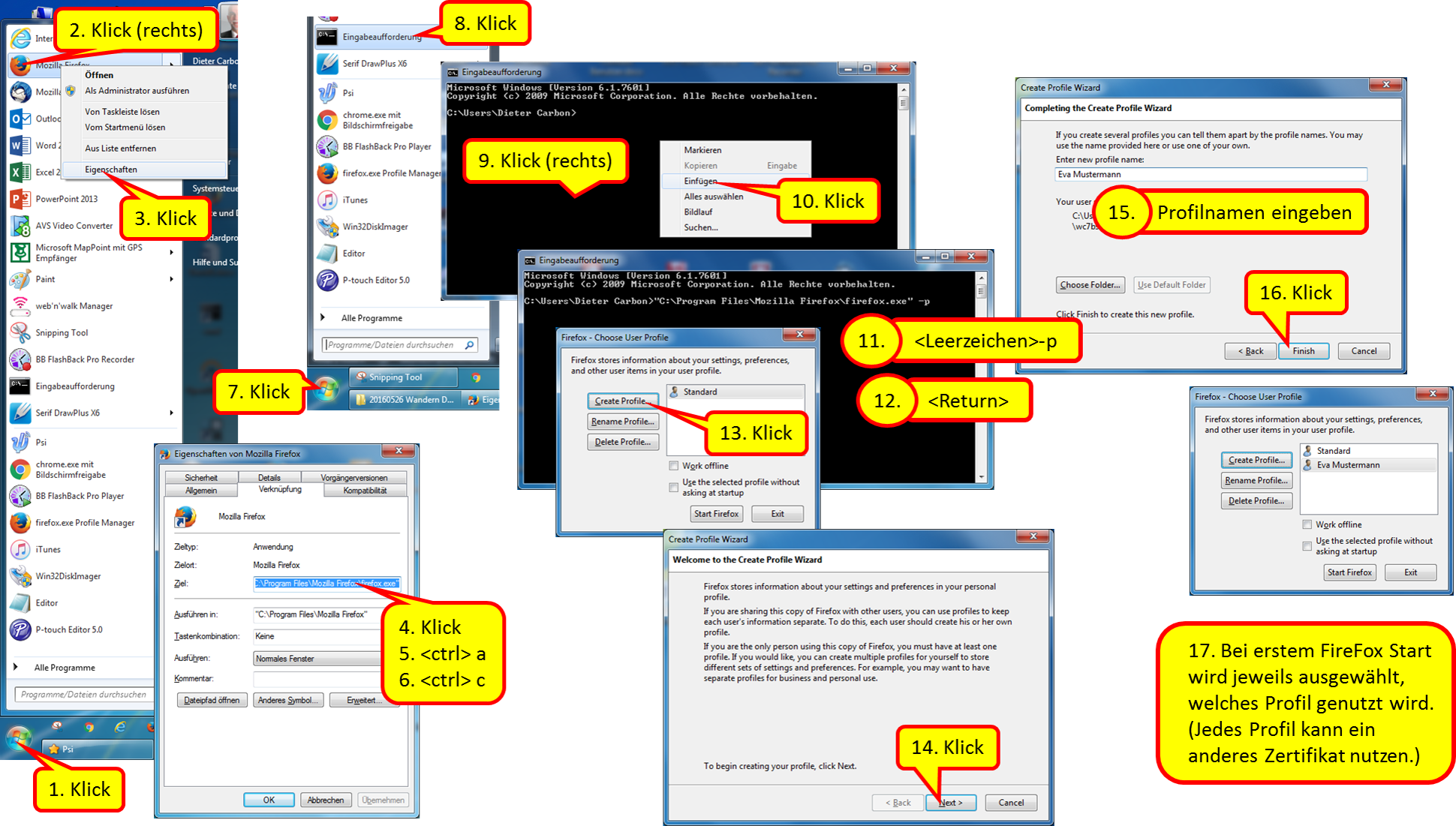
- 6.1.4 Creating profiles in FireFox
- 6.2 Connect device with TrutzBox®
- 6.2.1 Set up TrutzBox® as proxy (proxy mode) in...
- 6.2.1.1 Windows PC: Browser Mozilla Firefox on Microsoft Windows 7
- 6.2.1.2 Windows PC: Browser Google Chrome on Microsoft Windows 7
- 6.2.1.3 (Windows PC: Browser Internet Explorer on Microsoft Windows 7)
- 6.2.1.4 Apple Mac: Browser Safari on Apple iOS
- 6.2.1.5 Apple Mac: Browser Firefox on Apple iOS
- 6.2.1.6 iOS Smartphone/Tablet: Browser Safari on Apple iOS
- 6.2.1.7 Android Smartphone/Tablet: Standard Browser on Google Android
- 6.2.1.8 Microsoft Windows 10
- 6.2.2 Connect the device directly via WLAN (or LAN) with TrutzBox® (Transparent-Modus)
- 6.2.1 Set up TrutzBox® as proxy (proxy mode) in...
- 6.3 TrutzBox®-network
- 6.1 Certificates
- 7 Comidio Customer Area (-> for users)
- 8 Application example
- 9 What to do if... ?
- 9.1 ... WLAN is not working?
- 9.2 ... a SmartPhone/Tablet app does not work?
- 9.3 ... the browser and/or mail program reports a problem with the certificate?
- 9.4 ... the TrutzBurg (symbol of the TrutzBox in the upper right corner of the browser window) is not displayed
- 9.5 ... the e-mail gets stuck in the TrutzMail outbox?
- 9.6 ... the user interface (UI) is no longer accessible?
- 9.7 ... the right and middle LEDs are off and the left LED is constantly on?
- 9.8 ... Your TrutzBox is not connected to the router or your terminal device (e.g. PC) cannot reach the TrutzBox?
- 9.9 ... Your router has had an "Internet failure" and your TrutzBox is no longer accessible after service has started (e.g. only the left LED is permanently light)?
- 9.10 ... I want to check that my software packages are up-to-date?
- 9.10.1 Quick-check: Check current status of software updates via Webmin
- 9.10.2 Do I have the current software packages? =
- 9.10.3 When were the latest software packages downloaded to my TrutzBox?
- 9.10.4 When did my TrutzBox last check for software updates?
- 9.10.5 When were the last filter lists downloaded to my TrutzBox?
- 9.11 ... if someone wants to sell his Trutzbox?
- 9.12 ... if someone has bought a used Trutzbox or an appropriate hardware and wants to use the TrutzServices?
- 9.13 ... if TrutzMails arrive on your own Trutzbox but are not displayed in the mail client (e.g. Outlook or Thunderbird) or webmailer?
- 10 Support in error analysis
- 10.1 Mail Screenshot of TrutzBox® overview page
- 10.2 Mail TrutzMail log files
- 10.3 Find oversized files
- 10.4 Generate log files (and email)
- 10.5 Screen sharing at TrutzRTC via Comidio Server
- 10.6 exchange of SD cards
- 10.7 Instructions for writing (fuelling) the SSD
- 10.8 Installation and start of PuTTY (terminal program under Windows)
- 11 Access and passwords
- 12 Information and statements
1 The TrutzBox®
Comprehensive background information and technical details that go beyond setting up and using the TrutzBox® are provided by the Comidio Compendium', see https://comidio.de/trutzbox-kompendium/.
1.1 Searching the manual
Comment on "Search":
This manual is structured as a single, large wiki page. Therefore the search function (top right) is not helpful.
To search, please use "Ctrl f", i.e.
- Press and hold the " Strg" or "Ctrl" key
- Press the "f" key simultaneously (for "find")
A search line will appear at the bottom of the browser window.
Enter the search term in the search window on the left, and depending on the search direction, press down arrow or up arrow to jump to the next search result.
If the search text is displayed on a red field, the search term does not appear in the entire text.
(To hide the search line: click on "x" on the right side in the search line.
1.2 Before you turn to the TrutzBox... updates!
Please make sure that the following Updates are done and that you can access your Internet router user interface.
| Operating system | Please make sure that your operating system is up to date with the latest update. Only in this way can you be sure that you are optimally protected by the latest updates.In addition, TrutzBox is set up with its own updates to work with the latest operating system updates. If the operating system is not equipped with the latest update, the TrutzBox may not be able to work and thus do not offer optimum protection. |
| Browser | Please make sure that your each of your browsers is up to date with the latest update. Only in this way can you be sure that you are optimally protected by the latest updates. In addition, TrutzBox is set up with its own updates to work with the latest browser updates. If the browser is not equipped with the latest update, the TrutzBox may not work and therefore does not offer optimum protection.
|
| Internet- Router |
Please make sure that your Internet router is up to date with the latest firmware update. Only in this way can you be sure that you are optimally protected by the latest updates.In addition, settings are made on the Internet router for certain functions of the TrutzBox. In this respect, access to the user interface of the Internet router may be necessary, i.e. the Internet router administrator should know its call and password'. |
-> Table of Contents (of this manual)
1.3 Follow this manual
| ATTENTION:
We can only provide support if you first go through Quick Start
|
The TrutzBox® will now make your Internet more secure. It has the effect that you cannot be observed while e-mailing and cannot be spied on while surfing. You leave fewer traces on the Internet and you are less traceable. With the TrutzBox ® you strengthen your privacy.
The TrutzBox® is the security center of your home network. It controls incoming and outgoing Internet traffic. With the TrutzBox® you determine which information the devices connected to the Internet in your home network may disclose.
With the TrutzBox® you can control the Internet connections of your
- Internet devices at home, like computers, tablets, smartphones,
- mobile Internet devices on the move, such as laptops, tablets, smartphones,
- Internet-enabled devices, such as television, house control (e.g. roller shutters, heating), toothbrush, refrigerator, etc.
The TrutzBox® will make the lives of criminal Internet hackers, professional data traders and secret services, which have been observing you while surfing and use your data for their own purposes or commercially, more difficult to a previously unknown extent.
Comidio TrutzBox® offers optimal protection of your privacy through
- automatic end-to-end encryption of your e-mails,
- traceless surfing the Internet,
- maximum protection for your children,
- Firewall and virus protection,
- easy operability,
- cost-effective use,
and thus delivers optimal anonymity.
The TrutzBox® offers plug and play settings and is already optimally configured for most requirements at the factory. Special personal requirements are set via the easy-to-use user interface.
-> Table of Contents (of this manual)
1.4 TrutzBox with or without (own) WLAN?
The WLAN module of the TrutzBox is required if a mobile device is to be controlled via the TrutzBox®. This is then connected directly to the network of the TrutzBox (= its WLAN).
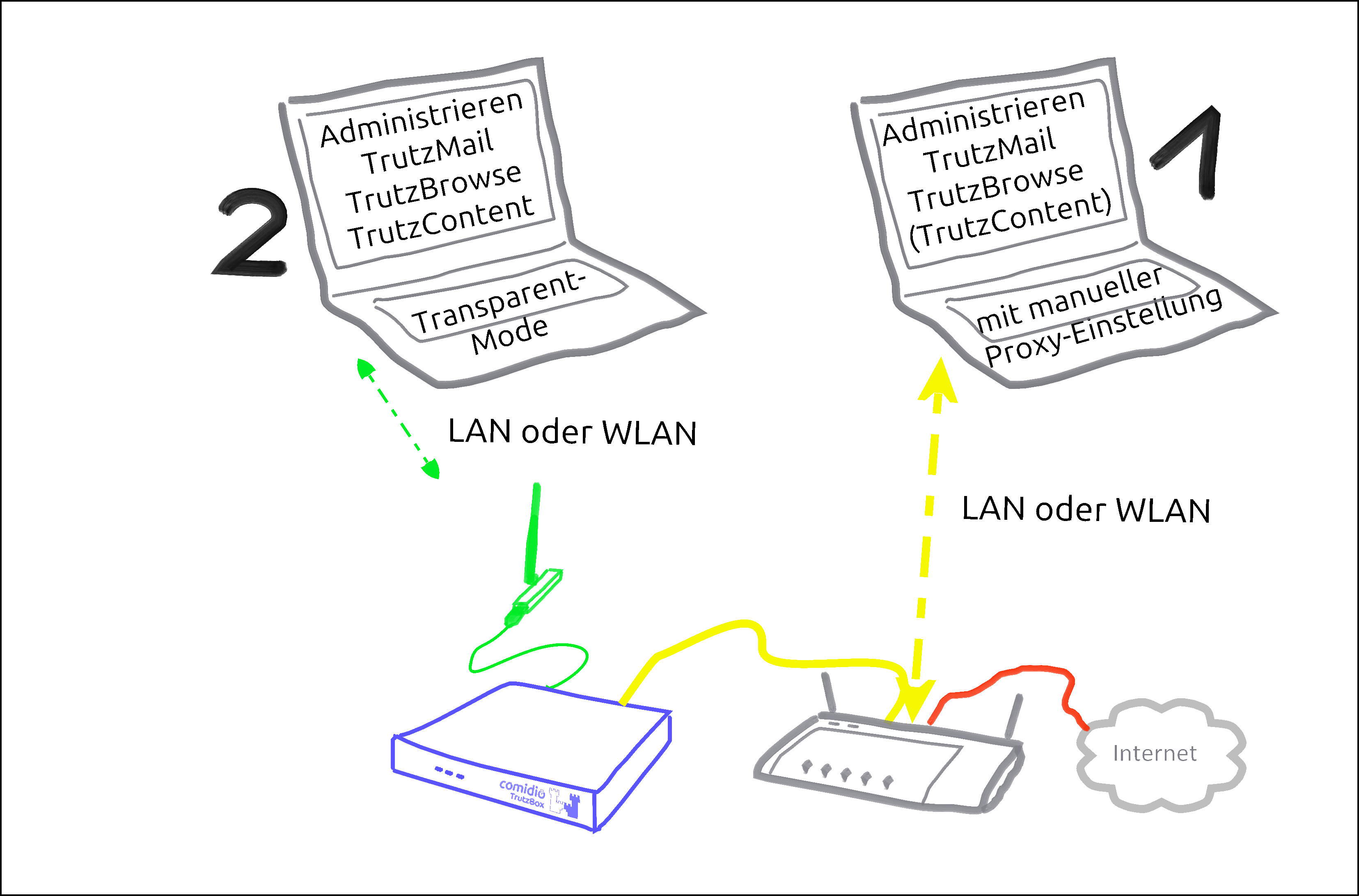
There are basically two ways to connect devices to the TrutzBox®:
| Case 1: | PC 1 is connected to the Internet router via WLAN or network cable (dashed yellow).
|
| Case 2: | PC 2 is connected to the TrutzBox® via WLAN or network cable (green dashed). All Internet traffic (surfing) automatically passes through the TrutzBox®.This mode is called |
To use the TrutzBrowse and TrutzContent functions (secure surfing for and protection of minors), it can be decided for each device whether it should be left on the network of the Internet router (e.g. Fritzbox) (proxy mode) or connected to the TrutzBox network (transparent mode).
The aim is to connect as many or all devices as possible in the home network directly via the TrutzBox® (i.e. in "transparent mode").
It is advisable to reach this state step by step.
Therefore, you should start "small" at the beginning and gain experience in "proxy mode" by not changing anything on your home network, i.e. the devices initially remain on the Internet router.
You can also intentionally surf in a browser (e.g. Firefox) in proxy mode while surfing in parallel in a second browser (e.g. Chrome) without protection.
For example, you can track the influence the security slider has on unprotected access in various positions (e.g. effects on advertising offers shown).
If you have sufficient experience in proxy mode and would like to gain additional security, you can gradually connect devices in transparent mode by connecting them directly to the TrutzBox® via WLAN (or network cable).
[Since there are occasional exceptions in which website use is not possible even with SliderLevel 10 (TrutzBox set to "pull-through"), it is recommended to operate a browser-based client device in proxy mode, so that the TrutzBox can be switched off as a proxy in the browser of this client device if necessary. This allows the browser of this device to access the Internet directly via the Internet router (bypassing the TrutzBox). After the exception has been made, the TrutzBox should be activated again in the browser as a proxy].
This means that the TrutzBox can also be operated safely without a WLAN module and the WLAN module can be added later if required.
The other TrutzBox functions, such as Webmeeting, Mail, Chat and Remote Access, work in both modes unaffected by this.
To change from transparent mode to proxy mode or vice versa, please proceed as follows:
- Shut down PC or device (= switch off by software).
- If previously connected to TrutzBox, now connect to the Internet router or vice versa.
- Switch on/restart the device (now the device automatically receives an IP address valid in this network area).
-> Table of Contents (of this manual)
1.5 Phases, users and administrator
This manual describes two roles in these words:
User
Anyone using TrutzBox functions is referred to in this manual as User.
Administrator
A person who uses certain administrative functions of the TrutzBox that are not available to every user is described in this manual "Administrator".
With private use of the TrutzBox the administrator is usually an adult, in families e.g. a legal guardian.
For commercial use of the TrutzBox, the administrator is usually an internal or external IT administrator.
In general, the following phases can be distinguished when using the TrutzBox:
| Phase | activities | |
| start up (ca. 15 Min.) |
Unpacking, checking, connecting and switching on the TrutzBox | Administrator |
| set up (ca. 30 Min. plus updates) |
Test Internet connection, import certificate, set admin password, register TrutzBox, create TrutzMail address, set WLAN name and password | Administrator |
| Usage (ongoing) |
Surfing, Mailing, Webmeets | User |
| Administrieren (as needed) |
Manage users, create PGP partners, manage TrutzBrowse filters, set up remote access (VPN), import certificates on end devices, reactivate SecuritySlider, advise and support users | Administrator |
-> Table of Contents (of this manual)
1.6 How do I set up my TrutzBox?
Depending on the administrator's IT skills, the following sections of this manual may be helpful:
| Administrator is ... | recommended chapter |
| IT-Expert | chapter: 2.1 (Weiter zu 2.1) |
| IT- knowledgable | chapter: 2.2 (Weiter zu 2.2) |
| interested layperson | chapter: 3 (Weiter zu 3) |
-> Table of Contents (of this manual)
Fast Lane *** Fast Lane *** Fast Lane *** Fast Lane *** Fast Lane *** Fast Lane *** Fast Lane *** Fast Lane
2 Fast Lane (for TrutzBox® Administrator)
Chapter 2 contains information for technically affine users:
- für IT-Experts, following, in chapter 2.1 (Weiter zu 2.1)
- for IT-knowledgable in chapter 2.2 (Weiter zu 2.2)
Interested laymen will find detailed information in chapter 3 (Weiter zu 3)
2.1 Installation Instructions (Overview for Experts)
Folgende Tabelle kann auch als PDF heruntergeladen werden: Download
| TrutzBox Function | Sub-Function | Action |
| Wiring the Hardware | Connect the TrutzBox LAN-Ext socket to the Internet router using the LAN cable supplied. Connect TrutzBox to the power supply with the power supply unit. (Details) | |
| Carry out setup | "http://trutzbox" enter in browser (Details); Confirm certificate error |
|
| Install TrutzBox certificate on any device & on any browser | Install TrutzBox certificate on any device & on any browser (Details) |
| little-tracking surfing | transparent mode (every software on the device is controlled) | Connect the Device to the TrutzBox network (via WLAN or LAN) (Details) |
| Proxy mode (only browser accesses are controlled) | Keep Device on the network of the Internet router and Automatic proxy configuration "http://trutzbox/api/proxy/pac" configure in the browser (Details) |
| encrypted mails |
secure mail exchange with other TrutzBoxes (TrutzMail) | set up an additional email address in the email program: incoming mail server (IMAP): trutzbox, port: 143, TLS; outgoing email server (SMTP): trutzbox, port: 587, TLS (Details) |
| Exchange PGP-encrypted emails with "normal mail accounts“ | configure external SMTP server on the TrutzBox and enter public keys of the mail recipients (Details) |
| Access restrictions for young people or IoT |
transparent Mode (any software on the device) | If necessary, select another user group on the TrutzBox or define your own access restrictions (Details) |
| secure video conferencing | Set up a new video conference room | Think up a room name and call it up in your browser (preferably Chrome) https://trutzbox:9082/raumname and log in with your mail account (Details) |
| Subscribers are connected to the internal network | call up in your browser (preferably Chrome): https://trutzbox:9082/raumname | |
| Participants want to connect via the Internet | Set up port sharing for TrutzRTC on the Internet router: Port 9083 UDP and port 9082 TCP. In the browser (preferably Chrome) launch https://ip-addr:9082/raumname. ip-addr is the external IP address or (if configured) DynDNS domain of the Internet router. |
| secure Chat/ Messaging |
install xmpp-client: Apple Macintosh Adium (https://adium.im) |
| Remote access to TrutzBox (mobile access) | Allow VPN access on the Internet router | Setting up port sharing for VPN on the Internet router: Port 1194 UDP |
| DynDNS - Get domain and activate remote access on the TrutzBox | If not yet available: Get DynDNS domain for the Internet connection from a service provider. Z.B. spdyn.de:
Activate DynDNS in the Internet router. |
|
| VPN client setup on the mobile device | Activate remote access on the TrutzBox for the user. User will then receive a TrutzMail with an OpenVPN configuration file. This must then be imported into the OpenVPN software on the mobile device. (Details) | |
| Use remote access - establish connection | Connect the device to the Internet and activate connection setup in the VPN client. (Details) |
This table can also be downloaded as PDF: Download
-> Table of Contents (of this manual)
2.2 TrutzBox Setup-Guide
The following quick introduction corresponds to the two-sided "TrutzBox Setup Guide", which is included with the TrutzBox delivery.
For better navigation, the Quick Start wiki contains green headings.
Steps A - D must be performed one after the other.
Safety instructions:
- Use only the supplied power supply and network cable. Connect only compatible accessories.
- The TrutzBox is not splash-proof. Do not place them in bathrooms or shower rooms.
- Protect the TrutzBox from shocks, dust and chemicals.
- The TrutzBox must not be exposed to strong temperature variations and may only be operated indoors. Protect the TrutzBox from overheating and direct sunlight; do not place the TrutzBox near stoves, radiators or similar heat sources.
Disposal:
It is prohibited to dispose of the TrutzBox (including the entire scope of delivery) with household waste. If the adjacent symbol of a crossed-out waste bin is attached to a product, this product is subject to European Directive 2002/96/EC. Please dispose of the device including the scope of delivery in accordance with this directive. If you have any questions regarding disposal, please contact the local authority responsible for disposal. The TrutzBox contains a built-in battery. You are legally obliged to dispose of the (used) battery only via specialist electrical retailers or recycling collection points (do not dispose of it with household waste!).
2.2.1 Check scope of delivery (Step A)
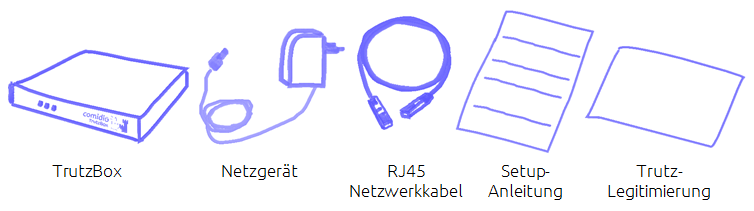
... and if applicable the WLAN antenna installation kit.
-> Details zu Lieferumfang überprüfen
-> Table of Contents (of this manual)
2.2.2 Connecting TrutzBox (Step B)
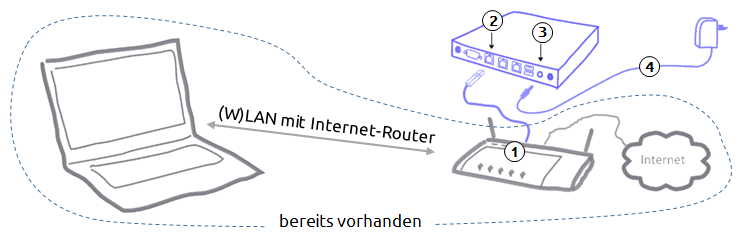
- Connect the network cable to the Internet router (1) and "Ext" on the TrutzBox (2).
- Connect the power supply unit to the "12V DC" connection of the TrutzBox (3) and then to the power supply (4).
- After approx. 1 minute the TrutzBox beeps and after approx. 3-4 minutes the left-hand LED on the front of the TrutzBox starts to flash "and after another approx. 5-6 minutes (after a total of approx. 9-10 minutes) the TrutzBox is ready for operation.
If required, the WLAN built-in antenna available in the Comidio Shop (www.comidio.de/shop) can be retrofitted at any time.
-> Details zu TrutzBox anschließen
-> Table of Contents (of this manual)
2.2.3 Setting up TrutzBox (Step C)
In the Internet browser address bar of a computer connected to your home network, type: http://trutzbox
Now 9 screen pages follow one after the other for the initial setup of your TrutzBox:
- Page 1: Welcome (Willkommen): TrutzBox self-tests whether it has access to the Internet,
- Page 2: License terms (Lizenzbedingungen): accept the license agreement,
- Page 3: Import Root-Zertificate (Root-Zertifikat importieren)
| Step 1: | Download Root-Zertificate |
| Step 2: using Firefox: |
2a. Certificate is automatically loaded into Firefox certificate management 2b. Confirm the first box of the certificate trust query |
| Step 2: using IE* / Chrome |
2a. Root certificate is located in the download directory 2b. Importing the root certificate into Windows certificate management |
| Step 3 | Start test |
- Page 4: Set admin password (Admin-Passwort setzen): Setting the administrator password for your TrutzBox,
- Page 5: Register TrutzBox (TrutzBox registrieren): Enter TrutzLegitimierung (TrutzKennung und TrutzSchlüssel),
- Page 6: Create TrutzMail Adresse (TrutzMail Adresse anlegen): Create name, e-mail address and password,
- Page 7: WLAN settings (WLAN Einstellungen): Setting the WLAN name (SSID) and the WLAN password (can be done later in case of later WLAN setup),
- Page 8: source packages (Quellpakete): Determine memory release or storage of source packages, and
- Page 9: recap (Zusammenfassung): Presentation of the entries, and if OK: "Start initial setup".
*IE = Internet Explorer
At the end of setup, updates are downloaded to the TrutzBox.
This process can take more than 60 minutes. Please do not switch off the TrutzBox or start any other process during this time. As soon as the "Complete Setup" window appears, all updates are complete. Press on „Fertig“.
Then the TrutzBox user interface appears, which can be opened with the just defined admin password (4.). Re-call the TrutzBox user interface with http://trutzbox.
-> Details zu TrutzBox einrichten
-> Table of Contents (of this manual)
2.2.4 Enter TrutzBox as a proxy in your browser (Step D)
In order for the PC to surf the Internet securely via the TrutzBox (and not unprotected via the Internet router), the TrutzBox must be entered as a proxy (= deputy, quasi "bouncer" to protect your devices) in each browser of the connected devices.
-> Details zu TrutzBox als Proxy in Browser eintragen
To enable and disable the TrutzBox as a proxy in the browser - especially in the initial phase -, the use of a proxy switch is recommended.
-> Details zu Verwendung eines Proxy-Schalters
This completes the setup.
For more information on using the TrutzBox see chapter 4.
-> Details zu Nutzung der TrutzBox
2.2.5 Import TrutzBox Certificate
For other devices that wish to use TrutzBox via browser, mail or XMPP chat: To identify the TrutzBox as a secure device, the root certificate generated during setup must be imported into every Firefox browser and operating system used on the device (PC, tablet, smartphone).
-> Details zu TrutzBox Zertifikat importieren
*** END of Fast Lane *** END of Fast Lane *** END of Fast Lane *** END of Fast Lane *** END of Fast Lane *** END of Fast Lane ***
-> Table of Contents (of this manual)
3 TrutzBox® Setup (for TrutzBox® Administrator)
This chapter includes
- Start-up of the TrutzBox®
- Set-up of the TrutzBox®
The aim is to connect as many or all devices as possible in the home network via the TrutzBox®.
However, this only happens after setting up according to the manual.
After the TrutzBox® is connected to the Internet router, start "small" by entering the TrutzBox® as "Proxy" (= deputy, quasi "doorman") in a browser of a connected PC and thus controlling the TrutzBox® the incoming and outgoing Internet traffic of this connected PC.
After completing this quick start, the user can
- surf without tracks (at least with few tracks) with presets,
- encrypted email via web access and
- use the proposed filter lists for child and youth protection.
Once this state has been reached, further devices should be connected to the TrutzBox® in a controlled manner.
Devices for which a proxy can be set up
Devices for which a proxy can be configured (e.g. browser on PC or, if available, on TV set) should first be connected to the Internet router via WLAN (or network cable) and the TrutzBox® should be entered as the proxy.
Once you have gained experience in this way, you can connect the devices directly to the TrutzBox® via WLAN (or network cable).
Devices for which no proxy can be set up
Devices for which no proxy can be set up (e.g. refrigerator or toothbrush) should be connected to the TrutzBox®; then the communication characteristics can be monitored and, if necessary and controlled, external communication can be permitted.
-> Table of Contents (of this manual)
3.1 Start-up of the TrutzBox®
| ATTENTION:
We can only provide support if you first go through Quick Start
|
3.1.1 Before connecting the TrutzBox®
Before you connect the TrutzBox®
- check the scope of delivery,
- check the prerequisites for start-up,
- read "Safety and Handling" and
- familiarize yourself with connections and displays..
Please only put your TrutzBox® into operation afterwards.
3.1.1.1 Scope of delivery
Please check the completeness of the scope of delivery:
3.1.1.2 Prerequisite for start-up
For the start-up of the TrutzBox® the following requirements must be fulfilled:
- Computer or Internet-enabled device with access to the Internet router,
- the up-to-date web browser (e.g. Internet Explorer, Google Chrome, Mozilla Firefox) and
- Internet connection.
-> Table of Contents (of this manual)
3.1.1.3 Safety and Operation
Before installing and using the TrutzBox® read the following safety and operating instructions.
Safety instructions:
Before connecting the TrutzBox® ®, please take note of the following safety instructions to protect yourself and the TrutzBox® from damage.
- Use only the supplied AC adapter and network cable. Incidentally, only connect compatible accessories.
- The TrutzBox® is not splash-proof. Therefore, only place them in dry rooms; not in bathrooms or shower rooms.
- Protect the TrutzBox® against shocks, dust and chemicals.
- The TrutzBox® must not be exposed to strong temperature changes and may only be operated indoors.
- Protect the TrutzBox® from overheating and avoid direct sunlight on the TrutzBox® as well as the proximity of the TrutzBox® to ovens, radiators or similar heat sources.
- Avoid overloading sockets, extension cords and socket strips. Overloaded power supplies present a fire and electric shock risk.
- Do not place the TrutzBox® on carpet or upholstered furniture.
- Do not cover the TrutzBox® .
- Do not place the TrutzBox® on heat-sensitive surfaces, as the underside of the unit may heat up during normal operation.
- Do not install the TrutzBox® during thunderstorms.
- Disconnect the TrutzBox® from the power supply and the Internet connection during thunderstorms.
- Do not allow liquids to penetrate inside the TrutzBox®, as electric shocks or short circuits may result.
- Do not open the housing of the TrutzBox® . Improper opening and improper repairs can pose a risk to users of the device.
Operation
- If you want to establish wireless connections between the TrutzBox® and computers, place the TrutzBox® in a central location.
- Ensure sufficient distance to sources of interference such as microwave ovens, DECT telephones or electrical appliances with large metal housings.
Disposal:
It is prohibited to dispose of the TrutzBox (including the entire scope of delivery) with household waste. If the adjacent symbol of a crossed-out waste bin is attached to a product, this product is subject to European Directive 2002/96/EC. Please dispose of the device including the scope of delivery in accordance with this directive. If you have any questions regarding disposal, please contact the local authority responsible for disposal. The TrutzBox contains a built-in battery. You are legally obliged to dispose of the (used) battery only via specialist electrical retailers or recycling collection points (do not dispose of it with household waste!)
-> Table of Contents (of this manual)
3.1.1.4 Interfacing and LEDs
Connections (rear panel) The following connections are located on the rear panel:
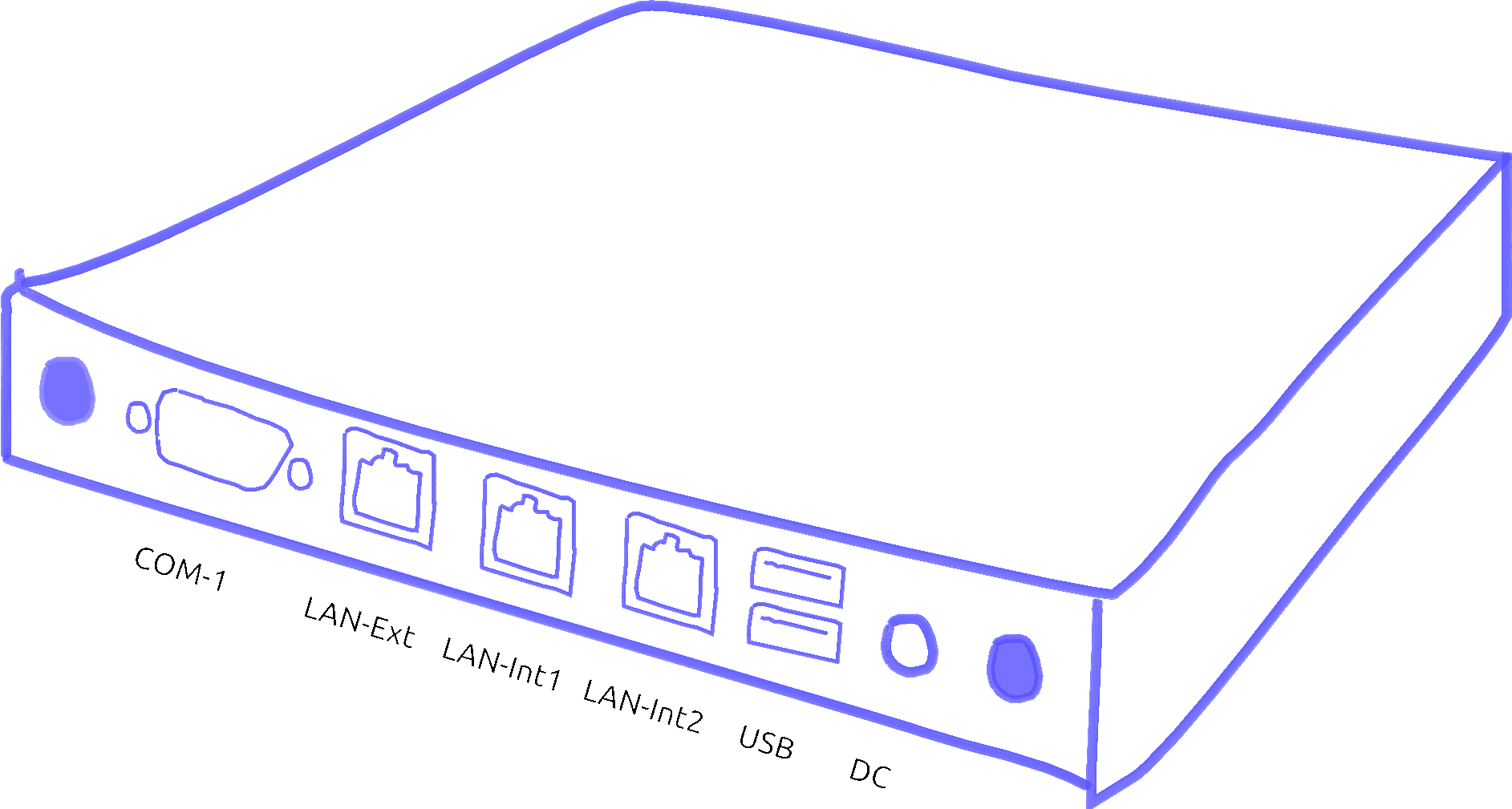
| COM-1 | V24 connection (not required) |
| LAN-Ext | Network connection, insecure network: Internet router |
| LAN-Int1 | Network connection, secure network: network-compatible device, e.g. PC or switch |
| LAN-Int2 | Network connection, secure network: network-compatible device, e.g. PC or switch |
| USB | two USB ports (e.g. for connecting a WLAN adapter via USB cable) |
| 12 V DC | Power supply unit connection via included power supply unit |
-> Table of Contents (of this manual)
LEDs (front panel) At the front panel there are three LEDs:
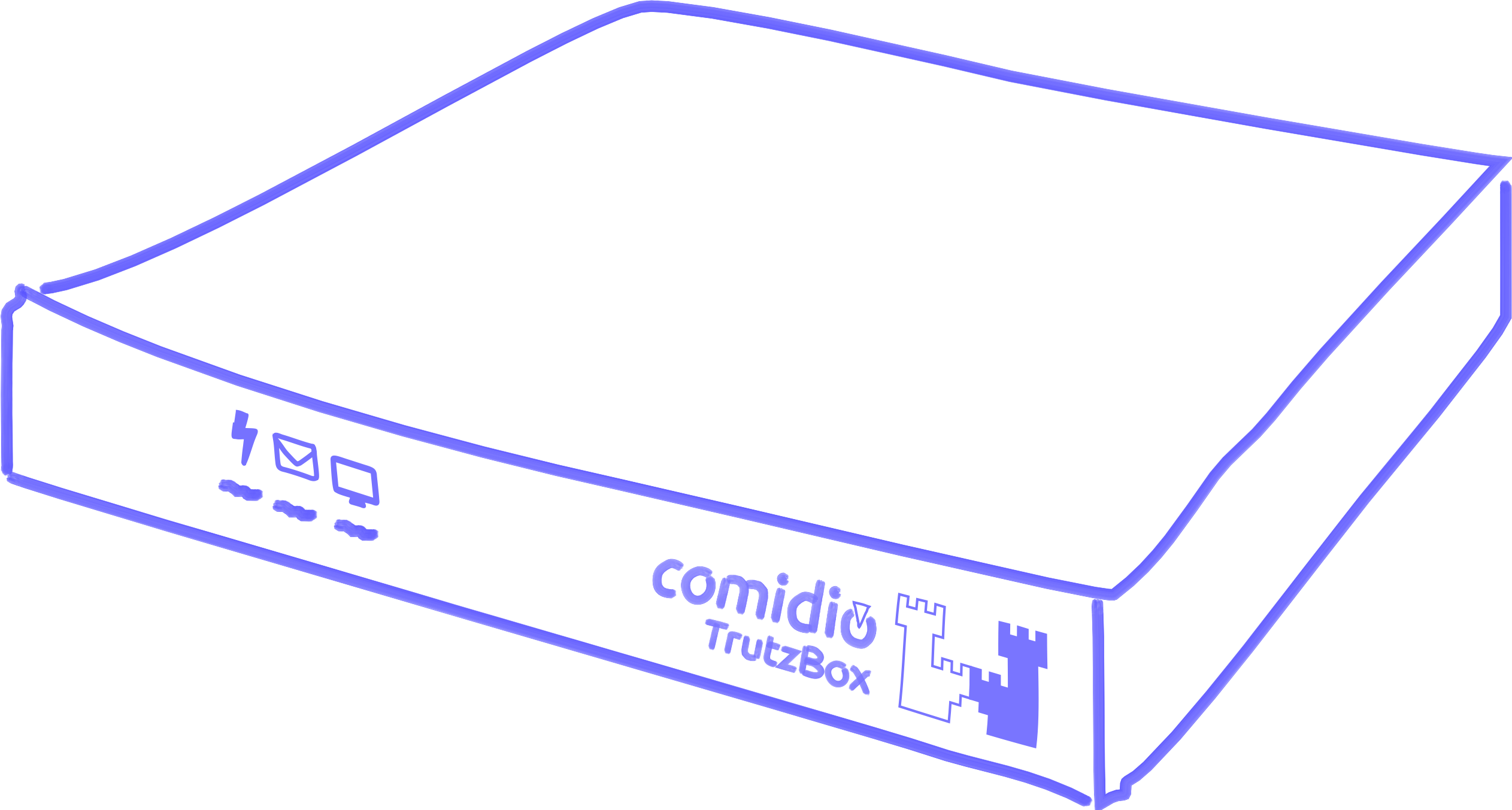
| left LED: Heartbeat |
off permanent on Rhythmic blinking |
TrutzBox® is switched off TrutzBox® is booting TrutzBox® in operation |
| LED Mitte: TrutzMail |
Lights Up | TrutzMail is sending or receiving an e-mail |
| right LED: TrutzBrowse, TrutzContent |
Lights Up | Short flash as soon as tracker / website are blocked |
-> Table of Contents (of this manual)
3.1.2 Connecting the TrutzBox®
Before initial operation of the TrutzBox® observe the instructions in the section "Safety and Operation“.
Connect the TrutzBox® as follows:
- Connect the RJ45 network cable to a network socket of the Internet router (1) and to the "Ext" connector on the back of the TrutzBox® (2).
- Connect the power supply unit to the "12V DC" connection of the TrutzBox® (3) and to the 100-240V power supply (4). Only use the supplied power supply unit for connection to the power supply.
After approx. 1 minute the TrutzBox beeps and after approx. 3-4 minutes the left LED on its front side starts to flash, and after another approx. 5-6 minutes (after a total of approx. 9-10 minutes) the TrutzBox is ready for operation.
If required, the WLAN options available in the Comidio Shop (www.comidio.de/shop) can be retrofitted at any time.
|
Important:
|
-> Table of Contents (of this manual)
3.2 TrutzBox® Set up
To set up your Trutzbox, you can do this with any browser. The process is a little different, depending on which browser is used. There are two groups:
- Mozila Firefox (with own certificate management) and
- Internet Explorer or Google Chrome (with shared certificate management in the operating system).
The following example shows the processes for both types; starting with Mozilla Firefox.
After connecting the TrutzBox® according to chapter "Connecting the TrutzBox®" it starts up. This can take 9-10 minutes.
Then connect your computer's browser to the TrutzBox® by entering"http://trutzbox" in the browser's address bar..
It is recommended to open 2 browser windows, so that you can work e.g. in the left window on the TrutzBox® user interface and directly next to it, e.g. in the right window, you can access the manual or the browser administration.
This is shown below:
- Part I is the same for all browser types,
- Part II distinguishes between Firefox (2a) and "Non-Firefox" (2b) and
- Part III is identical again.
3.2.1 Part I: Preparation of the setup
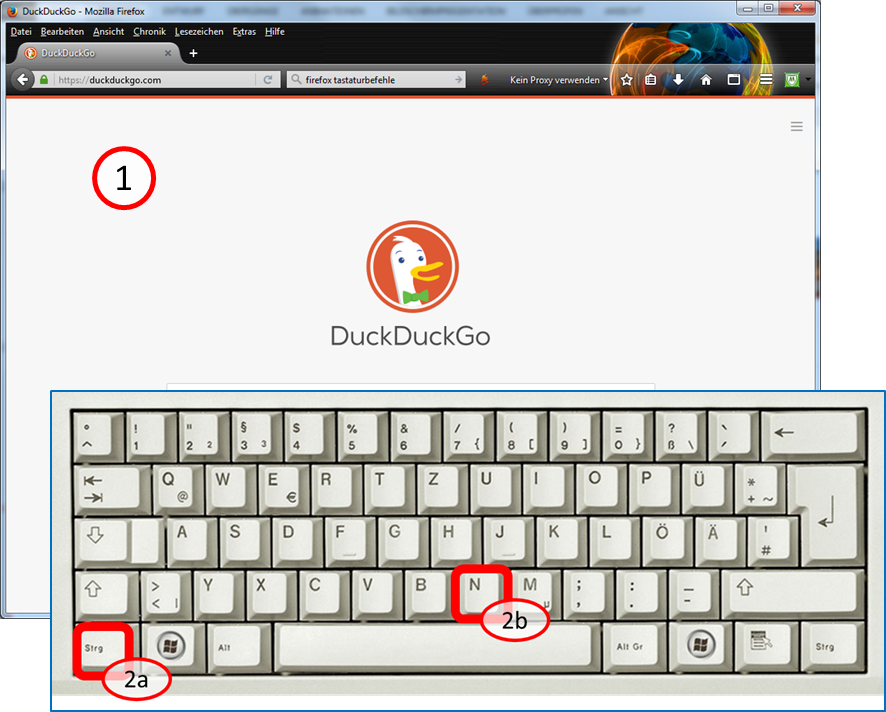
After you open a browser window, enter <Ctrl><N> on the keyboard:
Hold down key <Ctrl> (2a) and additionally press key "n" (2b).
This opens a second browser window.
-> Table of Contents (of this manual)
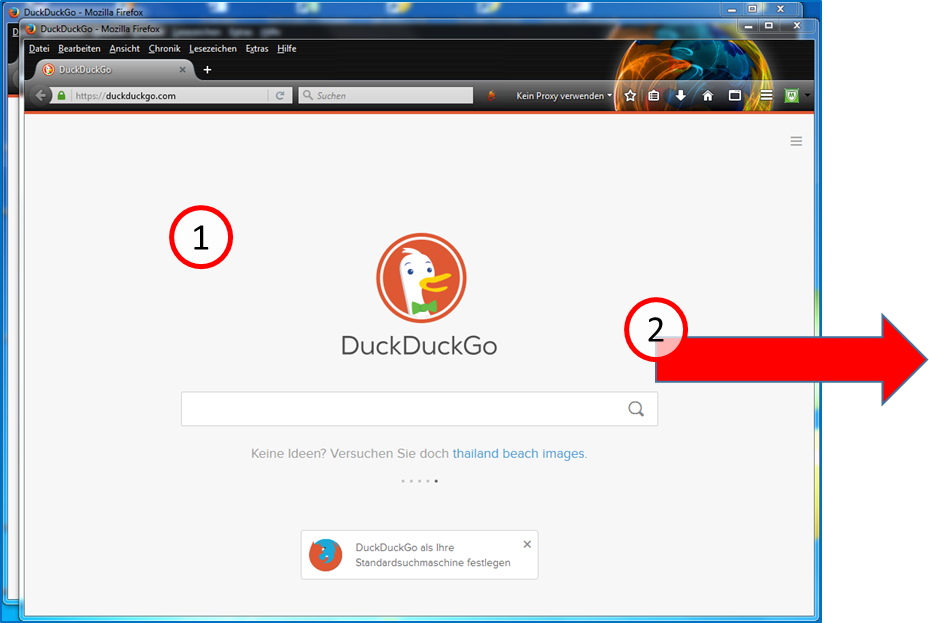
The second window (1) is now above the first window. Click with the left mouse button on the upper frame of the browser window and move the second window (with pressed left mouse button) to the right, next to the first window.
-> Table of Contents (of this manual)
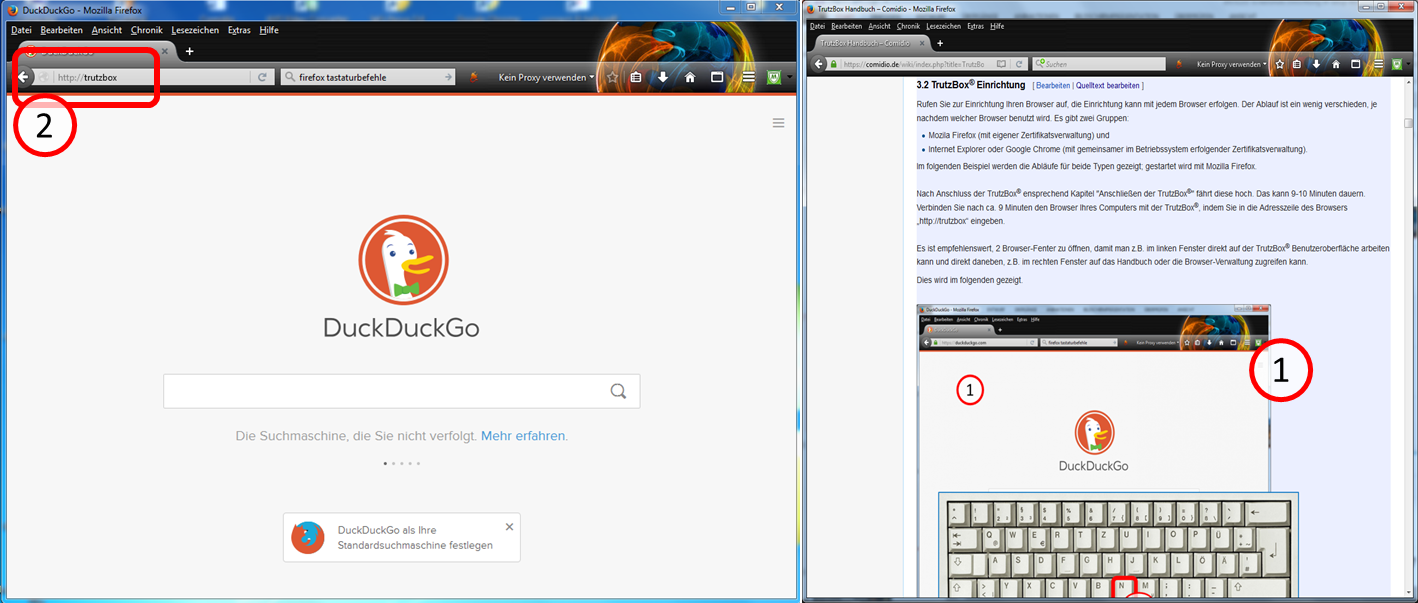
Open the wiki manual in the right window (1) (www.comidio.de/wiki) and go to chapter 3.2.
Enter in the left window (2) "http://trutzbox".
If you are using Firefox, please read on...
If you are not using Firefox, please continue reading at "Part IIb: Setup with Non-Firefox"
3.2.2 Part IIa: Setup with Firefox
-> Table of Contents (of this manual)
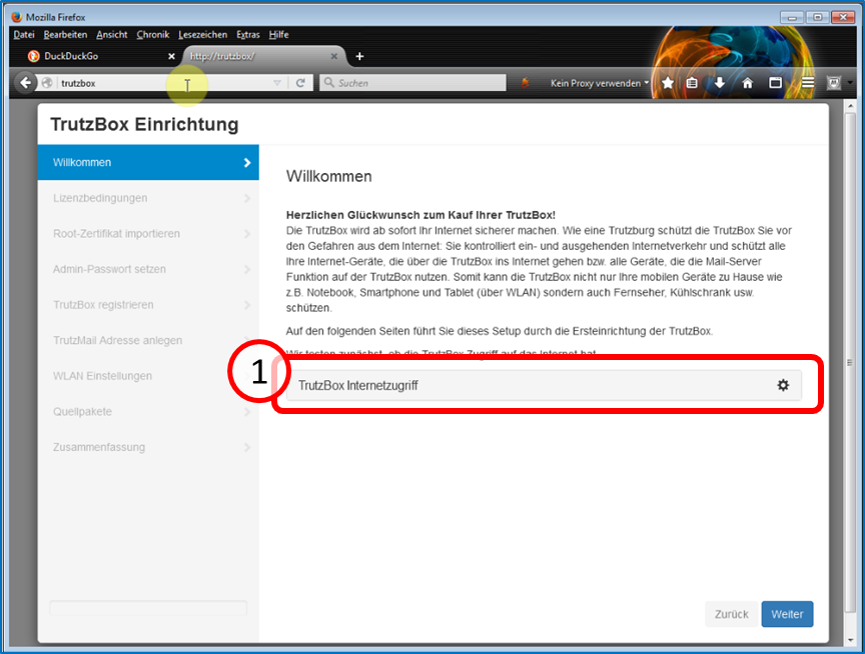
The TrutzBox® checks the Internet connection (1) ...
-> Table of Contents (of this manual)
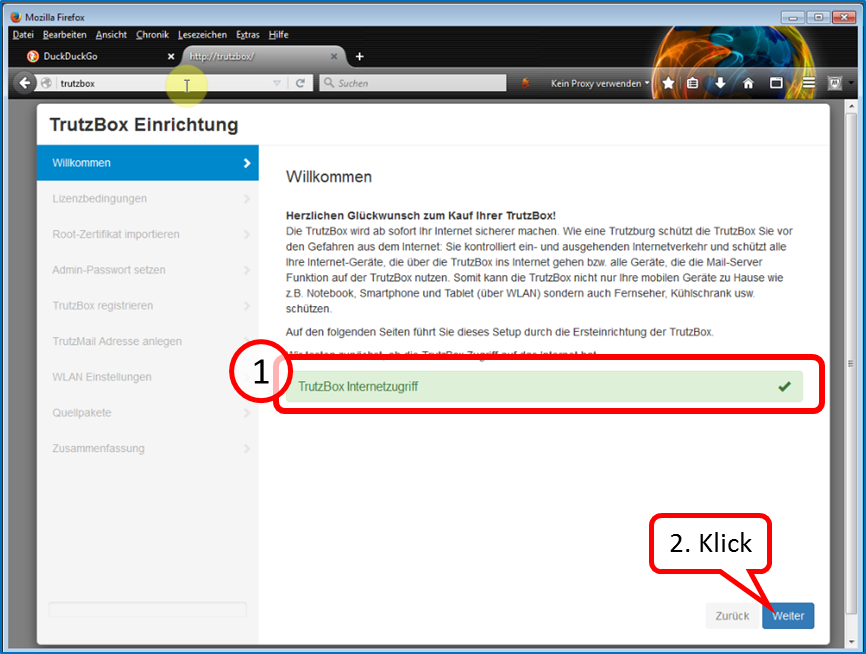
... and confirms the connection with a green tick (1).
Click on "Next" (2).
-> Table of Contents (of this manual)
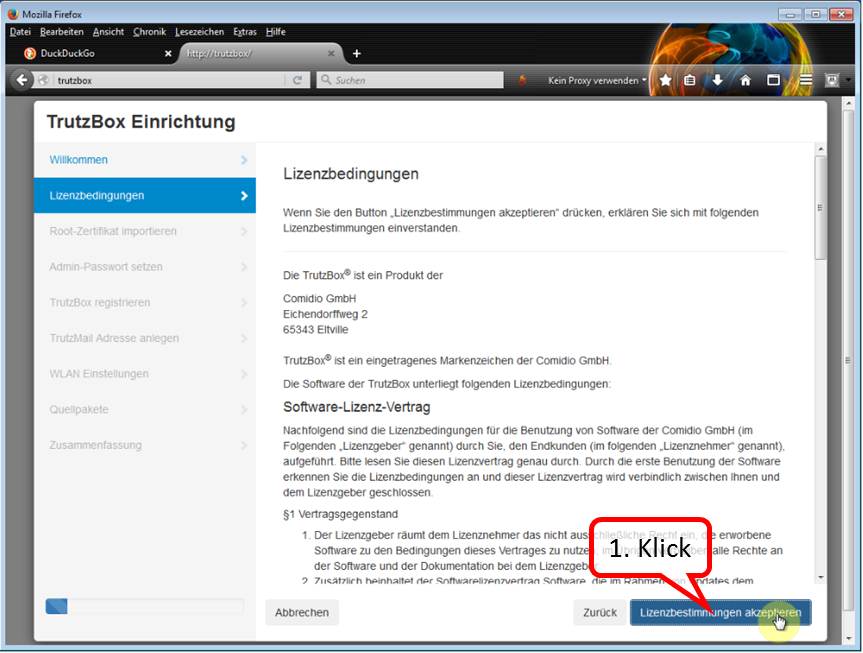
Here you can read the license conditions.
If you agree, click on "Lizenzbedingungen akzeptieren" (Accept license terms) (1).
-> Table of Contents (of this manual)
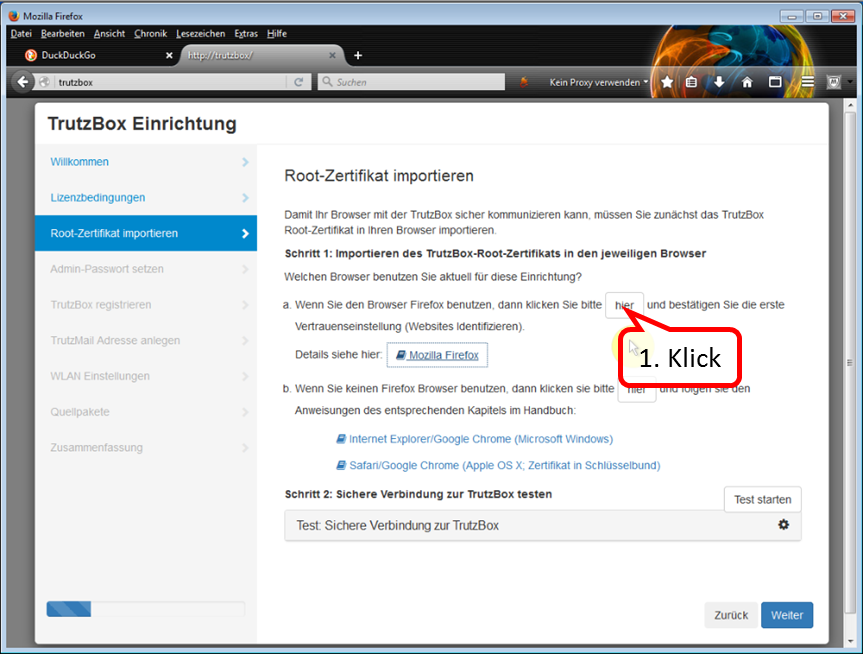
Since we are currently using Firefox, click on "hier" (here) in step 1 of (a)(1)
-> Table of Contents (of this manual)
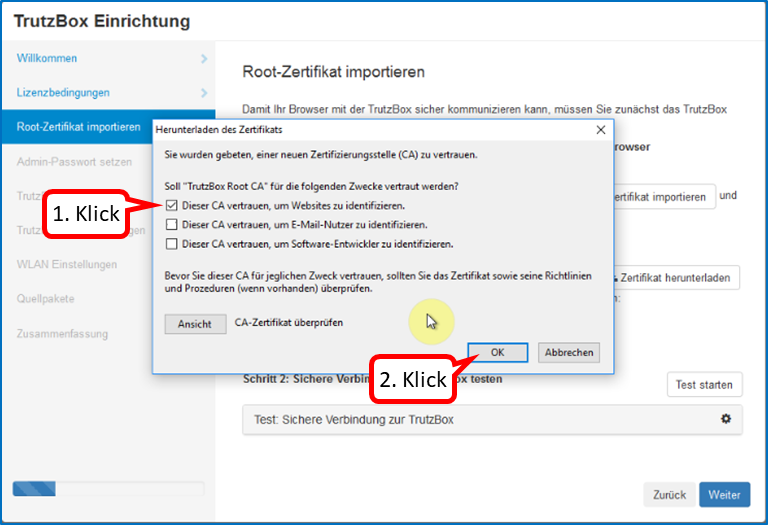
In the trust query, set the upper check mark (1).
Click on "Weiter" (2).
-> Table of Contents (of this manual)
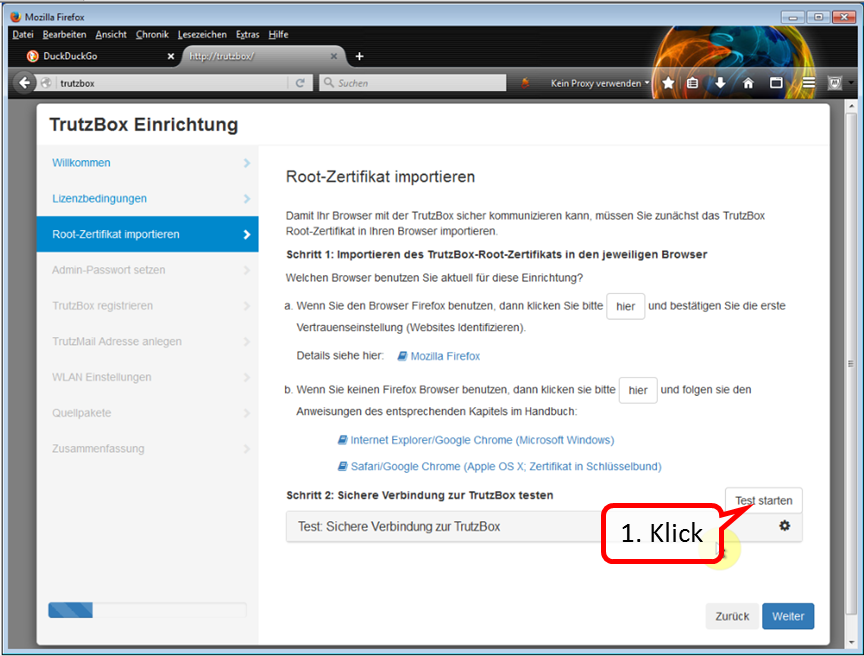
Click on "Test starten" (1) ...
-> Table of Contents (of this manual)
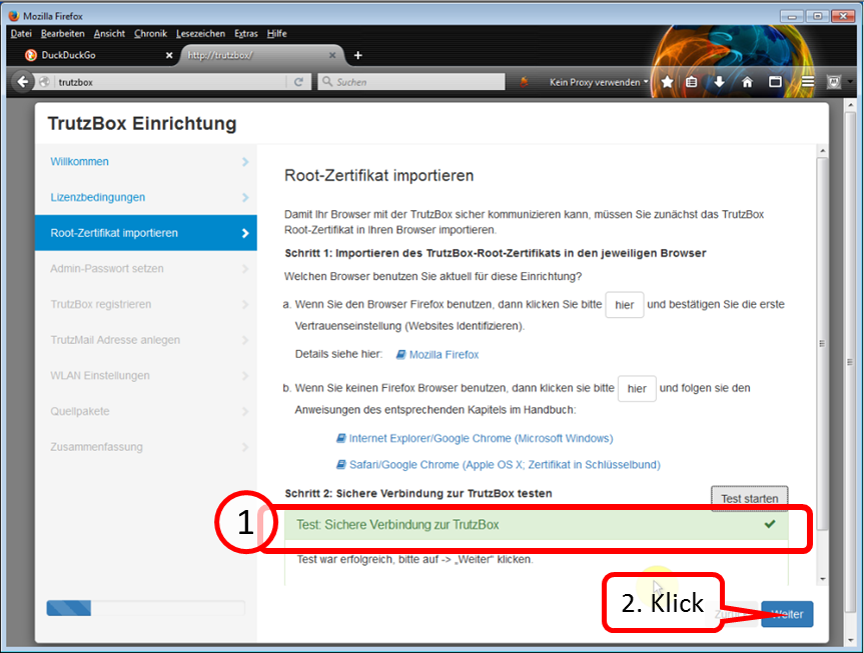
... and wait for the test result (1).
Click on "Weiter" (2).
Continue to "Part III: Completion of the setup".
3.2.3 Part IIb: Setup with Non-Firefox
The main difference to "Setup with Firefox" is that with non-Firefox the root certificate
- is downloaded into the download directory of the PC and
- is imported from the download directory into the certificate management of the PC..
Then, the root certificate is automatically available to both Internet Explorer and Google Chrome.
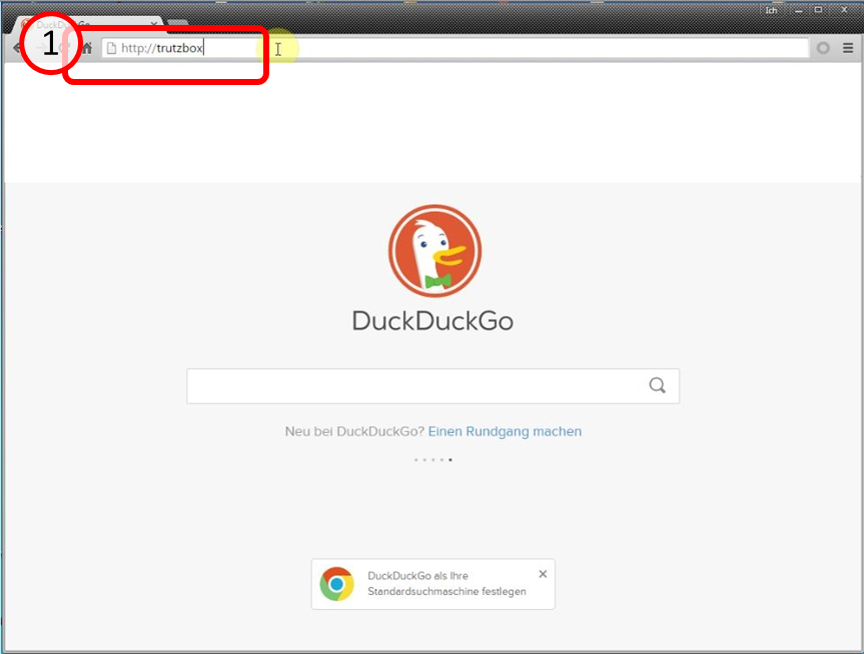
Then connect your computer's browser to the TrutzBox® by entering"http://trutzbox" in the browser's address bar (1).
-> Table of Contents (of this manual)
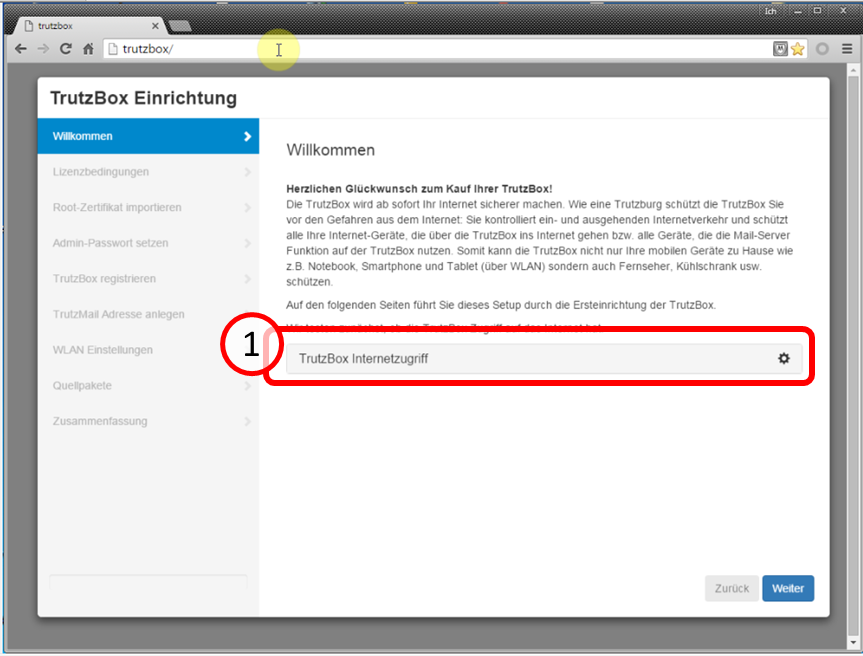
The TrutzBox® checks the internet connection (1) ...
-> Table of Contents (of this manual)
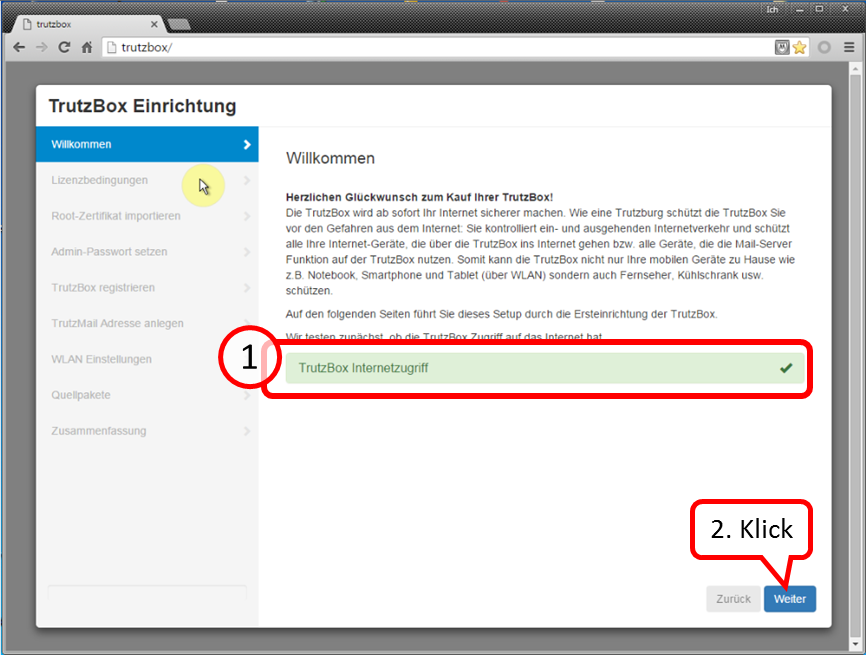
... and confirms the connection with a green checkmark (1).
Click on "Weiter" (2).
-> Table of Contents (of this manual)
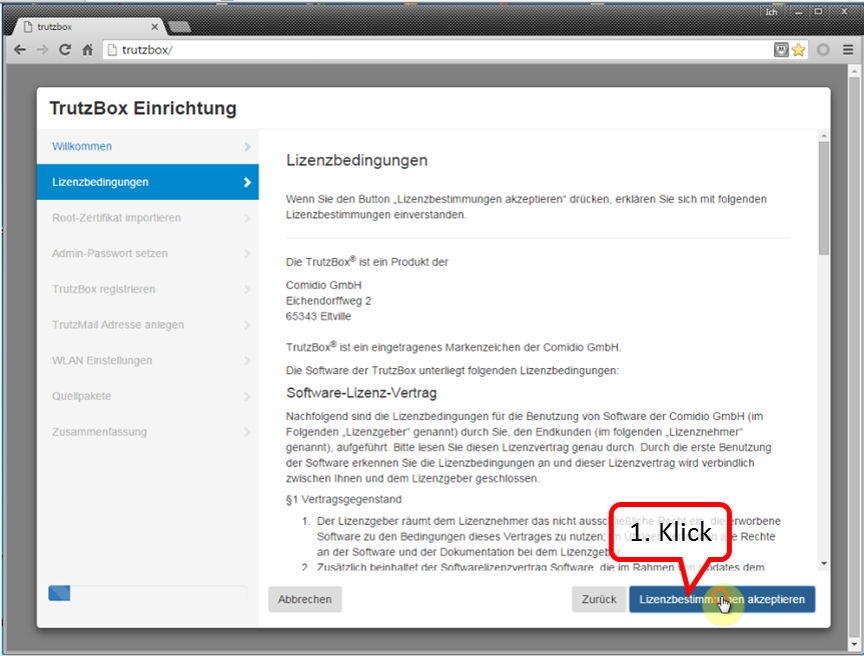
Here you can read the license conditions.
If you agree, click on "Lizenzbedingungen akzeptieren" (Accept license terms) (1).
-> Table of Contents (of this manual)
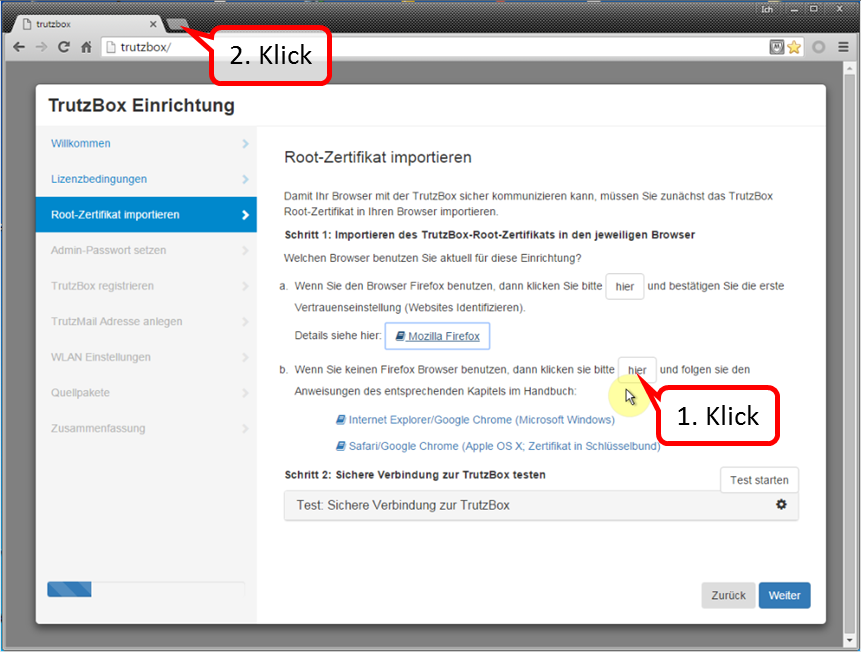
Since you are currently using Chrome (i.e. non-Firefox), click on "here" in step 1 (b) (1).
This downloaded the root certificate under the name "trutzbox.cer" into the download area.
Open a second tab window (2) to import the root certificate.
-> Table of Contents (of this manual)
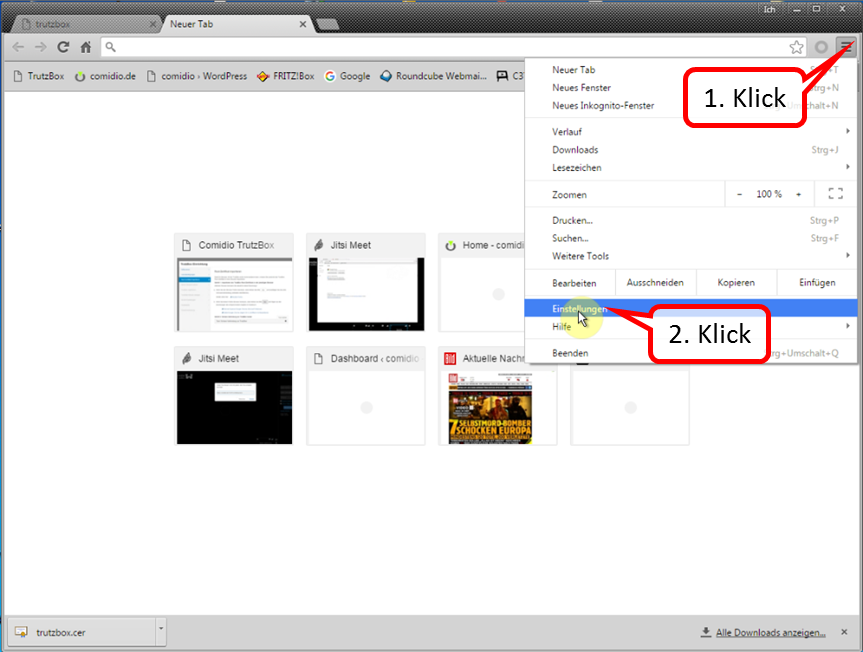
Open "Customize and configure Google Chrome" (1) and click on " Settings " (2).
-> Table of Contents (of this manual)
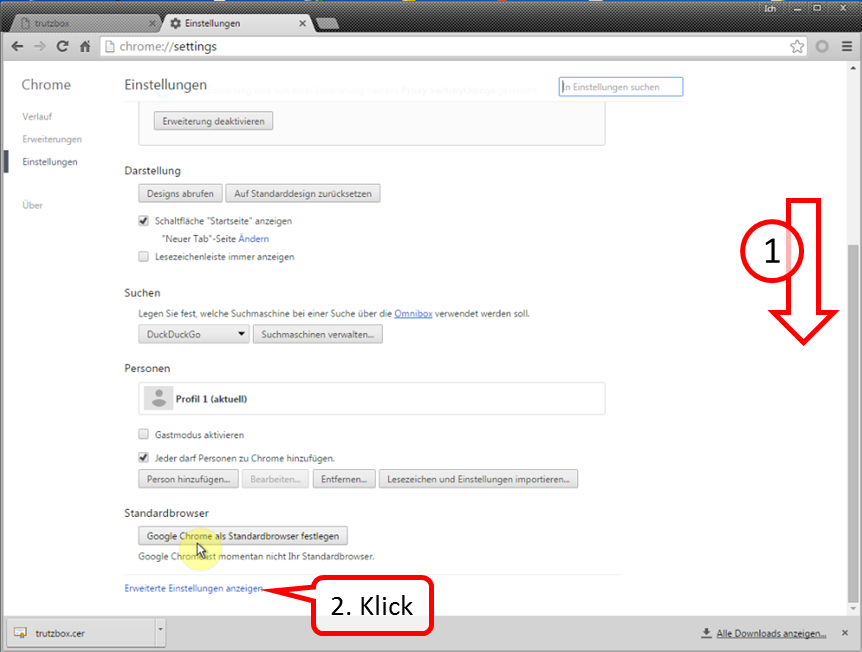
Scroll all the way down (1) and click on "Show advanced settings" (2).
-> Table of Contents (of this manual)
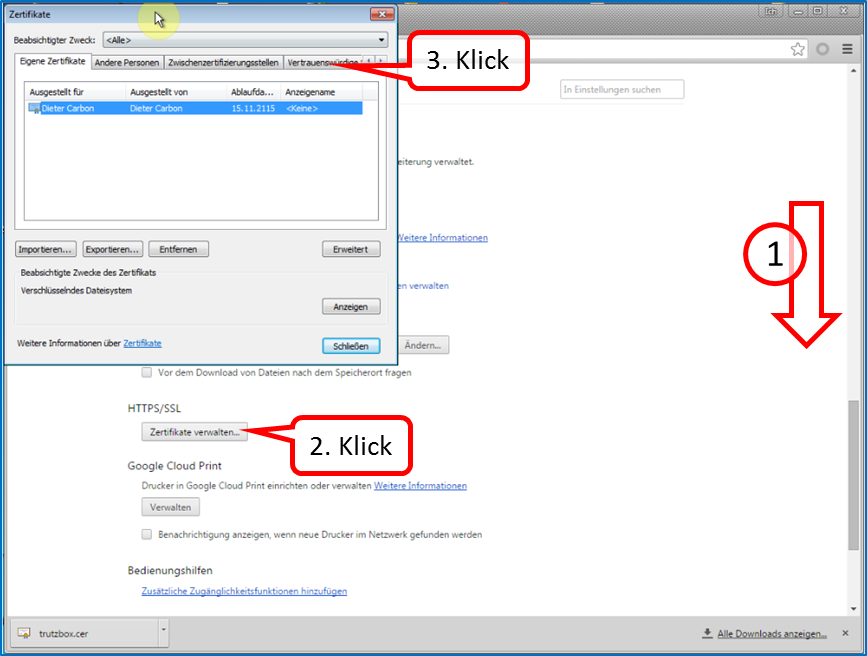
Scroll down (1) and click on "Manage Certificates" (2) and then on "Trusted Root Certification Authorities" (3).
-> Table of Contents (of this manual)
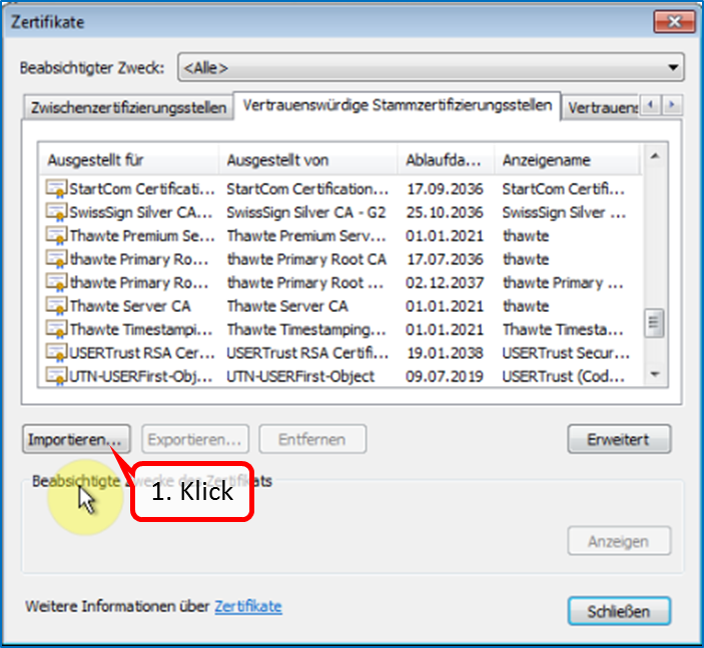
Click on "Import" (1).
-> Table of Contents (of this manual)
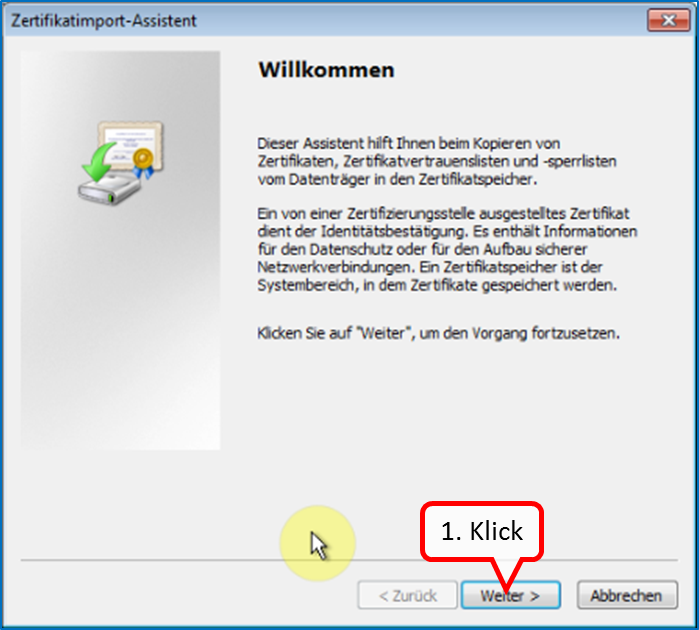
Click on " Weiter " (1).
-> Table of Contents (of this manual)
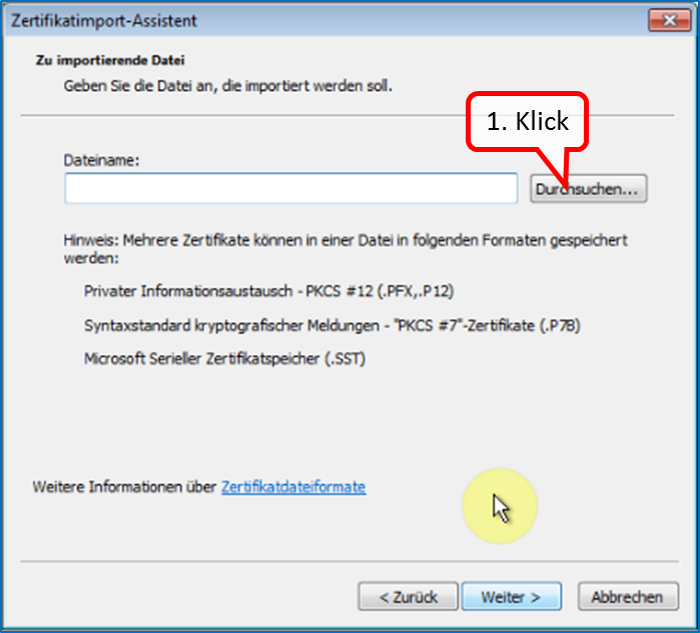
Click on " Durchsuchen " (1).
-> Table of Contents (of this manual)
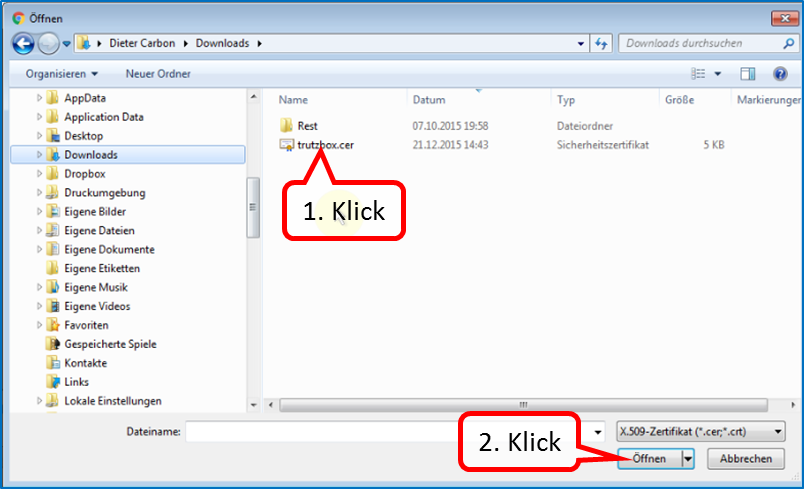
Click on "trutzbox.cer" (1) and then on "Open" (2).
-> Table of Contents (of this manual)
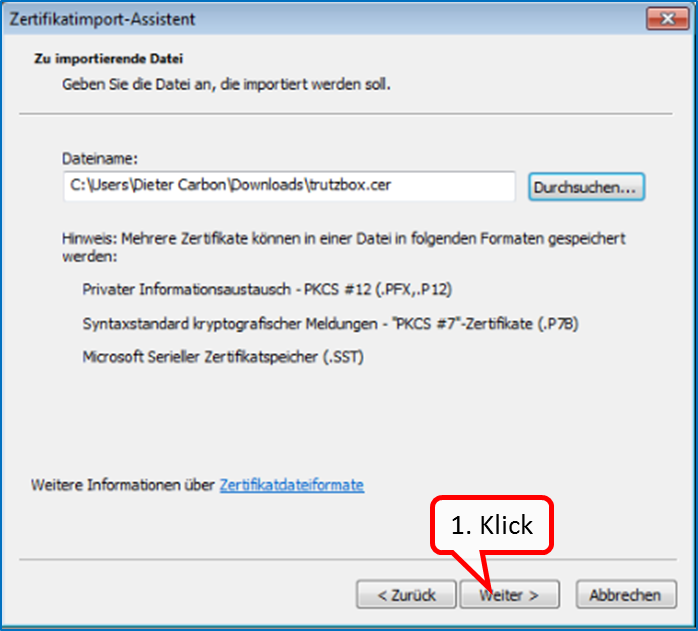
Click on " Weiter " (1).
-> Table of Contents (of this manual)
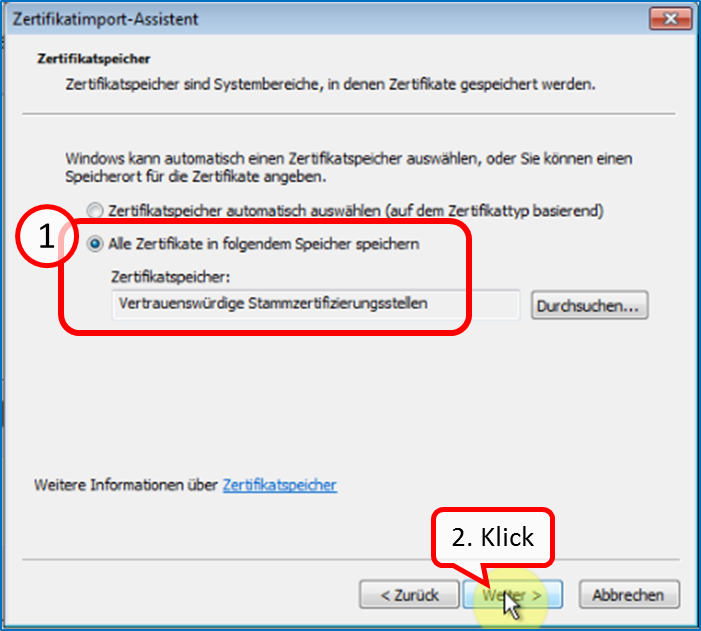
Check that "Trusted Root Certification Authorities" is checked (1) and click "Next" (2).
-> Table of Contents (of this manual)
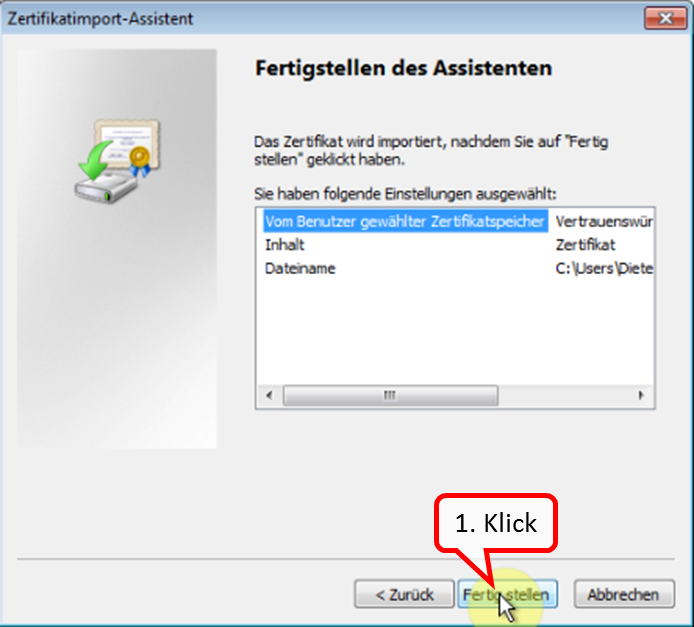
Click on " Fertigstellen " (1).
-> Table of Contents (of this manual)
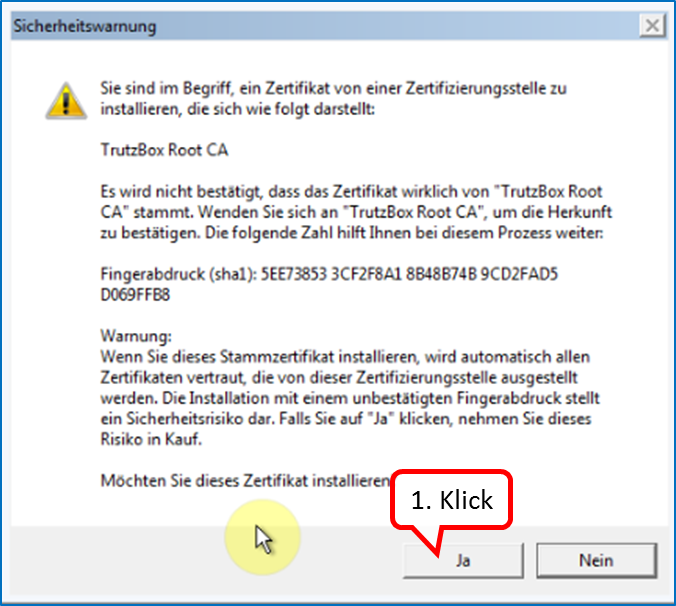
Click on " Ja " (1).
-> Table of Contents (of this manual)
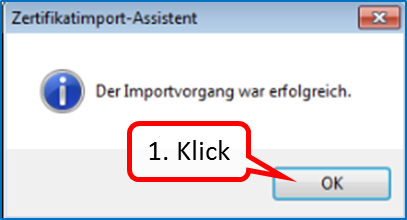
Click on " OK " (1).
-> Table of Contents (of this manual)
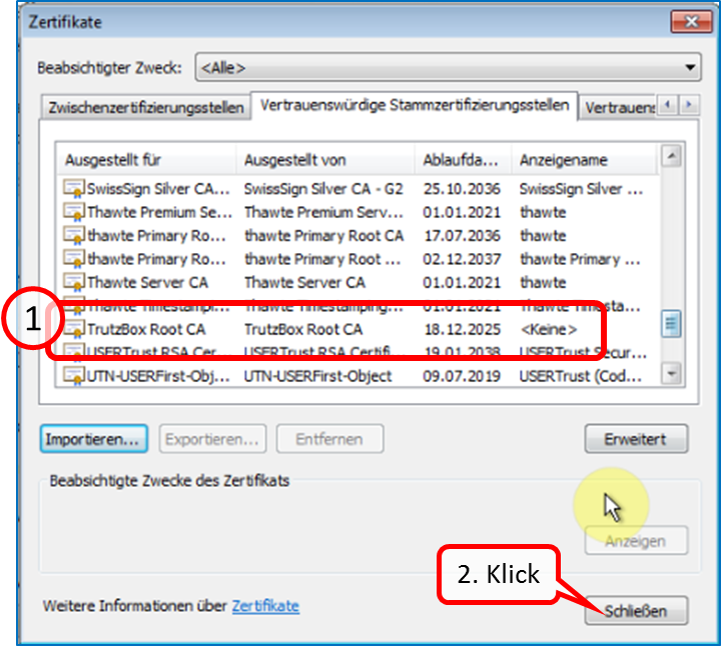
The TrutzBox root certificate (1) appears in the list; click on "Close" (2).
-> Table of Contents (of this manual)
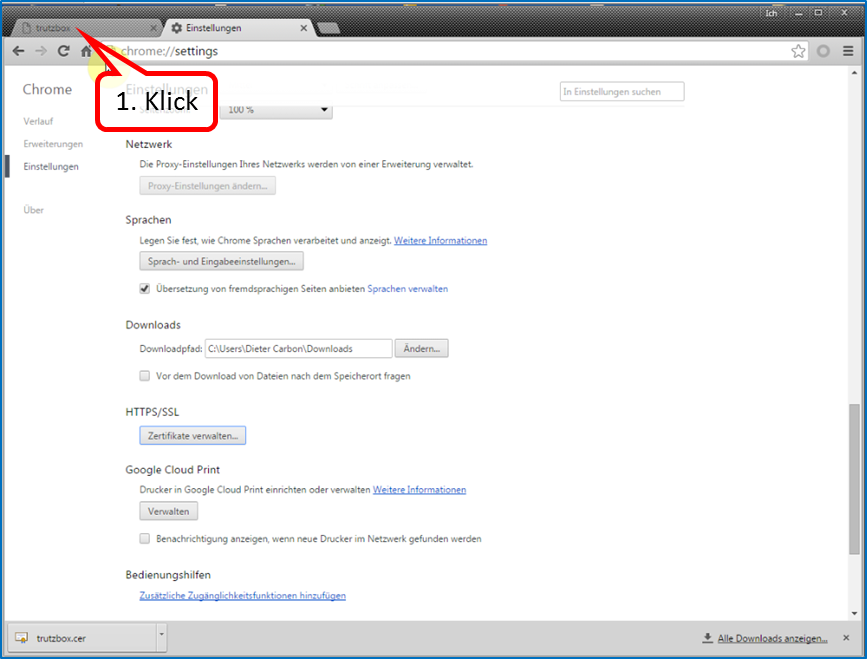
To continue the TrutzBox setup, switch back to the first tab window (1).
-> Table of Contents (of this manual)
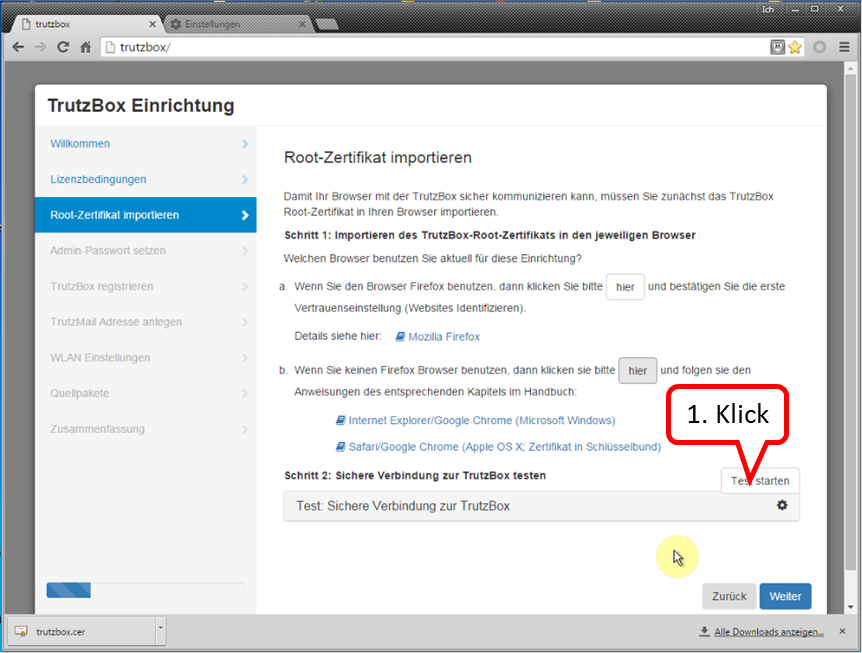
Click on " Test starten " (1). ...
-> Table of Contents (of this manual)
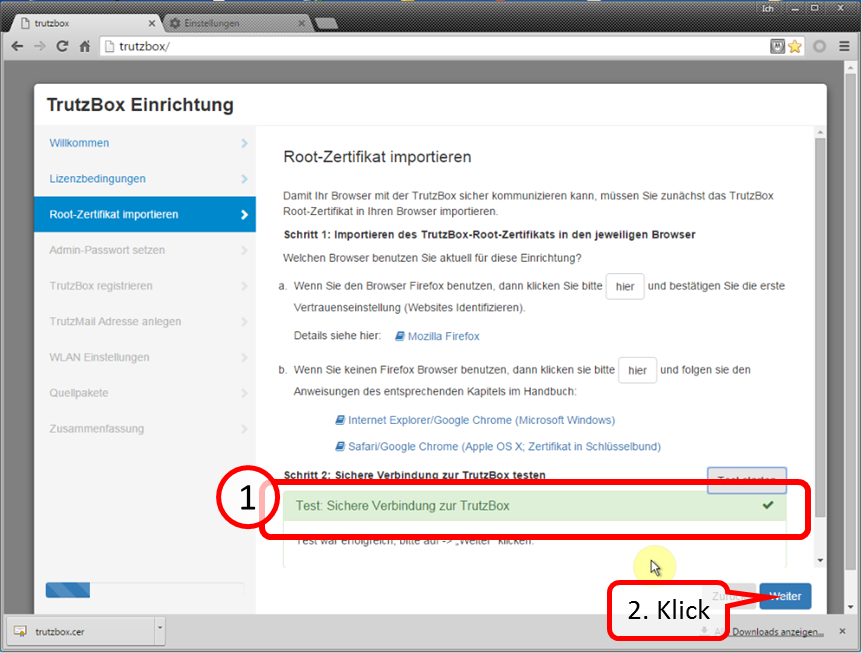
... and wait for the test result (1).
Click on " Weiter " (2).
-> Table of Contents (of this manual)
3.2.4 Part III: Completion of the setup
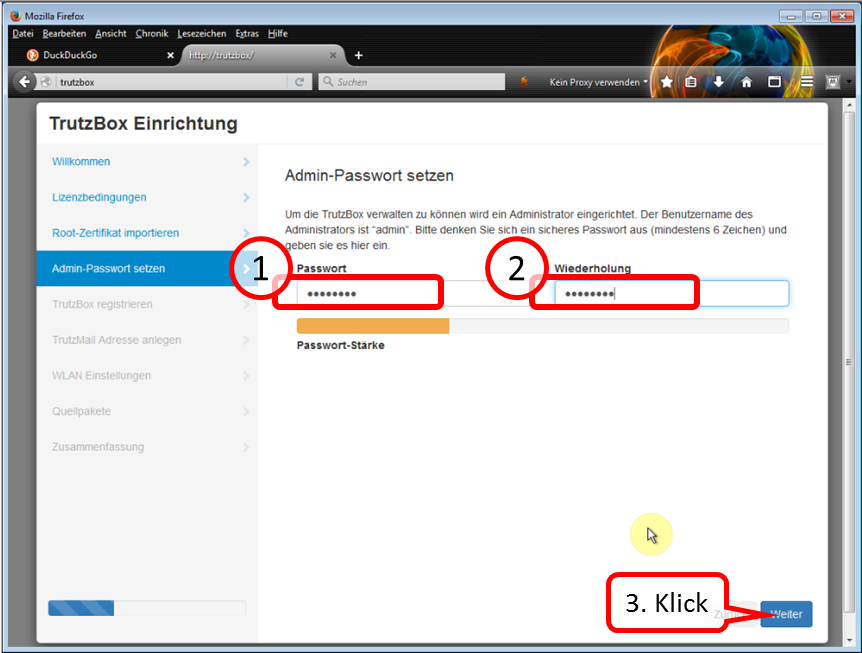
Determine, enter (1) and repeat administrator password (2).
All characters according to ASCII table https://en.wikipedia.org/wiki/ASCII#ASCII_printable_code_chart are allowed.
This password is required to open the TrutzBox® user interface as administrator..
Click on " Weiter " (3).
-> Table of Contents (of this manual)
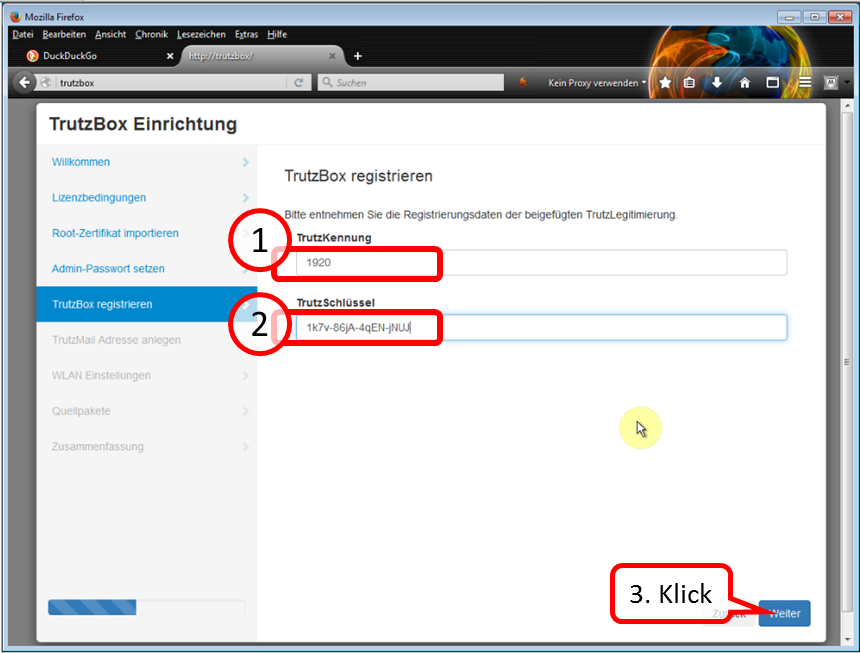
Take the data from the TrutzLegitimierung (coloured paper) and enter the TrutzKennung (1) and TrutzSchlüssel (2).
Click on " Weiter " (3).
-> Table of Contents (of this manual)
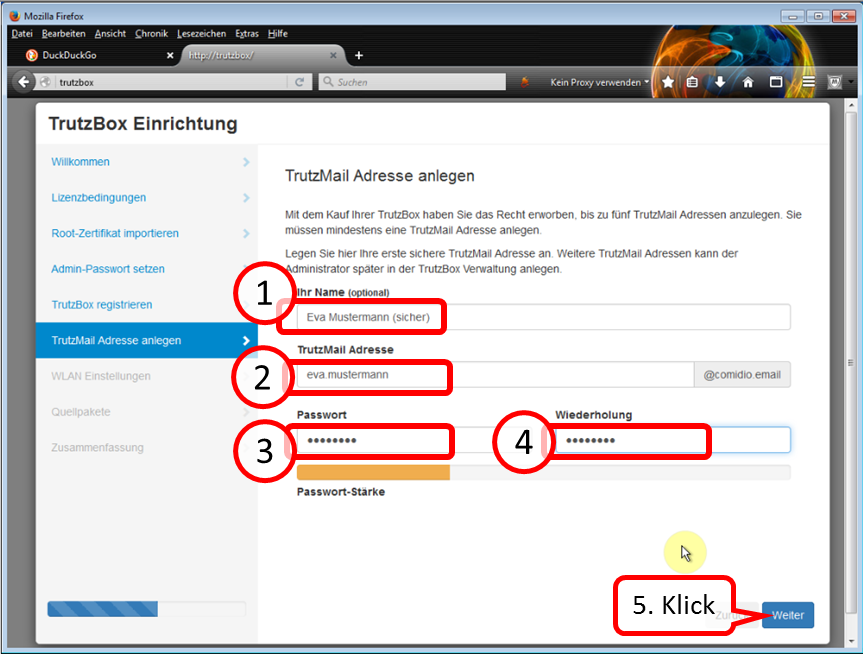
Self-chose and enter TrutzMail details:
- Name (1),
- TrutzMail address (2): please enter only the name of the user, "@comidio.email" will be added automatically.
- Set, enter (3) and repeat (4) the TrutzMail password. All characters according to ASCII table https://en.wikipedia.org/wiki/ASCII#ASCII_printable_code_chart are allowed.
These are your TrutzMail account data, which you need to use your webmail or to configure your e-mail program.
Click on " Weiter " (5).
-> Table of Contents (of this manual)
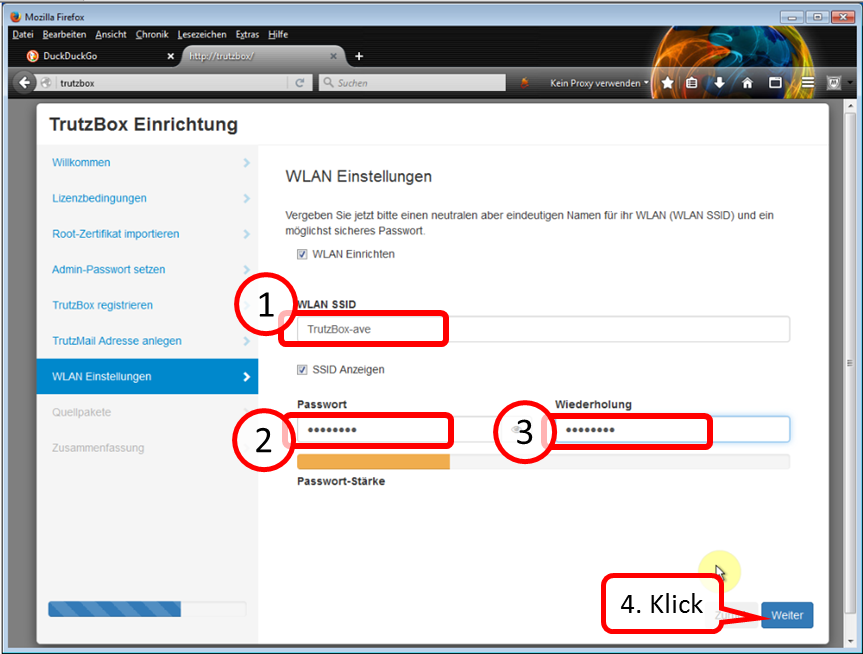
Enter a WLAN name of your choice [SSID = Service Set IDentifier = Name of wireless network)] (1) and WLAN password (2).
All characters according to ASCII table https://en.wikipedia.org/wiki/ASCII#ASCII_printable_code_chart are allowed.
Note: choose a pseudonym as name (SSID), no clear name, as the wireless network connection name is visible with a range of up to approx. 50 m.
With this TrutzBox® SSID you connect the WLAN devices of the home network.
Click on " Weiter " (4).
-> Table of Contents (of this manual)
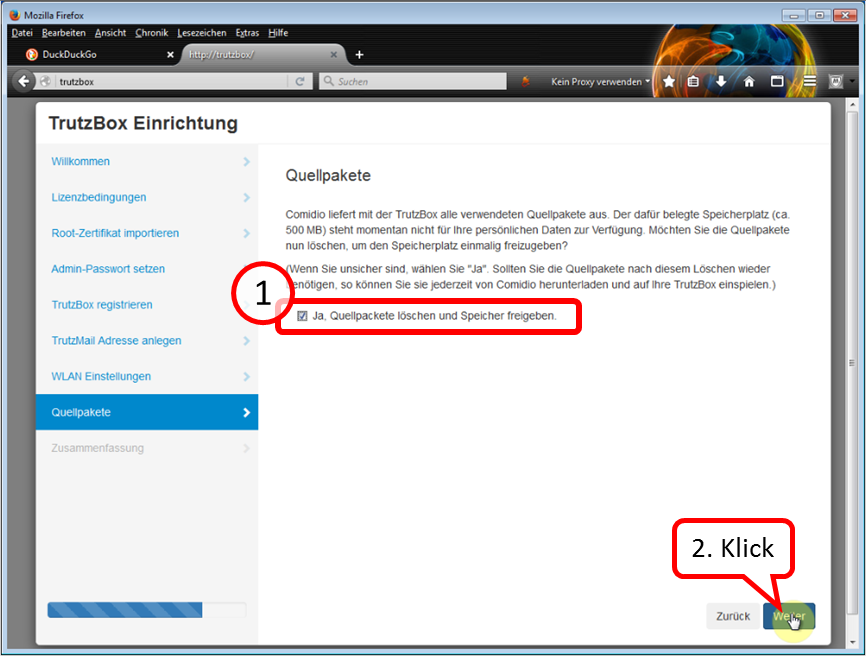
If the check mark remains set (1), about half a gigabyte of memory space is freed up.
Click on " Weiter " (2).
-> Table of Contents (of this manual)
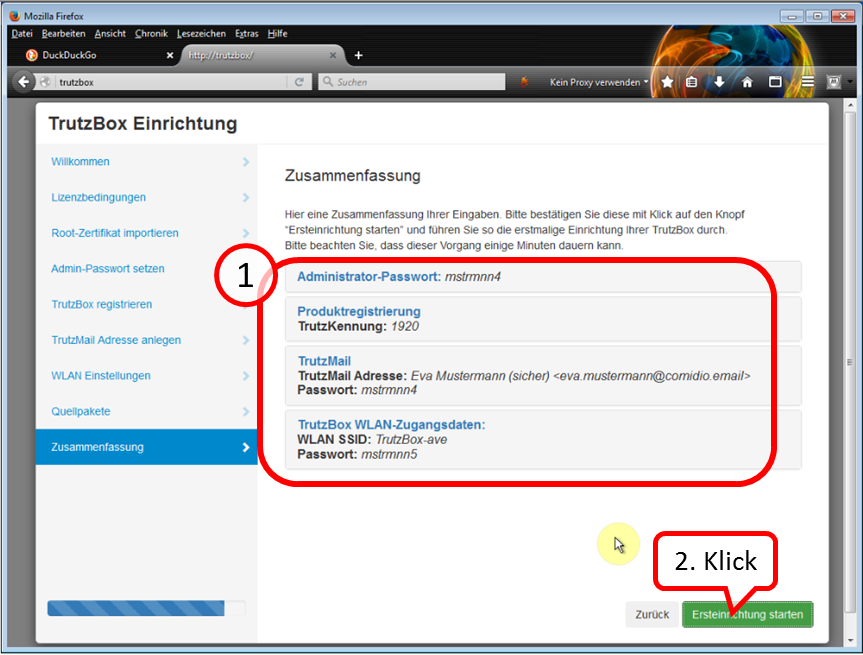
Check your details; for corrections click on „Zurück“.
Then click on „Ersteinrichtung starten“.
Please note that this process can take several minutes.
-> Table of Contents (of this manual)
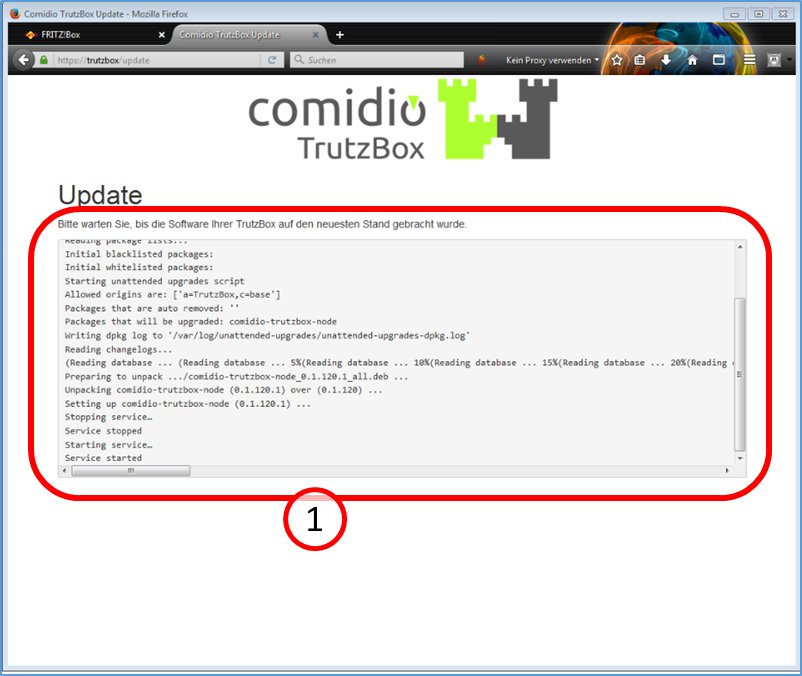
The TrutzBox® checks if there are current updates; if yes, they will be downloaded now (1).
Please note that this process can take up to 30 minutes.
-> Table of Contents (of this manual)
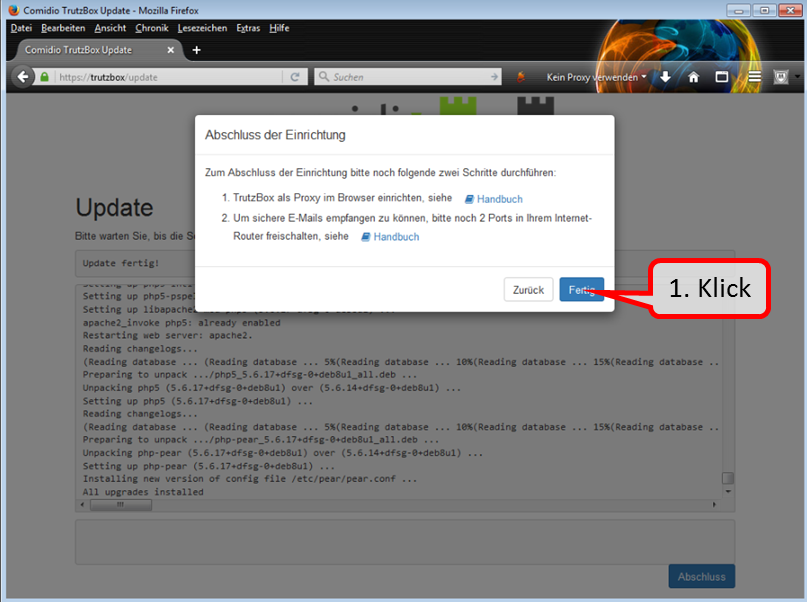
The updates are completely downloaded when the window " Abschluss der Einrichtung " appears.
Click directly - without clicking on steps 1 & 2 - on the "Fertig" button to end the setup process.
(Step 1 follows only after the installation; Step 2 can now be saved due to the further development of the TrutzBox).
-> Table of Contents (of this manual)
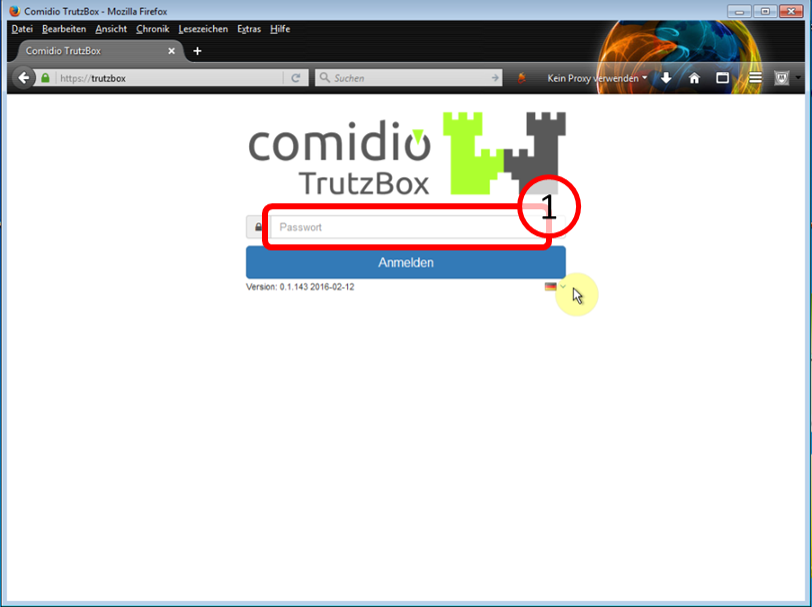
Then the TrutzBox user interface appears automatically and shows you:
Now the quick start is complete.
-> Table of Contents (of this manual)
After downloading, your TrutzBox® is ready for operation.
The next step is to
- set up the TrutzBox as a proxy; see Chapter entitled "Connecting the device to the TrutzBox" and
- import the root certificate (if you want to use other devices with a browser in addition to your PC); see the "Certificates" chapter.
On every other device with a browser that uses the TrutzBox®, the certificate
- if browser is Firefox: must be imported into the Firefox certificate management,
- if browser is not Firefox: must be imported into the certificate management of the other browser, and thus automatically into the certificate management of the operating system. (see chapter "Certificates").
To use TrutzMail or TrutzChat, the TrutzBox certificate must also have been imported into the certificate management of the operating system.
The TrutzBox certificate only needs to be imported once into the certificate management of the operating system and is then available there for
- all non-Firefox browsers and
- TrutzMail and
- TrutzChat.
If you do not import the certificate into the browsers and notify the mail system, you will be prompted for security confirmation each time you open it.
Therefore it is recommended to download the TrutzBox® certificate from the TrutzBox® to the device with browser and import it into the browser afterwards.
-> Table of Contents (of this manual)
3.2.5 Disable IPv6
The TrutzBox works exclusively with IPv4 addresses.
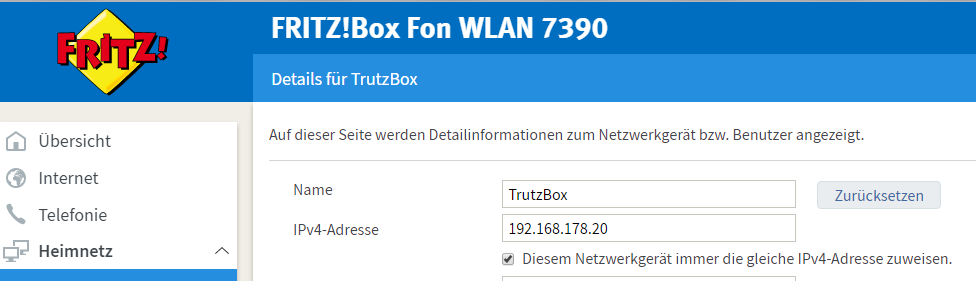
If your TrutzBox is not connected to the router or your terminal device (e.g. PC) cannot reach the TrutzBox, one reason for this may be that the router assigns IPv6 addresses. To avoid this, it should be ensured that the router assigns IPv4 addresses.
To disable IPv6 addresses, proceed as follows:
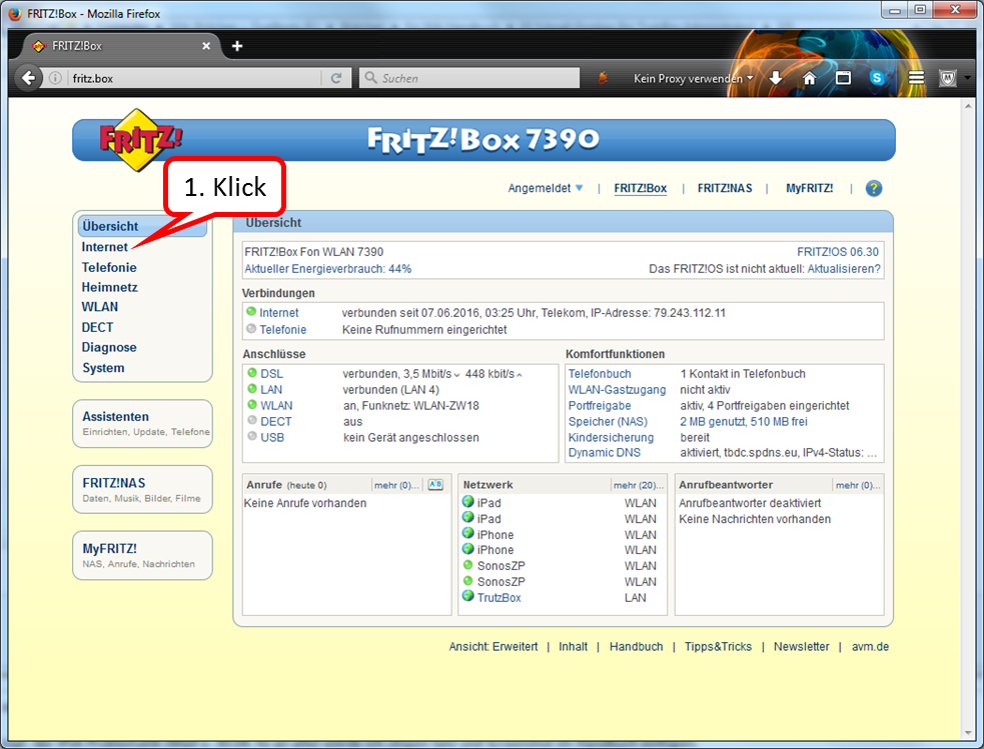
In the FRITZ!box user interface, call up "Internet".
-> Table of Contents (of this manual)
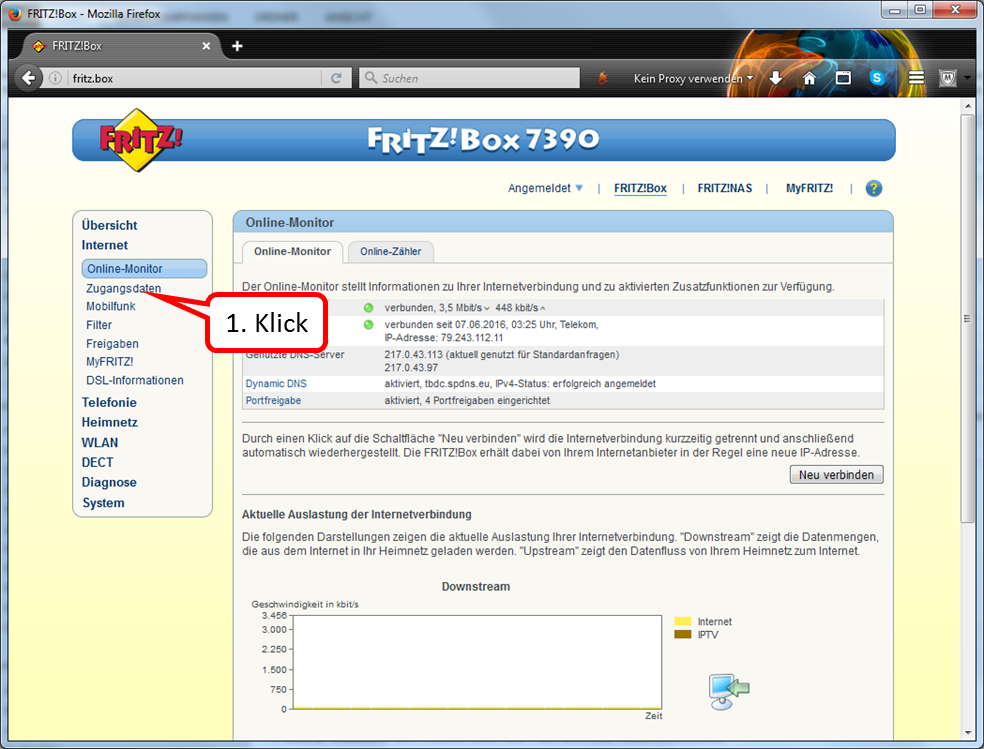
Click on " Zugangsdaten " (2).
-> Table of Contents (of this manual)
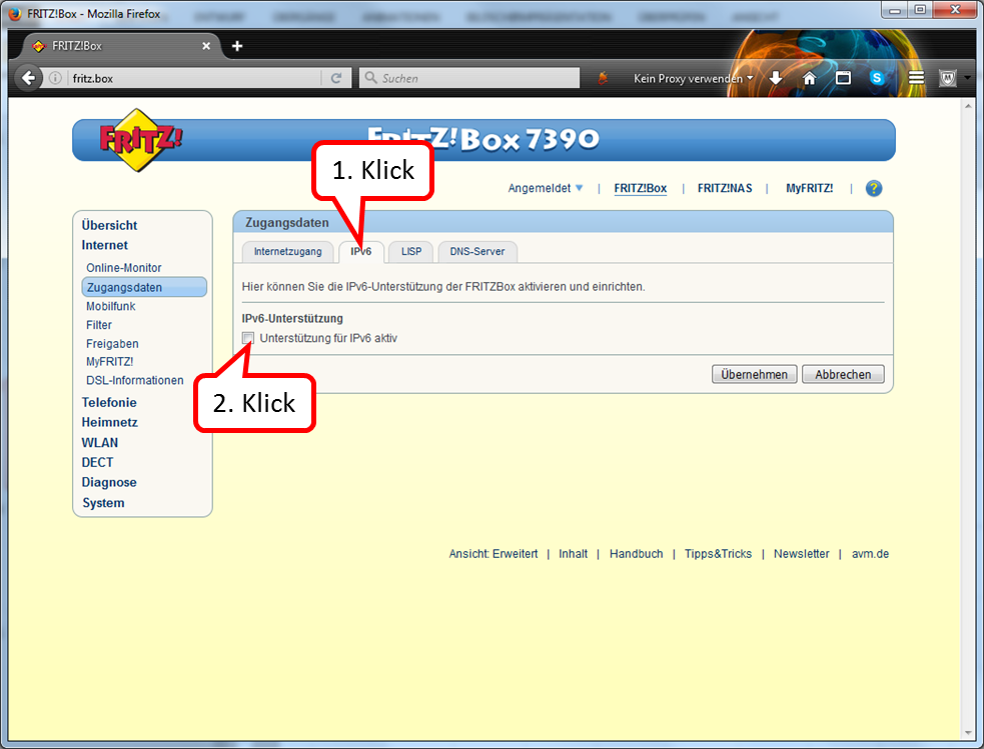
Click on " IPv6" (1).
The box under "IPv6 support" should not be checked (2).
-> Table of Contents (of this manual)
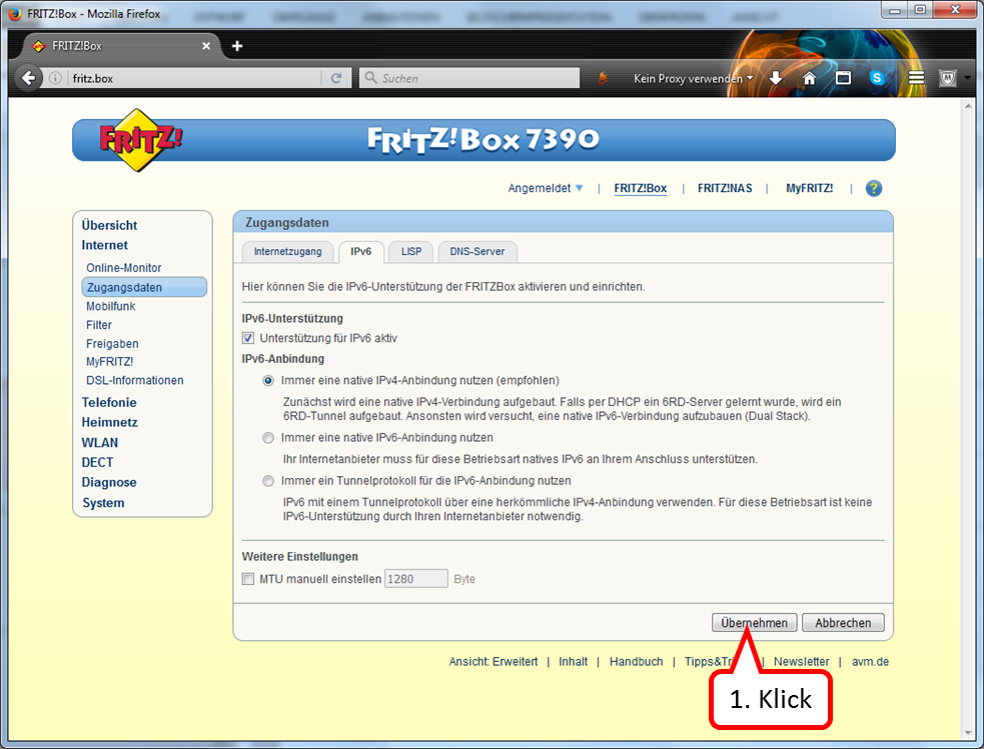
If a check mark is set, deactivate this option.
-> Table of Contents (of this manual)
3.3 WLAN Installation Guide
3.3.1 Replacement installation of WLAN-Plus (e.g. after WLAN basic)
If you have already used another WLAN hardware (e.g. WLAN-Basic EDIMAX stick) with the TrutzBox, please proceed according to the following "WLAN Installation Info" BEFORE installing the built-in antenna.
Call Webmin
- via TrutzBox user interface: System -> Advanced settings, or
- via call: https://trutzbox:10000.
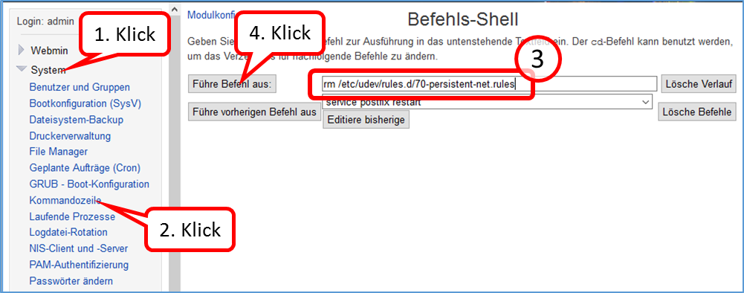
In Webmin:
- System (1)
- -> Kommandozeile (2)
- enter there in the field to the right „Führe Befehl aus:“ (3): rm /etc/udev/rules.d/70-persistent-net.rules
- and click on "Führe Befehl aus" (4).
-> Table of Contents (of this manual)
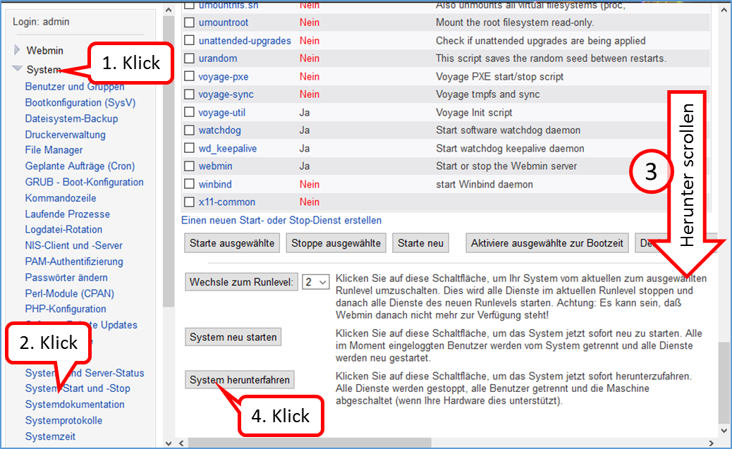
Shutdown TrutzBox
- using Webmin: System (1)
- -> System-Start und –Stop (2),
- scroll down (3) and
- click on „System herunterfahren“ (4).
When LEDs are off, remove TrutzBox from the power supply, open the housing and install the built-in antenna (see the following WLAN installation instructions).
-> Table of Contents (of this manual)
3.3.2 First installation of WLAN-Plus
- Attention, the WLAN card can be damaged by electrical (discharge) charging. Before opening the WLAN card bag and touching the WLAN card, be sure to touch an earthed metal part (e.g. radiator) or at least the TrutzBox housing with both hands (to drain off possible charging).
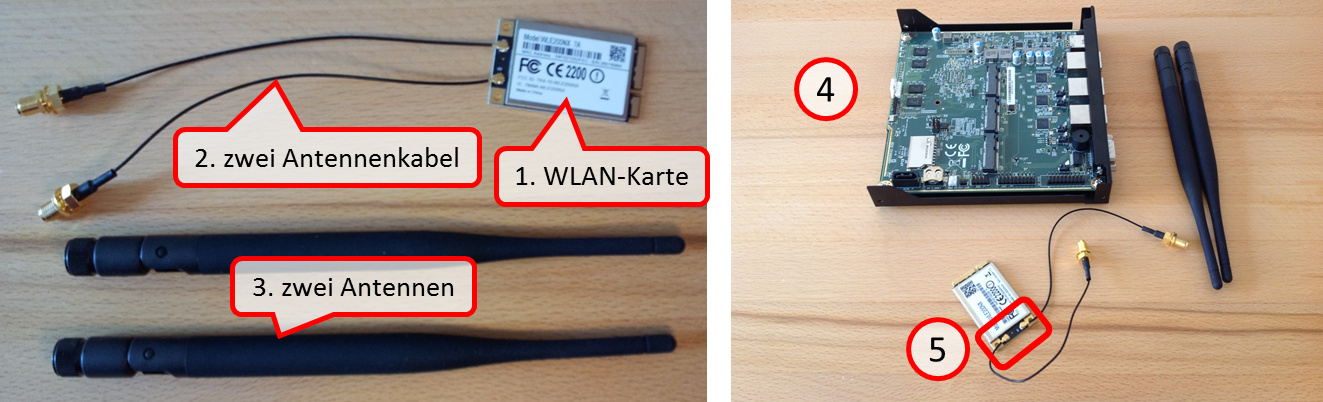
- Check scope of delivery: WLAN card (1), two antenna cables (2) and two antennas (3).
- If necessary, shut down the TrutzBox and disconnect all cable connections, including the power supply.
- Open the TrutzBox by loosening the 4 screws and remove the housing cover. (4).
- Check that the cables of the supplied WLAN card are still firmly plugged onto the WLAN card (5).
-> Table of Contents (of this manual)
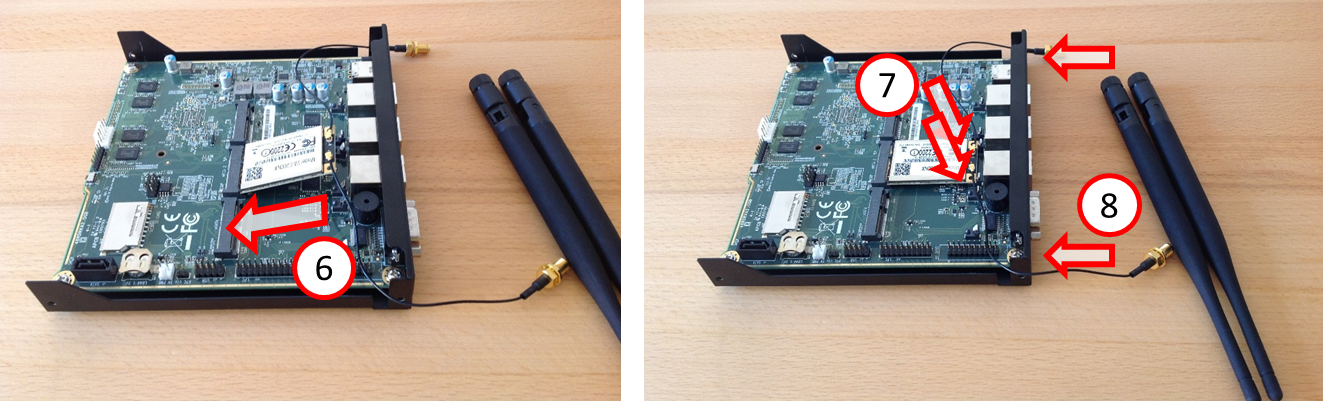
- Carefully insert the card at an angle into the middle terminal strip (6) seen from behind and carefully press the card downwards until it clicks into place on both sides (7).
- Remove the two rubber caps inserted into the back of the TrutzBox (8).
-> Table of Contents (of this manual)
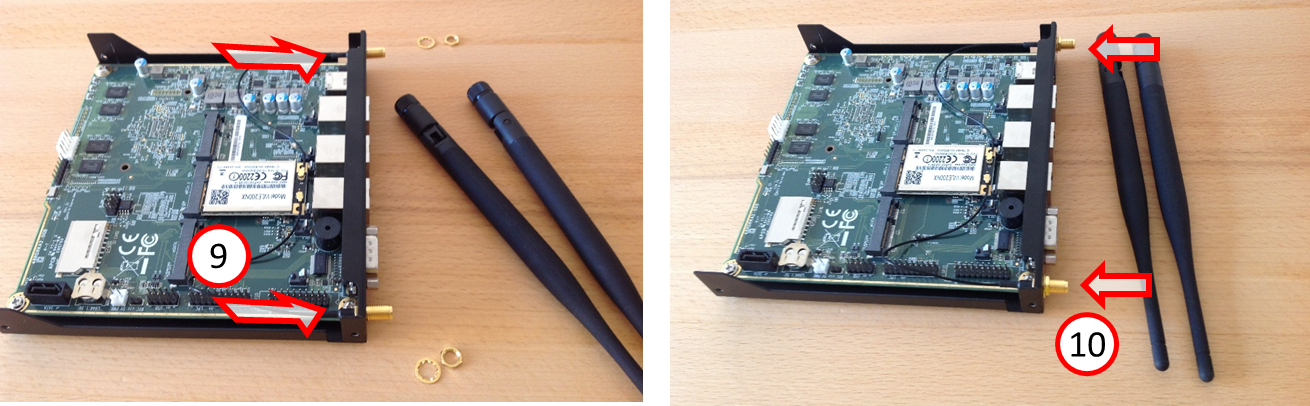
- Insert the two antenna cables into the two outer cut-out holes on the TrutzBox rear side (from the inside) (9) - Attention: the thread and hole are flattened at the top - and (from the outside) screw on (10) with washer and nut (8 mm wrench).
-> Table of Contents (of this manual)
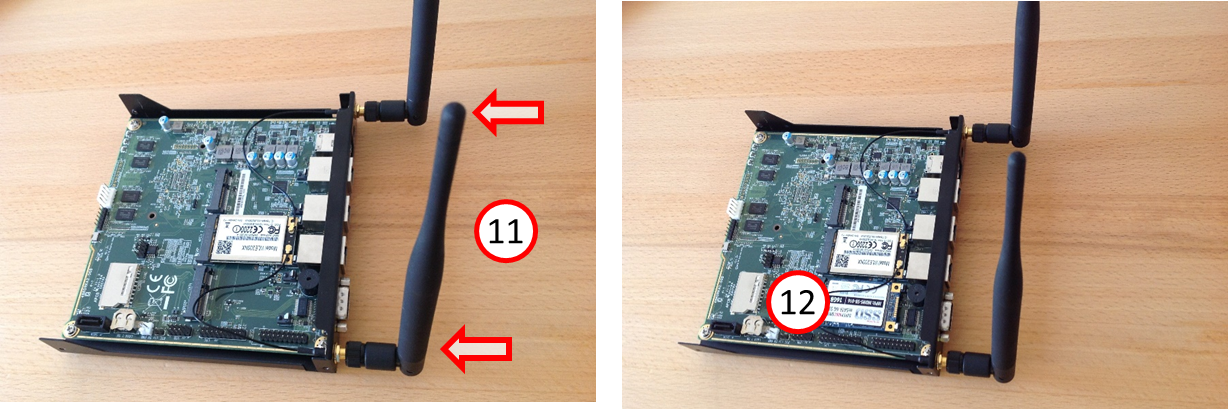
- Screw on the two antennas (11).
- In the left position (seen from behind) the SSD is located (12).
- Replace the housing cover on the TrutzBox and tighten it with the 4 screws..
- Connect TrutzBox to router and power supply - so that it boots
( wait approx. 10 minutes).
If a WLAN has not already been set up in the TrutzBox interface, set the SSID (name of the TrutzBox WLAN network) and the access password in the TrutzBox interface under Network -> WLAN.
-> Table of Contents (of this manual)
3.4 SSD Installation Guide
- Attention, the WLAN card can be damaged by electrical (discharge) charging. Before opening the WLAN card bag and touching the WLAN card, be sure to touch an earthed metal part (e.g. radiator) or at least the TrutzBox housing with both hands (to drain off possible charging).
- Shut down the TrutzBox and disconnect all cables, including the power supply.
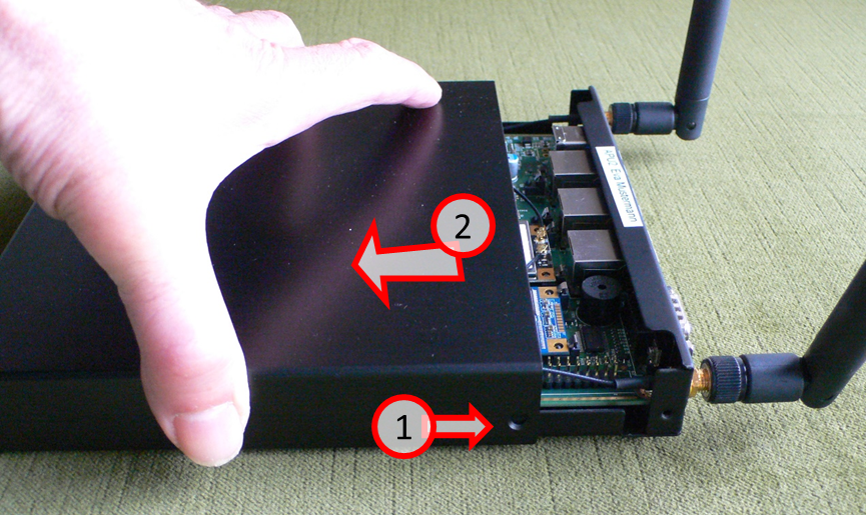
Loosen the 4 screws (1) and remove the housing cover (2).
-> Table of Contents (of this manual)
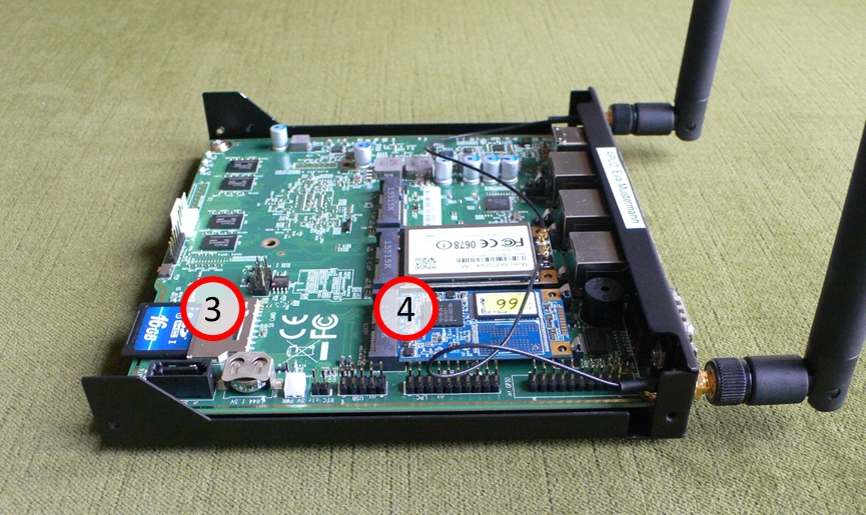
As necessary, remove the SD card (3) or the SSD card/plate (4).
-> Table of Contents (of this manual)
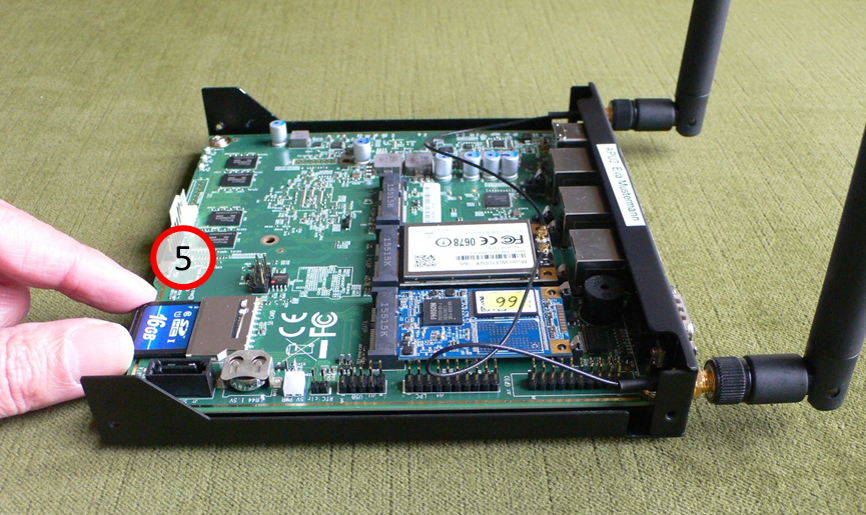
Remove SD card: Grab SD card (5) …
-> Table of Contents (of this manual)
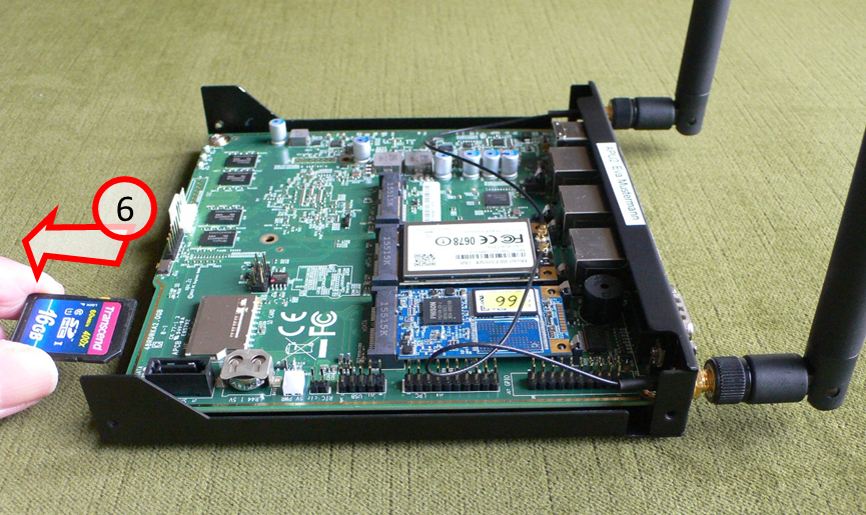
… and carefully pull out the SD card (6).
-> Table of Contents (of this manual)
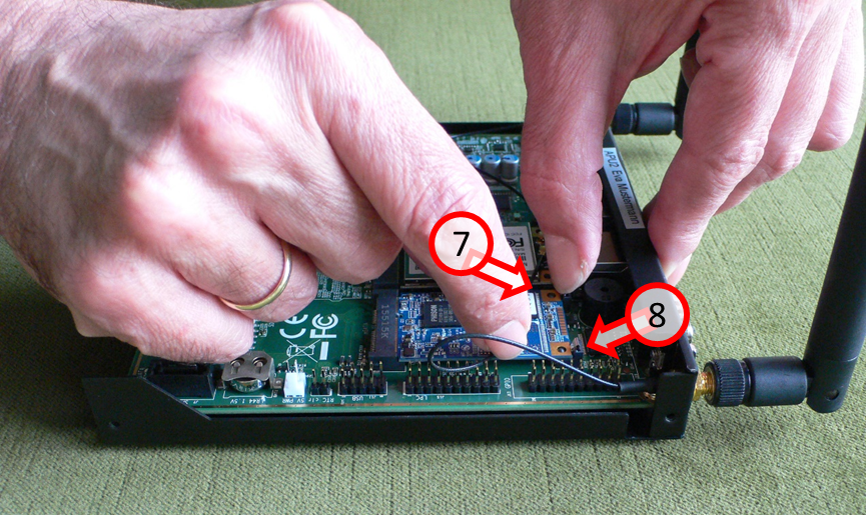
Remove the SSD card: Carefully push both locking springs (7) and (8) backwards, towards the back of the housing …
-> Table of Contents (of this manual)
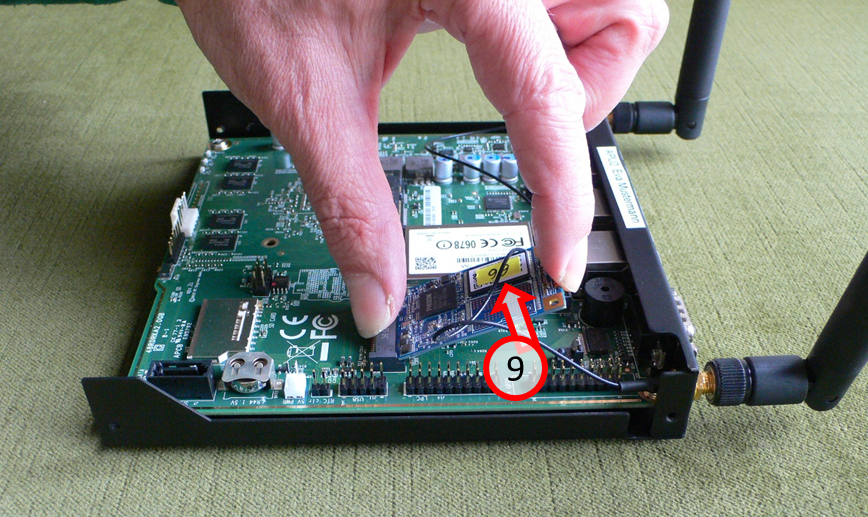
… and carefully lift the detached SSD card upwards (9).
-> Table of Contents (of this manual)
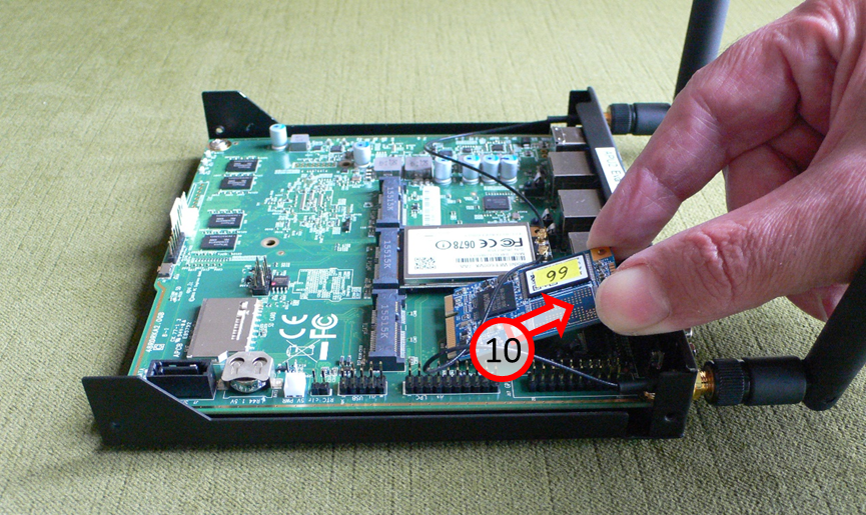
Carefully pull out the old SSD card (10) at an angle upwards..
-> Table of Contents (of this manual)
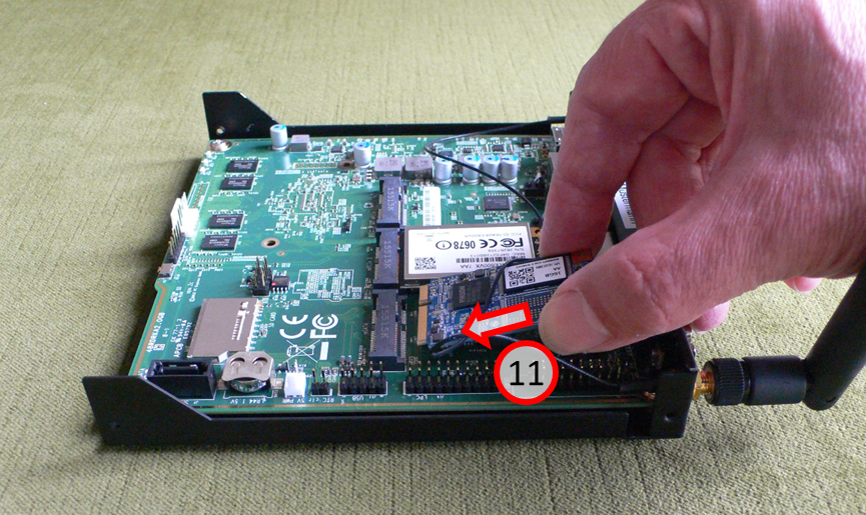
Carefully insert the new SSD card (11) at an angle to the bottom....
-> Table of Contents (of this manual)
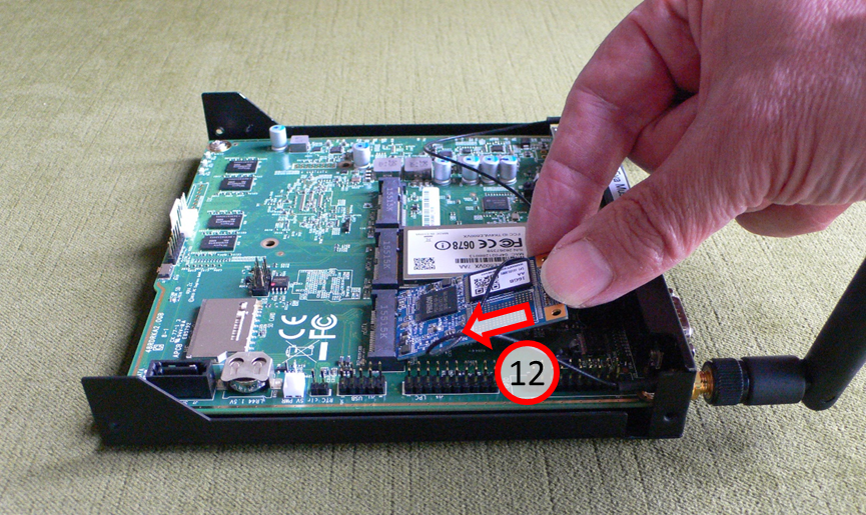
... and insert the SSD card (12) into the holder with gentle pressure.
-> Table of Contents (of this manual)
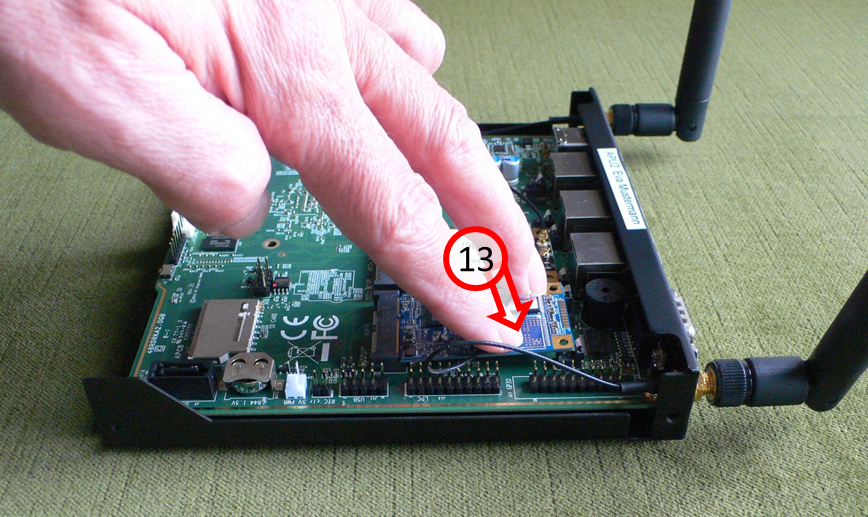
Press SSD card on "free side" with feeling down (13)...
-> Table of Contents (of this manual)
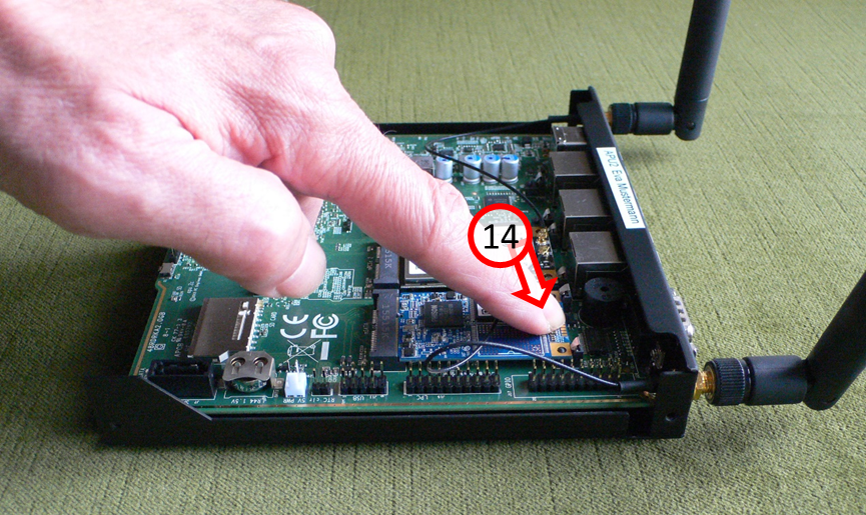
... until SSD card audibly engages in both retaining springs (14).
-> Table of Contents (of this manual)
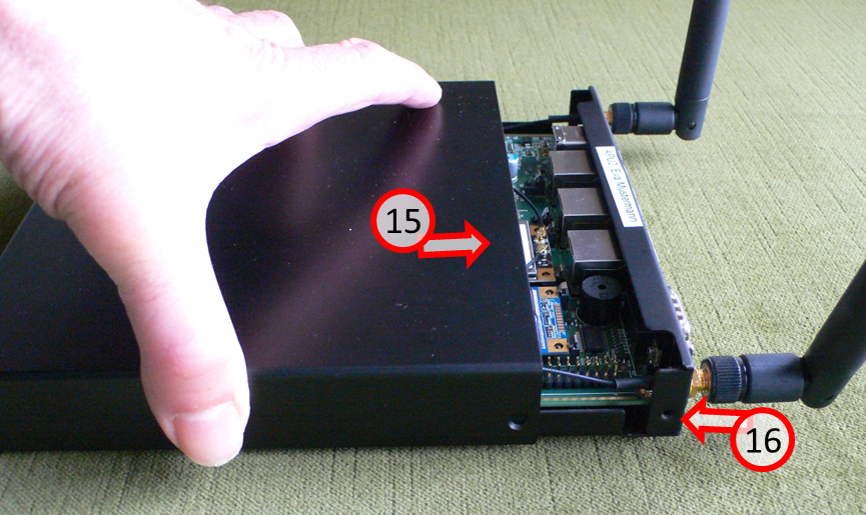
Slide the housing back on (15) and screw in the 4 screws again (16).
Good luck with your new SSD!
-> Table of Contents (of this manual)
4 Use of the TrutzBox® (-> for users)
The TrutzBox® is delivered by Comidio with security settings suitable for everyday use, so that even inexperienced users can email and surf immediately protected and without a trace.
The following sections describe the functions and options that the inexperienced user can use immediately after setting up TrutzBox.
These include:
- TrutzBrowse: Traceless surfing through modified, incomprehensible browser profile data.
- TrutzMail: End-to-end email service with encrypted content and encrypted metadata.
- TrutzContent: Maximum protection for children and young people by using filter lists to block inappropriate websites.
- TrutzRTC: Real-time communication with TrutzChat (Messaging) and TrutzMeeting (Audio and Video Conferencing Service).
- TrutzBase: Use of modern virus protection, firewall and intrusion detection systems.
4.1 Traceless Surfing - TrutzBrowse
Independent of browser (e.g. Mozilla Firefox, Chrome, Internet Explorer, Safari, etc.) and operating system (Microsoft windows, Apple iOS, Linux), the TrutzBox helps to avoid data tracing while surfing.
Use your browser as usual (in the following as an example with windows 7 and Firefox).
4.1.1 TrutzBrowse in standard operation
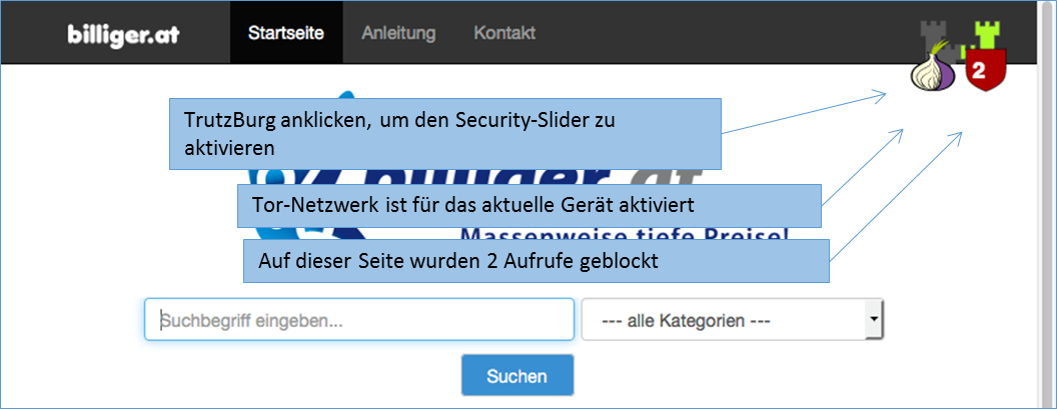
The TrutzBurg symbol in the upper right corner of the website indicates that TrutzBrowse is activated with the security settings. With the above setting, the TrutzBox (symbol: TrutzBurg) and the Tor network (symbol: onion) are activated.
The color of the TrutzBurg shield indicates the setting of the security slider for this URL; green = level 1 = highest security level; red = level 9 = lowest security level.
If there are operating elements on the website which are hidden by the TrutzBurg and can therefore no longer be operated, the TrutzBurg can be moved to another corner of the browser window.
For touch screens, simply touch the symbol for longer than 1s.
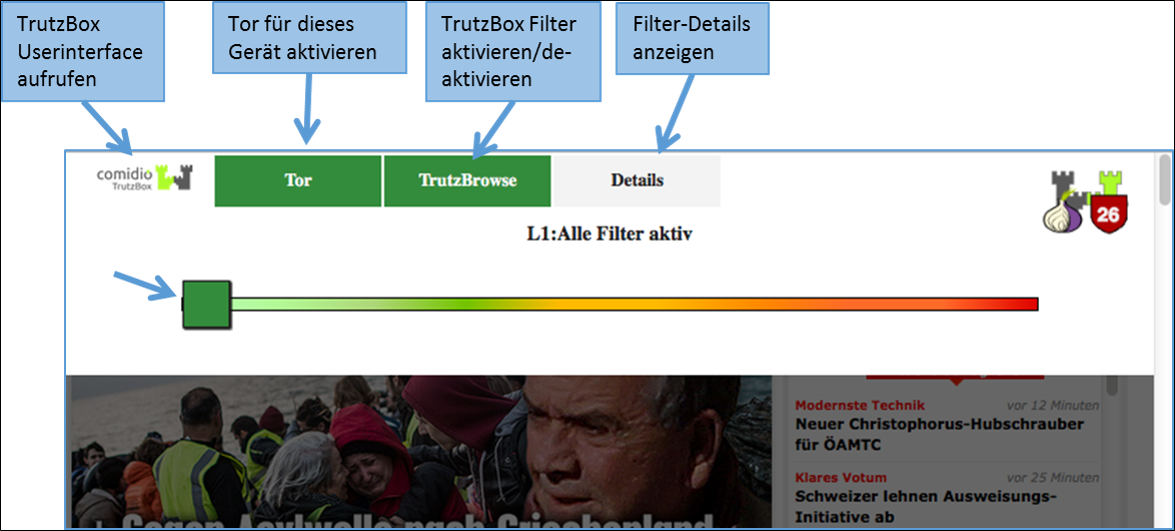
After clicking on the TrutzBurg, the security slider and four further functions are available.
The Security-Slider can be set to 10 security levels (Level 1 = highest protection up to Level 9 = lowest protection; Level 10 = for this website the TrutzBox is switched off). From level 1-9, the user can make the settings himself. If set to level 10 (TrutzBox protection is disabled), only the administrator can reset the level for this website.
On delivery, the security slider is set to "highest security level" (level 1, green, far left).
If the website shows malfunctions, e.g. because it wants to store a cookie, the user can gradually deactivate individual security and anonymisation measures by dragging the security slider to the right (towards red) in order to restore the website's functionality.
However, the security level should only be reduced for trusted websites.
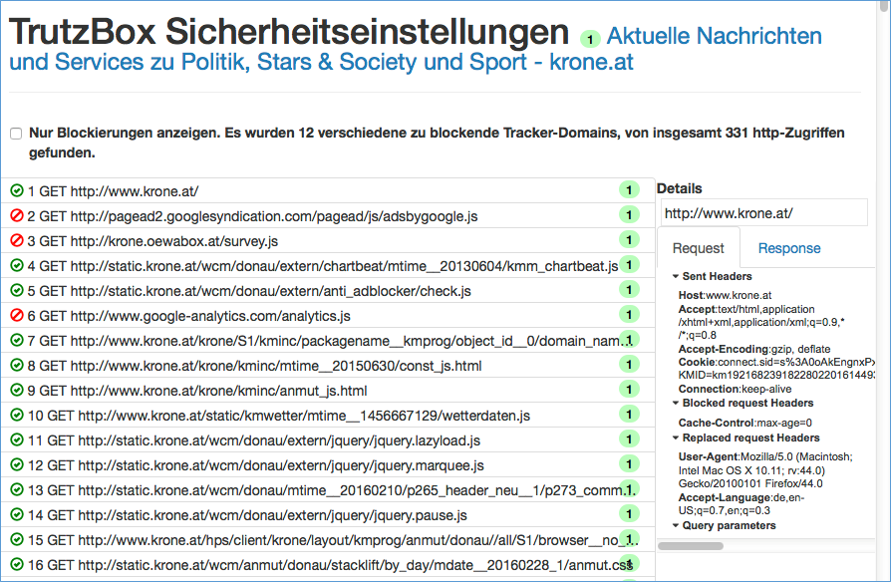
Click on "Details" to see a list of all web accesses accessed from this website.
Blocked HTTP calls are marked by a "red crossed out circle“.
The overview also shows the HTTP headers that have not been completely blocked (marked by a "green tick in a green circle").
This makes it obvious which data was transmitted from the browser to a Web server ("Request" tab) and which data went from a Web server to the browser ("Response" tab).
Depending on how the TrutzBox® is configured for the current position of the Security Slider, certain HTTP header data may not be transmitted to the web server at all (blocked headers) or may be changed (replaced headers).
On the left, the HTTP calls are listed, which are automatically called in the background - without the user's active intervention - in addition to the web page called up by the user (here: www.krone.at). On the right under "Details" you can see which header information has been blocked or replaced.
Click on one of the HTTP calls listed on the left to obtain additional information on this.
Set a check mark to " Nur Blockierungen anzeigen ", then only the blockings are listed.
-> Table of Contents (of this manual)
4.1.2 TrutzBrowse for experts
The TrutzBox® monitors web access and is thus able to prevent unwanted data traffic. The TrutzBox® distinguishes whether a device or a user calls up a web page directly or whether a web server - after the deliberately called up web page has been loaded - contacts further web pages and loads them without the user's knowledge and without his consent.
The TrutzBox® offers two different basic functions for this purpose:
1. TrutzContent:
A content filter that prevents a device or user from directly accessing a particular Web page. Examples of unwanted calls:
- A young person wants to load a website with content harmful to young people.
- An Internet device unnoticedly calls up a web page in the background without a user deliberately initiating it. These can be TVs, washing machines or game consoles (if they are connected to the Internet), or even the standard Internet browser of the user's PC, which in turn contacts Mozilla or Google or the server of a plug-in provider independently, for example.
The TrutzBox® checks if the contact to such a server is allowed and blocks the connection to this server if necessary.
2. TrutzBrowse:
A user or an Internet-enabled device has validly accessed a Web page. When loading the page, however, this website contacts other web servers (often commercial data trackers) that may be interested in the user data. TrutzBox® monitors calls to other web servers that are indirectly contacted without the user's knowledge during the loading process of the deliberately accessed web page.
In both case 1 (TrutzContent) and case 2 (TrutzBrowse), the TrutzBox® compares every web page called up with the web pages (filter lists) known to it. Comidio provides approx. 110 filter lists covering 55 different Internet topics. These filter lists are updated regularly. The TrutzBox® Administrator can add own filter lists if required.
Approach of the TrutzBox®:
Wenn ein Internet-Nutzer eine Webseite aufruft, dann prüft die TrutzContent Funktion zunächst, ob der PC und/oder der Nutzer, der diesen Webseitenaufruf angestoßen hat, diese Seite überhaupt aufrufen darf. Soll diese Webseite gemäß den Filterlisten blockiert werden, dann bekommt der Internet-Nutzer im Browser eine Fehlermeldung angezeigt.
If the website can be accessed, the TrutzBox® allows the data from the web server to pass to the browser, but it monitors each call to other web servers that the website then contacts automatically. Usually a website loads additional content from many other web servers. For each contact with a web server other than the originally called web server, the TrutzBox® checks whether this later called web server is in a filter list group "TrutzBrowse". If it is listed there, the connection to this server will be blocked.
This prevents data tracker calls that are programmed into most websites, and data trackers cannot spy on user behavior.
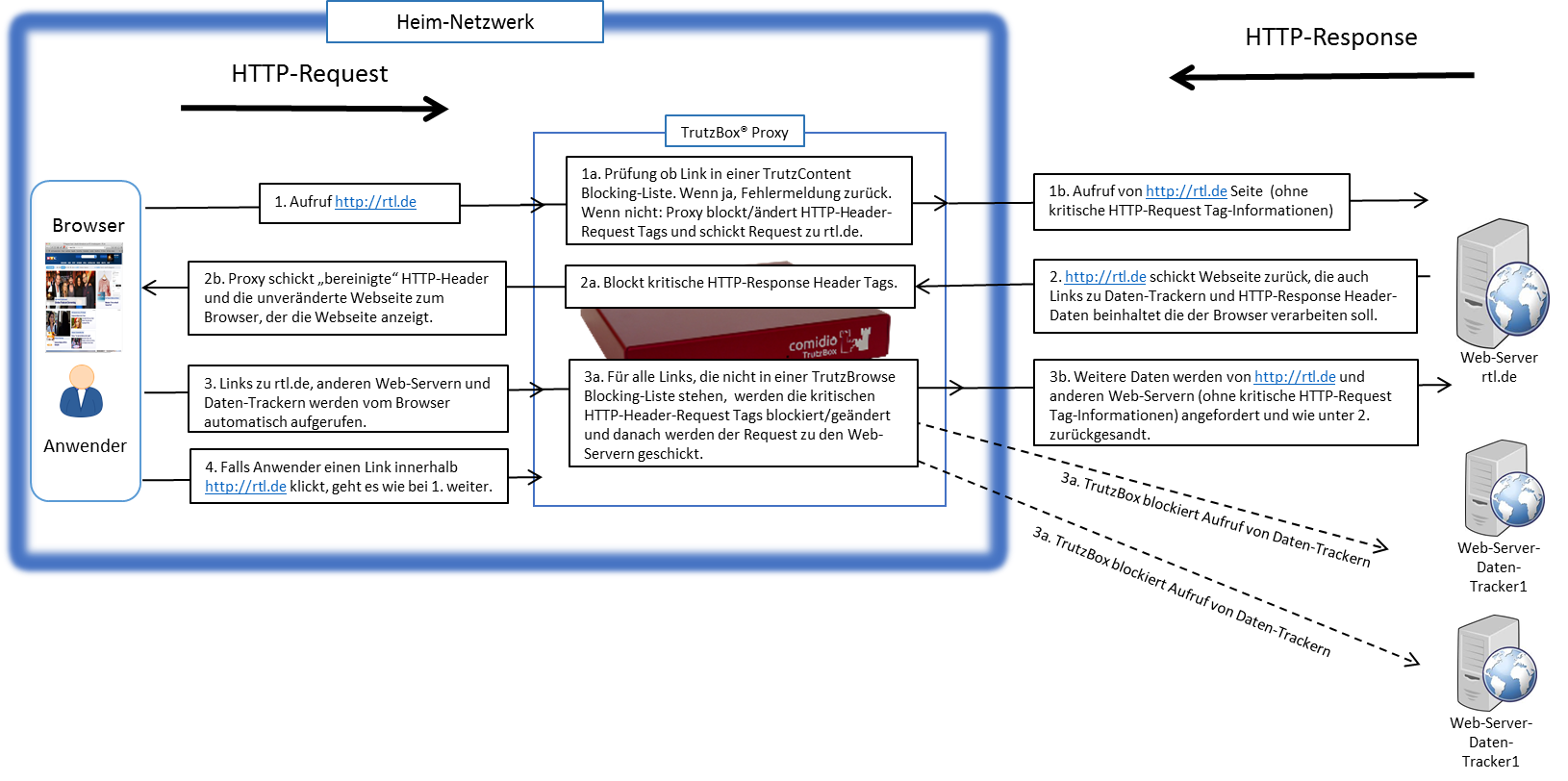
Each time a Web server is granted (permitted) access, information is sent from the Web browser to the Web server via the HTTP header (http request header). Without the TrutzBox® the browser would then deliver this requested data to the web server. This can be very personal data, such as which other pages you have recently called up, are you currently logged on to Facebook or how exactly does your PC/browser configuration look in order to recognize you on further calls. The HTTP header filter also controls the setting and retrieval of cookies
With its TrutzBrowse function, the TrutzBox® is thus able to control the entire HTTP data exchange on the Internet and to block or falsify these HTTP header data as long as they are not absolutely necessary..
-> Table of Contents (of this manual)
4.1.2.1 Handling SSL connections
The proxy can only break (and analyze) an SSL-encrypted connection between a program and a server if the SSL key has been signed by one of the known certificate authorities. Here are two cases where breaking the encrypted connection does not work:
- if an app establishes an encrypted connection to the server, but the key used is a self-generated key and has therefore not been signed by an official certification authority. If the app is a browser, the user is asked if he accepts the server. If the app is not a browser, the user cannot be requested.
- if the client is authenticated. In this case, a key is usually programmed into the client.
In all cases where the SSL connection cannot be broken, the SecSlider is automatically set to L10 and thus the data transfer is no longer analyzed. This ensures that apps still work "without manual intervention". The user (or the TrutzBox administrator) can deactivate this automatic feature in the "Configure filter" menu with the option "If SSL errors occur, automatically deactivate filtering for the selected domain". The data connection is nevertheless displayed in "Status" for checking purposes. Since this automatic activation only becomes effective if the server has not yet been set in the slider table, this automatism can also prevent a single server if the SecSlider is set manually to any value for this server.
-> Table of Contents (of this manual)
4.1.3 Install proxy switch for activating/deactivating the TrutzBox® in the browser
Attention: Switching the TrutzBox on and off as a proxy (="Call forwarding") only makes sense if the browser to be used (or the terminal device used, e.g. PC) is operated in "proxy mode", i.e. the PC is connected to the Internet router (and not directly to the TrutzBox).
If the browser to be used (or the end-device used, e.g. PC) is operated in "transparent mode", i.e. the PC is connected directly to the TrutzBox (and not directly to the Internet router), I do not need a switch, as the PC is constantly protected via the TrutzBox and switching a proxy on or off makes no difference..
As is known, it is possible to activate or deactivate the TrutzBox® functionality "TrutzBrowse" by activating/deactivating the "PAC" file in the browser settings.
If you want to save yourself these "efforts", you can also install a "proxy switch" (in the form of a downloadable "Add-On" = additional function) in the respective browser and then easily activate or deactivate the TrutzBrowse functionality by simply pressing or selecting it in the browser header line.
The following shows the installations of two proxy switches:
- for Browser "Firefox": Add-On „Proxy Switcher“ and
- für Browser "Chrome": Add-On „Proxy SwitchyOmega“.
Of course, other proxy switches can also be implemented and used.
4.1.3.1 Proxy Switch for "Firefox" Browser
Attention: Switching the TrutzBox on and off as a proxy (=" Redirection") only makes sense if the browser to be used (or the end-device used, e.g. PC) is operated in "Proxy Mode", i.e. the PC is connected to the Internet router (and not directly to the TrutzBox).
If the„FoxyProxy Standard“ add-on is implemented, the user can activate and deactivate the "Trutzbox" proxy and thus the TrutzBrowse function by clicking the Proxy Switcher button (orange fox head) in the browser header.:
- to switch on: by clicking on the symbol "crossed out, orange fox head" the FoxyProxy selection window appears; there click on the green line "Use proxy Trutzbox for all URLs (ignore patterns)'" and the proxy is switched on and the symbol "orange fox head" appears.
- to turn off: by clicking on the symbol "orange fox head" the FoxyProxy selection window appears; click on the red line "Turn Off All Proxies" and the proxy is switched off and the symbol "crossed out, orange fox head" appears.
The"FoxyProxy Standard" add-on is installed as follows:
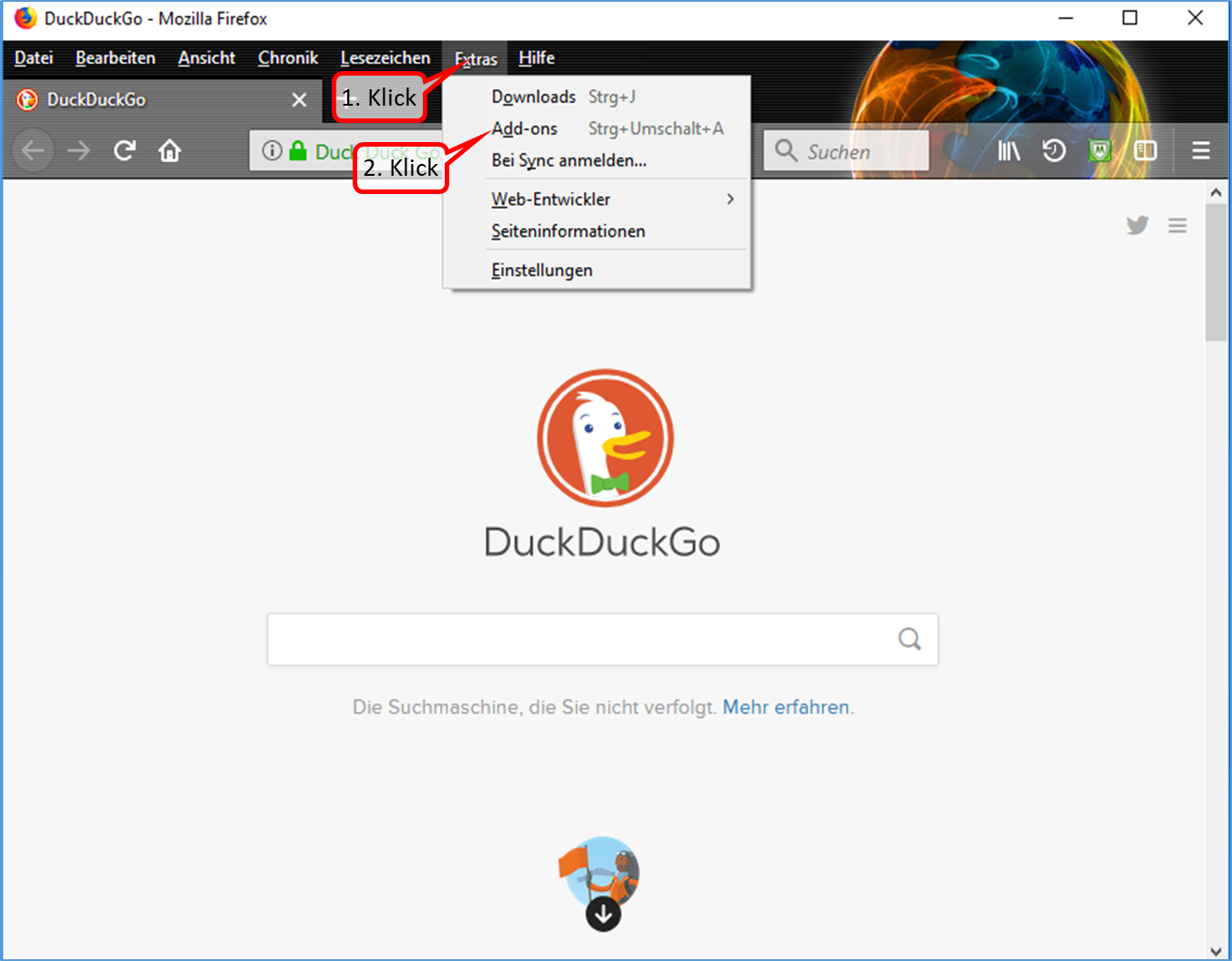
- Click on "Extras" (1).
- Click on "Add-ons" (2).
-> Table of Contents (of this manual)
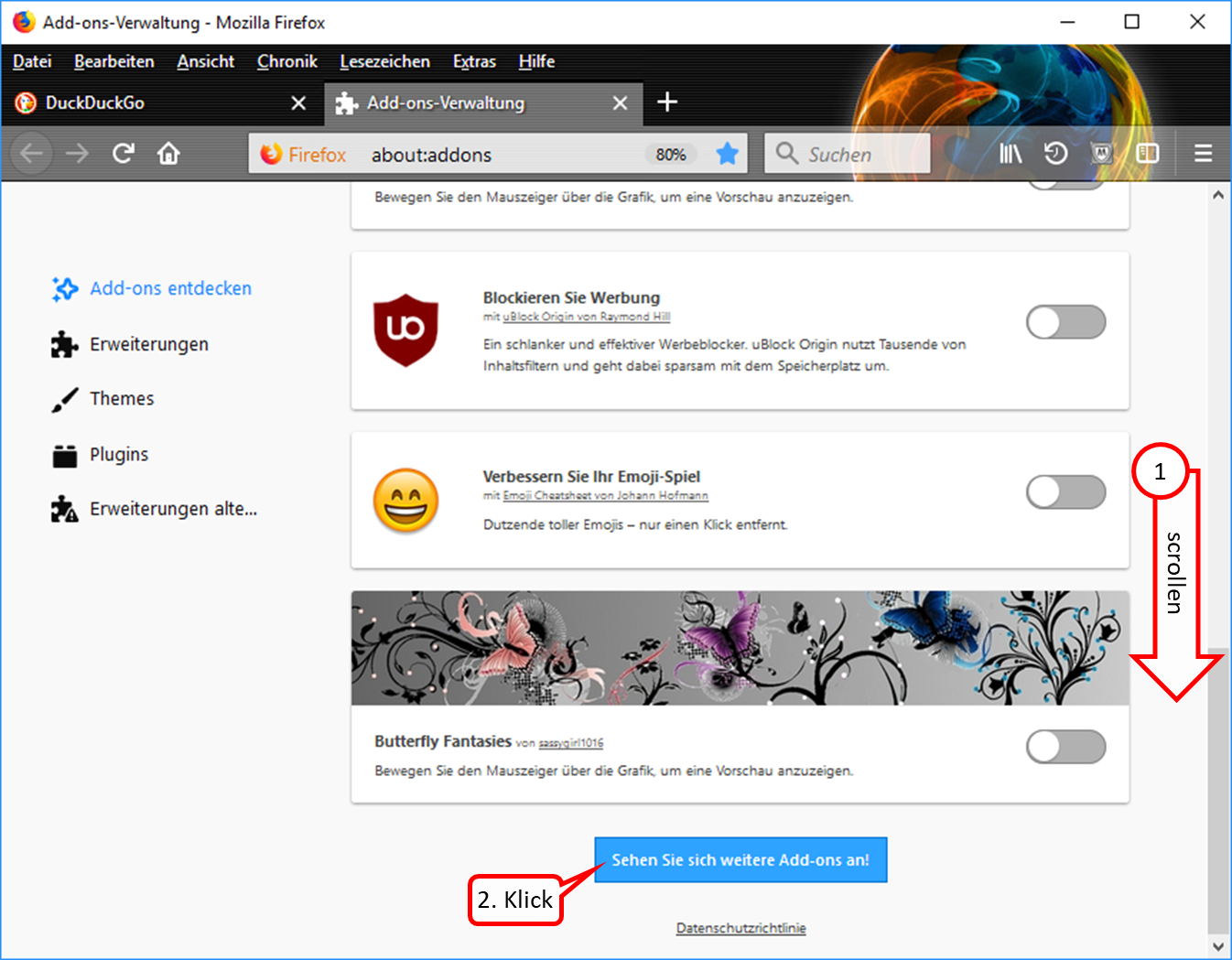
- Scroll all the way down (1).
- Click on "Sehen Sie sich weitere Add-ons an!" (2).
-> Table of Contents (of this manual)
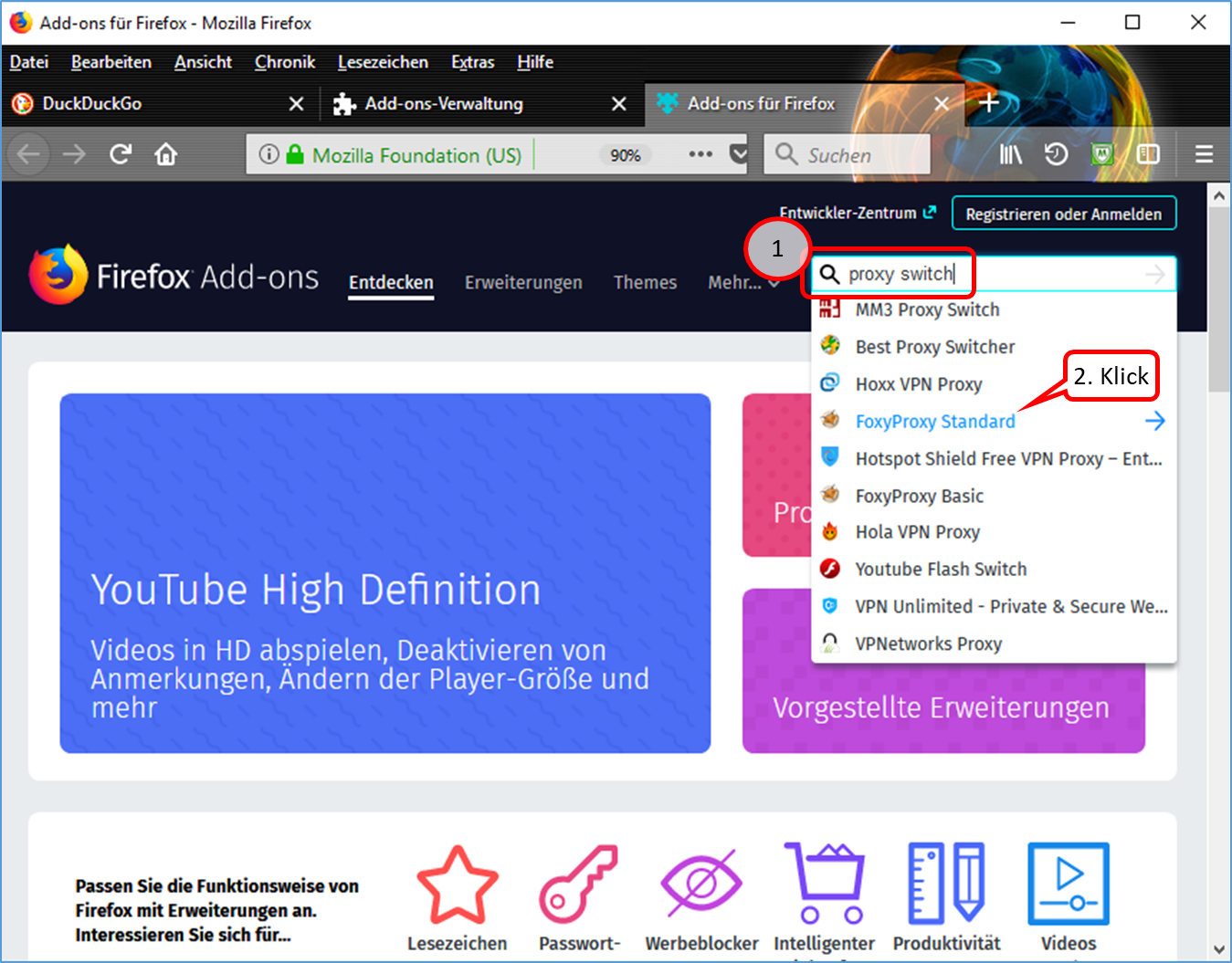
- Enter "proxy switch" in the search field (1).
- Click on "FoxyProxy Standard" (2).
-> Table of Contents (of this manual)
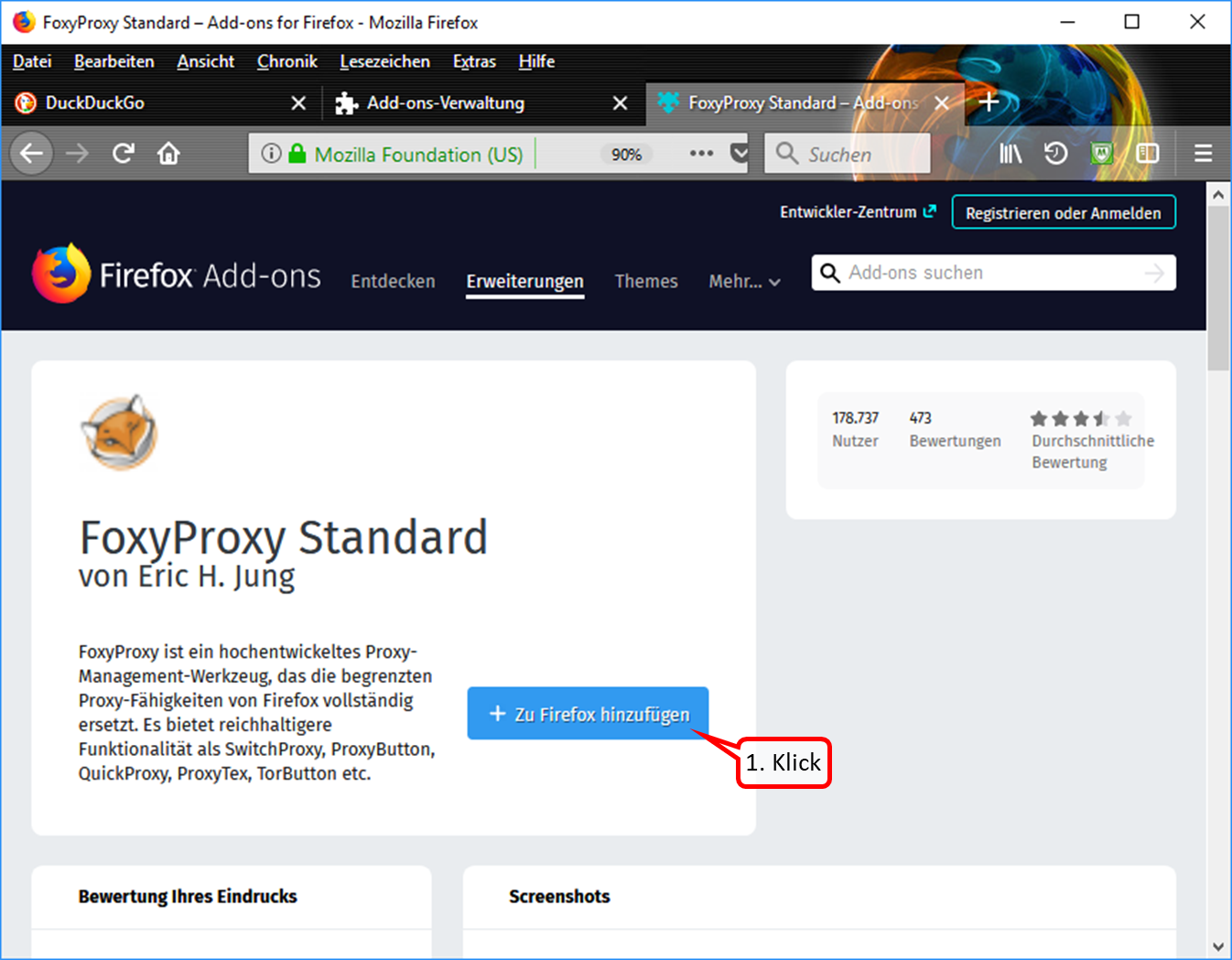
- Click on "+ Zu Firefox hinzufügen" (1).
-> Table of Contents (of this manual)
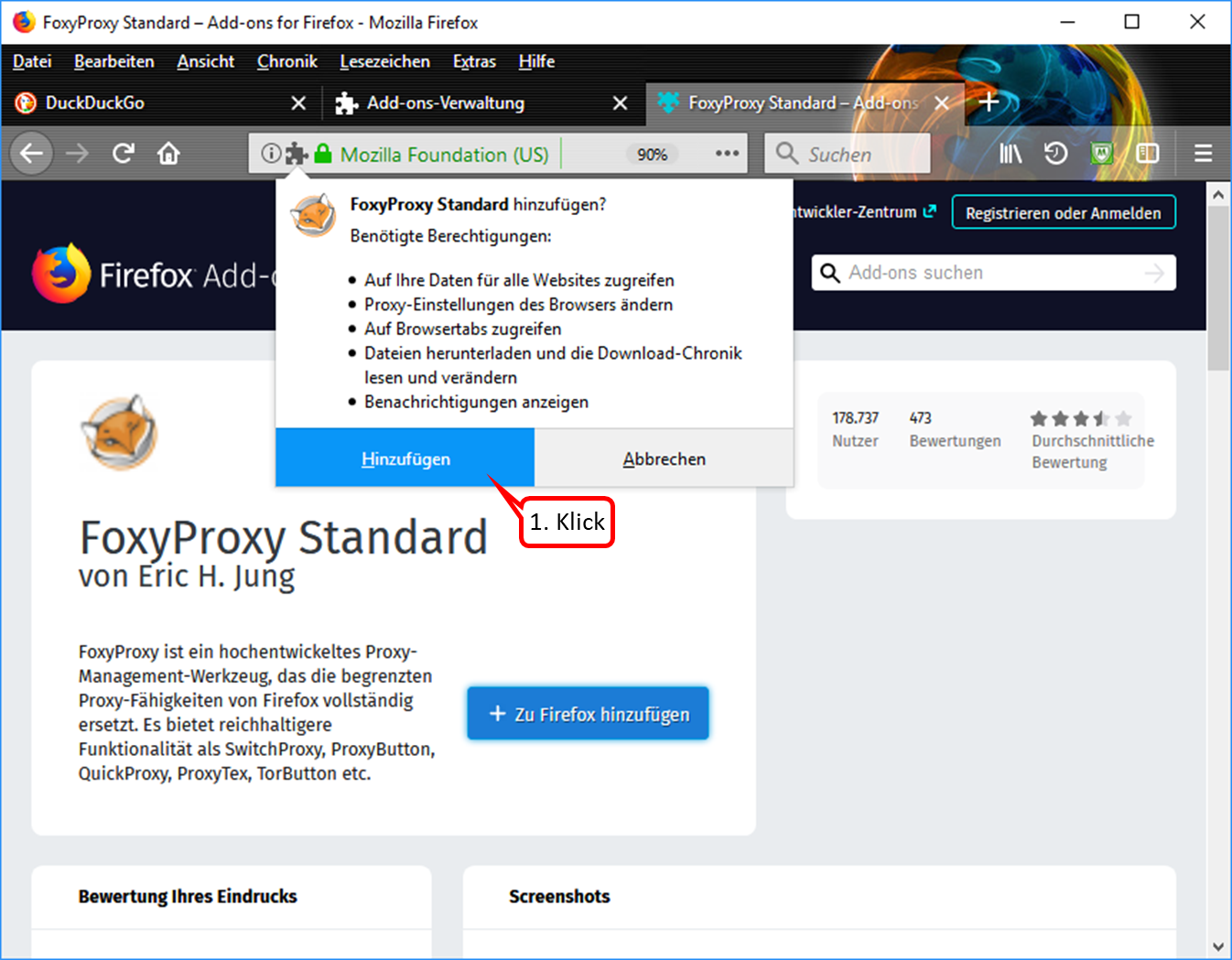
- Click on "Hinzufügen" (1).
-> Table of Contents (of this manual)
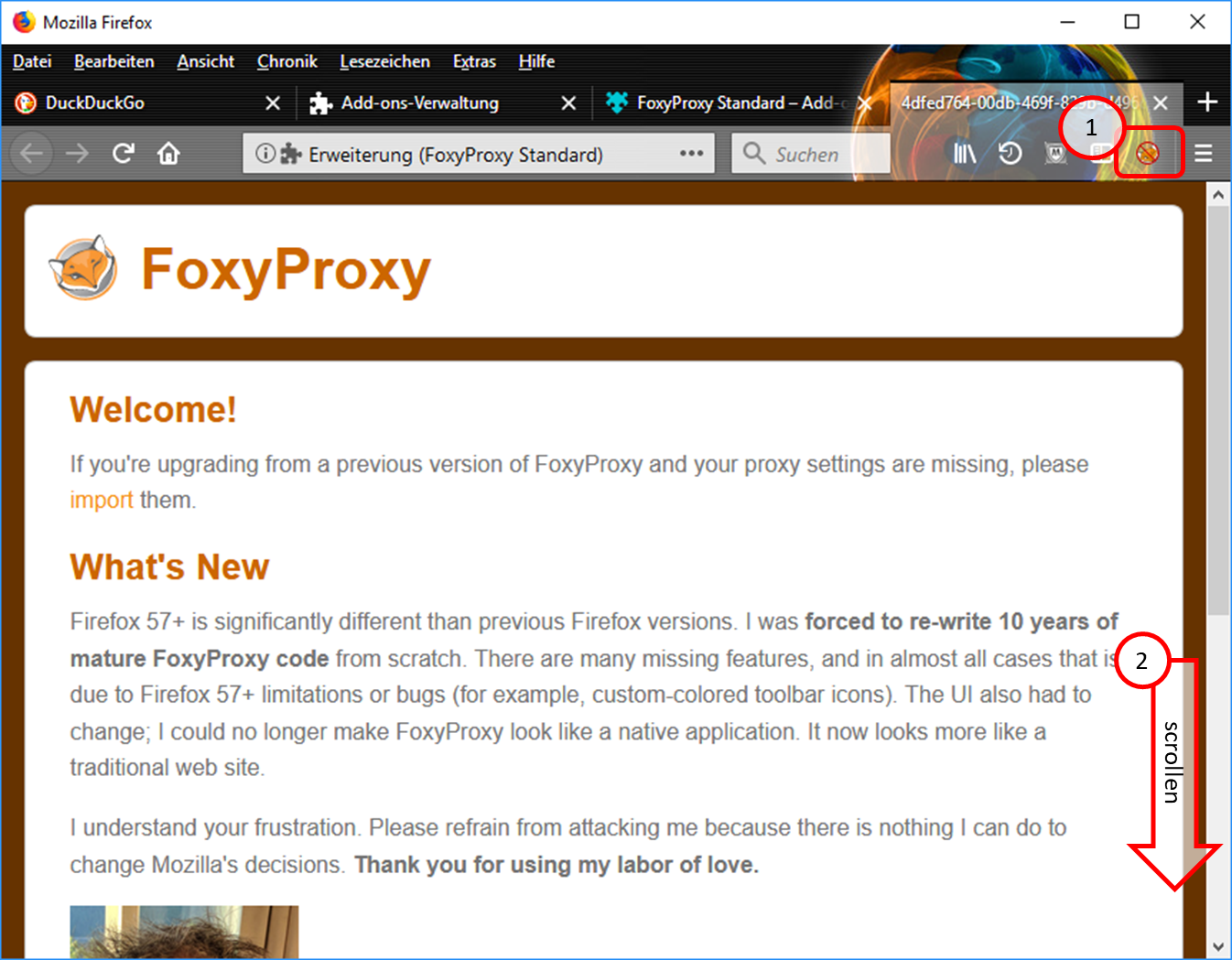
- The symbol "FoxyProxy switched off" (crossed out logo) is displayed in the symbol line. (1).
- Scroll all the way down (2).
-> Table of Contents (of this manual)
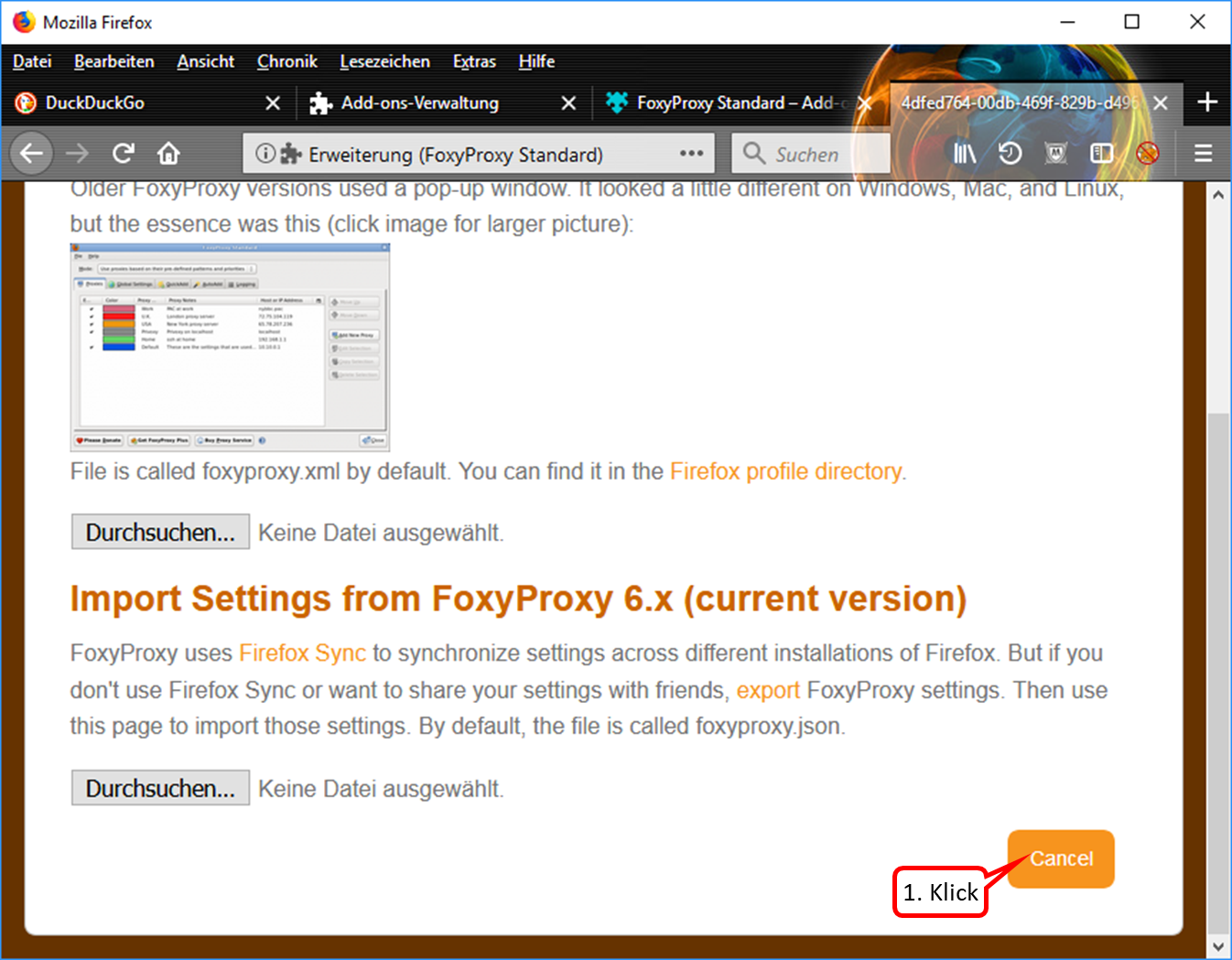
- If this view appears, click on "Cancel". (1).
-> Table of Contents (of this manual)
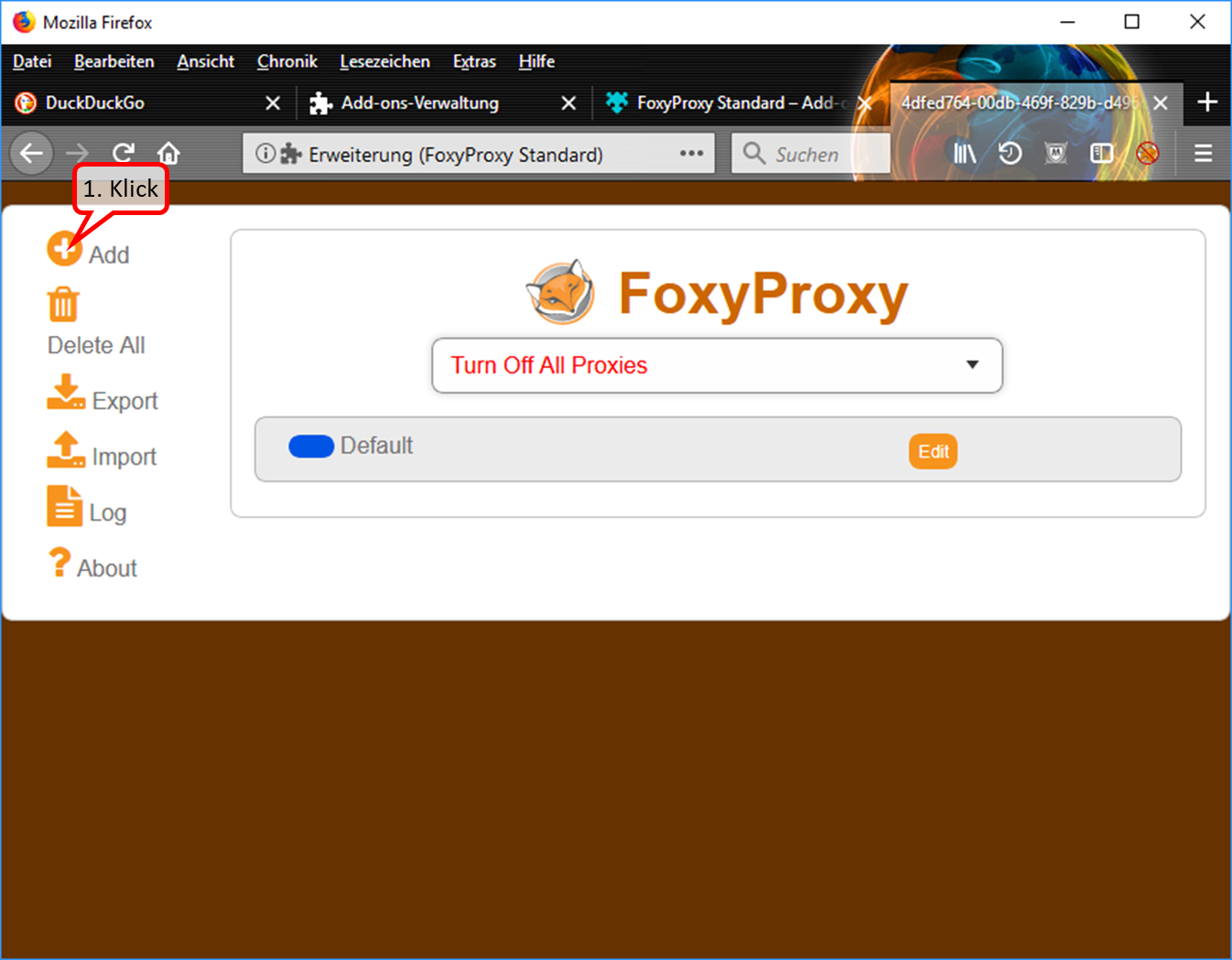
- To enter the Trutzbox as a proxy: Click on "Add" (1).
-> Table of Contents (of this manual)
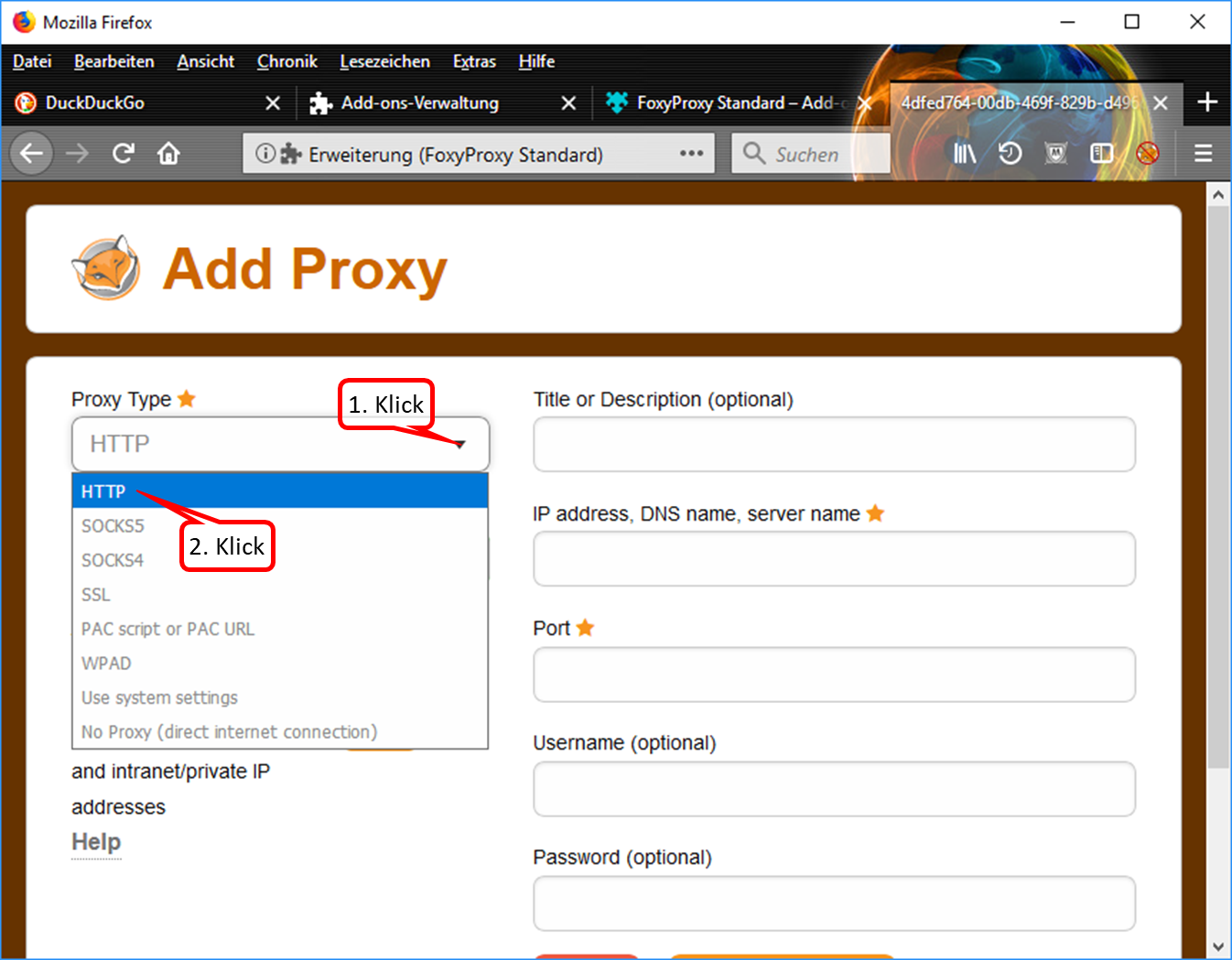
- Drop down the selection field (1).
- Click on "HTTP" (2).
-> Table of Contents (of this manual)
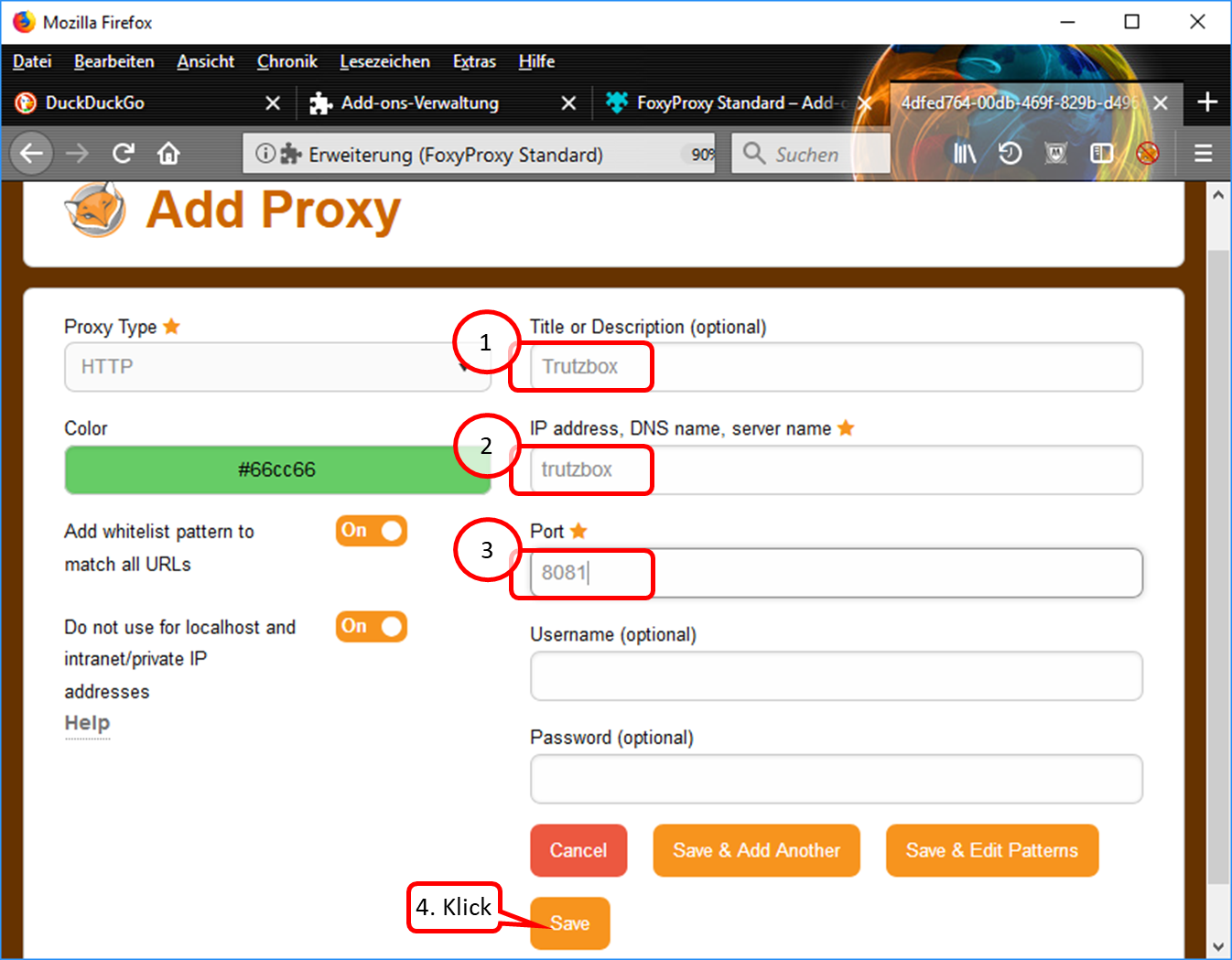
- Enter descriptive name, e.g. "Trutzbox“ (1).
- Enter "trutzbox" as server name (2).
- Enter "8081" as the port address. (3).
- Click on "Save" (4).
-> Table of Contents (of this manual)
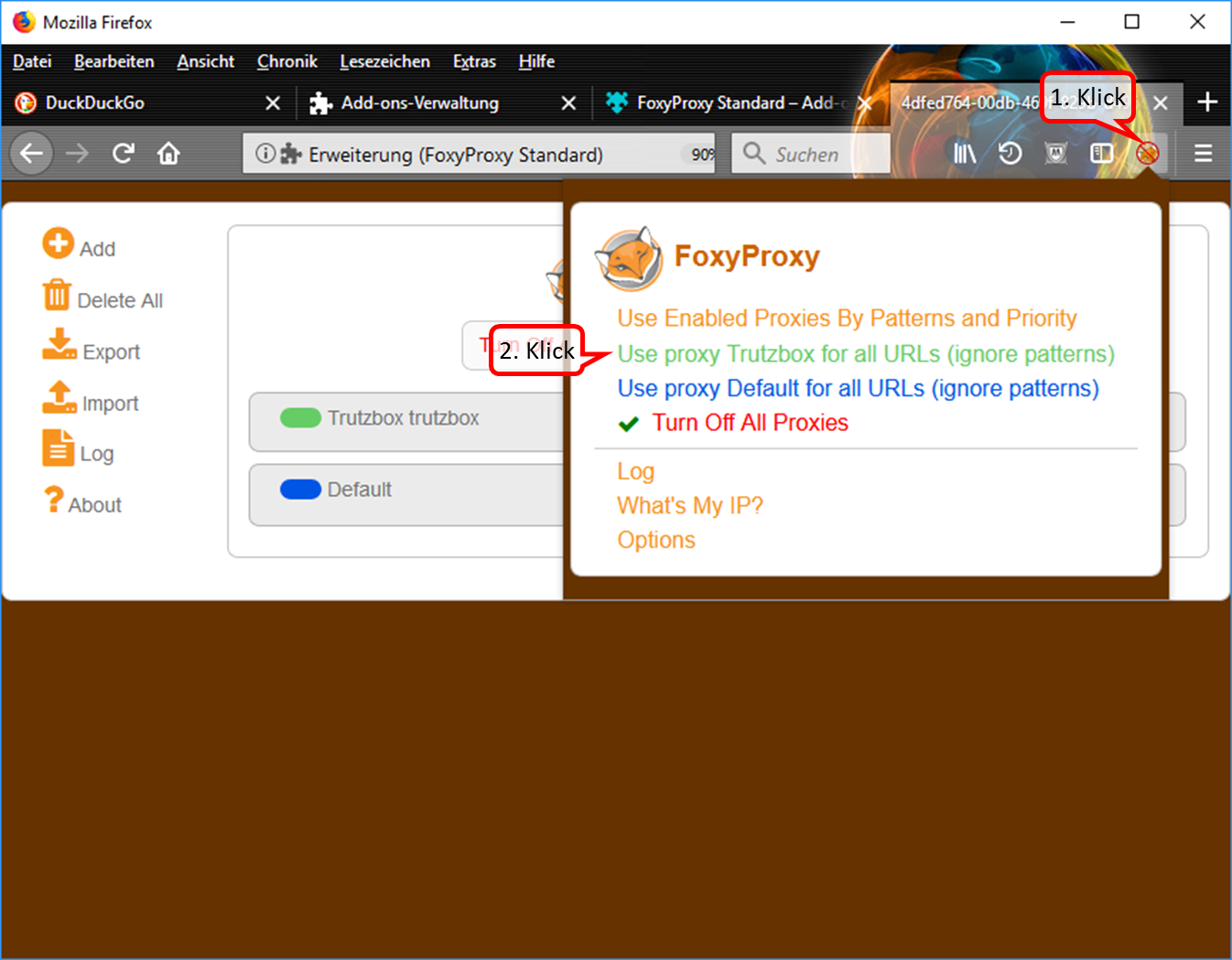
- Click on the symbol "FoxyProxy switched off" (crossed out logo) in the symbol line. (1).
- Switch on the Trutzbox as proxy by clicking on "Use proxy Trutzbox for all URLs" (2).
-> Table of Contents (of this manual)
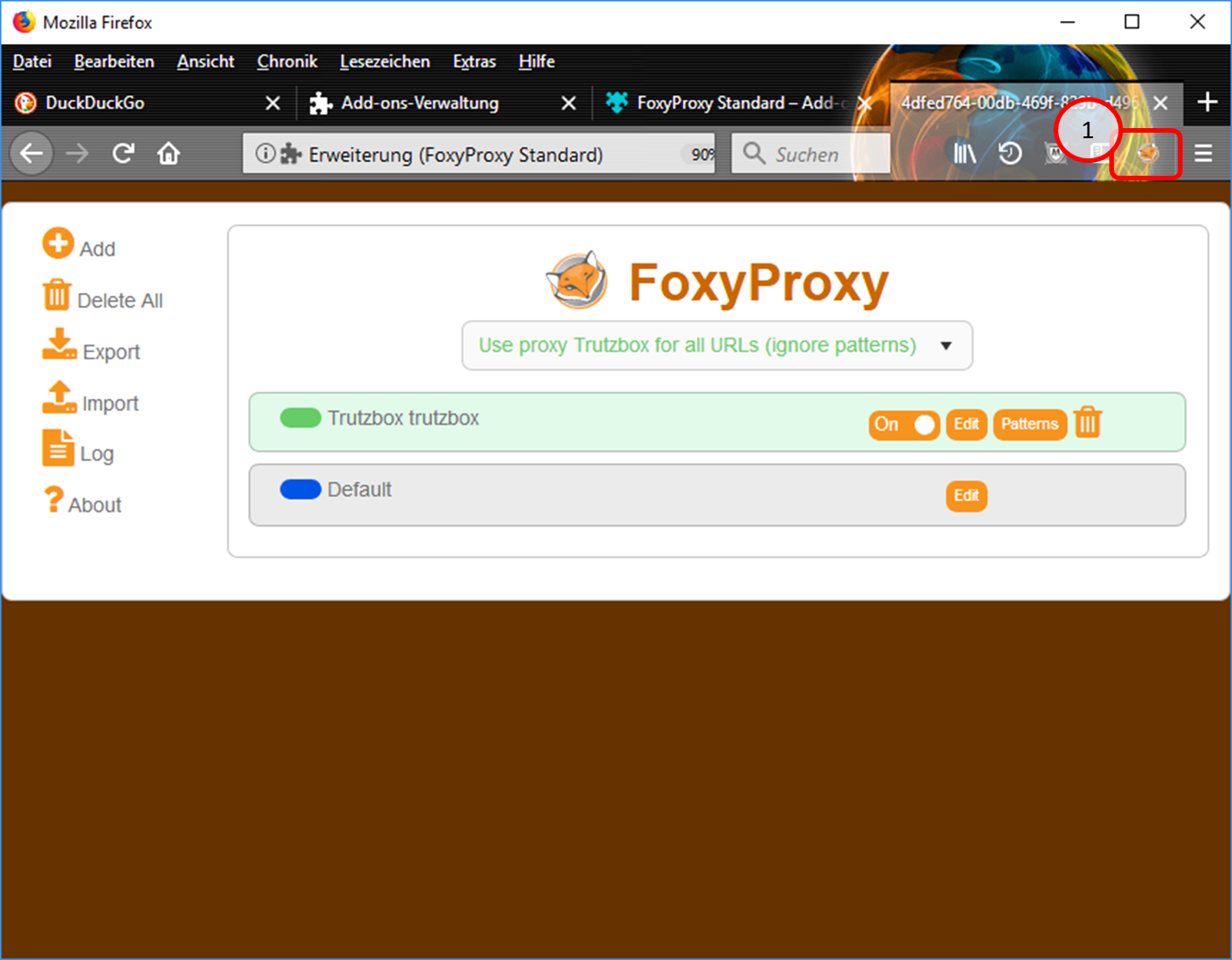
In the symbol line, the "FoxyProxy" symbol (1) indicates that the proxy is switched on.
-> Table of Contents (of this manual)
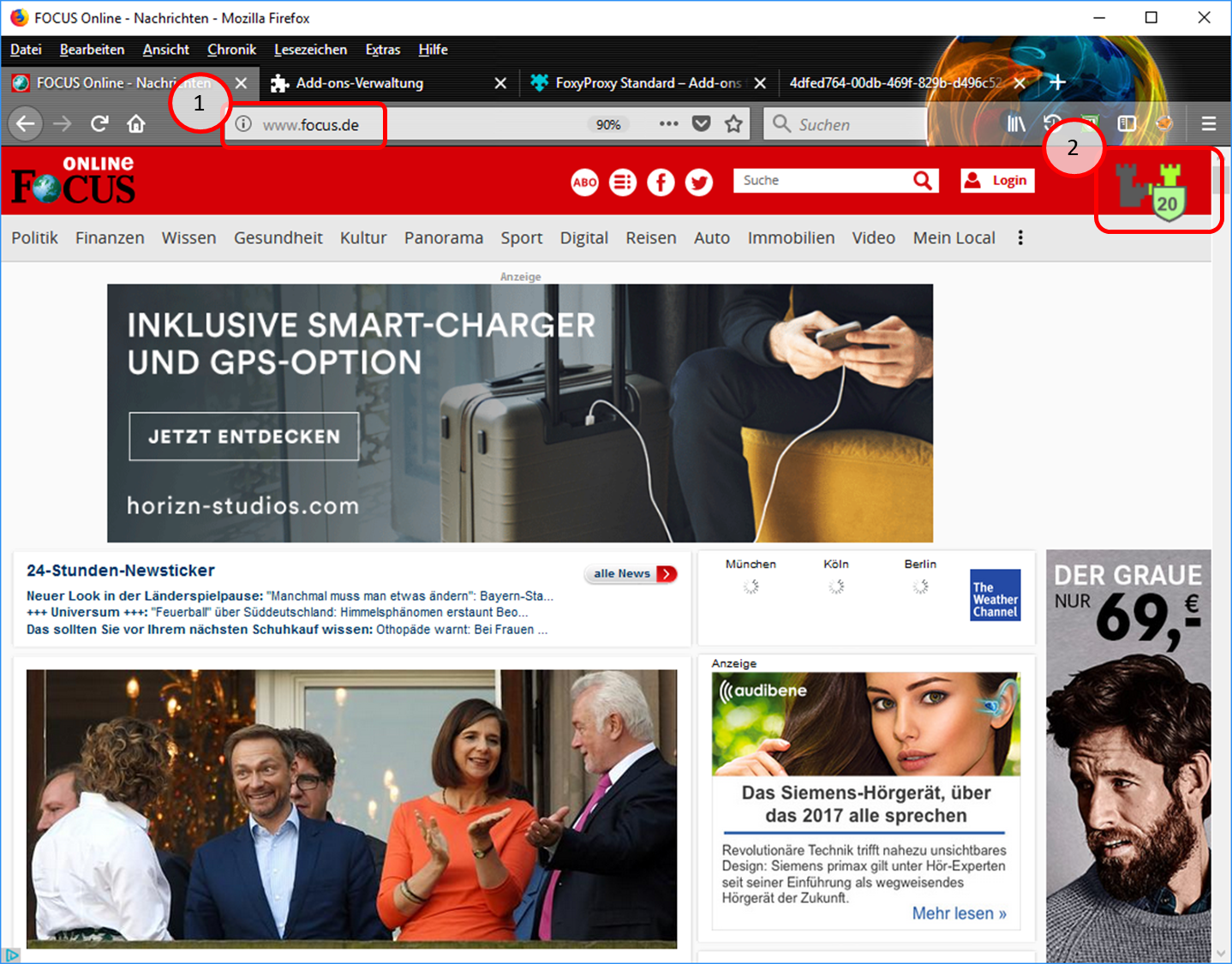
- Test input of e.g. "focus.de" (1).
- The Trutzburg (Trutzbox symbol) appears in the upper right corner in the color of the slider setting and shows the number of avoided tracker calls (2).
-> Table of Contents (of this manual)
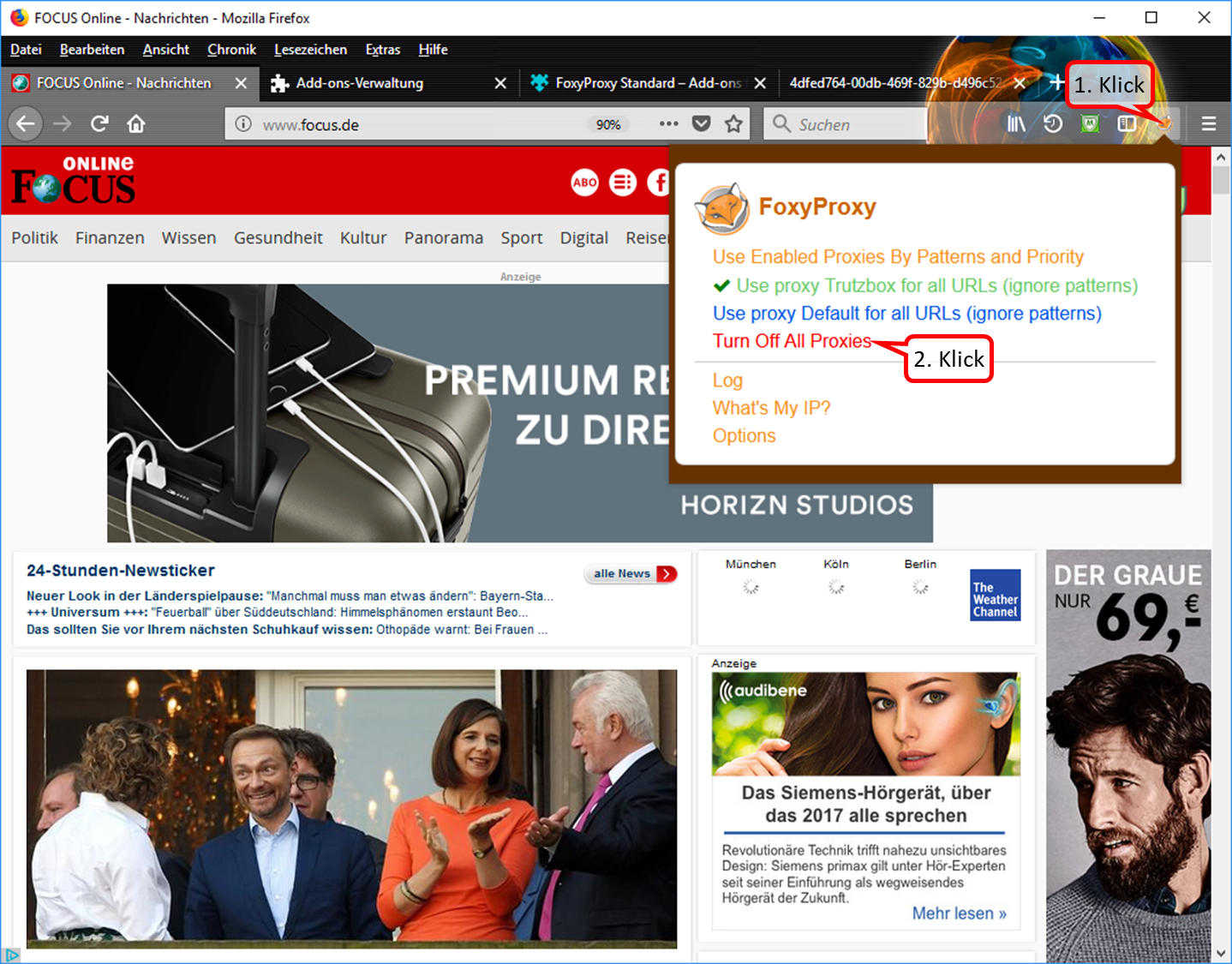
- To switch off the proxy: click on the "FoxyProxy" symbol in the symbol line (1). Then the selection menu opens up.
- In the selection menu, click on "Turn Off All Proxies (2).
-> Table of Contents (of this manual)
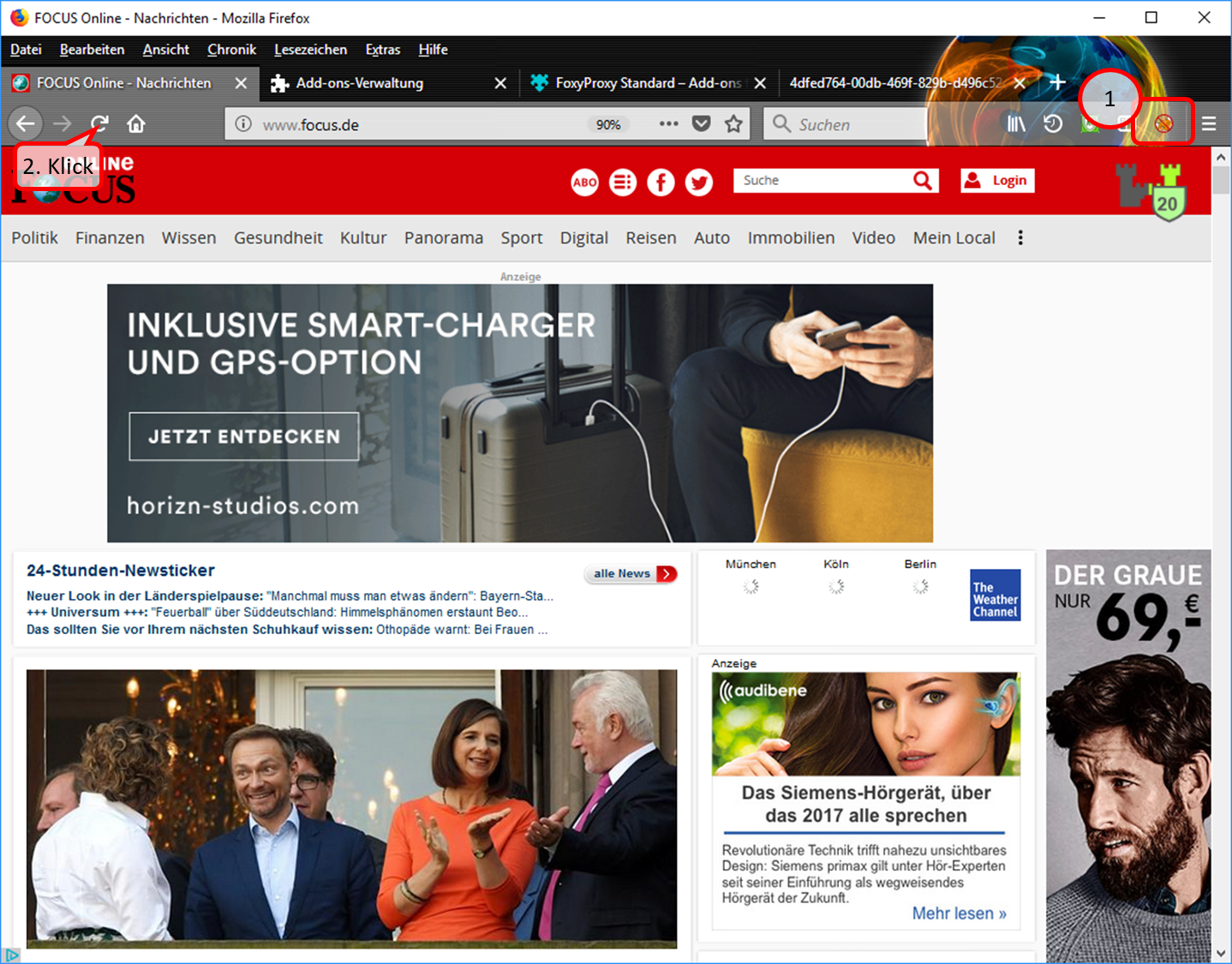
- In the symbol line, the symbol "FoxyProxy switched off" (crossed out logo) indicates that the proxy is switched off (1).
- The page is refreshed or called up again, e.g. by clicking on (2).
-> Table of Contents (of this manual)
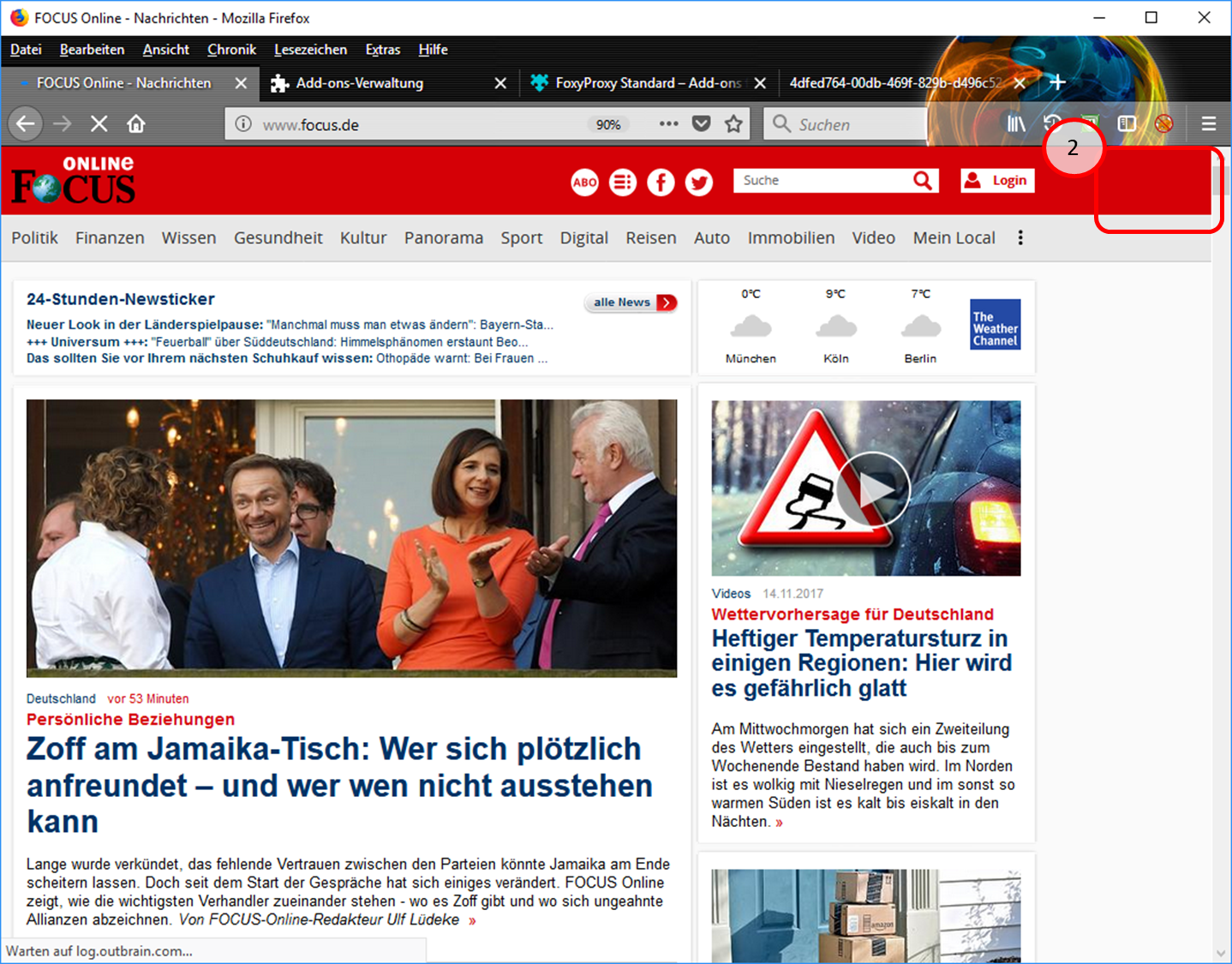
- Since the proxy is now switched off, the Trutzburg (Trutzbox symbol) is not displayed in the upper right corner. (2).
-> Table of Contents (of this manual)
4.1.3.2 Proxy Schalter für Browser "Chrome"
Caution: Switching the TrutzBox on and off as a proxy (="Call forwarding") only makes sense if the browser to be used (or the terminal device used, e.g. PC) is operated in "proxy mode", i.e. the PC is connected to the Internet router (and not directly to the TrutzBox).
If the add-on "Proxy SwitchyOmega" is implemented, the user can press and select a button in the header line of the Chrome Browser in the form of a ring:
- To switch on: click on grey circle. Ochre circle shows: TrutzBrowse is switched on.
- to switch off: click on the ochre circle. Grey circle shows: TrutzBrowse is switched off.
How to implement the "Proxy SwitchyOmega" add-on:
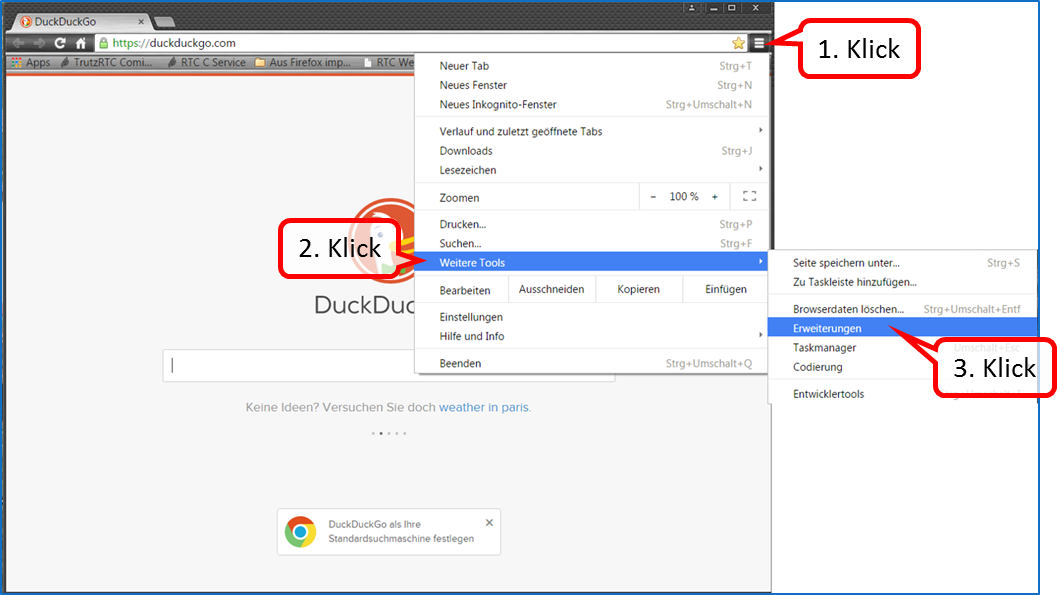
Click on menu selection (1); click on "More Tools" (2). "Click on "Settings" (3).
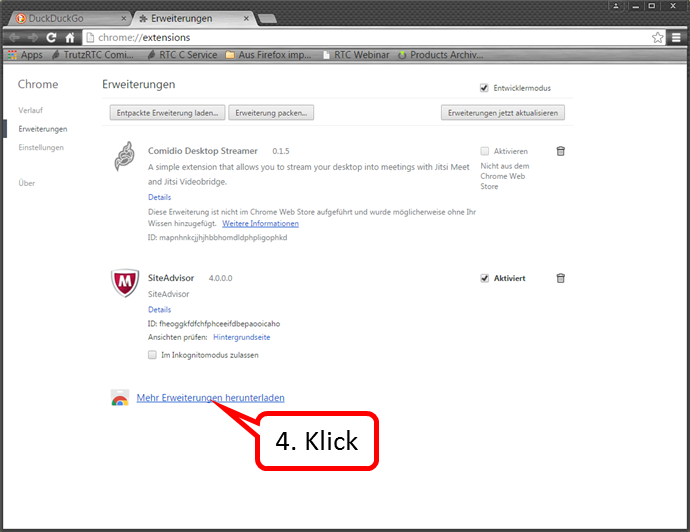
Click on „Mehr Erweiterungen herunterladen“ (4).
-> Table of Contents (of this manual)
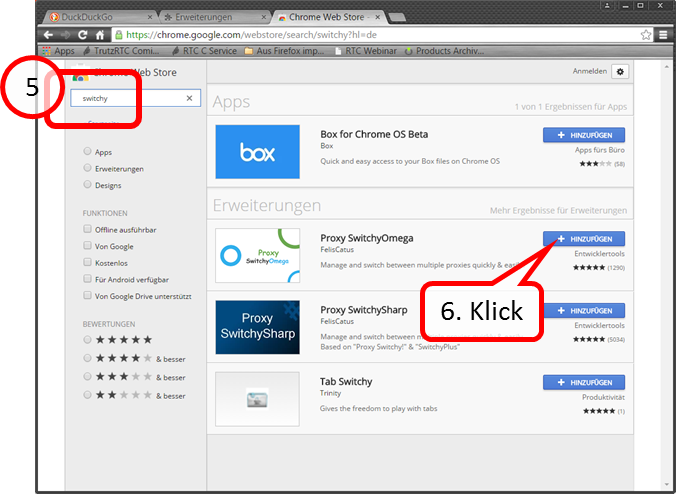
Enter "switchy" in the search field (5). Click on „+ HINZUFÜGEN“(6).
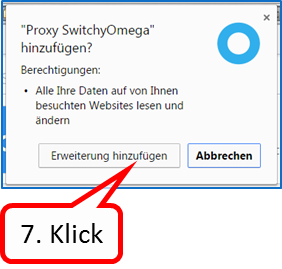
Click on „Erweiterung hinzufügen“ (7).
-> Table of Contents (of this manual)
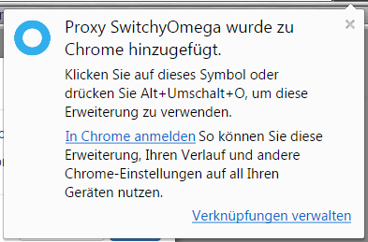
The confirmation message that the switch has been added.
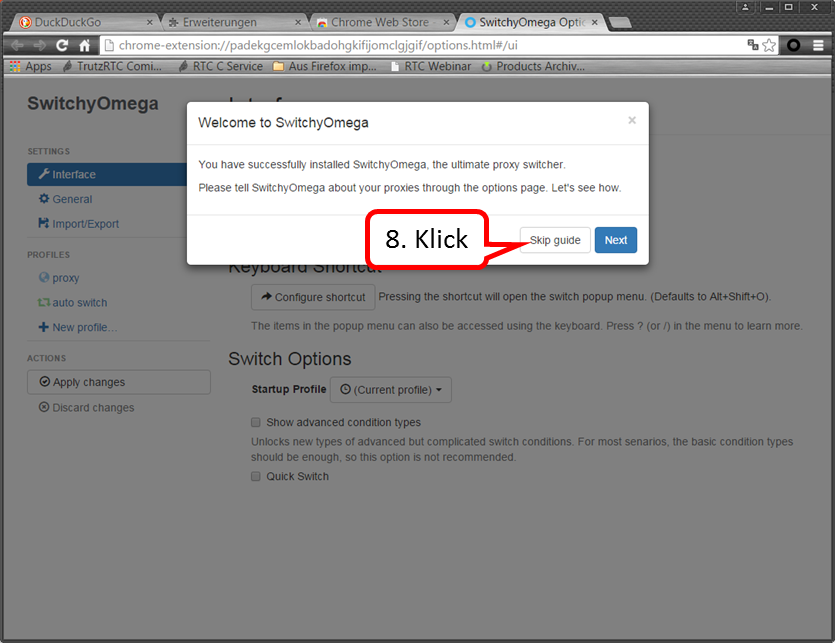
Click on „Skip guide“ (8).
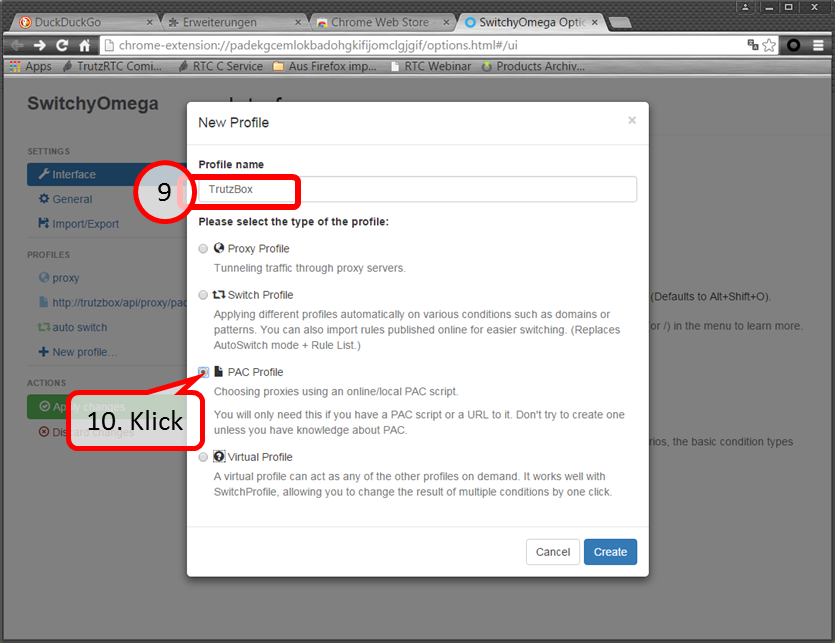
Enter „TrutzBox“ (09). Click on „PAC Profile“ (10).
-> Table of Contents (of this manual)
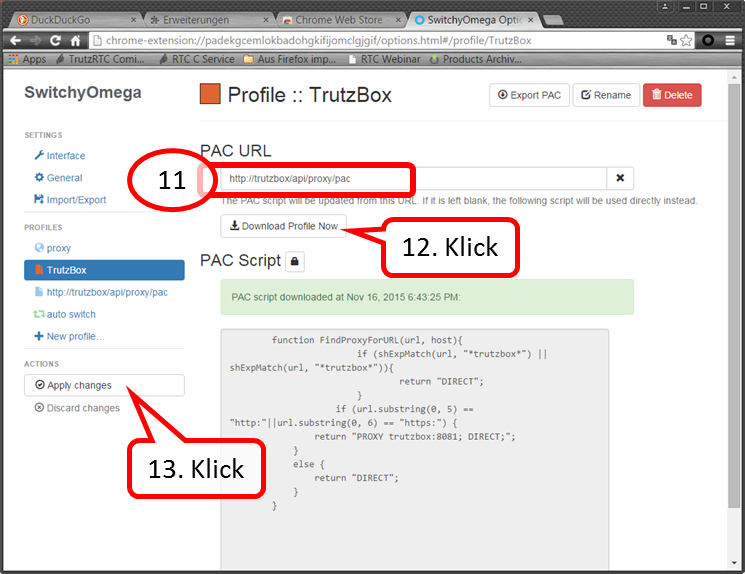
Enter „http://trutzbox/api/proxy/pac“ (11). Click on „Download Profile Now“ (12). Click on „Apply changes“ (13).
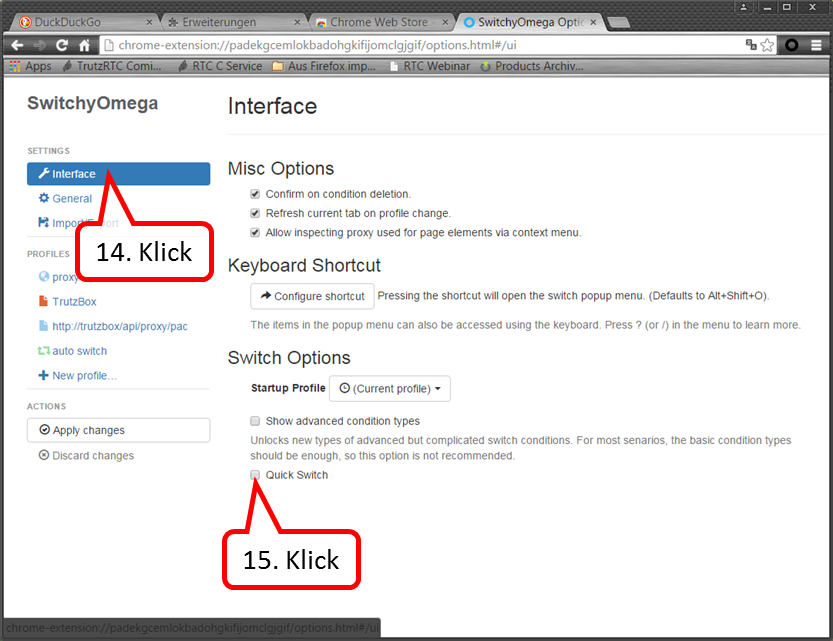
Click on „Interface“ (14). Click on „Quick Switch“ anklicken (15).
-> Table of Contents (of this manual)
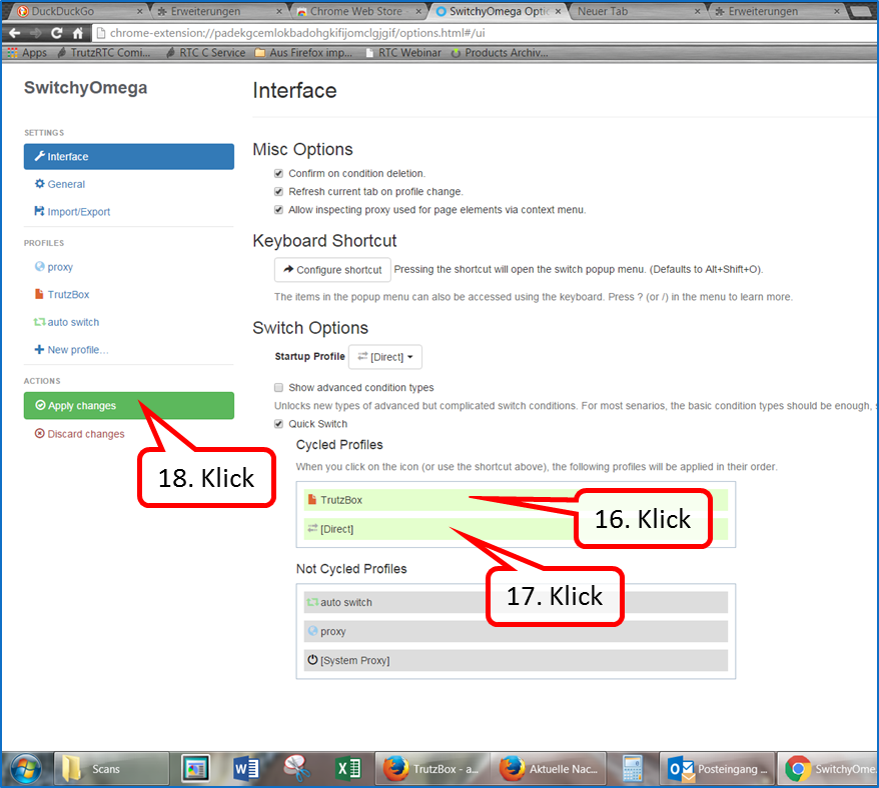
Pull "TrutzBox" upwards (16). " Pull up [Direct]" (17). "Click on "Apply changes (18).
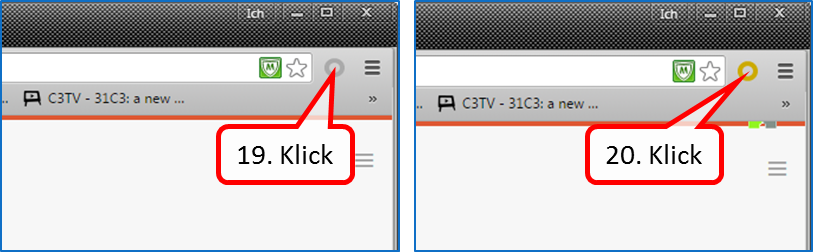
To switch on: click on the grey circle (19). Ochre circle shows: TrutzBrowse is switched on.
To turn off: click the ochre circle (20). Grey circle shows: TrutzBrowse is switched off.
-> Table of Contents (of this manual)
4.2 Encrypted Mailing - TrutzMail
You can use TrutzMail either via
- an immediately usable web-mailer: http://trutzbox/mail (Roundcube),
- your usual e-mail system (e.g. Outlook) or
- both ways.
4.2.1 Using the Web-Mailer
The Web mailer is called via https://trutzbox/mail.
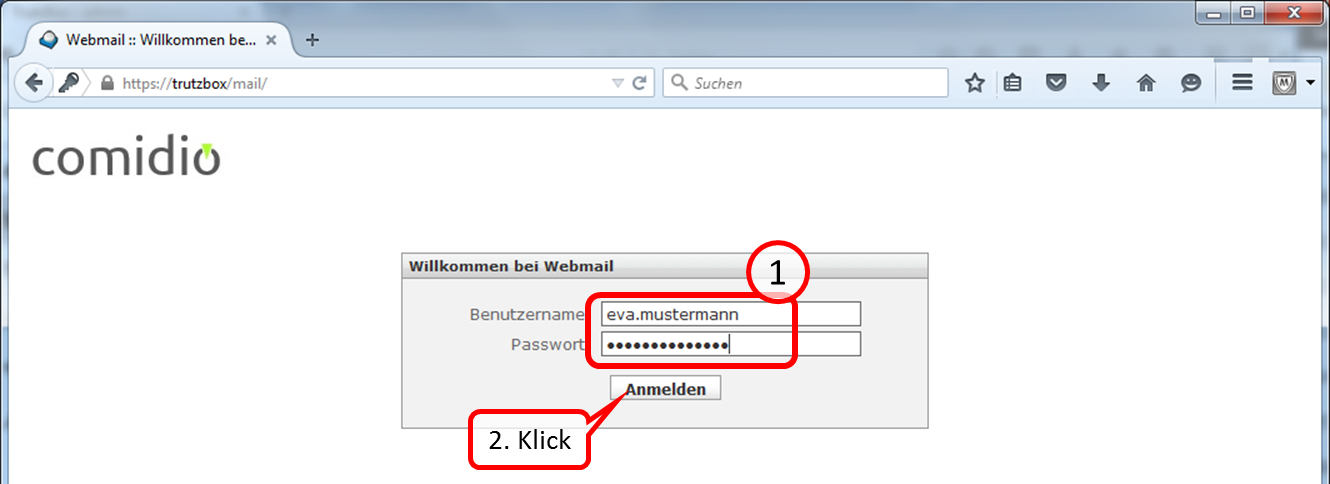
The login is done by entering the user name and password. Both were created by the administrator either at der Setup or thereafter .
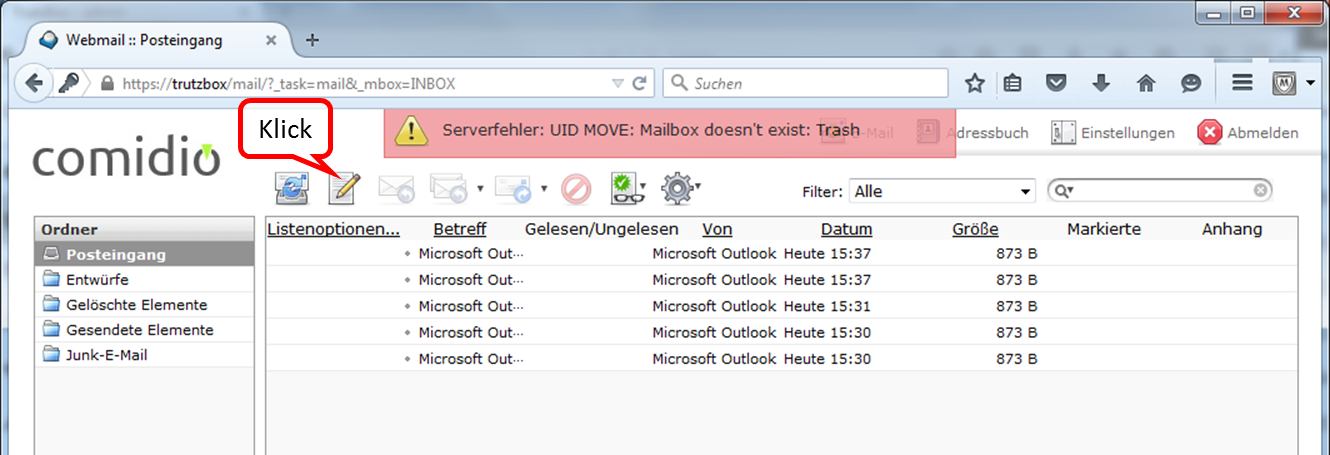
At the beginning you will see the folder "Posteingang".
By clicking on the pen you can create a new e-mail.
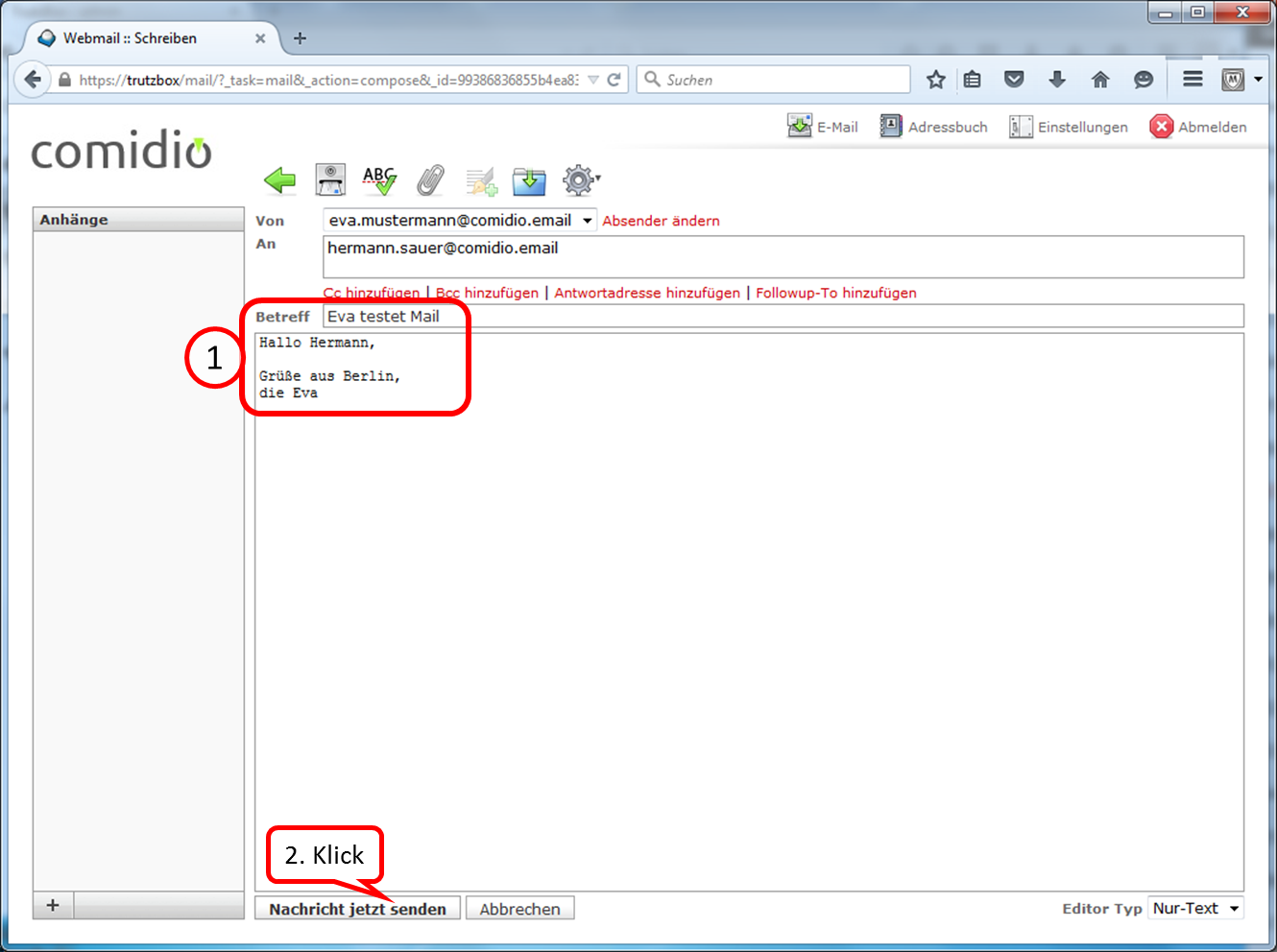
Enter the addressee under "An". Since you are in TrutzMail and communicate in encrypted form, the addressee must also have a secure e-mail address (ending with "@comidio.email").
After completing the content (1.) to transfer click on "Nachricht jetzt senden" (2.).
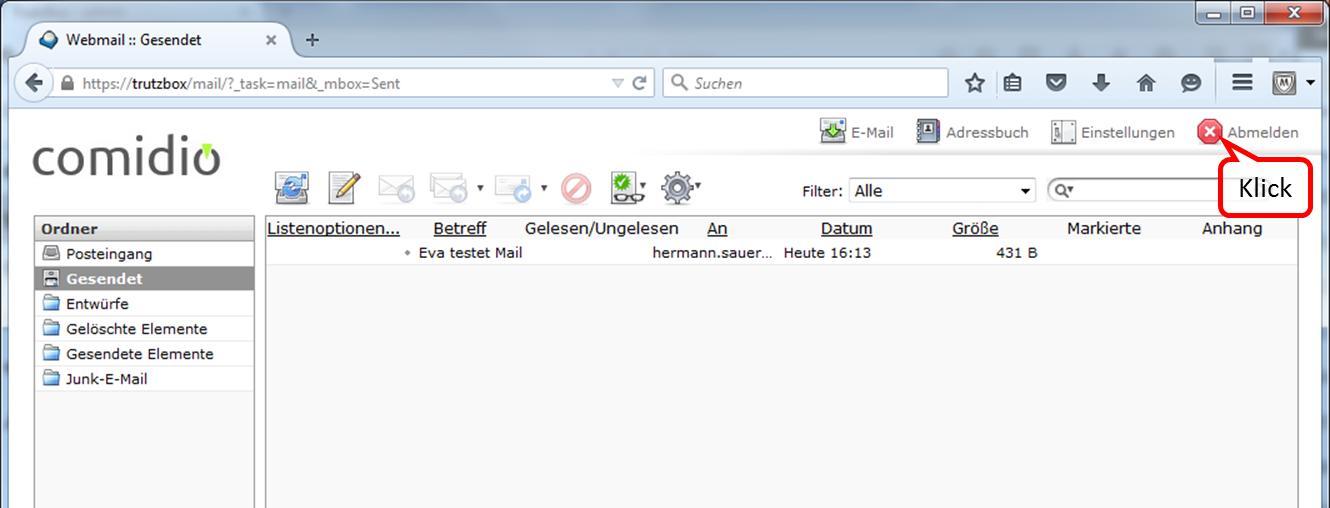
The sent message then appears in the folder "Gesendet".
To exit the web mailer, click on "Abmelden".
-> Table of Contents (of this manual)
4.2.2 Using a Mail-Client
To use your TrutzBox® mail server, set it up in your e-mail client.
| Name: | Eva Mustermann | freely selectable, is displayed like this |
| email address: | eva.mustermann@comidio.email | Email address assigned by the administrator |
| password: | ********* | password assigned by the administrator |
| account type: | IMAP | |
| incoming mail server: | trutzbox, port: 143, TLS | |
| outgoing email server (SMTP): | trutzbox, port: 587, TLS |
4.2.2.1 Setting up a TrutzBox account on Microsoft PC
The following description shows how to create a TrutzBox account in an e-mail client using Microsoft Outlook as an example. Start Outlook and click on "Datei" in the upper left corner.
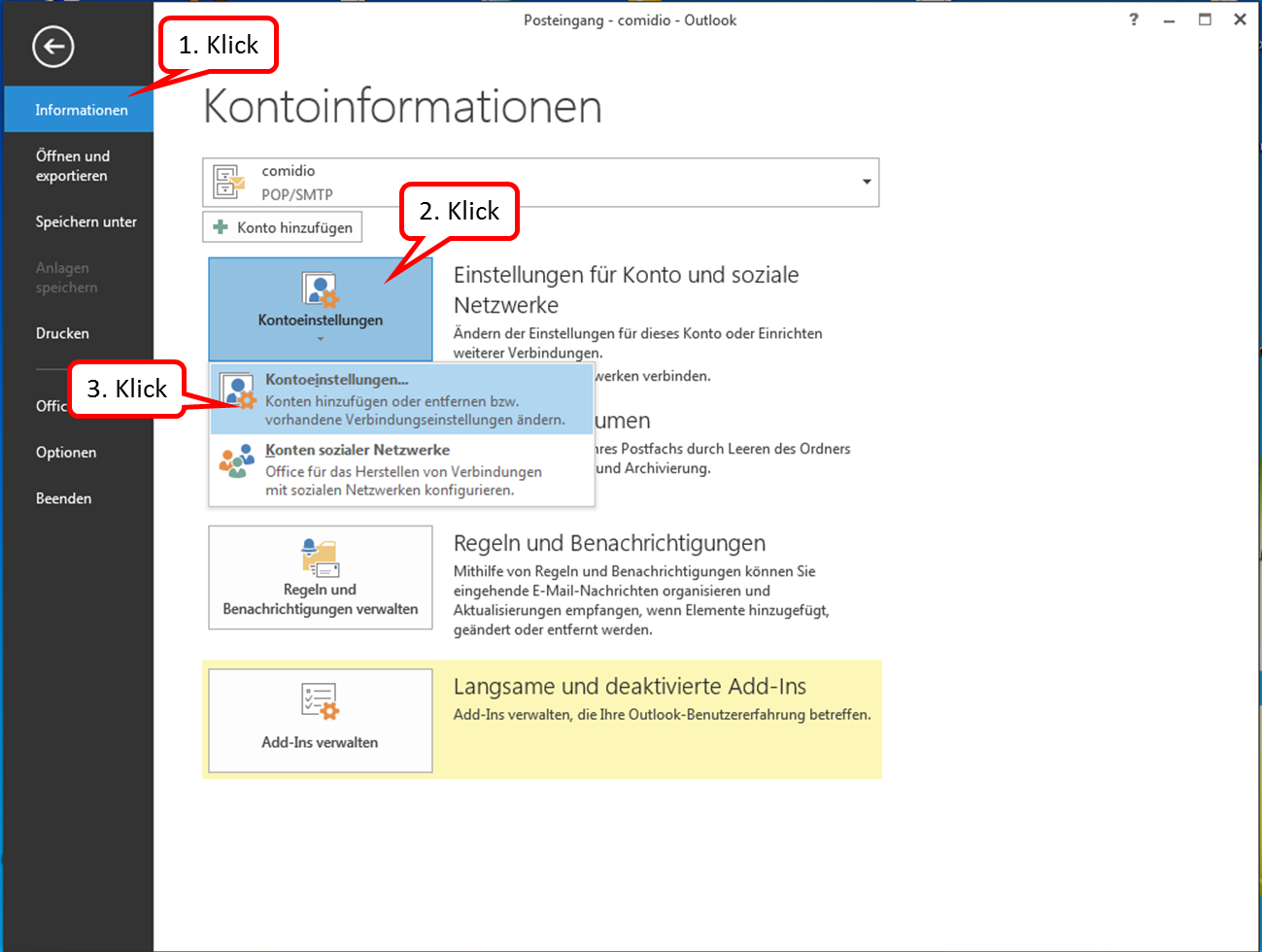
Click on " Informationen " and " Kontoeinstellungen " and click on the upper field " Kontoeinstellungen...".
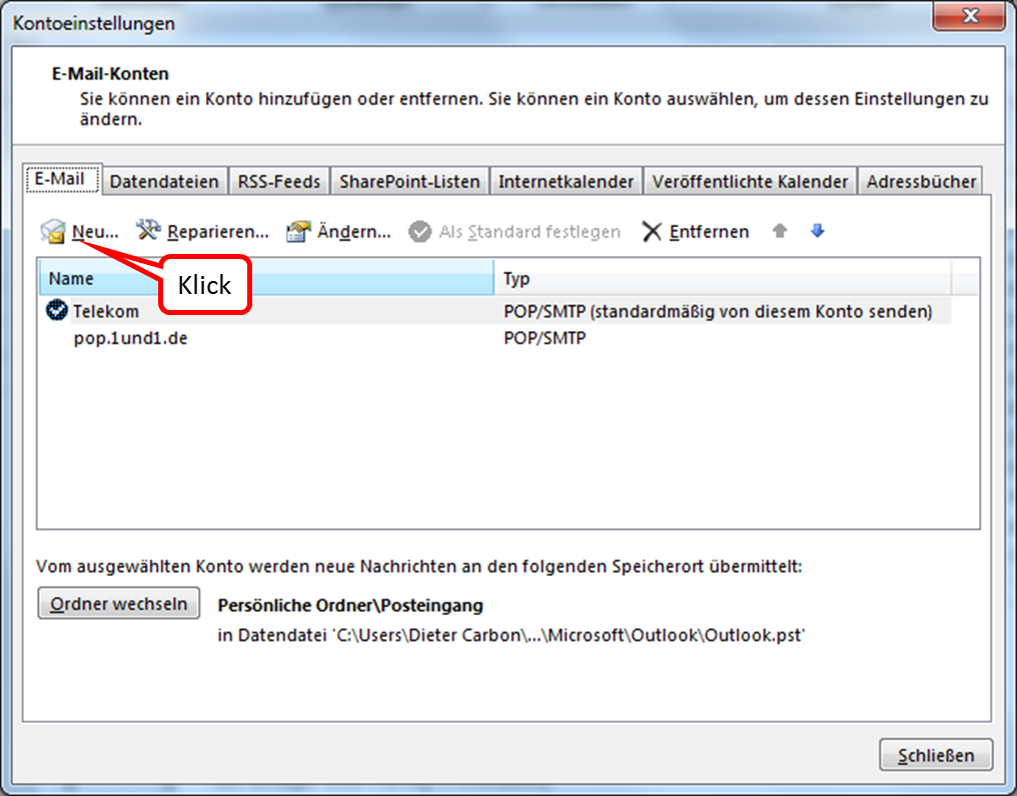
Click on "Neu" to add a new email account.
-> Table of Contents (of this manual)
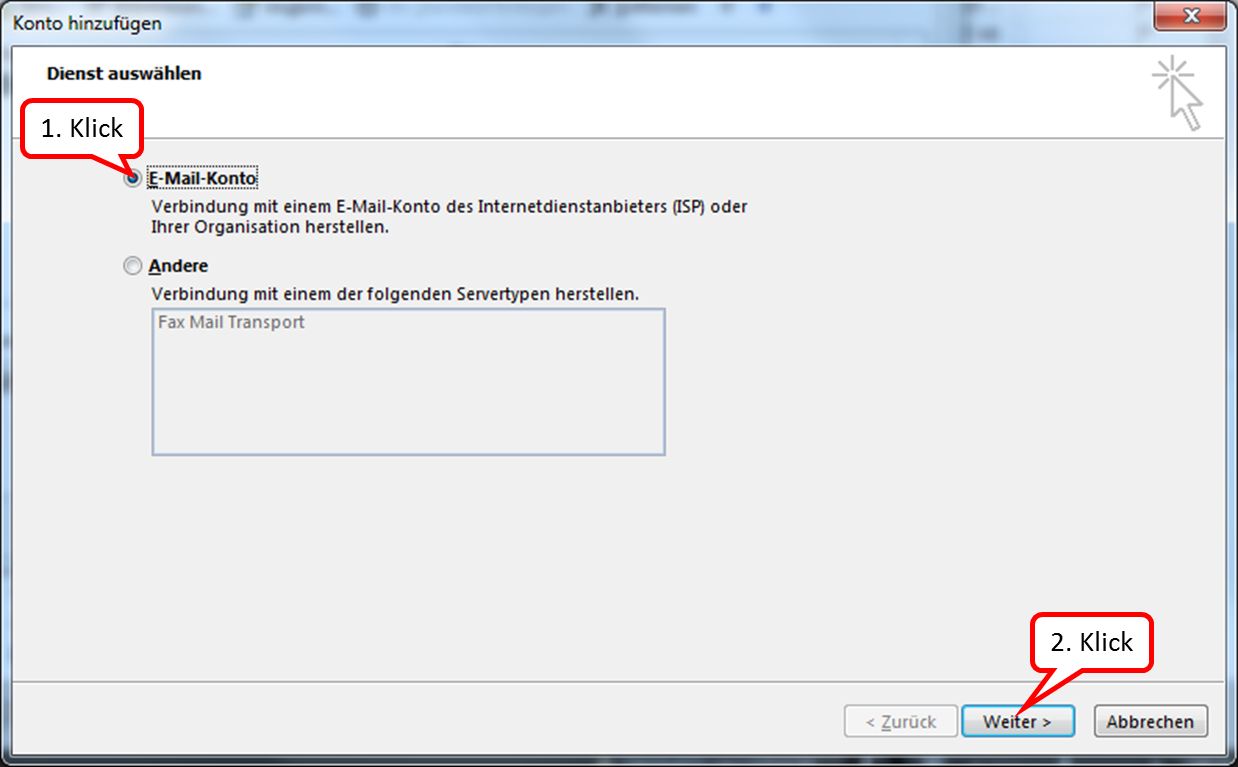
Click on "E-Mail-Konto" and on: "Weiter".
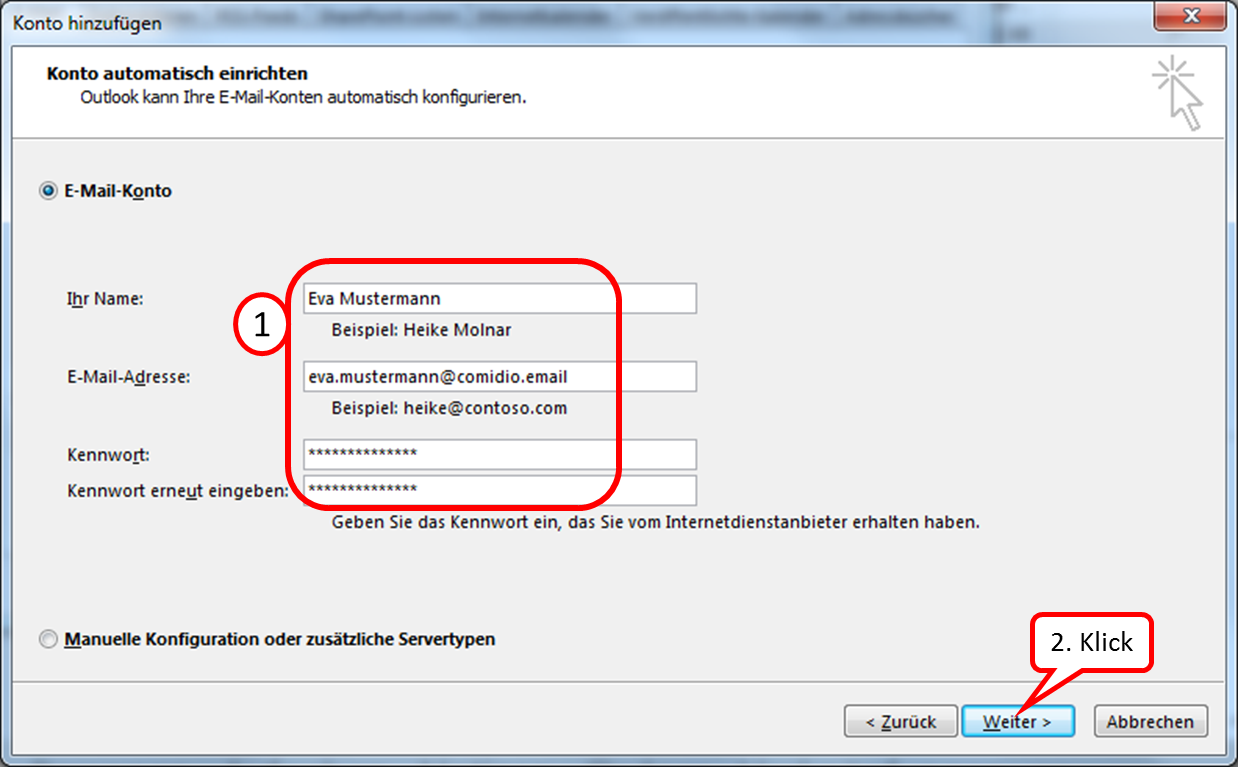
Enter the relevant data (email address and password can be obtained from the administrator).
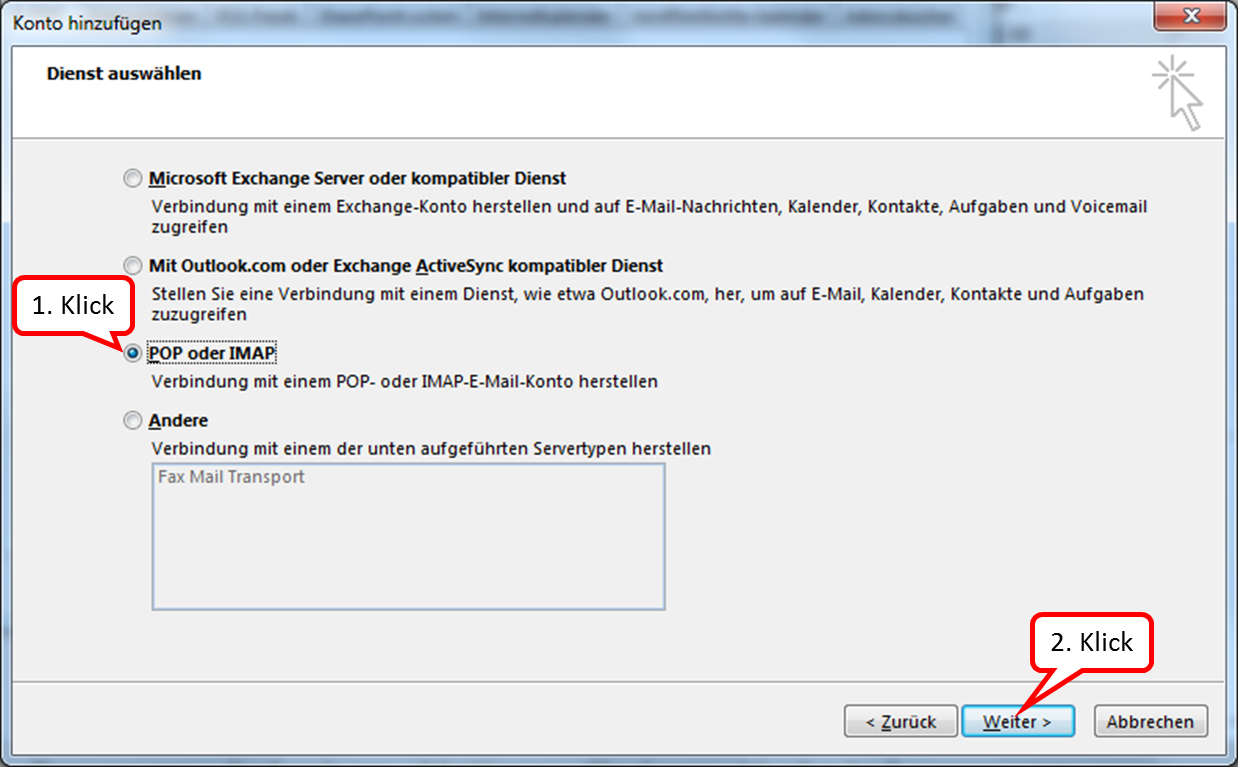
TrutzMail supports IMAP; please click on "POP or IMAP".
-> Table of Contents (of this manual)
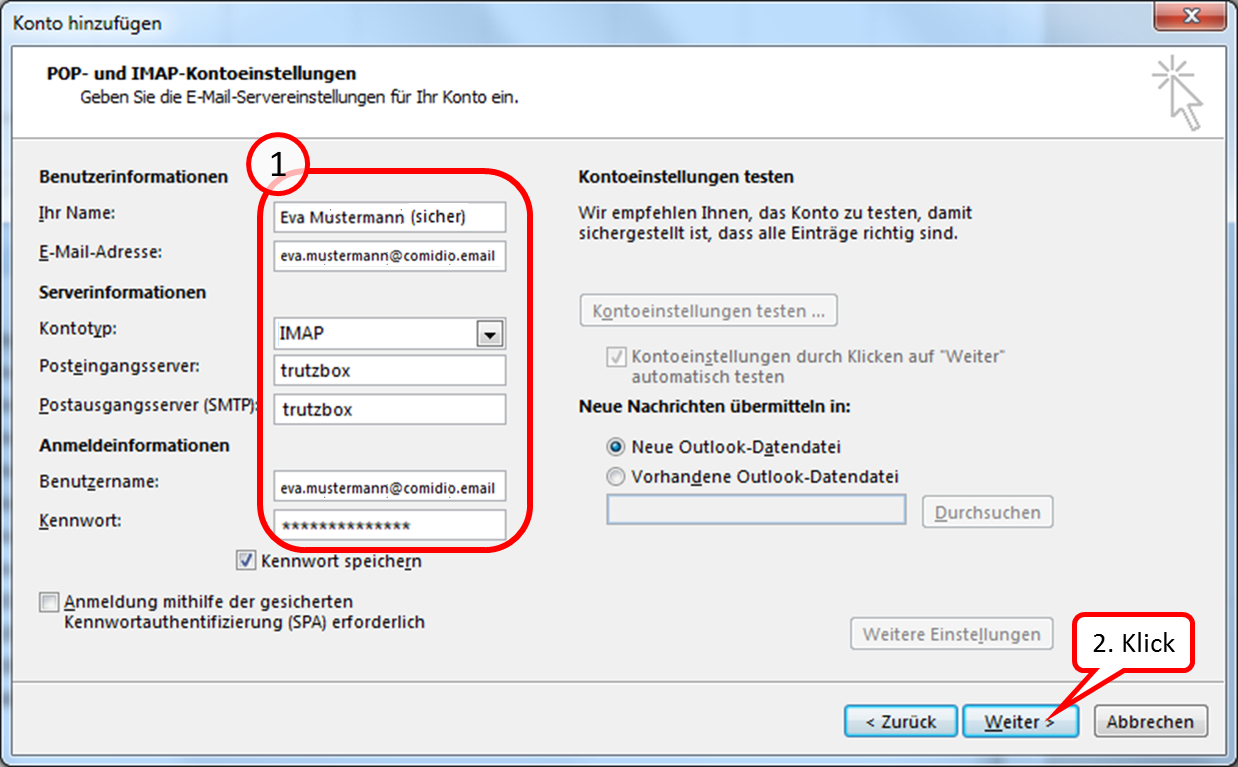
Enter the data accordingly (1.) and click on "Weiter" (2.).
-> Table of Contents (of this manual)
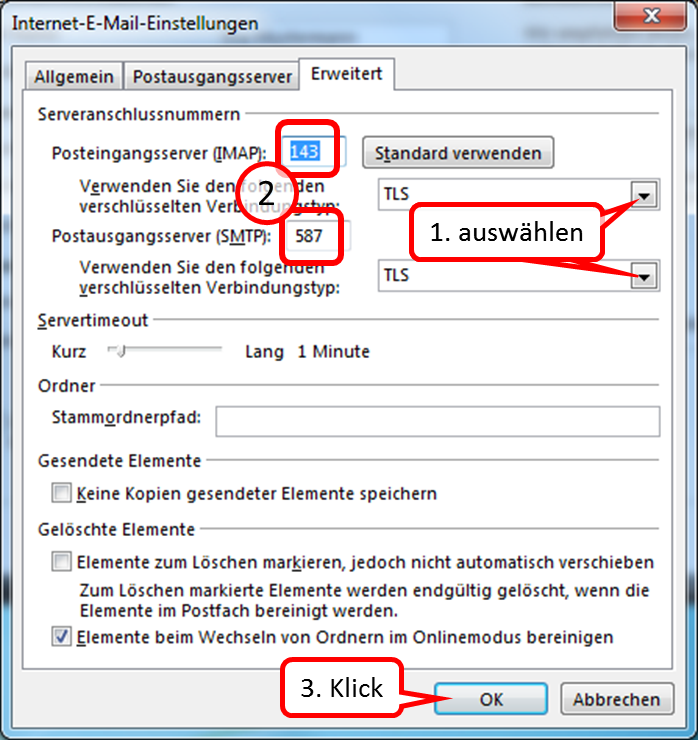
Select "TLS" for the incoming mail server and "TLS" for the outgoing mail server. Then enter the respective port numbers.
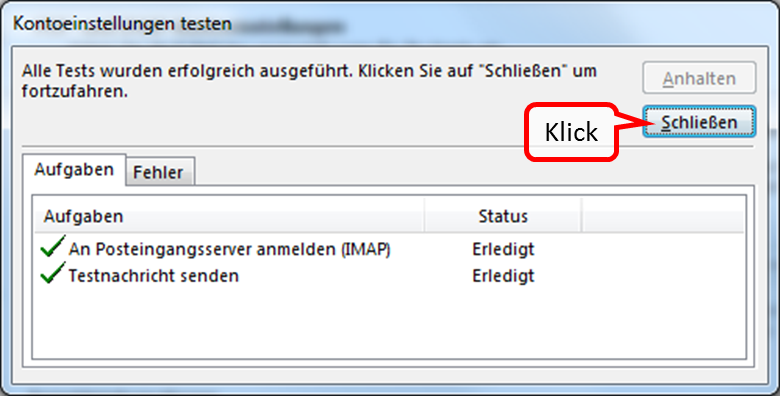
Click on "Close" to confirm the successful tests.
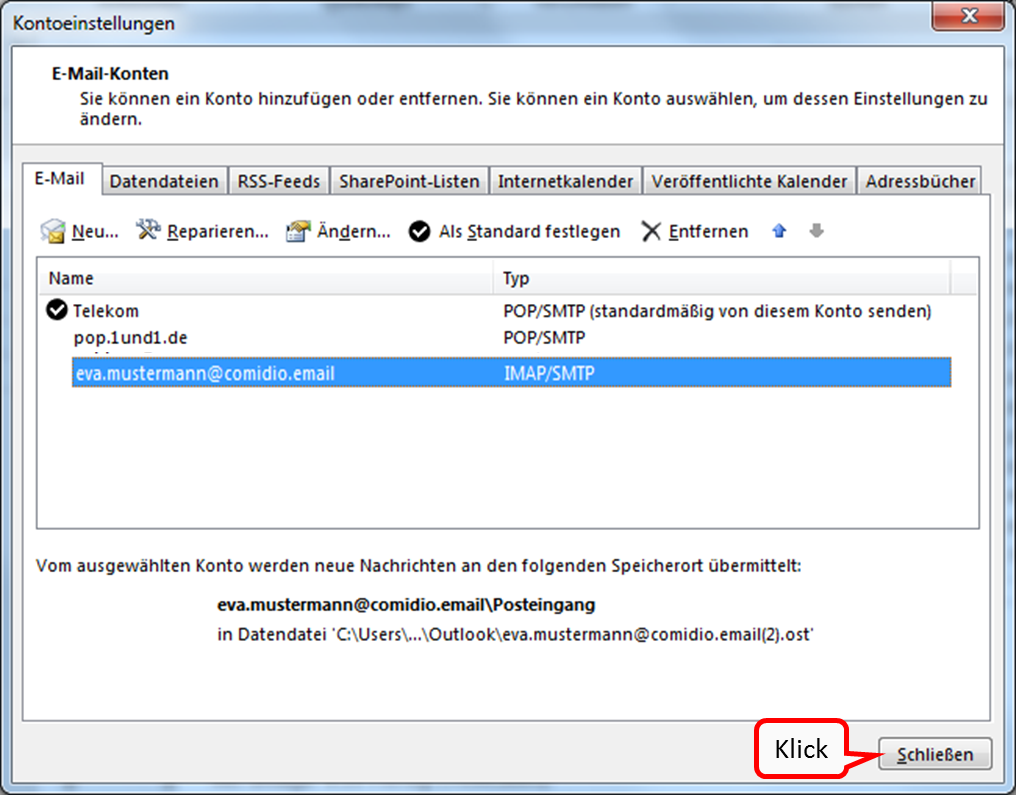
Your newly created email account now appears under "Kontoeinstellungen".
-> Table of Contents (of this manual)
4.2.2.2 Set up a TrutzBox account on Apple PC
The following description shows how to create a TrutzBox account in an email client using Microsoft Outlook on Apple PC as an example.
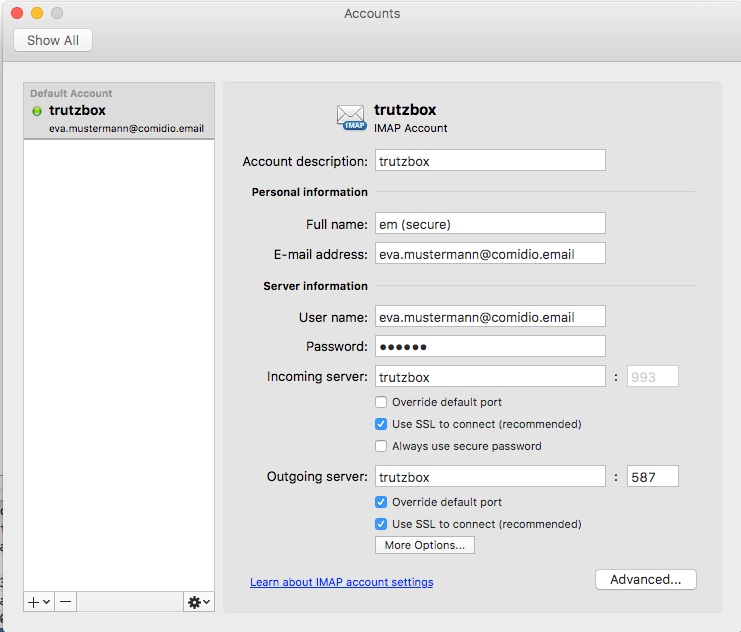
Please make the appropriate settings.
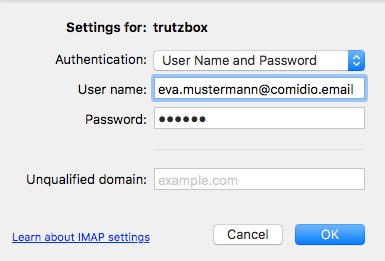
Please make the appropriate settings.
-> Table of Contents (of this manual)
4.3 Protection of minors - TrutzContent
The TrutzBox® monitors web access and is thus able to prevent unwanted data traffic. The TrutzBox® distinguishes whether a device or a user calls up a web page directly or whether a web server - after the deliberately called up web page has been loaded - contacts further web pages and loads them without the user's knowledge and without his consent.
The TrutzBox® offers two different basic functions here:
1. TrutzContent:
A content filter that prevents a device or user from directly accessing a particular Web page. Examples of unwanted calls:
- A young person wants to load a website with content harmful to young people.
- An Internet device that unnoticedly calls up a web page in the background, without a user deliberately initiating it, calls up a web page in the background. These can be TVs, washing machines or game consoles (if they are connected to the Internet), or even the standard Internet browser of the user's PC, which in turn contacts Mozilla or Google or the server of a plug-in provider independently.
The TrutzBox® checks if the contact to such a server is allowed and blocks the forwarding if necessary.
-> Table of Contents (of this manual)
4.4 Real time communication- TrutzRTC
As part of the updates, two real-time communication functions are implemented on the TrutzBox® (without the customer's active involvement and free of charge):
- TrutzChat = XMPP Service for messaging and, depending on the client used, other functions such as audio, video communication, file transfer, screen sharing ...
- TrutzMeeting Audio and video conferencing service: Server on which you can connect to a browser that supports the WebRTC standard and which is capable of connecting several audio or video conference participants.
TrutzRTC runs automatically, does not need to be configured and has no user interface on the TrutzBox.
-> Table of Contents (of this manual)
4.4.1 TrutzChat (XMPP Service)
It works similar to e-mail. The XMPP server on the TrutzBox manages users, their online status and their messages. If a message is to be sent to a subscriber who is not on the same server (i.e. on a different TrutzBox) as the sender, the target server is determined, contact is made with it and the message is delivered to this XMPP server. The same applies not only to messages but also to other functions, such as Presence status
Comidio has extended the XMPP server on the TrutzBox so that it is able to use the same security functions as those used by TrutzMail. This means:
- Communication partners are addressed with the TrutzMail address.
- The connection establishment and the message transmission with users on another TrutzBox, take place via Tor hidden services.
- The same certificates and keys are used to encrypt messages and authenticate the TrutzBox of the communication partner as for TrutzMail.
Once created, TrutzMail addresses can also be used directly for messaging.
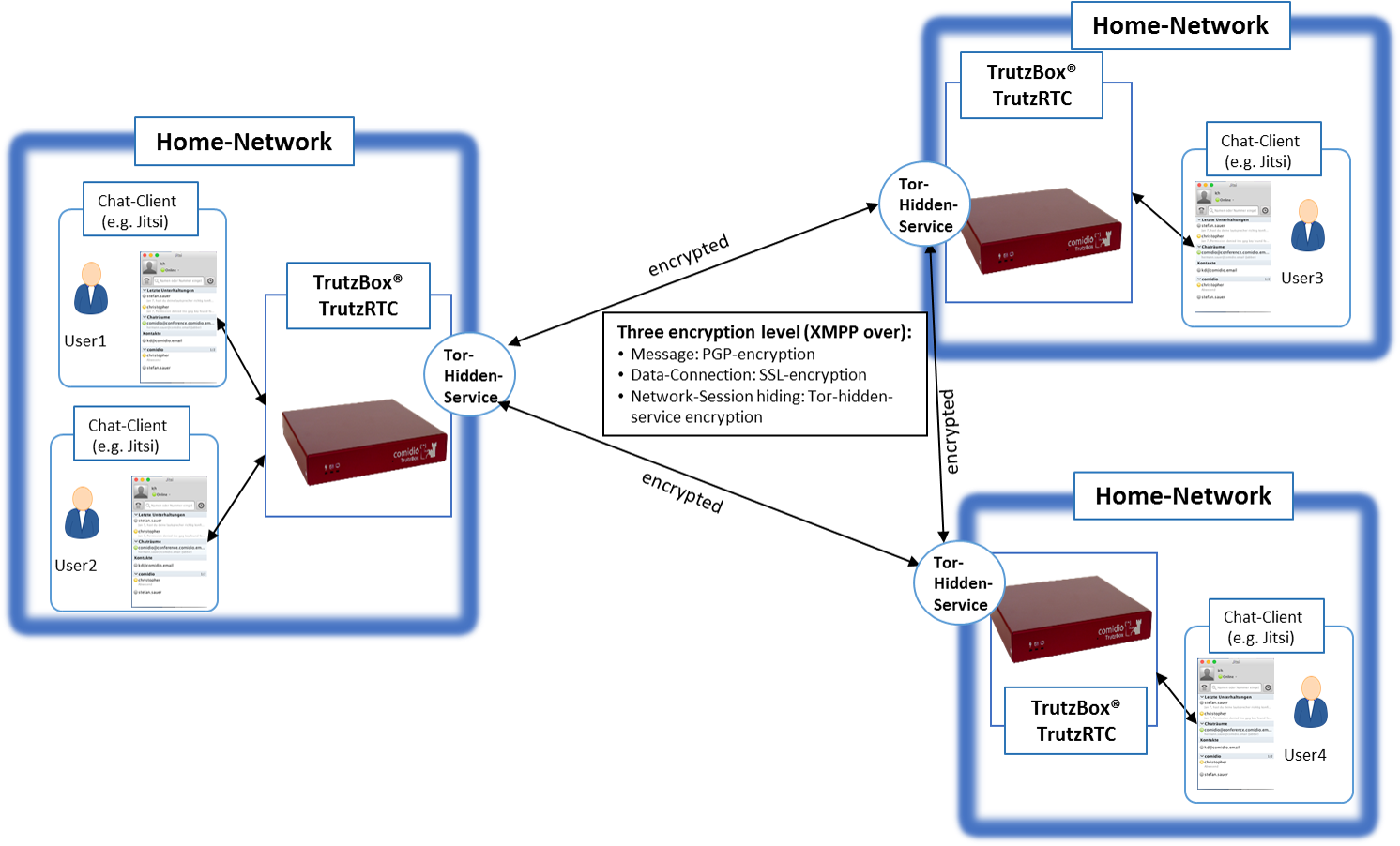
Structure of the XMPP service between the TrutzBoxes
-> Table of Contents (of this manual)
4.4.1.1 Preconditions
In order to use the TrutzChat service, a TrutzMail address' and an XMPP-enabled program on the mobile device (PC or mobile) are required. Chat programs that support the XMPP protocol are available for all common operating systems with different features.
These links give a good overview of available XMPP clients:
- https://de.wikipedia.org/wiki/Liste_von_XMPP-Clients
- https://de.wikibooks.org/wiki/XMPP-Kompendium:_Einrichtung
- http://xmpp.org/software/clients.html
The individual selection depends partly on requirements, partly on taste.
Comidio uses the following clients:
| Apple MacOS | Adium (https://adium.im) oder Swift (https://swift.im) |
| Microsoft Windows | PSI (http://psi-im.org) oder Swift (https://swift.im) |
| iOS | ChatSecure (https://chatsecure.org) |
| Android | Xabber (https://www.xabber.com/) |
After installing such a messaging client, the XMPP server must be configured in the client. All you have to do is enter the corresponding TrutzMail address with password.
Since many XMPP clients determine the server name from the e-mail address, the incorrectly determined name "comidio.email" must still be changed to "trutzbox”.
The XMPP default port 5222 remains unchanged.
Several TrutzMail addresses can also be configured in one client.
Configuration of the chat program Adium:
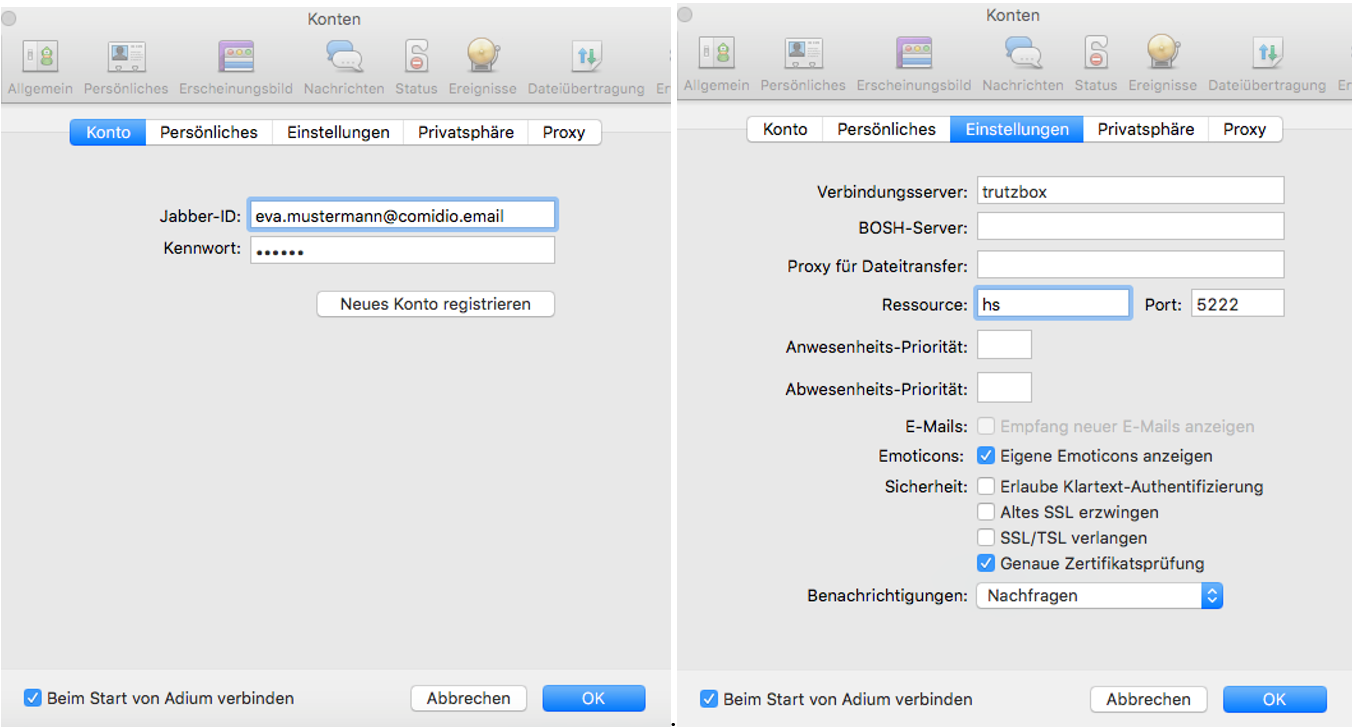
Afterwards any number of contacts can be added by entering the TrutzMail addresses.
-> Table of Contents (of this manual)
Configuration of the chat program Psi:
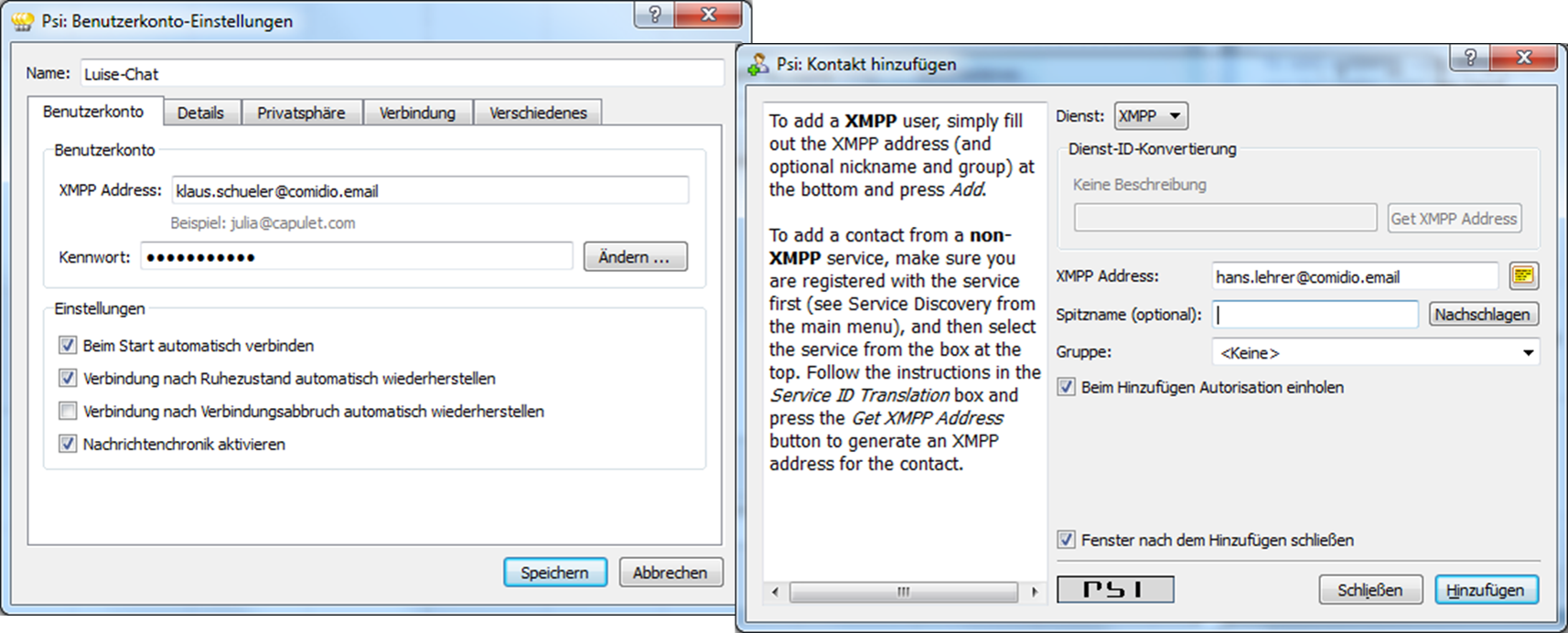
Configuration of the chat program ChatSecure:
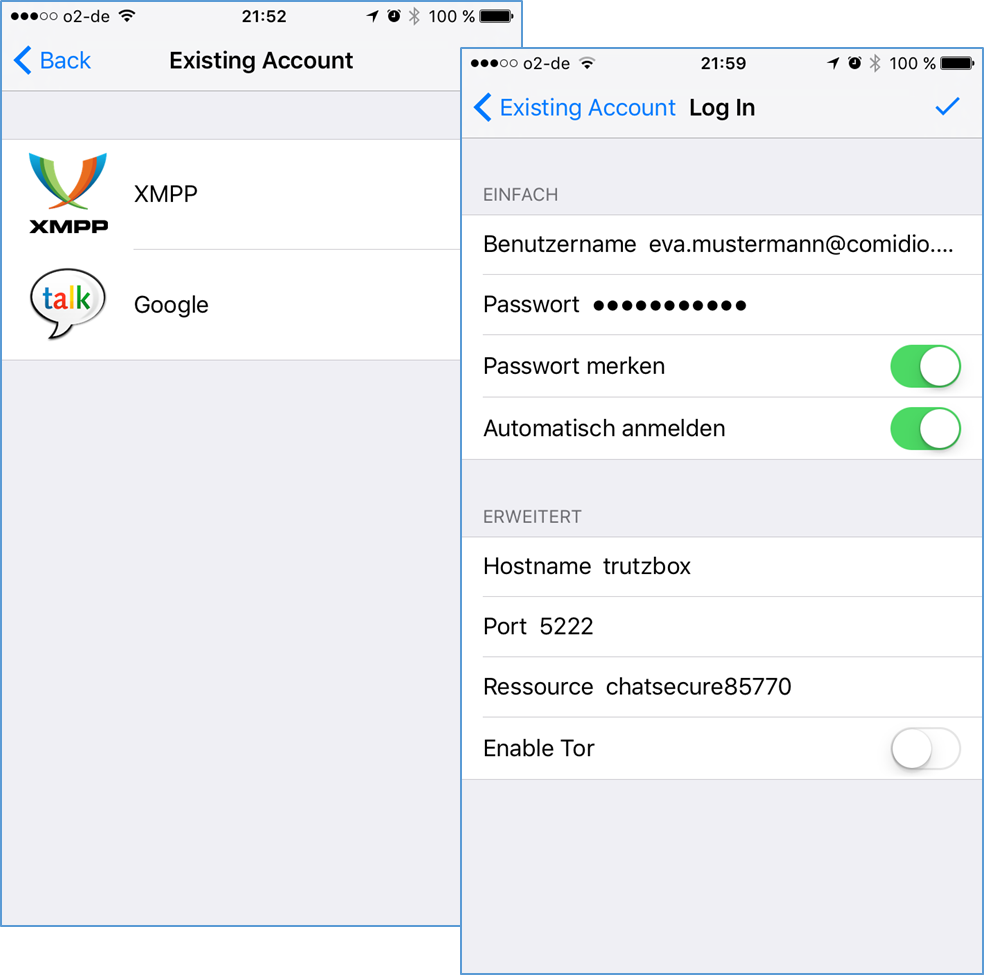
Configuration of the chat program Xabber:
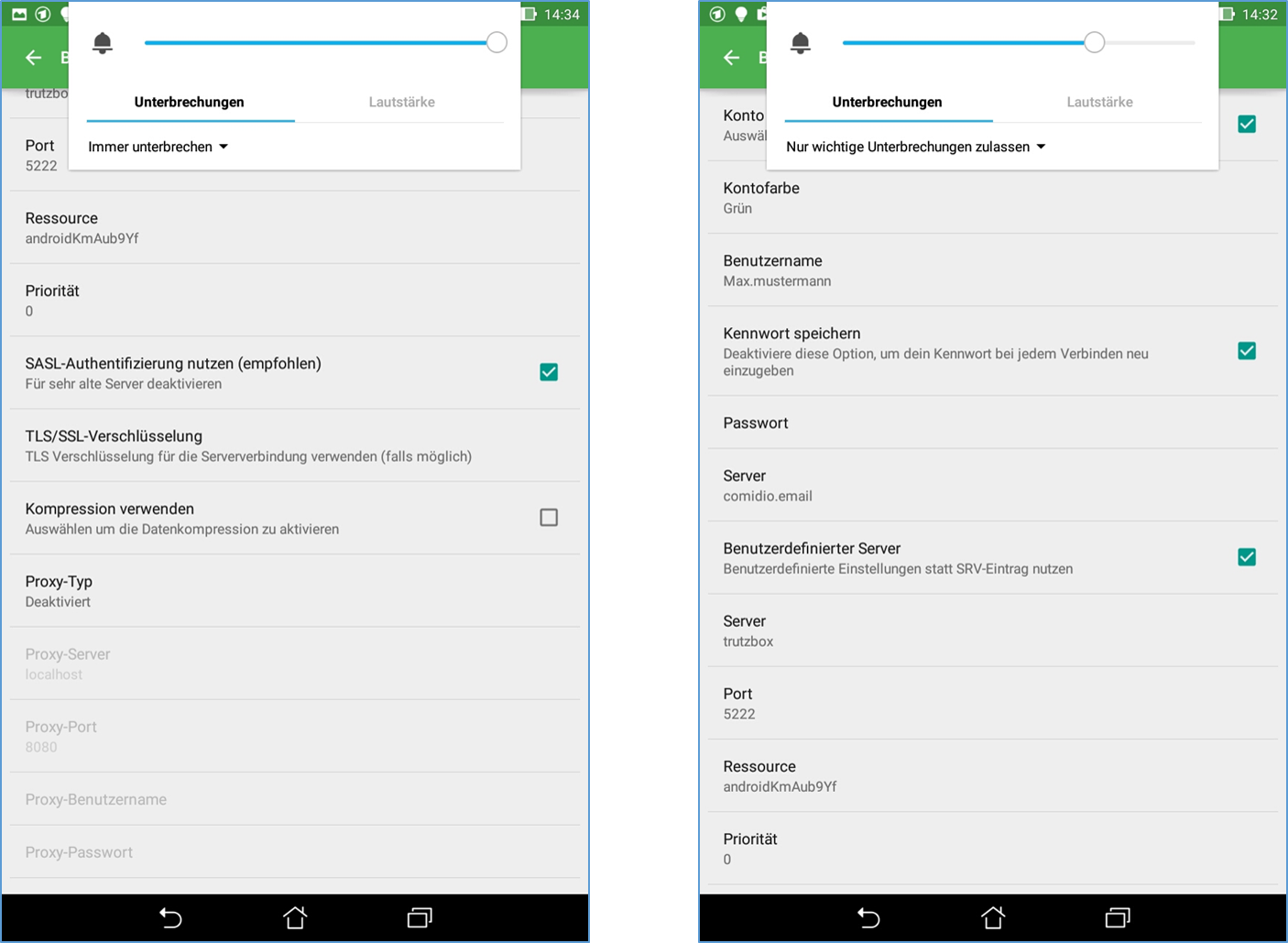
4.4.1.2 TrutzChat XMPP Standard Functions
Depending on the functionality of the messaging client, the XMPP server on the TrutzBox supports the following XMPP standard functions:
- Instant-Messaging: Text messages incl. formatting and emoticons
- Create and manage communication groups, group chats (multi-user chat - MUC ), but currently only for communication participants who are logged on to the same TrutzBox.
- Audio/Video Communication: Telephone Calls
- File transfer: Send files to the communication partner(s)
- Screen Sharing: makes one's own screen visible to others
- Remote-Desktop: the communication partner can operate my PC
- OTR (Off-the-Record Messaging): unofficial, confidential, non-public communications
- Online-Status, Last-Seen: is the communication partner online, ready to talk... or when was the last time he was online
-> Table of Contents (of this manual)
4.4.1.3 External connections to TrutzRTC
As long as the TrutzBox with the host name "trutzbox" is available, the messaging client can connect directly to the XMPP server on the TrutzBox.
However, this only works from the home network if the client is connected to the Internet router or the secure network of the TrutzBox (transparent mode).
To connect to the XMPP server on the TrutzBox while travelling, the TrutzBox " Fernzugriff " should be used.
To do this, set up the TrutzBox remote access as described in „Fernzugriff“ and authorise the TrutzRTC user for remote access under " Benutzer verwalten " on the TrutzBox.
If „Fernzugriff“is then set up and started on the mobile device, the messaging program can access the TrutzRTC server as in the home network.
There is no need to open additional ports on the Internet router at home.
-> Table of Contents (of this manual)
4.4.1.4 Setting up and using chat rooms =
The TrutzBox is also used by clubs, groups of friends, schools, industrial projects etc. to communicate with each other safely. Such closed user groups can not only hold video conferences and exchange secure e-mails with several users simultaneously, but also communicate together via one (or more) chat rooms. Such chat rooms are also called Multi User Chat (MUC).
<
To do this, it is possible to create a chat room on my own TrutzBox, i.e. the TrutzBox, where I have a TrutzMail address, and then invite any number of participants with their TrutzMail address.
<
For example, to create a new room in the chat program Adium, call the menu „Ablage“ -> „gehe zu Chat..“ auf:
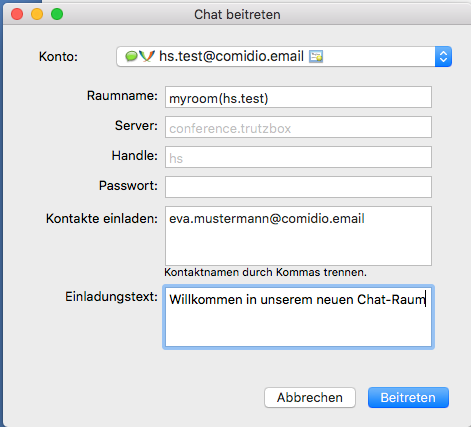
The fields have the following meaning:
Konto: select here the TrutzMail account under which the "chat room" is to be createdl
Raumname: define a room name (here myroom) and append the user account (without @comidio.email) behind it in parentheses. The room name must not contain any special characters
Server: do not change anything
Handle: do not change anything
Passwort: an optional access password can be entered here
Kontakte einladen: here you can separate participants by commas and invite them to the room. Participants can also be invited or unloaded separately at a later date
Einladungstext: here you can enter any text that is displayed with the invitation.
Once the room has been created in this way, further contacts (in the contact list with the right mouse button - menu "Invite to chat") can be invited into the room.
<
The chat room is then located on the TrutzBox on which the room was created. Participants from another TrutzBox are automatically notified with the invitation and connect to this room.
4.4.2 TrutzMeeting: Audio- and Video-Conference Service
Using the XMPP server and the correct messaging client, it is possible to establish an audio/video connection, but only with one other participant, and it is necessary that all participants use a client that supports the same audio/video code. Therefore, standard XMPP clients are not an optimal solution for telephone or video conferences.
To provide TrutzBox users with a secure solution for multiparty telephone or video conferencing, the TrutzBox offers a WebRTC-enabled conference server that allows audio/video conferencing directly from a standard Internet browser, without the need for additional software.
Around the TrutzBox user also a secure solution for telephone or video WebRTC is a living standard defined in phases, which is gradually implemented by the browser manufacturers. This means that there are no uniform functionalities across all browsers and the WebRTC functions run differently stable.
For example, the screensharing function is not yet implemented stably.We will update with appropriate browsers.
4.4.2.1 preconditions
During the later operating phase, the maximum number of video conference participants will correspond to the TrutzMail addresses booked.
There is no participant limit in the current beta test phase.
To start a video conference, simply access the TrutzBox on port 9082 using a WebRTC-enabled browser.
A room name is appended to the end of the link:
z.B.: https://trutzbox:9082/raumname
No special characters may be used for the selected room name!
4.4.2.2 procedure
Durch Aufruf der oben genannten URL verbindet sich der Browser mit dem Raum “raumname”. Dabei sind zwei Fälle zu unterscheiden:
- The room does not yet exist:
so you are now the first person who wants to create this room, and you are the "room administrator" for this room. Then it is necessary to log on to the conference server with his TrutzMail address and the TrutzMail Password. This means that only TrutzBox users who have a TrutzMail account on this TrutzBox can open a new room. After creating and connecting to the room, the room administrator can optionally define another password for this room.
- The room already exists:
then the browser connects to the room. If the room administrator has placed a password in the room, this must now be entered. If the room has already been created, anyone can connect to the room. He does not need to be registered as a TrutzBox user or have a TrutzMail address. As soon as the browser is connected to the room, you should enter your "Anzeigenamen" by clicking on the connection window below.
Positioning the mouse at the top of the screen opens an operating menu.
This menu offers the following functions:
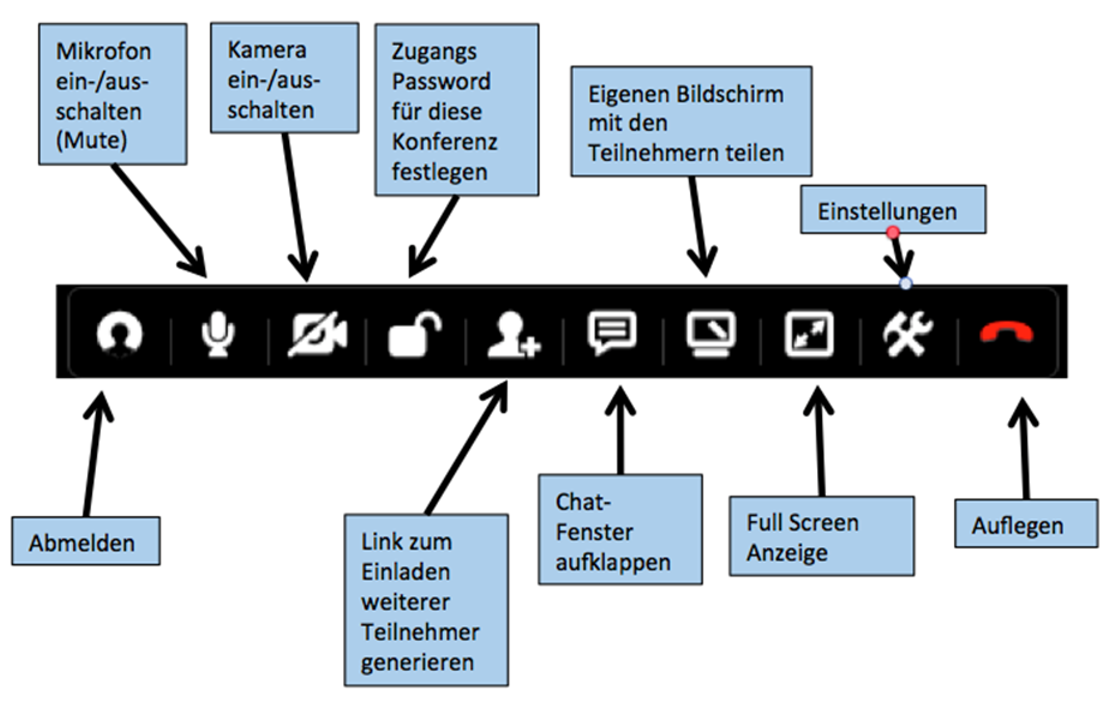 -> Table of Contents (of this manual)
4.4.2.3 Screen-Sharing
With the function "Share your own screen with the participants" it is possible to share your own screen content with other conference participants.
Since all browsers have a built-in security setting that prevents software from reading the screen content, the browser must be informed that the TrutzBox may read the screen content.
Chrome
With Chrome it is necessary that this feature is already activated when you call it up.
Chrome on Mac
For this purpose on the
- Mac: start chrome in the console with this command:
open -a 'Google Chrome' --args '--enable-usermedia-screen-capturing'
Chrome on Windows
- For more information, see: https://github.com/muaz-khan/WebRTC-Experiment/tree/master/Pluginfree-Screen-Sharing
For a shortcut to Chrome, proceed as follows:
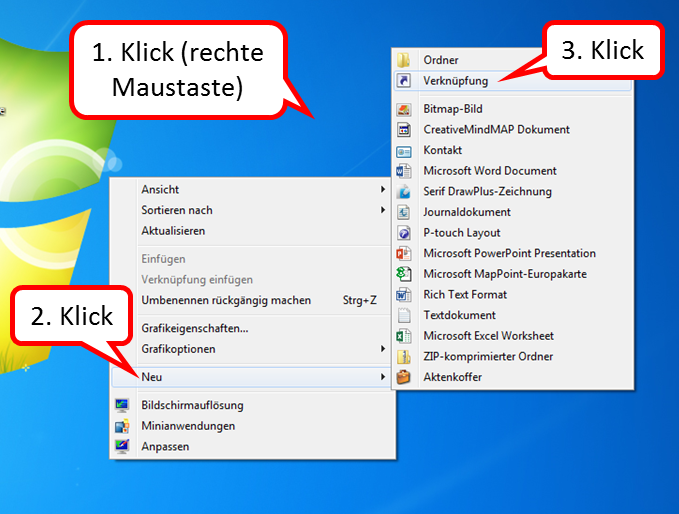
- Right-click on the Desktop Interface (1),
- click on "Neu" (2),
- click on "Verknüpfung" (3).
-> Table of Contents (of this manual)
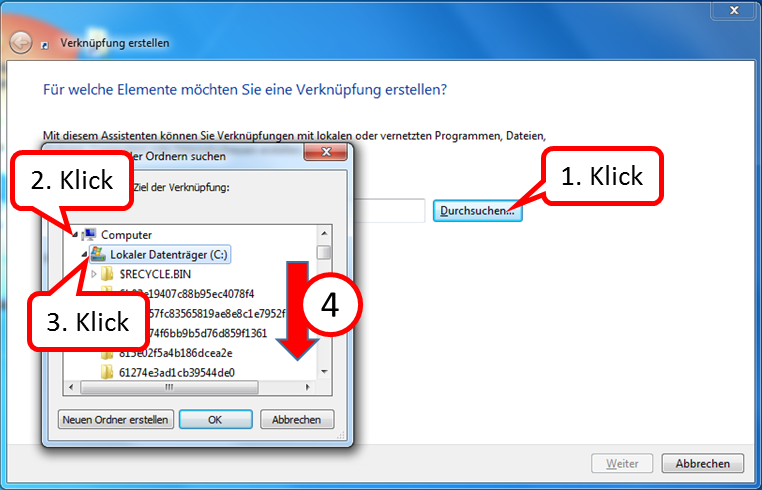
Then the file "chrome.exe" is searched for:
(The screenshots are exemplary, the folder names on your PC may be different; it is important that the path to "chrome.exe" is found.)
- click on "Durchsuchen ..." (1),
- Open the "Computer" folder (2) by clicking on the arrow in front of it,
- Open the "Local Disk (C:)" folder (3) by clicking on the arrow in front of it,
- Scroll down (4) until you see the "Programs" folder.
-> Table of Contents (of this manual)
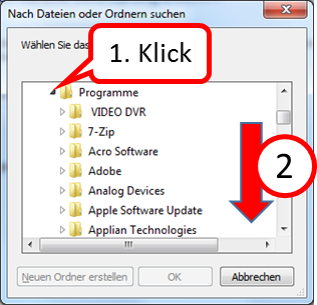
- Open the "Programs" folder (1) by clicking on the arrow in front of it,
- Scroll down (2) until you see the "Google" folder.
-> Table of Contents (of this manual)
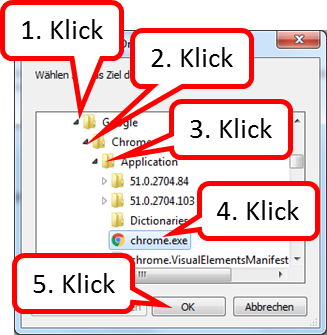
- Open the folder "Google" (1) by clicking on the arrow in front of it,
- Open the folder "Chrome" (2) by clicking on the arrow in front of it,
- Open the "Application" folder (3) by clicking on the arrow in front of it,
- click on "chrome.exe" (4),
- click on "OK" (5).
-> Table of Contents (of this manual)
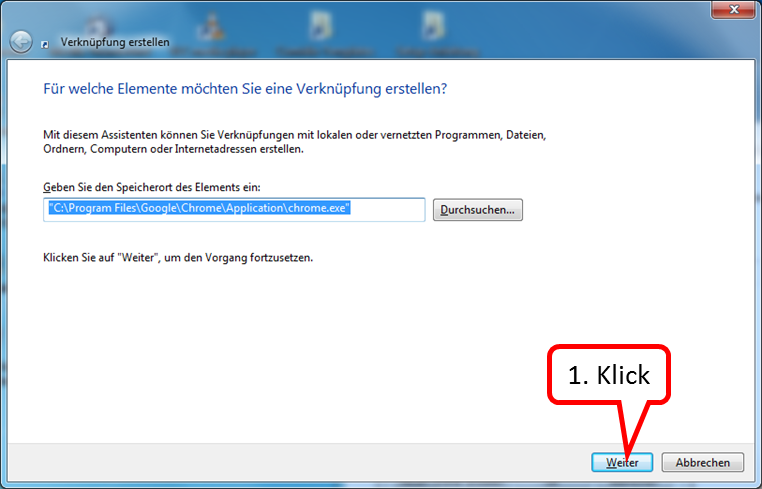
click on "Weiter" (1).
-> Table of Contents (of this manual)
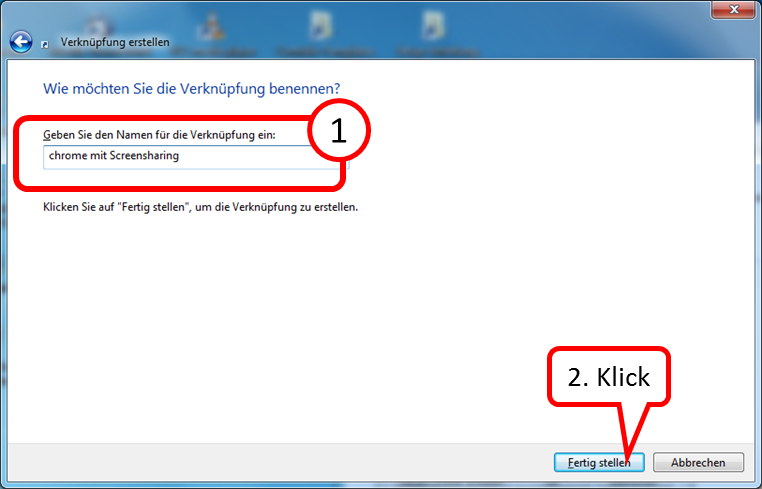
- Enter the name under which you want to find the link to call up the program. (1),
- click on "Fertig stellen" (2).
-> Table of Contents (of this manual)
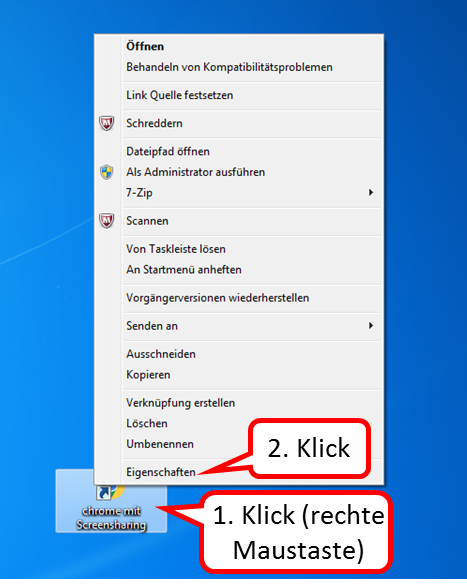
Now open the new shortcut to add the parameters:
- Right-click on Desktop Interface (1),
- click on "Eigenschaften" (2).
-> Table of Contents (of this manual)
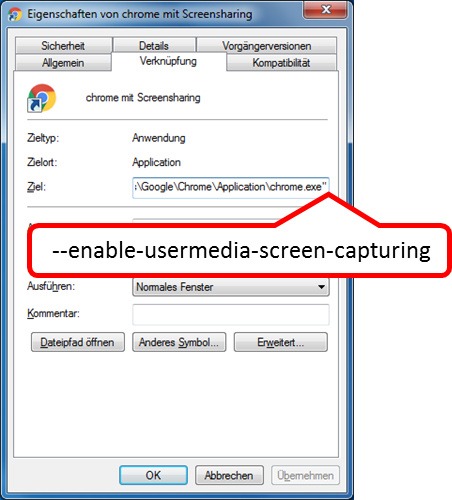
In the "Ziel" field after the closing quotation mark, enter:
[Leerzeichen]--enable-usermedia-screen-capturing
-> Table of Contents (of this manual)
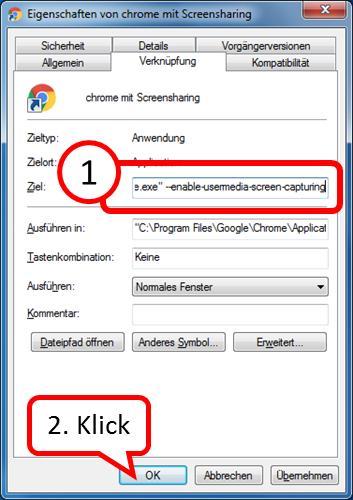
- Check your input for spelling (1),
- click on "OK" (2).
-> Table of Contents (of this manual)
It is recommended to use the browser Chrome solely for TrutzRTC/Webmeeting.
- If no own screen pages (no screen sharing) are to be shown, the "normal" Chrome call can be made.
- If you want to show your own screen pages (screen sharing), you can use the newly created chrome shortcut.
-> Table of Contents (of this manual)
Firefox
For Firefox' you have to change an internal configuration after starting Firefox by entering the command about:config. Search for allowed and add the domain trutzbox to the list of allowed domains by double clicking on the parameter "media.getusermedia.screensharing.allowed_domains"'.
4.4.2.4 Performance limits of the conference server
The TrutzRTC conference server is based on the open source software Jitsi-Video-Bridge . Although this conference server is very powerful and the TrutzBox hardware is also very powerful, the number of participants is not unlimited. The number of participants depends on the speed of the Internet connection of each individual participant and the TrutzBox owner. Approx. 40KBit/s up- and down-load speed per subscriber is sufficient for voice transmission. For camera or screen sharing up to 800 KBit/s are required. Thus, with normal DSL/VDSL Internet connections, bottlenecks will probably occur before the TrutzBox hardware becomes a bottleneck. Such Internet bottlenecks can best be analyzed on the Internet router.
4.4.2.5 External connections to the TrutzRTC conference server
No TrutzBox is required to connect to the TrutzBox conference server externally, i.e. via the Internet. Who knows the link (and the possibly assigned password), can participate in the conference. This makes it easier to use webinars or spontaneous conferences.
To do this, however, these two ports must be opened on the Internet router and forwarded to the TrutzBox:
- TCP-9082
- UDP-9083
With the link "https://externe-ip-adresse:9082/raumname" the room can then be joined on the Internet.
Since the external IP address changes once a day for most home Internet connections, it is advisable to use a DynDNS service here as well.
Another way to determine the correct external link for participating in a conference has been integrated into the TrutzBox XMPP server. If you transmit the symbol "#" with a room name to a person in the XMPP chat, then this "command" is converted into the external link to the conference server. This means that:
#meinraum
converts into the address
https://188.107.13.86:9082/meinraum
which the chat participant can click directly.
-> Table of Contents (of this manual)
4.5 TrutzBox® shutdown (do not unplug!)
If a TrutzBox is to be switched off and/or restarted, please DO NOT disconnect the plug, but proceed as follows:
4.5.1 TrutzBox® shutdown, "switch off" via TrutzBox user interface
In the TrutzBox user interface:
- Click on „System“ -> „Ein-/Ausschalten“
- if you want TrutzBox to start up again: Click on the button „Neu starten“
- if TrutzBox is to be switched off: Click on the button „Ausschalten“
4.5.2 TrutzBox® shutdown, "switch off" via Webmin
If the administrator can no longer access the TrutzBox user interface, an attempt is made to access it directly via Webmin. Call up in the browser: https://trutzbox:10000/ :
- Enter admin as user
- Enter the administrator password of the TrutzBox
- Click on „System“ -> „System-Start und -Stop“ and scroll all the way down
- if you want TrutzBox to start up again: Click on the button „System neu starten“
- if TrutzBox is to be switched off: Click on the button „System herunterfahren“
4.5.3 TrutzBox® shutdown, "switch off" Emergency
If the administrator
- neither via the user interface
- nor about Webmin
an access, in an emergency, the "connector must be disconnected".
Please wait approx. 10 seconds and then reconnect the power supply.
If the TrutzBox does not start up (correctly) in approx. 15 minutes, please contact Comidio Support : Email to support@comidio.de .
-> Table of Contents (of this manual)
4.6 TrutzServices
4.6.1 TrutzServices in active subscription
The quality of protection provided by TrutzBox® depends largely on how up-to-date the software is with regard to functions and data. This is only guaranteed if the TrutzBox® receives regular and automatic updates.
TrutzServices, the Comidio services for TrutzBox®, include the following update services:
- TrutzBrowse: Updates for header extensions, slider presets and blacklists,
- TrutzMail: Updates of Receiver Certificates,
- TrutzContent: Updates for filter lists,
- TrutzBase: Signatures and updates for virus scanners and
- TrutzBox® Software: Fault-fixes, security updates and minor functional extensions.
All these services are included in TrutzServices.
The updates were carried out partly regularly (e.g. virus scanner updates), partly on an occasion basis (e.g. security updates). Major updates run in the early morning hours (around 04:00) so that they do not disturb the user.
Therefore it is not only useful to leave the TrutzBox® constantly switched on for the e-mail exchange, but also necessary for the execution of the updates.
4.6.2 What happens if TrutzBox services are not being extended?
In this case, the TrutzMail certificates expire, i.e. services that are bound to these TrutzMail addresses can no longer be used. Currently these are:
- the exchange of TrutzMails,
- TrutzRTC (Video Conferences and Chat),
- Comidio-Software-Updates.
The Debian updates can still be imported. All other services, such as TrutzBrowse and TrutzContent can still be used, but without updating the filter lists. The same would apply if Comidio did not renew its services.
Since the TrutzBox hardware is based on a high-quality standard board (an APU2 from PCEngines), the hardware could be used as a powerful server (including the built-in SSD disk) for other purposes.
.
-> Table of Contents (of this manual)
5 Administrating the TrutzBox® (for TrutzBox® Administrator)
The TrutzBox® is delivered by Comidio with security settings suitable for everyday use, so that even inexperienced users can email and surf immediately protected and without a trace.
Setting up additional e-mail addresses and administration of the TrutzBox ® is performed by the administrator, i.e. the person who also performed the initial setup of the TrutzBox ® during setup.
The administrator can, but does not have to, adapt a variety of function parameters to his own requirements.
You can open the TrutzBox® User interface on any connected computer.
- Open an Internet browser.
- Enter "http://trutzbox" in the address bar.
The following input window appears.
When logging on, the administrator is prompted for the corresponding password (specified by the administrator during setup).
Enter the password and click on „Anmelden“.
After correct password entry the homepage of the TrutzBox® user interface with the title "TrutzBox® Übersicht " appears“.
-> Table of Contents (of this manual)
5.1 TrutzBox® overview
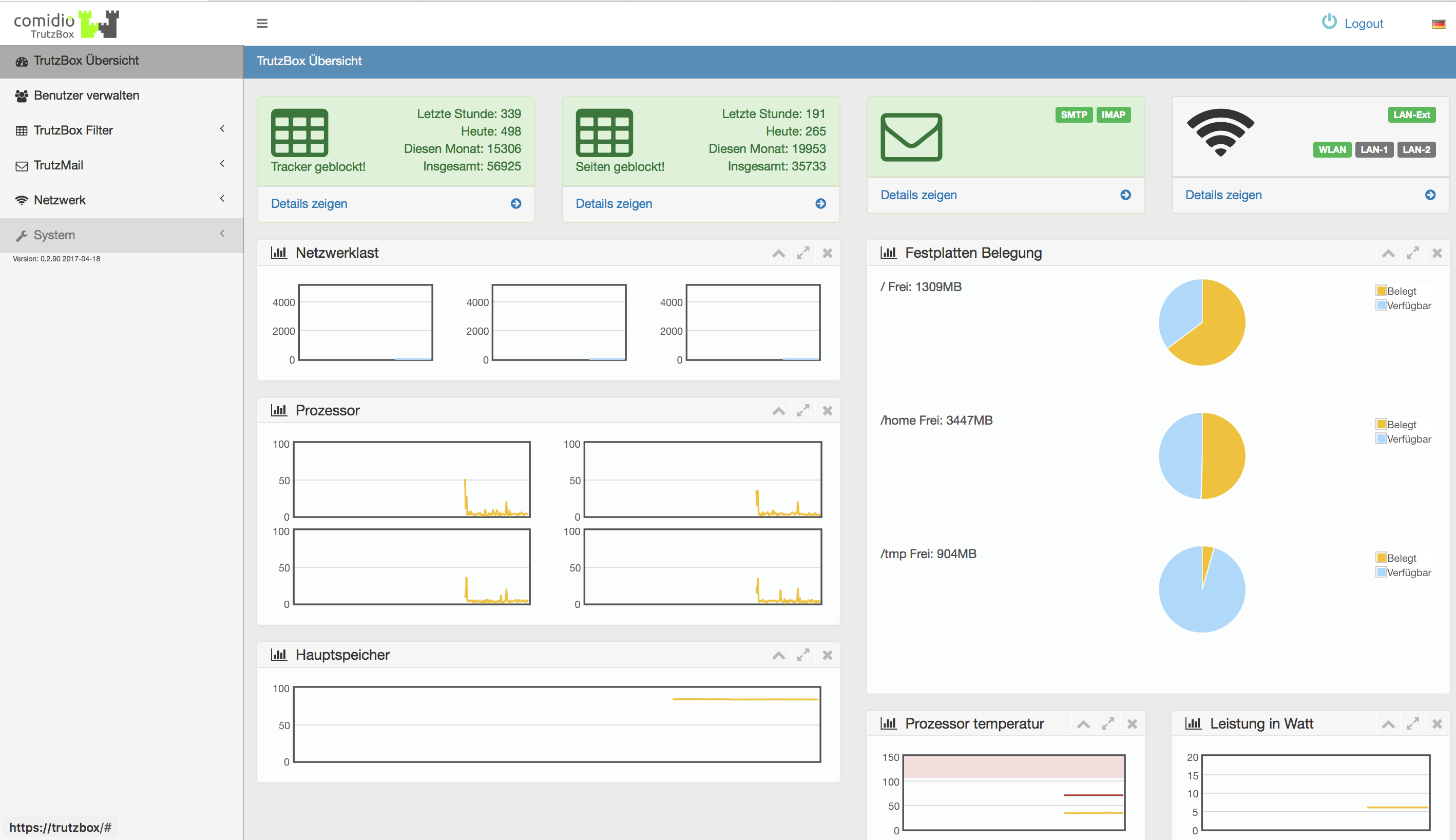
Here is an overview of the performance parameters of the TrutzBox® displayed.
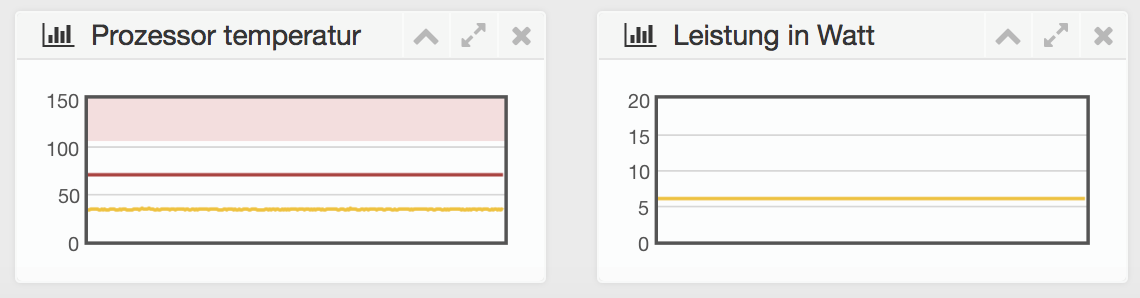
-> Table of Contents (of this manual)
5.2 Accounts
Here you can set up, manage and delete user accounts and change passwords.
-> Table of Contents (of this manual)
5.2.1 Managing Users
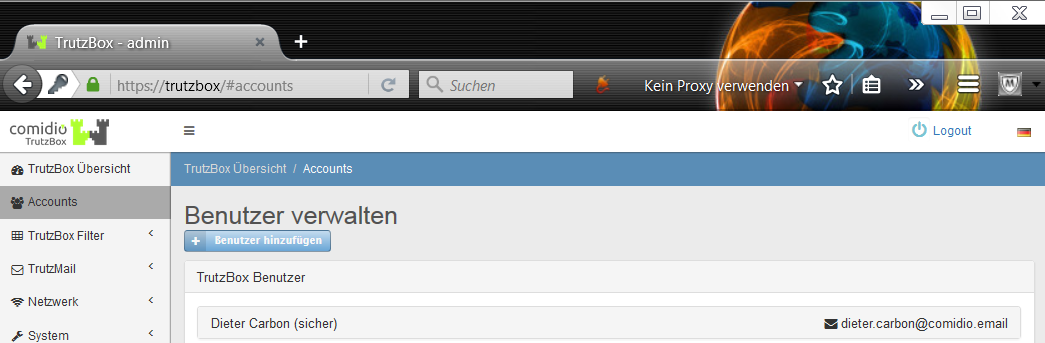
When you call it up for the first time, the first e-mail address you created appears.
Here you can create additional users with and without e-mail addresses.
Users, e.g. young people, who are to receive personalized access rights for surfing but no mail permission, are set up without an e-mail address.
New users can be added via "Benutzer hinzufügen".
-> Table of Contents (of this manual)
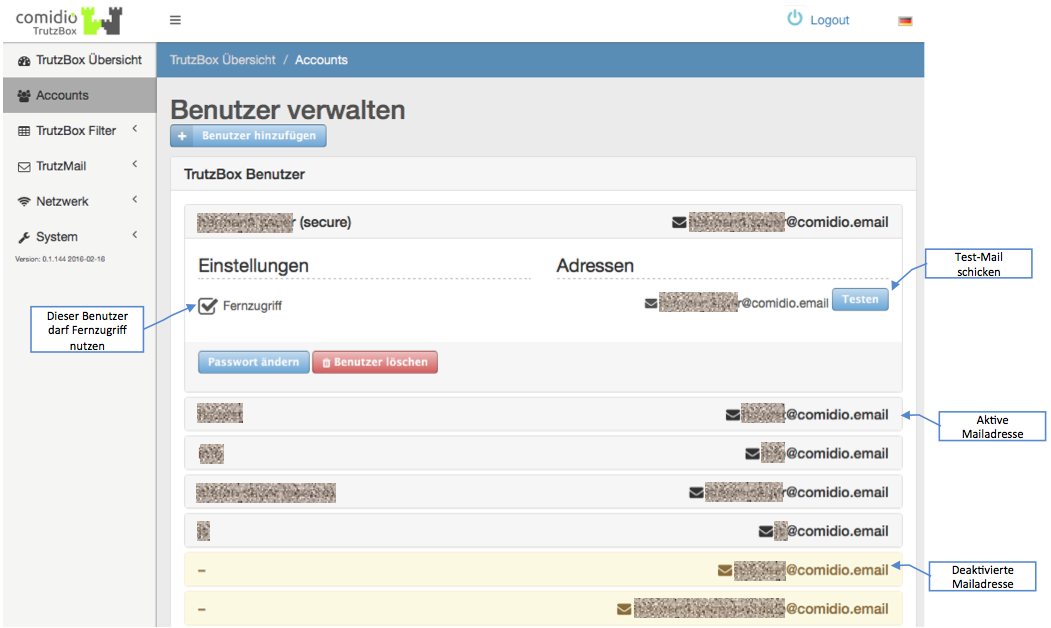
Here you can also specify whether remote access (Fernzugriff) should be allowed for this user. If remote access is activated here, the TrutzBox generates a VPN certificate and an OpenVPN configuration file for this e-mail address, which is automatically sent to this e-mail address.
Click on "Testen" to send a Test TrutzMail to the respective user.
Click on a user name to open a detail window. Click on "Passwort ändern" to change the password.
The user can be deleted by clicking on "Benutzer löschen".
TrutzMail addresses that were once set up with a TrutzIdentifikation but then subsequently deleted are displayed here with a "Reactivate" button.
<
With another click on the user name the detail window is closed again
-> Table of Contents (of this manual)
-> Nutzung des Web-Mailer (in diesem Handbuch)
-> Nutzung eines Mail-Client (in diesem Handbuch)
5.2.2 Add new user
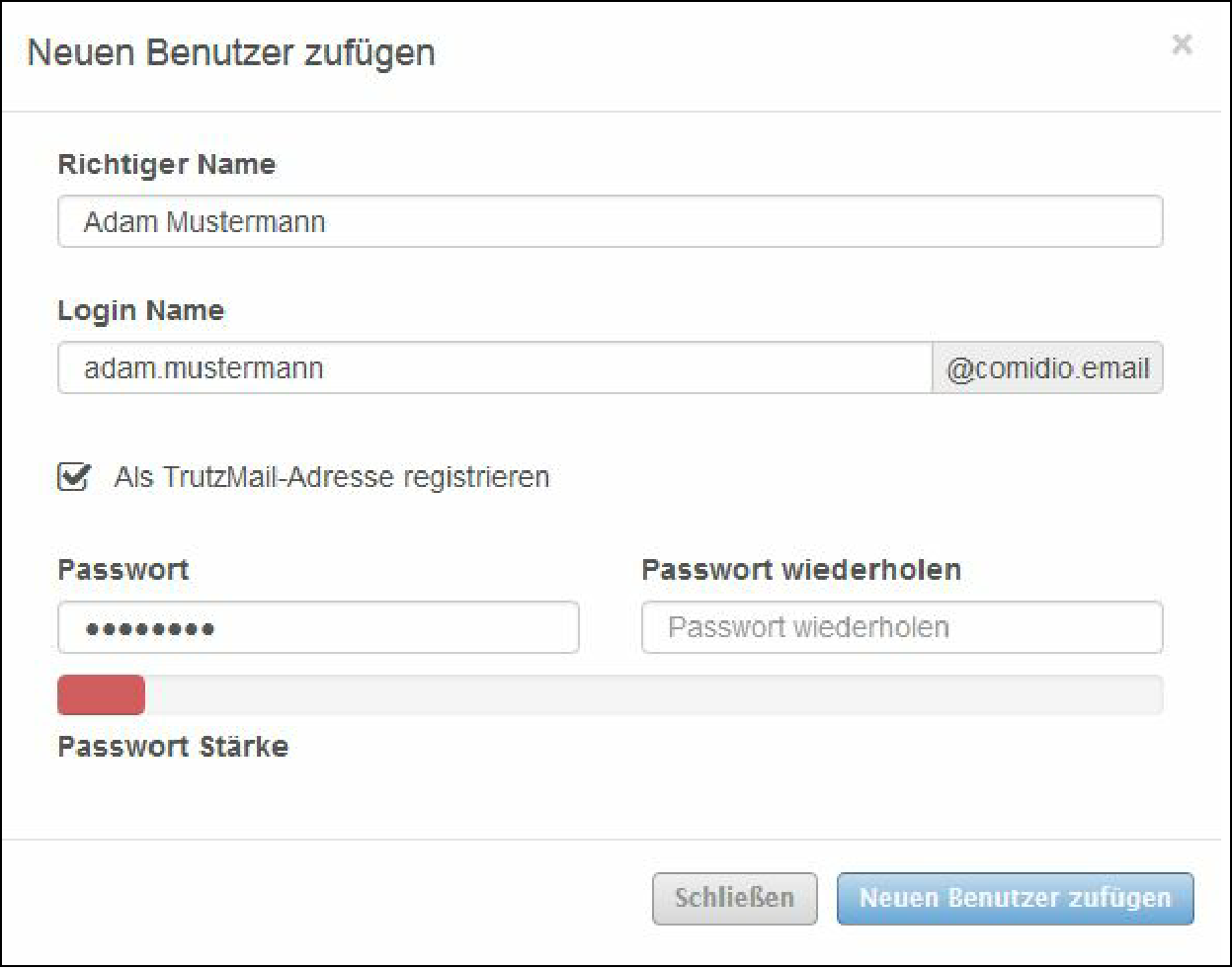
Here you can create additional users with e-mail addresses.
When entering the password, the password strength is displayed.
Red = weak password (insecure)
Green = strong password (secure)
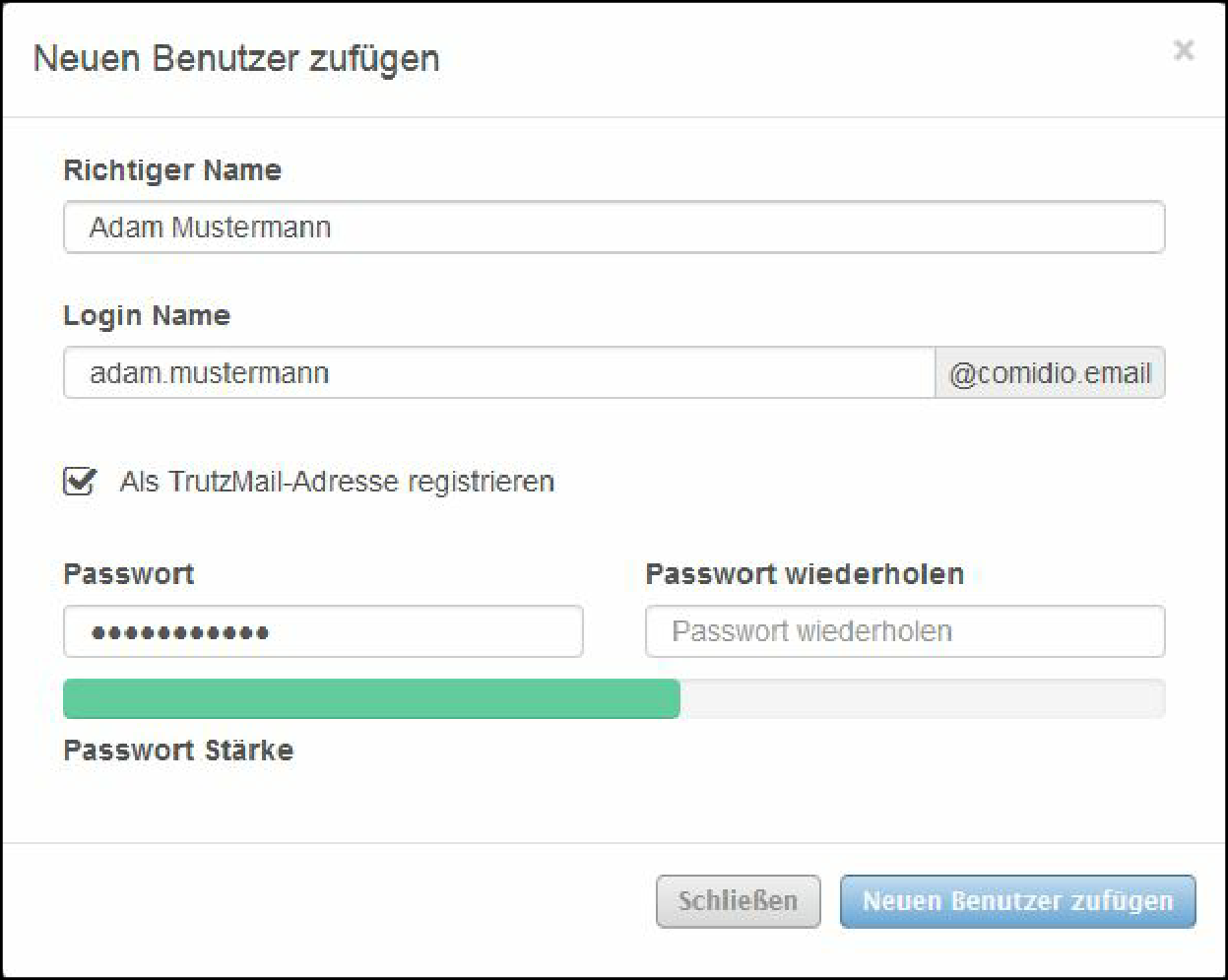
To cancel the process, click on "Close".
To accept the information, click on "Add new user".
-> Table of Contents (of this manual)
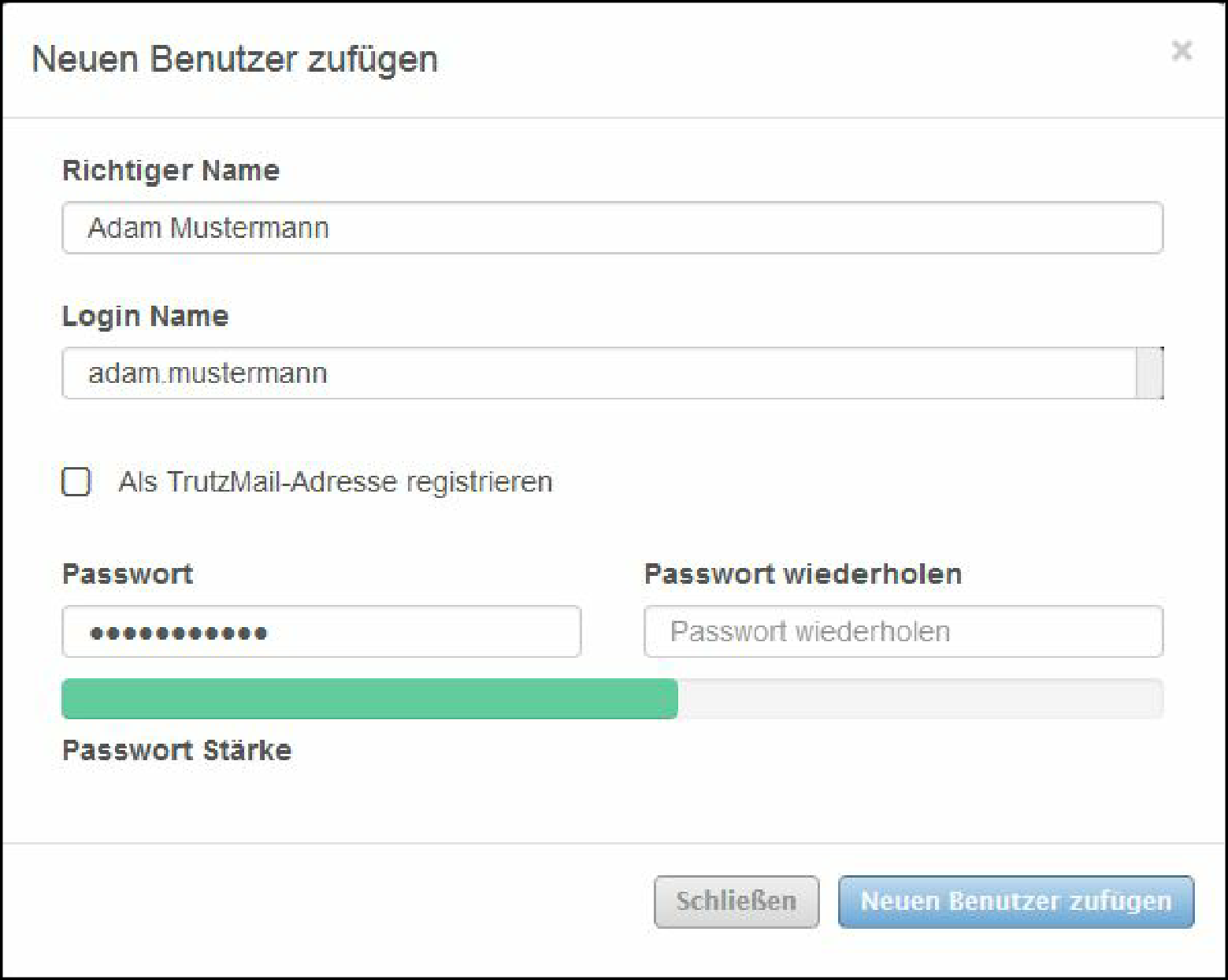
If, for example, you want users to receive personalized access rights for surfing but no mail permission, make sure that "Register as TrutzMail address" is unchecked or that the check mark is removed.
-> Table of Contents (of this manual)
5.2.3 Change Password
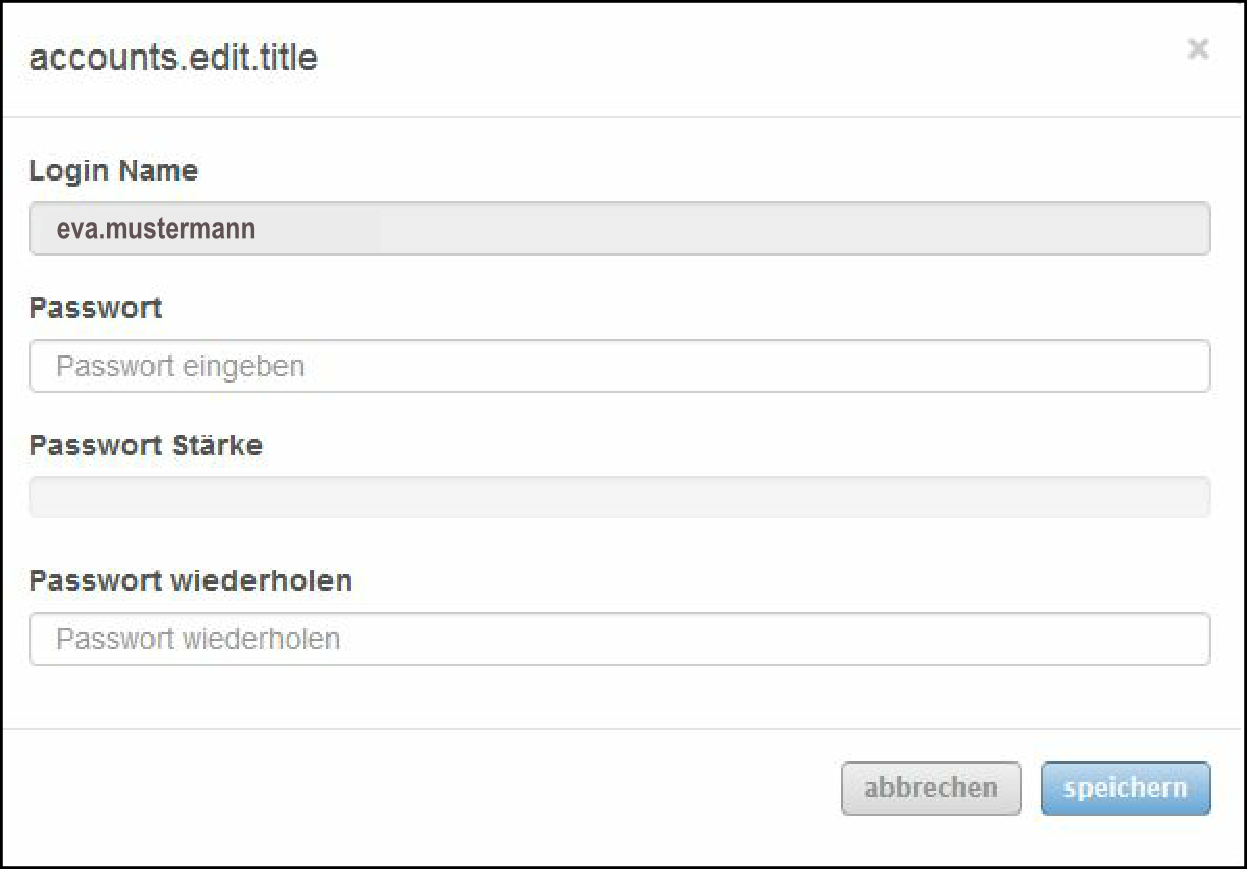
Here you can change the password for the registered user.
5.2.4 Delete user
Here you can delete users.
-> Table of Contents (of this manual)
5.2.5 Manage mail exchange (PGP)
With this functionality, TrutzBox owners can additionally exchange PGP-encrypted e-mails with non-trutzBox owners in addition to TrutzMail (automatic exchange of content and metadata of encrypted e-mails between TrutzBoxes).
- The first section describes the transmission options.
- The second section describes the reception options.
- The third section gives an overview of all transmission and reception options.
- The fourth section explains how the signature and encryption are displayed.
5.2.5.1 Sending and receiving options
The following graphic shows all transmission and reception options
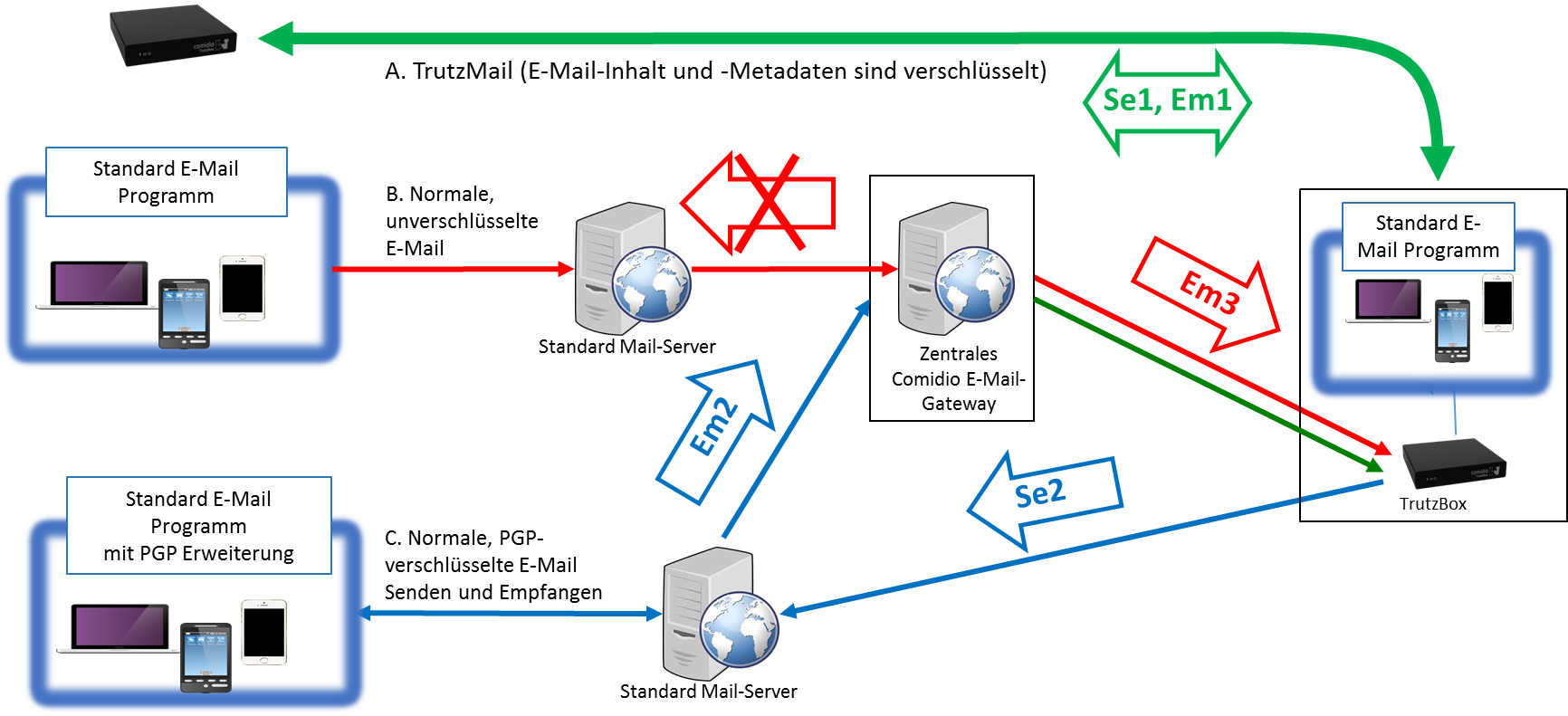
- (Se1) Send on TrutzBox to TrutzBox (TrutzMail), encrypted meta and content data.
- (Se2) Send on TrutzBox to "PGP receiver", content data PGP-encrypted.
- (Em1) Received on TrutzBox from TrutzBox (TrutzMail), encrypted meta and content data.
- (Em2) Received on TrutzBox from "PGP transmitter", content data PGP-encrypted.
- (Em3) Received on TrutzBox from "open transmitter", all data unencrypted.
-> Table of Contents (of this manual)
5.2.5.2 Send emails
If an email is to be sent' via the TrutzBox, the TrutzBox first checks whether the recipient is a TrutzBox …
- (Se1) if yes, email content and metadata are automatically encrypted by the TrutzBox and sent to the recipient TrutzBox via TrutzMail,
- if no (the recipient is not a TrutzBox and an external mail gateway has been configured in the (sender) TrutzBox), the TrutzBox checks whether it has a public key for the recipient's e-mail address...
- '(Se2) if yes, Email content is PGP-encrypted and sent to the recipient's public mail server via the sender's external mail gateway,
- if no (the TrutzBox has no public key of the recipient), the e-mail is not sent and the TrutzBox returns an error message to the mail program.
| Emails are not sent open (unencrypted) by the TrutzBox: either fully encrypted to TrutzBox owner (Se1) or Content encrypted to "PGP recipient" (Se2). |
If the recipient list contains mixtures of e-mail addresses with TrutzBox and public e-mail addresses, the e-mail is only sent if the TrutzBox knows the public keys for all public e-mail addresses.
Otherwise there is an error message and the e-mail is not sent.
<
Preconditions for sending from the TrutzBox to a "PGP receiver" (Se2)
1. Set up your own external mail gateway on the TrutzBox
To be able to address normal standard mail accounts from the TrutzBox, an external mail gateway must first be set up on the TrutzBox. This mail gateway can be a normal SMTP server of a standard mail account with a public mail provider. Thus it is possible for the TrutzBox administrator to enter the e-mail account of his own public e-mail provider here.
Under the menu item "Manage users" you can enter an external mail gateway for each TrutzBox user (e.g. his t-online mail account):
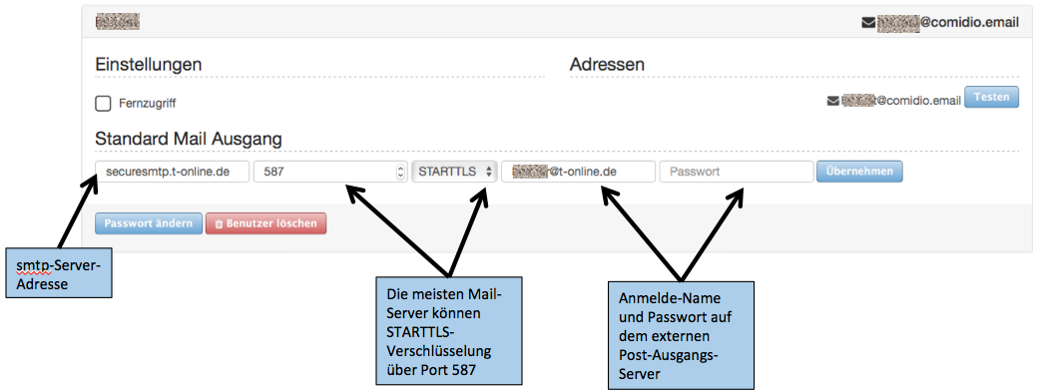
-> Table of Contents (of this manual)
2. Importing the public key
To exchange PGP-encrypted e-mails with someone who does not have a TrutzBox, the TrutzBox must know the public key of the recipient. To do this, this public key of the TrutzBox must first be made known on the TrutzBox under "TrutzMail" ->"Key management" Button "Add key:
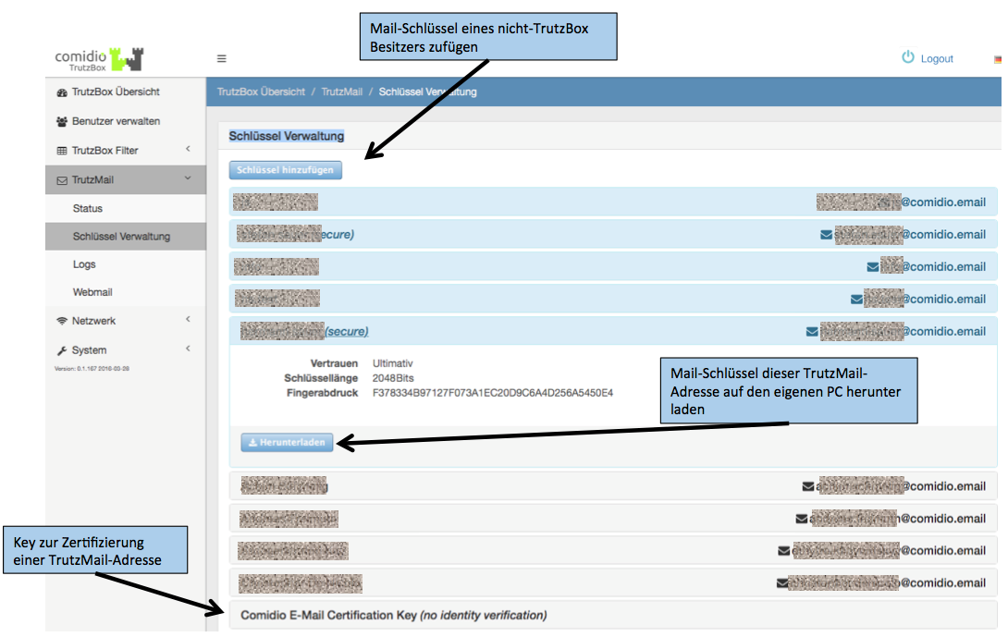
-> Table of Contents (of this manual)
Here, the public key can be
- uploaded from a file or
- copied into the input field with " Copy " and " Paste ".
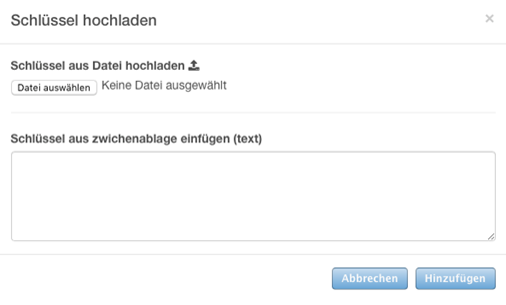
Then click on the "Add" button to start the upload.
-> Table of Contents (of this manual)
If the TrutzBox knows a public key for a mail recipient whose mail address does not end with @comidio.email, this e-mail is encrypted with it.
5.2.5.3 Receive e-mails
If an e-mail is to be received' via the TrutzBox (i.e. the target address ends with @comidio.email), there are three differentiations:
- span style="color: green">'(Em1)' sent by a TrutzBox: fully encrypted (incl. metadata) directly to the receiver TrutzBox (see first case above Se1)
- sent by a normal e-mail server (i.e. sender does not have a TrutzBox), this e-mail is always received via the central Comdio e-mail gateway and forwarded to the recipient TrutzBox:
- (Em2)' E-mail was encrypted by the sender with the public key of the recipient @comidio.email: then the TrutzBox decrypts this e-mail automatically.
- '(Em3)' E-mail was encrypted by sender not: then the TrutzBox receives this unencrypted e-mail .
| This means that the TrutzBox can receive TrutzMails (Em1), PGP-encrypted e-mails (Em2) and unencrypted e-mails (Em3). |
Preconditions for receiving PGP-encrypted e-mails from "Non-TrutzBox owners“(Em2)
Export and, if necessary, email your own public key to the potential "PGP sender "
You can give a "Non-TrutzBox owner" the possibility to send you an encrypted e-mail to the TrutzBox. To do this, give them your public key. The public key of each TrutzMail address can be downloaded here (TrutzBox user interface: "Manage User" click on the corresponding TrutzBox user) and sent to another mail sender:
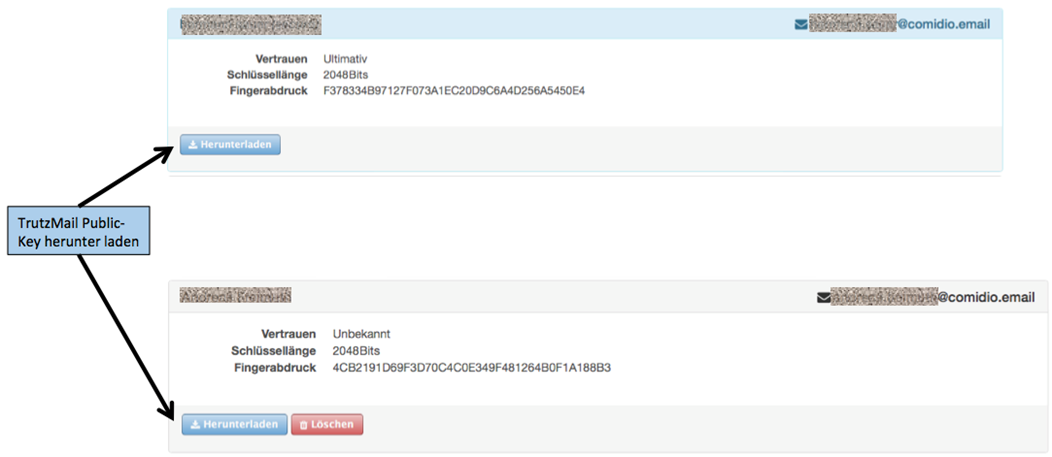
Since the public key does not require any secrecy, it can be sent "openly" by e-mail.
-> Table of Contents (of this manual)
5.2.5.4 Identification of e-mails in the subject line
Sending e-mails
All e-mails sent via the TrutzBox are automatically encrypted by the TrutzBox. If the recipient is a TrutzBox (and thus the mail address ends with @comidio.email), then the TrutzBox automatically obtains the required public key of the recipient. If the recipient does not have a TrutzBox (and therefore a normal e-mail address has been addressed), the TrutzBox administrator must first inform the TrutzBox of the public key of the recipient. For security reasons, it is not possible to send an e-mail to a recipient if the recipient's public key is unknown.
Receiving emails
All encrypted e-mails received by the TrutzBox are automatically decrypted by the TrutzBox and made available for retrieval of an e-mail program. The TrutzBox can also receive e-mails from normal e-mail servers. These can be either encrypted or unencrypted. To show the recipient of the e-mail whether the e-mail was encrypted or unencrypted and whether the TrutzBox was able to check the sender's signature, the TrutzBox adjusts the mail subject field in the e-mail.
The TrutzBox places text in square brackets before the mail subject as first the letter
- U - for unsigned (the TrutzBox could not confirm the sender), or
- S - for signed (the TrutzBox was able to confirm the sender)
and as second letter
- U - for unencrypted (the mail content was readable on the way), or
- E - for encrypted (the mail content was not readable on the way).
Examples:
An unencrypted e-mail sent to TrutzBox from a normal mail account has not been encrypted and shows [UU] in the subject line (unsigned, unencrypted).
An encrypted TrutzMail sent by a TrutzBox to a TrutzBox has been encrypted and shows [SE] in the subject line (signed, encrypted).
An encrypted email sent to TrutzBox from a normal mail account has been encrypted and shows [UE] in the subject line (unsigned, encrypted).
-> Table of Contents (of this manual)
5.3 TrutzBox® Filter
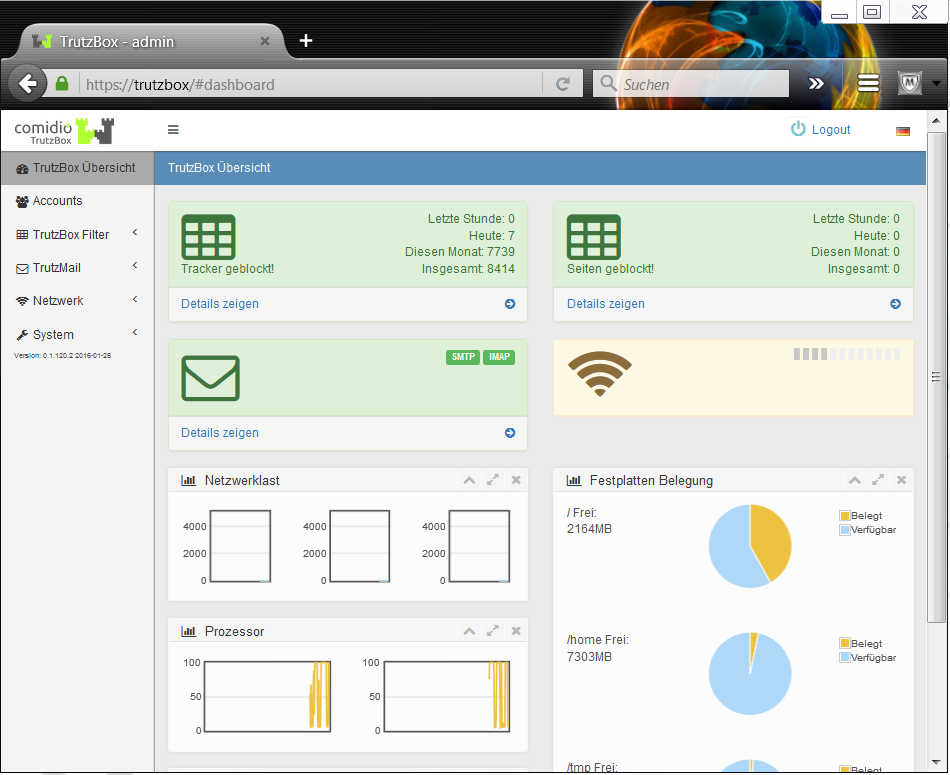
TrutzBox® Filter functions are called, e.g. by clicking on the menu item TrutzBox® Filter in the navigation menu on the left side of the "TrutzBox® Overview" page, and then selecting one of the submenu items
- Status,
- User Configuration,
- User groups,
- Filter lists,
- TrutzBrowse.
5.3.1 Status
The TrutzBox offers the administrator extensive functions for controlling the Internet communication of browsers and other apps. The menu item TrutzBox Filter -> Status lists the communication for the device currently in use. The communication of the other devices can also be called up here via further tabs.
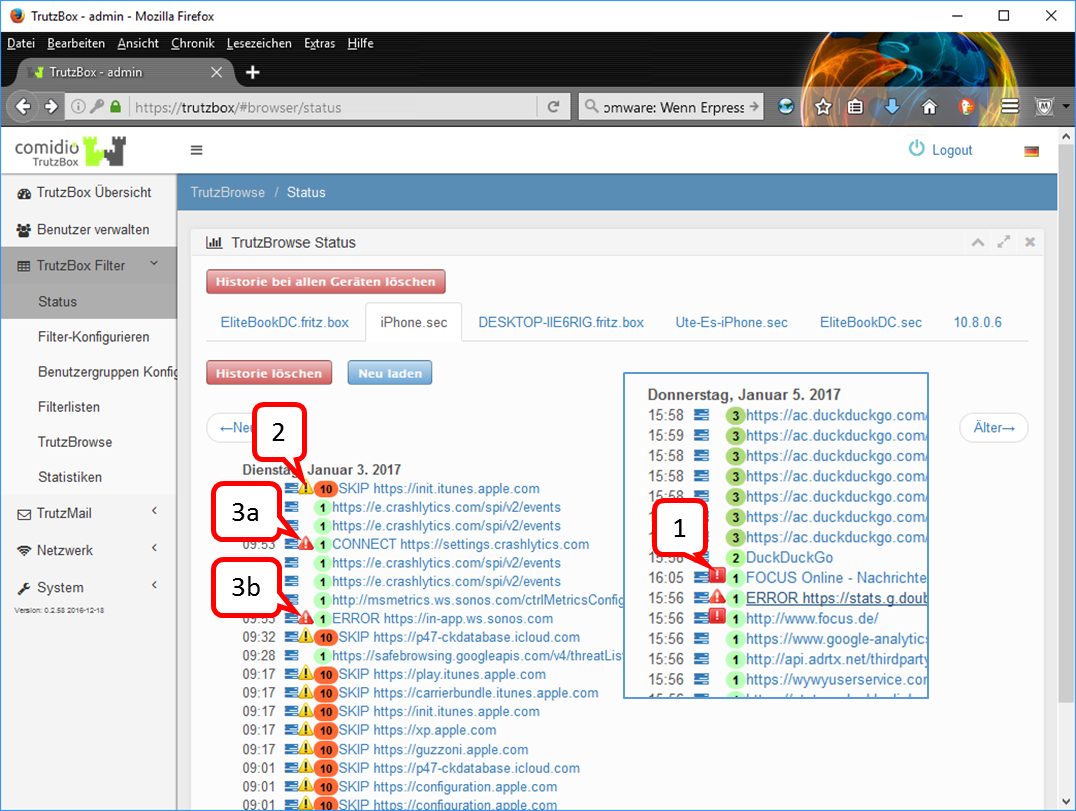
Clicking the blue function menu  next to the time activates a menu to change the security slider level of this link. This is especially useful for non-browser apps that cannot display a security slider.
The colored digits show the slider position set for this call, thus the security level.
The icons to the left of the slider position  (1) ,
(1) ,  (2) ,
(2) ,  und
und  (3) are showing the TrutzBox status:
| (1) |
white exclamation point on red square |
Trackers were found and stopped in this call. |
| (2) |
black exclamation point on yellow triangle |
The TrutzBox was bypassed with this call. After clicking on the link to the right of the icon: "SecSlider at position 10, no https filtering performed". |
|
half entry- prohibition- character |
TrutzContent was used, i.e. a page should be called which was blocked by TrutzContent. |
| (3) |
white exclamation point< on red triangle |
The TrutzBox has detected an internal problem when analyzing the connection to the client (end device) or to a server. Click on the link to the right of the icon to see why the connection was not established. |
Here are two exemplary causes for :
Fall 3a - „CONNECT“: the following or similar explanation is displayed "CONNECT request without any subsequent Requests. This might indicate that the client application refused to connect through proxy“. Such an error message is caused by an http-Connect command. With an http-Connect command, a client wants to tunnel past the TrutzBox to connect to the server.(https://en.wikipedia.org/wiki/HTTP_tunnel#HTTP_CONNECT_tunneling). However, since no further http requests follow for this server, this message is generated. Usually the client just wanted to check if there is a proxy (in this case the TrutzBox) between it and the server.
Fall 3b - „ERROR": the following or similar explanation is displayed: "Error: 3074291456:error:14094418:SSL routines:ssl3_read_bytes:tlsv1 alert unknown ca:../deps/openssl/openssl/ssl/s3_pkt.c:1472:SSL alert number 48 3074291456:error:140940E5:SSL routines:ssl3_read_bytes:ssl handshake failure:../deps/openssl/openssl/ssl/s3_pkt.c:1210:“ Such an error message is generated if the TrutzBox has an internal connection problem (in this case a problem in the SSL library).
Further cases may occur.
Usually such an error message is generated by a client application (app) and not by a browser. Such an error message may affect the correct functioning of the client application. If you want to allow the application to contact this server, please set this server to L10 by clicking the blue function menu , there under "Change slider setting".
-> Table of Contents (of this manual)
5.3.2 Filter configuration
Here you configure devices, manage user rights and set up the security slider.
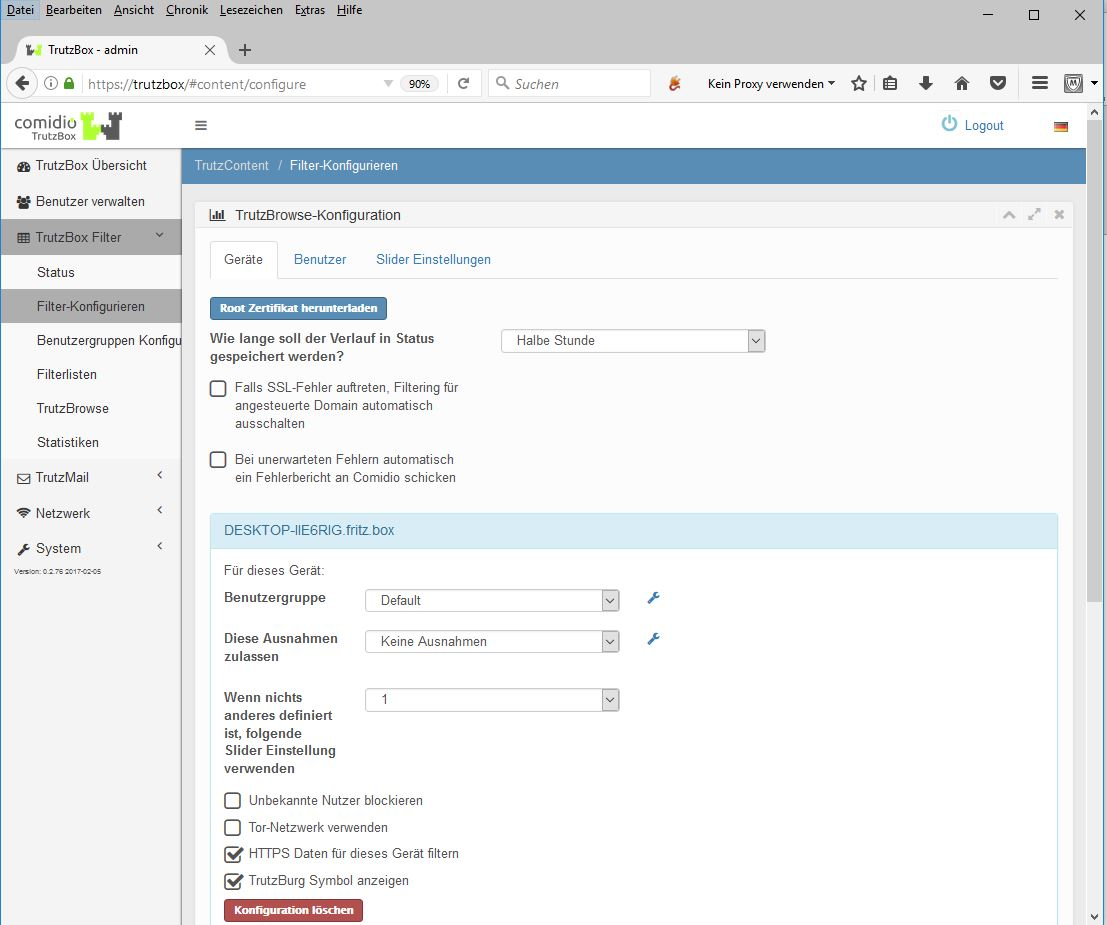
If necessary, the root certificate (for browser or e-mail use) is downloaded to the physically used device (here: Elitebook) by clicking on "Download root certificate".
If you check the box "If SSL errors occur, automatically disable filtering for your domain", a slider will be automatically set to L10 (bypassing the proxy) for applications that want to establish an encrypted connection to their server. If you do not check the box and an app (likation) cannot establish a connection, you can set the security slider to L10 under TrutzBox Filter/Status for the relevant connections for this special case.
In this view, the active device (here: Elitebook) is automatically opened and user groups and exceptions can be assigned to it. The use of the Tor network is also switched on or off here for the activated device (highlighted in blue). The pseudonymization of the IP address can be activated via the "Use Tor network" menu item. However, it should be noted that some web servers can cause additional problems when using Tor.
To configure further displayed devices, please click on the respective device (name or IP address) and proceed as described above.
If the "Block unknown users" button is not checked, the settings for the device apply and a user logon is not required.
If the "Block unknown users" button is checked, the settings apply to the individual user and he must log on to this device with his TrutzMail address and the corresponding password (see Managing Accounts/Users).
-> Table of Contents (of this manual)
The administrator is able to block browser access to certain web content for connected devices or individual users, which was previously adopted or defined as a blacklist (what should be prohibited) or whitelist (what should be allowed as an exception) under "Configure user groups". This allows parents to block unsuitable content for children or young people. It is also possible to restrict access to predefined web addresses (domains or URLs) for smart devices that do not have an Internet browser (household appliances, watches, fitness wristbands...).
Special access rights can also be set for "Smart Home" devices. The "Use Tor network" menu item can be used to activate IP address pseudonymization by using the Tor network with TrutzBrowse.
However, it should be noted that some web servers can cause additional problems when using Tor.
-> Table of Contents (of this manual)
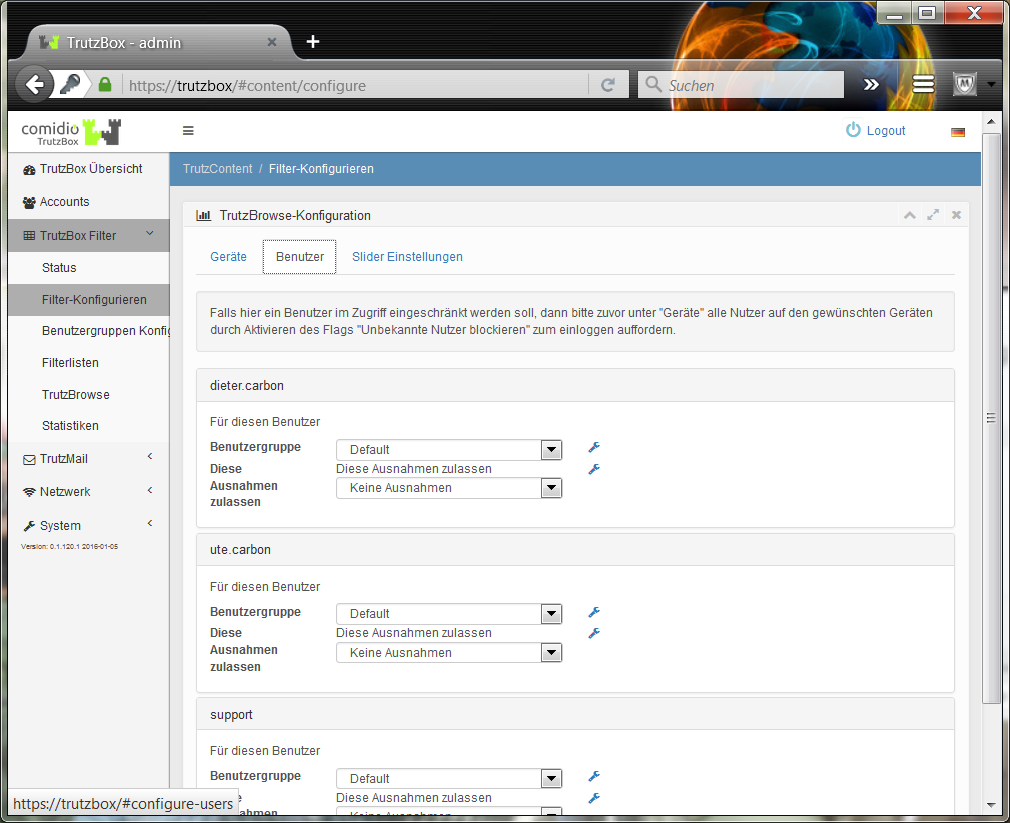
The user group relevant to the individual user is assigned here.
-> Table of Contents (of this manual)
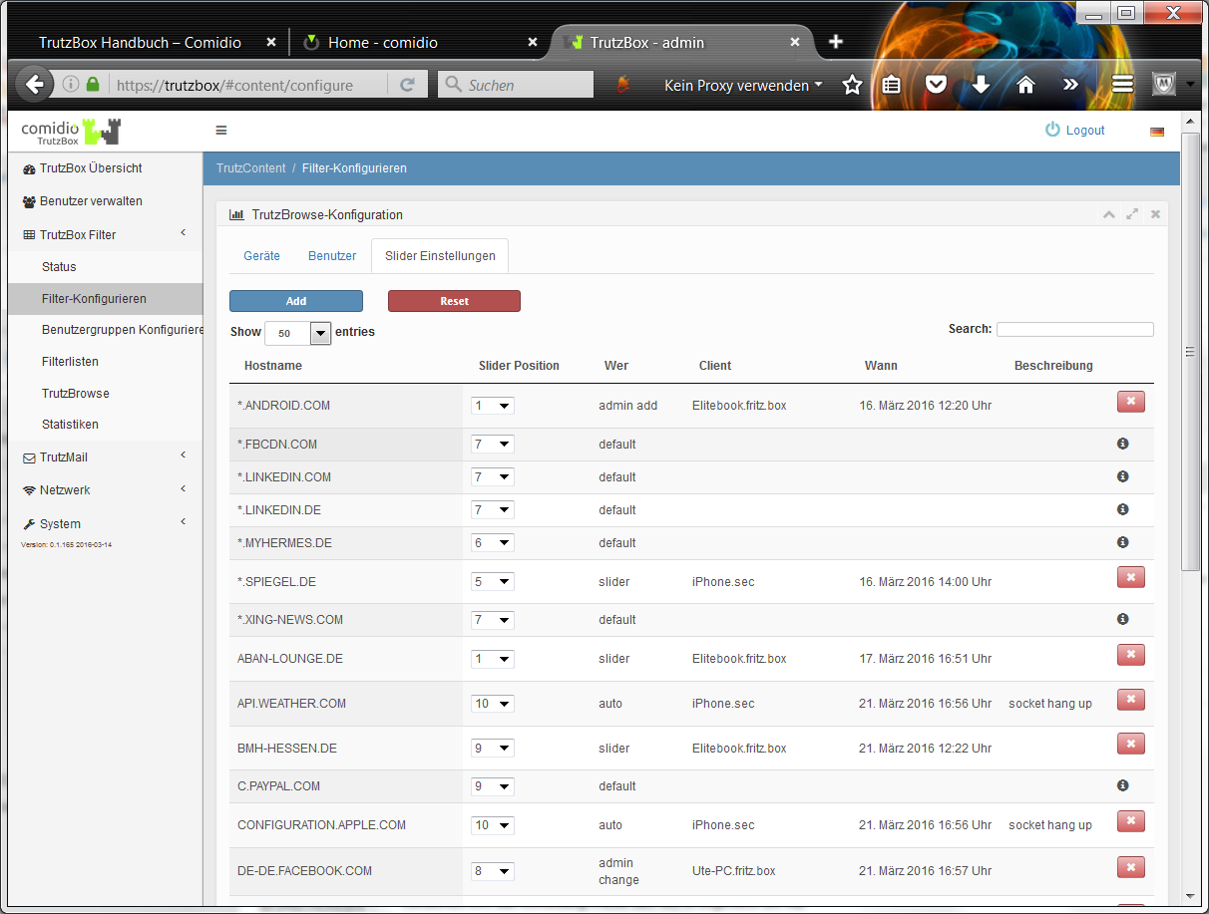
Default values of the Security Slider are set here, which the administrator can adjust as required.
Host names that cannot be called via the browser (e.g. TV set) can also be managed here.
Comidio delivers standard slider positions for some frequently used web servers, which are marked with the symbol (white "i" on black circle area) [Who: "default"]. These cannot be deleted, but the TrutzBox administrator can adapt the security level specified by Comidio to his needs. With "Add" you can enter your own slider positions for hosts and delete them with "X" again [Who: "admin add"].
By entering an "*" in the host name, all URLs ending with the name to the right of the "*" can be addressed. If the proxy finds a URL that is entered several times in this list, the security level of the longest entry is used.
If the option "If SSL errors occur, automatically disable filtering for selected domain" is activated in the "Configure Filter" menu, the TrutzBox Proxy automatically enters an activation of servers that a client application wanted to build encrypted to this server[Who: "auto"].
There are thus four possibilities, how a Security-Slider entry gets into this central database. All users and devices use this database:
- Default setting of Comidio, these can be changed by the user, but not completely deleted[Who: "default" or "admin change"].
- A slider setting of a user by the security slider in the browser has taken place[Who: "slider"].
- New entry here in this mask. Here also unqualified entries "*.domain.com" can be made, but only on the left side of the domain name[Who: "admin add"].
- The TrutzBox detects an SSL error and the flag "If SSL errors occur, automatically disable filtering for the selected domain" is activated. However, this entry only takes place if there is no entry by the user. So no entry of case 2 or case 3[Who: "auto"].
-> Table of Contents (of this manual)
5.3.3 Configure user groups
The administrator is able to block browser access to specific web content for connected devices or individual users. This allows parents to block unsuitable content for children or young people. It is also possible to restrict access to predefined web addresses (domains or URLs) for smart devices that do not have an Internet browser (household appliances, watches, fitness wristbands...).
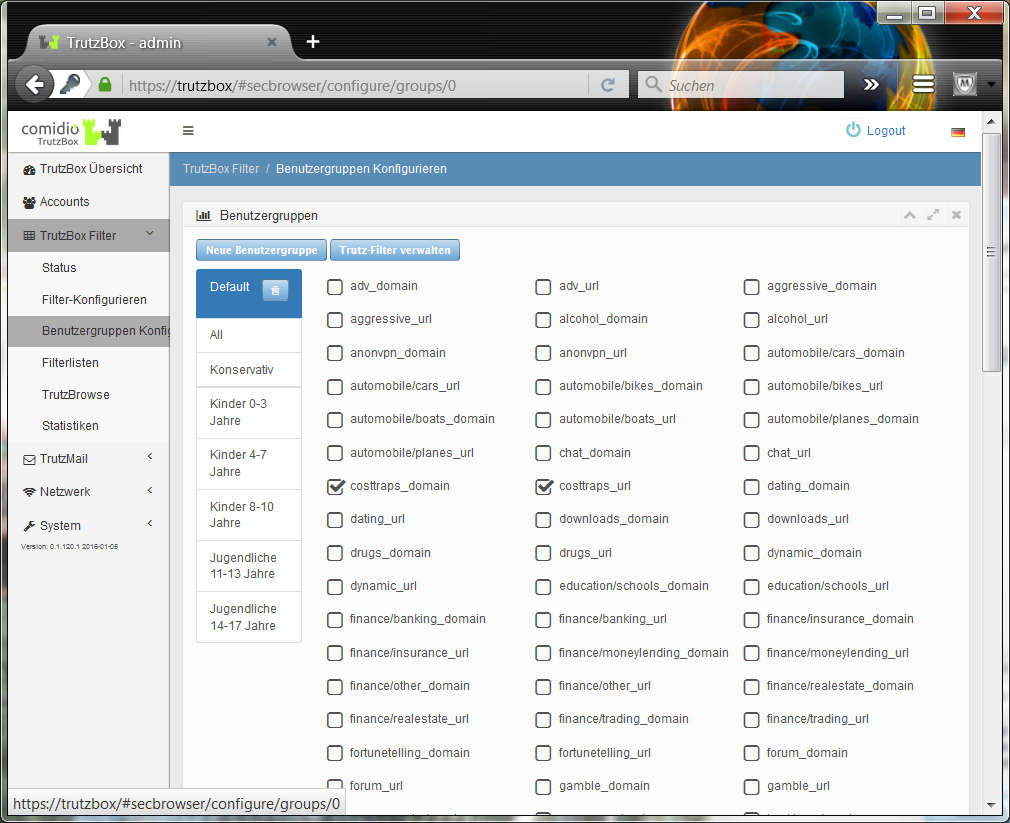
In the "User Configuration" menu, existing user groups are managed, new ones are created and filter lists are assigned to the user groups.
-> Table of Contents (of this manual)
5.3.4 Filter lists
Under the menu item TrutzBox® Filter lists -> Manage Trutz filters, the TrutzBox® Administrator can manage filter lists containing Internet domains or Internet URLs. Comidio delivers approx. 110 filter lists containing 55 different Internet topics. These filter lists are maintained by Comidio and the updates are transferred to the TrutzBoxes at short intervals. With this menu item, the administrator is able to view these standard lists delivered by Comidio, to search them and to create his own new blacklists and whitelists.
The filter lists managed by the TrutzBox® are used by TrutzBrowse (pseudonymization and tracker blocking) as well as by TrutzContent (protection against unsuitable websites):
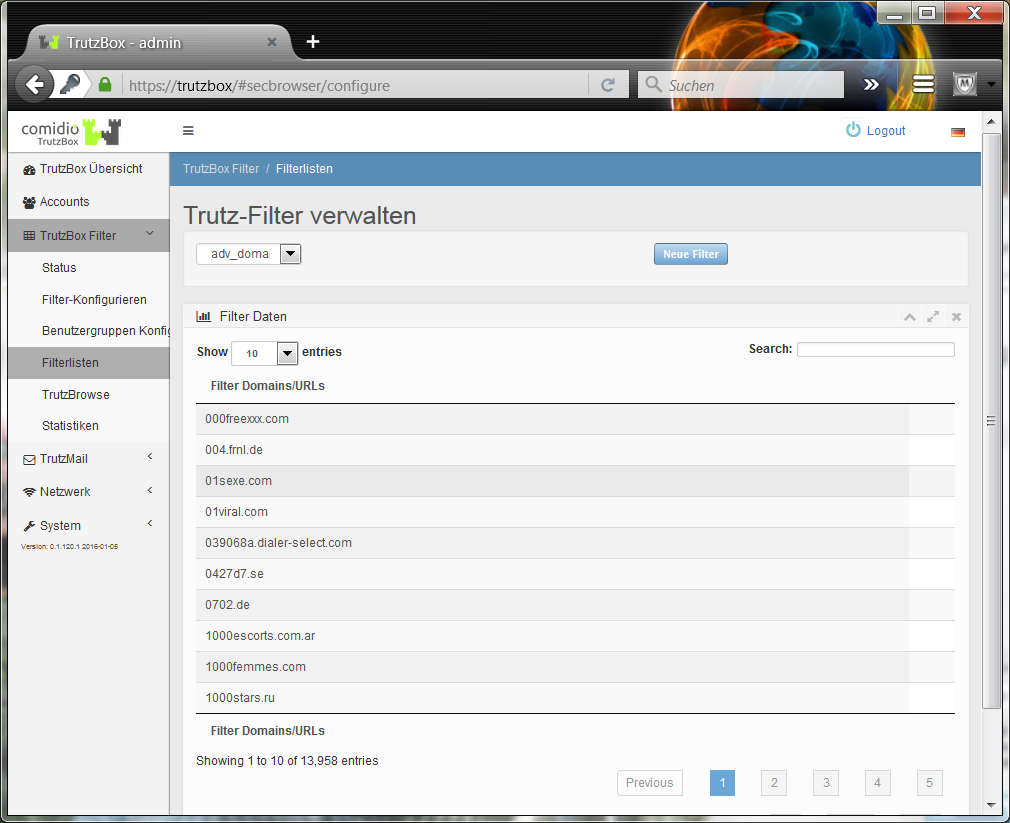
In this TrutzBox® menu new Black- and Whitelists can be created (click on "New Filters"), which can then be used with TrutzBrowse as well as with TrutzContent. For this purpose, however, a newly created black or white list must first be activated under TrutzContent or TrutzBrowse. With an automatic system update by Comidio, only standard TrutzBox blacklists and whitelists are adapted. The lists created and managed by the administrator are not changed by this..
-> Table of Contents (of this manual)
5.3.5 TrutzBrowse
With TrutzBox®, the TrutzBox® administrator can individually configure each Internet-enabled device or a single Internet user. Furthermore, under the TrutzBox® Filter menu (TrutzBox Filter/Filter configuration) you can also adjust the security slider setting for each position.
All settings affect all devices and users of the TrutzBox®. It is not possible to configure TrutzBrowse settings differently for each user or device. It is only possible to vary the TrutzBrowse filters for a website by adjusting the security slider as desired. This setting for a web page is saved and affects all TrutzBox users..
For each position of the Security Slider, the "+" symbol, the description of the slider position, the HTTP requests and HTTP response headers, cookies and domain blocker lists can be adjusted by "expanding":
-> Table of Contents (of this manual)
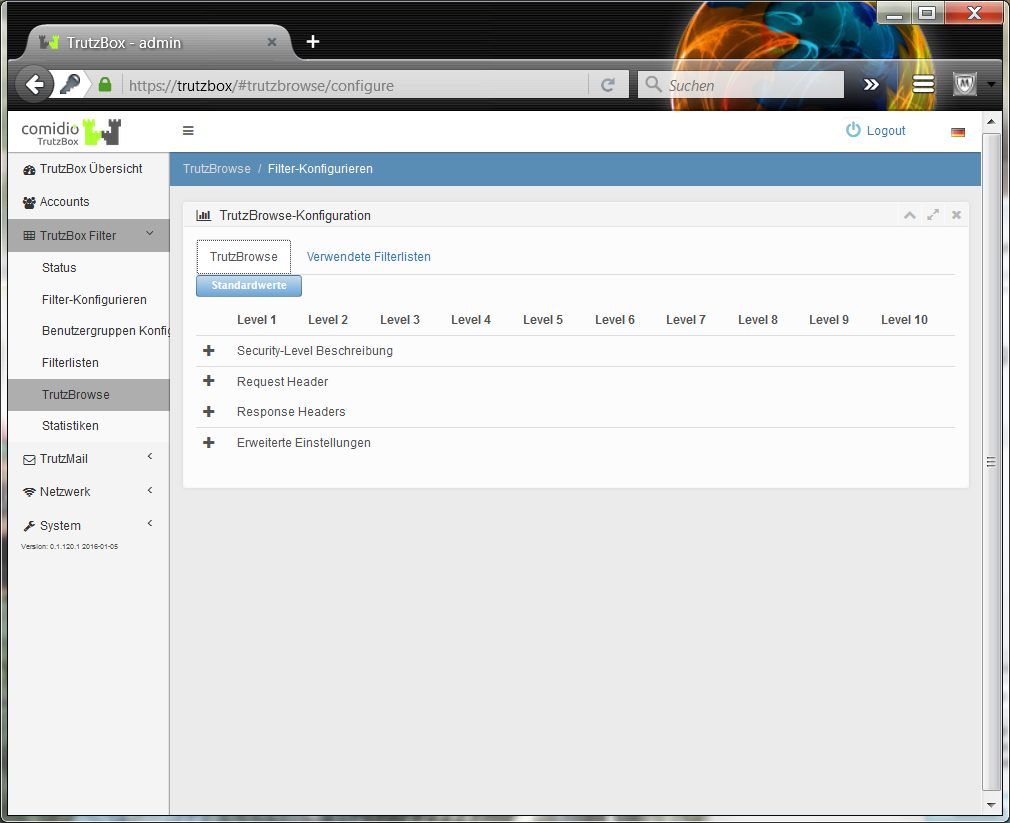
After many tests, Comidio has defined a default setting, which can, however, be changed flexibly by the administrator of the TrutzBox® to meet his security requirements.
In this default setting, the following 10 security levels apply:
- L1: All filters active
- L2: Fixed "Accept-Language" value
- L3: "From" value allowed
- L4: Unknown headers allowed
- L5: 'Accept-Language' value allowed
- L6: 'User-Agent' value allowed
- L7: Data tracker allowed
- L8: Third-party cookies allowed
- L9: Reserved for future expansions
- L10: no filters active
With the slider position L10 the TrutzBox® Proxy is completely bypassed. The TrutzBox protection function is switched off. This slide creation makes sense e.g. for apps on Android or OSX, since they usually check against their own certificate. If the slider is set to L10 and the web page is reloaded, no TrutzBox® slider icon is displayed because the proxy is no longer active..
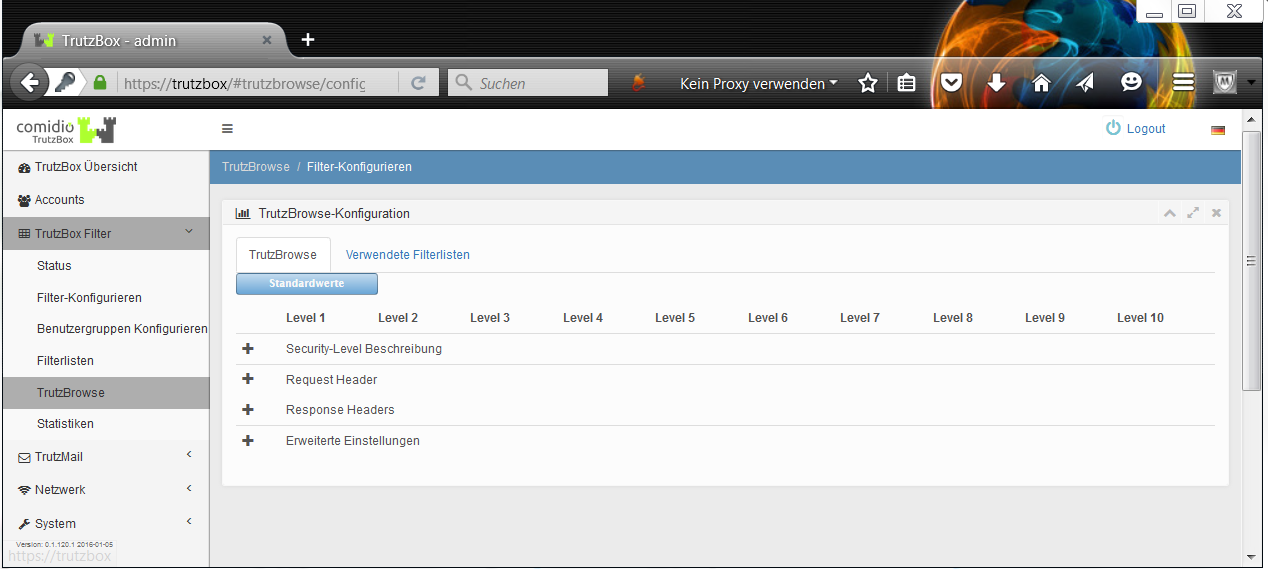
If required, the corresponding criteria can be individually adapted in four categories by clicking on "+".
-> Table of Contents (of this manual)
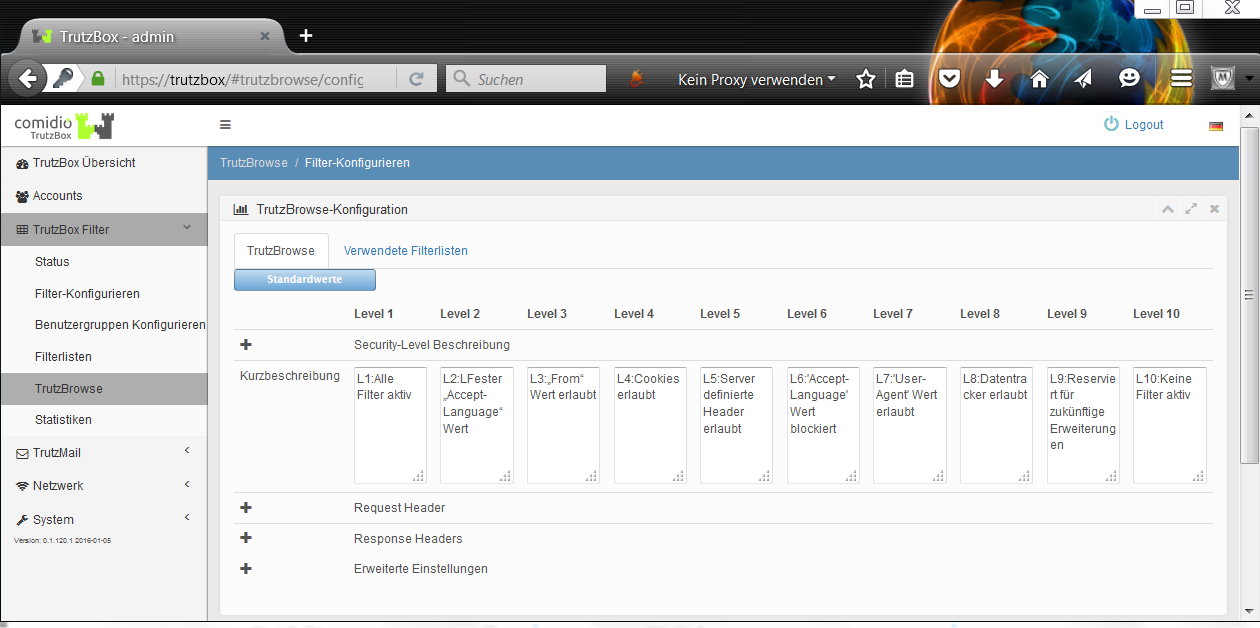
In the menu item "TrutzBox Filter -> TrutzBrowse / Configure Filter" the administrator can adapt the security slider description for each level.
-> Table of Contents (of this manual)
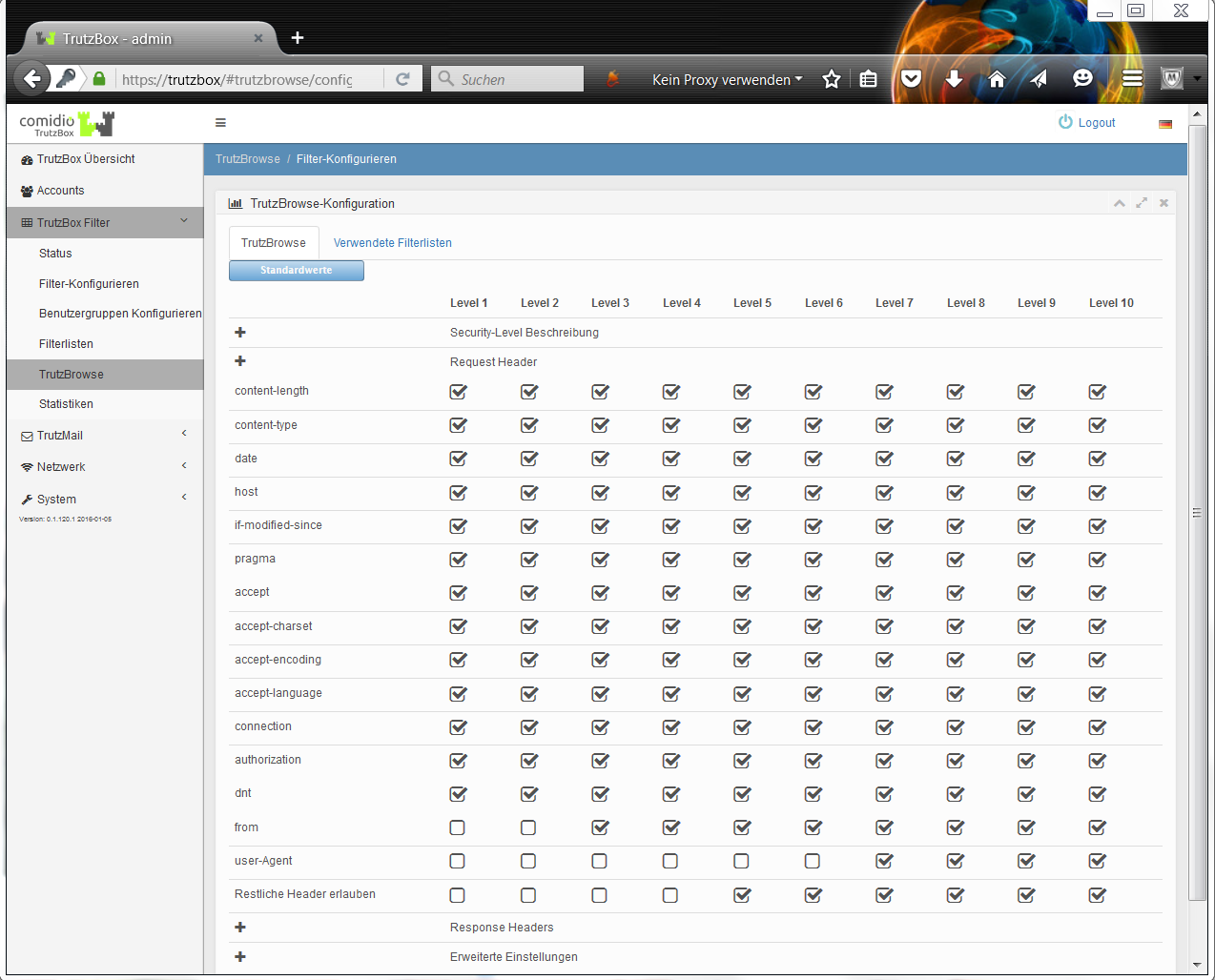
This default setting determines which HTTP request header data is forwarded or blocked.
-> Table of Contents (of this manual)
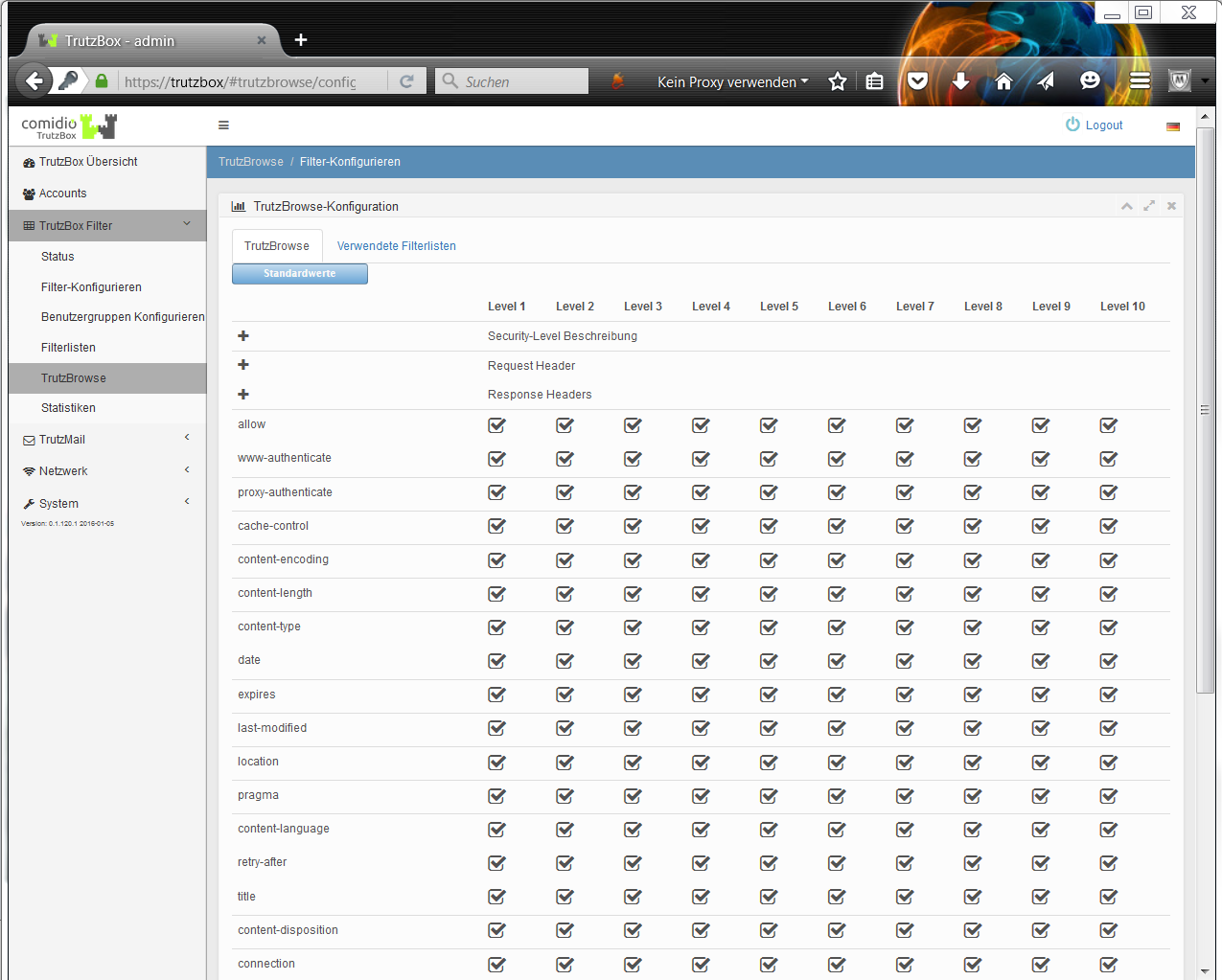
This default setting determines which HTTP response header data is forwarded or blocked.
-> Table of Contents (of this manual)
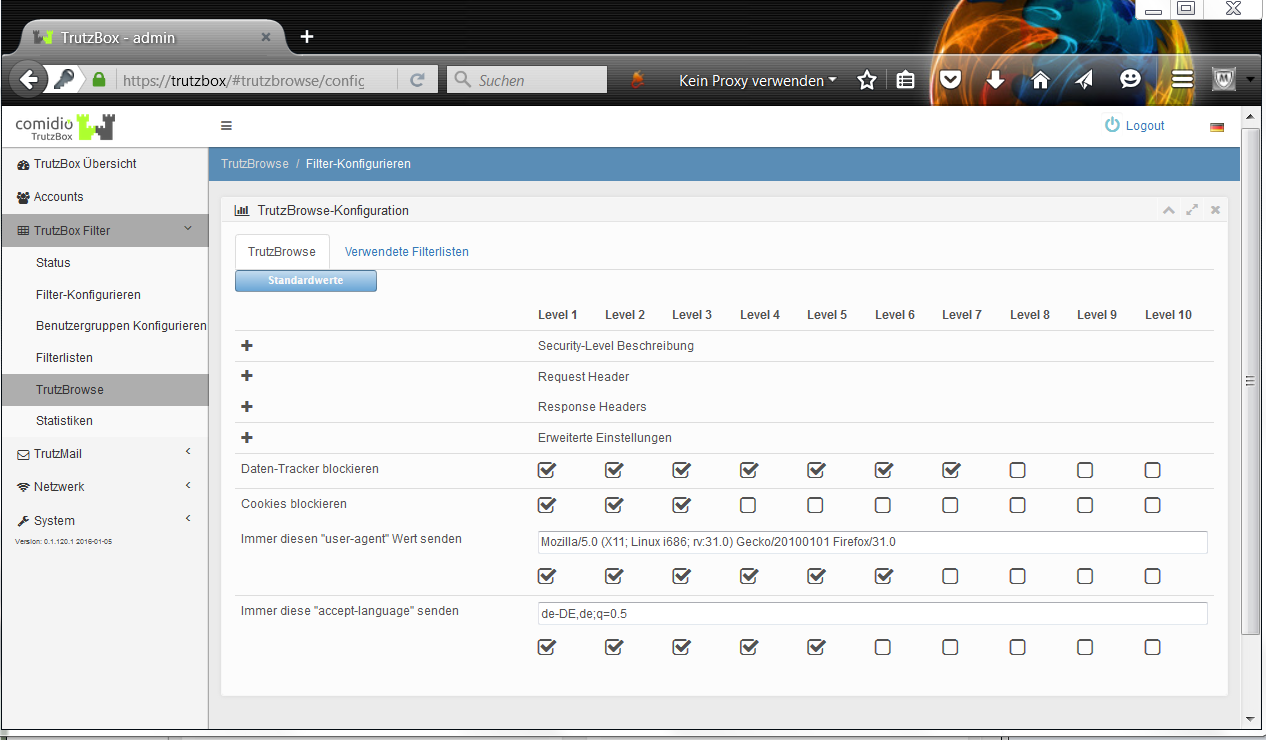
Advanced settings can be made here for each security slider position.
The default header filters are based on extensive Comidio tests. Depending on the position of the security slider, these filter values are a compromise between the least possible restriction of the functionality of typical websites on the one hand and the protection of privacy on the other.
-> Table of Contents (of this manual)
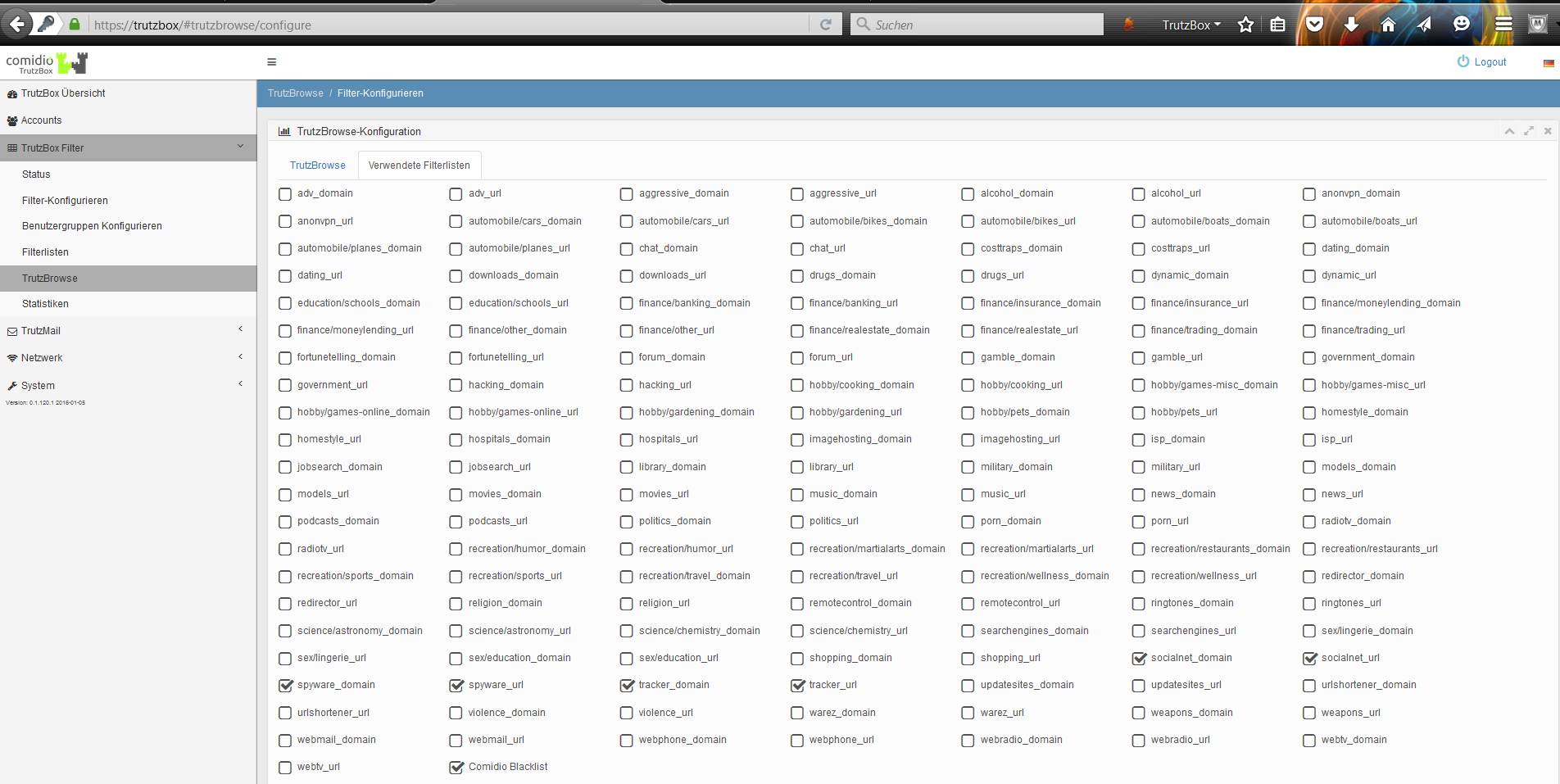
Under "Filter lists used" the filter lists are activated which should be active when browsing through the TrutzBox® (TrutzBrowse). By default, no filter lists for advertising companies are activated; i.e. TrutzBrowse does not filter out advertisements in the displayed web pages. The TrutzBox® Administrator can activate this at this point by activating "adv_domain" and "adv_url" with a tick.
-> Table of Contents (of this manual)
5.3.6 Statistics
The two lists show the top 100 most used (and thus blocked!) trackers and the top 100 websites with the highest (and thus blocked!) number of trackers since the last reset. By pressing "Reset" the statistic is set to 0 and starts again.
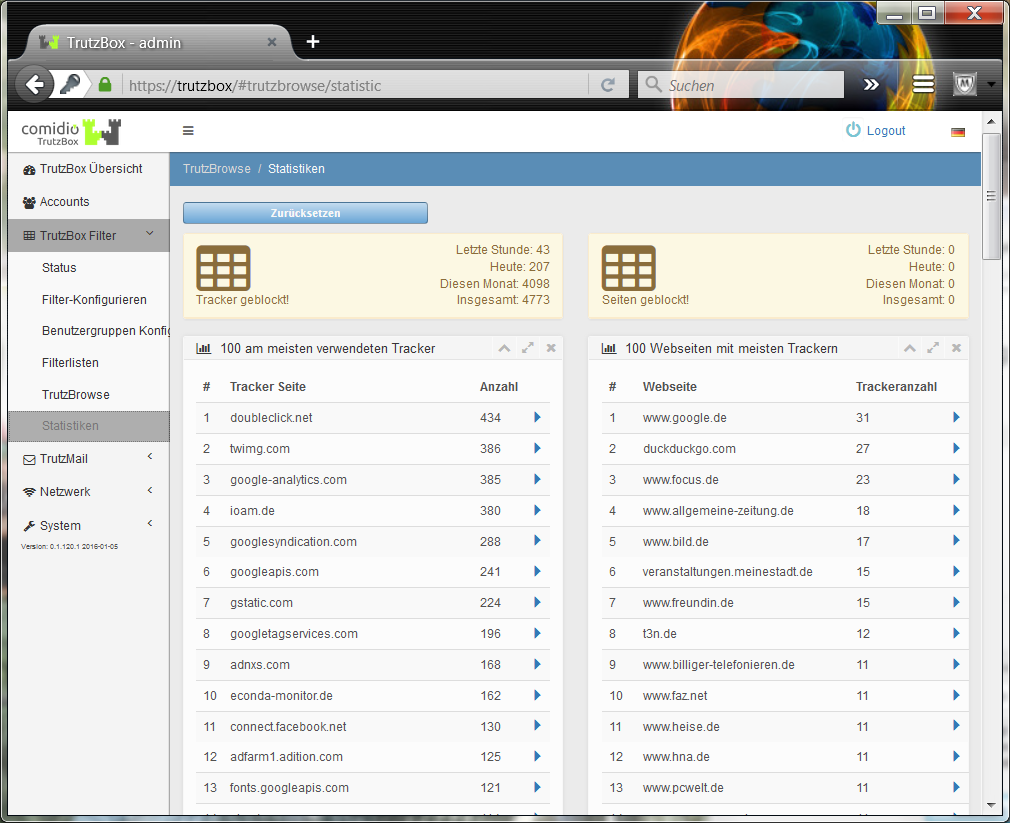
By clicking on a blue arrow in the 1st list, the websites on which this tracker is represented or blocked by the TrutzBox are listed.
Clicking a blue arrow in the 2nd list lists the trackers set on these web pages or blocked by the TrutzBox.
-> Table of Contents (of this manual)
5.4 TrutzMail
TrutzMail functions are called up, for example, by clicking on the menu item TrutzMail in the navigation menu on the left-hand side of the "TrutzBox® Overview" page, and then selecting one of the three submenu items
- Status,
- Logs,
- Webmail.
-> Table of Contents (of this manual)
5.4.1 Status
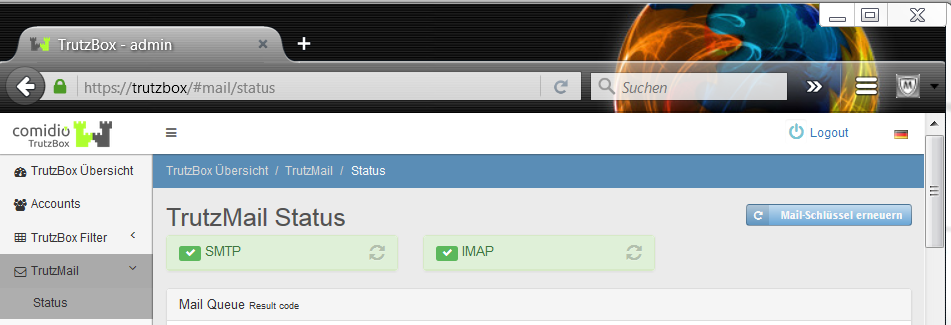
Here you can see the TrutzMail status.
This page is only required if the mail client displays an error message or if e-mails cannot be received or cannot be sent.
An e-mail can "get stuck", i.e. it cannot be sent if, for example, there is no Internet connection, a process is not running or there is a problem with certificates.
The "Renew mail key" button is located at the top right. Click on this if a communication partner has deleted an e-mail address on his TrutzBox and created it again under the same name. In this case, "my" TrutzBox® has an outdated certificate. Click on "Renew mail key" to delete all saved certificates. With the next communication request from another TrutzBox® the corresponding certificates on "my" TrutzBox® are automatically renewed by the Comidio server and the communication partners can exchange e-mails as usual. You can press this button at any time; the functionality of the TrutzBox ® is not affected.
In the upper area the states of 2 processes are described, which can also be restarted here:
- "SMTP": green indicates that sending e-mails from the mail client (e.g. Outlook) and mail server TrutzMail works, and
- "IMAP": green indicates that receiving e-mails from the TrutzMail mail server to the mail client (e.g. Outlook) works.
In the case of a red display, the circle arrow symbol for "Restart service" must be pressed.
Below this a possibly existing queue (mail queue) with individual e-mails and their statuses is displayed..
For each displayed e-mail 3 buttons can be used:
- "Send now": this e-mail is sent again;
- "Display": shows parameters and content of the e-mail in detail:
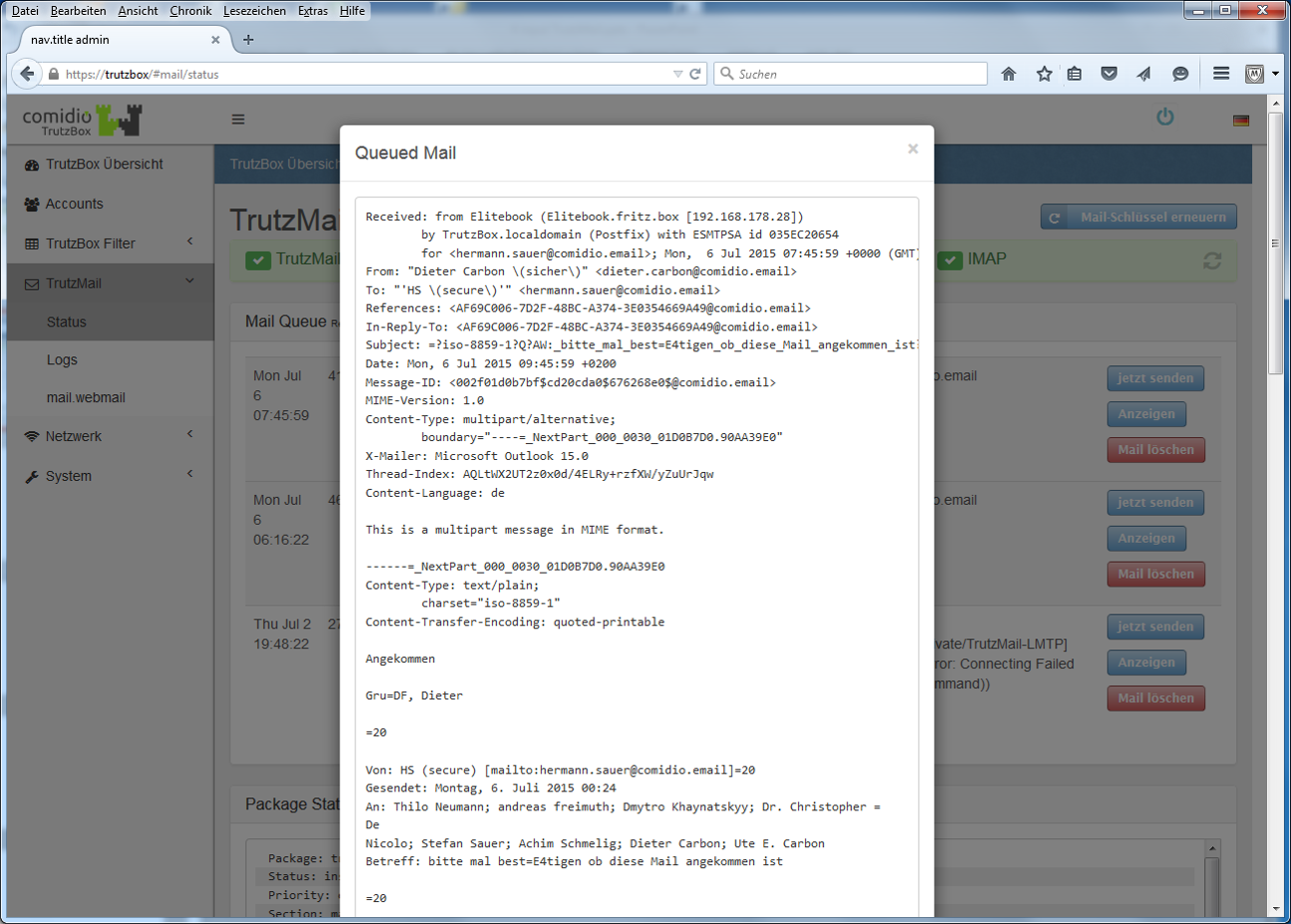
-> Table of Contents (of this manual)
- "Delete mail": offers the possibility to remove this e-mail from the queue:
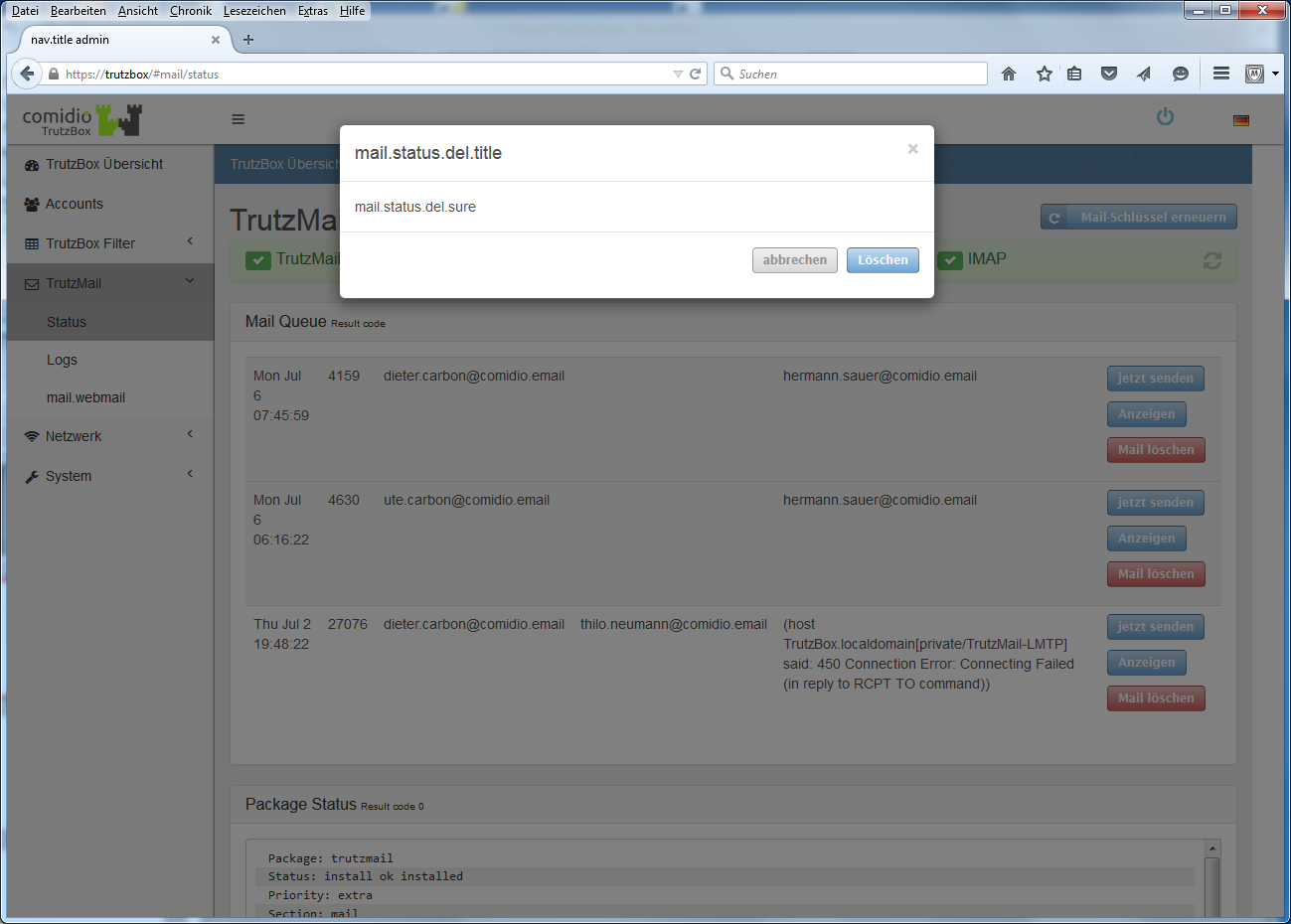
TrutzMail Status indicates whether, and if so, which secure e-mails have not yet been sent; click "Send now" if necessary or ask the addressee whether he has his TrutzBox® in operation.
-> Table of Contents (of this manual)
5.4.2 Logs
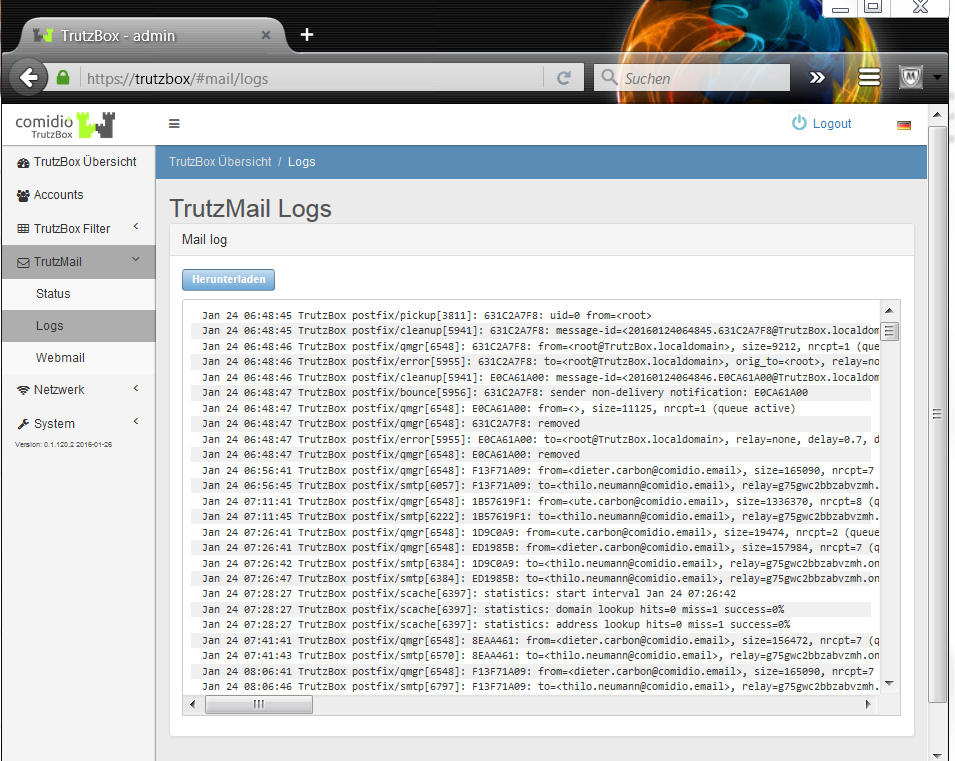
If necessary, Comidio Support will ask you to download Mail log to your PC by clicking on "Download" and then email the files to support@comidio.de.
-> Table of Contents (of this manual)
5.4.3 Webmail
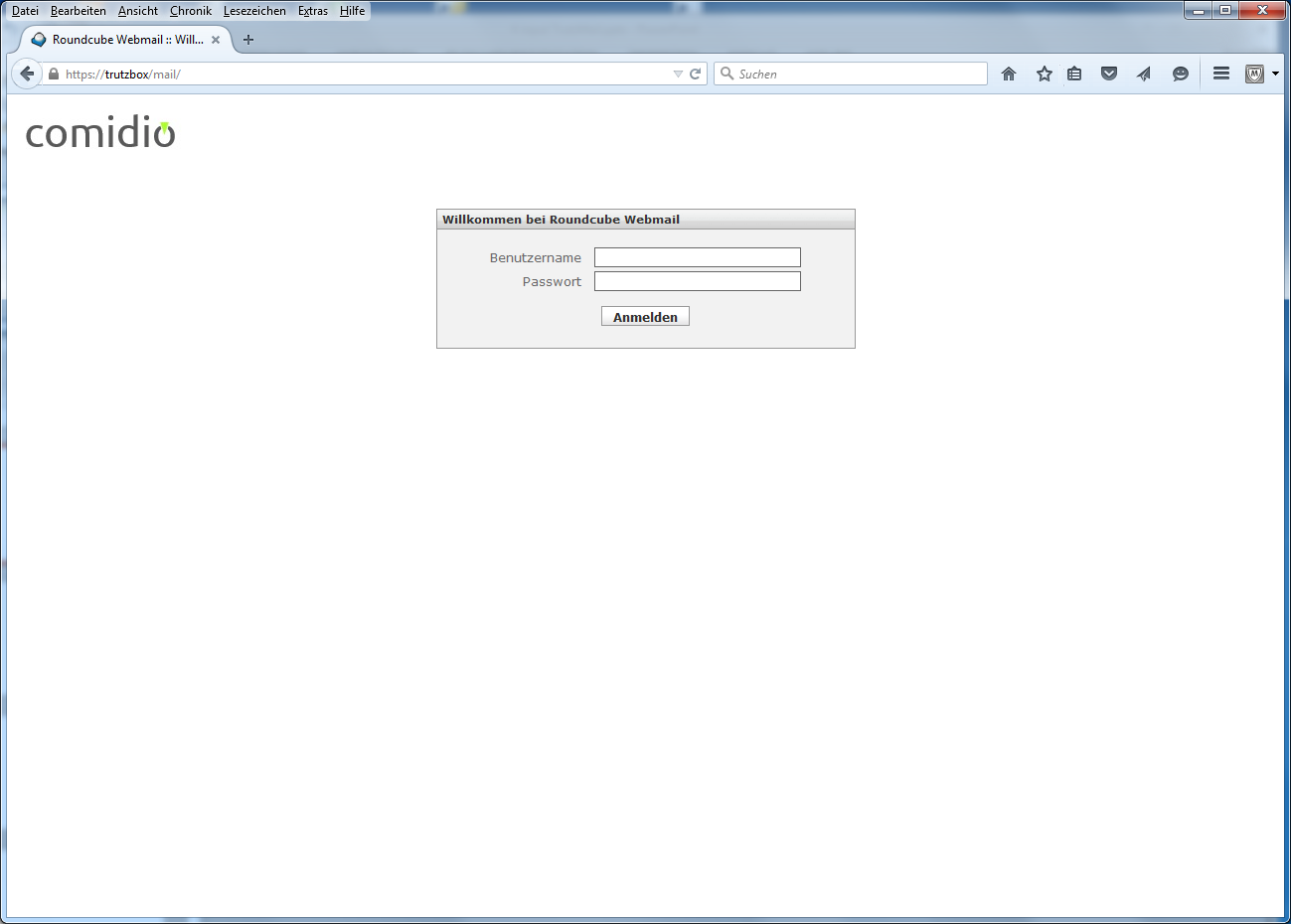
Here you can access TrutzMail directly via webmail. For general information on TrutzMail, see chapter "Using the TrutzBox -> Encrypted Mailing - TrutzMail". Users can access TrutzMail directly via https://trutzbox/mail.
-> Table of Contents (of this manual)
5.5 Network
5.5.1 Status
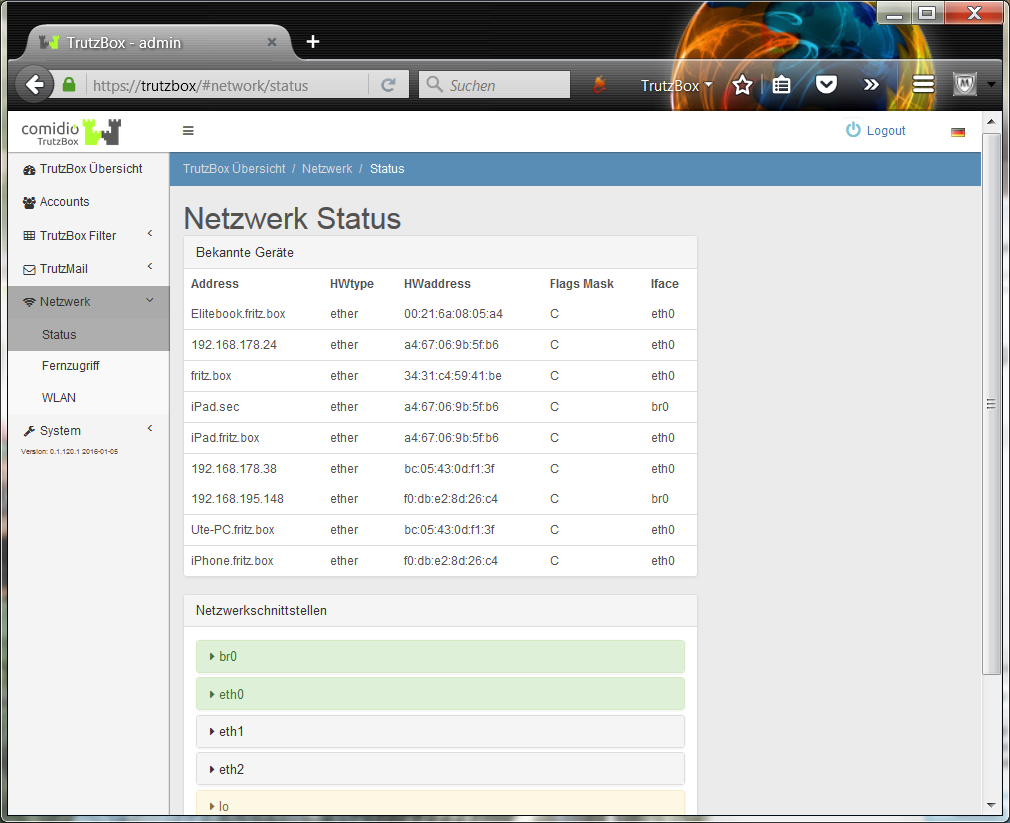
This displays the devices connected to the TrutzBox and the status of the individual network interfaces.
-> Table of Contents (of this manual)
5.5.2 Remote access
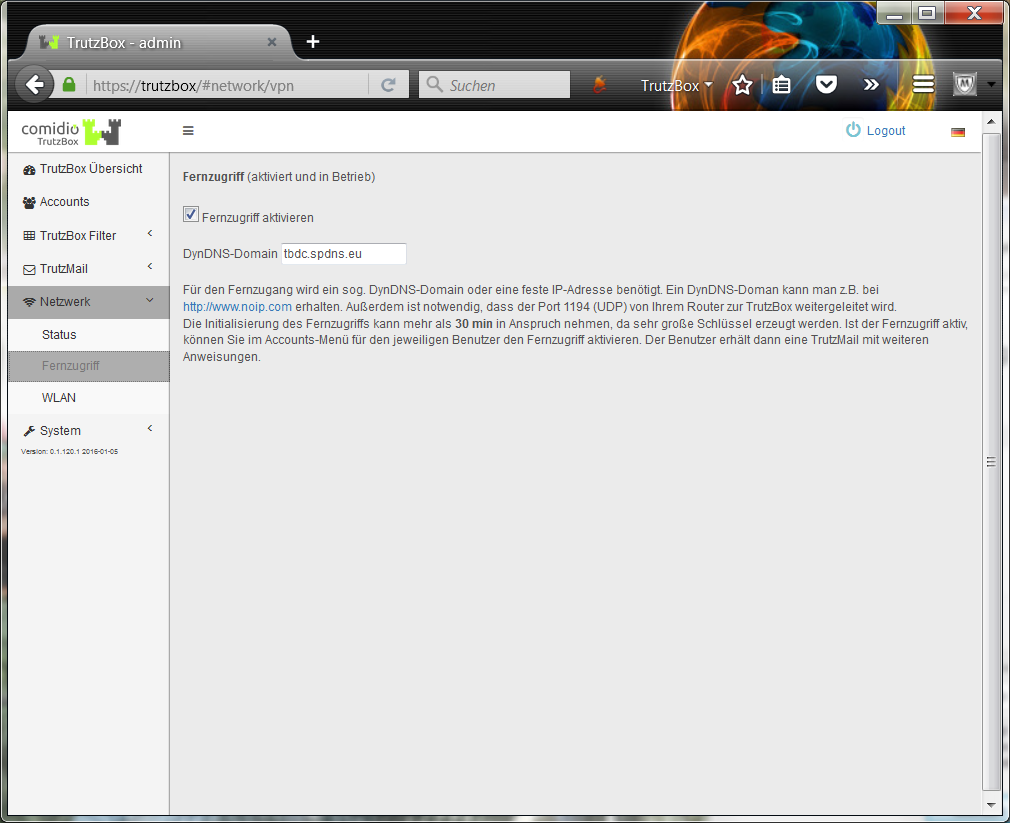
After creating a DynDNS domain (for details on setting up remote access, see "Remote access / VPN"), the corresponding domain name is entered here and the check mark for "Enable remote access" is set. Afterwards, a TrutzMail with certificate and further instructions is automatically sent to the TrutzMail address.
The entire process is described under "Remote access / VPN“:
https://comidio.de/wiki/index.php/TrutzBox_Handbuch#Fernzugriff_.2F_VPN
-> Table of Contents (of this manual)
5.5.3 WLAN
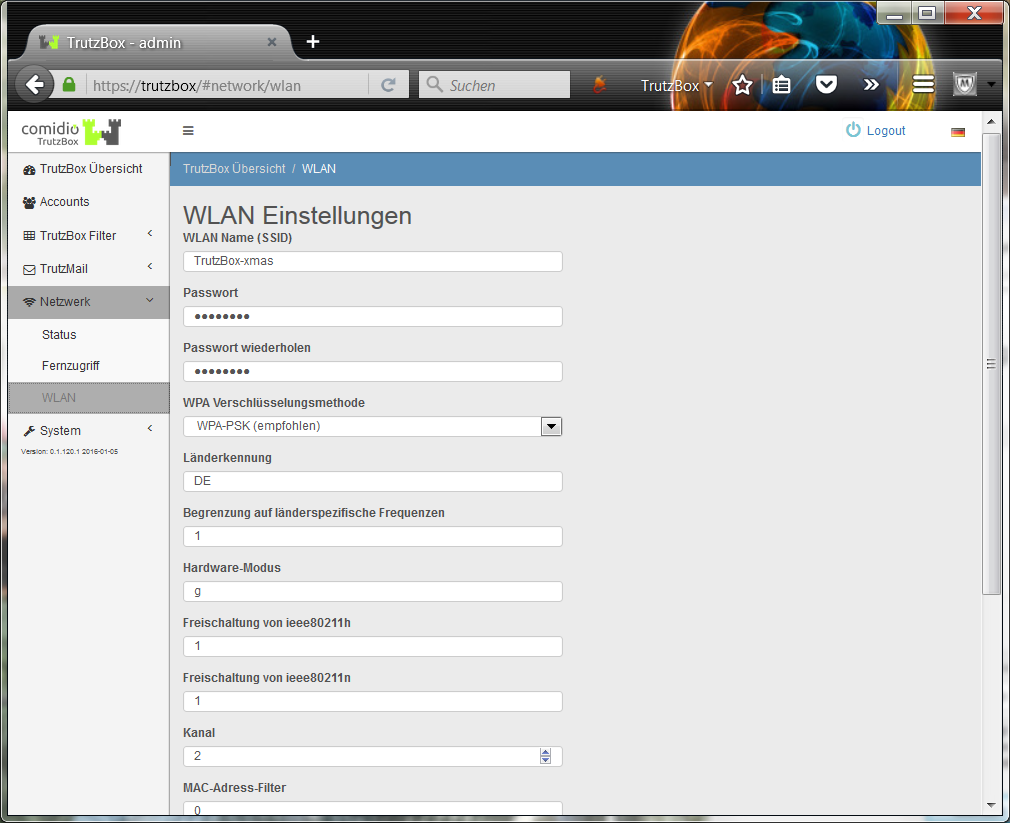
Here the WLAN settings are listed and can be adjusted if necessary (e.g. password change).
-> Table of Contents (of this manual)
5.6 System
5.6.1 System-Updates and -Reset
Under this menu item
- update-logs can be downloaded,
- backup copies can be made,
- It can be reset to factory settings and
- source packages can be deleted.
5.6.1.1 Download update log
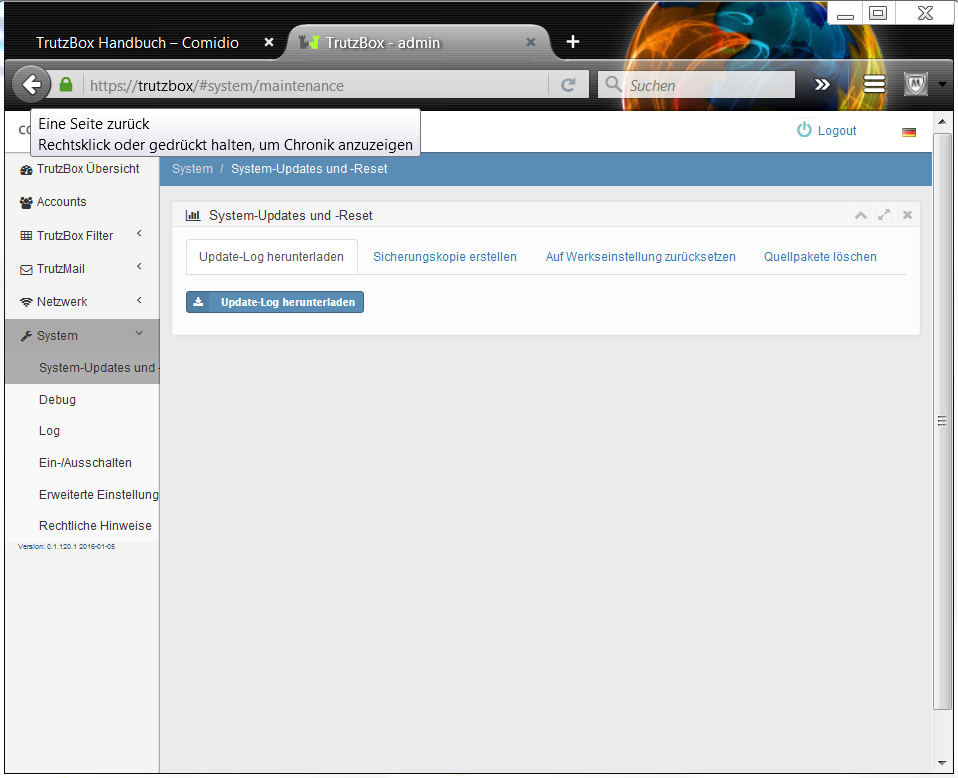
If necessary, Comidio Support will ask you to download the update log to your PC by clicking on "Download update log" and then email the file to support@comidio.de.
-> Table of Contents (of this manual)
5.6.1.2 Make a backup copy
Attention, there is an error when creating a backup copy; currently (06.03.2018) we ask you to move the TrutzBurg symbol, which is in the upper right corner by default, to another corner (and, if necessary, back again). Afterwards a backup copy can be made.
As soon as the corresponding update is available, this section will be removed again.
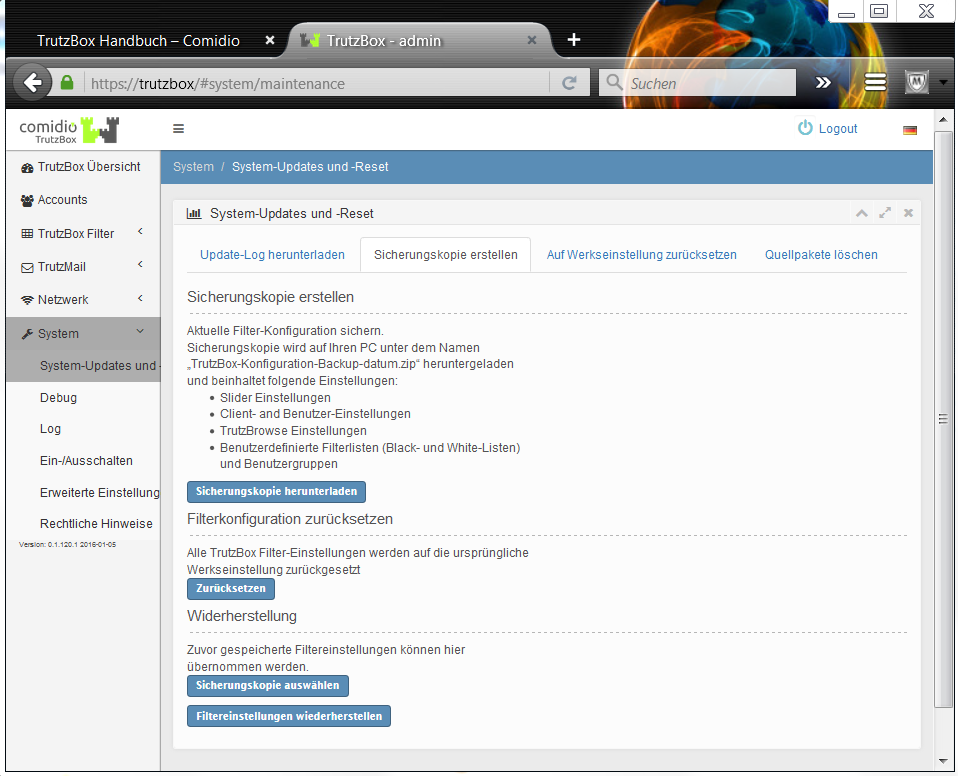
Here you can create a backup copy of the filter configuration and reactivate it if necessary.
-> Table of Contents (of this manual)
5.6.1.3 Reset to factory settings (factory reset)
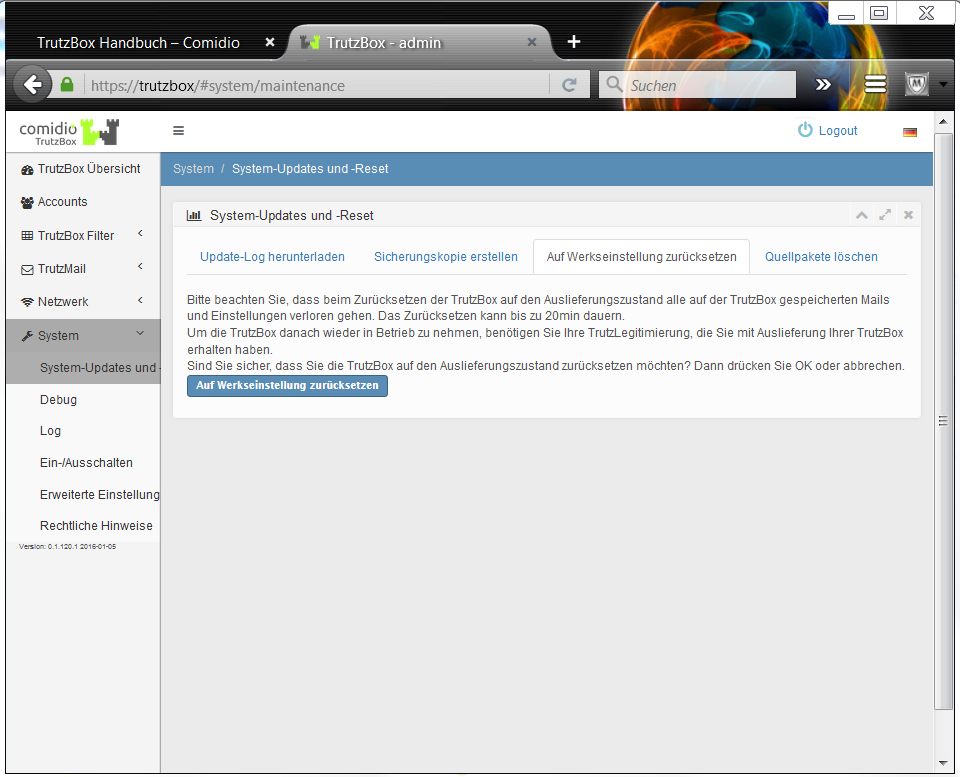
Here the TrutzBox can be reset to factory settings.
<
Since the factory reset deletes all settings and e-mails on the TrutzBox, it is advisable to save the data before starting the factory reset:
- Emails by transfer into an e-mail client software (e.g. Outlook, Thunderbird, Apple-Mail)
- Settings (see previous chapter 5.6.1.2 Creating a backup copy):
- Save to backup file before factory reset and
- Restore after factory reset from backup file.
ATTENTION: the following steps 1 & 2 must be carried out BEFORE restarting (8.)!
The reset is done chronologically as follows:
- Delete any certificate already downloaded with the name "trutzbox.cer" in the "Downloads" folder.
- Delete any certificate already imported with the name "TrutzBox" in the browser.
- Click on "Reset to factory default"'
Data will be deleted and restarted; please wait until the 3 LEDs on the front of the TrutzBox® have all gone out (this can take up to 1 hour). - Remove power supply (DC 12V) from TrutzBox® (back side).
- Check that TrutzBox® is connected to the Internet Router (e.g. FRITZ!Box) via network cable.
- Check that the USB Wireless LAN adapter is connected to TrutzBox® via USB cable.
- Wait approx. 1 minute (without power).
- Reconnect power supply (DC 12V) to TrutzBox® (back side).
- Wait approx. 10 minutes (TrutzBox® starts up).
- Access http://trutzbox via browser and perform setup according to setup instructions.
- At the end of setup, updates are loaded onto the TrutzBox. This process can take more than 60 minutes. Please do not switch off the TrutzBox or start any other process during this time. As soon as the "Finish setup" window appears, all updates are complete. Then press "Done".
- Download TrutzBox® certificate from TrutzBox® according to the Wiki manual (6.1.1).
- Import and confirm TrutzBox® certificate from PC into browser according to Wiki manual (6.1.2).
- Download and confirm TrutzBox® certificate upon request by e-mail client.
-> Table of Contents (of this manual)
5.6.1.4 Delete source packages
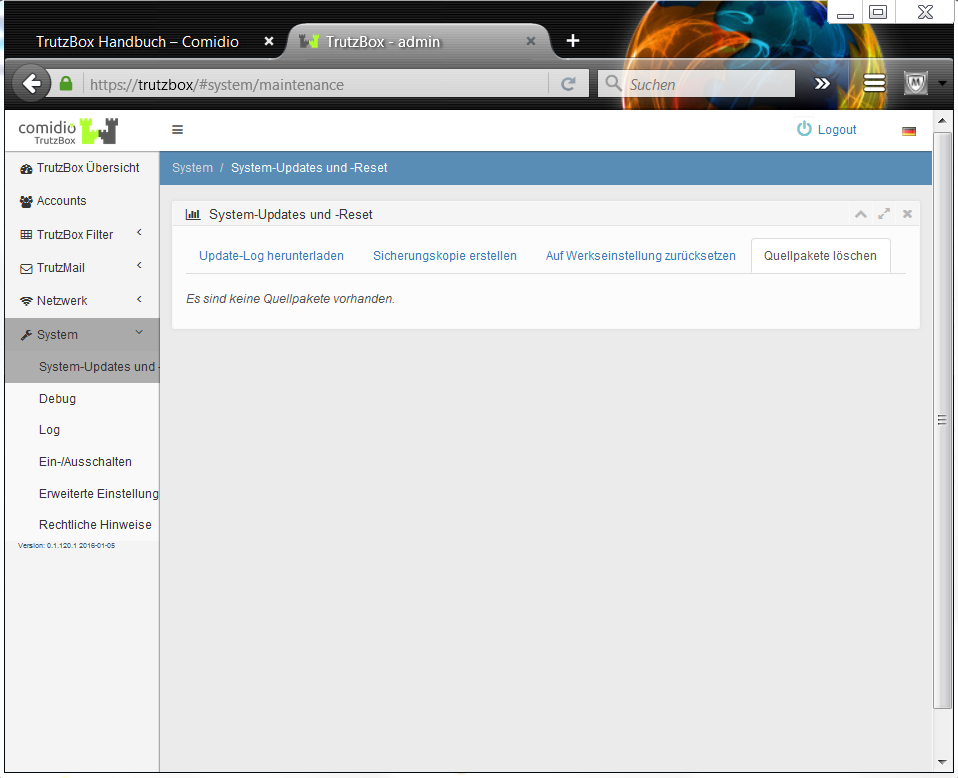
If the source packages were retained during setup, they can be subsequently deleted here..
-> Table of Contents (of this manual)
5.6.2 Debug
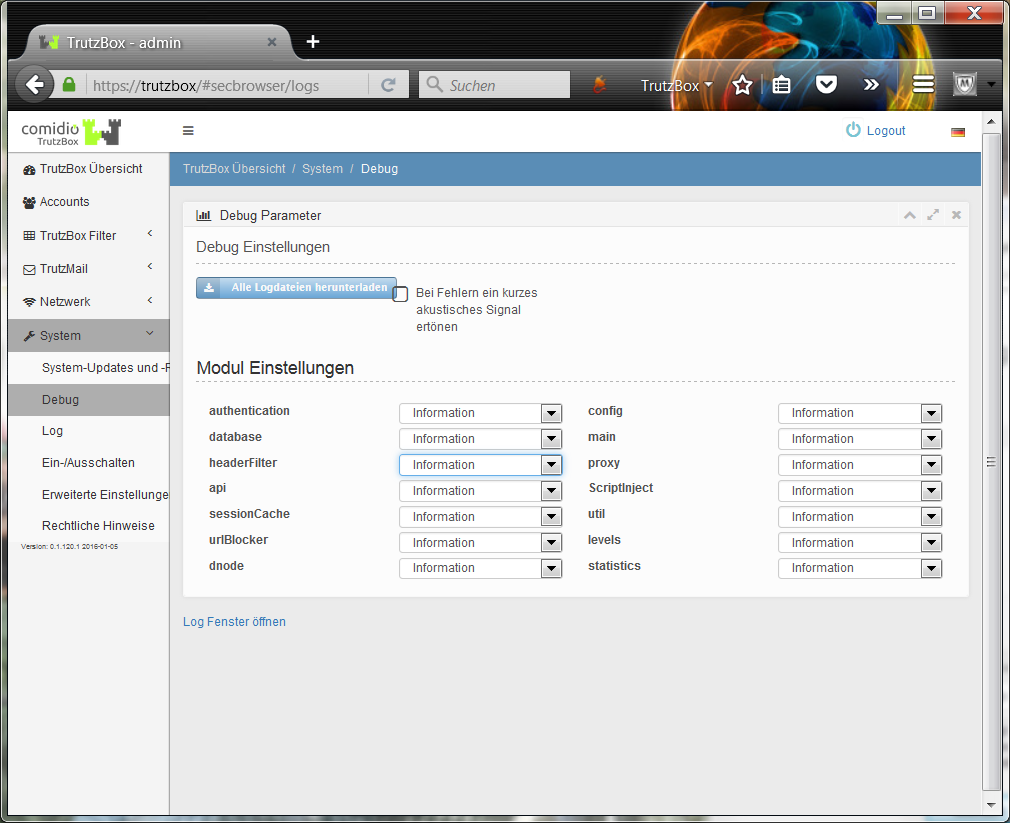
If necessary, Comidio Support will ask you to set the appropriate debug parameters. This function must only be executed on request, as in case of improper use large amounts of data accumulate which can disturb the normal operation of the TrutzBox®.
-> Table of Contents (of this manual)
5.6.2.1 Log proxy activities with debug
There may still be network accesses that are not displayed in status. We are currently working on a new version of the proxy, which also improves this point.
The only way to really analyze all activities of the proxy at the moment is the TrutzBox debugger. You can activate this by setting the position proxy to Debug under "System" -> "Debug". The proxy then logs all activities in its log file. You can download it from the same menu or watch it in real time with "Open Log Window" (possibly activate the log files of interest in the Log.io window, e.g. "node_proxy").
After the test, please set the "proxy" position to "Information" again to prevent a memory overflow. If you want to evaluate the log file, we recommend deleting the log files with "Delete all log files" before the test..
-> Table of Contents (of this manual)
5.6.3 Logs
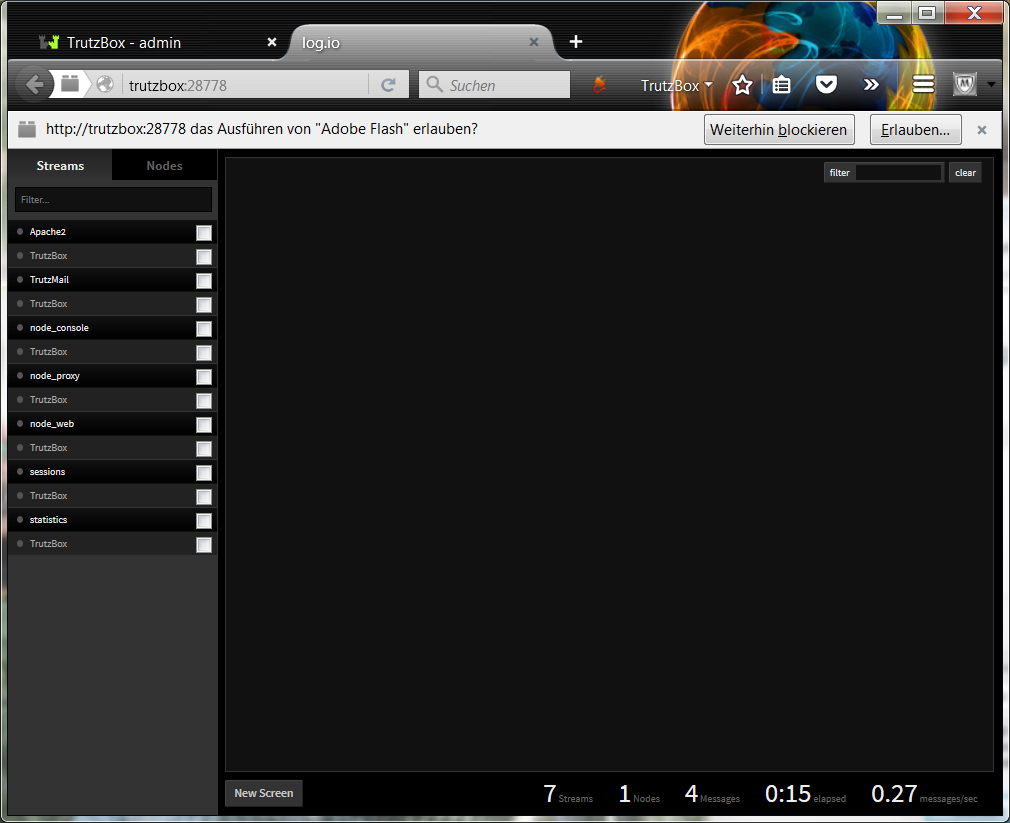
If necessary, Comidio Support will ask you to activate the corresponding filter data. This function must only be executed on request, as in case of improper use large amounts of data accumulate which can disturb the normal operation of the TrutzBox®.
-> Table of Contents (of this manual)
5.6.4 Switch on/off
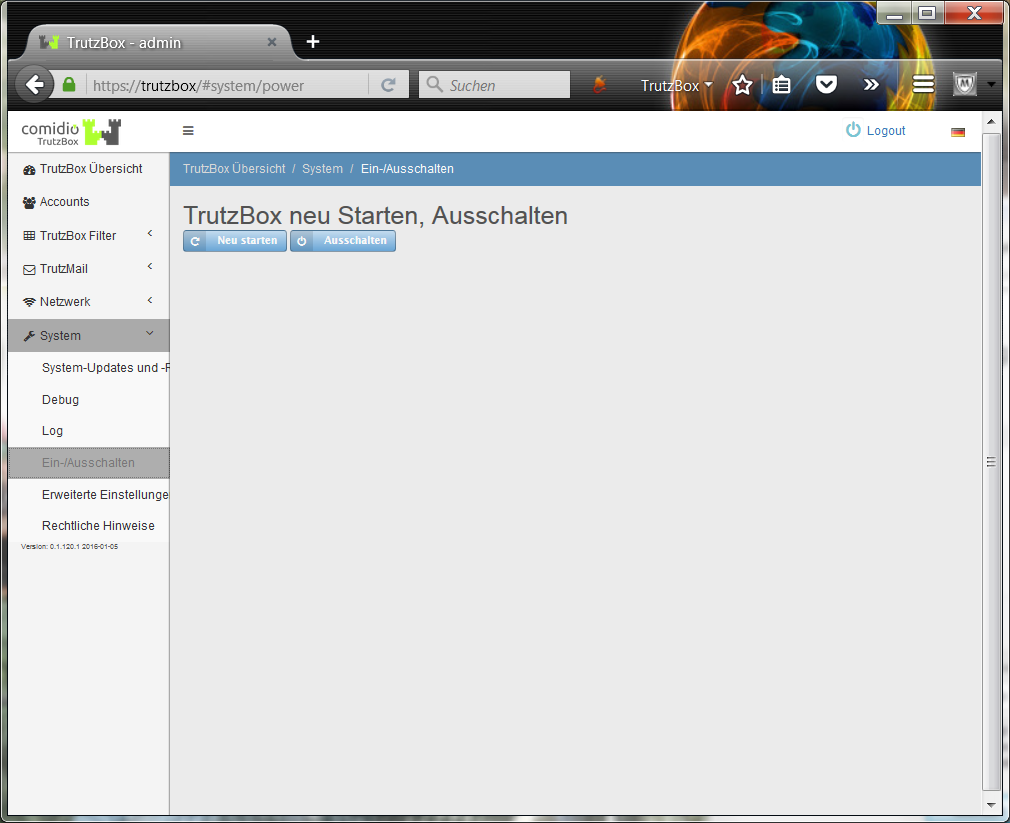
Situations may occur in which shutting down and then restarting the TrutzBox® makes sense.
In such a case, it may take a few minutes for connected devices, e.g. PCs, to resolve the name "trutzbox". So it may take a few minutes until access to "http://trutzbox" works.
The same delay may occur if a PC (Microsoft or Apple) connected to the TrutzBox® is rebooted instead of the TrutzBox®..
-> Table of Contents (of this manual)
5.6.5 Advanced settings / Using Webmin
| ATTENTION: For Webmin experts only!!!
Warning: |
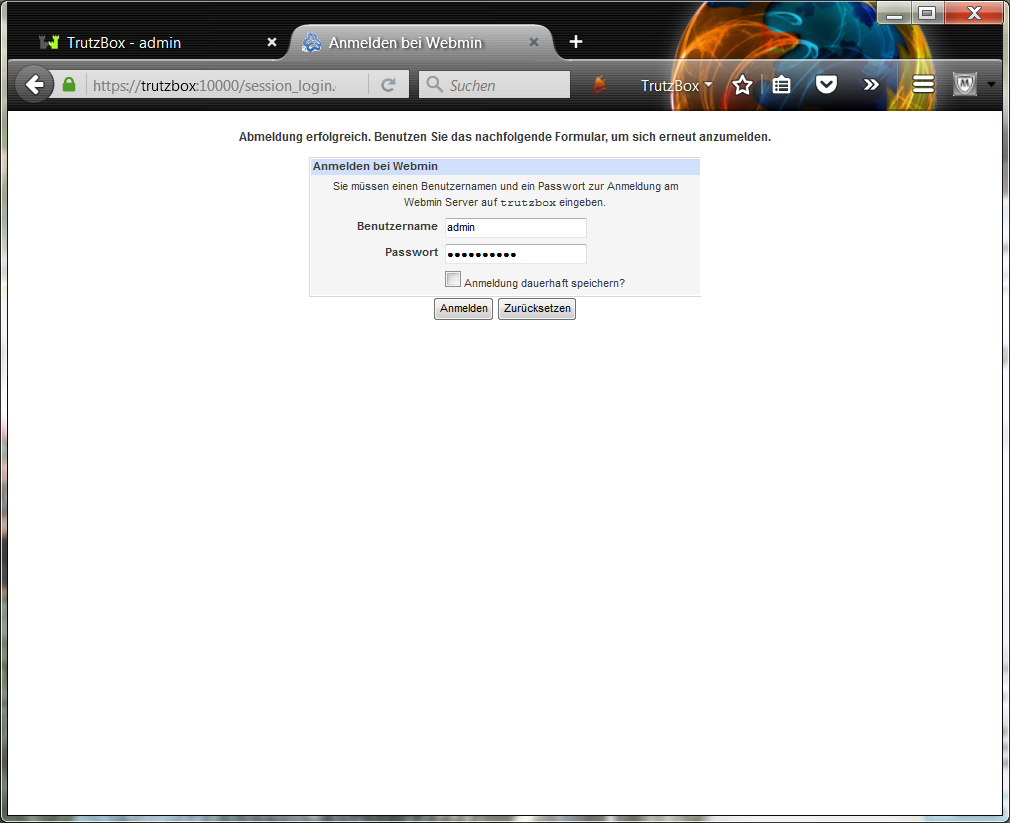
Login with user name "admin" and the TrutzBox Administrator password assigned during setup.
-> Table of Contents (of this manual)
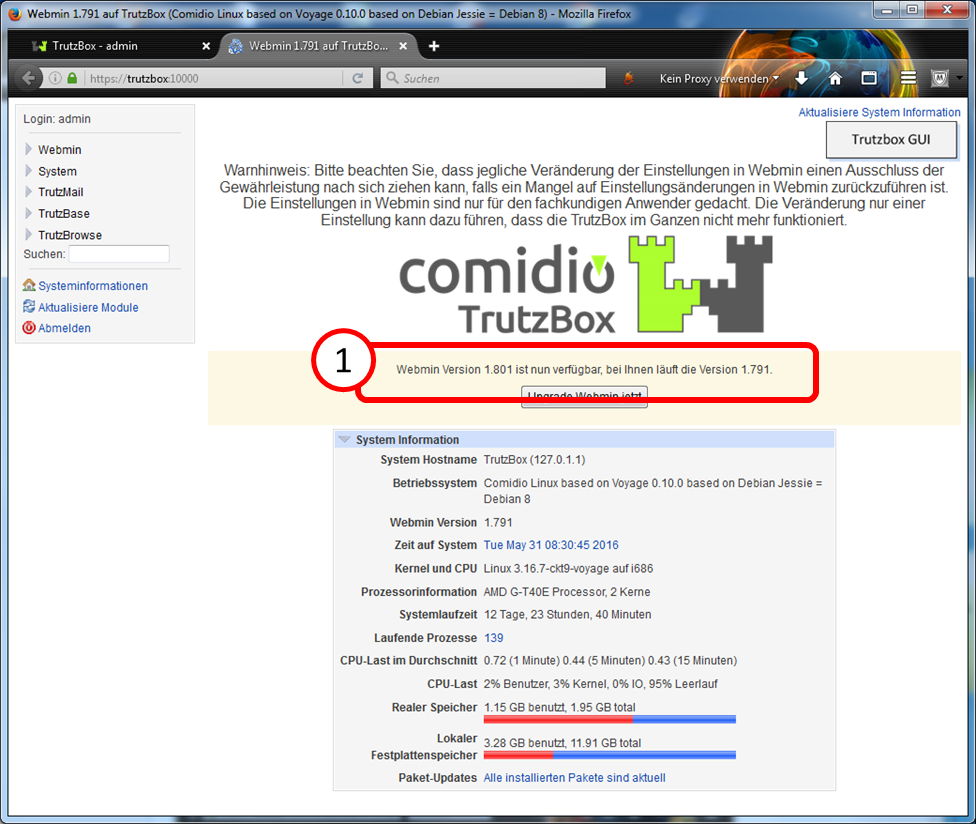
If you receive a message (1) as shown here that a more recent version of Webmin is available, leave it at that and do not upgrade manually.
The upgrade will be done automatically by Comidio in due course and the user does not have to worry about this.
5.6.5.1 Webmin: Shutdown TrutzBox
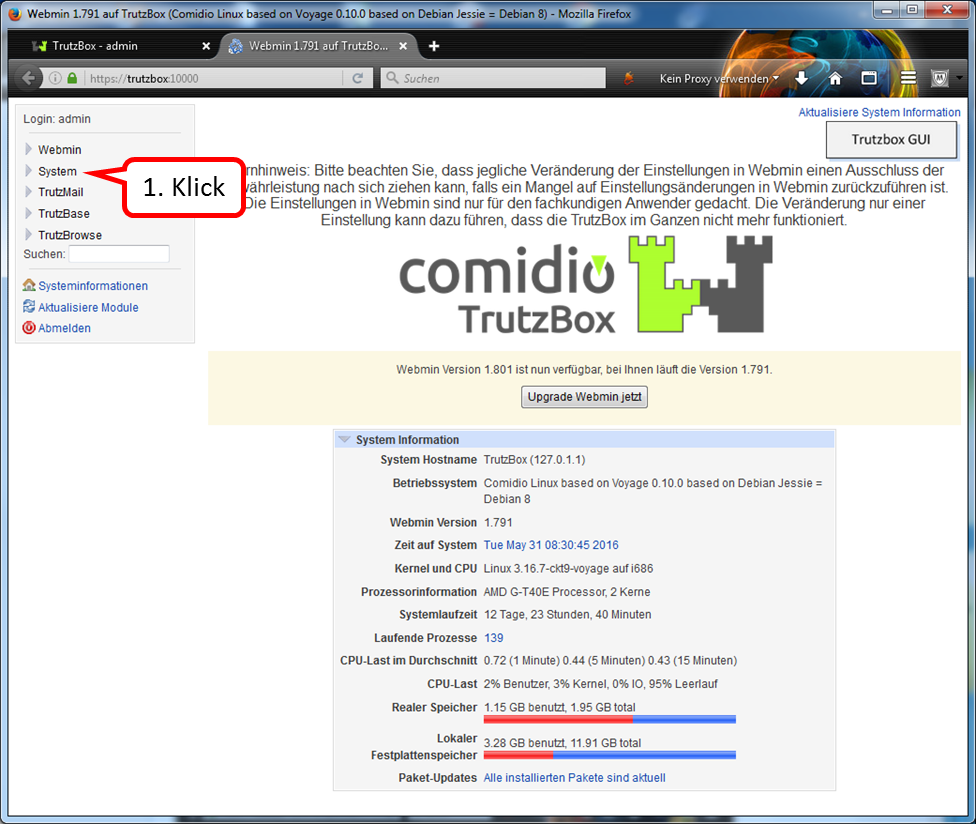
Click on "System".
-> Table of Contents (of this manual)
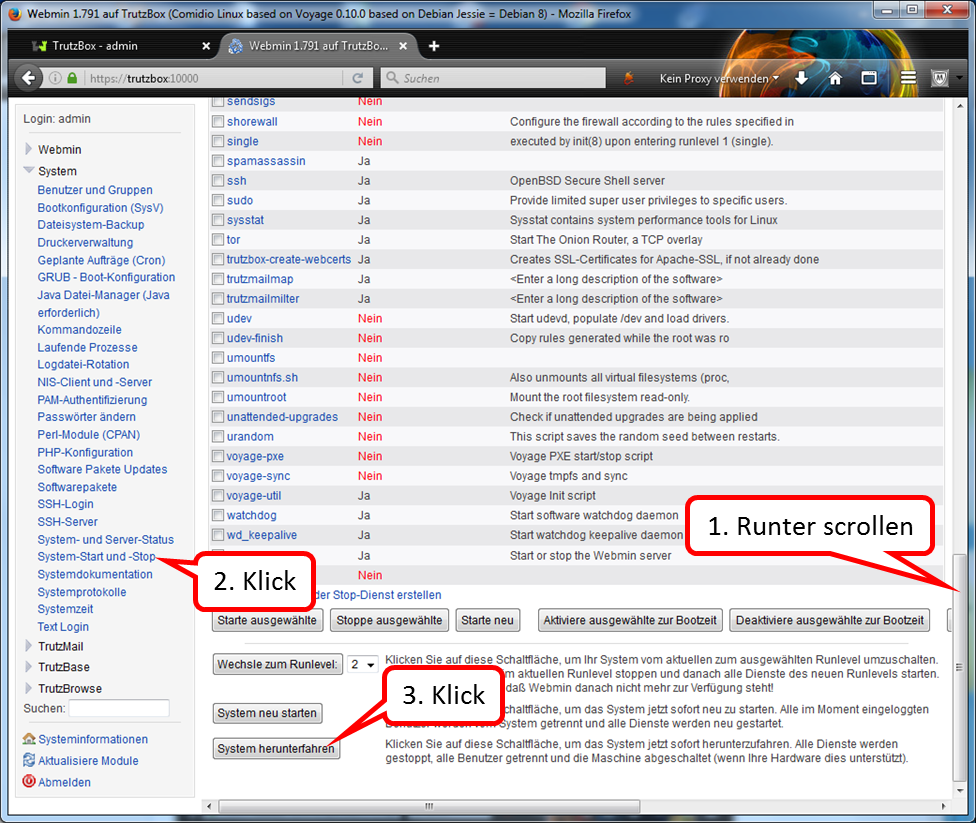
Scroll down on page (1).
Click on "System start and stop" (2).
Click on "Shut down system" (3).
Please wait until all LEDs go out before disconnecting the power supply.
<
To restart the TrutzBox:
Connect TrutzBox to power supply.
-> Table of Contents (of this manual)
5.6.5.2 Webmin: Restart TrutzBox
Click on "System ".
-> Table of Contents (of this manual)
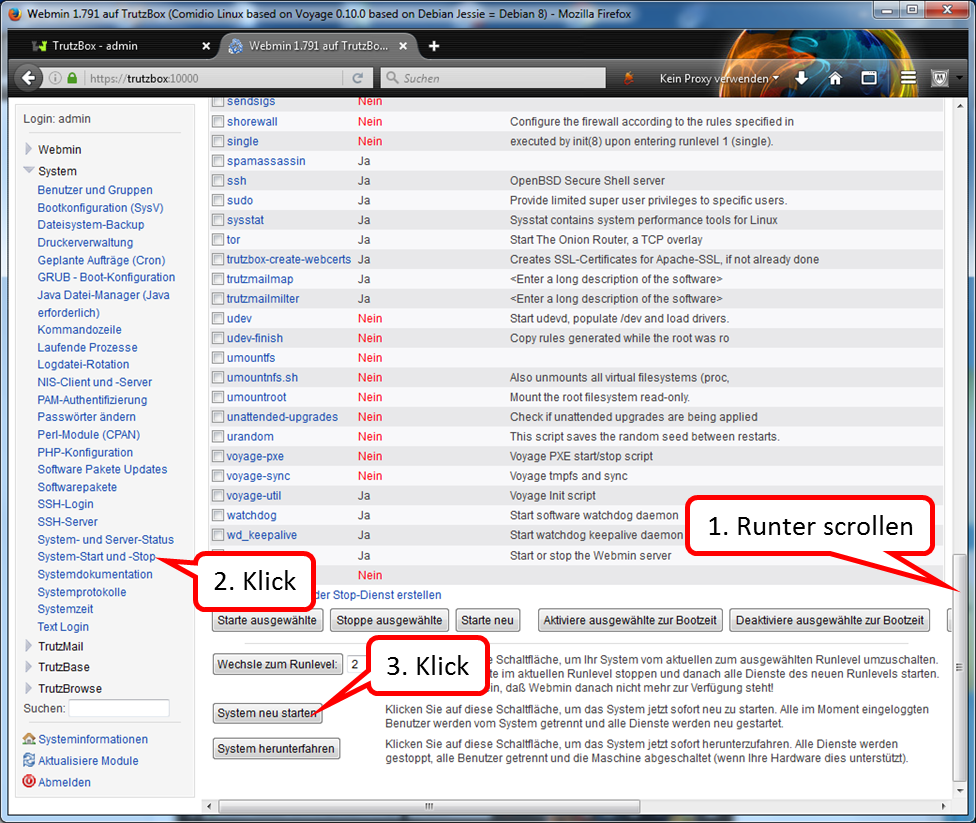
Scroll down on page (1).
Click on "System start and stop" (2).
Click on "Restart system " (3).
.
-> Table of Contents (of this manual)
5.6.5.3 Webmin: Reset TrutzBox to factory settings (factory reset)
Here the TrutzBox can be reset to factory settings.
<
CAUTION: the following steps 1 & 2 must be performed IN ADVANCE!
The reset is done chronologically as follows:
- Delete any certificate already downloaded with the name "trutzbox.cer" in the "Downloads" folder.
- Delete any certificate already imported with the name "TrutzBox" in the browser.
- Now proceed as follows in Webmin (https://trutzbox:10000/):
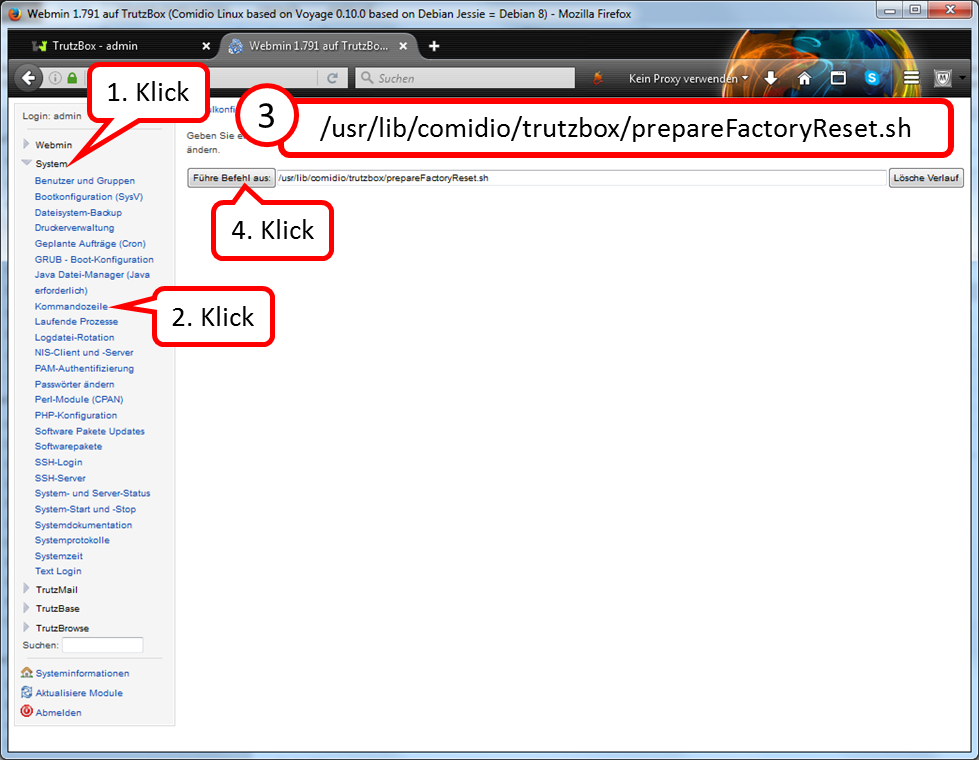
click on "System" (1),
click on "Kommandozeile" (2),
enter in the input line "Führe Befehl aus": "/usr/lib/comidio/trutzbox/prepareFactoryReset.sh" (3),
click on "Führe Befehl aus" (4).
- Wait approx. 12 minutes (Delete and prepare for restart; after 11 minutes the last LED on the front of the TrutzBox ® goes out).
- Remove power supply (DC 12V) from TrutzBox® (back side).
- Check that TrutzBox® is connected to the Internet Router (e.g. FRITZ!Box) via network cable.
- Check that the USB Wireless LAN adapter is connected to TrutzBox® via USB cable.
- Wait about one minute.
- Reconnect power supply (DC 12V) to TrutzBox® (back side).
- Wait approx. 10 minutes (TrutzBox® starts up).
- Access http://trutzbox via browser and perform setup according to setup instructions.
- At the end of the setup process, updates are loaded onto the TrutzBox. This process can take more than 60 minutes. Please do not switch off the TrutzBox or start any other process during this time. As soon as the "Finish setup" window appears, all updates are complete. Then press "Done".
- Download TrutzBox® certificate from TrutzBox® according to the Wiki manual (6.1.1).
- Import and confirm TrutzBox® certificate from PC into browser according to Wiki manual (6.1.2).
- TrutzBox® Download and confirm certificate upon request by e-mail client.
-> Table of Contents (of this manual)
5.6.5.4 Webmin: WLAN night shutdown (time-controlled)
If you want to switch off the WLAN temporarily, e.g. overnight, proceed as follows:
<
a. Set off switching time
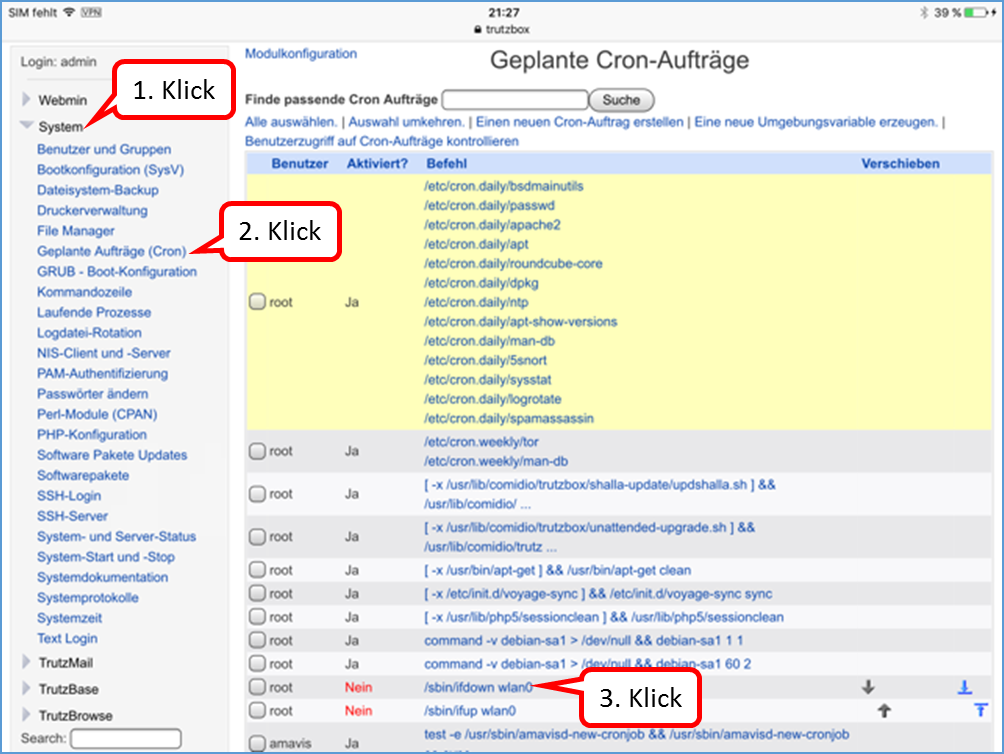
Click on "System" (1).
Click on "Geplante Aufträge (Cron)" (2).
Click on "/sbin/ifdown wlan0" (3).
-> Table of Contents (of this manual)
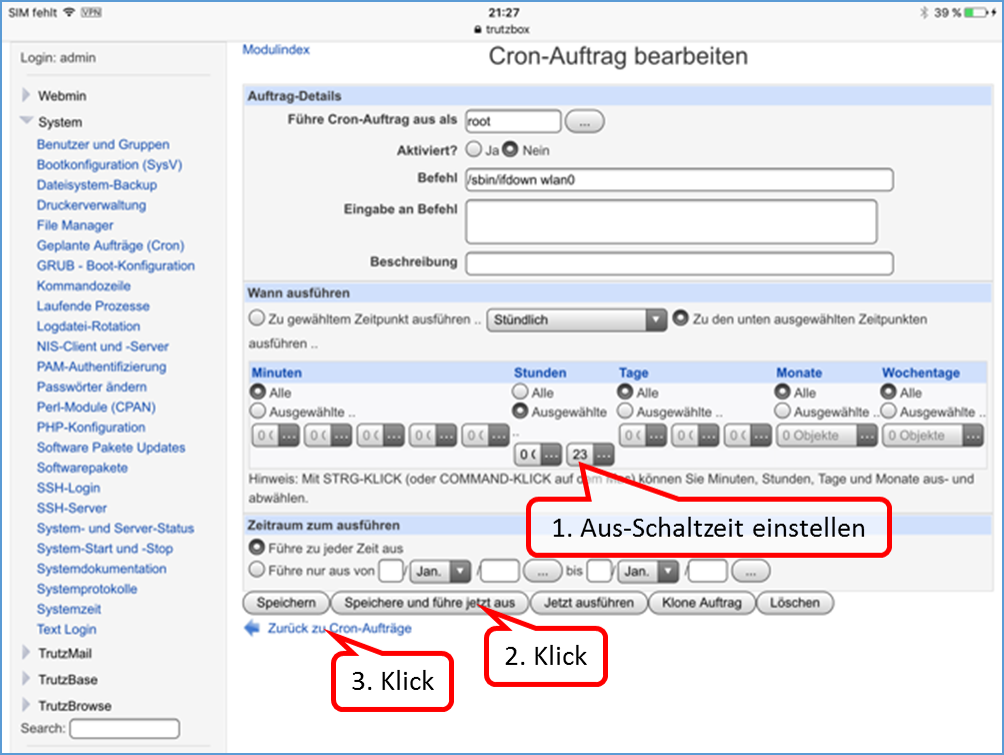
The default switch-off time is 23:00.
If you want to change this time, enter a different time under hours.(1).
Click on "Save and execute now" (2).
Click on "Back to Cron jobs" (3).
-> Table of Contents (of this manual)
b. Set on switching time
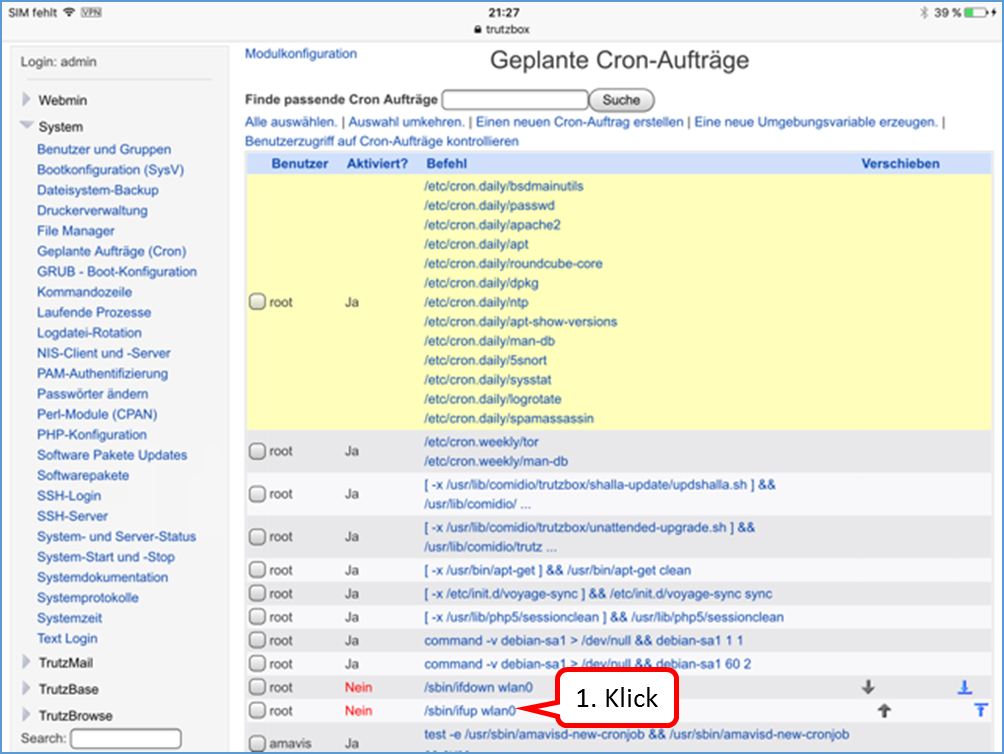
Click on "/sbin/ifup wlan0" to set the switch-on time (1).
-> Table of Contents (of this manual)
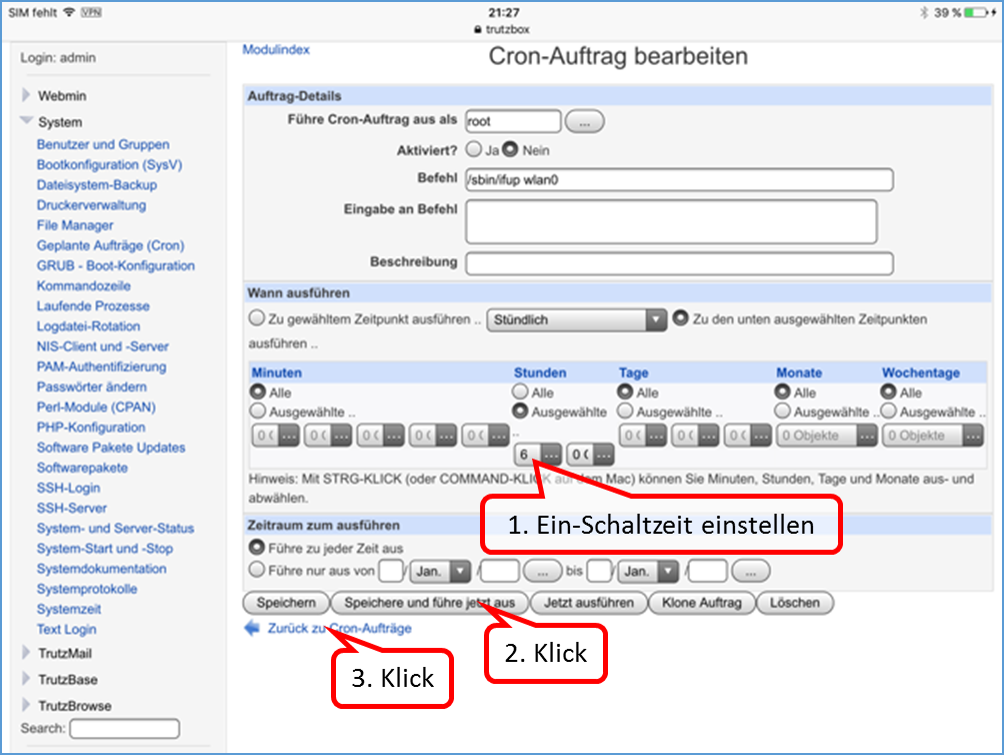
The default setting is to start the WLAN at 06:00.
Set the on-switching time (1).
Click on "Save and execute now" (2).
Click on "Back to Cron jobs" (3).
-> Table of Contents (of this manual)
c. Activate switching times
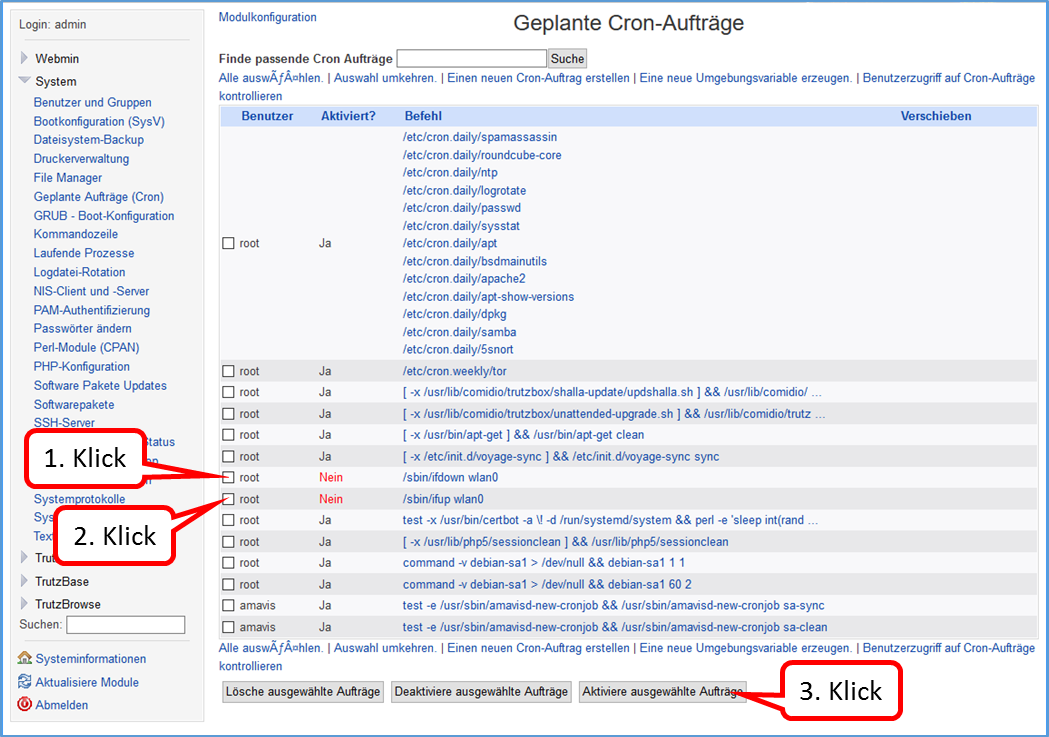
Click on the two orders to be activated (1) + (2). Then click on "Activate selected jobs” (3).
-> Table of Contents (of this manual)
d. De- Activate switching times
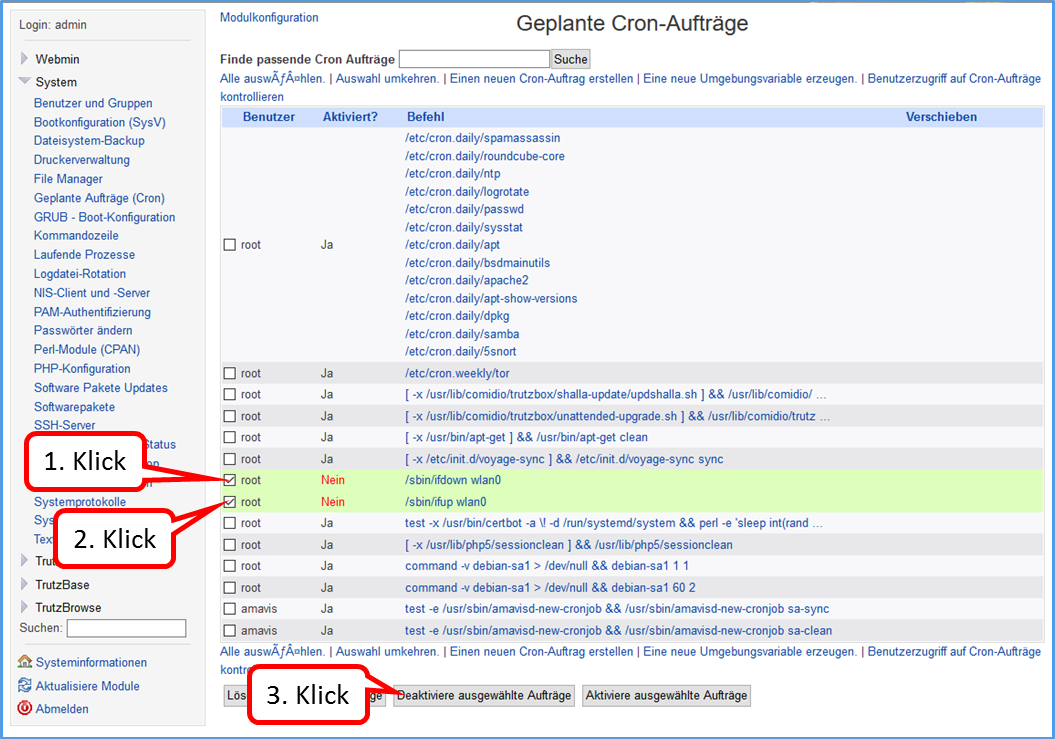
Click on the two orders to be activated (1) + (2). Then click on "De-Activate selected jobs” (3).
-> Table of Contents (of this manual)
5.6.5.5 Webmin: WLAN spontaneous switching off and on (possible at any time)
You want to switch off the WLAN spontaneously, then proceed as follows:
- on the Webmin: "System" -> "Command line"
- enter in input field (without quotation marks): "sudo ifdown wlan0'""
- click on "Execute command“.
You want to switch on the WLAN spontaneously, then proceed as follows:
- on the Webmin: "System" -> "Command line"
- enter in input field (without quotation marks): "sudo ifup wlan0'""
- click on "Execute command“.
-> Table of Contents (of this manual)
5.6.5.6 Webmin: TrutzBox Checking software releases
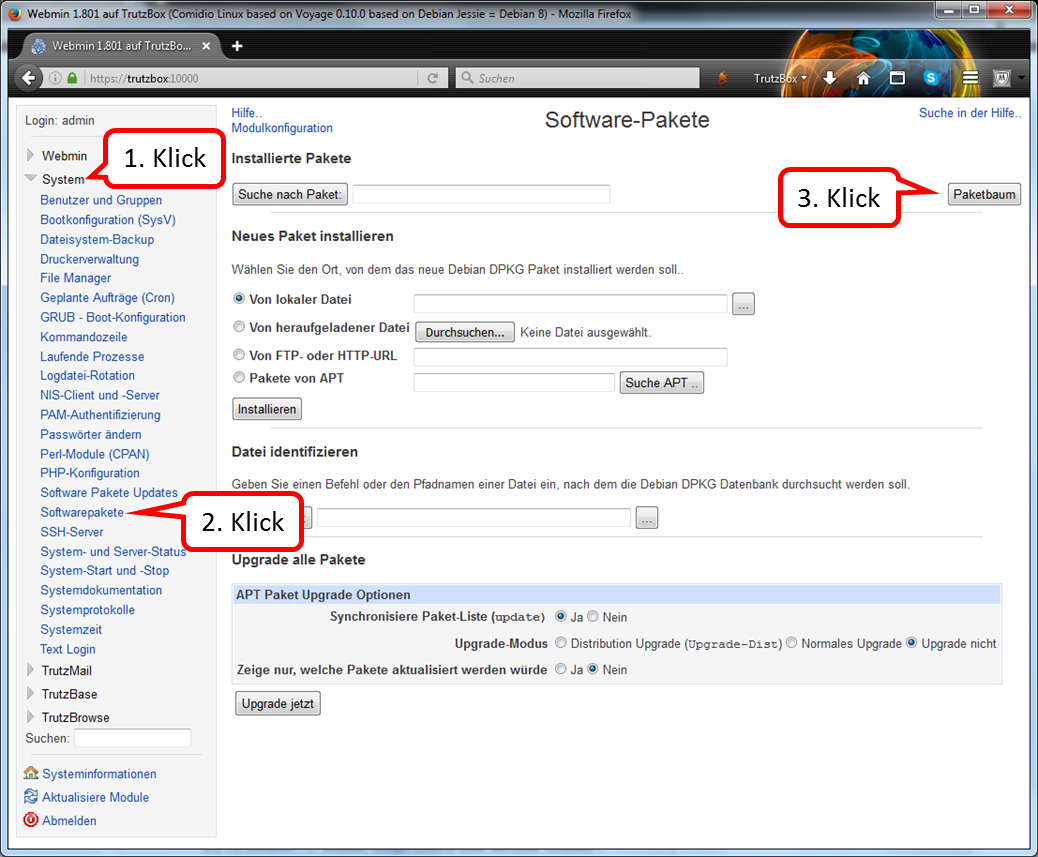
click on "System" (1).
click on "Softwarepakete" (2).
click on "Paketbaum" (3).
-> Table of Contents (of this manual)
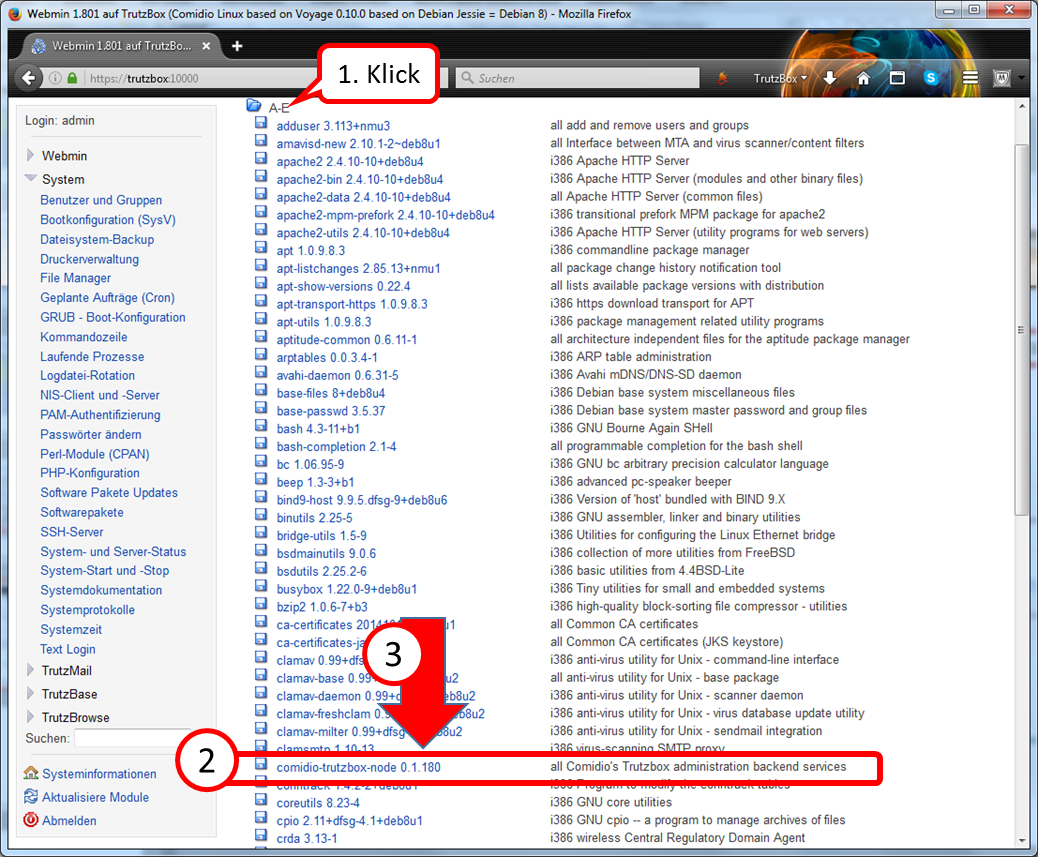
Search for software packages beginning with "comidio...".
Click on "A-E" (1) in the table of contents.
Search the list for "comidio-trutzbox-node" (2).
Behind the name is the current release, in the above example: "0.1.180" (3).
-> Table of Contents (of this manual)
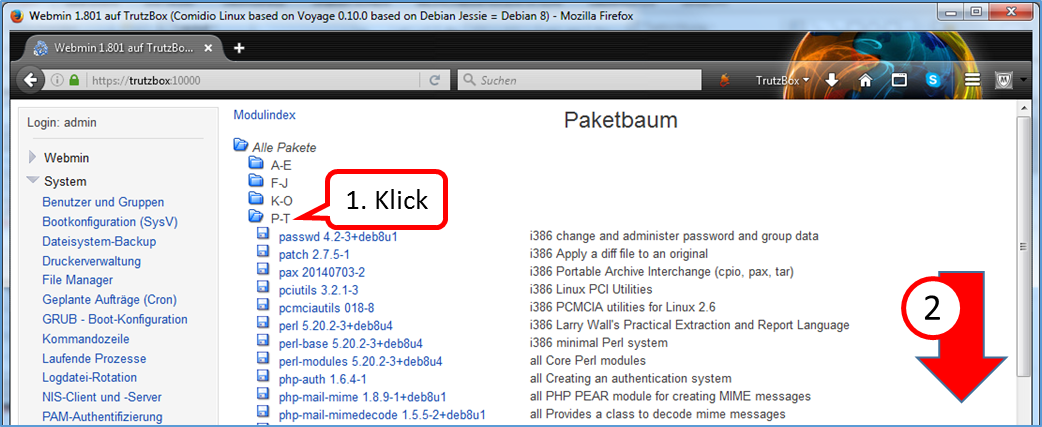
Search for software packages beginning with "trutz...".
Click on "P-T" (1) in the table of contents.
Scroll down (2).
-> Table of Contents (of this manual)
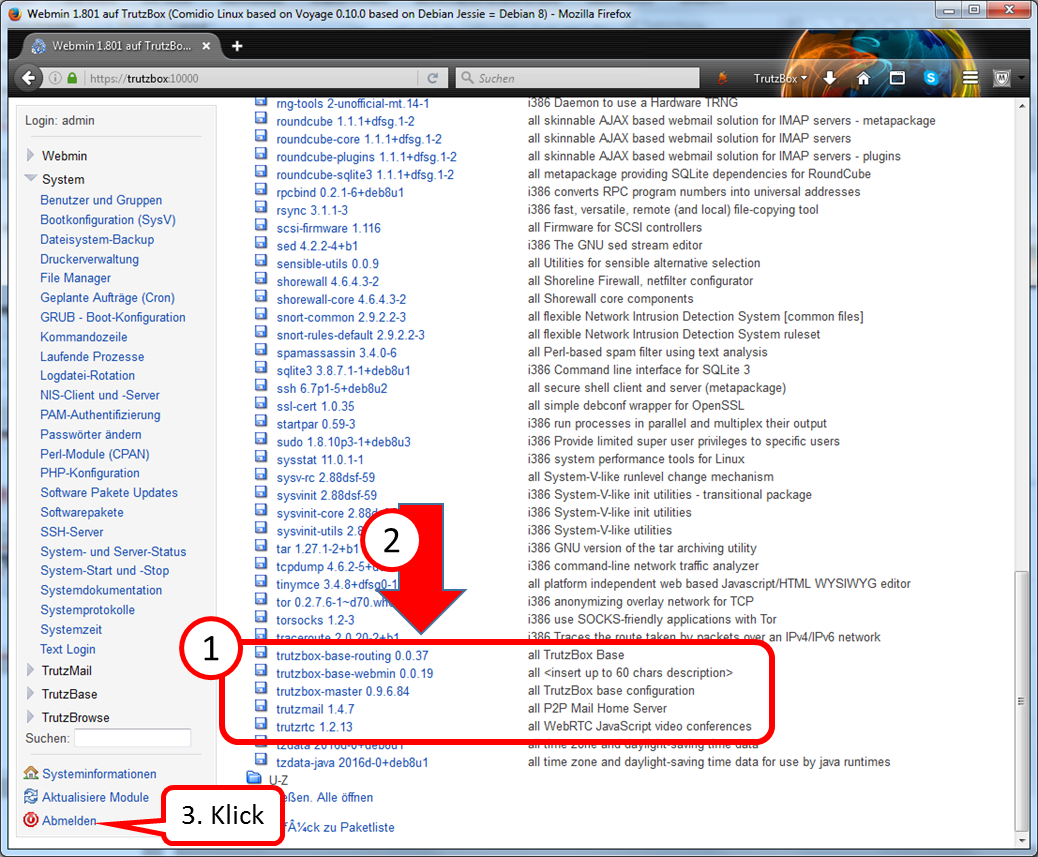
Search the list for "trutz..." (1).
Behind the name is the current release, in the above example: "0.0.37" to "1.2.13" (2).
Click on "log off" to unsubscribe (3).
-> Table of Contents (of this manual)
5.6.5.7 Webmin: Change User Password
click on "System".
-> Table of Contents (of this manual)
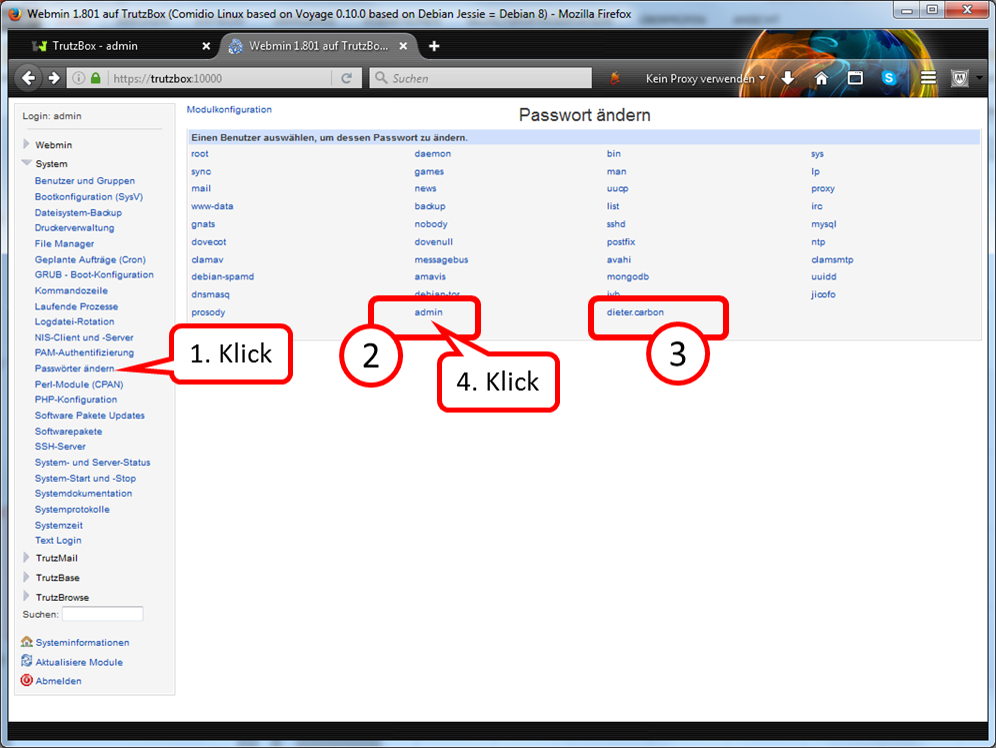
click on "Passwörter ändern" (1).
Under (2) the admin password can be changed and under (3) the password of a TrutzMail user can be changed.
Zum Ändern des admin-Passworts auf "admin" Klicken (4).
-> Table of Contents (of this manual)
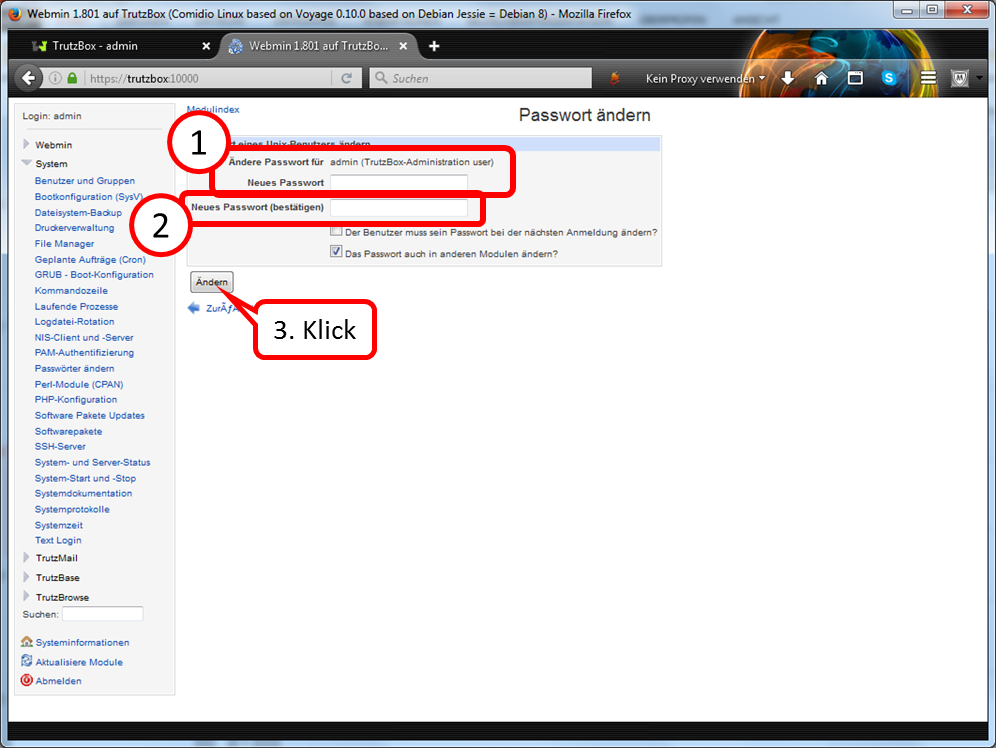
Under (1) the new (admin) password is entered.
Under (2) the new (admin) password is entered again.
Finally, click on "Change“ (3).
-> Table of Contents (of this manual)
5.6.5.8 Webmin: TrutzBox Triggering Updates Manually
ou can also trigger updates manually in Webmin:
- On the Webmin home page (if you are not already on the home page, please click on "System Information" in the selection menu on the left side) scroll down until "Package Updates" is displayed.
- Click on the status of the "Paket-Updates", e.g. on "Alle installierten Pakete sind aktuell".
- On the new menu page "Software Pakete Updates" please click on "Aktualisiere verfügbare Pakete".
- If there are no updated packages, please click on „Update ausgewählte Pakete“.Updates can take a long time (over 30min)..
-> Table of Contents (of this manual)
5.6.5.9 Webmin: Find out image version
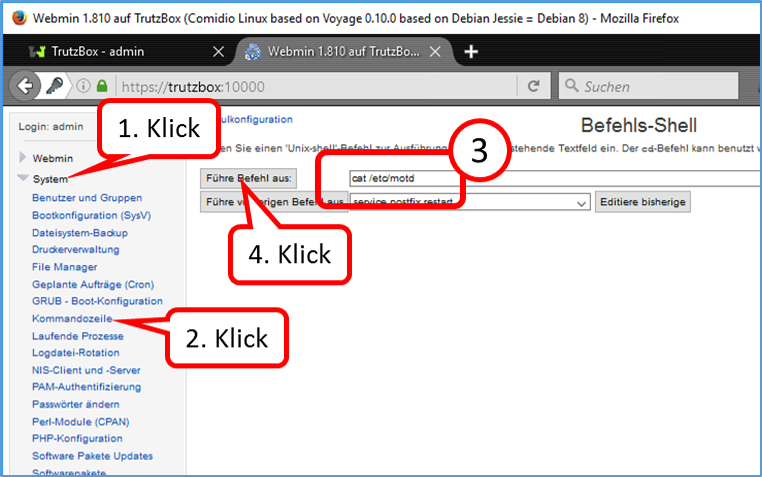
Click on "System" (1).
Click on "Kommandozeile" (2).
Enter: "cat /etc/motd" (3) without quotes.
Click on "Führe Befehl aus" (4).
-> Table of Contents (of this manual)
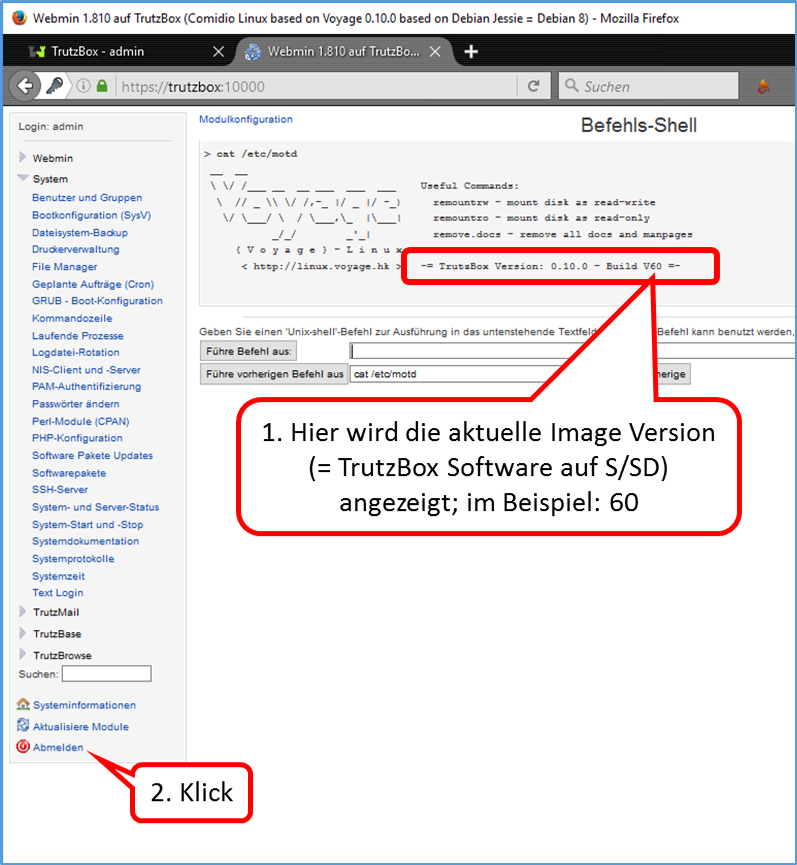
Here the current image version (= TrutzBox software on S/SD) is displayed; in the example: 60 (1).
Click on "Abmelden" (2).
-> Table of Contents (of this manual)
5.6.5.10 Webmin: Find large files
If Comidio Support asks you to identify the large files, proceed as follows to query two tables of contents:
- in Webmin: „System“ -> „Kommandozeile“
- Enter in input field (without quotation marks): "sudo du -hs /tmp/*|sort -rh|head -20"
- Click on "Führe Befehl aus"
You will get a first listing.
- Enter in input field (without quotation marks): "sudo du -hs /var/log/*|sort -rh|head -20"
- Click on "Führe Befehl aus"
You will get a second listing.
Please mail a screenshot with both listings to support@comidio.de if necessary.
-> Table of Contents (of this manual)
5.6.6 Legal Notice
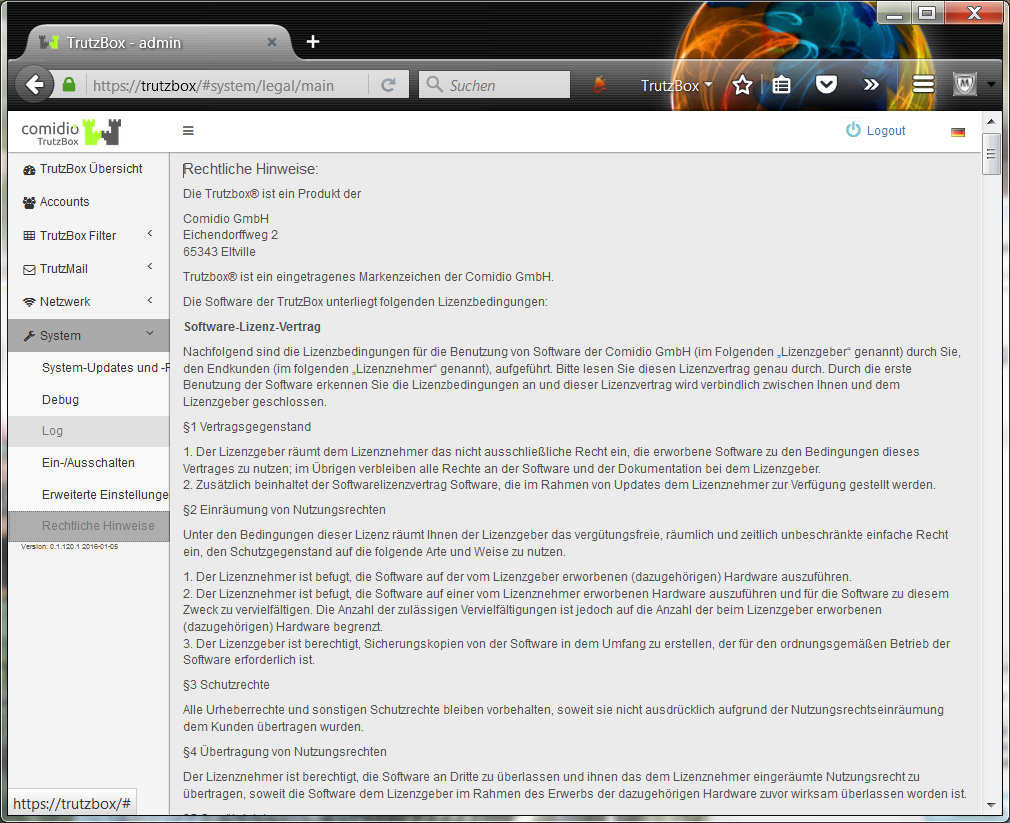
-> Table of Contents (of this manual)
5.7 Remote access / VPN
Remote access allows you to access your TrutzBox from outside your home network and use TrutzMail and TrutzBrowse.
To activate (only required once), proceed as follows:
- Login to dynamic DNS service
- Enter dynamic DNS data in Internet Router
- Activate "Fernzugriff" in TrutzBox
- Download VPN client to mobile device
- Import email certificate attachment into VPN client
- Activate/deactivate VPN connection in VPN Client
5.7.1 Register dynamic DNS service=
In order for your TrutzBox to be found on the Internet and to be accessed from outside via a domain name, the domain name must be connected to a changing IP address. This assignment is made by an external dynamic DNS service provider. You will need to set up a domain name that refers to the IP address of your TrutzBox.
<
There are several dynamic DNS service providers. “SECUREPOINT" is used in the following examplee.
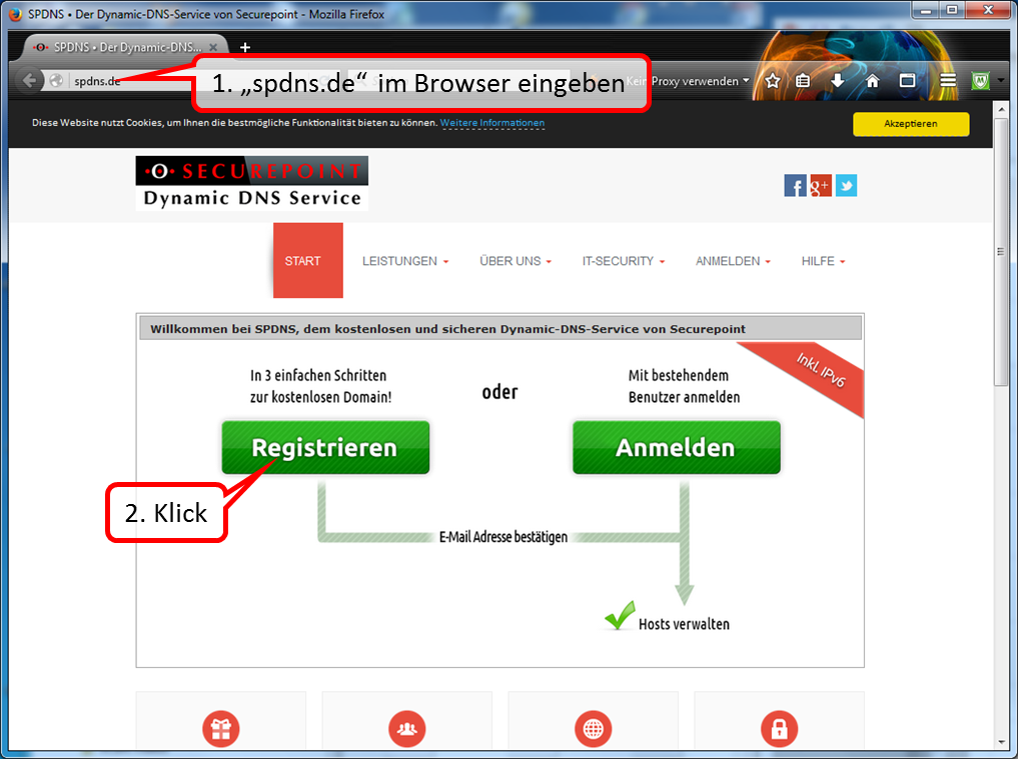
Open "spdns.de" and then start registration.
-> Table of Contents (of this manual)
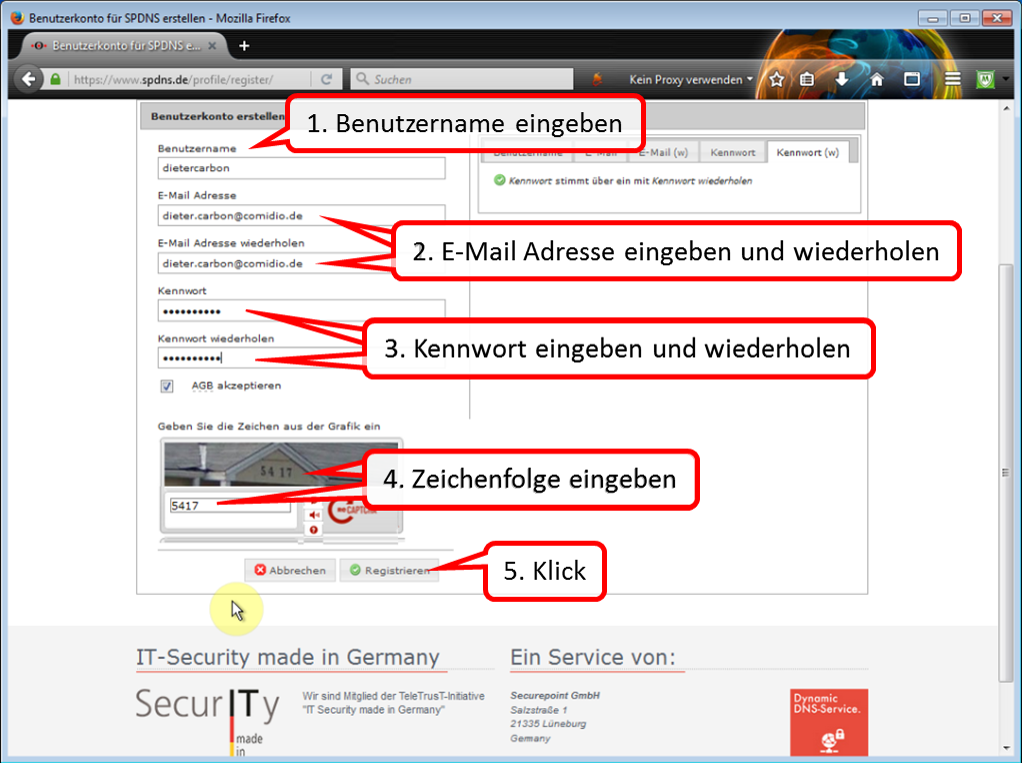
Follow (1-5) through all the steps required for registration.
-> Table of Contents (of this manual)
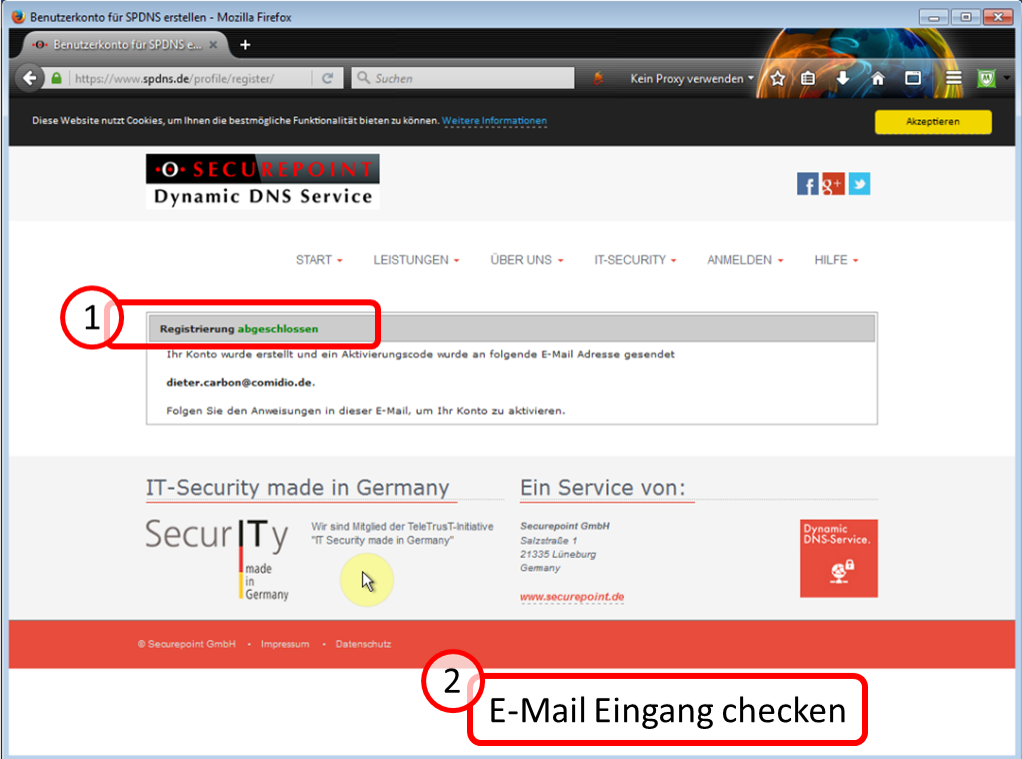
After registration (1) has been completed, you will receive an e-mail to the e-mail address provided during registration.
Leave this website open for later use (soon it will continue here -:)).
-> Table of Contents (of this manual)
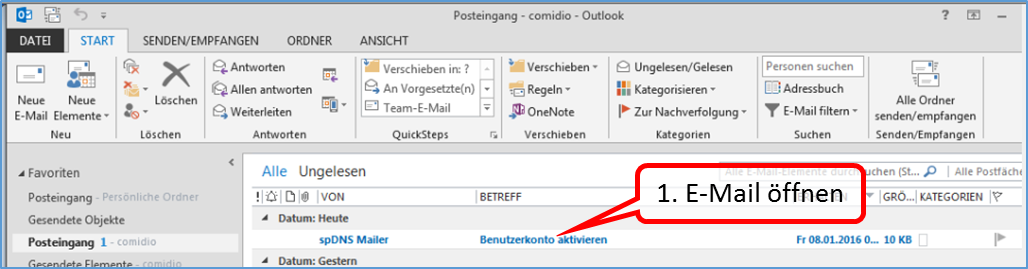
Open this email first.
-> Table of Contents (of this manual)
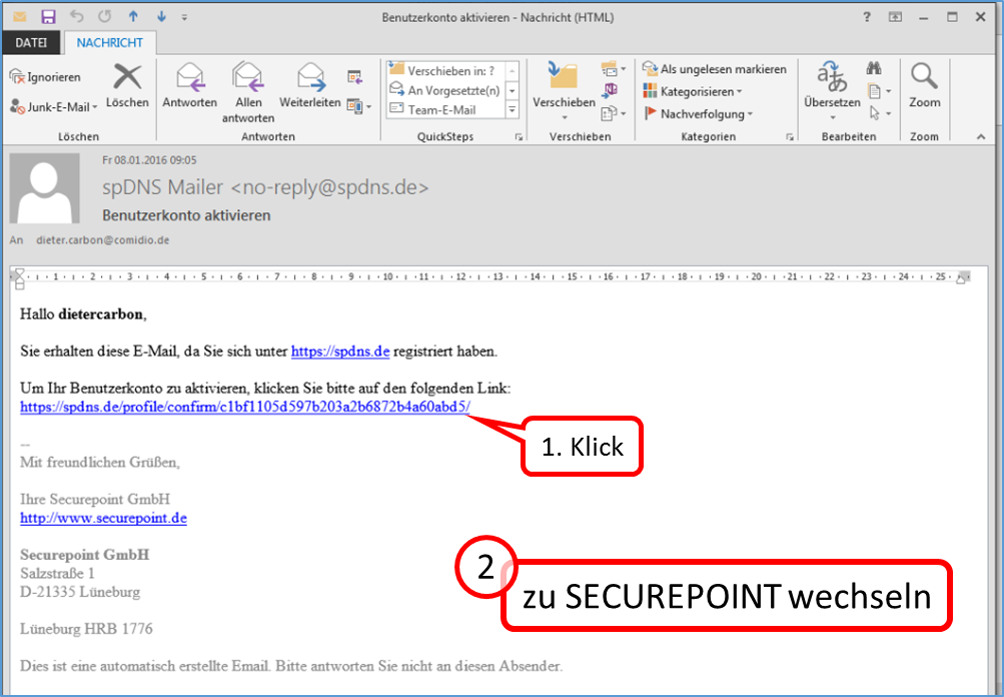
To activate the user account, click on the specified link (1).
Now continue to the "spdns.de" website (which is still open :-).
-> Table of Contents (of this manual)
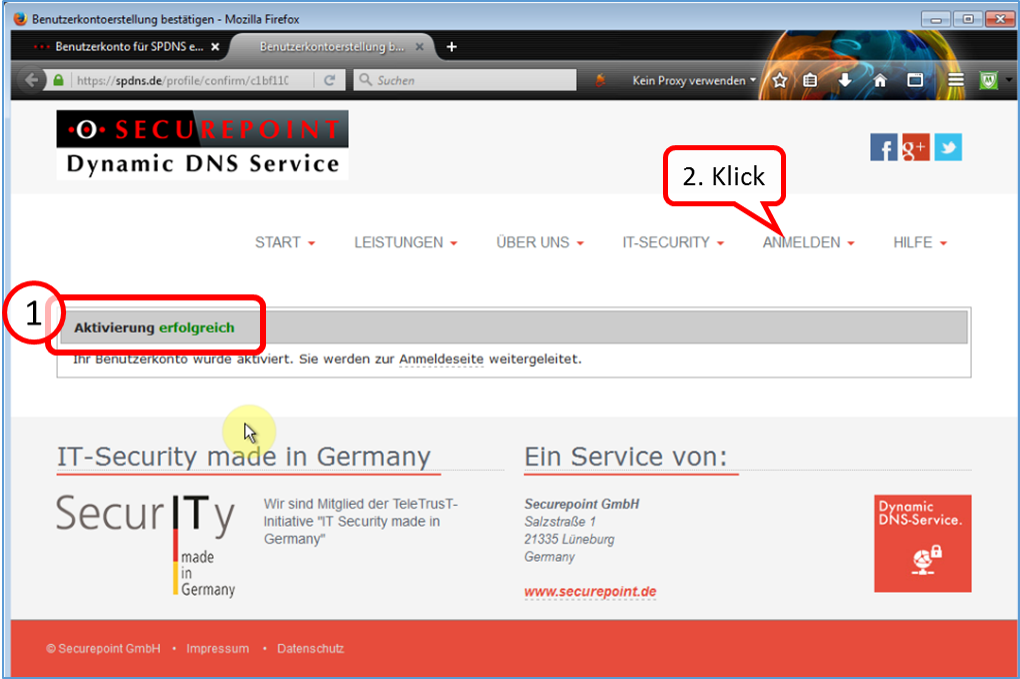
Click on "ANMELDEN".
-> Table of Contents (of this manual)
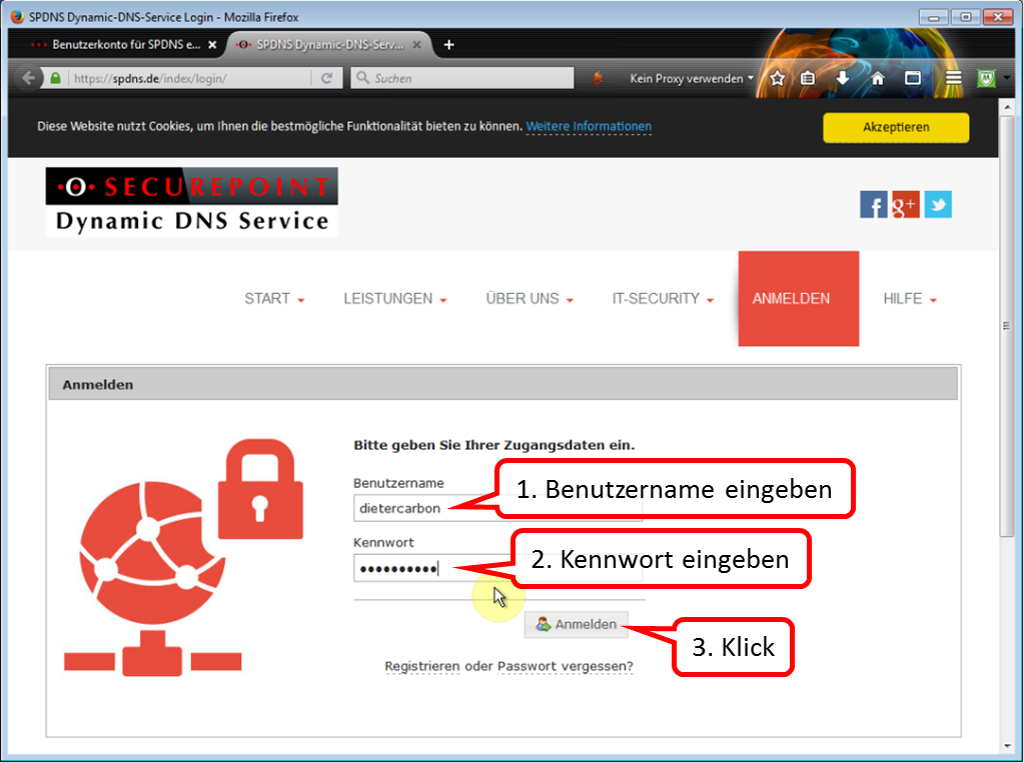
Log in with your registration data.
-> Table of Contents (of this manual)
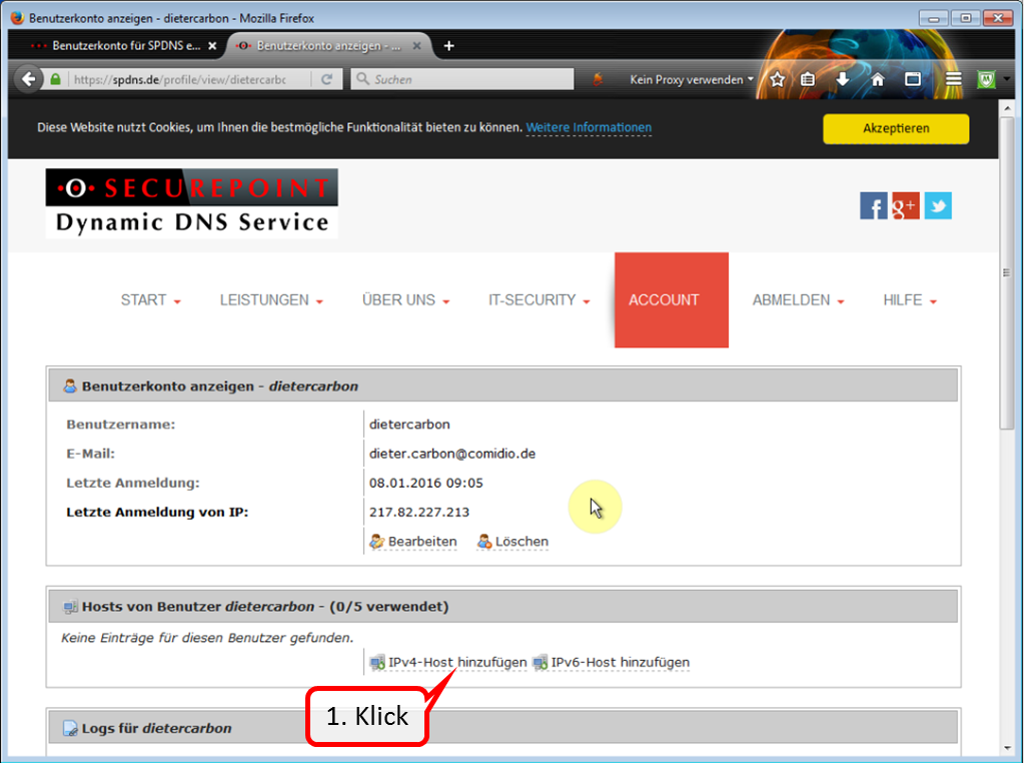
Click on "Add IPv4 Host" to specify a domain name.
-> Table of Contents (of this manual)
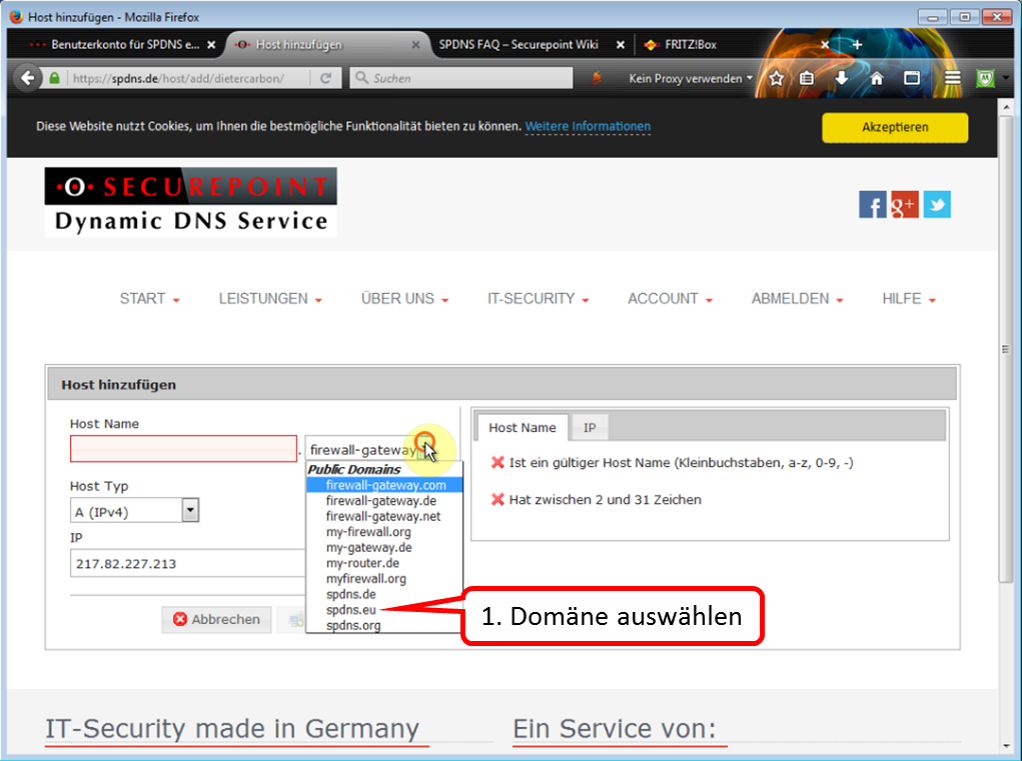
Select a domain name of your choice from the list. In this case, "spdns.eu" has been selected.
-> Table of Contents (of this manual)
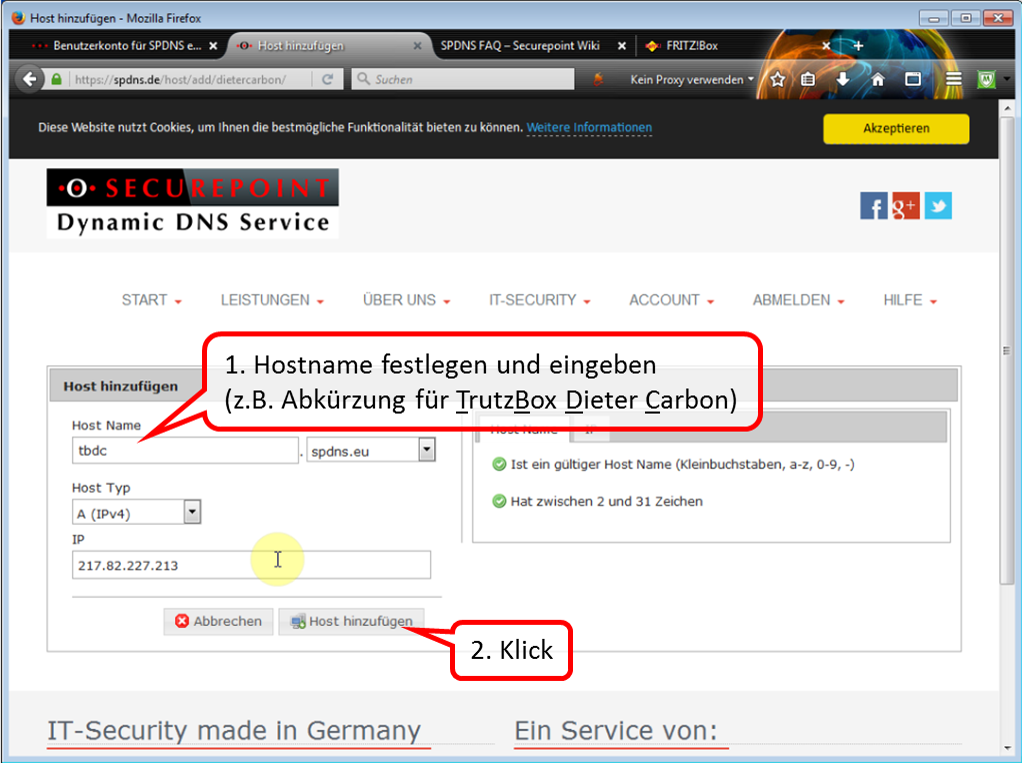
Assign a host name of your choice (1). Click on " Host hinzufügen " (2) to create the host.
-> Table of Contents (of this manual)
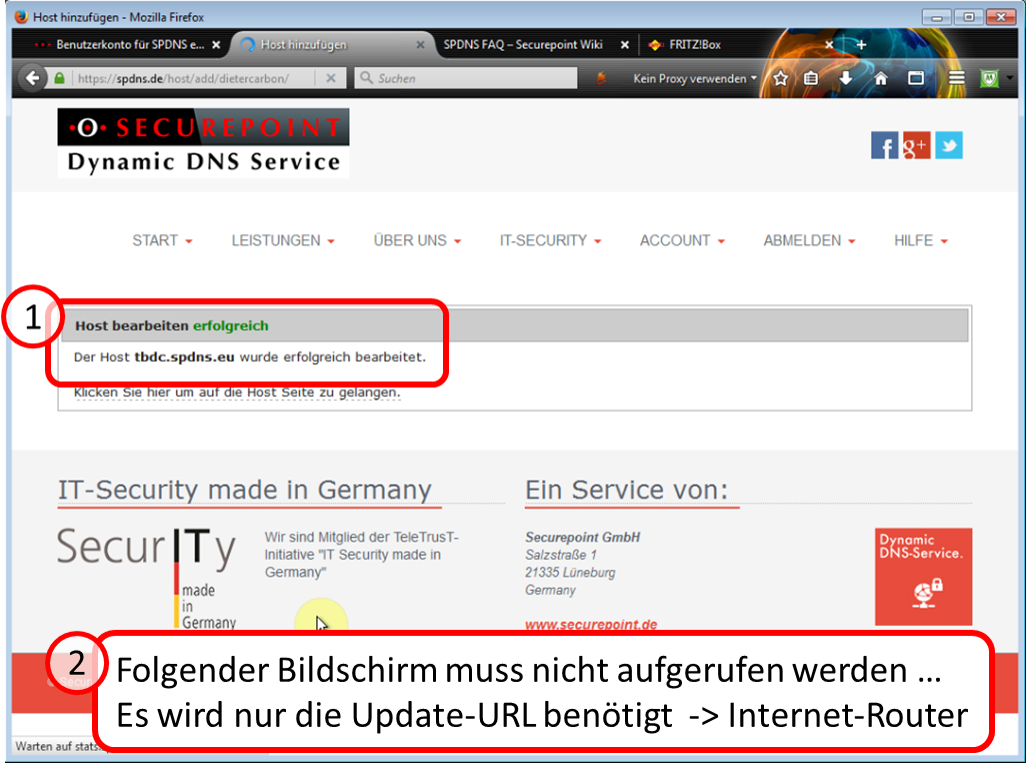
Hereby the host name is created (1).
In the Internet router, a so-called "update URL" from the dynamic DNS provider is required.
In the case of SECUREPOINT, you will find this URL on the next page under 1.
If you have chosen another dynamic DNS provider, ask there for its update URL.
-> Table of Contents (of this manual)
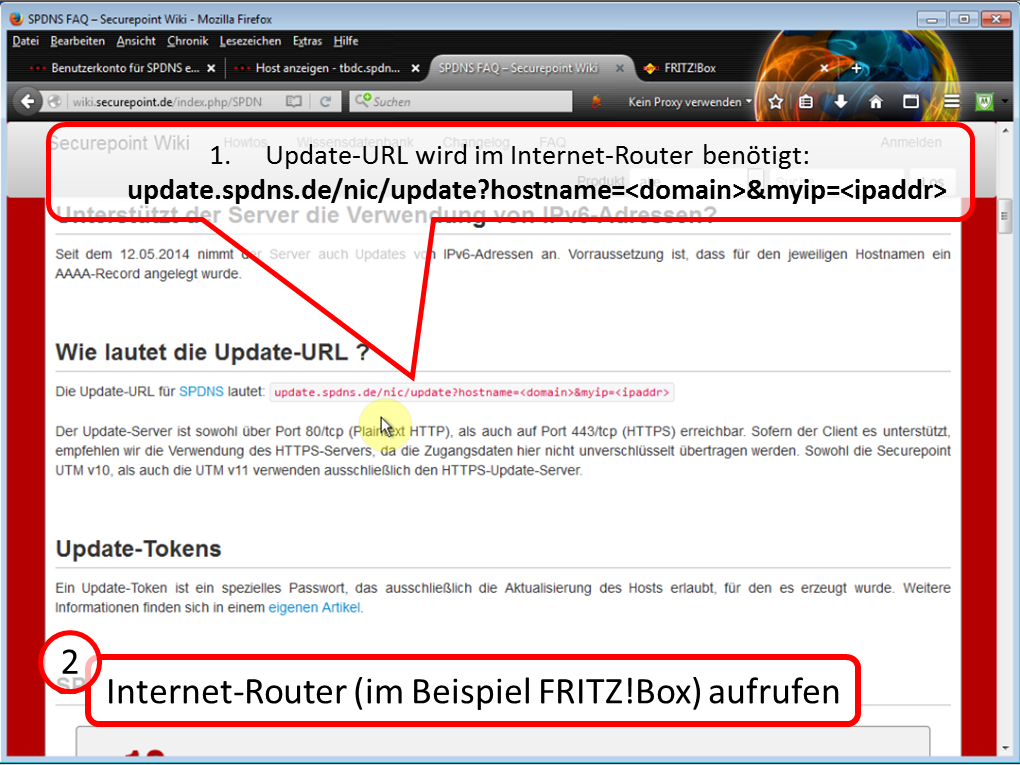
Call up the user interface of your Internet router.
<
See also:
http://wiki.securepoint.de/index.php/SPDyn_FAQ
-> Table of Contents (of this manual)
5.7.2 Enter dynamic DNS data and port sharing in Internet Router
Here at the example: FRITZ!Box 7390
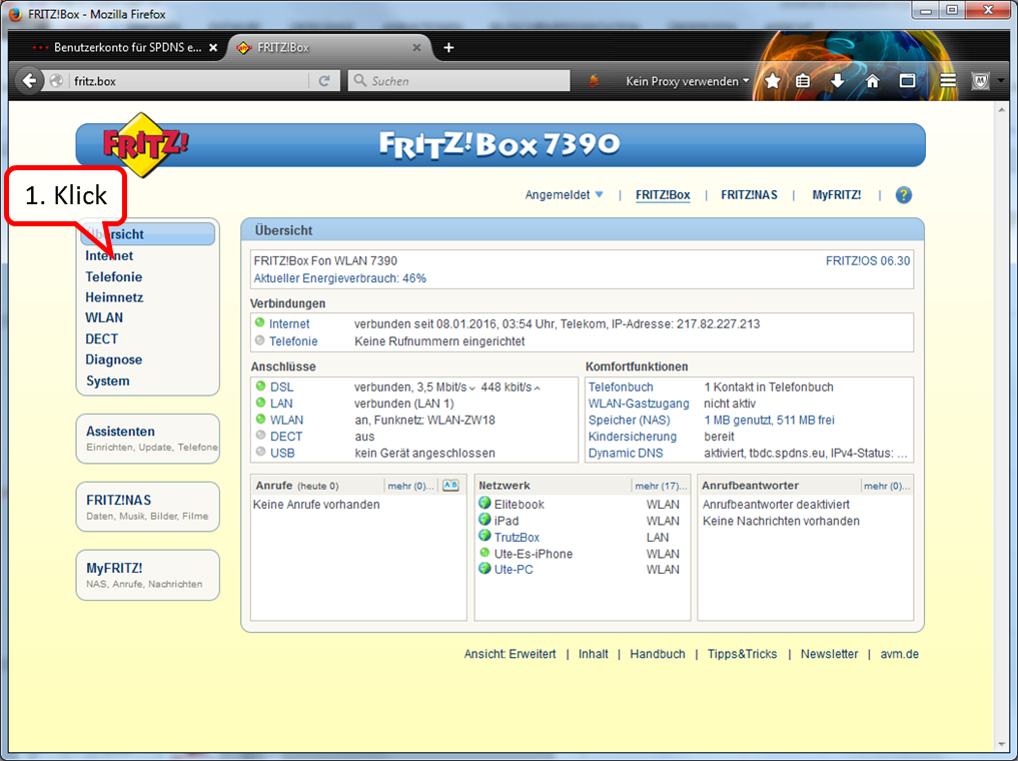
Click on Internet.
-> Table of Contents (of this manual)
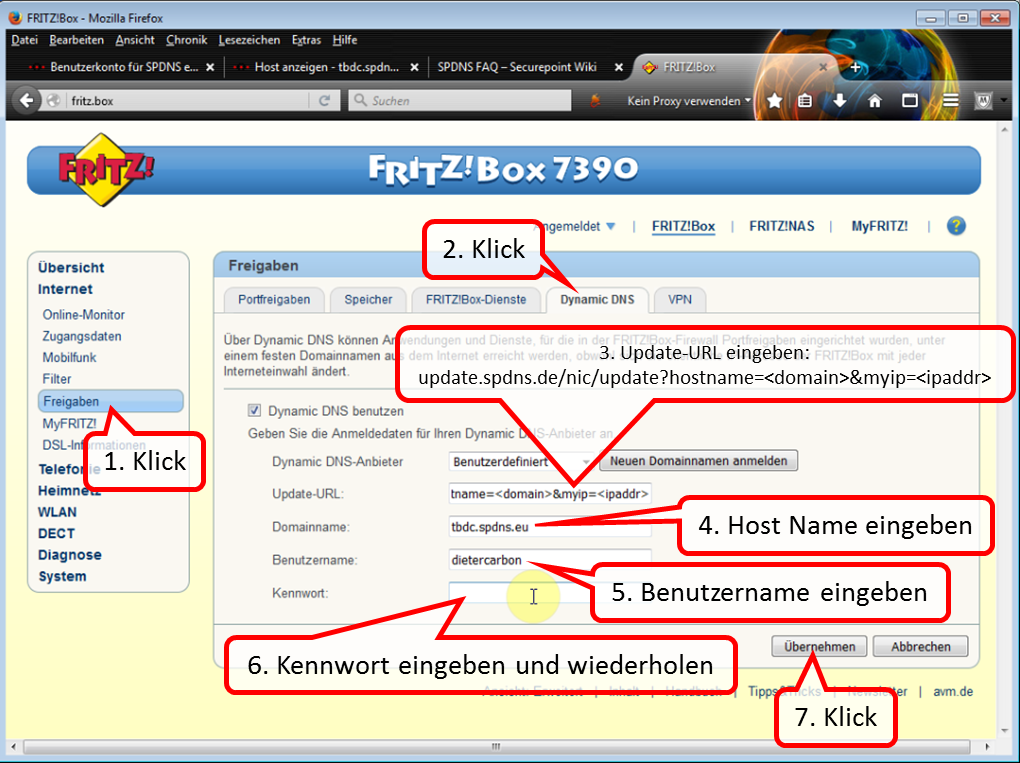
After clicking on "Freigaben" and "Dynamic DNS", enter the required data one after the other.
Click on "Apply" to complete this process.
Then click on "Portfreigabe" on the "Freigaben" screen.
<
In the case of SECUREPOINT, the update URL is:
update.spdns.de/nic/update?hostname=<domain>&myip=<ipaddr>
-> Table of Contents (of this manual)
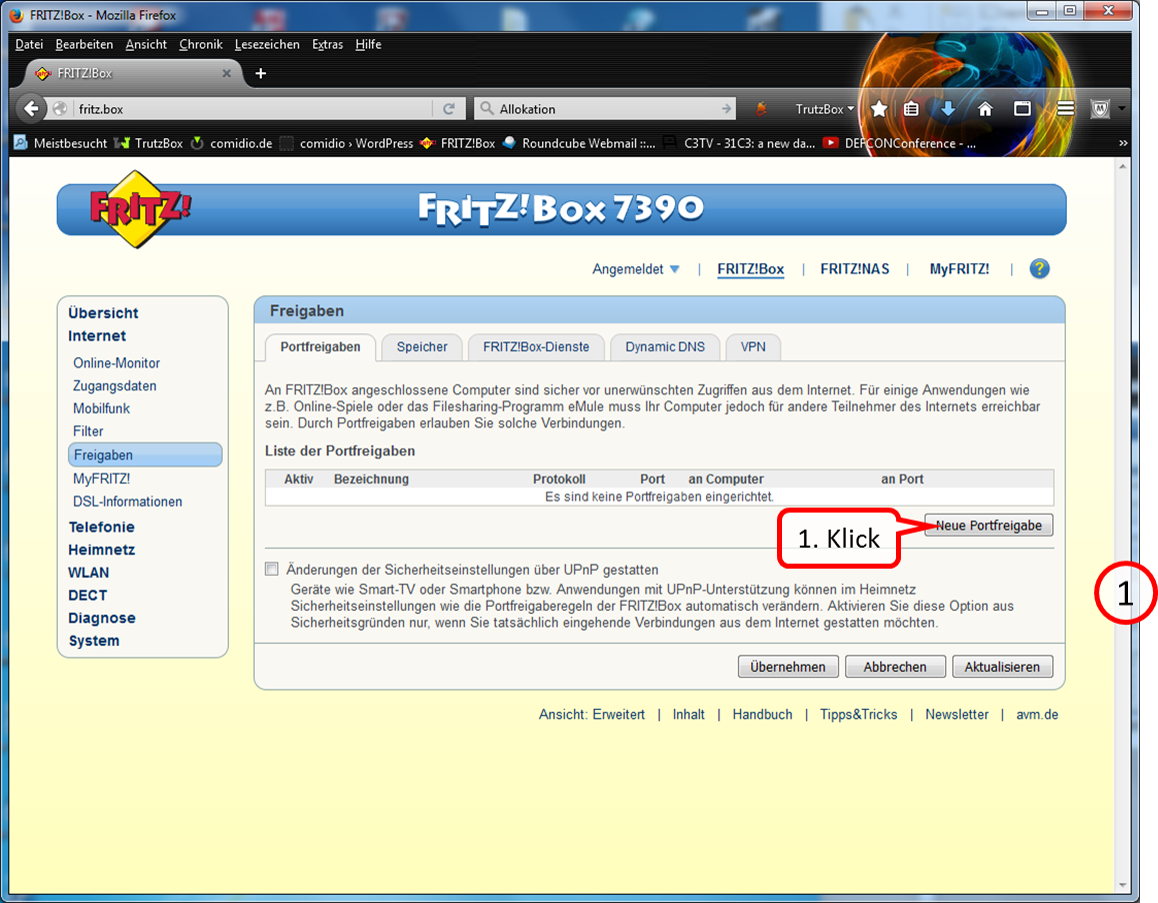
Click on "neue Portfreigabe".
-> Table of Contents (of this manual)
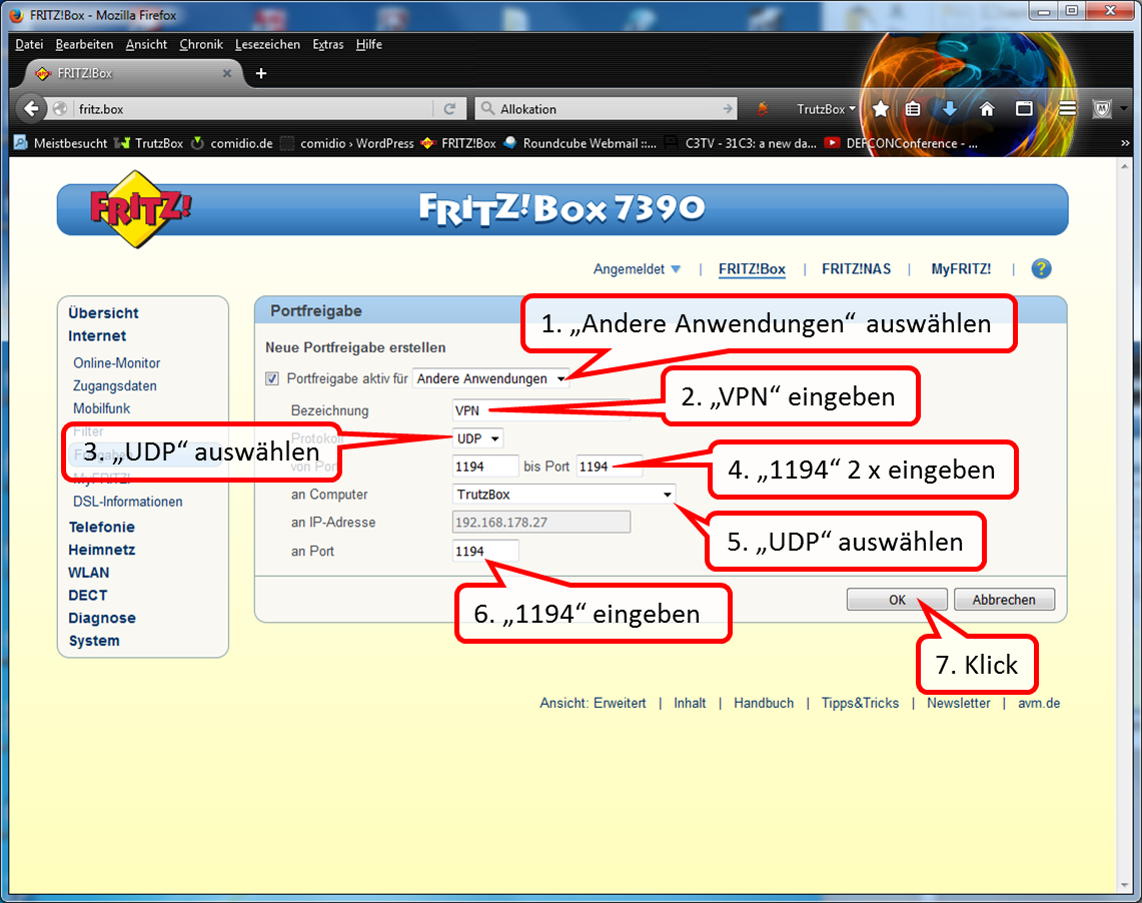
Create a " UTP " port sharing as indicated.
-> Table of Contents (of this manual)
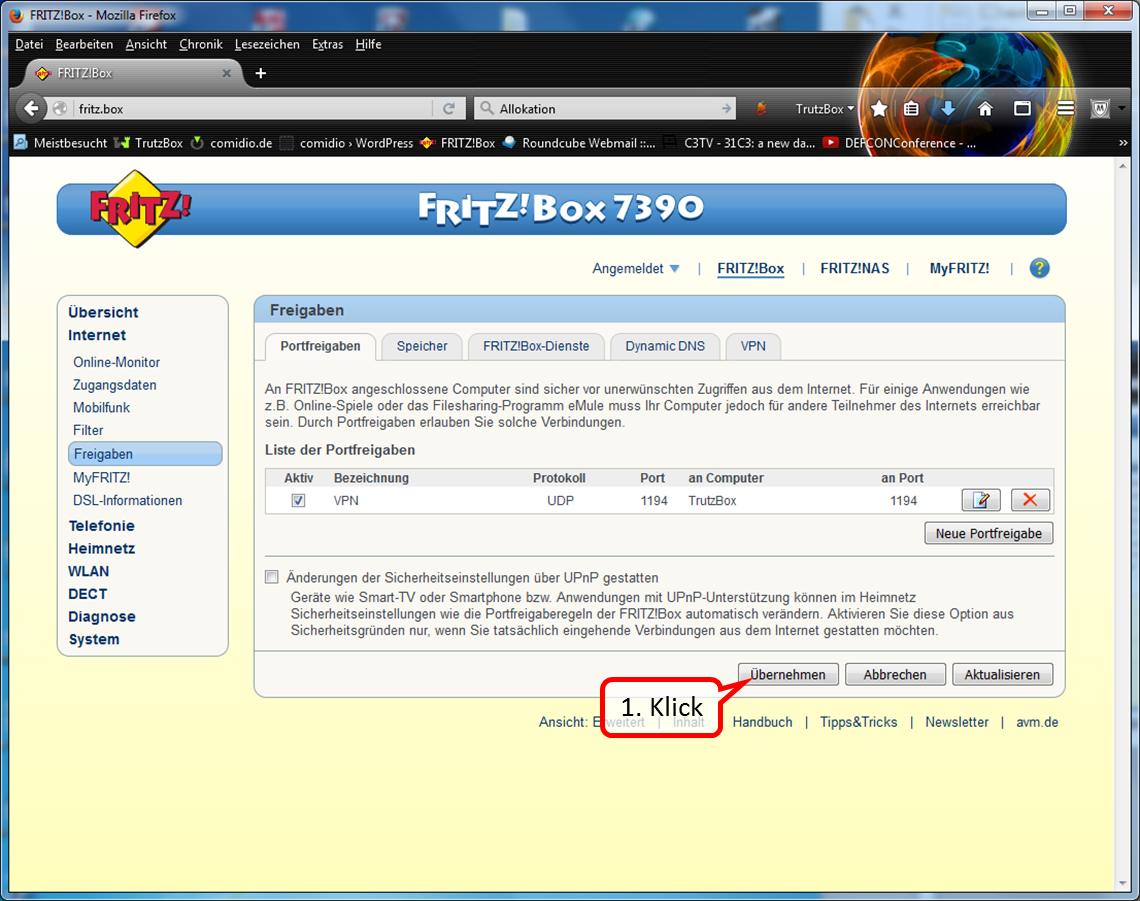
Click on "Übernehmen" to terminate port sharing.
-> Table of Contents (of this manual)
5.7.3 Activate "Fernzugriff“ (Remote access) in TrutzBox=
Here, activat remote access and assign it to the respective user.
<
[File:20160108-VPN-Setup-30-170.png|600x600px|link=]]
Call up the TrutzBox user interface by entering the administrator password.
-> Table of Contents (of this manual)
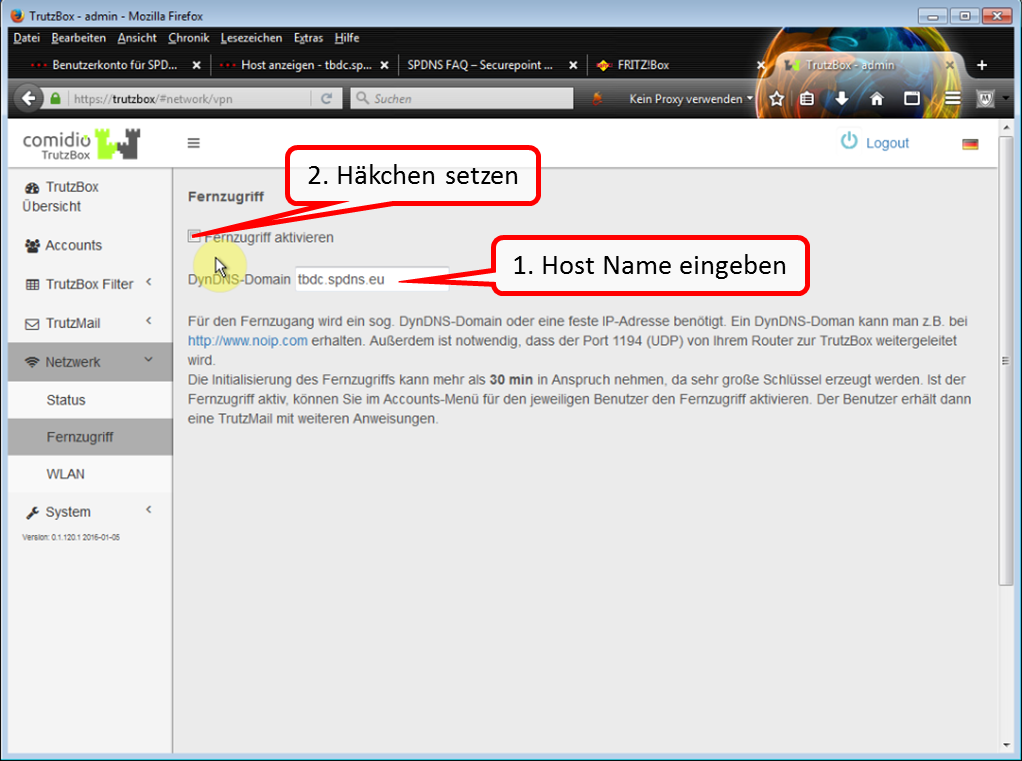
Enter the previously determined host name in "DynDNS-Domain". Then activate remote access by checking the box.
-> Table of Contents (of this manual)
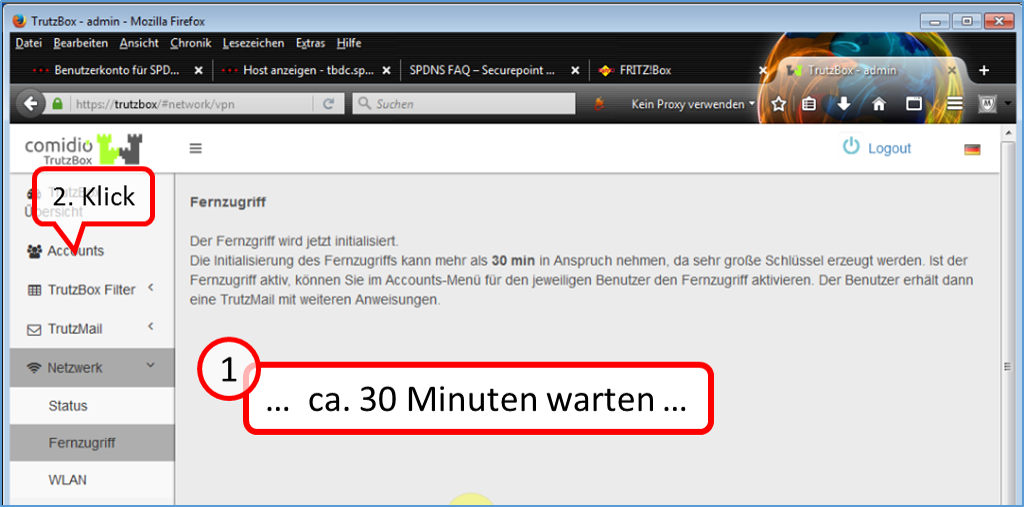
Click on "Accounts" after approx. 30 minutes.
-> Table of Contents (of this manual)
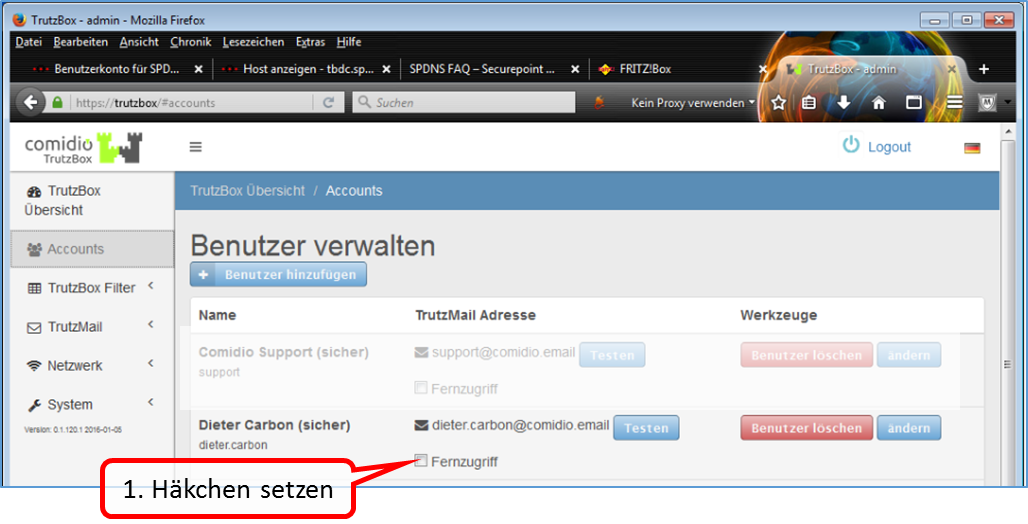
Click on the person for whom you want to set up remote access. Then click on "Fernzugriff" for this person.
-> Table of Contents (of this manual)
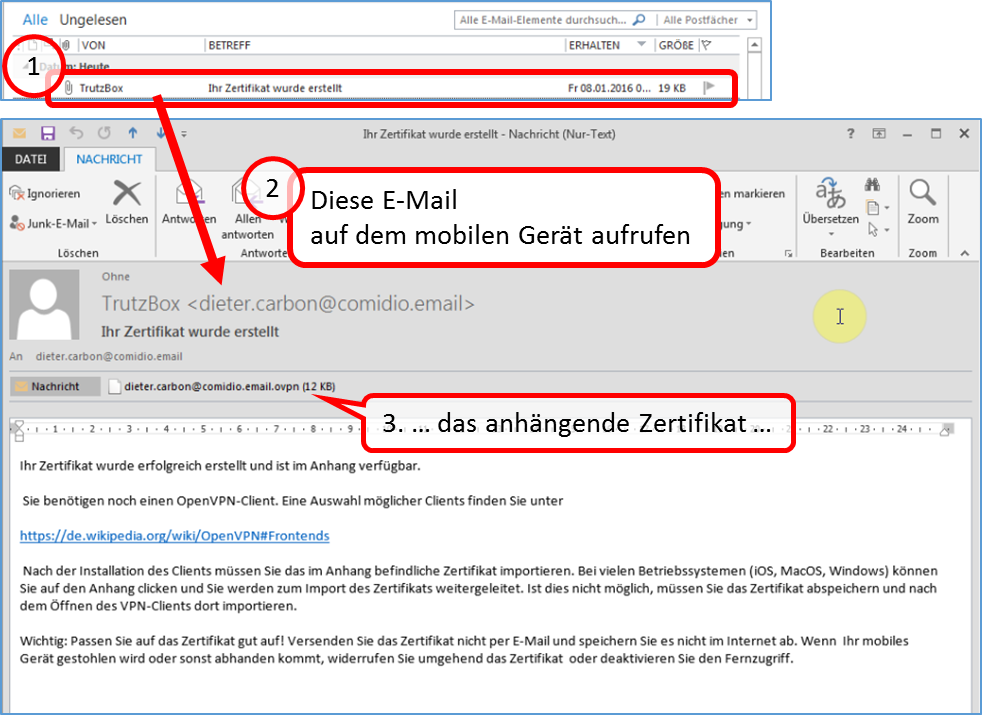
The selected person receives an e-mail with an attached VPN certificate on their TrutzMail address, which can then be loaded into the VPN client of the mobile device.
-> Table of Contents (of this manual)
5.7.4 Install VPN Client on iPhone
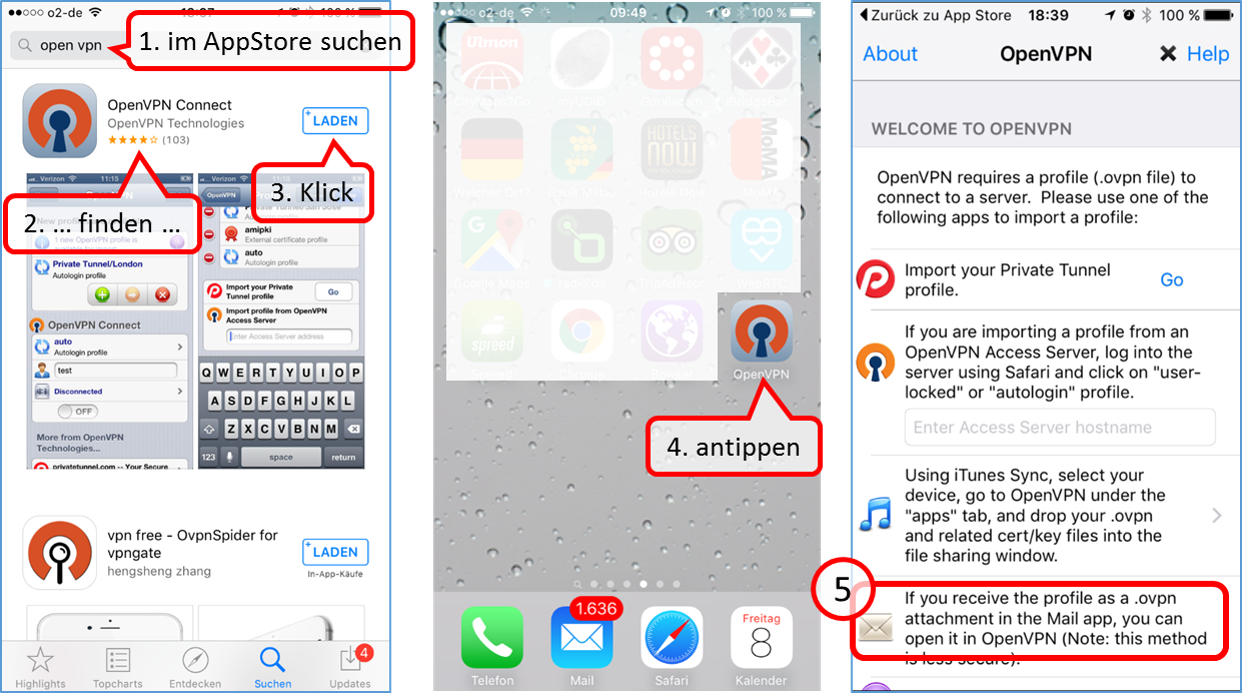
Open AppStore and enter "open vpn" in the search field and select "OpenPN Connect" in the list, load and install it. The "OpenVPN" logo will then appear on your iPhone as a newly installed app.
The next step is to import the certificate from the e-mail attachment.
Prerequisite:
To email the certificate to your mobile device, TrutzMail must be set up as an account on your iPhone mail system. If not, set up TrutzMail on your iPhone mail; see settings under 4.2.2.
Open the "Mail" inbox.
-> Table of Contents (of this manual)
5.7.5 Import email certificate attachment into VPN client
-> Table of Contents (of this manual)
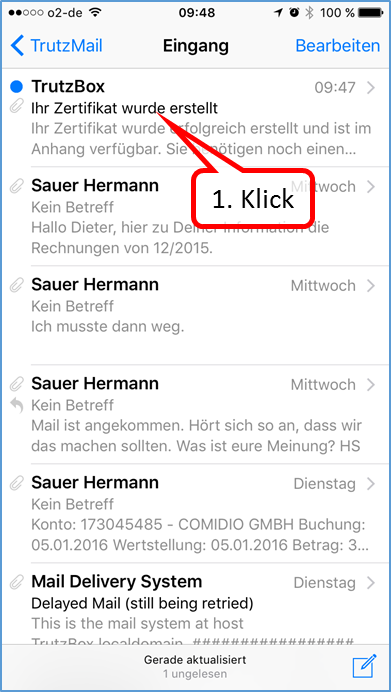
Open the email "Ihr Zertifikat wurde erstellt".
-> Table of Contents (of this manual)
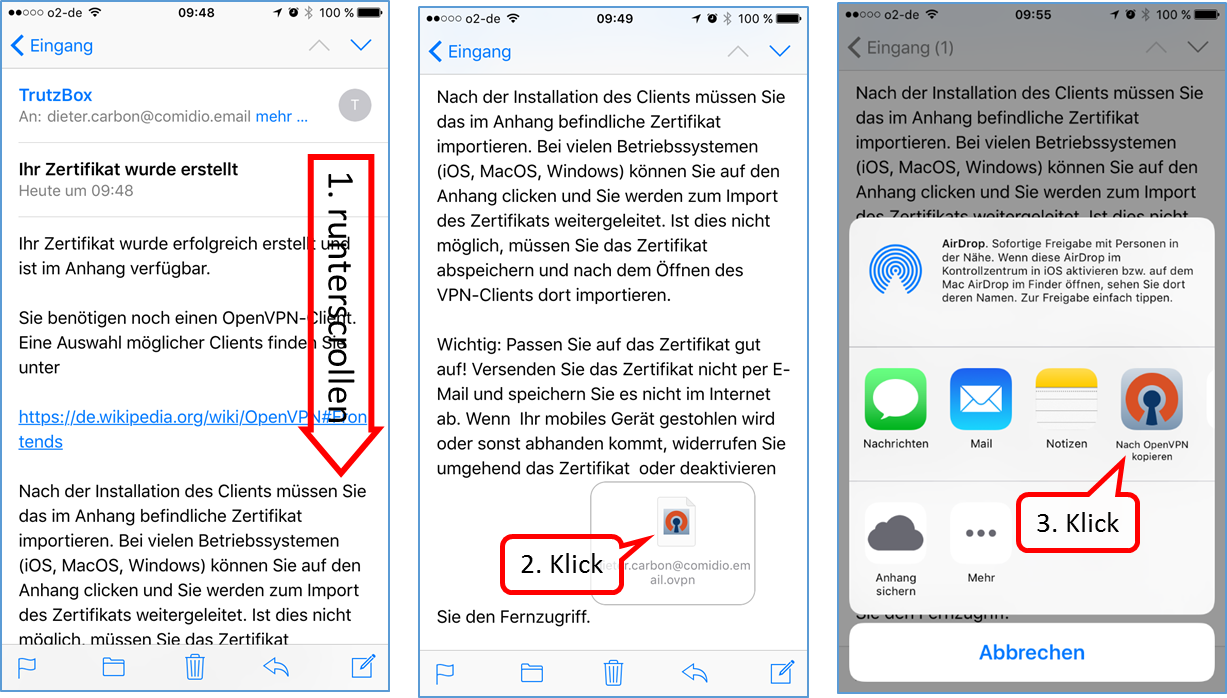
Scroll down in the email and open the attachment (2nd click).
From the drop-down menu, click on "Nach OpenVPN kopieren".
-> Table of Contents (of this manual)
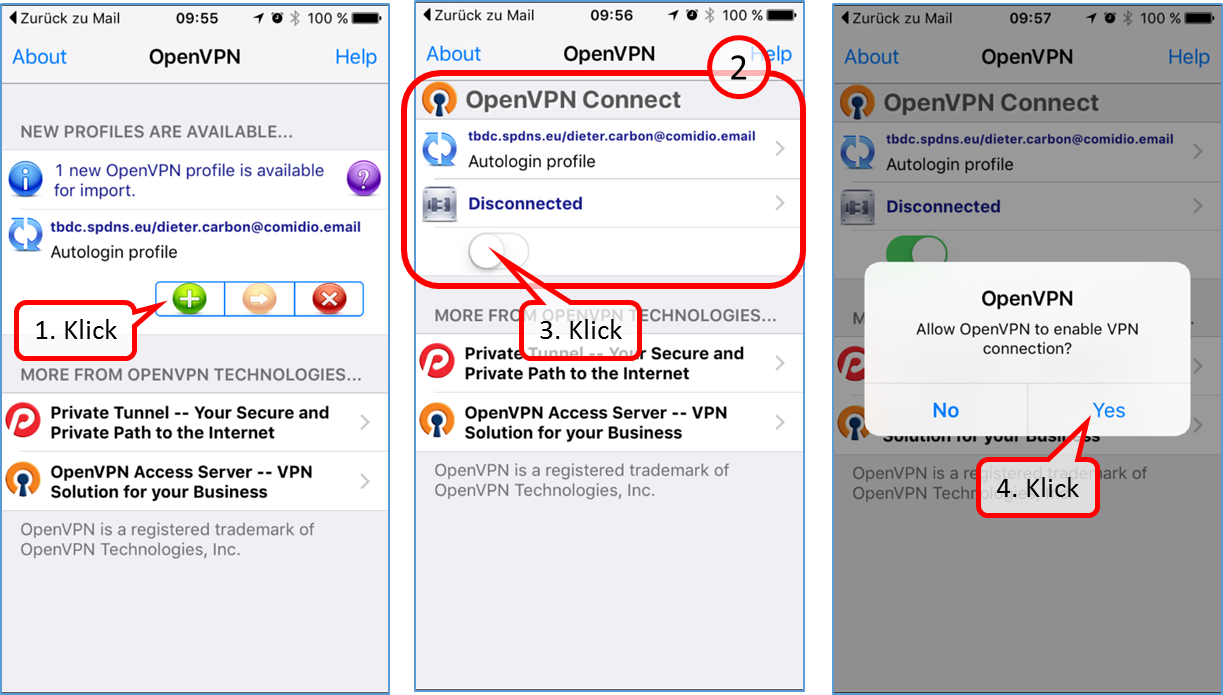
To import the profile, click on the green plus symbol.
To open VPN, click the button (3.).
Click on "Yes" to complete the setup.
With the switch (3.) you can switch VPN on or off.
-> Table of Contents (of this manual)
5.7.6 Install VPN Client on Win10 PC=
Go to the website https://openvpn.net
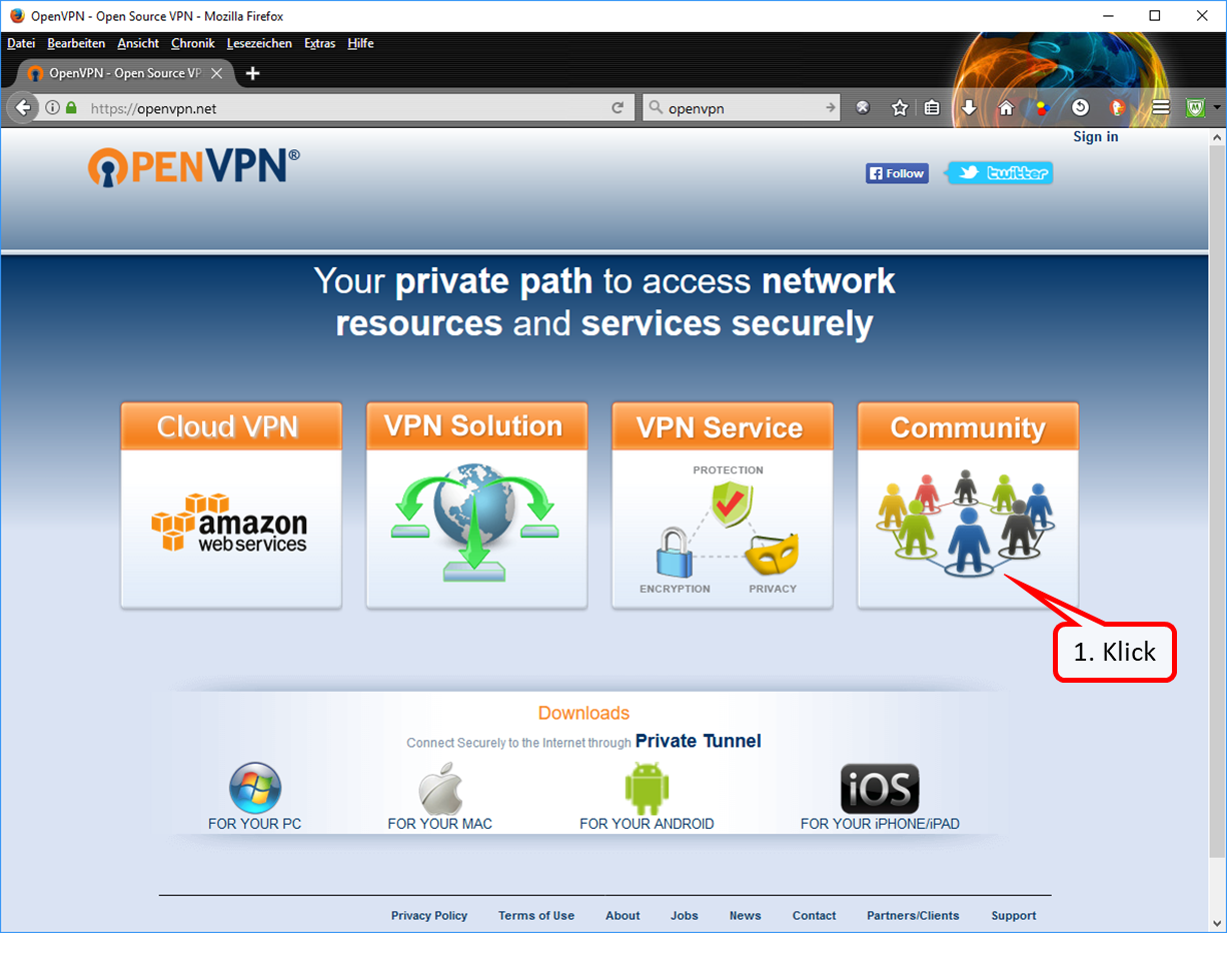
Click on "Community" (1).
-> Table of Contents (of this manual)
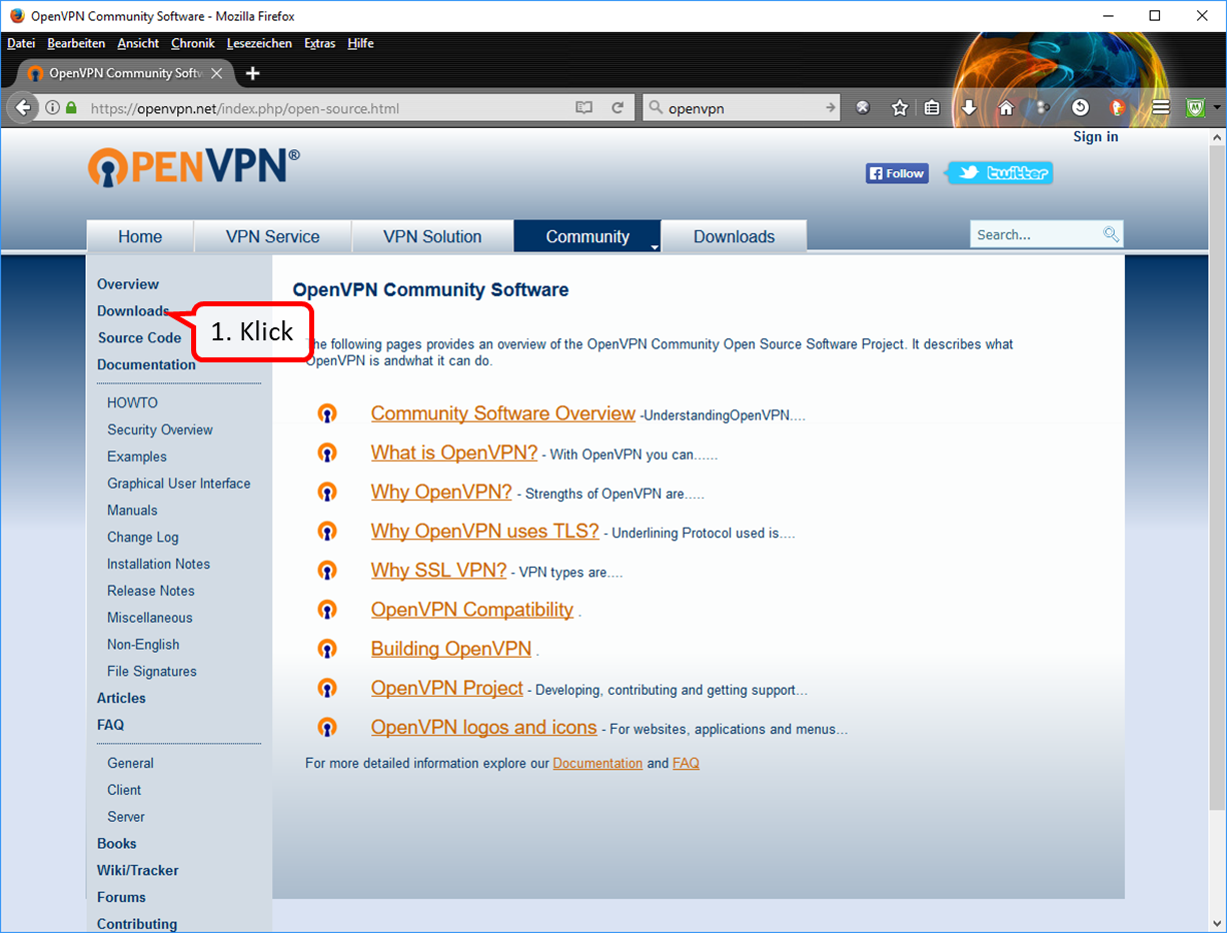
Click on "Downloads" (1).
-> Table of Contents (of this manual)
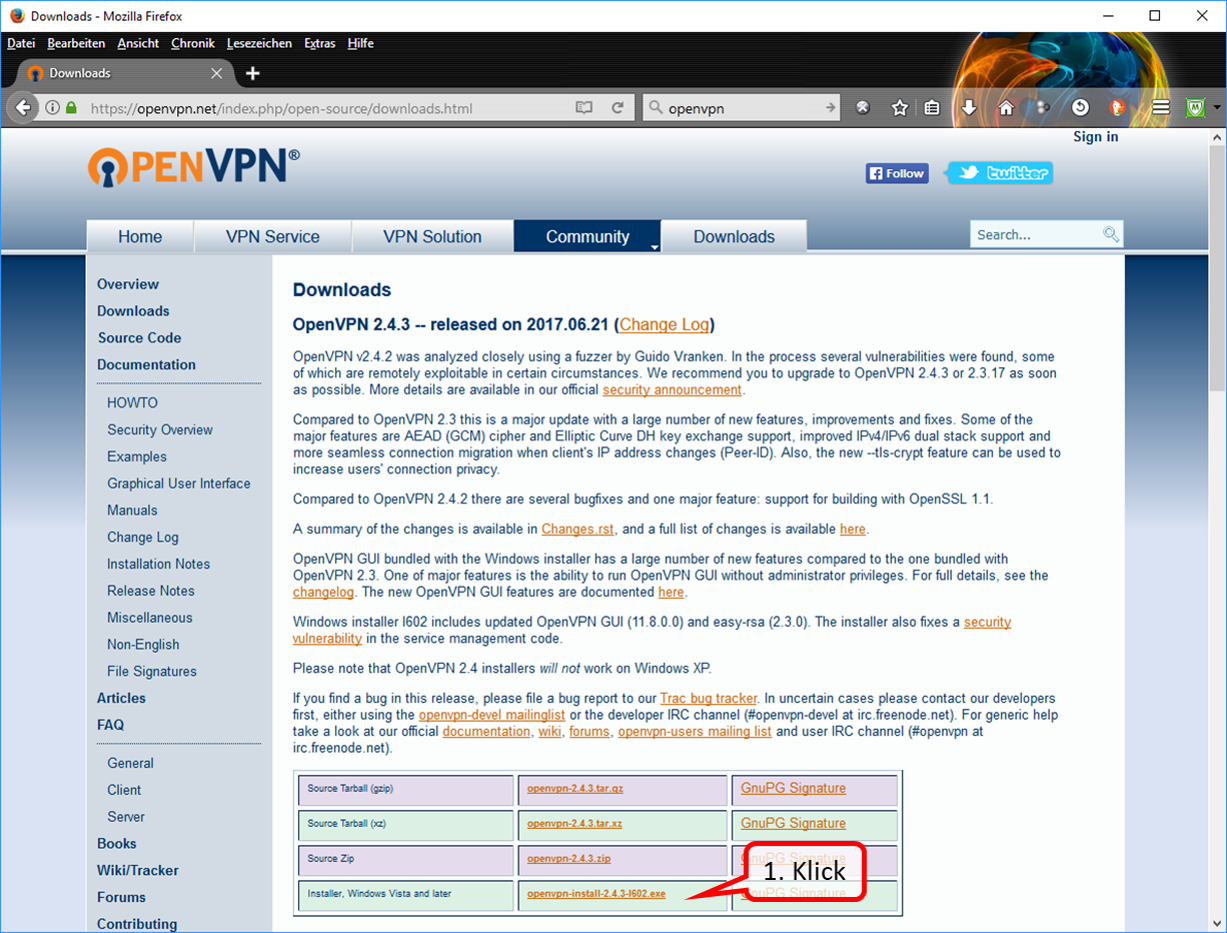
Click on "https://swupdate.openvpn.org/community/releases/openvpn-install-2.4.3-I602.exe" (1).
-> Table of Contents (of this manual)
Click on "Datei speichern" (1).
-> Table of Contents (of this manual)
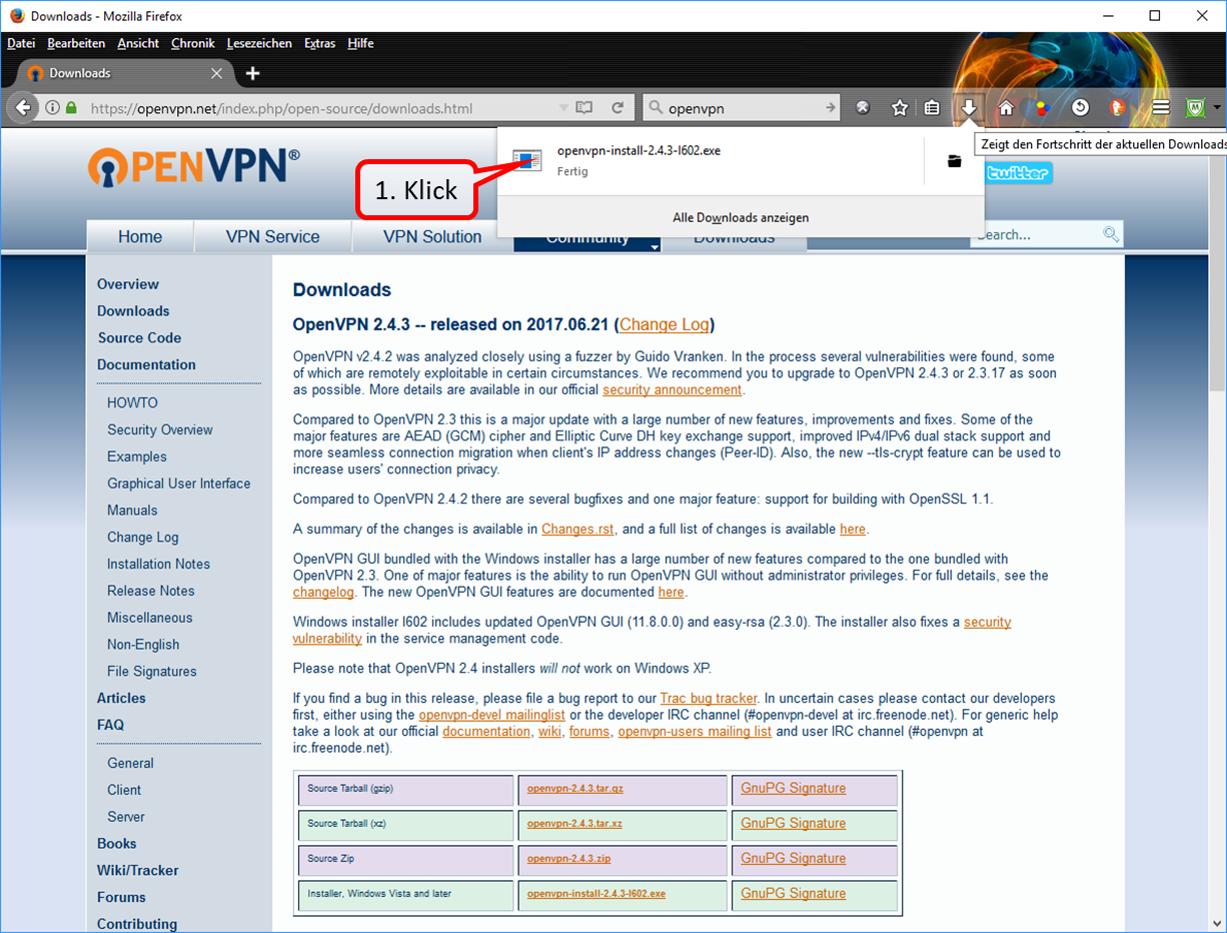
Click on the (blue) download arrow and then on the file you just downloaded (1).
-> Table of Contents (of this manual)
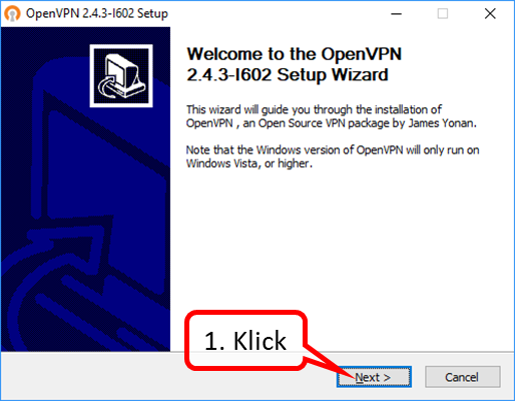
Click on "Next" (1).
-> Table of Contents (of this manual)
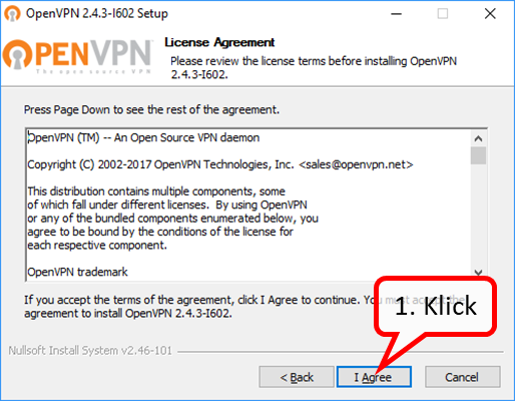
Click on "I Agree" (1).
-> Table of Contents (of this manual)
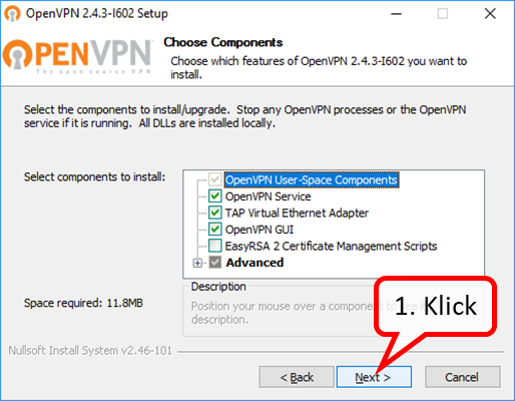
Click on "Next" (1).
-> Table of Contents (of this manual)
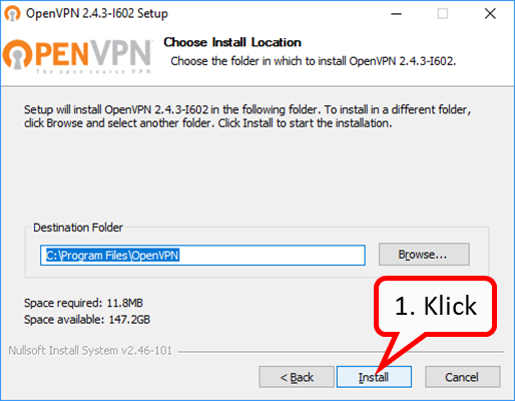
Click on "Install" (1).
-> Table of Contents (of this manual)
The green bar shows the progress of the installation.
-> Table of Contents (of this manual)
Click on "Next" (1).
-> Table of Contents (of this manual)
Click on "Finish" (1).
-> Table of Contents (of this manual)
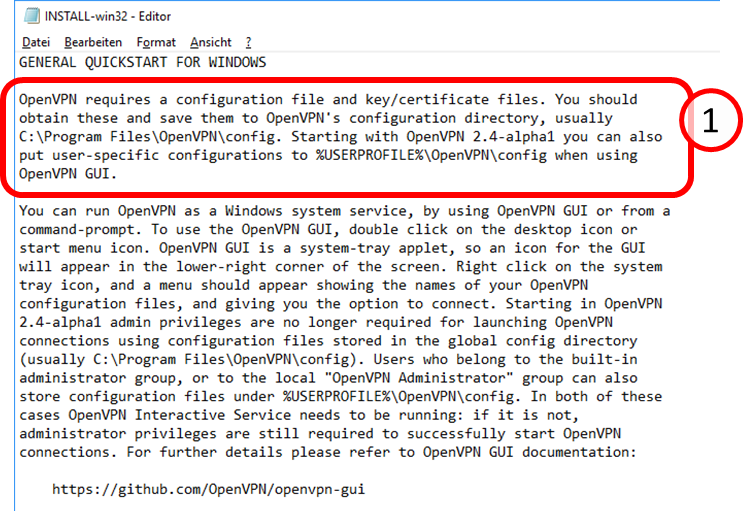
The opened "Readme file" explains that the configuration file must be loaded into the folder "C:\Program Files\OpenVPN\conig.
-> Table of Contents (of this manual)
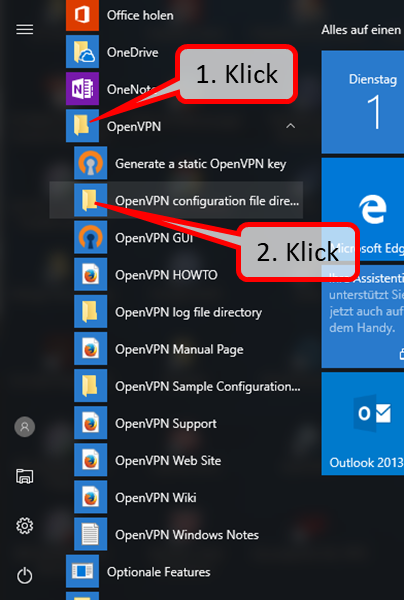
Click on the app "OpenVPN" (1) and then on "OpenVPN configurationfile directory" (2) to open the configuration file folder.
-> Table of Contents (of this manual)
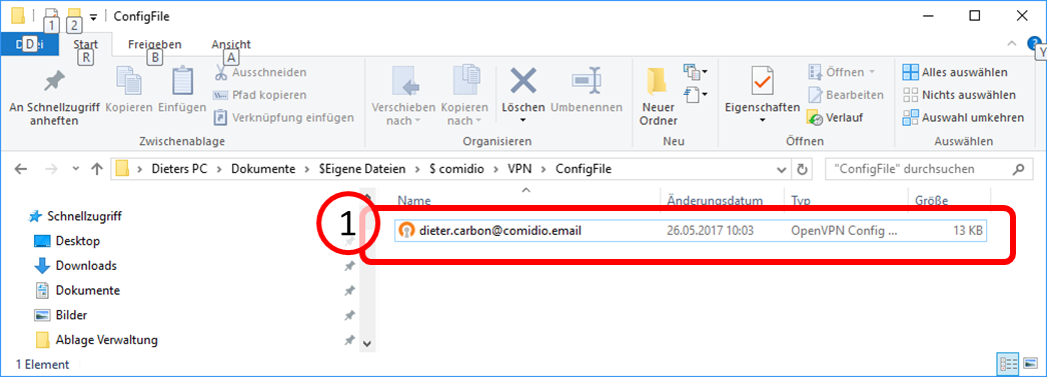
Copy the VPN configuration file received from your TrutzBox via TrutzMail (1) ...
-> Table of Contents (of this manual)
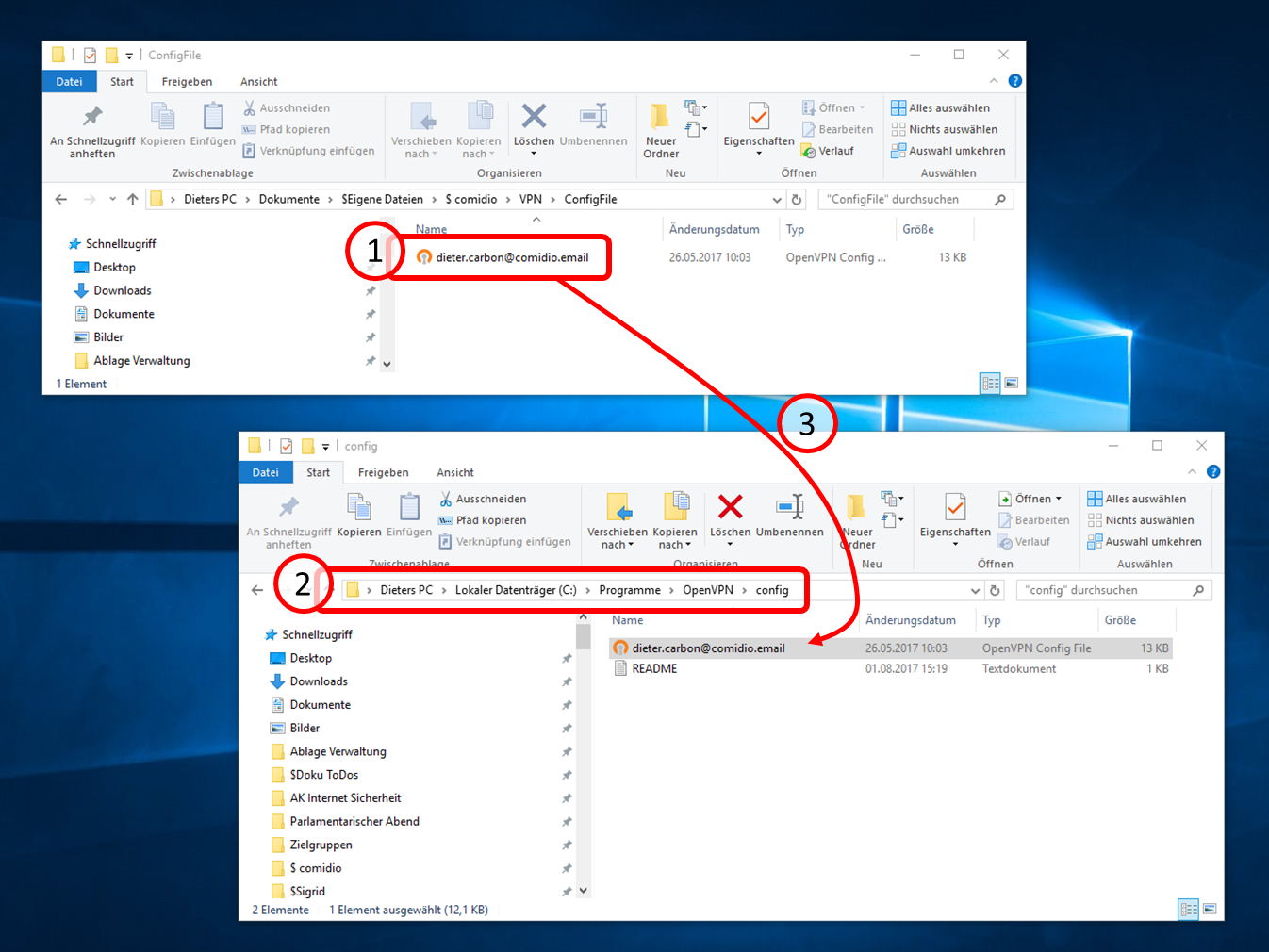
... into the opened configuration file folder.
-> Table of Contents (of this manual)
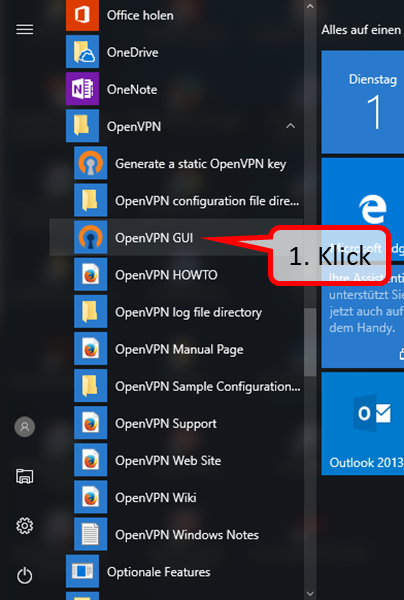
Then click on the interface management "OpenVPN GUI" (1).
-> Table of Contents (of this manual)
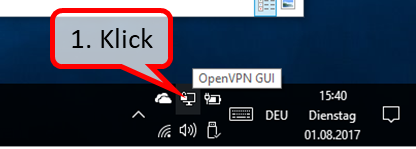
This will display the OpenVPN GUI icon in the lower right corner.
Double-click on it (1) ...
-> Table of Contents (of this manual)
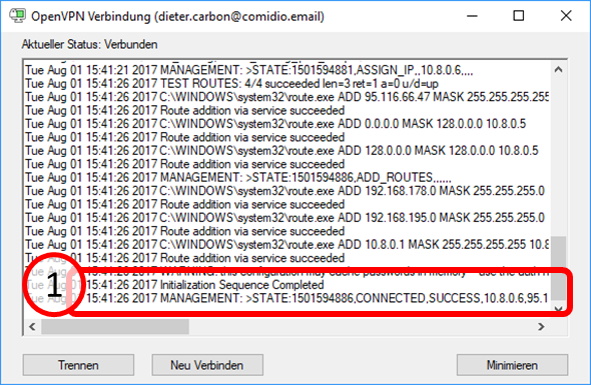
... establishes the VPN connection to your TrutzBox.
Once the connection has been successfully established, the message "CONNECTED.SUCCESS" and...
-> Table of Contents (of this manual)
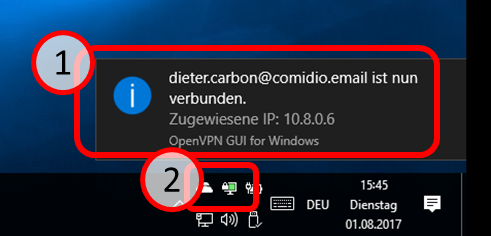
... the successful connection establishment is briefly displayed (1).
The previously colorless OpenVPN GUI icon changes to blue...
-> Table of Contents (of this manual)
... and is displayed in blue during an existing VPN connection (1).
-> Table of Contents (of this manual)
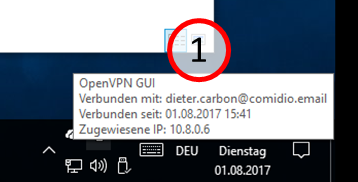
Status information is displayed when the symbol is passed over with the mouse.
-> Table of Contents (of this manual)
Disconnecting the link ...
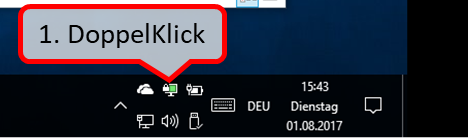
... by double-clicking on the OpnVPN GUI icon (1) ...
-> Table of Contents (of this manual)
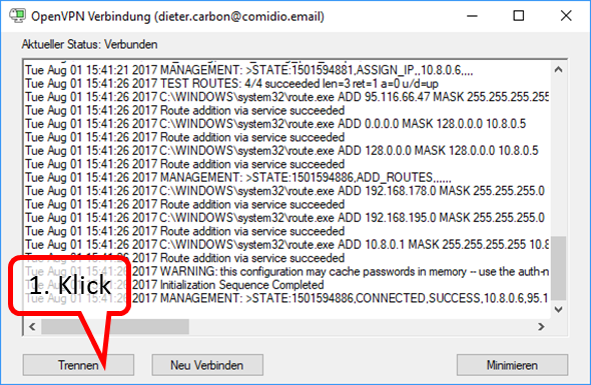
... and Click on "Trennen" (1).
-> Table of Contents (of this manual)
6 TrutzBox® Certificates, Connectivity and Network
6.1 Certificates
If you do not disclose the certificate to browsers and the mail system, you will be prompted for security confirmation each time you open it.
Therefore it is recommended to download the TrutzBox® certificate from the TrutzBox® to your PC and import it into your browser and mail programs.
More background information see TrutzBox Compendium TrutzBox® Certificates' p. 90ff. https://comidio.de/trutzbox-kompendium/
<
It is assumed that the setup has already been completed as described in chapter "3.2 TrutzBox Setup" and that a certificate has already been imported on the setting up PC..
In the event that certificates
- should be implemented on the PC, see following table,
- is to be implemented on the mobile device,
- for Apple iOS devices see chapter 6.1.2.4,
- for Google Android devices see chapter 6.1.2.5.
The following TrutzBox certificate table helps to import certificates into the respective browser of a PC.
- Determine in the upper row (initial situation) which certificate is already implemented on this PC.
- Specify in the left column which browser to use on this PC.
- Then find a brief description in the table and a reference to the detailed description of the recommended procedure.
| 1. Initial situation ... (to the right) 2... I want to do that (down) |
On this PC or Mac the TrutzBox® certificate is not yet imported in any browser | ”On this PC or Mac, the TrutzBox® certificate is only imported in FireFox | On this PC or Mac, the TrutzBox® certificate is only imported in a non-FireFox* browser |
| Certificate should be imported for a browser other than FireFox (in Windows or Mac certificate management) | either (if you have Firefox) (6.1.1)
or (if you don't have Firefox)
then (6.1.2.2)
|
(no action, because certificate already imported) |
| The certificate is to be imported for FireFox (in FireFox certificate management) |
See 6.1.2.1 |
(no action, since certificate already imported) |
See 6.1.2.1 |
* Non-FireFox browsers include Internet Explorer, Google Chrome, Safari
-> Table of Contents (of this manual)
Structure and use of certificate management systems
<
First, the TrutzBox certificate (trutzbox.cer) is downloaded from the TrutzBox to the PC intended for use. Unless set otherwise by the user, the download takes place in the "Download" directory of the PC.
In principle there are 2 certificate management systems'' on one PC, one in the operating system, here Windows 10 for example, and - if Firefox is used - a second one of Firefox.
| A Import certificate (trutzbox.cer) into certificate management system |
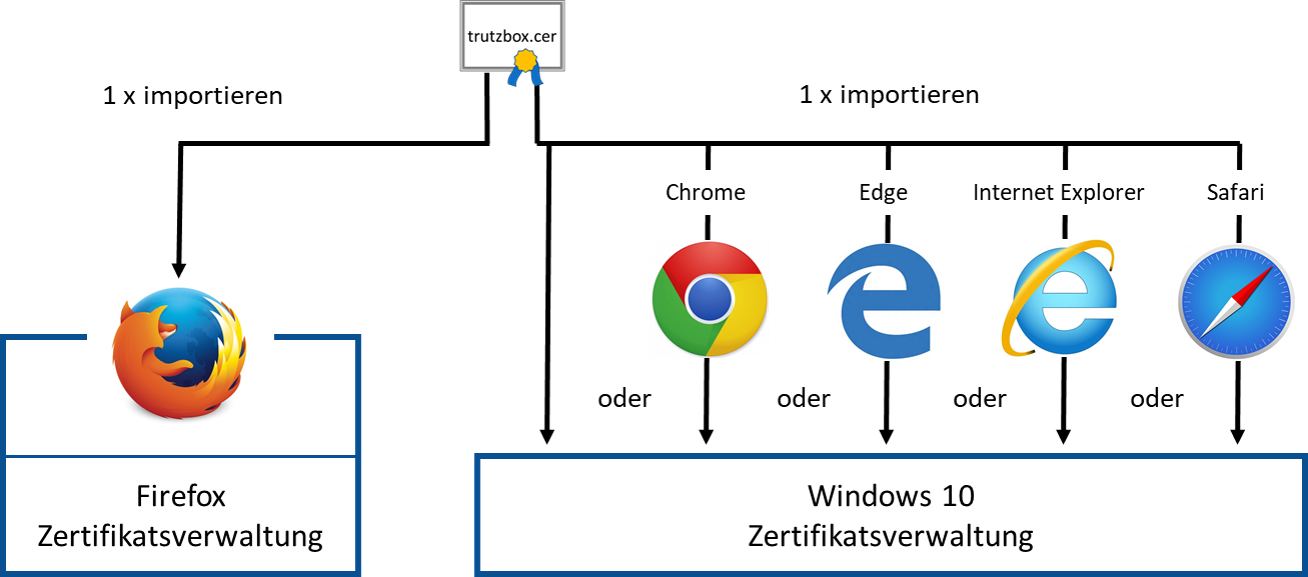
| In the Firefox certificate management system, the TrutzBox certificate is imported via the Firefox browser. | In the operating system certificate management system, the TrutzBox certificate one-time' is imported directly from the operating system or via any other browser, except the Firefox browser. |
-> Table of Contents (of this manual)
| B. Use of the certificate (from all browsers) |
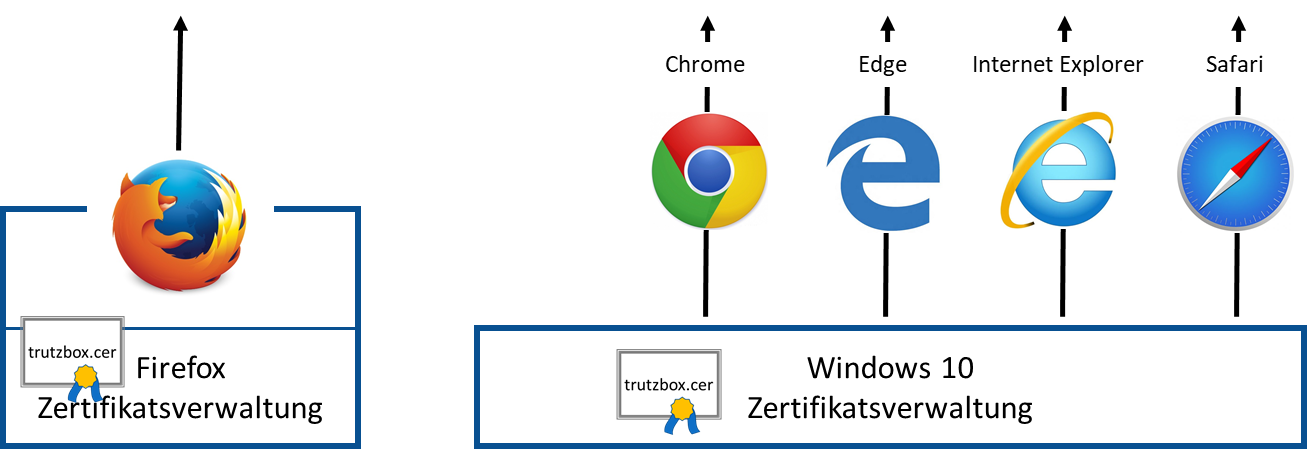
| When using the Firefox browser, it accesses the TrutzBox certificate in its own certificate management during operation. | All other browsers access the TrutzBox certificate in the operating system certificate management system during operation. |
-> Table of Contents (of this manual)
| C. Opening or deleting the TrutzBox certificate |
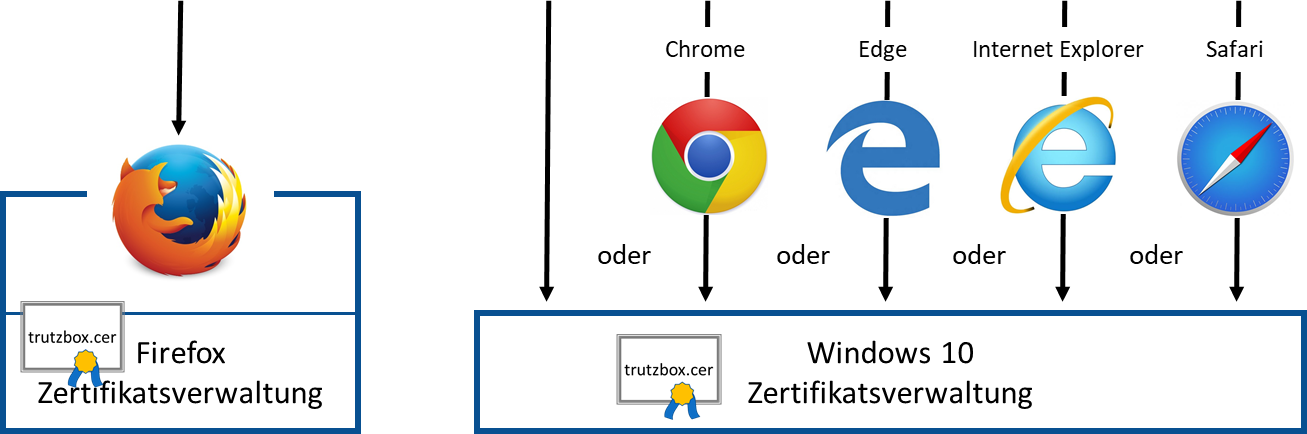
| Accessing or deleting the TrutzBox certificate in Firefox certificate management systems is done via Firefox browser. | The TrutzBox certificate can be opened or deleted in the operating system certificate management systems once only' via the operating system or any other browser, except the Firefox browser. |
-> Table of Contents (of this manual)
6.1.1 Download certificate from TrutzBox® to PC
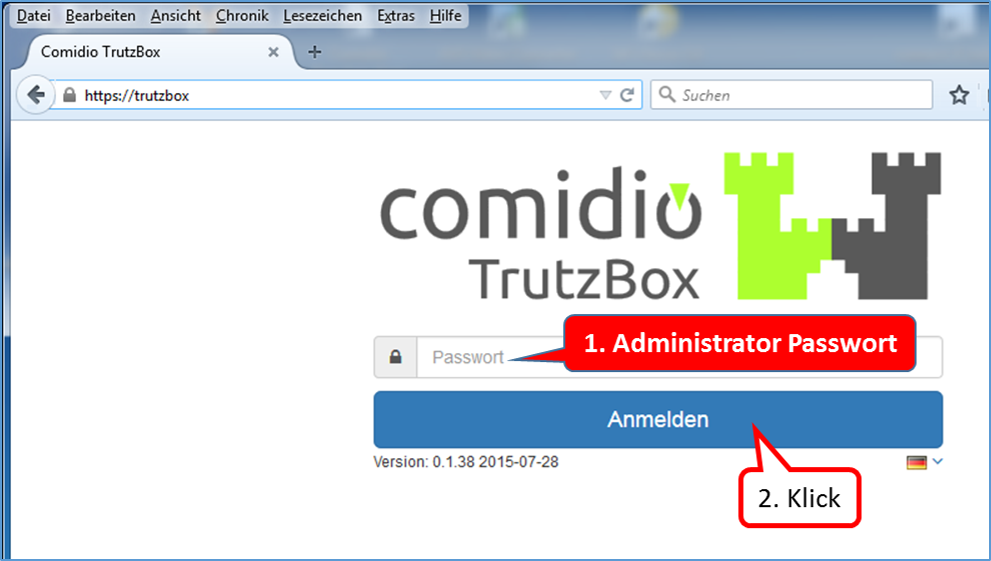
Open the TrutzBox user interface in your browser with "trutzbox". Enter the administrator password (1.) and click on "Login " (2.).
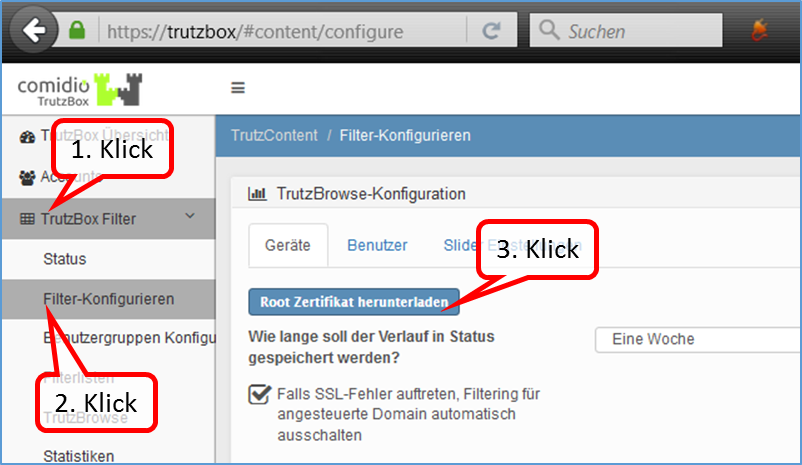
Click on "TrutzBox Filter" (1.) -> "Configure filter" (2.) and right-click on the button "Download root certificate" (3.).
-> Table of Contents (of this manual)
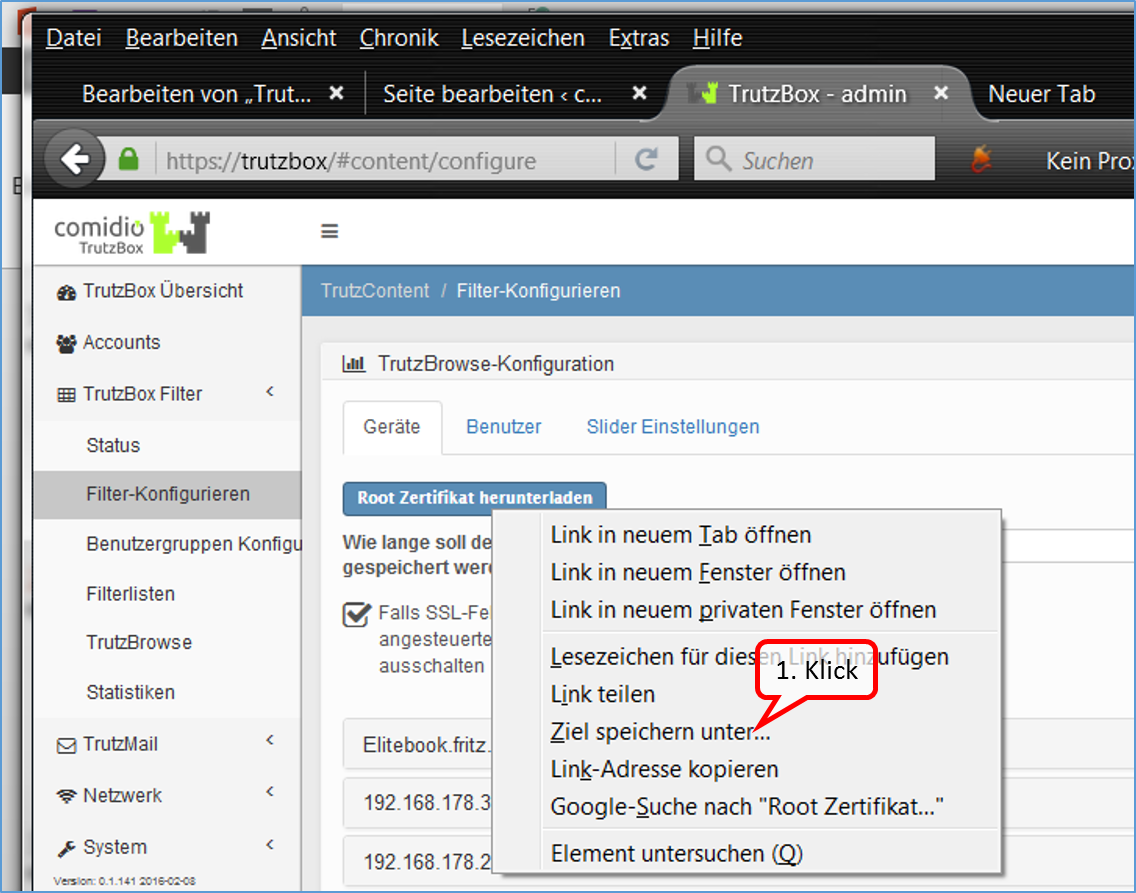
Start the download of the certificate by clicking on "Save target as".
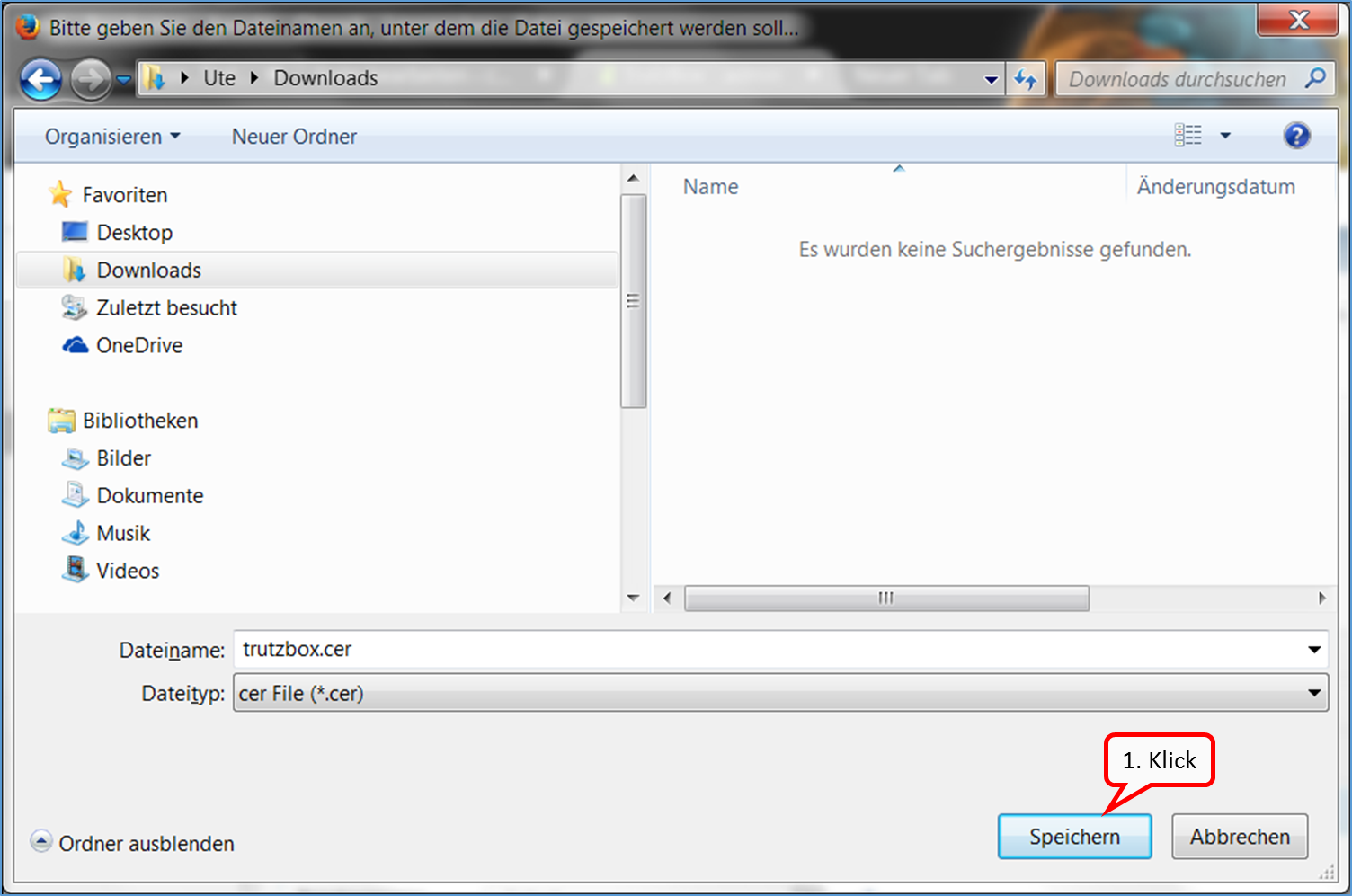
The certificate is saved in the download area of the PC (1.).
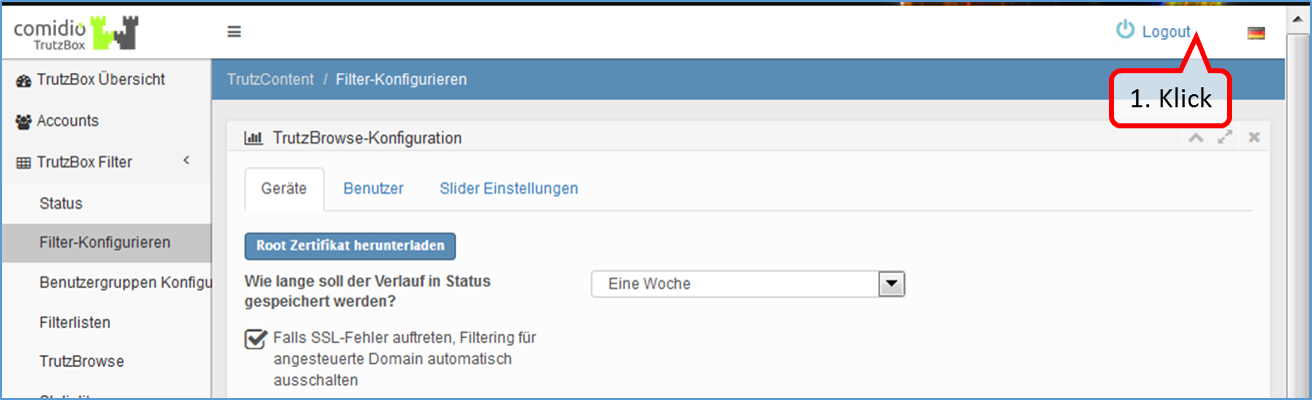
Log out by clicking on "Logout“ (1.)
-> Table of Contents (of this manual)
In step 1, the certificate was saved to the device.
6.1.2 TrutzBox® Certificate activate in ...
In step 2, the certificate is imported from the PC into the respective browser.
<
Import the TrutzBox® root certificate into any browser on any PC. With every browser call the TrutzBox® generates a new certificate, which is then accepted by the browser.
-> Table of Contents (of this manual)
6.1.2.1 Mozilla Firefox (Microsoft Windows + Apple OS X; Zertifikat in Firefox)
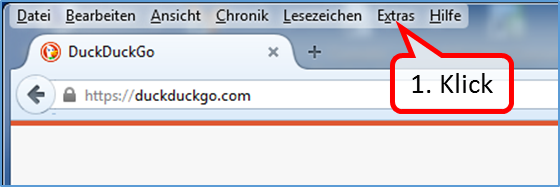
Open the browser (in the example Mozilla Firefox) and click on "Extras" (1.).
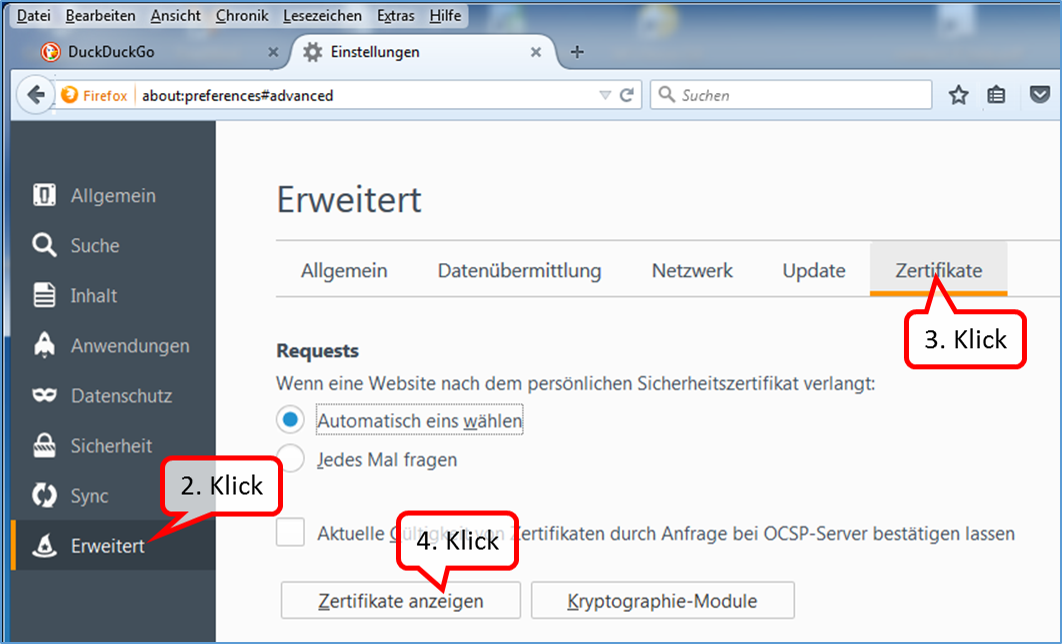
Click on „Erweitert“ (2.) -> Zertifikate“ (3.) und „Zertifikate anzeigen“ (4.).
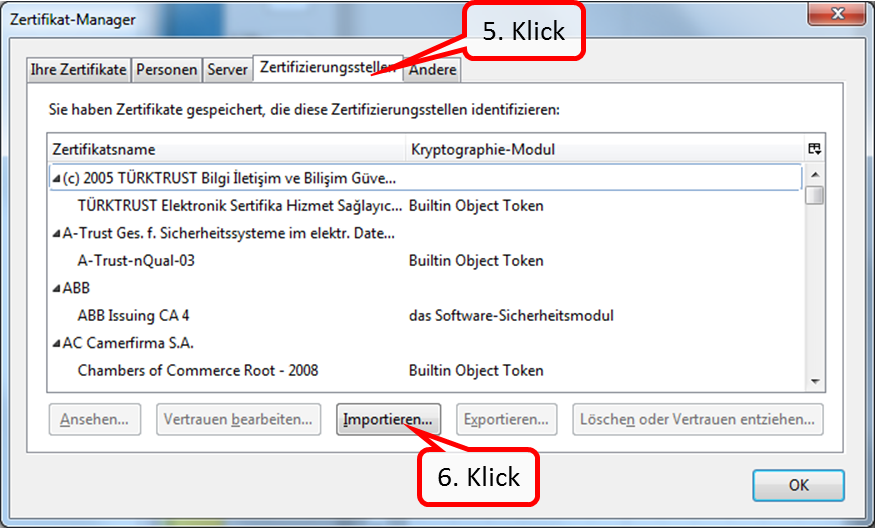
Click on „Zertifizierungsstellen“ (5.) and on „Importieren …“ (6.).
-> Table of Contents (of this manual)
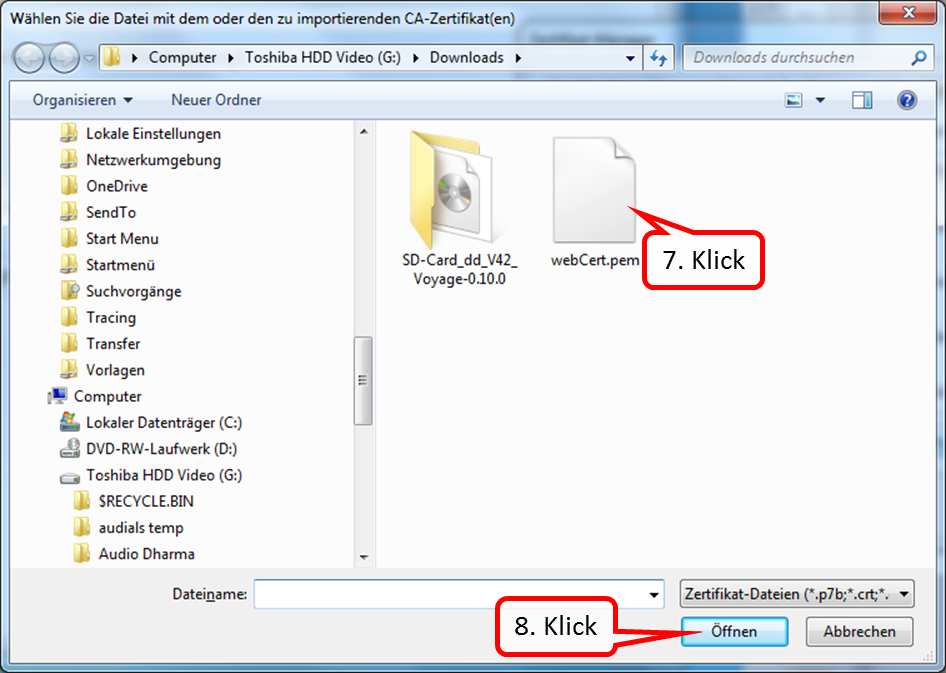
Now go to the directory where the certificate was downloaded. In the standard case this is the "Download" directory.
Click on the certificate (7.) and confirm with "Open“ (8.).
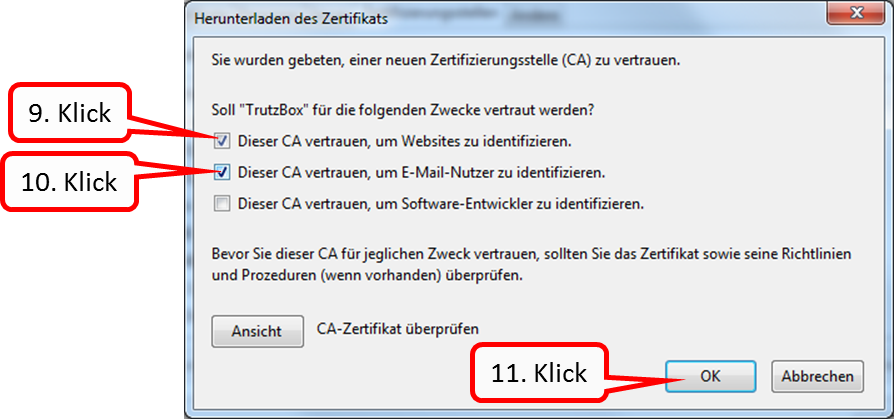
Mark the two upper boxes (9. + 10.) by clicking and confirm „OK“ (11.).
This loads the root certificate into the browser and all certificates generated temporarily by the TrutzBox® are automatically recognized by the browser (without constant single query).
This "download-certificate-to-browser" must be done once for each browser (Mozilla Firefox, Google Chrome, Internet Explorer, Safari, Opera) on each connected device (e.g. laptops, PCs).
-> Table of Contents (of this manual)
6.1.2.2 Internet Explorer / Google Chrome (Microsoft Windows)
The certificate does not have to be imported into the browsers "Internet Explorer" and "Google Chrome":
by importing the TrutzBox® certificate from the download directory to the Windows certificate management, the TrutzBox® certificate is automatically available to Internet Explorer and Google Chrome browsers.
This chapter describes how to import the root certificate already downloaded from TrutzBox® into the Windows certificate management.
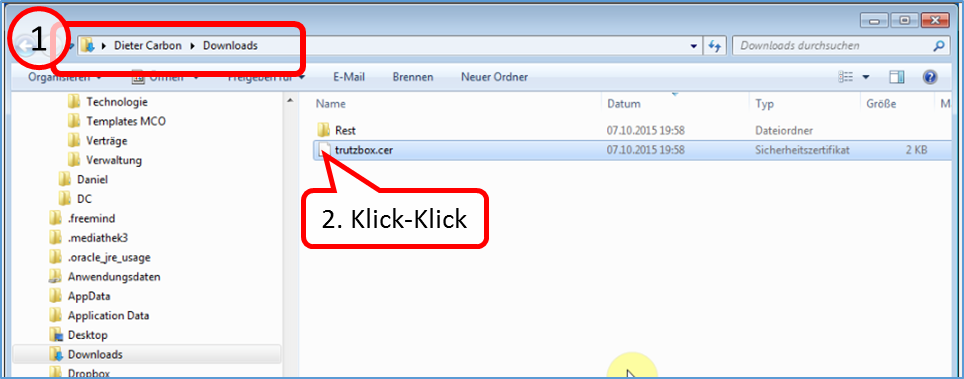
- Find out in which directory (usually "Downloads") the TrutzBox® certificate "trutzbox.cer" has been downloaded (1).
- Make a double click on the file "trutzbox.cer" (2).
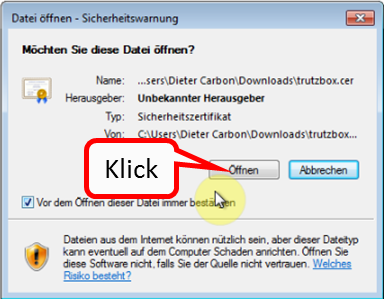
Click on "Öffnen" der Datei.
-> Table of Contents (of this manual)
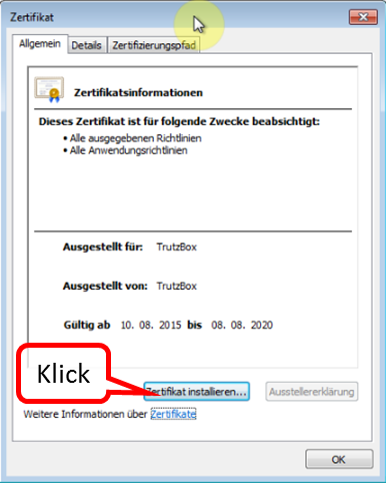
Click on "Zertifikat installieren".
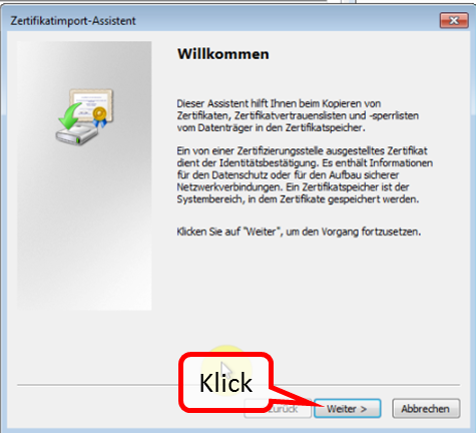
Click on "Weiter".
-> Table of Contents (of this manual)
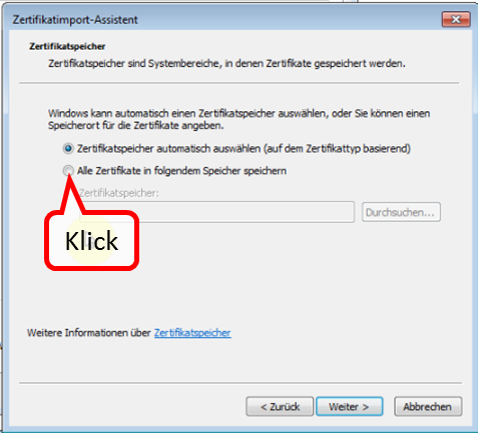
Choose "Alle Zertifikate in folgenden Speicher speichern".
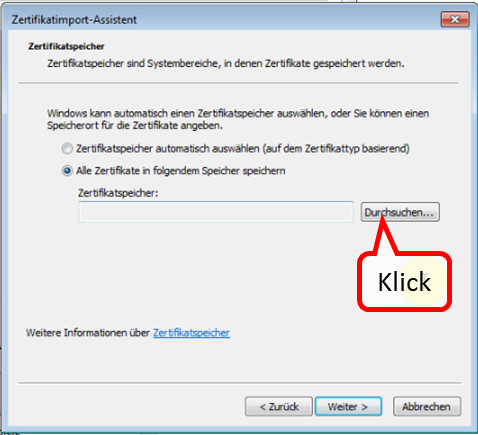
Click on "Durchsuchen ...".
-> Table of Contents (of this manual)
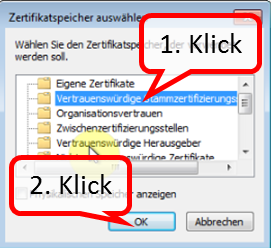
- Choose the second folder "Vertrauenswürdige Stammzertifizierungsstellen" (1).
- Click on "OK".
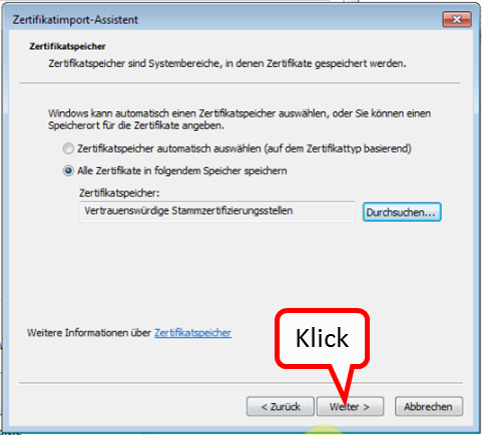
Click on "Weiter".
-> Table of Contents (of this manual)
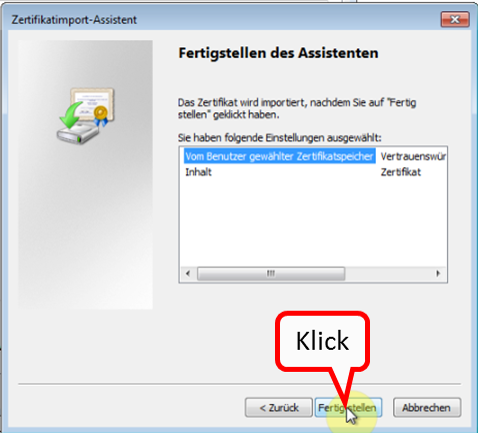
Click on "Fertigstellen".
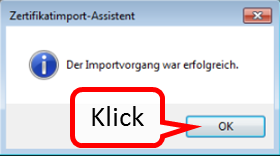
Click on "OK".
-> Table of Contents (of this manual)
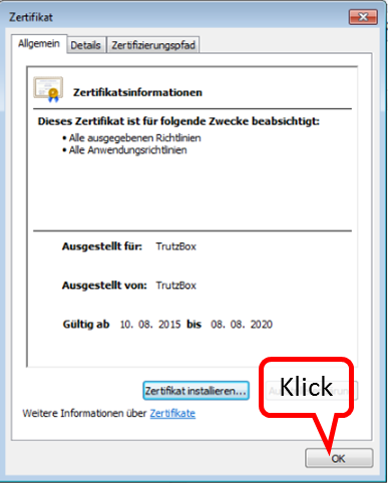
Finally, click on "OK".
-> Table of Contents (of this manual)
6.1.2.3 Safari/ Google Chrome (Apple OS X; Zertifikat in Schlüsselbund)
Open the "Finder" and go to the "Downloads" directory. There you will find the root certificate downloaded from TrutzBox.
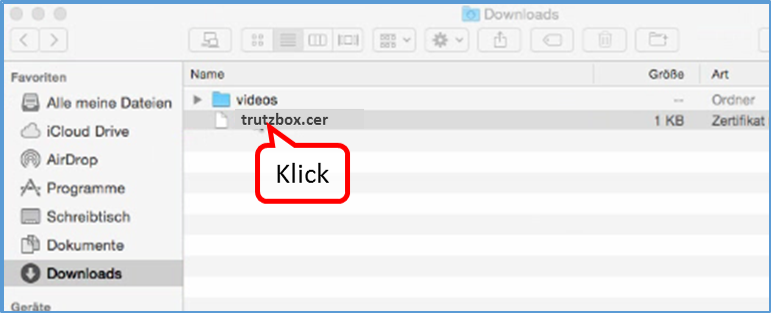
In your "Downloads" directory, double-click on the TrutzBox root certificate "trutzbox.cer". The program for keychain management opens.
-> Table of Contents (of this manual)
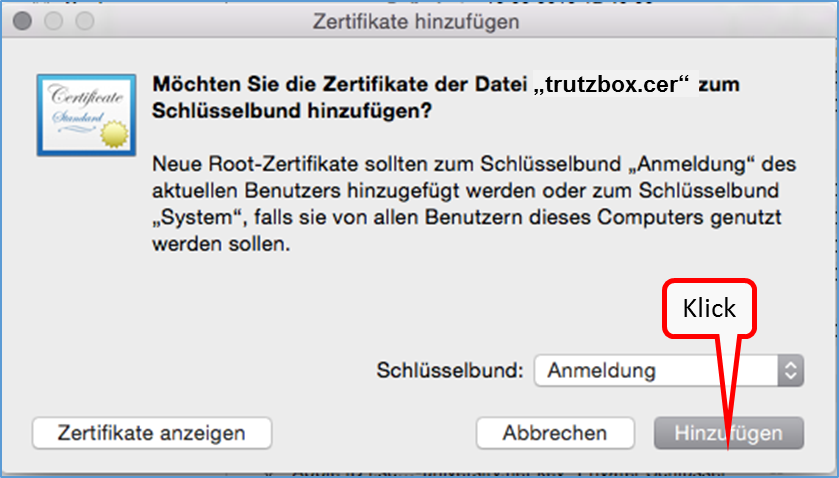
Click on "Hinzufügen".
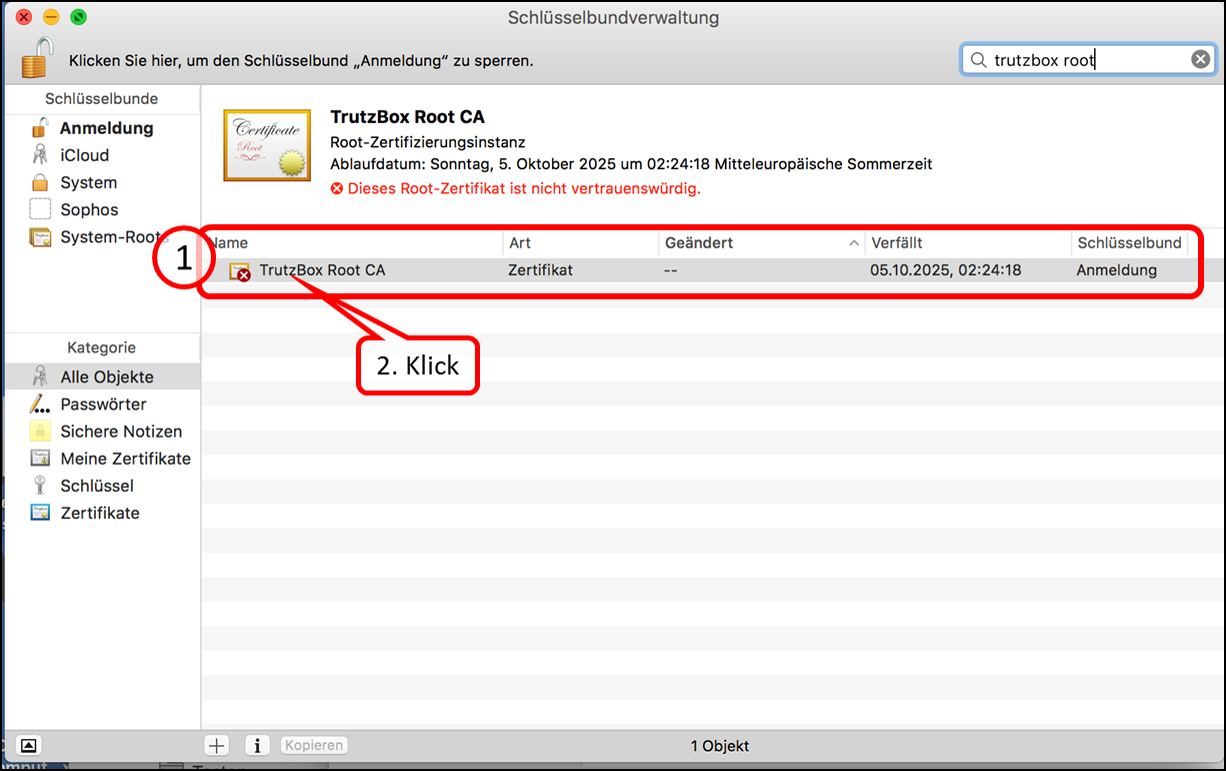
The "Keychain management" opens and shows the loaded certificate "TrutzBox Root CA". It is marked with a red symbol (1), as it is "not yet trustworthy.
Click on "TrutzBox Root CA" (2).
-> Table of Contents (of this manual)
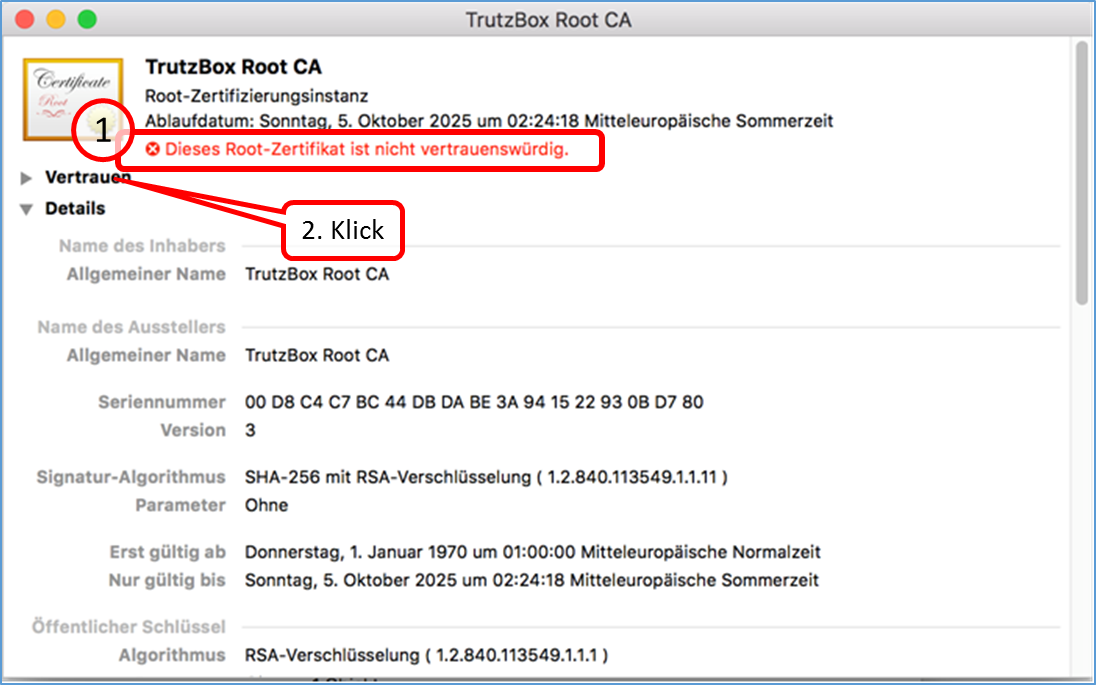
The "TrutzBox Root CA" certificate (1) opens and shows the warning in red: "This root certificate is not trustworthy."
Click on "Vertrauen" (2).
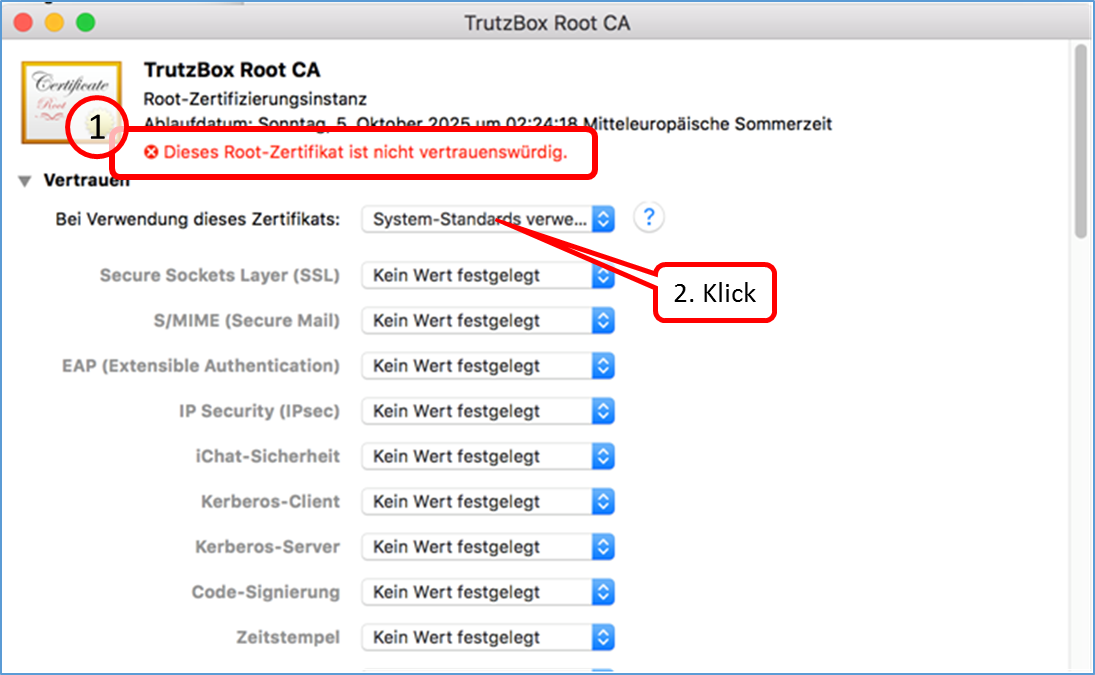
Click on "System Standards" to open a selection menu (2).
Click on "Immer vertrauen".
-> Table of Contents (of this manual)
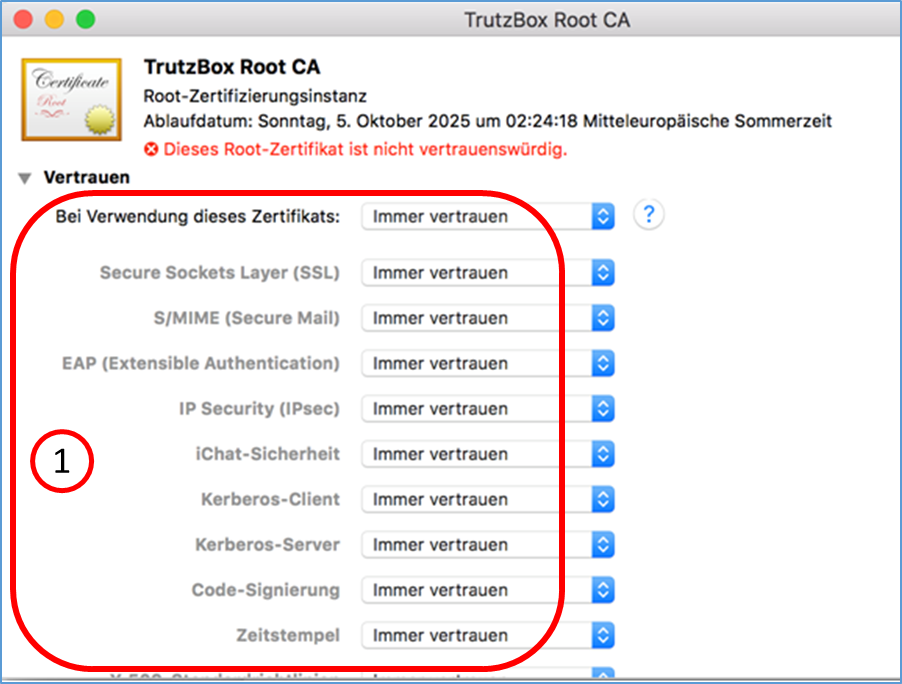
All applications are based on "Immer vertrauen".
After that you can close the window and have to confirm the change with your MAC system password if necessary. Then you can close the keychain.
-> Table of Contents (of this manual)
6.1.2.4 iOS Smartphone/Tablet: Browser Safari with Apple iOS
Download certificate using the iPhone as an example.
Open the Smartphone Browser (Safari) and enter in the input field: http://trutzbox.
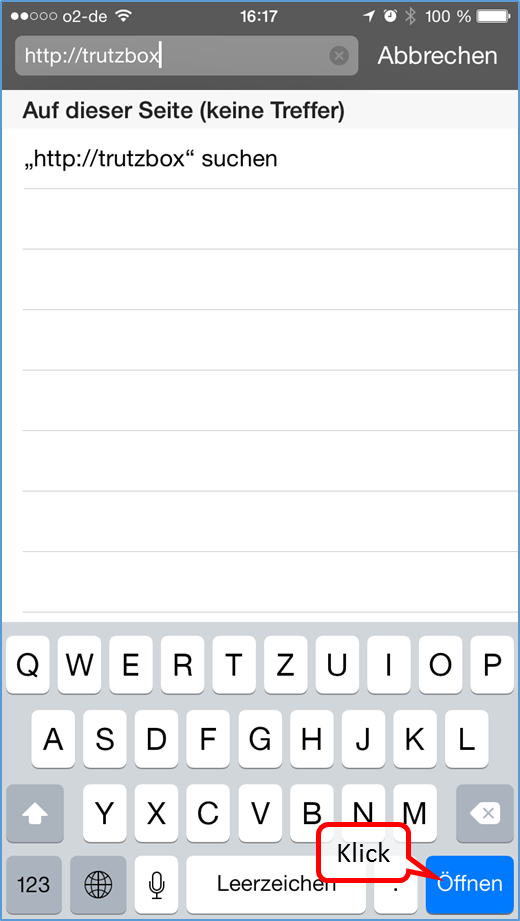
... click on "Öffnen".
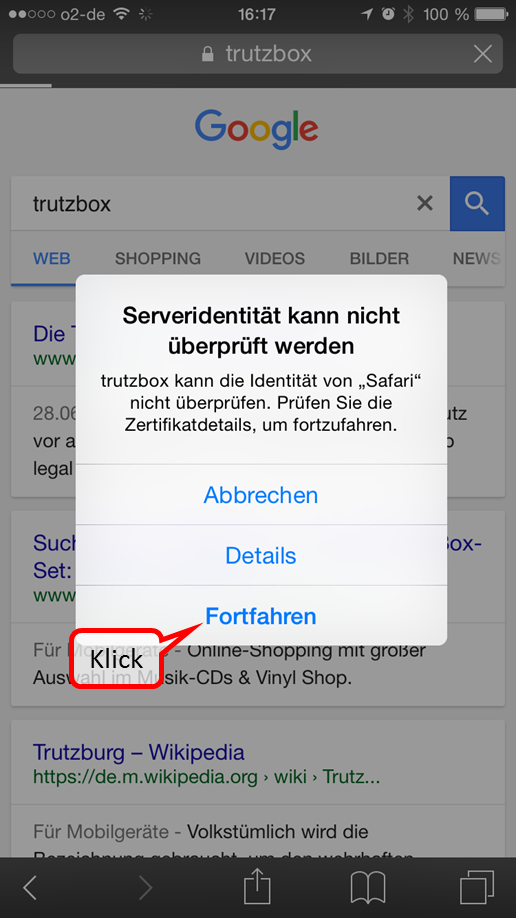
Click on "Fortfahren".
-> Table of Contents (of this manual)
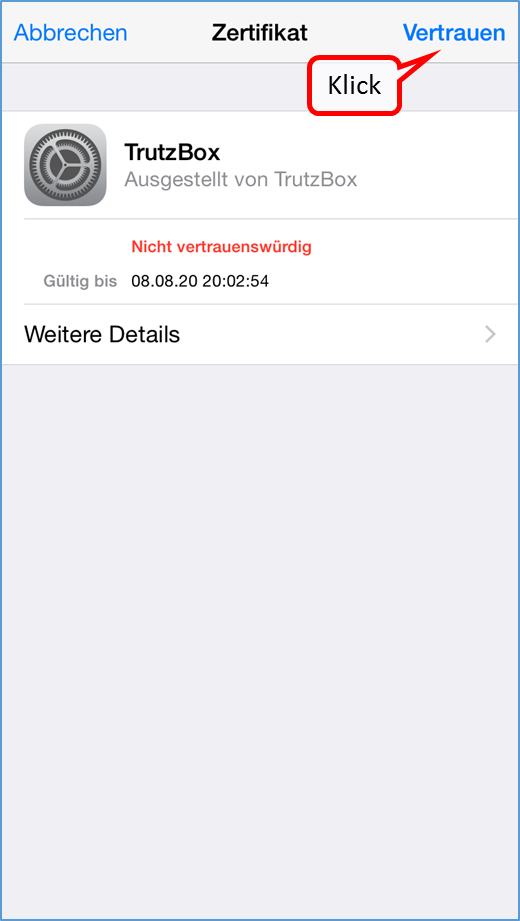
Click on "Vertrauen".
-> Table of Contents (of this manual)
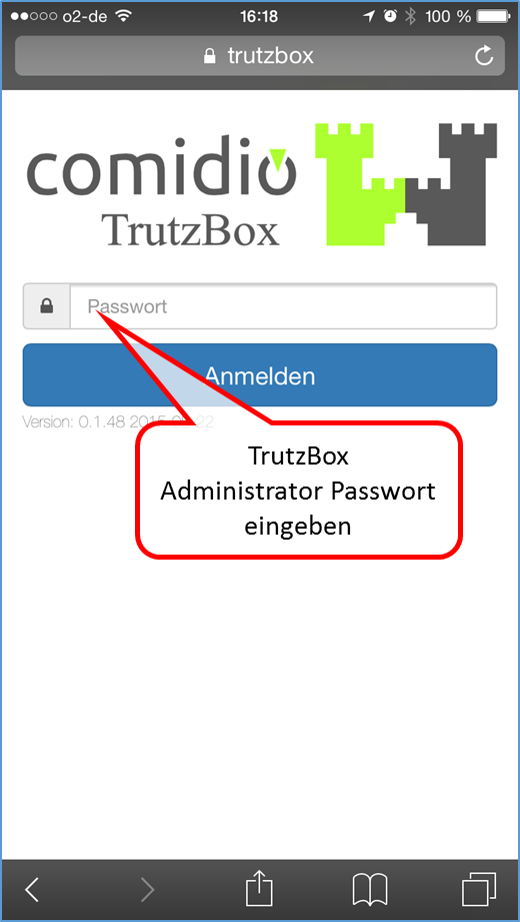
Enter TrutzBox Administrator password ...
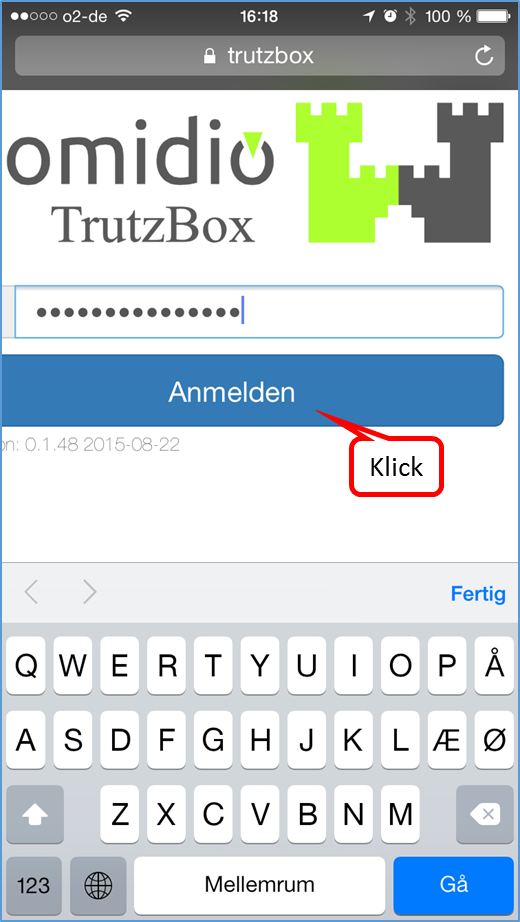
and click on "Anmelden".
-> Table of Contents (of this manual)
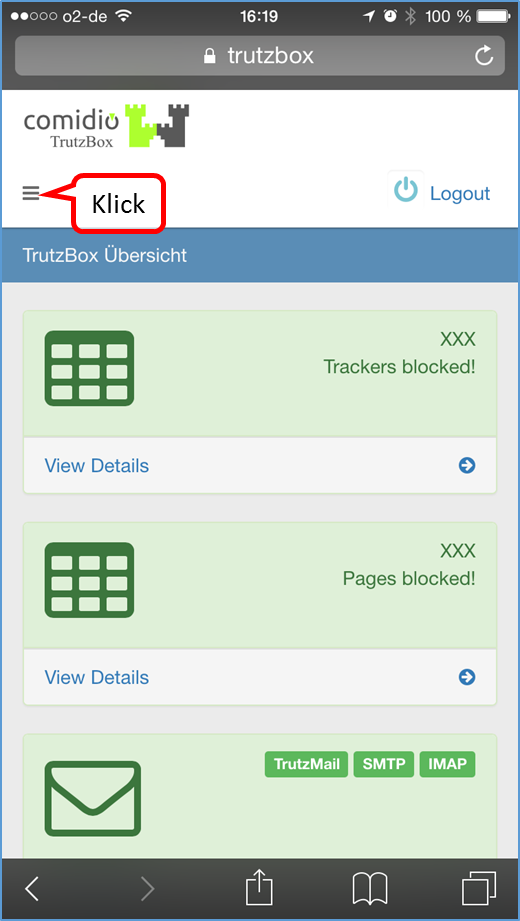
Click on the menu selection ...
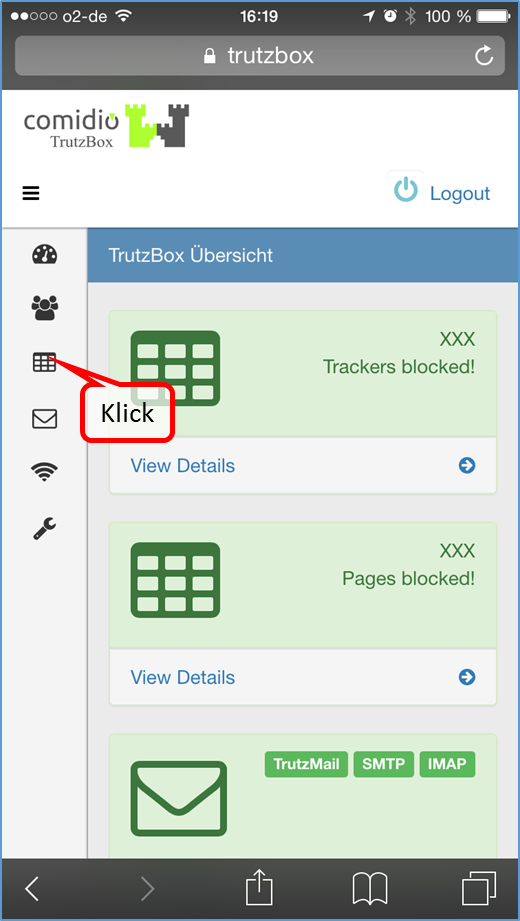
... and click on 3. menu item (= TrutzBox Filter).
-> Table of Contents (of this manual)
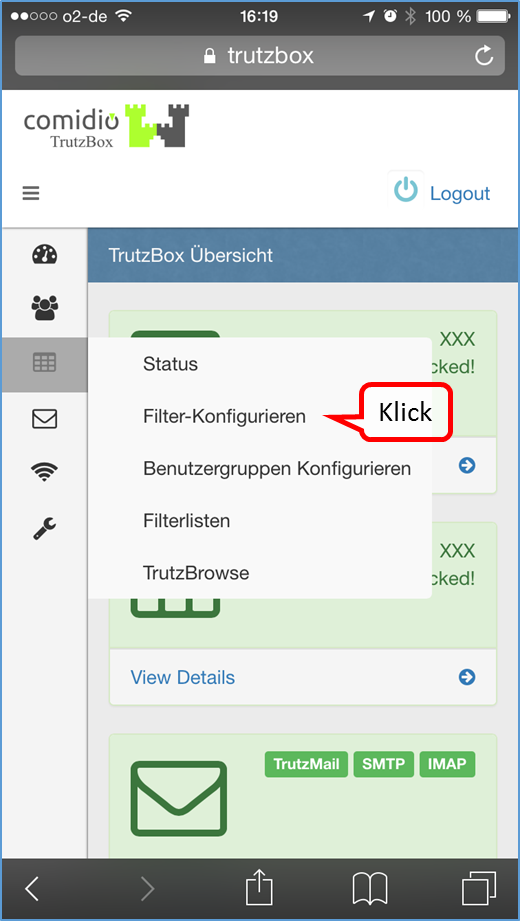
Click on "Filter-Konfigurieren".
-> Table of Contents (of this manual)
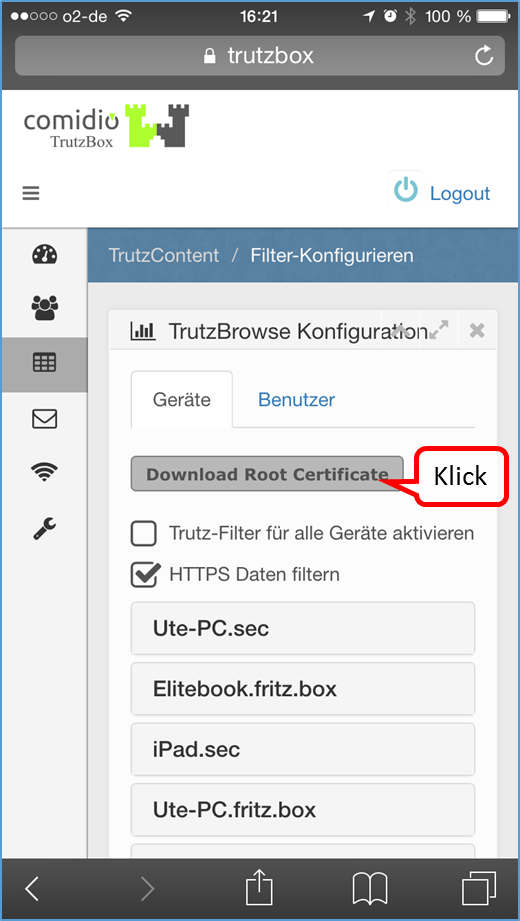
Click on "Download Root Certificate".
-> Table of Contents (of this manual)
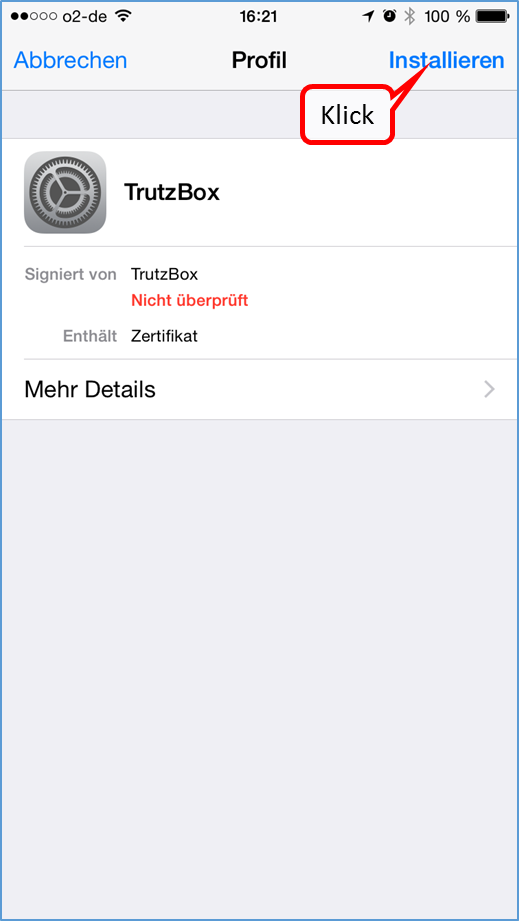
Click on "Installieren".
-> Table of Contents (of this manual)
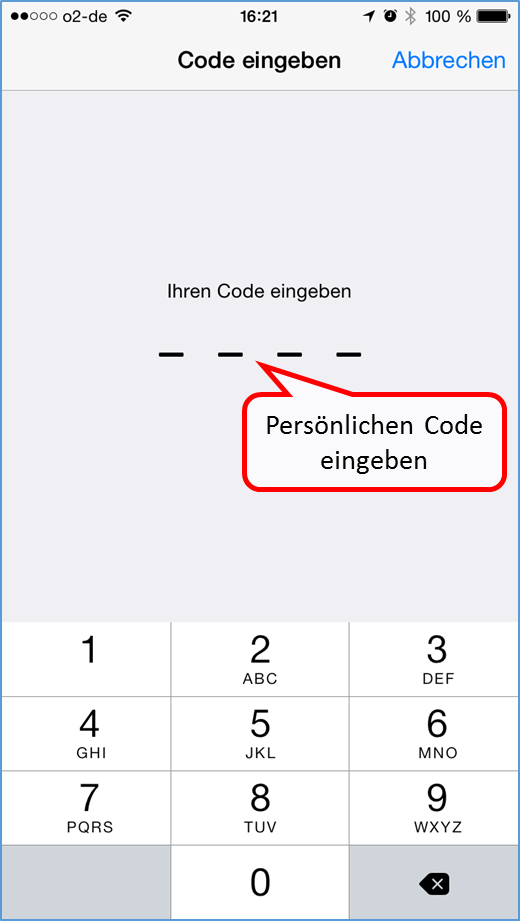
If asked, enter personal code.
-> Table of Contents (of this manual)
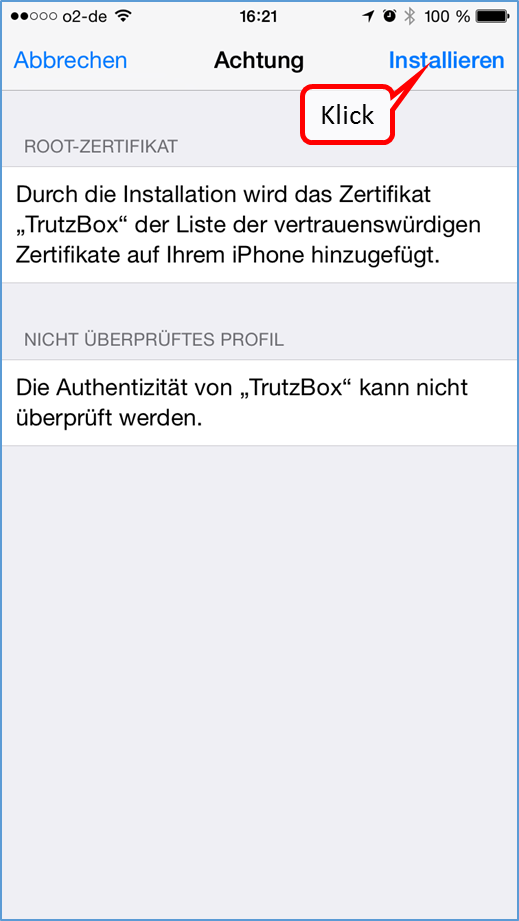
Click on "Installieren".
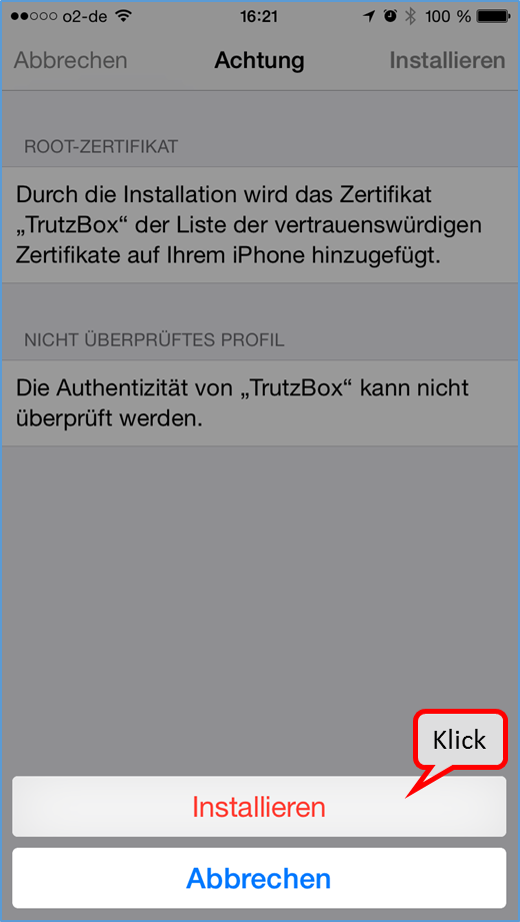
Click on "Installieren".
-> Table of Contents (of this manual)
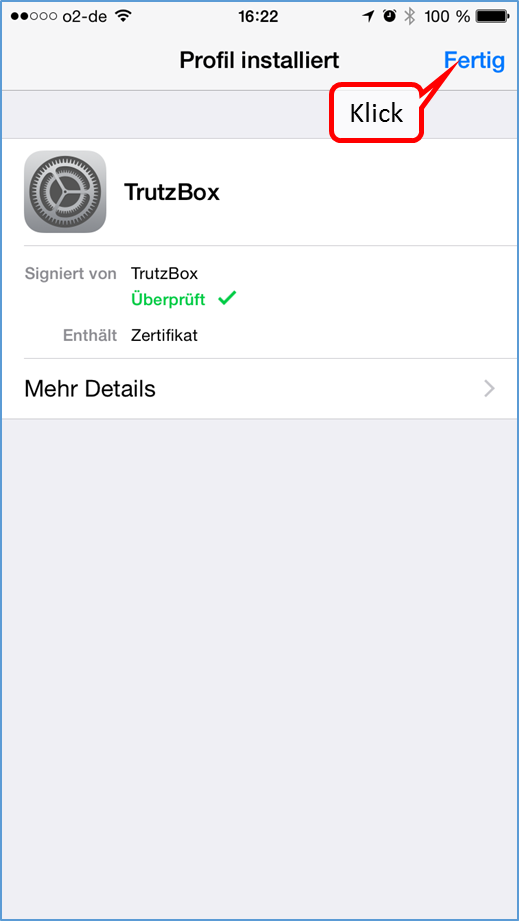
Click on "Fertig".
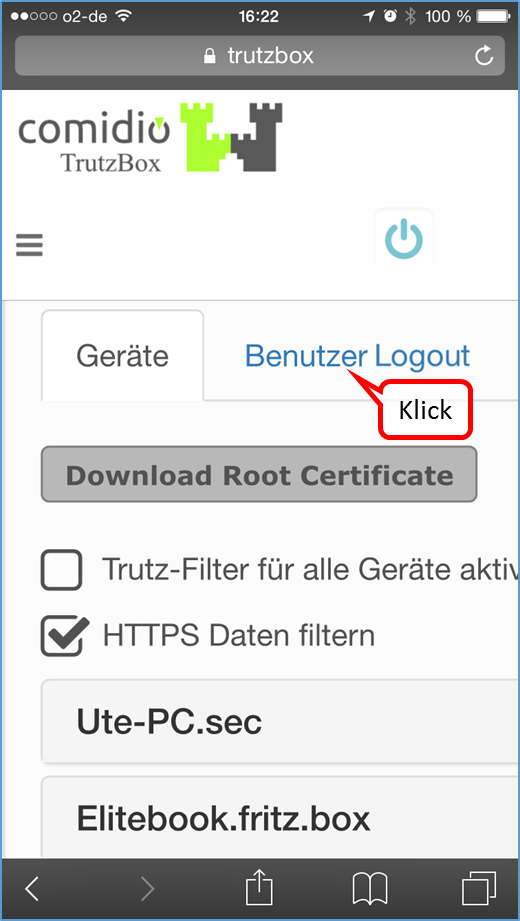
If necessary, click "User Logout" to log out.
-> Table of Contents (of this manual)
If the certificate is not accepted, please check whether the "TrutzBox Root CA" is switched on.
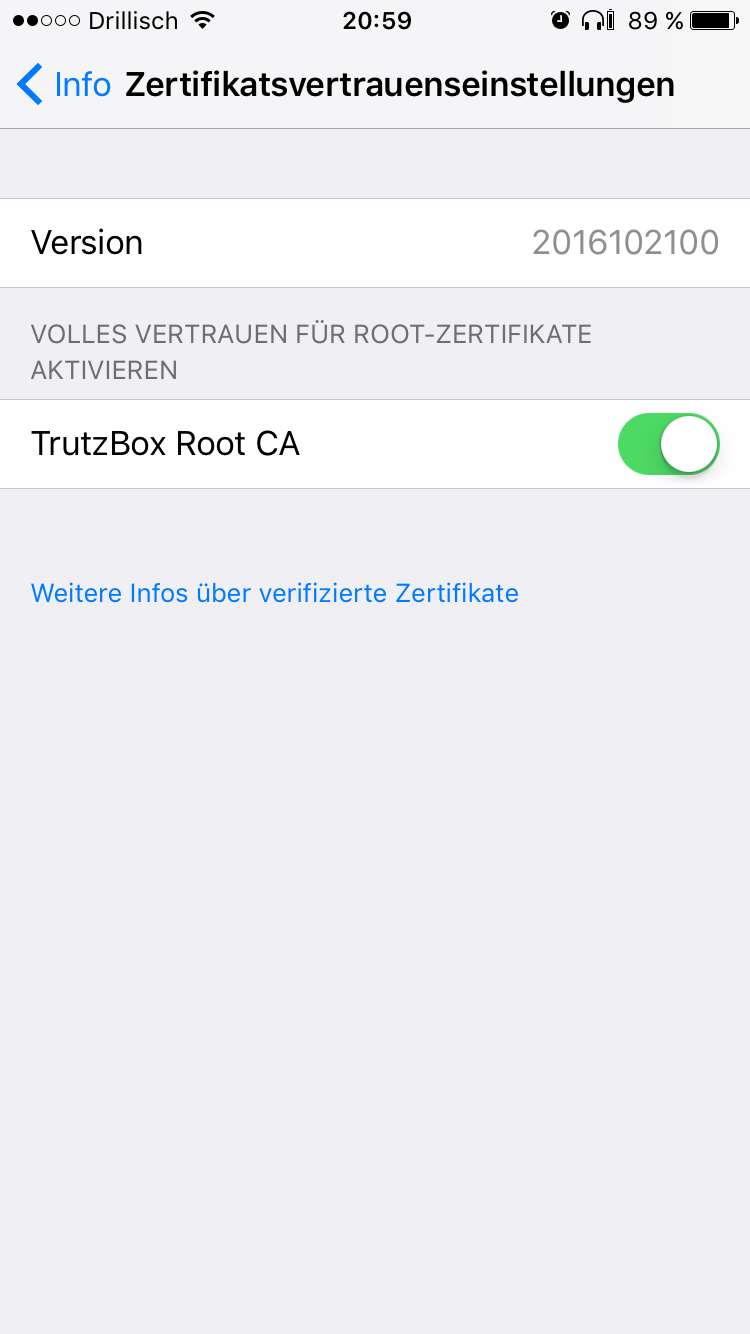
If necessary, switch on the "TrutzBox Root CA" via:
"Einstellungen" -> "Allgemein" -> "Info" -> "Zertifikatsvertrauenseinstellungen"
-> Table of Contents (of this manual)
6.1.2.5 Android Smartphone/Tablet: Standard Browser unter Google Android
Load certificate in Android browser; depending on the Android device the screens may differ slightly.
Download the certificate to your PC (https://comidio.de/wiki/index.php/TrutzBox_Handbuch#Zertifikat_von_TrutzBox.C2.AE_auf_PC_herunterladen) und kopieren oder mailen Sie es vom PC auf das Android-Gerät.
In the Android device change to "Einstellungen" and select "Sicherheit" ...
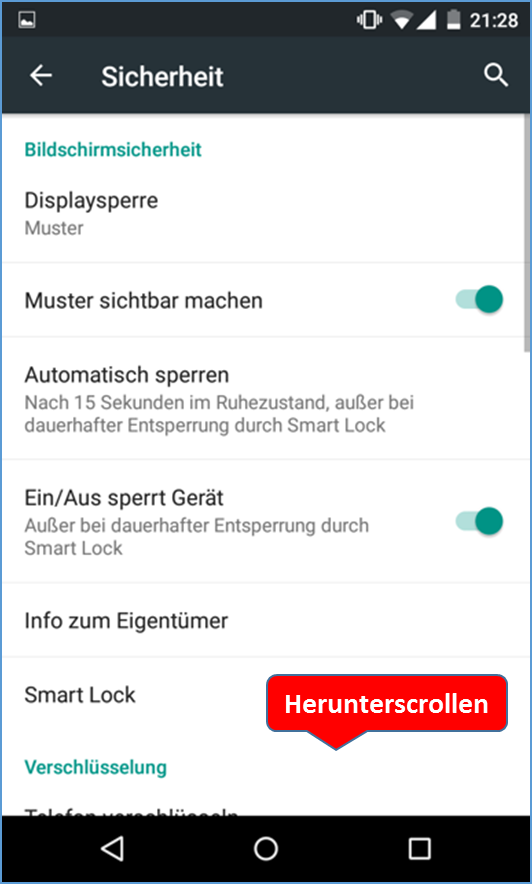
... scroll down and ...
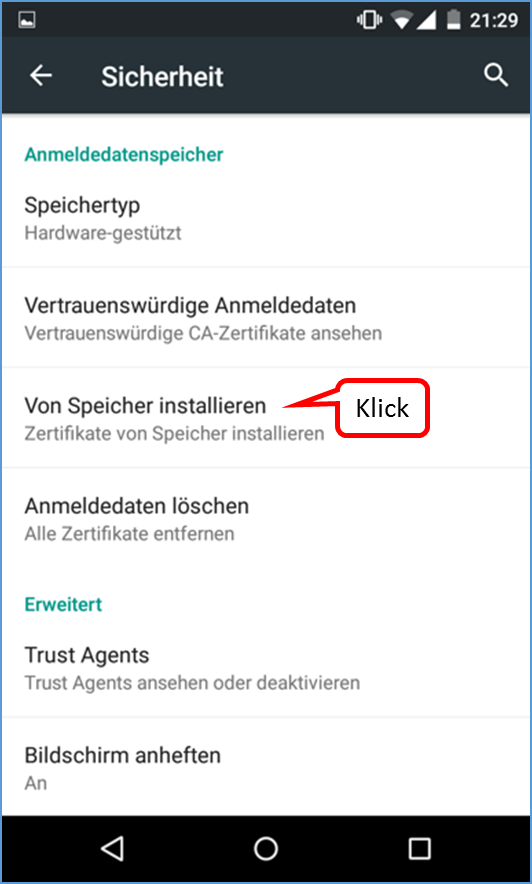
... select „von Speicher installieren“.
-> Table of Contents (of this manual)
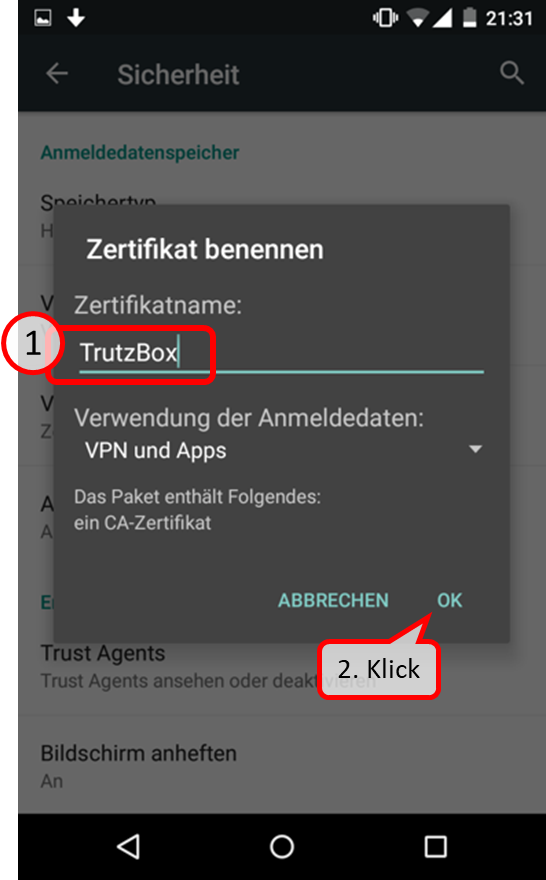
Assign the name "TrutzBox" for the certificate, and finally select "OK”.
-> Table of Contents (of this manual)
6.1.2.6 Microsoft Windows 10 Zertifikatsverwaltung
In the TrutzBox user interface in the navigation menu go to:
TrutzBox Filter -> Filter-Konfigurieren
There click on "Root Zertifikat herunterladen".

Click on "Öffnen".
-> Table of Contents (of this manual)
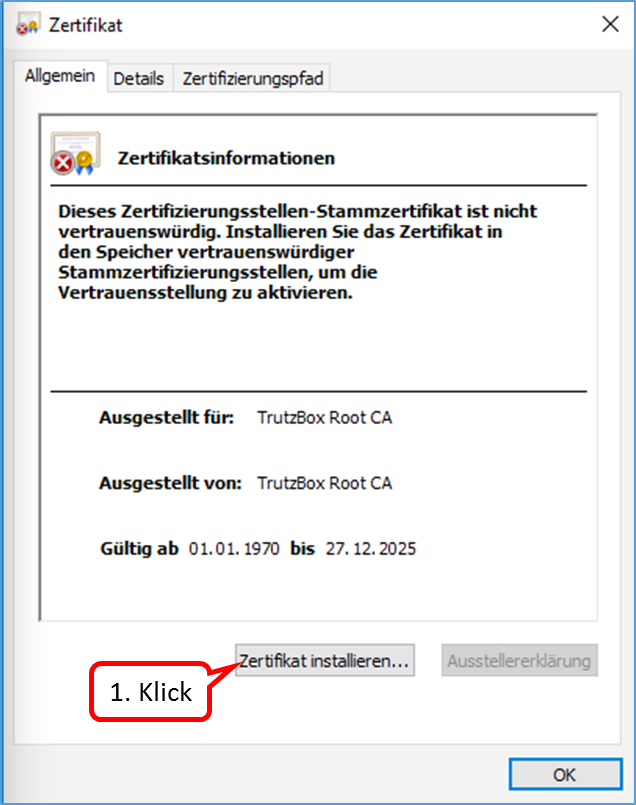
Click on "Zertifikat installieren ...".
-> Table of Contents (of this manual)
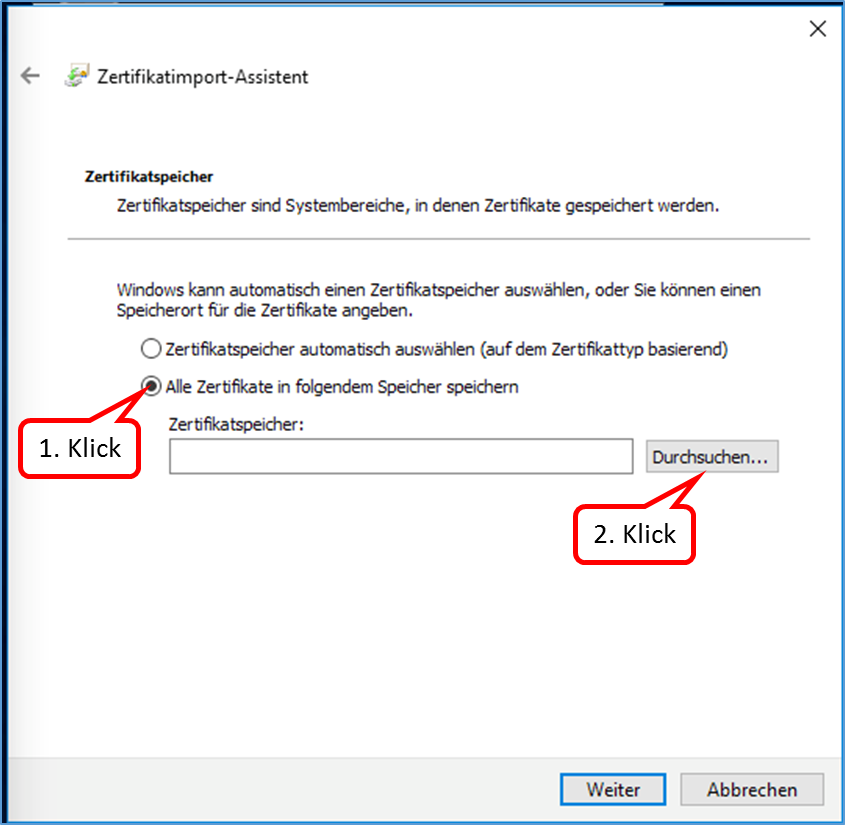
Select „Alle Zertifikate in folgendem Speicher speichern“ and click on „Durchsuchen ...".
-> Table of Contents (of this manual)
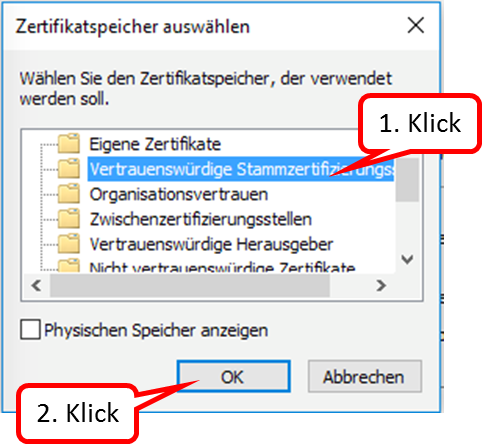
Select "Vertrauenswürdige Stammzertifizierungsstellen“ and click on „OK“.
-> Table of Contents (of this manual)
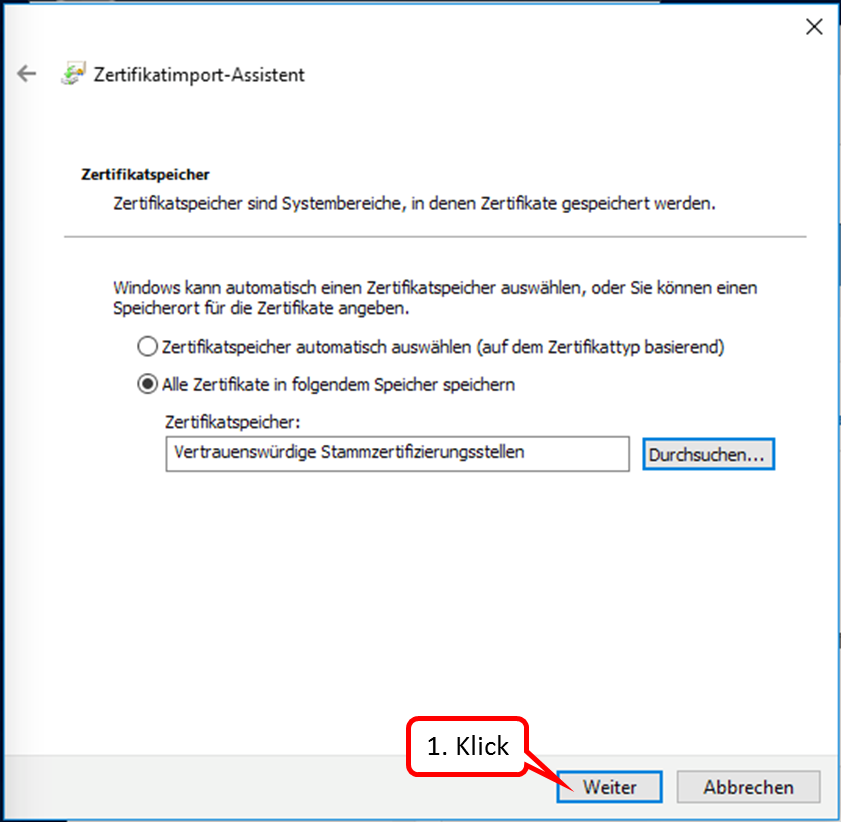
Click on "Weiter".
-> Table of Contents (of this manual)
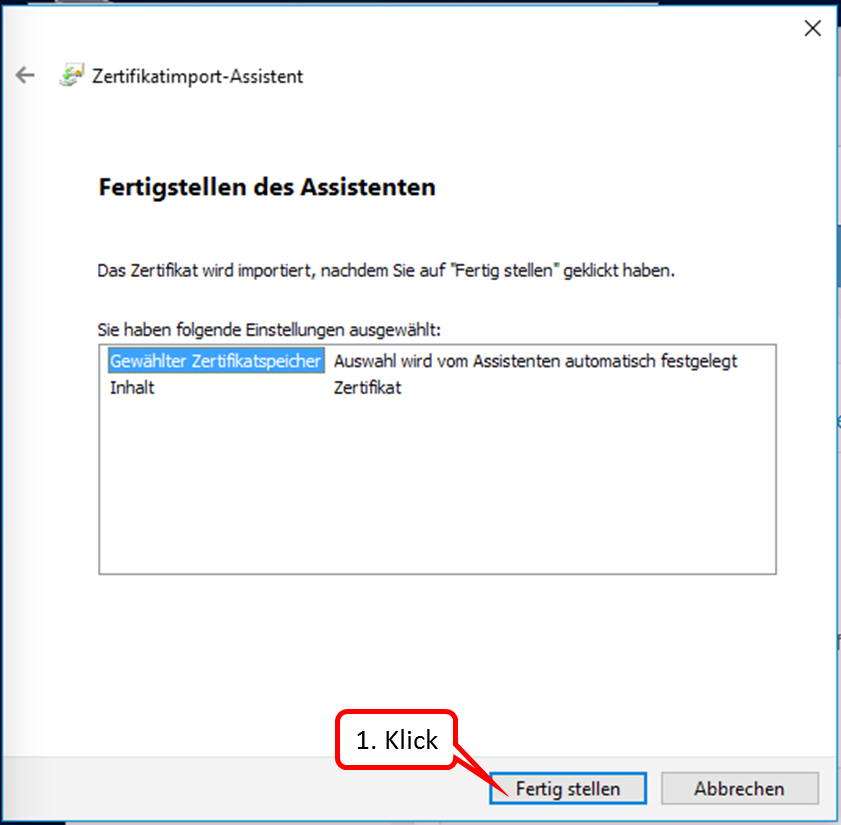
Click on "Fertig stellen".
-> Table of Contents (of this manual)
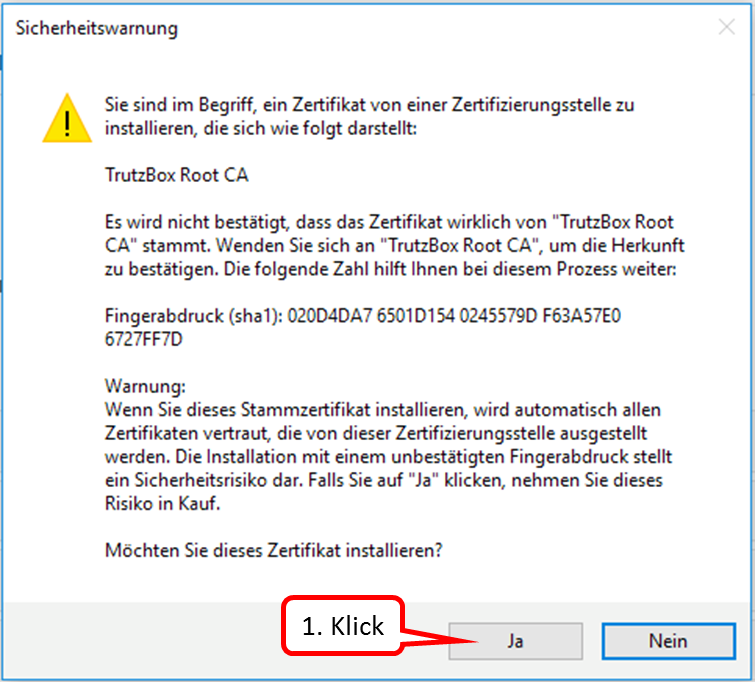
Click on "Ja".
-> Table of Contents (of this manual)
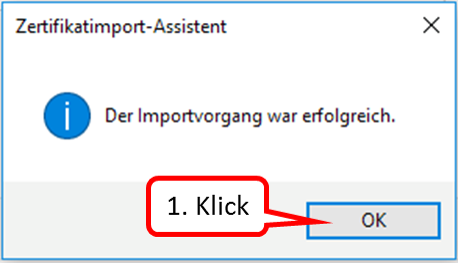
Click on "OK".
-> Table of Contents (of this manual)
6.1.3 Import certificate from PC into mail system (e.g. Microsoft Outlook under Windows)
If an "Internet Security Warning" is displayed, install the TrutzBox® certificate.
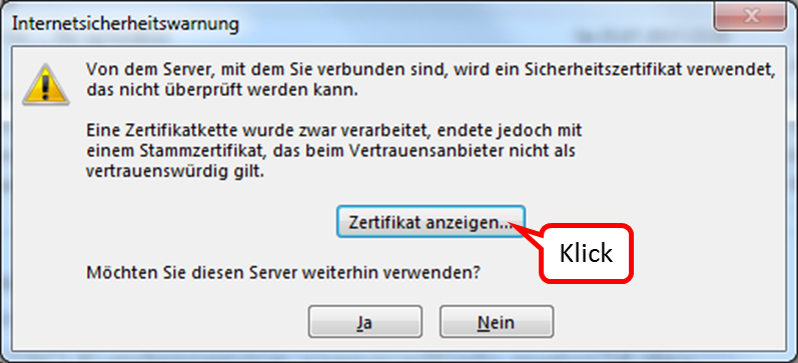
Click on "Zertifikat anzeigen".
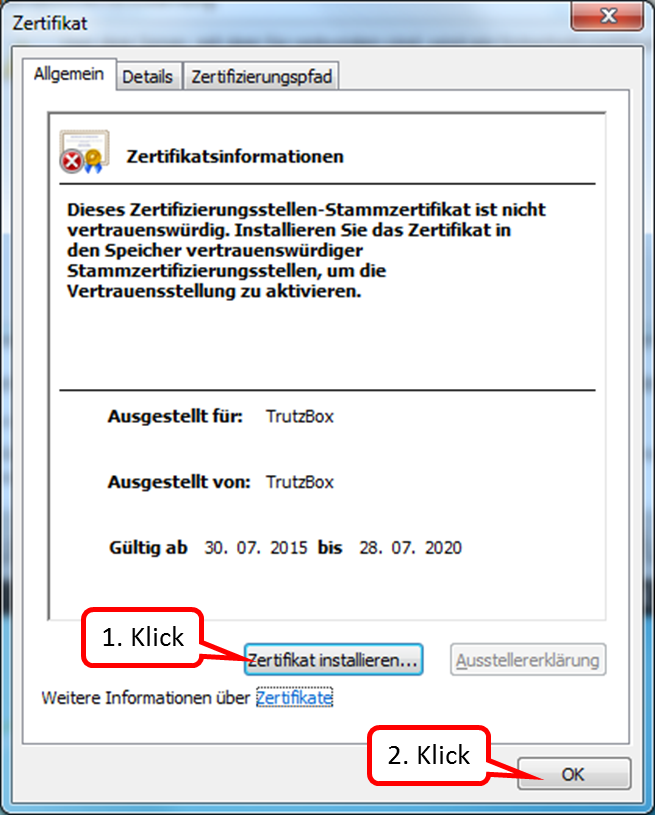
Click on "Zertifikat installieren ..." (1.) und bestätigen Sie (2.).
-> Table of Contents (of this manual)
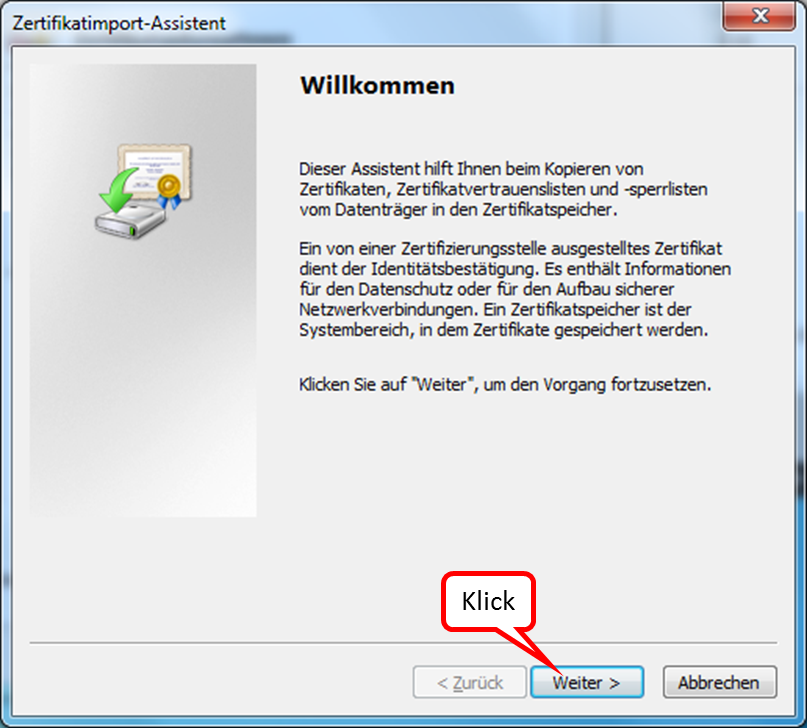
Click on "Weiter".
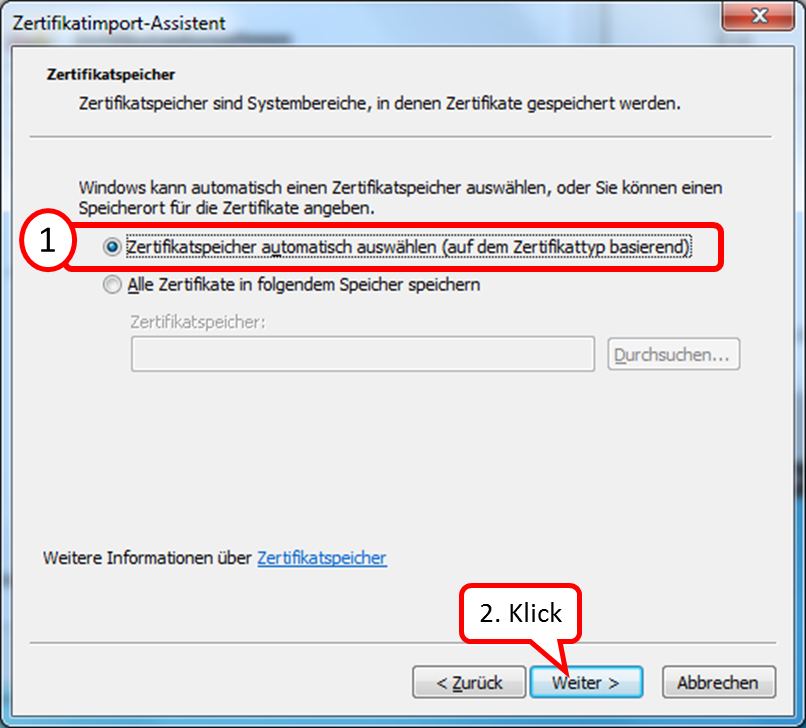
Belassen Sie die Markierung auf "Zertifikatspeicher automatisch auswählen" (1.) und Click on "Weiter" (2.).
-> Table of Contents (of this manual)
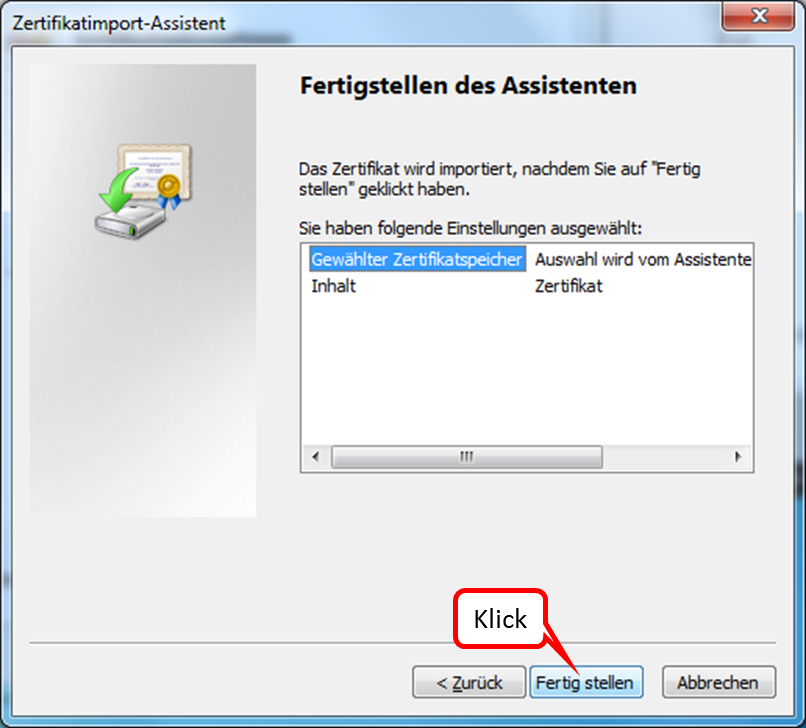
Click on "Fertig stellen".
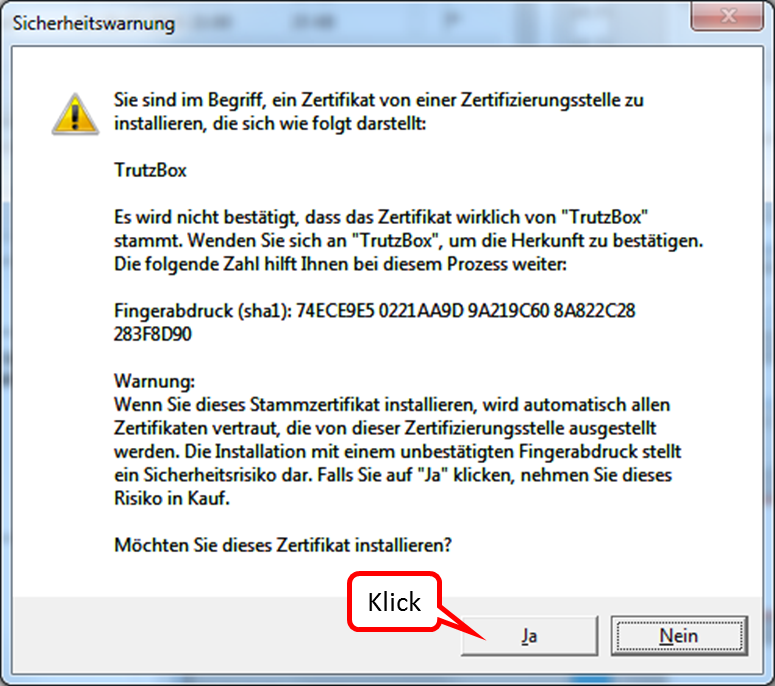
To answer the question, click on "Ja".
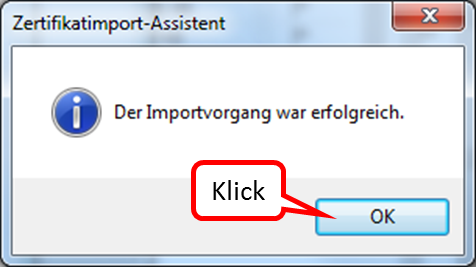
Click on "OK" to end the successful import.
-> Table of Contents (of this manual)
6.1.4 Creating profiles in FireFox
If you want to surf protected from the same PC (e.g. a laptop) both at home (via your own TrutzBox) and on the move (via another TrutzBox), you need to have imported the certificate valid for the respective TrutzBox in your browser.
In this case FireFox offers the possibility to create and use different profiles, which can also use different certificates for each profile.
The following shows how to create another profile in addition to the standard profile.
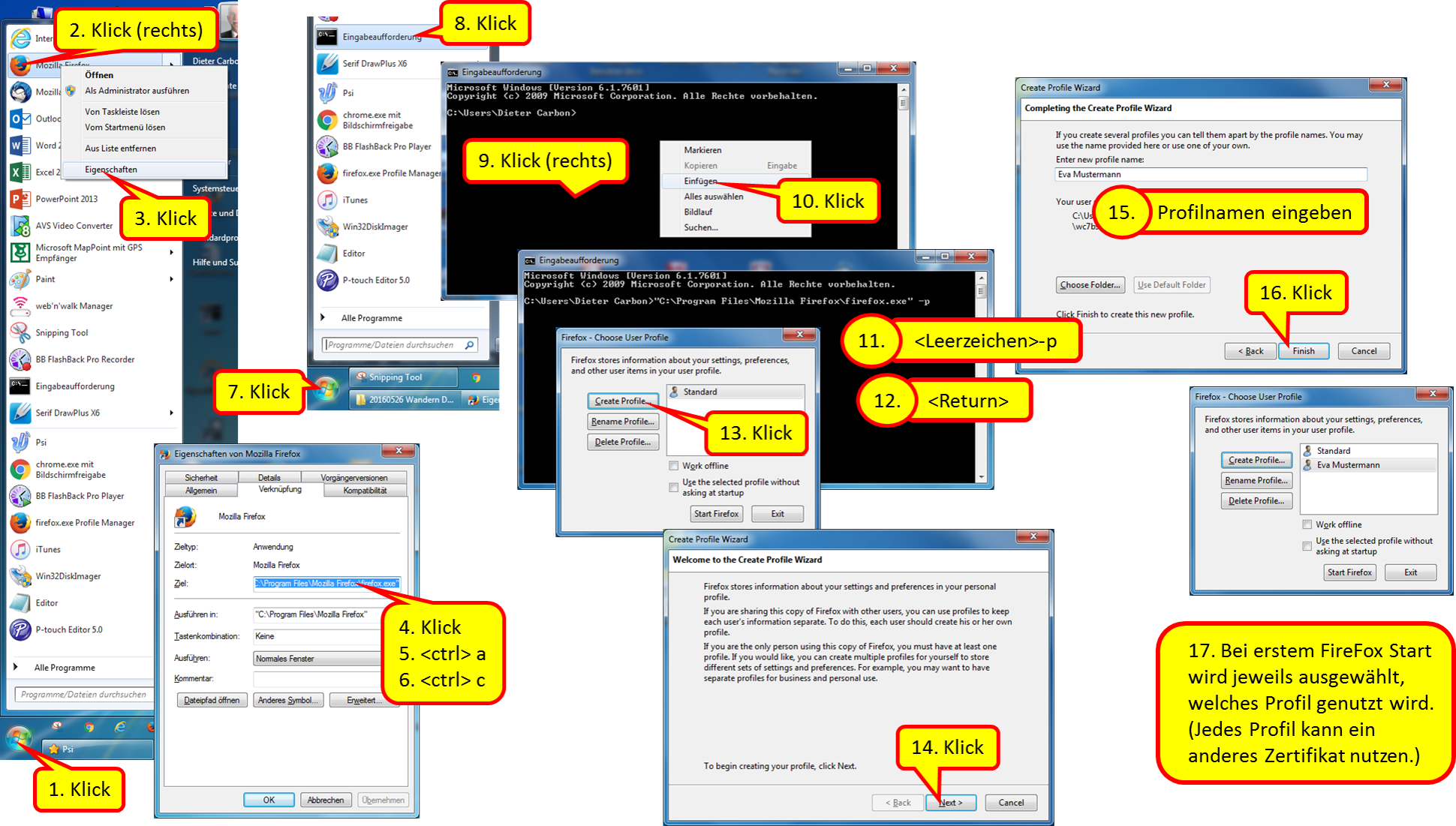
- Click on Windows Start-Button
- Right click on FifreFox Logo
- Click on "Eigenschaften"
- Click into the line "Ziel"
Press #<ctrl> a to highlight the entire destination address Press #<ctrl> c to copy the destination address
- Re-click Windows Start button
- Click on "Eingabeaufforderung"
- Right click in the middle of the prompt window
- Click on "Einfügen"
- Position the cursor to the right of the quotation mark and enter <space> and "-p
- Press return key
- Click on "Create Profile"
- Click on "Next >"
- Enter new profile name
- Click on "Finish"
- The first time FireFox is started, the profile to be used is selected. (Each profile can use a different certificate.)
Here you can download the manual: https://comidio.de/wiki/images/9/97/20160525_FireFox_Profil_einrichten_V01.png
6.2 Connect device with TrutzBox®
Assumption: the TrutzBox® was connected to the Internet router via network cable (red connection in the following figure).
There are basically two ways to connect devices to the TrutzBox®:
- PC 1 is connected to the Internet router via WLAN or network cable (dashed yellow).
- PC 2 is connected to the TrutzBox® via WLAN or network cable (green dashed).
| case 1: | In order for Internet traffic (surfing) via the TrutzBox®, the TrutzBox® must be entered as proxy (= deputy, quasi "doorman") in the respective browser of the PC.The entry must be made separately for each browser. This mode is called "Proxy mode". |
| case 2: | All Internet traffic (surfing) automatically passes through the TrutzBox®.This mode is called "Transparent mode". |
In both cases, TrutzBox® controls both incoming and outgoing Internet communication.
The aim is to connect as many or all devices as possible in the home network directly via the TrutzBox® (i.e. in "transparent mode").
It is advisable to reach this state step by step.
Therefore you should start "small" at the beginning and gain experience in "proxy mode".
You can also surf in a browser (e.g. Firefox) in proxy mode while surfing in a second browser (e.g. Chrome) without protection. For example, you can track the influence the security slider has on unprotected access in various positions (e.g. effects on advertising offers shown).
Once you have gained sufficient experience in proxy mode, you can gradually connect devices in transparent mode by connecting the devices directly to the TrutzBox® via WLAN (or network cable).
To change from transparent mode to proxy mode or vice versa, proceed as follows:
- Shut down PC or device
- If previously connected to TrutzBox, now connect to the Internet router or vice versa
- Switch on/restart the device (now the device automatically receives an IP address valid in this network area)
-> Table of Contents (of this manual)
6.2.1 Set up TrutzBox® as proxy (proxy mode) in...
Comidio offers a so-called "proxy configuration URL" so that the user does not have to make name and port settings every time.
This is: "http://trutzbox/api/proxy/pac"
The following sections describe how to configure the proxy configuration URL in your browser. Once entered, the browser "remembers" it and the browser then accesses the Internet in a controlled manner through the TrutzBox. You can later simply switch on and off the TrutzBox by clicking on
"No proxy" and
Automatic proxy configuration URL" or "Use script for automatic configuration"<.br>
6.2.1.1 Windows PC: Browser Mozilla Firefox on Microsoft Windows 7
Open the browser.
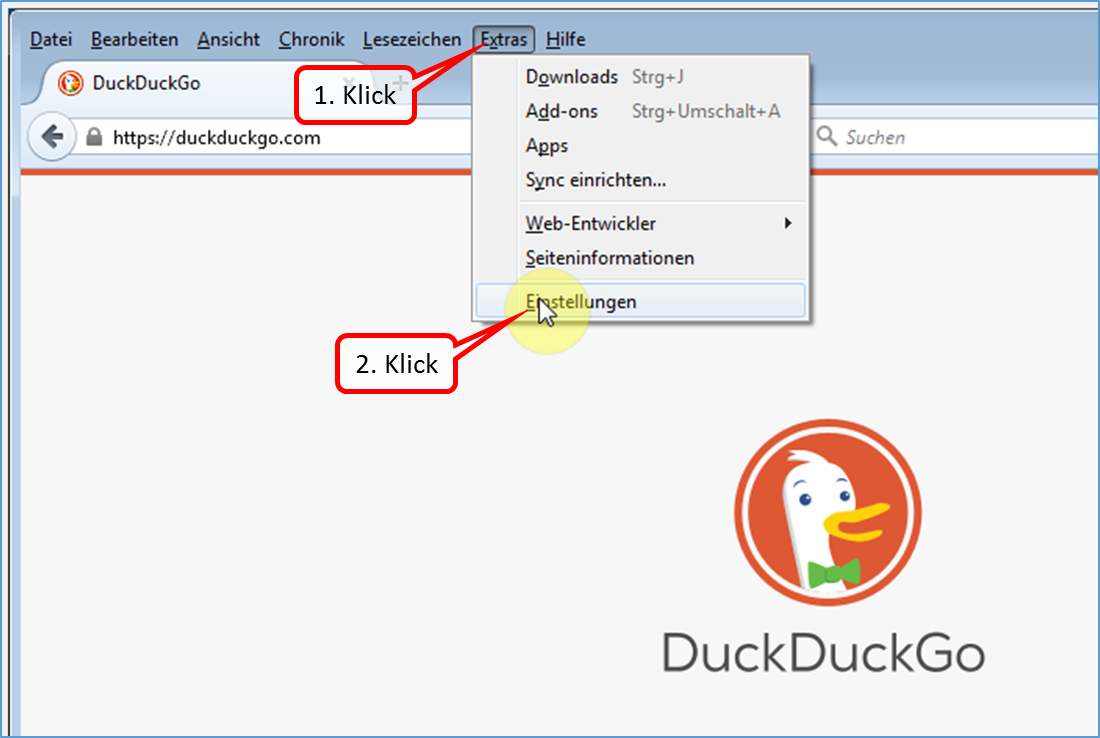
Click on "Extras" and "Einstellungen".
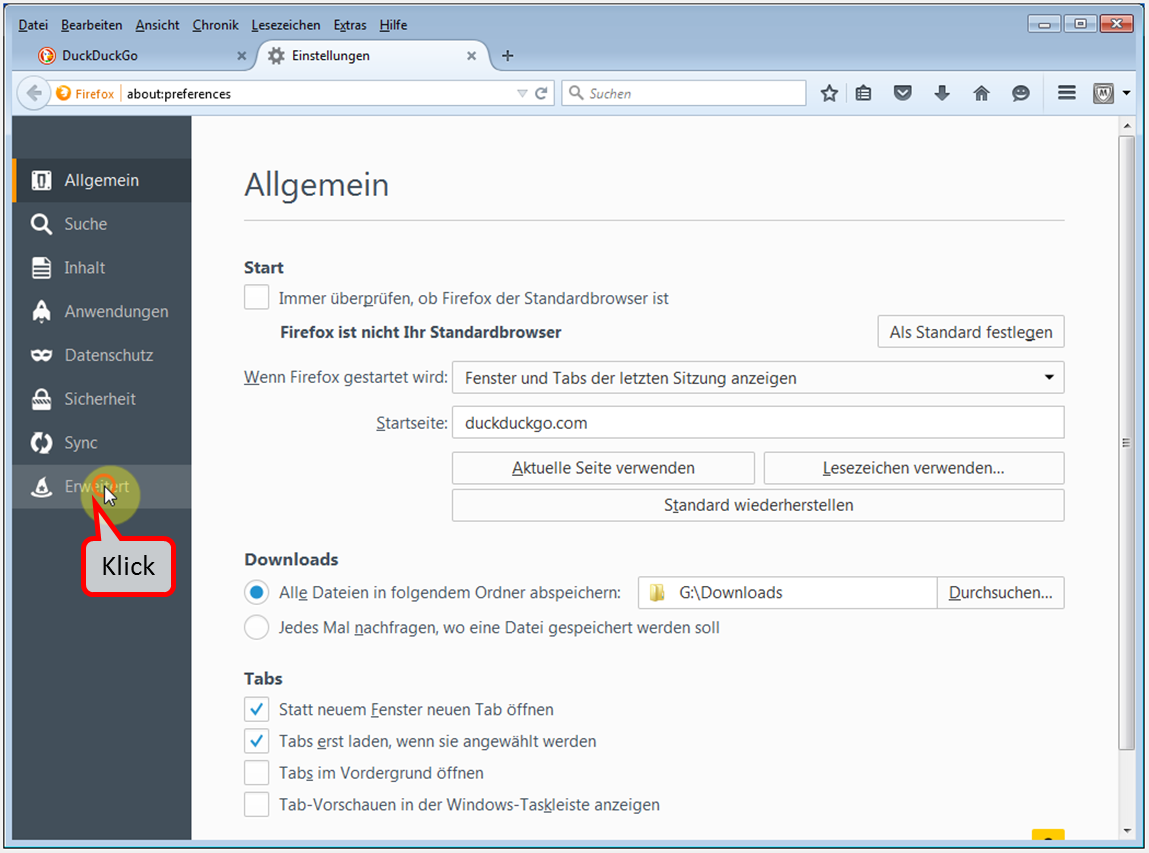
Click on "Erweitert".
-> Table of Contents (of this manual)
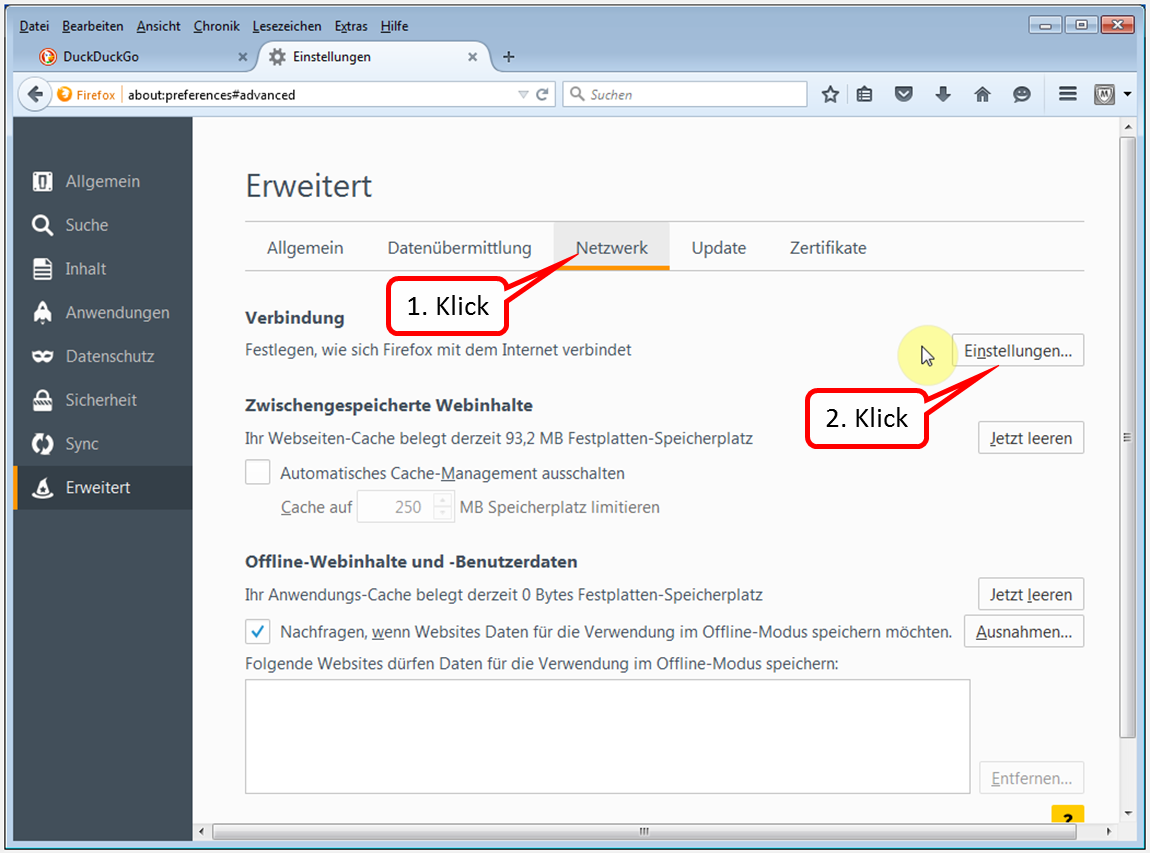
Click on "Netzwerk" and "Einstellungen".
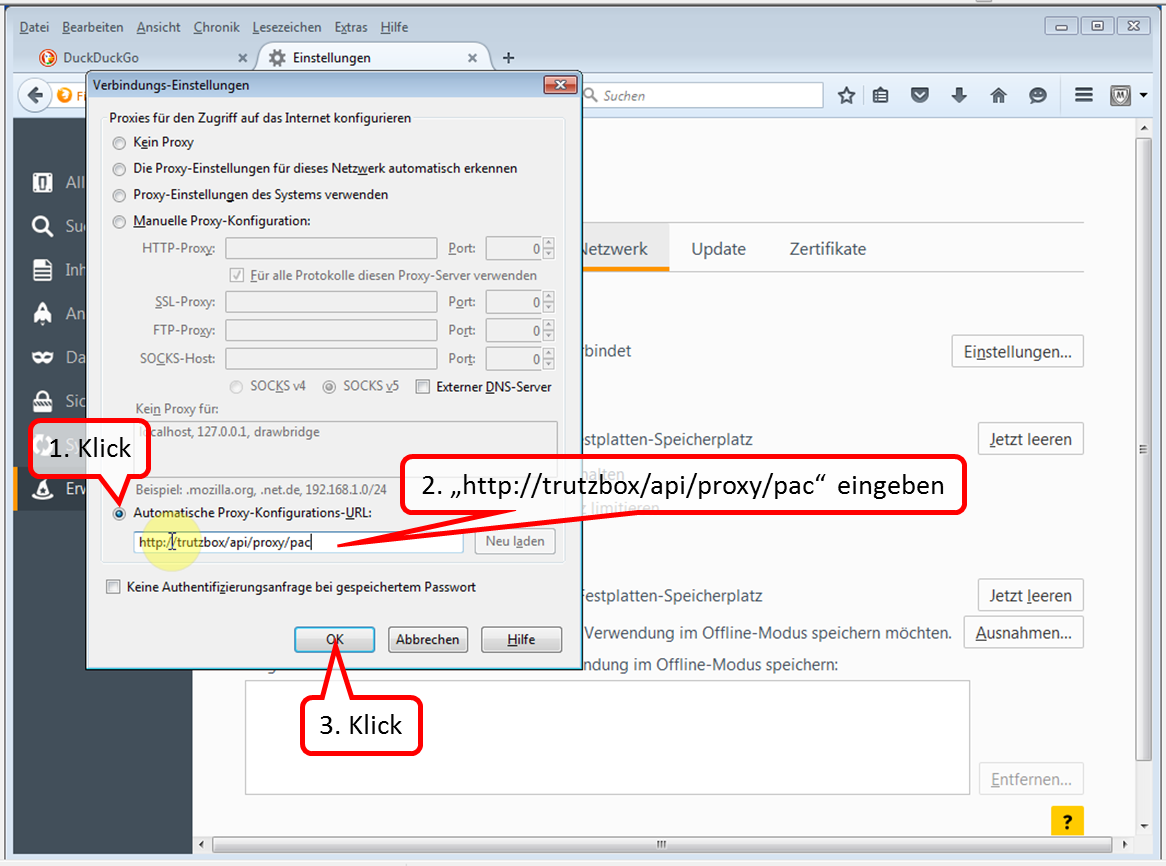
Click on "Automatische Proxy-Konfigurations-URL", enter "http://trutzbox/api/proxy/pac" and confirm with OK".
Now the TrutzBox® is configured as proxy and protects between Internet router and PC.
-> Table of Contents (of this manual)
6.2.1.2 Windows PC: Browser Google Chrome on Microsoft Windows 7
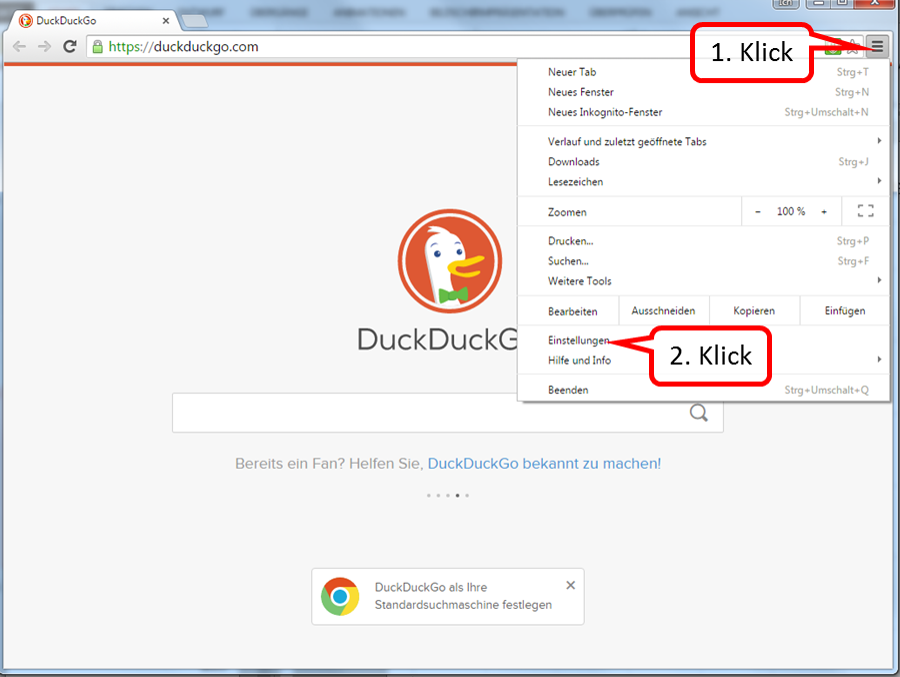
Select (1) and click on "Einstellungen" (2) in the Chrome browser called up..
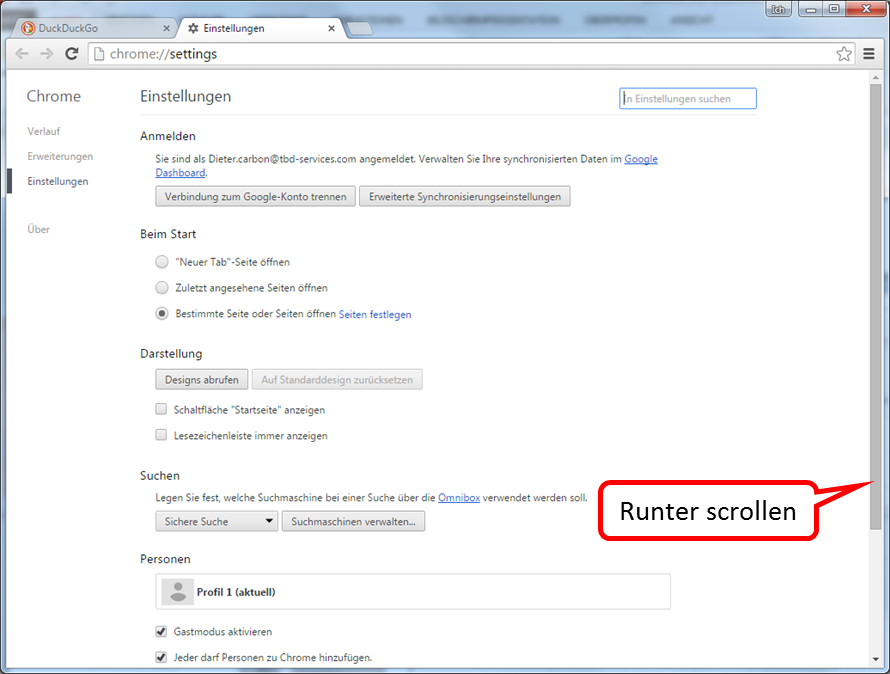
Scroll to the very bottom.
-> Table of Contents (of this manual)
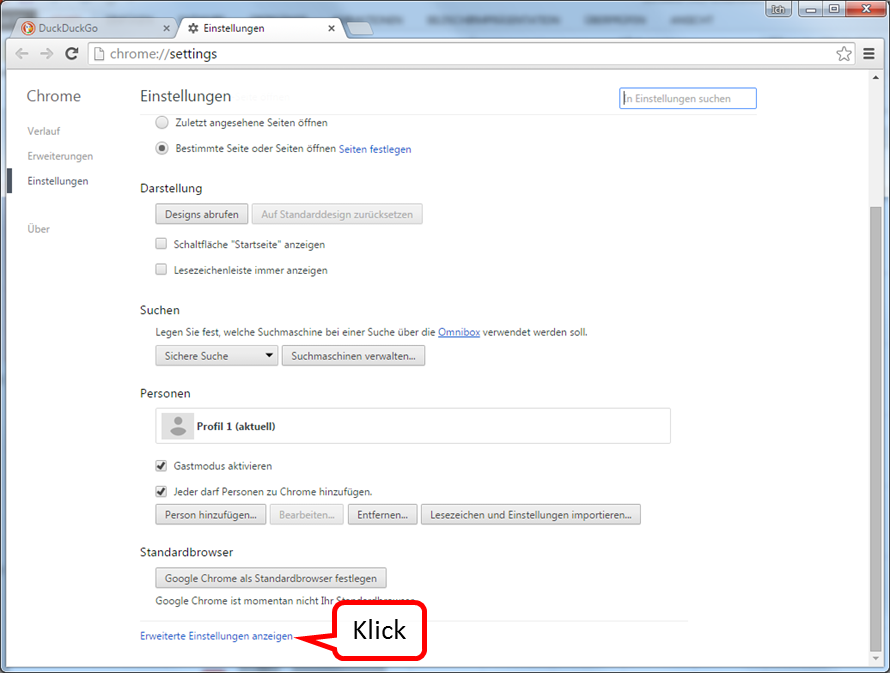
Click on "Erweiterte Einstellungen anzeigen".
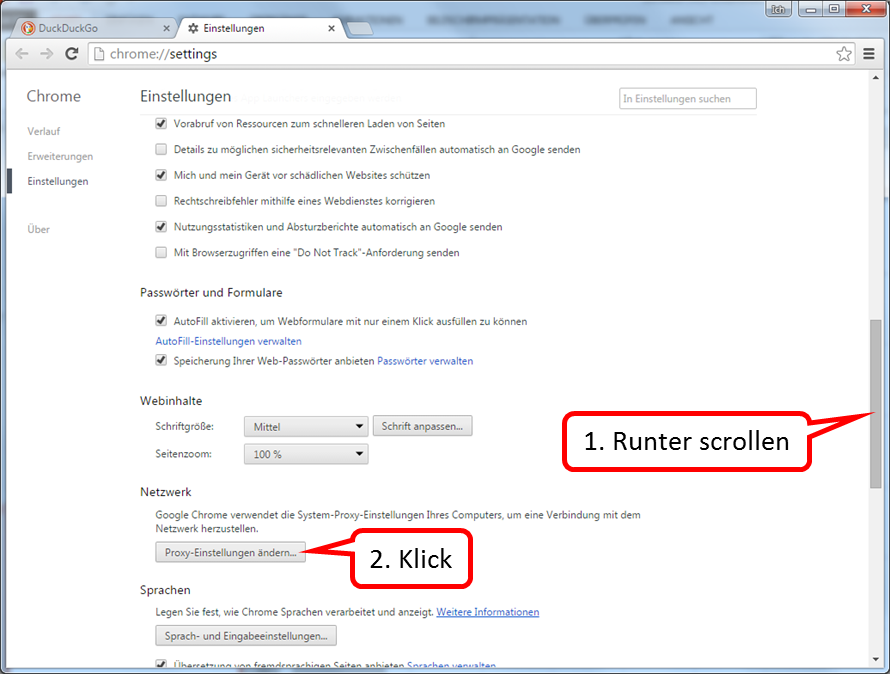
Scroll down until "Network" appears.
Click on "Proxy-Einstellungen ändern".
-> Table of Contents (of this manual)
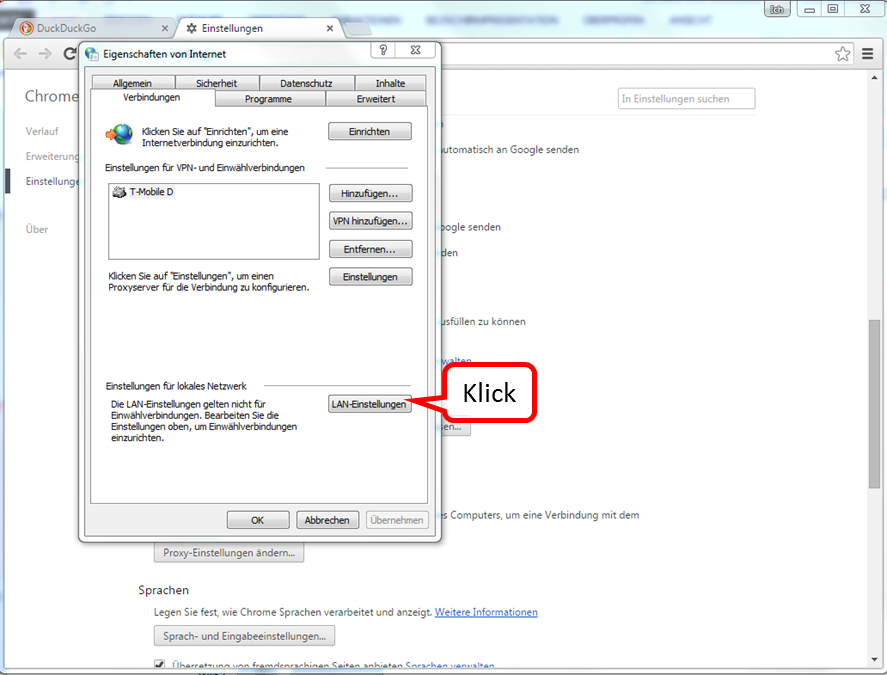
Click on "LAN-Einstellungen".
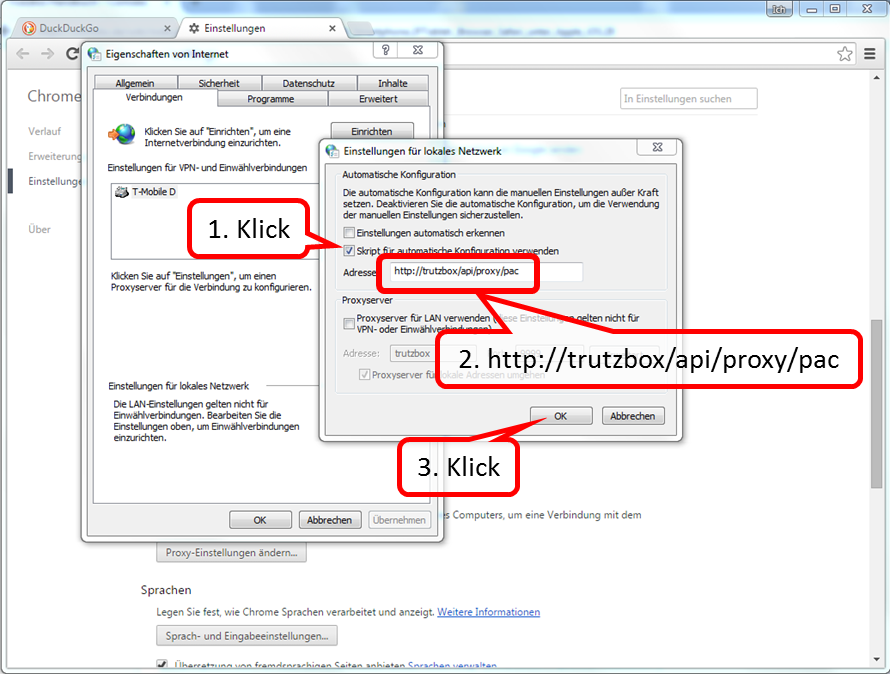
Check "Skript für automatische Konfiguration verwenden" and enter the address "http://trutzbox/api/proxy/pac". Click "OK" to confirm.
-> Table of Contents (of this manual)
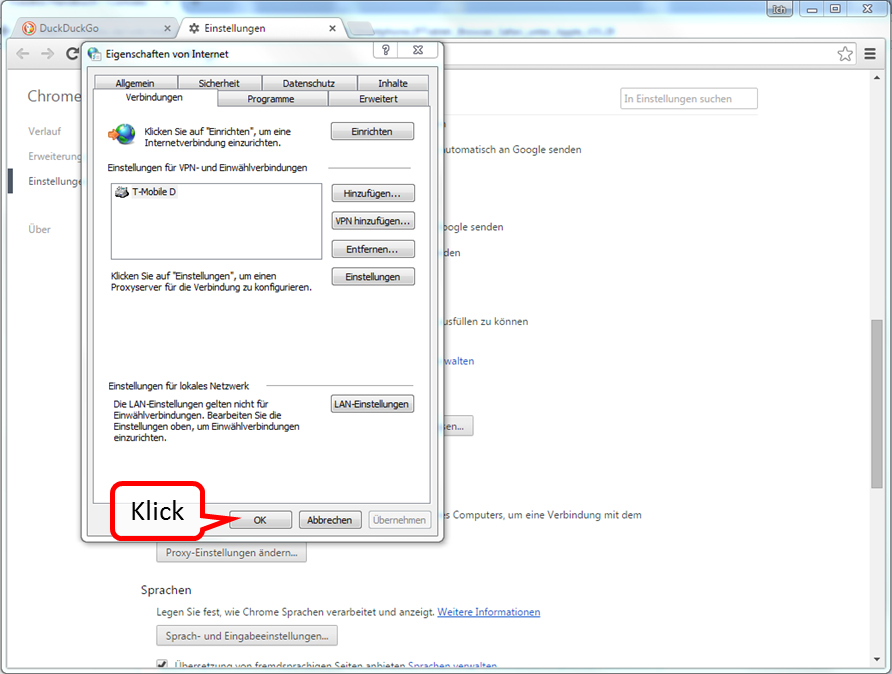
Confirm "OK".
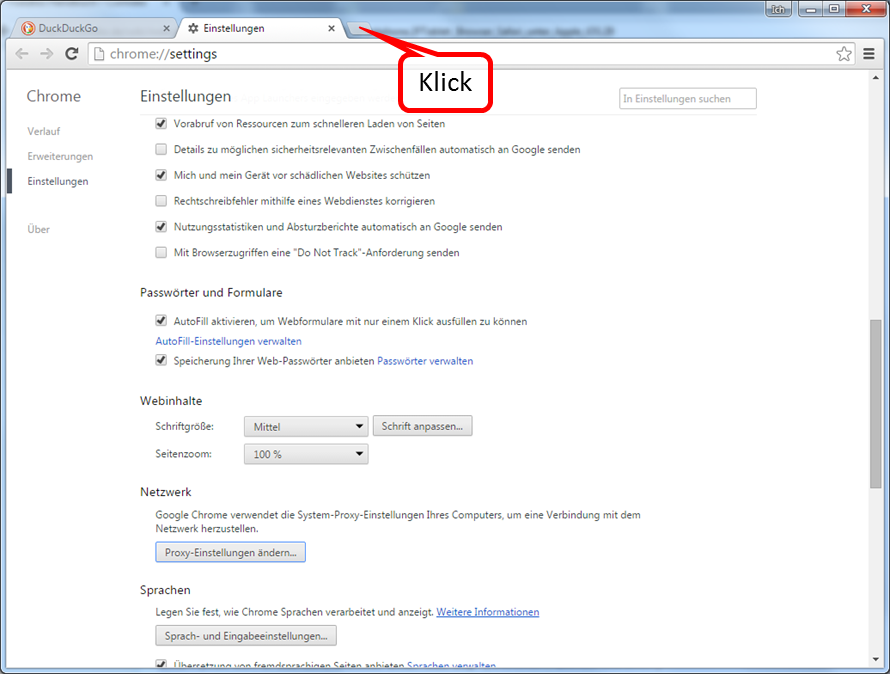
Open a new tab for testing.
-> Table of Contents (of this manual)
For example, open "Google“.
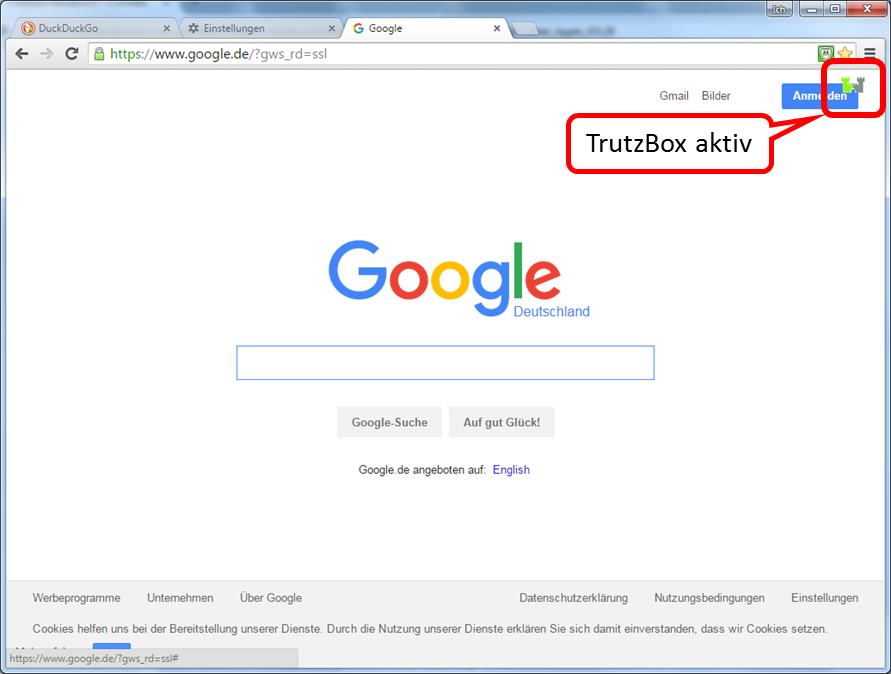
The TrutzBurg appears in the upper right corner.
This shows that the TrutzBox is active.
-> Table of Contents (of this manual)
6.2.1.3 (Windows PC: Browser Internet Explorer on Microsoft Windows 7)
6.2.1.4 Apple Mac: Browser Safari on Apple iOS
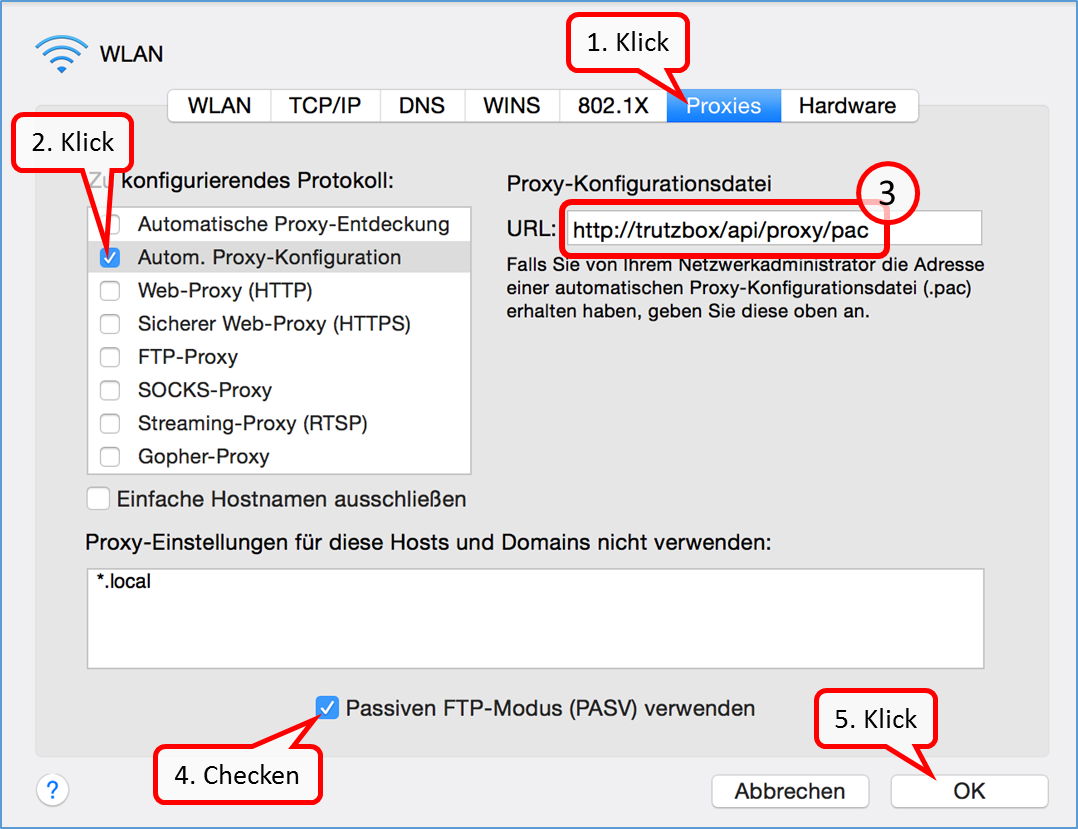
- Under iOS, click on -> Systemeinstellungen –> Netzwerk and -> WLAN.
- Click on "Proxies" (1) and activate there under Protocol to be configured: "Autom. Proxy-Konfiguration" (2).
- Enter "http://trutzbox/api/proxy/pac" (3) in the URL field on the right.
- Check or tick the box for"Passiven FTP-Modus (PASV) verwenden" (4).
- Confirm by clicking on"OK" (5).
-> Table of Contents (of this manual)
6.2.1.5 Apple Mac: Browser Firefox on Apple iOS
6.2.1.6 iOS Smartphone/Tablet: Browser Safari on Apple iOS
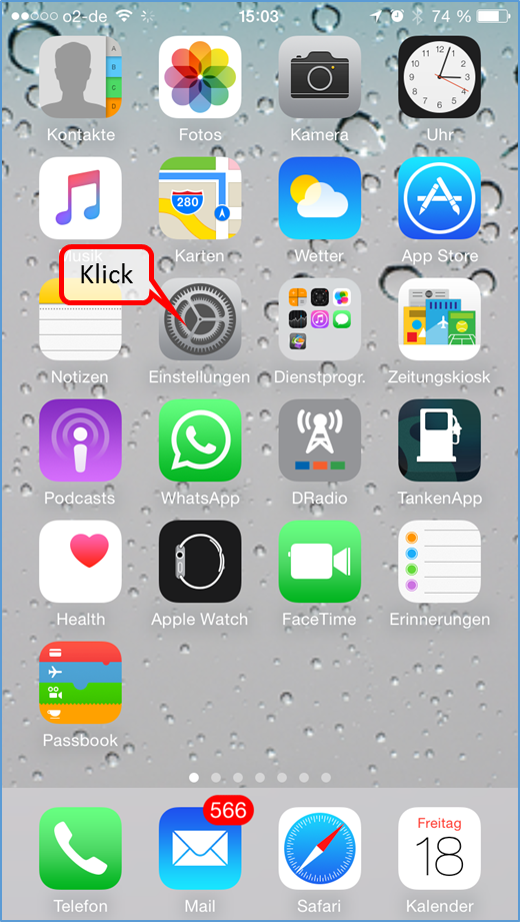
Click on "Einstellungen".
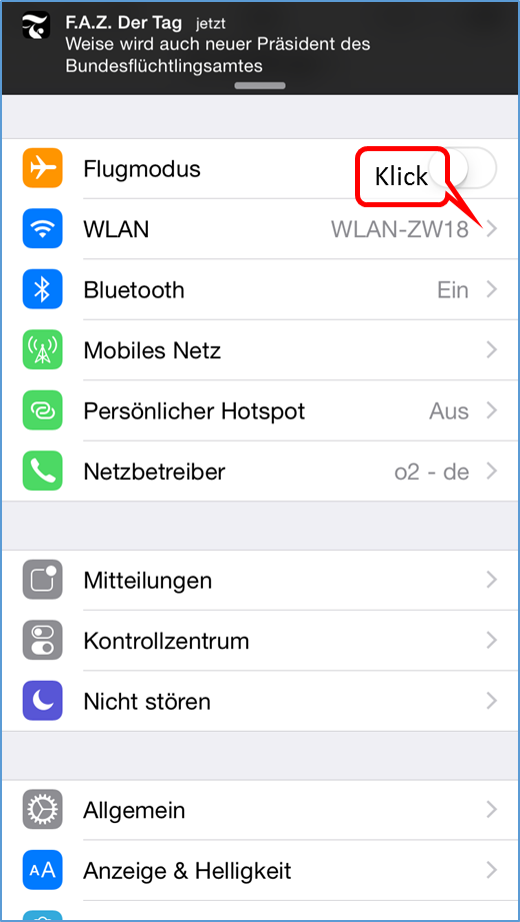
Click on "WLAN".
-> Table of Contents (of this manual)
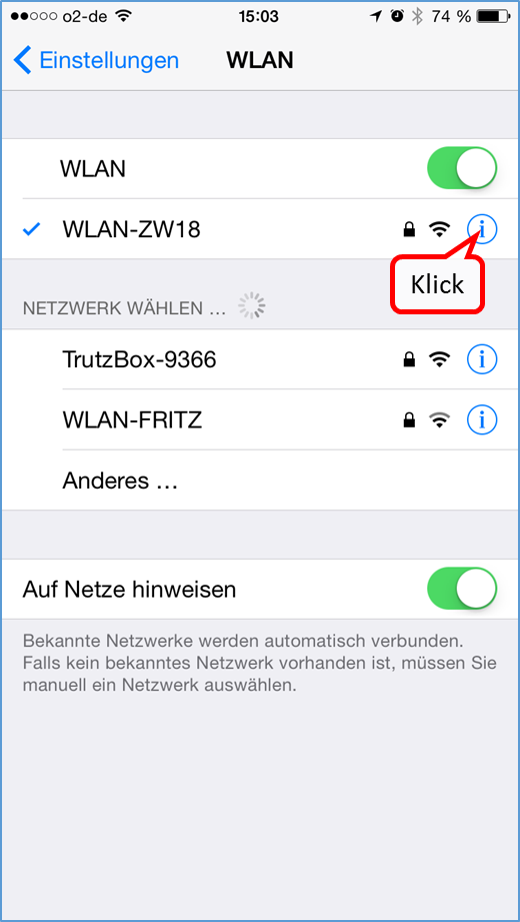
Click on "i" of the WLAN connection of the active Internet router.
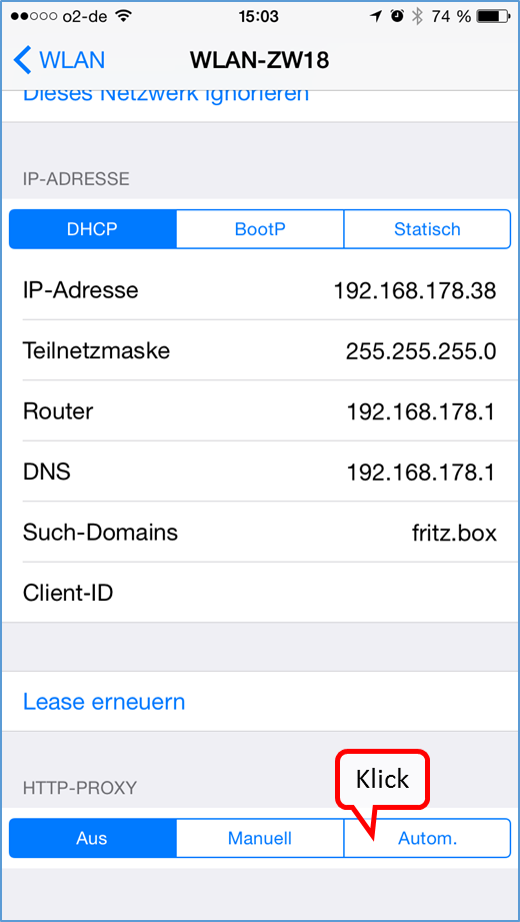
Scroll down and click on "Auto" in the "HTTP-PROXY" area.
-> Table of Contents (of this manual)
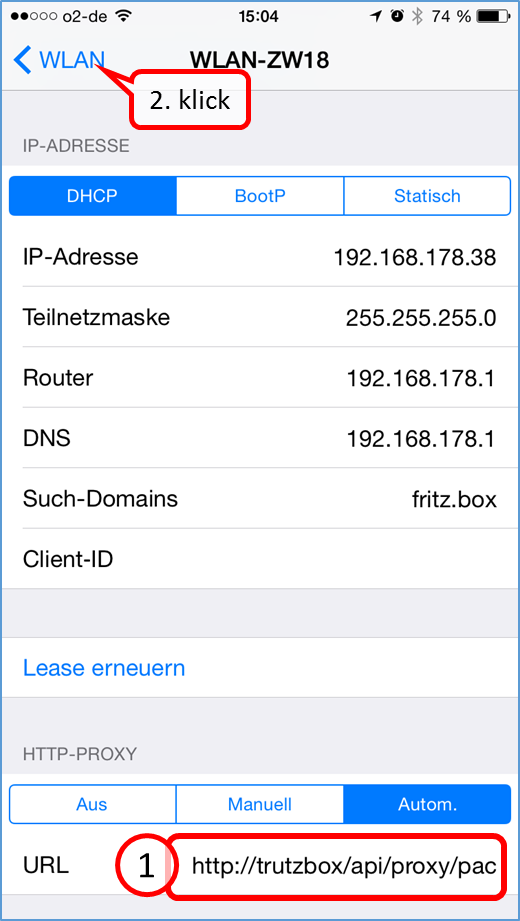
Enter the address"http://trutzbox/api/proxy/pac" in the "URL" input field (1.) and confirm your entry by clicking on "WLAN" (2.).
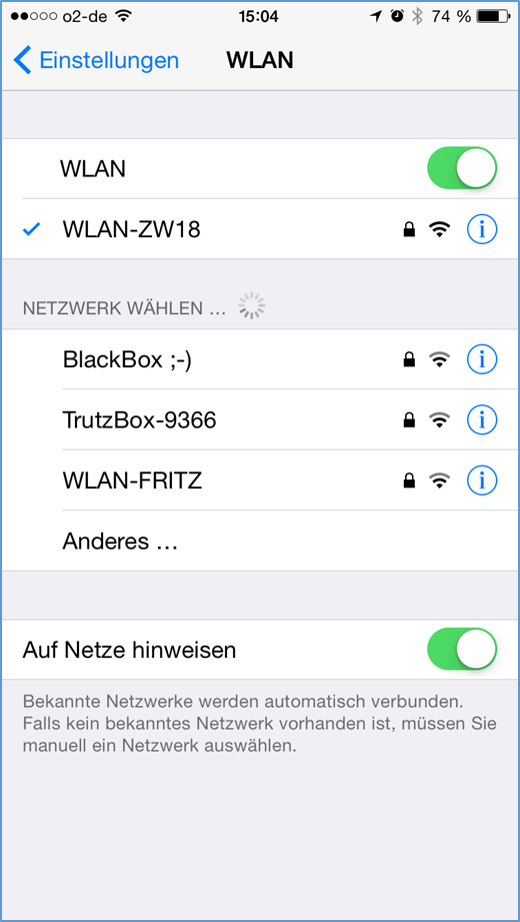
Exit "Einstellungen" by pressing the menu button.
-> Table of Contents (of this manual)
6.2.1.7 Android Smartphone/Tablet: Standard Browser on Google Android
Setting up a proxy under Android. The screens may vary slightly depending on the Android device.
Switch to "Preferences" in Android ...
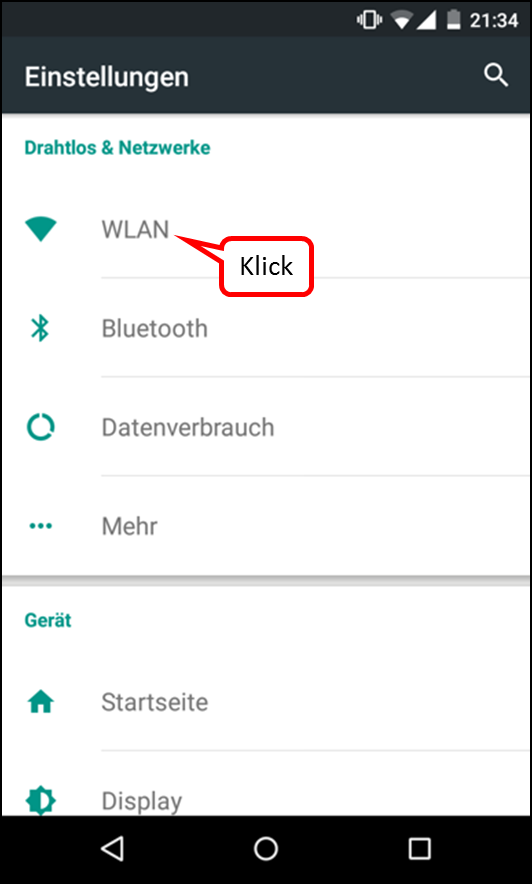
... and select "WLAN“.
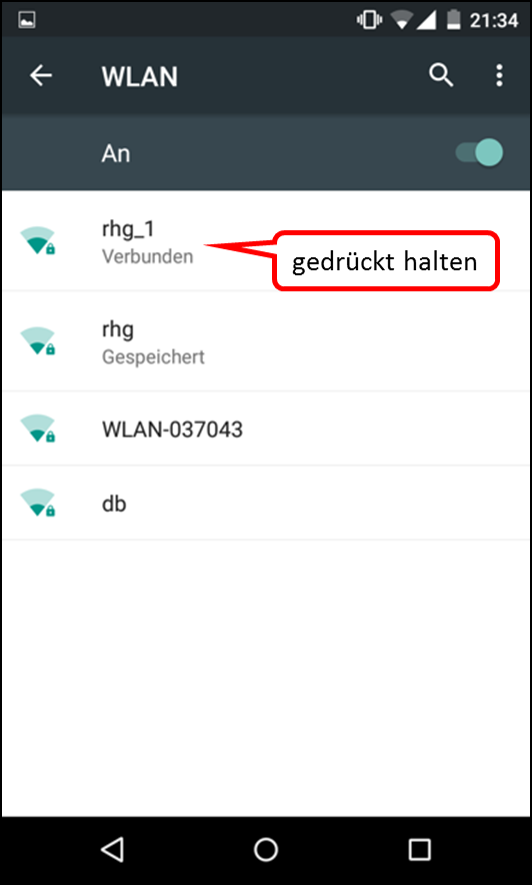
Hold down the selected WLAN (here: "rhg_1") until a new menu appears.
"Press "Change network".
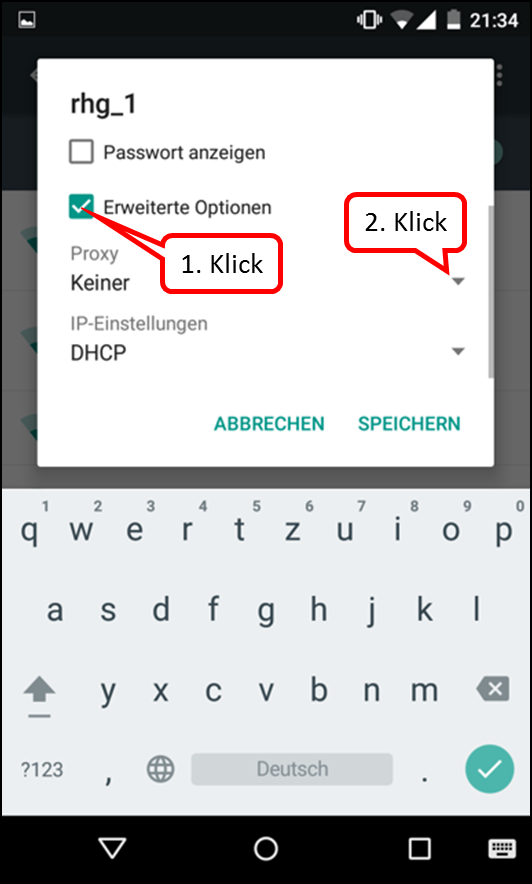
Press „Erweiterte Optionen“ and then open „Proxy“.
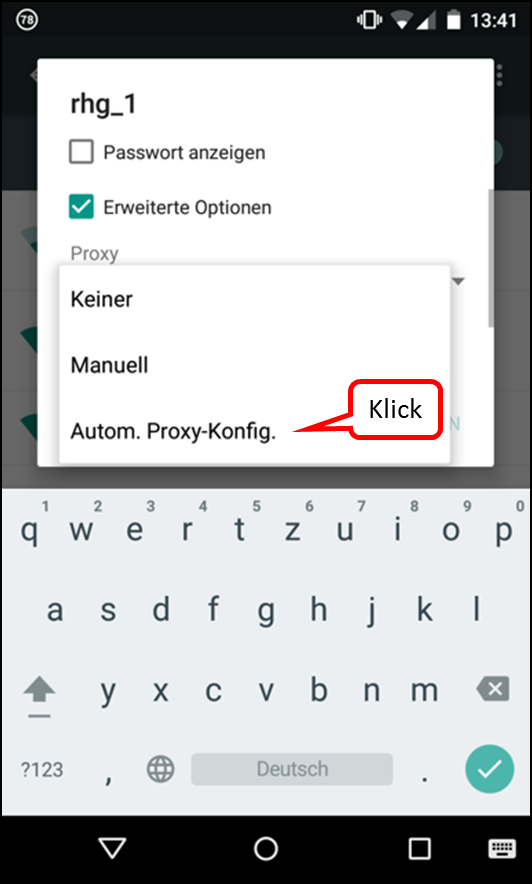
Select „Autom. Proxy-Konfig.“.
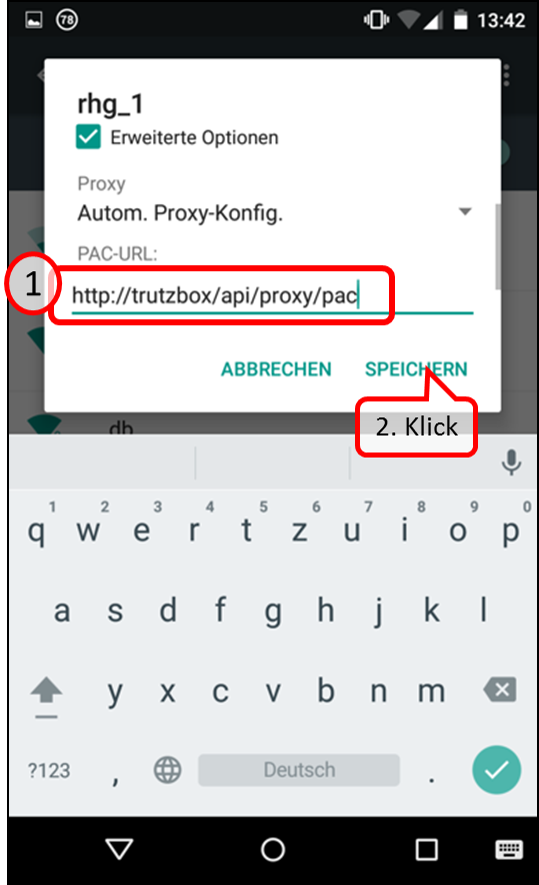
On "PAC-URL" enter: http://trutzbox/api/proxy/pac
Then click on "SPEICHERN".
6.2.1.8 Microsoft Windows 10
Configure Automatisches Proxy-Script for Microsoft Windows 10 in Edge:
In Edge, select "Einstellungen" and go all the way down.
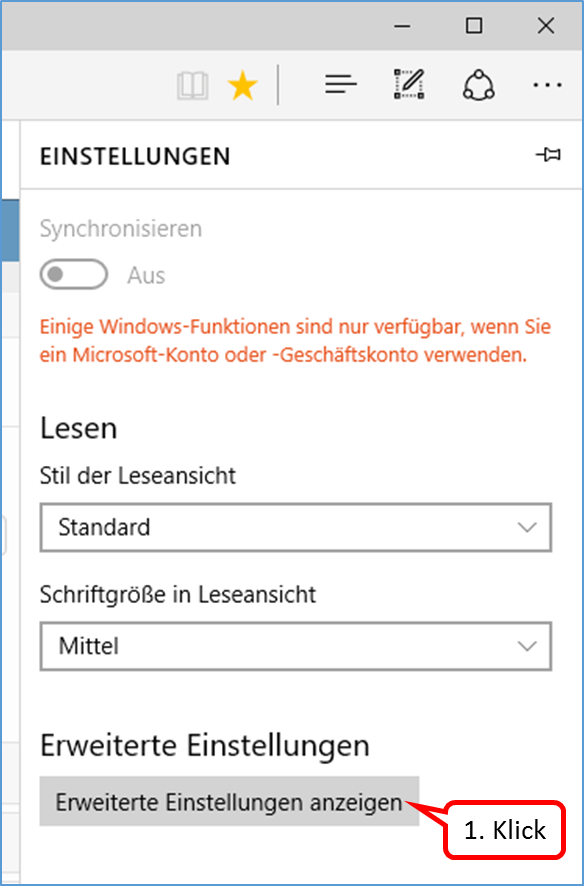
Click on „Erweiterte Einstellungen anzeigen".
-> Table of Contents (of this manual)
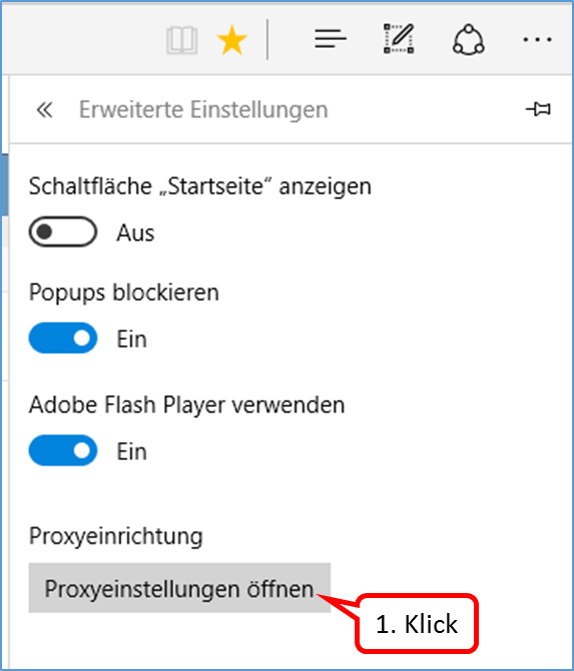
Click on "Proxyeinstellungen öffnen".
-> Table of Contents (of this manual)
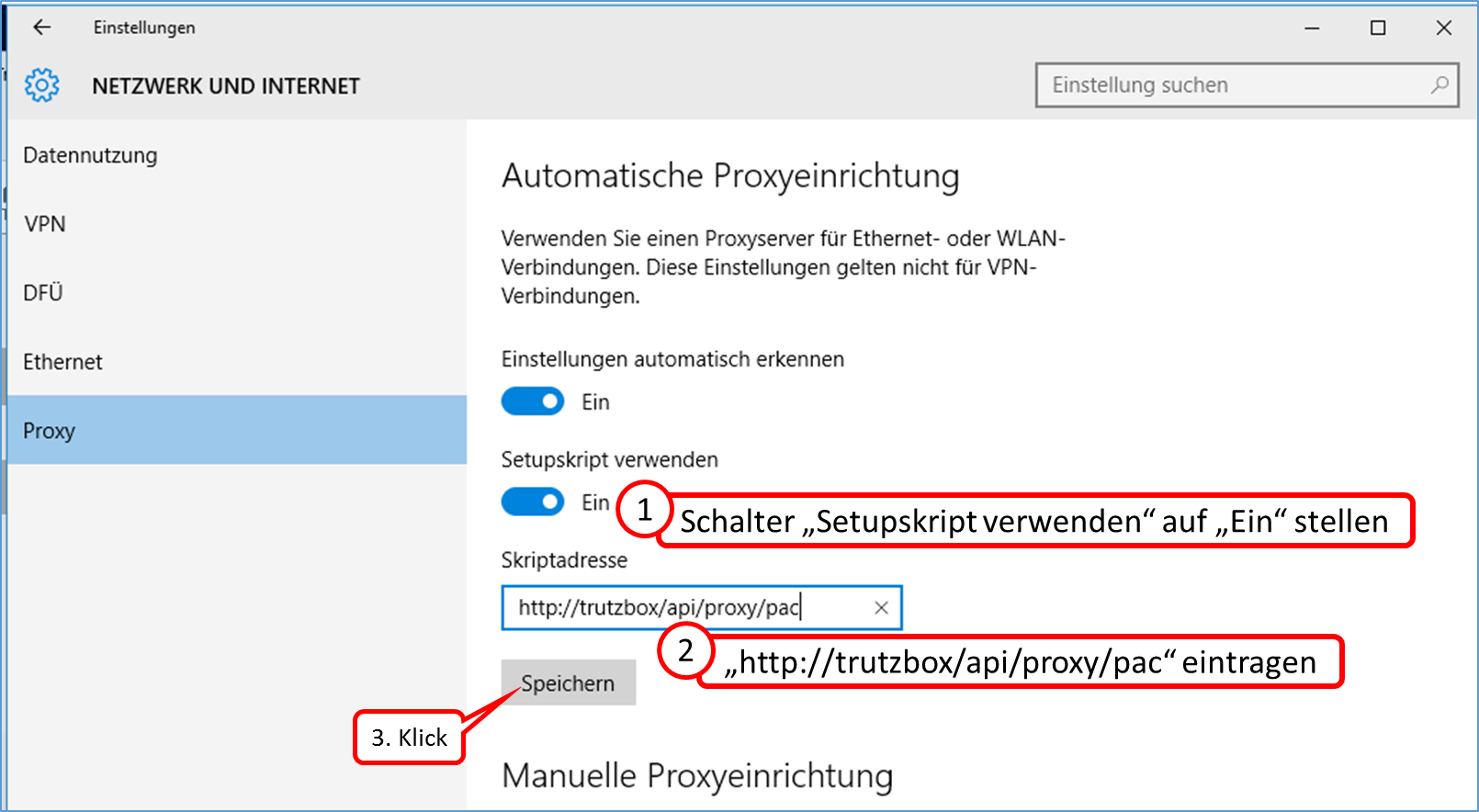
Set the „Setupscript verwenden“ switch to „Ein“.
In the field „Scriptadresse" enter "http://trutzbox/api/proxy/pac" and click on „Save“.
-> Table of Contents (of this manual)
6.2.2 Connect the device directly via WLAN (or LAN) with TrutzBox® (Transparent-Modus)
Now connect your PC and, if necessary, other Internet-enabled devices via wired network (LAN) or wireless network (WLAN) with the TrutzBox®.
Switch WLAN connection from PC to Internet router to PC to TrutzBox®:
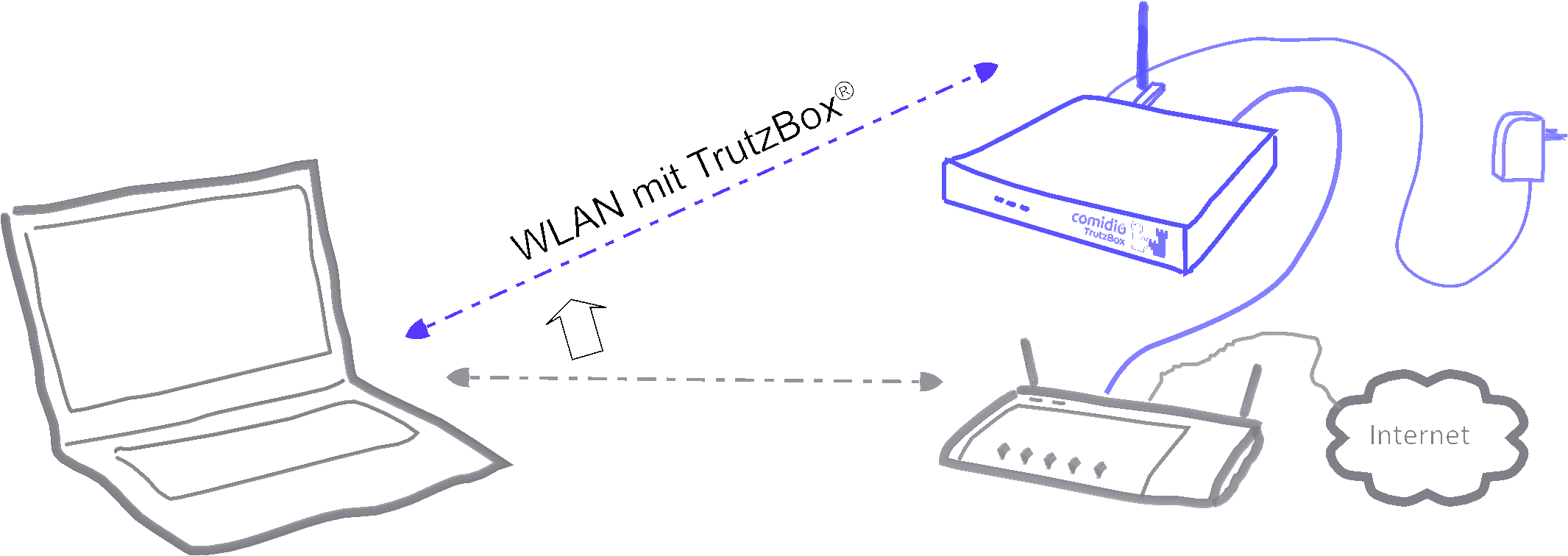
To do this, click the WLAN icon in the notification area on the right of the task bar (1.). When selecting wireless network connections, click (2.) on your TrutzBox® SSID (WLAN name assigned under 4.6 when setting up). Then click on "Connect" (3.) and enter the WLAN password in the window that appears (4.). By clicking on "OK" (5.) the confirmation (6.) appears.
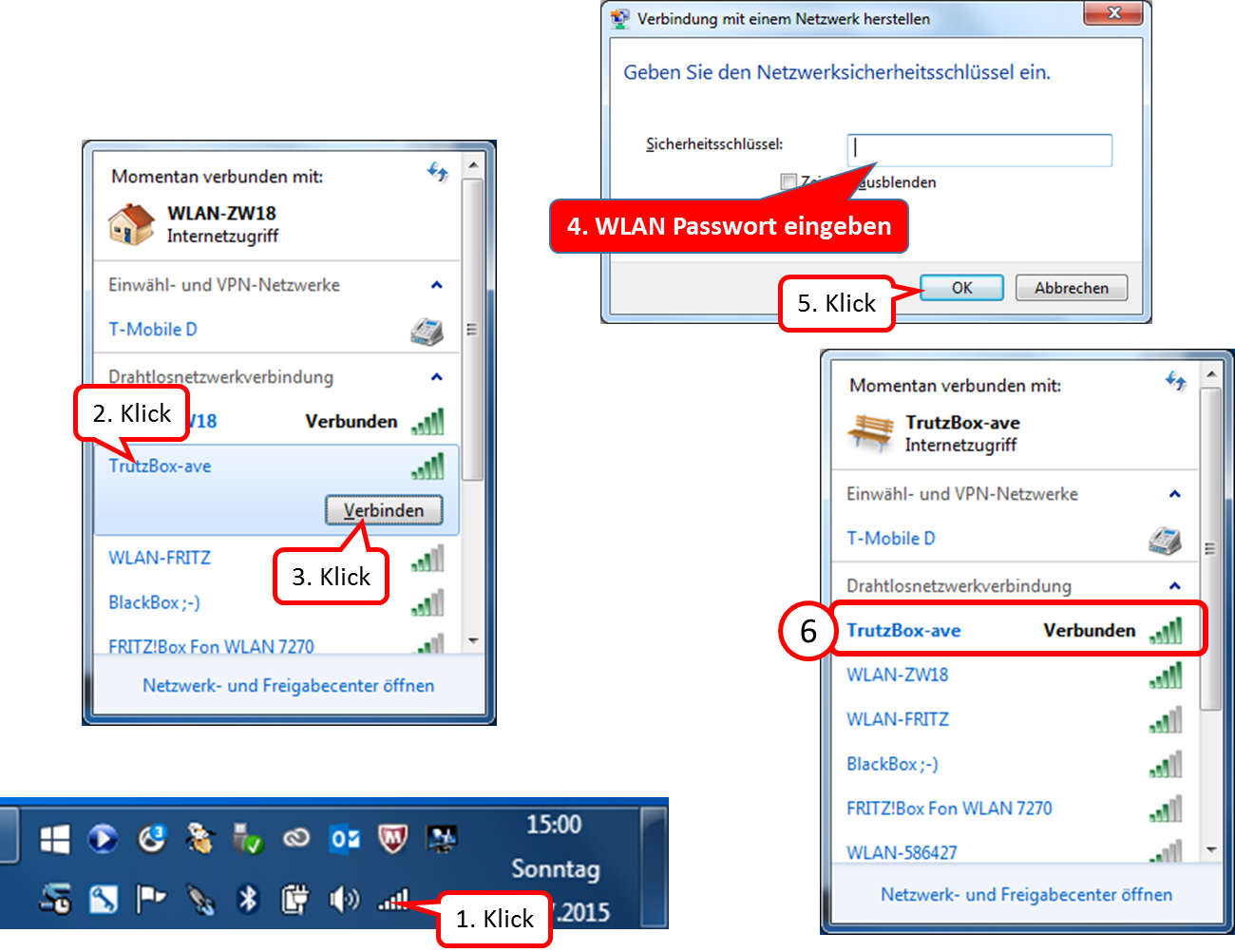
From now on you use TrutzBrowse, TrutzContent and TrutzBase.
6.3 TrutzBox®-network
To ensure maximum security for the devices connected to the TrutzBox®, the TrutzBox® sets up its own network separate from the Internet router. A DHCP server gives the connected devices a new IP address from the range 192.168.195.50 to 192.168.195.199. A separate DNS server (dnsmask) forwards the name resolution for the connected devices to the DNS server of the Internet router.
The TrutzBox® takes over the routing between the TrutzBox® internal network (WLAN, LAN-Int1 and LAN-Int2) and the TrutzBox® external network (Lan connection "LAN-Ext").
The TrutzBox® itself has the IP address 192.168.195.200 in the internal network. The IP address of the TrutzBox® is obtained from the Internet router when it is started.
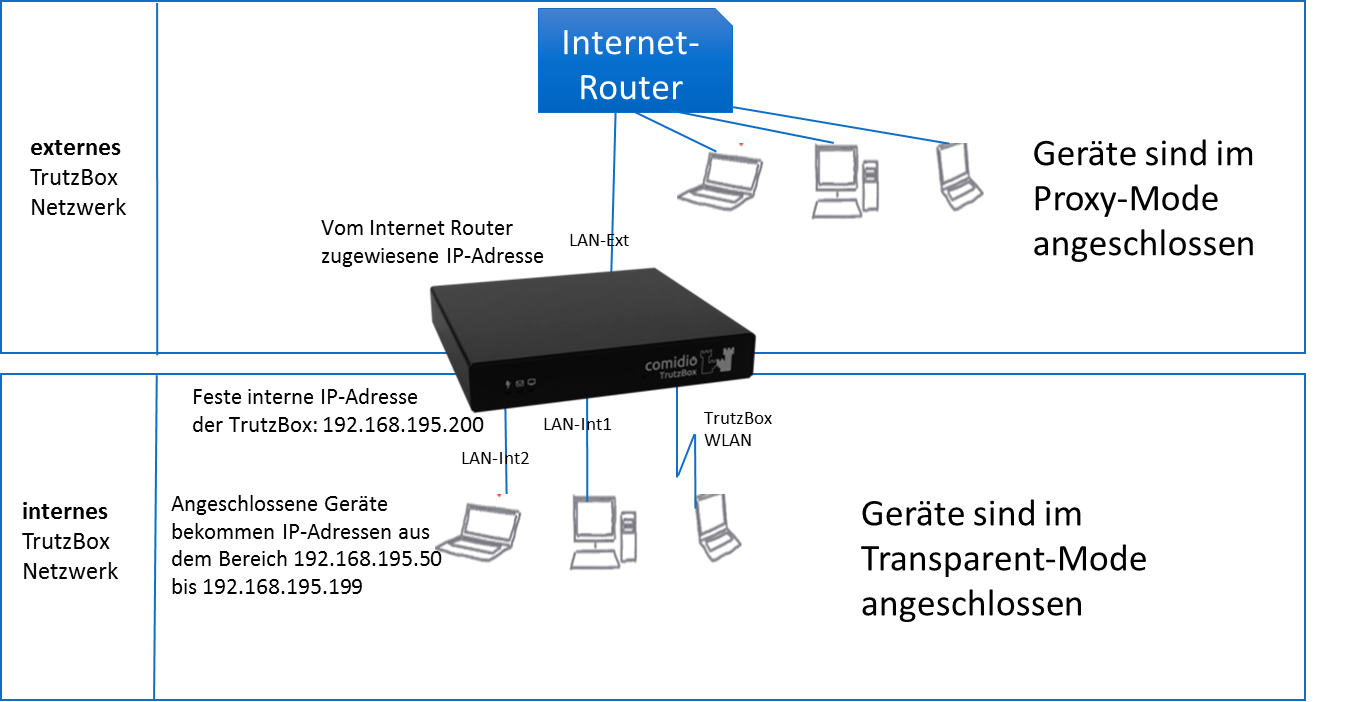
A permanently assigned (static) IP address from the range 192.168.195.50 to 192.168.195.199. can also be assigned to a connected device. Subnet mask is then 255.255.255.0, the router and DNS server IP address is 192.168.195.200.
-> Table of Contents (of this manual)
6.3.1 Firewall
A Statefull-Inspection Firewall has been installed to provide additional protection for both the TrutzBox® and the internal network connected to it. This not only protects the TrutzBox® itself from unauthorised access to the network side, but also blocks external attackers. In addition, the firewall protects all connected network devices against uncontrolled network access via appropriate port shares.
<
The firewall used is a Stateful Packet Inspection Firewall (SPI), i.e. each data packet is assigned to a specific active connection (session):
- All devices connected to the internal network are bridged so that they can communicate with each other without restriction.
- All connected devices can establish connections to "extern" (LAN-Ext) on all ports. If a device on the internal network wants to access a device on the Internet router (external network), then a fully qualified host name must be used (e.g..fritz.box must be appended). All connections via port 80/443 are automatically routed via the TrutzBox® Proxy (filter), which then controls incoming and outgoing data.
- An external connection to the TrutzBox® is only enabled for special ports
- Establishing a connection from the external network to the internal network is not enabled and is therefore not permitted.
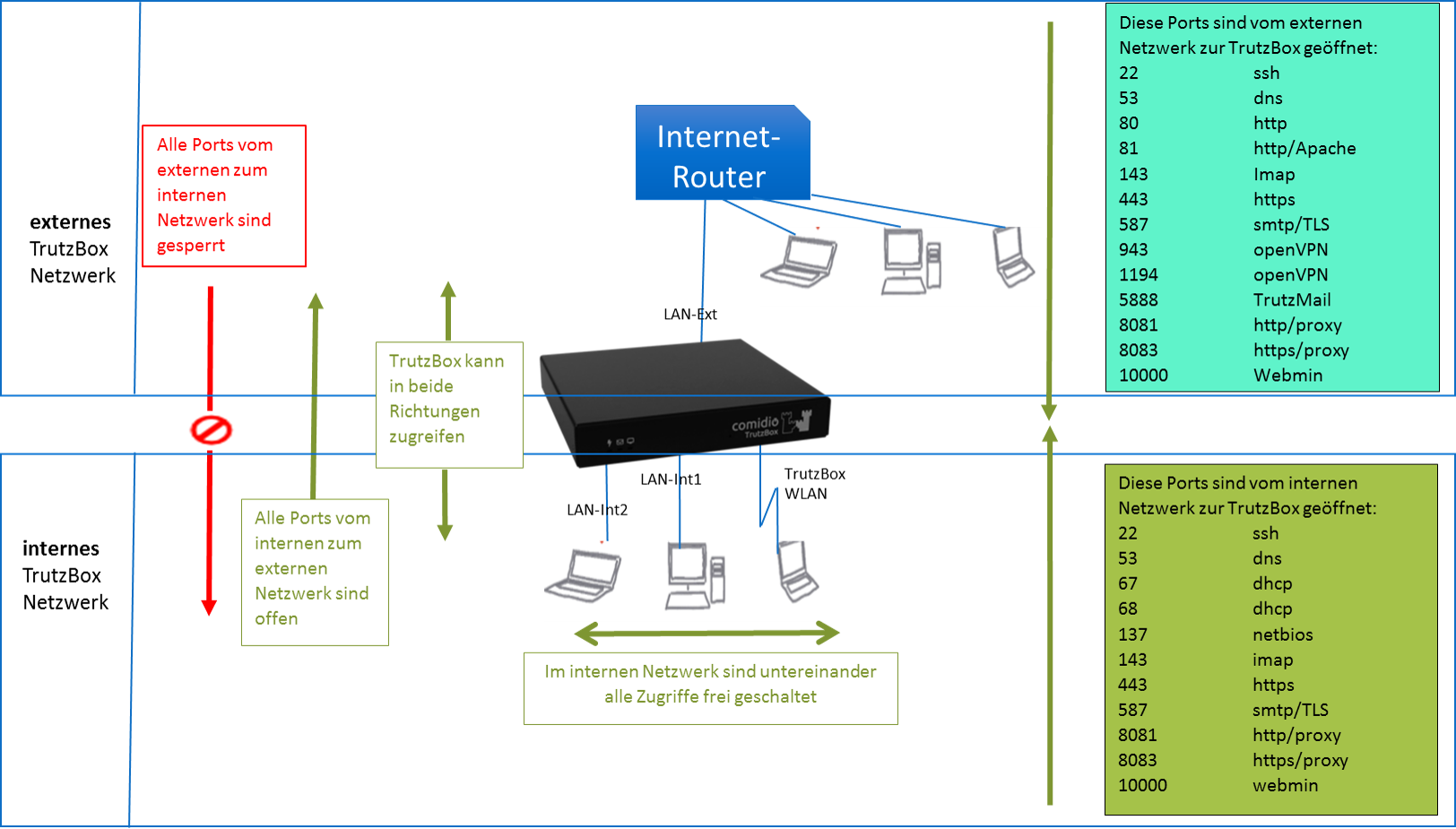
The TrutzBox® Administrator can open additional ports as required.
<
The firewall is based on the open source firewall "iptables". In addition, the Shorewall Firewall package is provided as an add-on to provide experts with additional functions such as simplified user guidance or zone setup.
-> Table of Contents (of this manual)
7 Comidio Customer Area (-> for users)
7.1 Registration and order process
In order to participate in the Support Forum, place an order or manage his account (= his user account), an interested party must register on the Comidio website.
He assigns a password and enters his contact data.
After registration he logs in with his e-mail address and password only and can then manage his user account (his account).
7.1.1 Register

To register, click in the upper menu bar on "Login / Register".

If you have not yet set up an account, i.e. you do not yet have a password to log in, you will first and foremost follow the right path "Neues Kundenkonto anlegen".
Enter your existing e-mail address and a (freely selectable) password. Then confirm your acceptance of the data protection declaration and click on "Neues Kundenkonto anlegen".
-> Table of Contents (of this manual)
-> Registrieren

If the billing and delivery addresses are identical, enter only the billing address.
If these are different, please enter both addresses.

Please select gender and enter your first and last name and, if applicable, your company name.
Then scroll down.
-> Table of Contents (of this manual)
-> Registrieren

Please enter your address and telephone number and click on "Adresse speichern".

You will now receive the confirmation "Adresse erfolgreich geändert" and can, if necessary, enter a delivery address.
As soon as "Logout" is displayed in the upper menu bar, you know that you are logged in and can log out by clicking this button.
You can also remain logged in to initialize an order, for example.
-> Table of Contents (of this manual)
-> Registrieren
7.1.2 Order
To do this, click in the main menu on "Shop".

On the page "Shop Info" you will get an overview of the TrutzBox® offer.
Scroll down to see all information.

Then go to the actual shop by clicking on "Zum Shop".
-> Table of Contents (of this manual)
-> Bestellen

Click on "Ausführung wählen", to see the color options.

Click the pulldown arrow first and then click on your color selection.
-> Table of Contents (of this manual)
-> Bestellen

Click on the up arrow to increase the desired number or on the down arrow to reduce it.

If the number is correct, click on “in den Warenkorb” so that your selection is saved according to colour and number in the shopping cart.
-> Table of Contents (of this manual)
-> Bestellen

You receive the success message: "... wurde erfolgreich Ihrem Warenkorb hinzugefügt."
If further, e.g. different coloured TrutzBoxes are to be purchased, the purchase can be continued by clicking on "Weiter einkaufen".
If the selection is currently complete, please click on "Weiter zur Kasse".

Please read if the information is correct and scroll down.
-> Table of Contents (of this manual)
-> Bestellen

Please read if the information is correct and scroll down.

By ticking the box you accept the general terms and conditions, the service descriptions, the prices and the data protection information.
If the entered data is ok, click on "Zahlungspflichtig bestellen".
-> Table of Contents (of this manual)
-> Bestellen

Now you will receive an order confirmation, which lists all relevant information again.

If you scroll down, you can create a PDF of your order by clicking on "Drucken".

You can save the PDF and print it out if required.
-> Table of Contents (of this manual)
-> Bestellen

You will now receive the order confirmation by e-mail. Now the ordering process is completed. If you do not need to stay in your account area, you can log out by clicking on "Logout".
If - after registration - you would like to return to your Accout area, simply enter your e-mail address and password.

7.1.3 Log in if password forgotten
If an existing customer wishes to view or modify his customer data or place an order, he logs on to the customer management system using the "Anmelden/Registrieren" button.

Click on "Anmelden/Registrieren".
-> Table of Contents (of this manual)

Here there are 2 possibilities:
- The user has not yet created a customer account', then he will register on the right (in column "Registrieren") by entering his e-mail address and a password to be set, and has thereby created his account. This only applies to new customers and not to existing customers.
- The user has already ‘’’created his ustomer account’’’. He logs in on the left (in the "Anmelden" column) by entering his user name or e-mail address and registered password.
<
If the user is already registered, i.e. has a customer account, but has forgotten the password given when registering', he does not make any entries and simply clicks on "Forgot password?".
Translated with www.DeepL.com/Translator.
-> Table of Contents (of this manual)

First enter the e-mail address to which the confirmation link should be sent (1).
Then click on "Passwort zurücksetzen".
-> Table of Contents (of this manual)

The user management sends a message that a confirmation link has been sent (1).
The user calls the inbox of his e-mail system (2).
-> Table of Contents (of this manual)

There is a new message from "Comidio Support" in the inbox of the e-mail system with the subject "Passwort zurücksetzen für comidio".
Open the e-mail by double-clicking on the subject.
-> Table of Contents (of this manual)

Click on "Klicke hier, um dein Passwort zurückzusetzen".
-> Table of Contents (of this manual)

The user administration offers a new window in the browser for entering the new password (1).
Click on "Speichern".
-> Table of Contents (of this manual)

The user management confirms the successful entry of the new password (1).
To open the user administration: Click on "Anmelden/Registrieren" (2).
-> Table of Contents (of this manual)

Enter the e-mail address (1) and the new password (2) and click on "Anmelden" (3).
-> Table of Contents (of this manual)

The user can see that he is logged in by the "Abmelden" button (1) shown in the upper menu bar. To unsubscribe, click on "Abmelden".
By clicking on the button "Shop" an order can be placed.
-> Table of Contents (of this manual)
8 Application example
8.1 Limiting TV tracking
The number of companies interested in data is increasing rapidly. Even with a television, you can no longer be sure that no personal data is transmitted to TV stations or even manufacturers. Even in its terms of use, the TV manufacturer Samsung recommends not to say anything private in the presence of a smart TV, because speech recognition could transmit this anywhere (https://netzpolitik.org/2015/samsung-warnt-bitte-achten-sie-darauf-nichts-privates-vor-unseren-smarttvs-zu-erzaehlen/).
But not only the microphone or even the camera on the TV could spy on the user. Current generations of television are getting closer and closer to the technology of smart phones by extending the functionality of the television by downloading apps. And there is interactive TV (HbbTV). This enables app providers, TV set manufacturers, HbbTV providers, providers of electronic program guides (Electronic Program Giude - EPG) and TV stations to track user behavior (https://netzpolitik.org/2015/studie-anonyme-nutzung-von-smart-tvs-kaum-moeglich/ und https://www.lda.bayern.de/lda/datenschutzaufsicht/lda_daten/150227%20PM%20Datenschutz%20und%20Smart-TV.pdf).
So the question arises: how can you limit the tracking of the TV with the TrutzBox?
Here a short manual ...
First you have to make sure that the TV set only communicates to the Internet via the TrutzBox. The easiest way to do this is to connect the TV set to the TrutzBox via LAN cable or WLAN. After that, all standard TrutzBox filters for HTTP and HTTPS (i.e. ports 80 and 443) will automatically take effect.
Here at the example of a television of the type "Sony Bravia"
After switching on the TV set, TrutzBrowse shows that the TV is loading some data from sony.net and encrypted JS programs, pictures and other data from playstation.net.

In the further process, when one clicks through the menus of the television the Internet video offers, further profile data are transferred to playstation.net:

If you then call up the news on the TV via the Internet, it not only downloads data from Tagesschau.de, but also images from secure.footprint.net. Thus the American service provider Markmonitor (https://www.markmonitor.com) also gets the information that someone here retrieves data:

All this information exchanged via http/https (port 80/443) is already controlled by the TrutzBox. The TrutzBox function TrutzBrowse used the default profile to manipulate the http header data. With the menu item TrutzContent you can now also block individual URLs (domains) to which you do not want to supply data. E.g. "secure.footprint.net".
However, the TV can also exchange data via protocols and ports other than http. These ports/protocols can be controlled and blocked with TrutzBase.
9 What to do if... ?
9.1 ... WLAN is not working?
If the TrutzBox WLAN is not visible, i.e. does not show an SSID (WLAN ID defined by the administrator during setup) and the WLAN button in the TrutzBox user interface in the "TrutzBox Übersicht" is gray instead of green, proceed as follows:
- In the TrutzBox user interface go to "Netzwerk" -> "WLAN", scroll down completely and click on the "Apply" button at the bottom.
Wait a moment and check whether the SSID is visible. If not visible, restart the TrutzBox:
- In the TrutzBox user interface, click on "System" -> "Ein-/Ausschalten" and wait until the TrutzBox has shut down and started up again automatically.
Rebooting takes about 15 minutes. Then check whether the SSID is visible. If not visible, a factory reset may have to be performed.
- In this case, please contact Comidio Support so that they can accompany the factory reset by telephone if necessary.
9.2 ... a SmartPhone/Tablet app does not work?
Sometimes it is difficult to find out which servers an app wants to access. These must be identified in order to be able to assign SecurityLevel 9 or even 10 to their addresses, if necessary.
- Start and stop the app concerned because some SSL connections are enabled for the app the first time the app is started on the TrutzBox.
- In the TrutzBox user interface under "TrutzBox Filter" -> "Status" in the tab of the relevant device, delete the status: "Delete history". This prevents other accesses from covering the searched accesses.
- Then restart the app on the smartphone/tablet.
If the app does not yet work, under Status press "Neu laden" again to see which accesses are not on L10. If necessary, set this to L10.
Sometimes an app wants to access several sub-domains of xyz.com. In this case it may help if all sub-domains are activated by entering "*.xyz.com.
9.3 ... the browser and/or mail program reports a problem with the certificate?
That's normal. Import the TrutzBox® certificate into the browser and the mail program. Download the TrutzBox® certificate from the TrutzBox user interface (https://trutzbox/#mail/status).
9.4 ... the TrutzBurg (symbol of the TrutzBox in the upper right corner of the browser window) is not displayed
Browser Update?
Please check first if your browser is up to date; if not, update it.
NoScript" off?
The TrutzBurg (top right) is "injected" into the website by software. This only works if Java-Script is activated in the browser.
Therefore, the Java script should NOT be deactivated in the browser: the button should be set at: "Skripte allgemein erlauben", or the extension (add-on) "NoScript" should not be loaded or not activated.
Pop-ups allowed?
Please make sure that pop-ups are allowed.
If the TrutzBurg is still not displayed, please proceed according to the following flowchart or table:
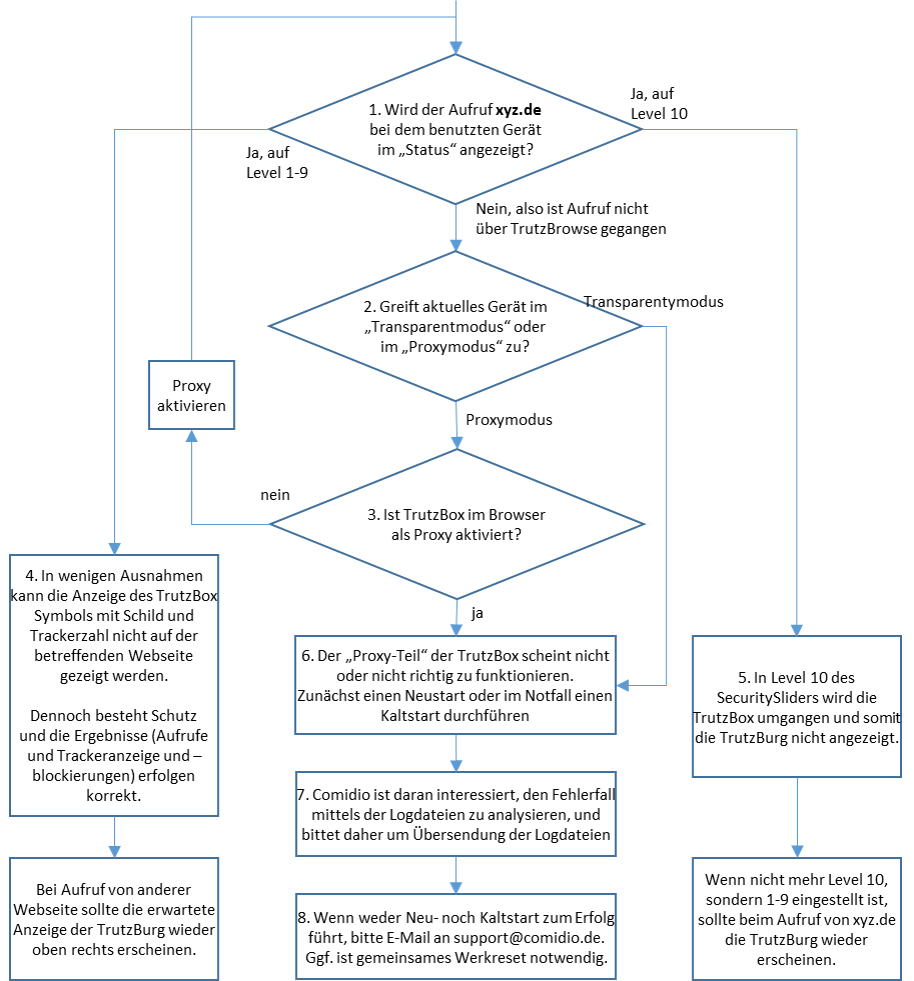
-> Table of Contents (of this manual)
If the device is or should be connected to the Internet Router (proxy mode), continue with 3.
dd>Proxy Activation Detection
- Is the TrutzBox "pac file" entered and activated in the browser?
(see manual 6.2.1)
- Is the corresponding software switch set up and switched on?
This may be necessary for certain applications (e.g. smartphone apps), so that the app works as desired (but unprotected).
Level 10 can be set:
- by user: Call the SecuritySlider of the corresponding page and click on the green button "TrutzBrowse".
- by administrator: set the level to 10 in "Status" or in "Slider Einstellungen”
- automatic: if under "TrutzBox Filter" -> "Geräte" the check mark " Falls SSL-Fehler auftreten, Filtering für angesteuerte Domain automatisch ausschalten " is set
Joint work reset may be necessary.
| 1. Check if TrutzBrowse works correctly | Opening in TrutzBox User Interface: TrutzBox Filter -> Status If the call xyz.de is displayed for the device used? |
No, so call did not go via TrutzBrowse; continue with 2. Yes, with level 1-9; continue with 4. |
| 2. Does the current device access in "Transparentmodus" or in "Proxymodus"? | Determination of operating mode
Device is directly connected to TrutzBox via (W)LAN
The device is connected to the Internet Router and the TrutzBox is entered in the browser as a proxy (= quasi detour). |
|
| 3. is TrutzBox activated as a proxy in the browser? | If TrutzBox is activated as a proxy in the browser, continue with 6. If TrutzBox is not activated as a proxy in the browser, this is recommended (see manual 6.2.1), and then page xyz.de should be called again. |
|
| 4. Displayed in "Status" with level 1-9 Intention: |
In Status: Click on link call (xyz.de) right of security level |
In a few exceptions the display of the TrutzBox symbol with sign and number of trackers cannot be shown on the respective website. Nevertheless, protection exists and the results (calls and tracker display and blocking) are correct. |
| 5. Displayed in "Status" with level 10 Intention a: |
Case b: in Status: Click on blue icon left of security level of xyz.de' |
|
| 6. xyz.de is not displayed in "Status" Restarting the TrutzBox |
restart via:
"System" ->"Ein-/Ausschalten"
Only if user interface is not accessible:
|
The "proxy part" of the TrutzBox does not seem to work or does not work properly. First restart or, in an emergency, perform a cold start. |
| 7. xyz.de is not displayed in "Status" Comidio asks you to send us the files "logs.zip". |
"System" ->"Debug": Click on "Alle Logdateien herunterladen". Save the file "logs.zip" (if necessary, the individual files). Mail the file "logs.zip" (if necessary the individual files) to support@comidio.de |
Comidio is interested in analyzing the error using the log files and therefore asks for the log files to be sent. Continue with 8. |
| 8. xyz.de is not displayed in "Status" Restart possible or contact Comidio Support |
Restart via: "System" -> "Ein-/Ausschalten" Click on "Neu starten". |
-> Table of Contents (of this manual)
9.5 ... the e-mail gets stuck in the TrutzMail outbox?
Go to TrutzMail -> Status (https://trutzbox/#mail/status). Check whether TrutzMail, SMTP, IMAP each have a green check mark = are OK. If not, restart and press the round arrows to the right. Attention: this restart may take some time. The mail can therefore remain in the mail queue for some time. If it has not been delivered after some time, make sure that the TrutzBox® of the receiver is active, port 5888 (on the DSL router e.g. FRITZ!Box) is not open or the receiver has received a new certificate due to a factory reset, replacement of the TrutzBox®, etc. In this case go to TrutzBox® Overview -> TrutzMail -> Status and click on "Mail-Schlüssel erneuern" in the upper right corner.
9.6 ... the user interface (UI) is no longer accessible?
Make sure that the TrutzBox® is listed under Devices and Users on the DSL router (e.g. FRITZ!Box) in the home network. Otherwise you can also reboot your Internet-enabled device (e.g. PC), the DSL router (e.g. FRITZ!Box) and the TrutzBox®. If the TrutzBox® cannot be reached via the IP address, try the "traditional" method = remove the plug, wait a few minutes, reconnect the plug and restart the TrutzBox®.
It may take 5 - 10 minutes for it to start up.
-> Table of Contents (of this manual)
9.7 ... the right and middle LEDs are off and the left LED is constantly on?
Probably you cannot access Webmin https://trutzbox:10000 any more; then try the "traditional" method = remove the plug, wait a few minutes, plug in the plug again and restart the TrutzBox®.
It may take 5 - 10 minutes for it to start up.
Should the startup not bring the desired success, please contact us by e-mail at support@comidio.de.
-> Table of Contents (of this manual)
9.8 ... Your TrutzBox is not connected to the router or your terminal device (e.g. PC) cannot reach the TrutzBox?
The TrutzBox works exclusively with IPv4 addresses. If your TrutzBox is not connected to the router or your terminal device (e.g. PC) cannot reach the TrutzBox, one reason for this may be that the router assigns IPv6 addresses. To avoid this, it should be ensured that the router assigns IPv4 addresses. To disable IPv6 addresses, go to: https://comidio.de/wiki/index.php?title=TrutzBox_Handbuch#IPv6_deaktivieren
-> Table of Contents (of this manual)
9.9 ... Your router has had an "Internet failure" and your TrutzBox is no longer accessible after service has started (e.g. only the left LED is permanently light)?
Exceptionally, please try the "brutal" method = remove the plug, wait a few minutes, reconnect the plug and reboot the TrutzBox®.
It may take 5 - 10 minutes for it to start up.
Should the startup not bring the desired success, please contact us by e-mail at support@comidio.de.
-> Table of Contents (of this manual)
9.10 ... I want to check that my software packages are up-to-date?
Caution: All version numbers shown in this chapter were valid at the time the screenshots were taken. If you check versions yourself, you will probably find other, then current version information. The newer version numbers are always larger than the older ones, e.g. 0.0.62 is newer than 0.0.61 and 0.2.119-1 is newer than 0.1.134.
- Quick test: Check_the_current_status_of_software_updates using Webmin -> Details
- Do I have the latest software packages? -> Details
- What are the current software package versions on the Comidio server? -> Details
- Which software package versions do I have on my TrutzBox? -> Details
- Do I have the current packages on my TrutzBox? -> Details
- When were the latest software packages downloaded to my TrutzBox? -> Details
- When was the last time my TrutzBox checked for software updates? -> Details
- When the last filter lists were downloaded to my TrutzBox? -> Details
-> Table of Contents (of this manual)
9.10.1 Quick-check: Check current status of software updates via Webmin
We use Webmin functions to quickly check the current status of the imported software packages.
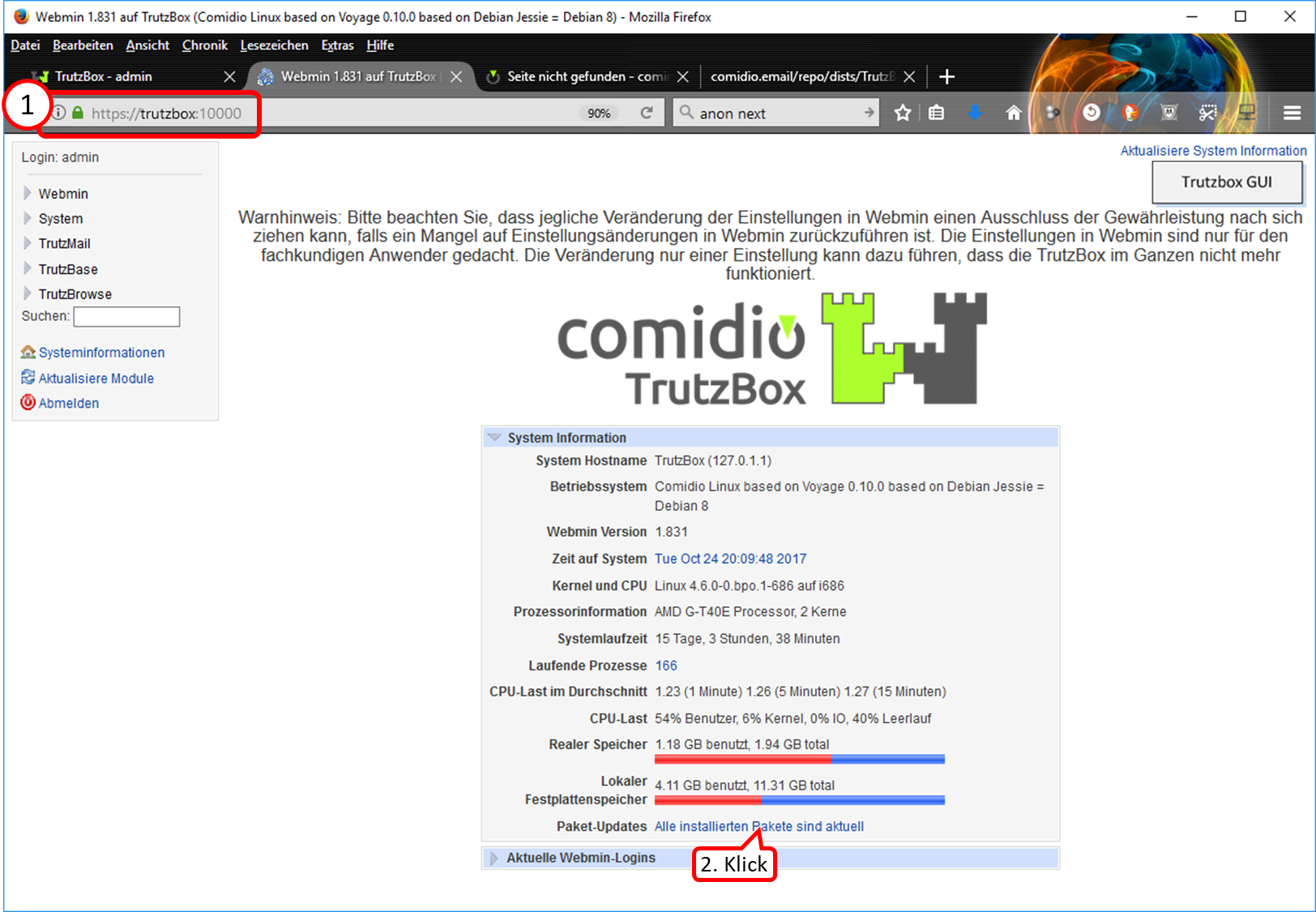
- Enter "https://trutzbox:10000" (without quotes) (1).
- The Webmin display "Alle installierten Pakete sind aktuell" is already a first indication that all software updates have been imported. A click on it (2) allows a forced new check of the up-to-dateness.
-> Table of Contents (of this manual)
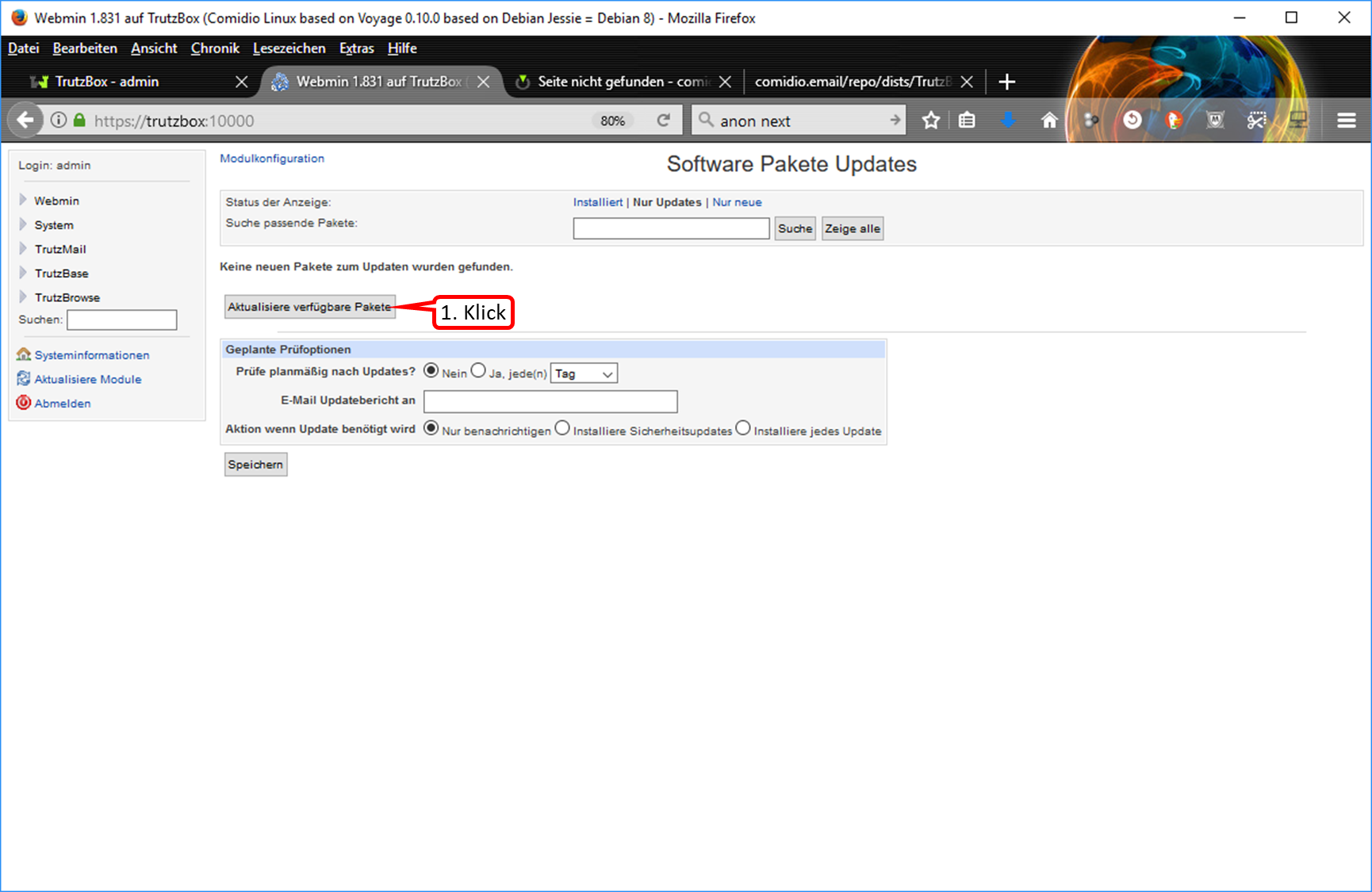
- Click on "Aktualisiere verfügbare Pakete" (1).
-> Table of Contents (of this manual)
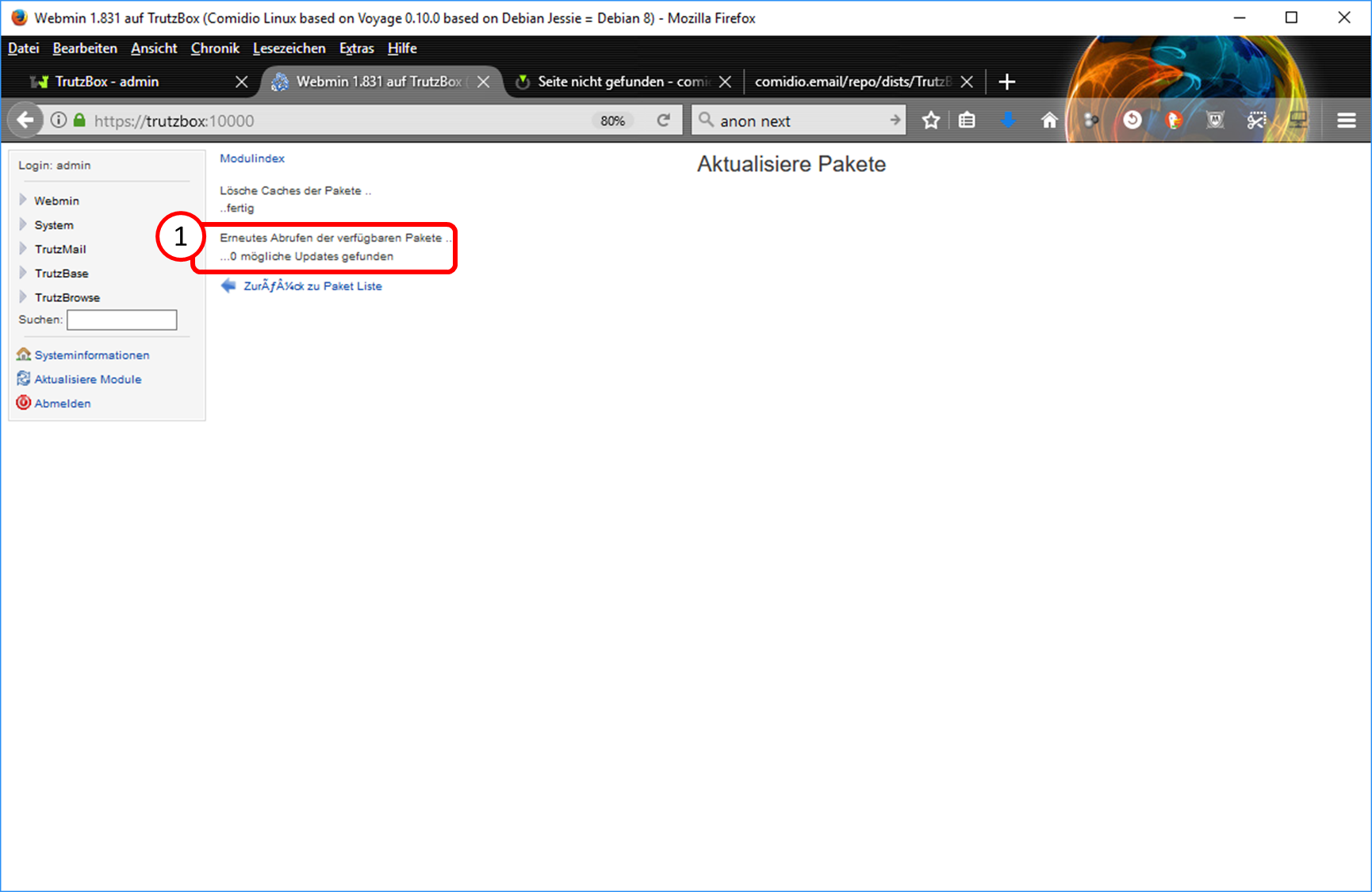
- If " 0 mögliche Updates gefunden" (1) is displayed, your TrutzBox is up to date.
- If your TrutzBox is online overnight, all necessary updates should be installed automatically (around 5:00 am).
- If your TrutzBox was offline, any update installations can be initiated manually, or you can leave your TrutzBox online overnight. The manual installation of package updates is described in "5.6.5.8 Webmin: TrutzBox Updates manuell anstoßen".
-> Table of Contents (of this manual)
9.10.2 Do I have the current software packages? =
We will
- check on the Comidio server which versions of the software packages for the Trutzbox are released,
- determine on your TrutzBox the version status of the TrutzBox software packages currently installed on your TrutzBox, and
- by comparing the version of the Comidio Server (TARGET) with that of your TrutzBox (ACTUAL) to determine whether it is up-to-date.
9.10.2.1 What are the current software package versions on the Comidio server?
We check the software packages and their version numbers that Comidio has published on its server for the Trutzbox.
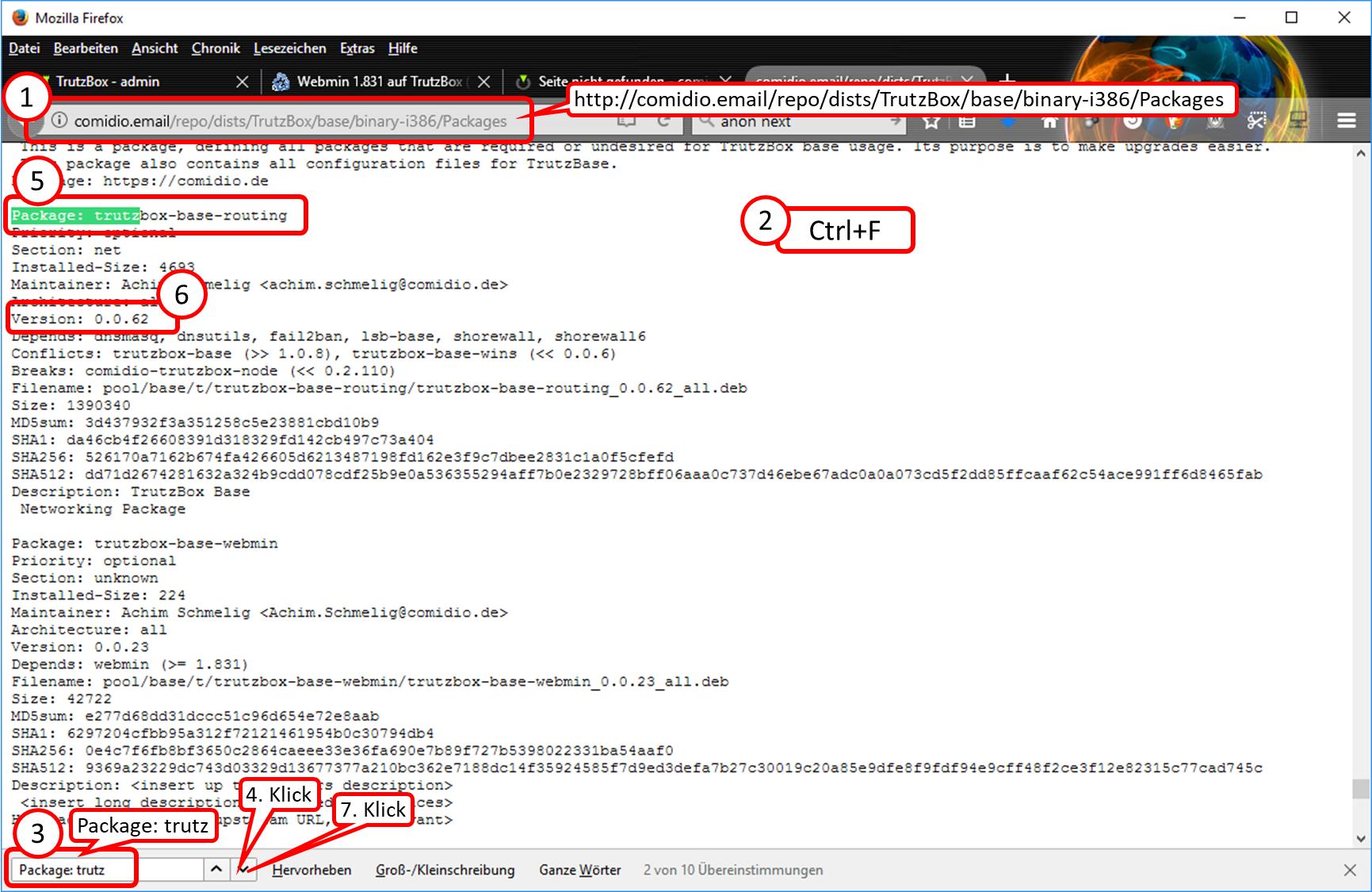
- Call "http://comidio.email/repo/dists/TrutzBox/base/binary-i386/Packages" (without quotes) (1).
- Call up full-text search in current page, e.g. by entering Ctrl + F (2) on the keyboard.
- Enter "Package: trutz" (without quotation marks) (3). Note: Only if the entry begins with "Package:" does the search show the first meaningful entry.
- Click on the down arrow (4).
- Details of the next software package found (in the example: "trutzbox-base-routing") are displayed (5).
- The version number (in the example: "0.0.62") is displayed after the keyword "Version" (6).
- Click the down arrow (7) to move to the next package whose name begins with "trutz.
Insight (with example data) :
Package "trutzbox-base-routing" is currently available on the server in version "0.0.62
"
-> Table of Contents (of this manual)
9.10.2.2 Which software package versions do I have on my TrutzBox?
We use Webmin to check the software packages and their version numbers installed on my Trutzbox.
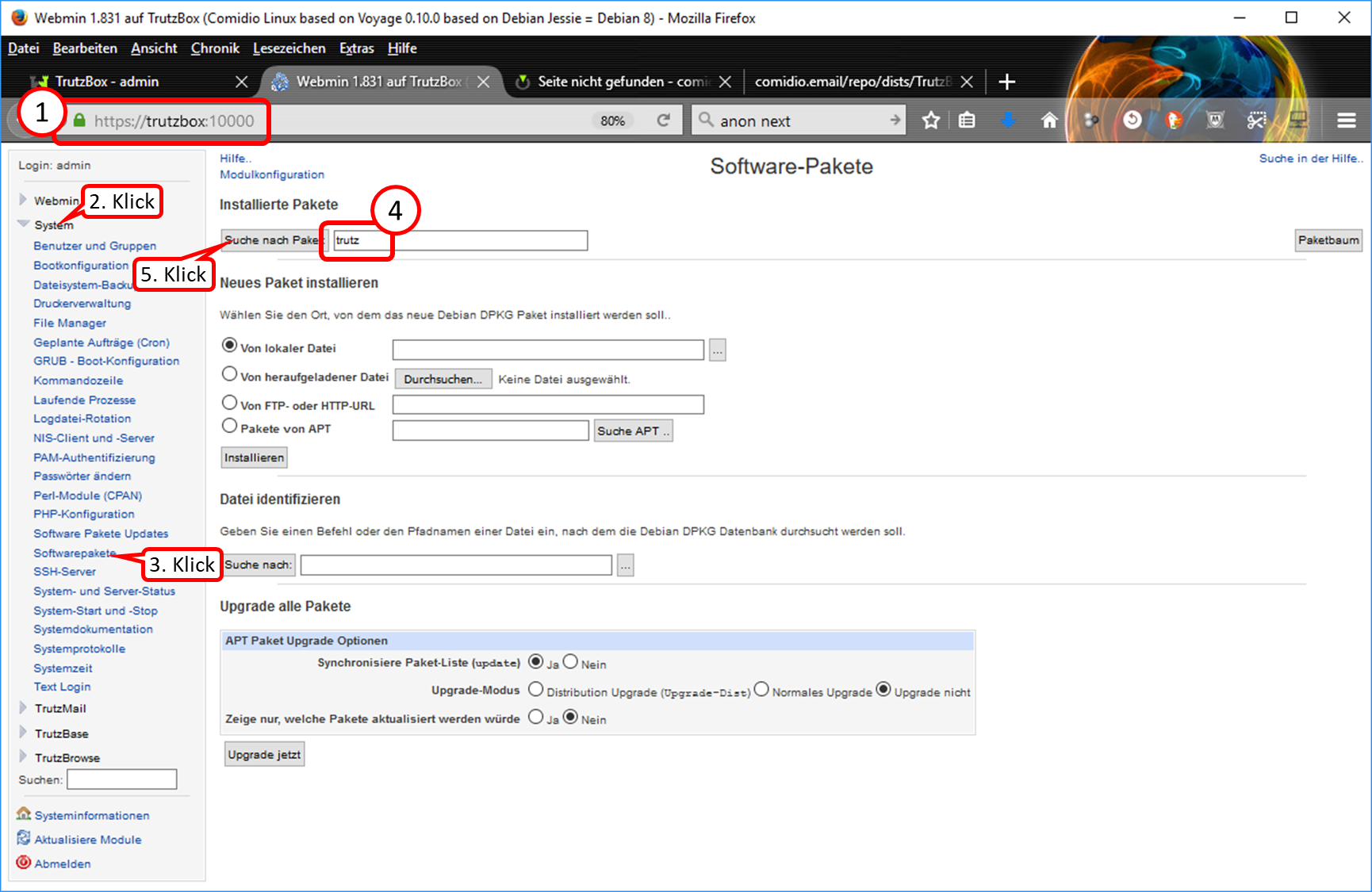
- Call "https://trutzbox:10000" (without quotes) (1).
- Click on "System" (2).
- Click on "Softwarepakete" (3).
- Enter "trutz" (without quotation marks) in the search mask (4) to display all packages maintained by Comidio.
- Click on "Suche nach Paketen" (5).
<
-> Table of Contents (of this manual)
<
[File:09_10_260.png|700px|link=]]
- The software packages on the Trutzbox in whose name "trutz" appears are listed (1).
Knowledge (with example values)':
The "trutzbox-base-routing" package is currently available on my TrutzBox in version "0.0.62"
-> Table of Contents (of this manual)
9.10.2.3 Do I have the current packages on my TrutzBox?
We compare the version numbers of the software packages on my Trutzbox with those on the Comidio server.
<
Insight (with example data)':
The "trutzbox-base-routing" package has the same version on the server and on my TrutzBox, so it is current.
9.10.3 When were the latest software packages downloaded to my TrutzBox?
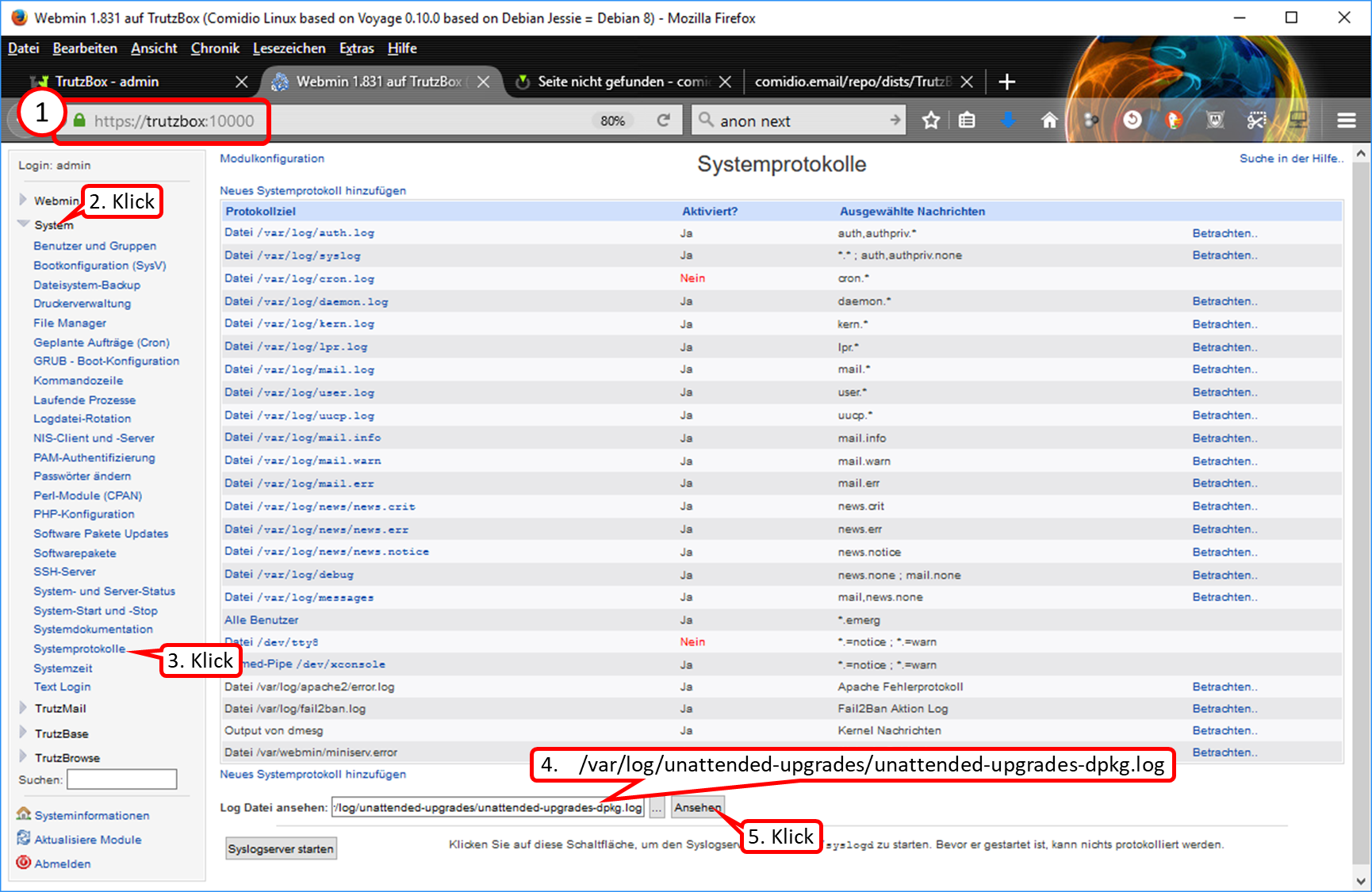
- Call "https://trutzbox:10000" (without quotes) (1).
- Click on "System" (2).
- Click on "Systemprotokolle" (3).
- Enter "/var/log/unattended-upgrades/unattended-upgrades-dpkg.log" (without quotes) in filename field (4).
- Click on "Ansehen" (5).
-> Table of Contents (of this manual)
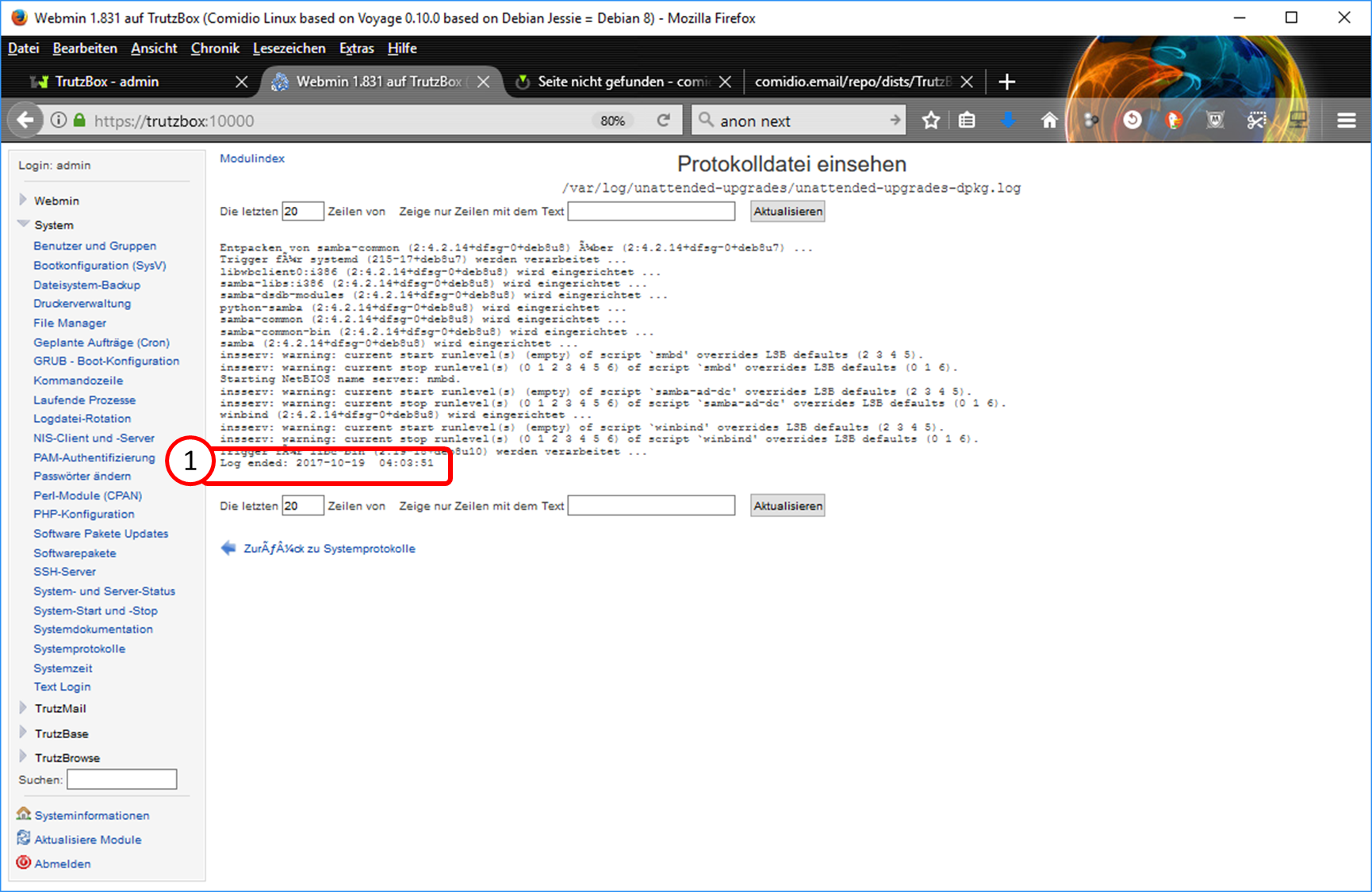
- Log ended" shows when the software packages were last updated on my TrutzBox (1).
Insight (with example data):
The last update of the software packages on my TrutzBox was on 19th October 2017 at 04h : 03min : 51sec.
-> Table of Contents (of this manual)
9.10.4 When did my TrutzBox last check for software updates?
We check the logfiles of the Trutzbox to know the date of the last change.
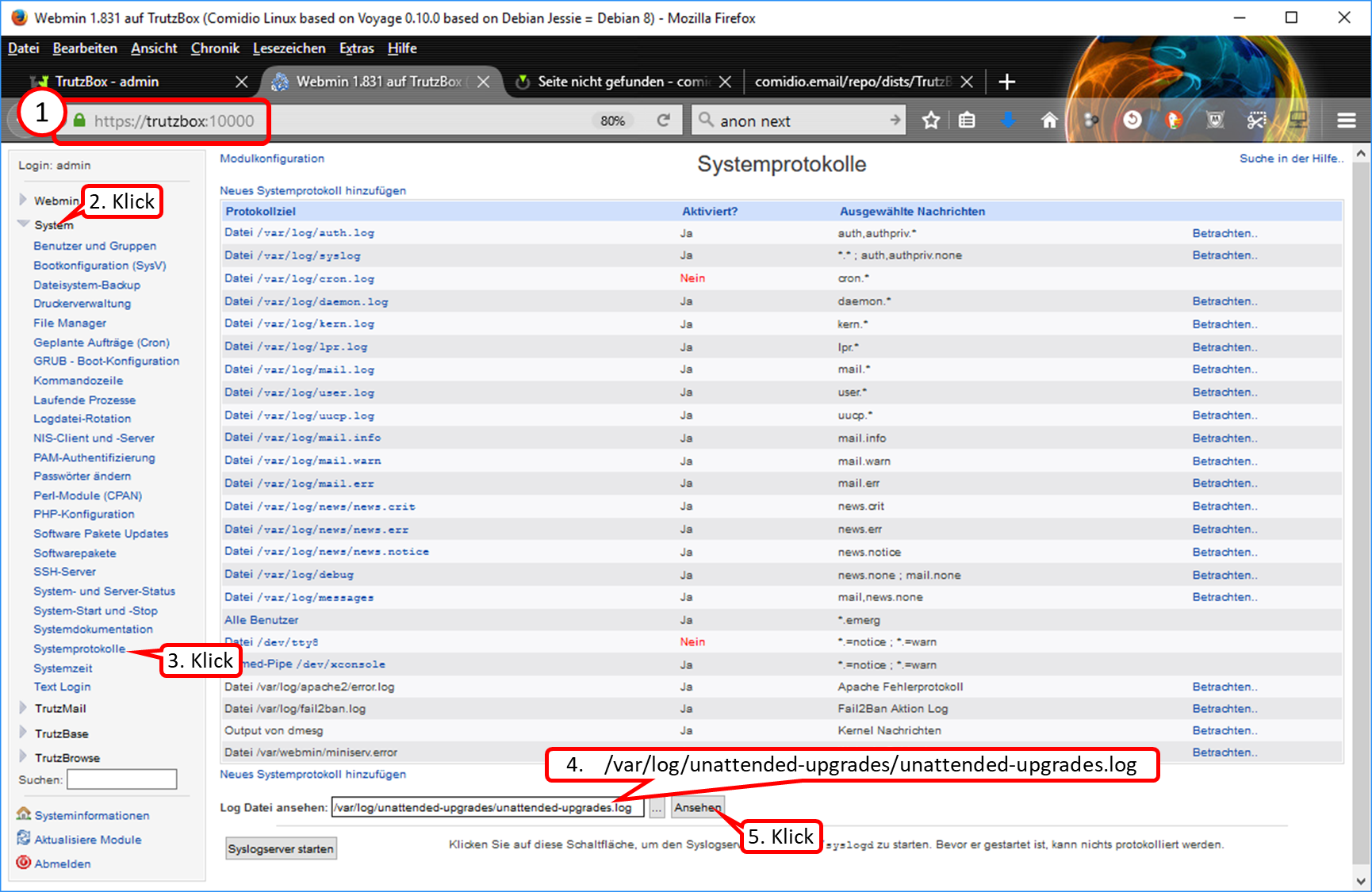
- Call "https://trutzbox:10000" (without quotes) (1).
- Click on "System" (2).
- Click on "Systemprotokolle" (3).
- Enter "/var/log/unattended-upgrades/unattended-upgrades.log" (without quotes) in filename field (4).
- Click on "Ansehen" (5).
-> Table of Contents (of this manual)
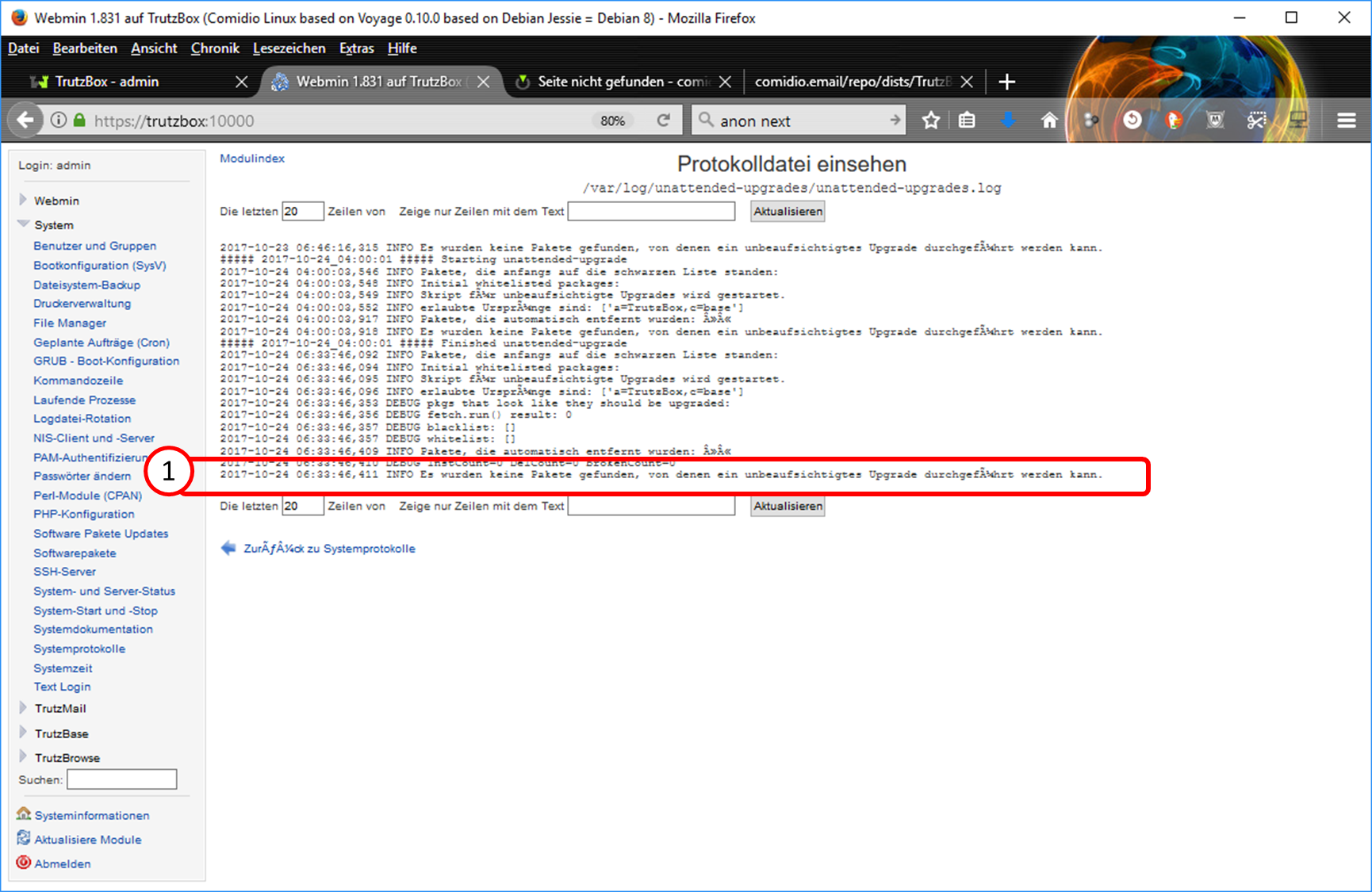
Insight (with example data):
The last check of my TrutzBox for software package updates was on 24.10.2017 at 06h : 33min : 46sec and showed that no updates were available. The date shown should not be too long ago to be sure that the software packages of my Trutzbox are up to date.
-> Table of Contents (of this manual)
9.10.5 When were the last filter lists downloaded to my TrutzBox?
We check the logfiles of the Trutzbox to obtain the date of the last change.
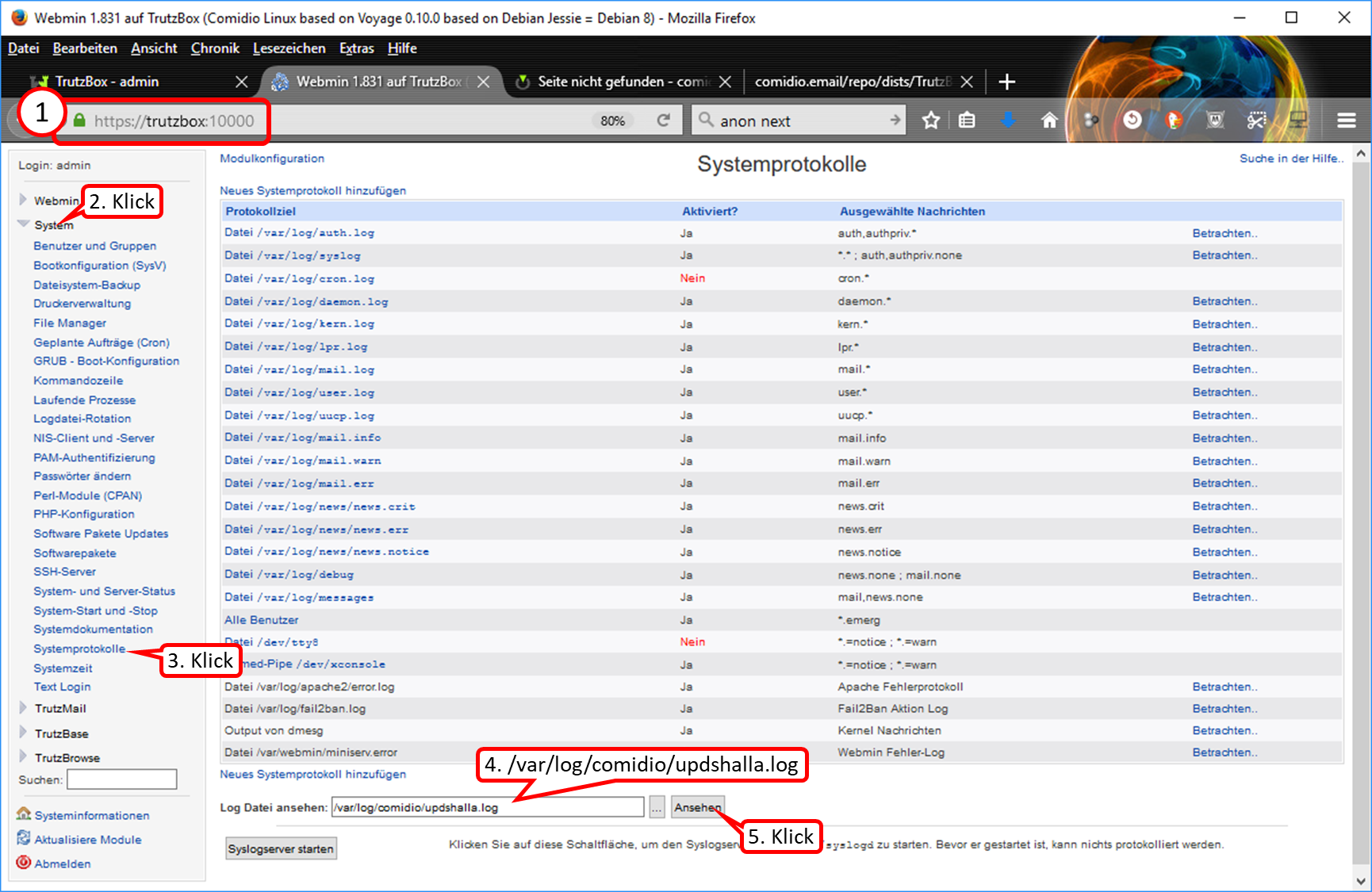
- Call "https://trutzbox:10000" (ohne Anführungszeichen) (1).
- Click on "System" (2).
- Click on "Systemprotokolle" (3).
- Enter "/var/log/comidio/updshalla.log" (without quotes) in filename field (4).
- Click on "Ansehen" (5).
-> Table of Contents (of this manual)
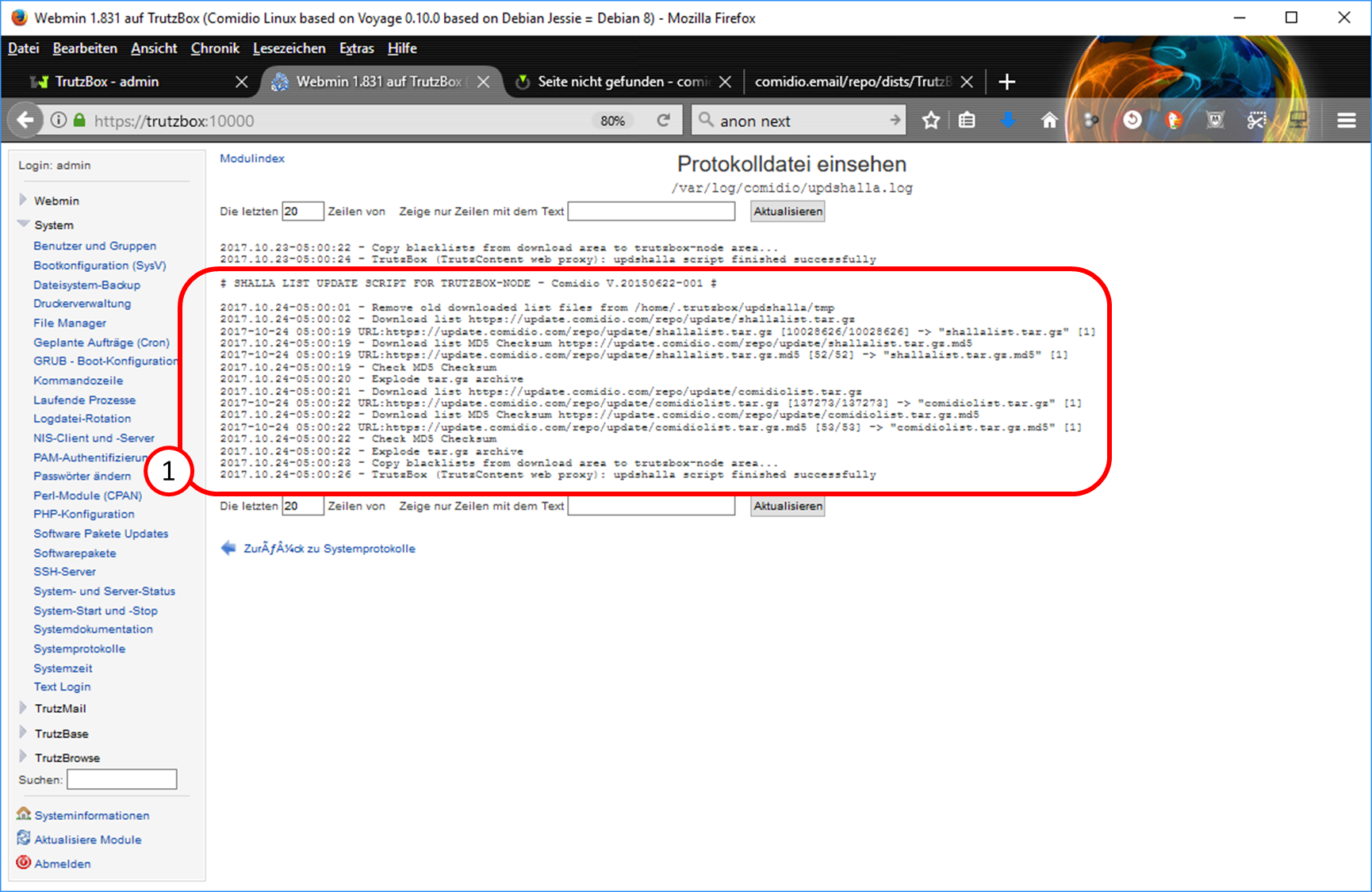
Insight (with example data):
The last filter list update took place on 24.10.2017 at 05h : 00min : 26sec and was successful. The displayed date should not be too long ago to be sure that the filter lists of my Trutzbox are up to date.
-> Table of Contents (of this manual)
9.11 ... if someone wants to sell his Trutzbox?
A TrutzLegitimation (consisting of TrutzKennung and TrutzSchlüssel) is person-oriented and not bound by concept to a specific TrutzBox. For example, the TrutzMail addresses configured are also linked to the TrutzLegitimation.
Thus the seller should not pass on his TrutzLegitimation and the buyer should order a new TrutzLegitimation including TrutzServices from Comidio.
We recommend the following procedure to the seller
The seller ...
- initiates factory reset on Trutzbox,
- waits until Trutzbox is completely shut down (may take up to 60 minutes) and the LEDs are off, and
- disconnects Trutzbox from the power supply.
Now the Trutzbox is ready to be handed over to a buyer.
-> Table of Contents (of this manual)
9.12 ... if someone has bought a used Trutzbox or an appropriate hardware and wants to use the TrutzServices?
A TrutzLegitimation (consisting of TrutzKennung and TrutzSchlüssel) is person-oriented and not bound by concept to a specific TrutzBox. For example, the TrutzMail addresses configured are also linked to the TrutzLegitimation.
Thus the buyer should order a new TrutzLegitimierung including TrutzServices from Comidio (zu Shop).
We recommend the following procedure to the buyer
The buyer ...
- orders a new TrutzLegitimierung including TrutzServices from Comidio (zu Shop),
- connects Trutzbox to router,
- connects Trutzbox to power supply,
- runs through setup
- enters NEW Trutz legitimacy,
- can set up TrutzMail addresses (up to 5 in the basic contingent), and
- runs his trutzbox and is protected on the Internet.
-> Table of Contents (of this manual)
9.13 ... if TrutzMails arrive on your own Trutzbox but are not displayed in the mail client (e.g. Outlook or Thunderbird) or webmailer?
When the IMAP icon appears red in the dashboard of the Trutzbox user interface, either
- Click on "Details zeigen", or
- Click on "Status" under "TrutzMail.
There press the restart arrow belonging to IMAP: then the IMAP server is restarted and the TrutzMails are (again) received correctly.
-> Table of Contents (of this manual)
10 Support in error analysis
For error analysis or optimisation of TrutzBox® settings it can be helpful if Comidio Support can get a "picture" of the current situation of TrutzBox® at the customer.
For this purpose, Comidio may ask the customer to record information about states and settings and to transmit it to Comidio.
10.1 Mail Screenshot of TrutzBox® overview page
If Comidio asks you to email a screenshot of the overview page, please proceed as follows.
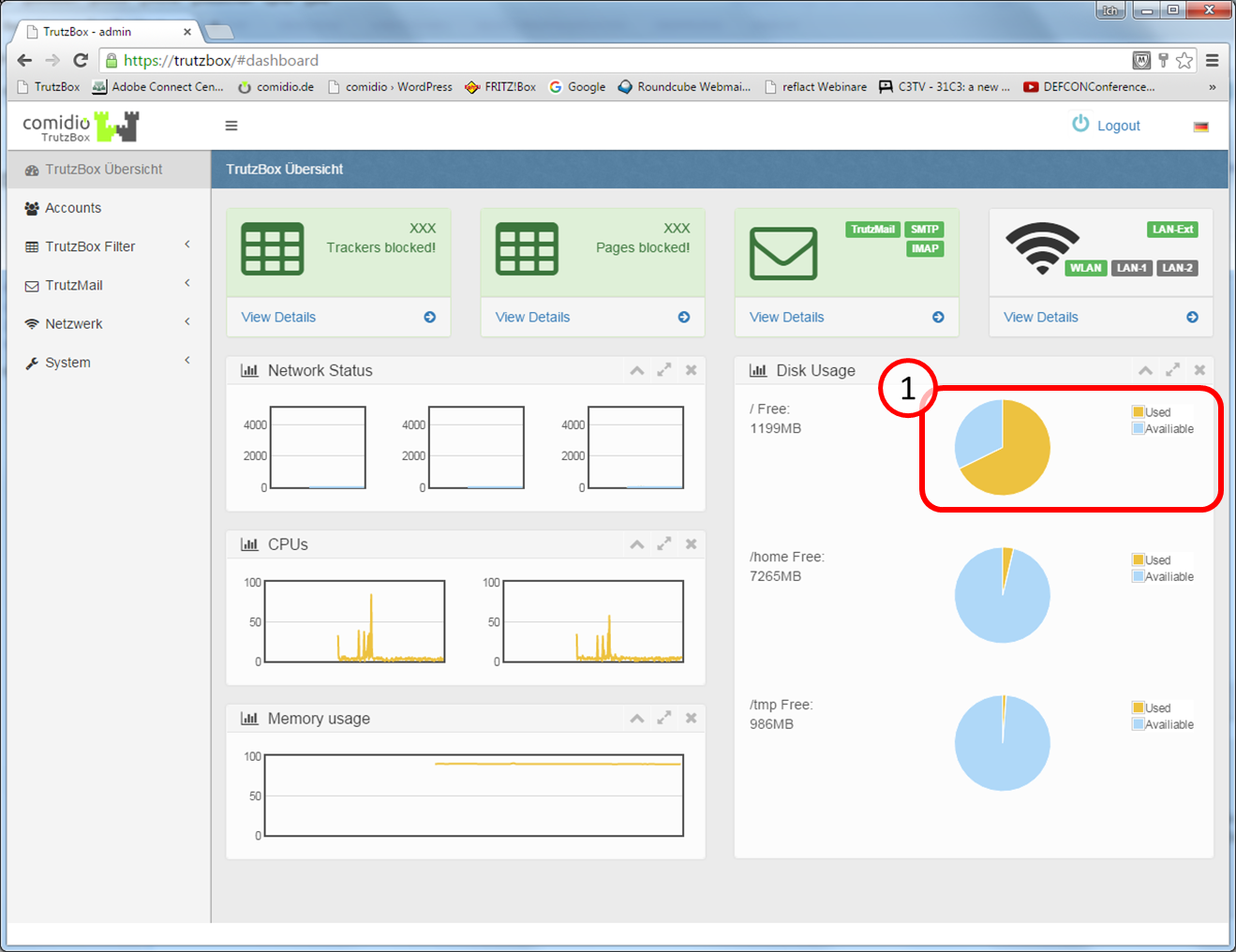
- Open "trutzbox" and the "TrutzBox Overview" page is displayed automatically. Especially the utilization of the fixed memory is interesting (1),
- Take a screenshot of the page "TrutzBox Overview",
- Mail screenshot to support@comidio.de.
10.2 Mail TrutzMail log files
If Comidio asks you to mail the TrutzMail log files ("TrutzMail log" and "Mail log"), please proceed as follows.
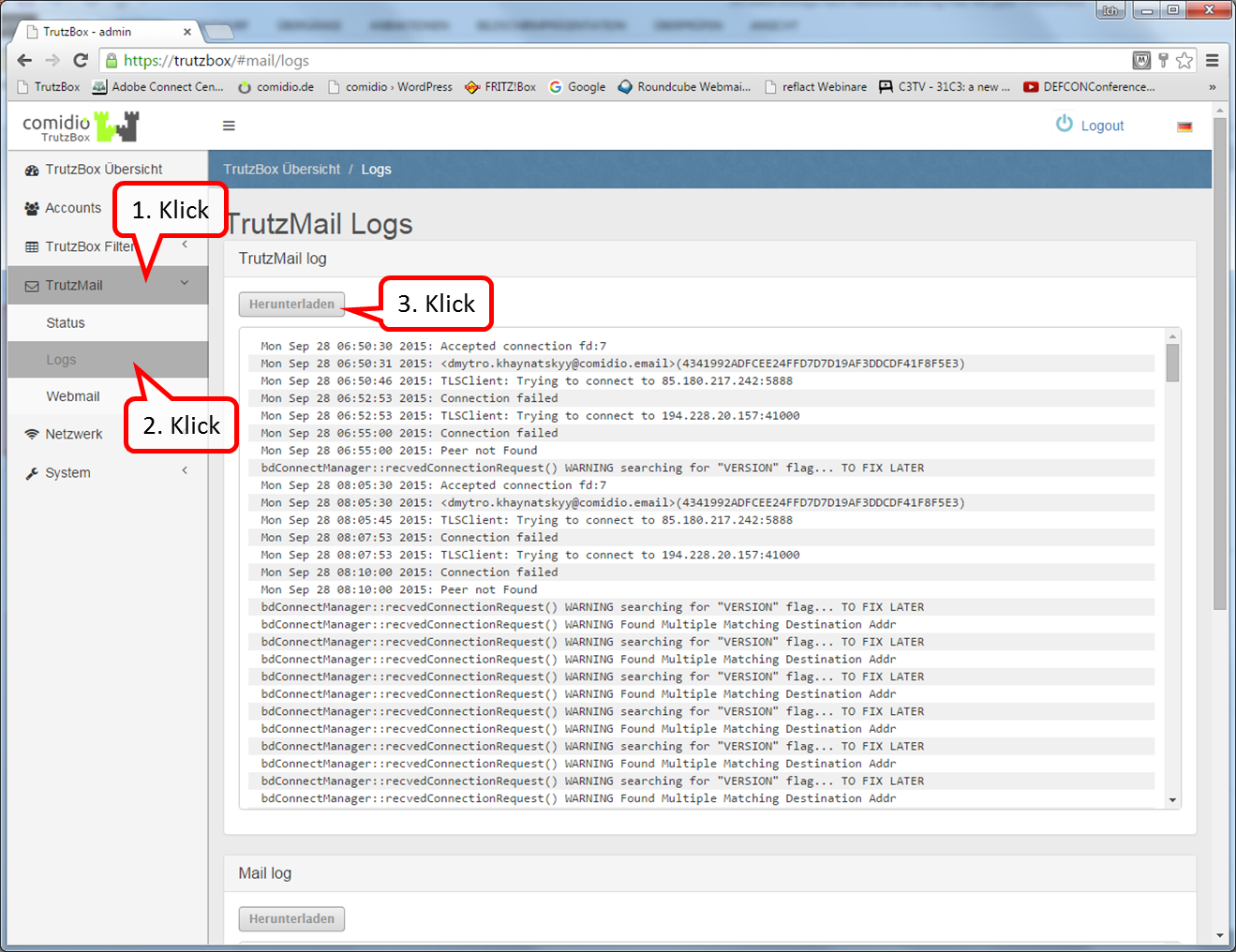
- Call"trutzbox" and click on "TrutzMail" (1),
- Click on "Logs" (2) and
- Click on "Herunterladen" (3).
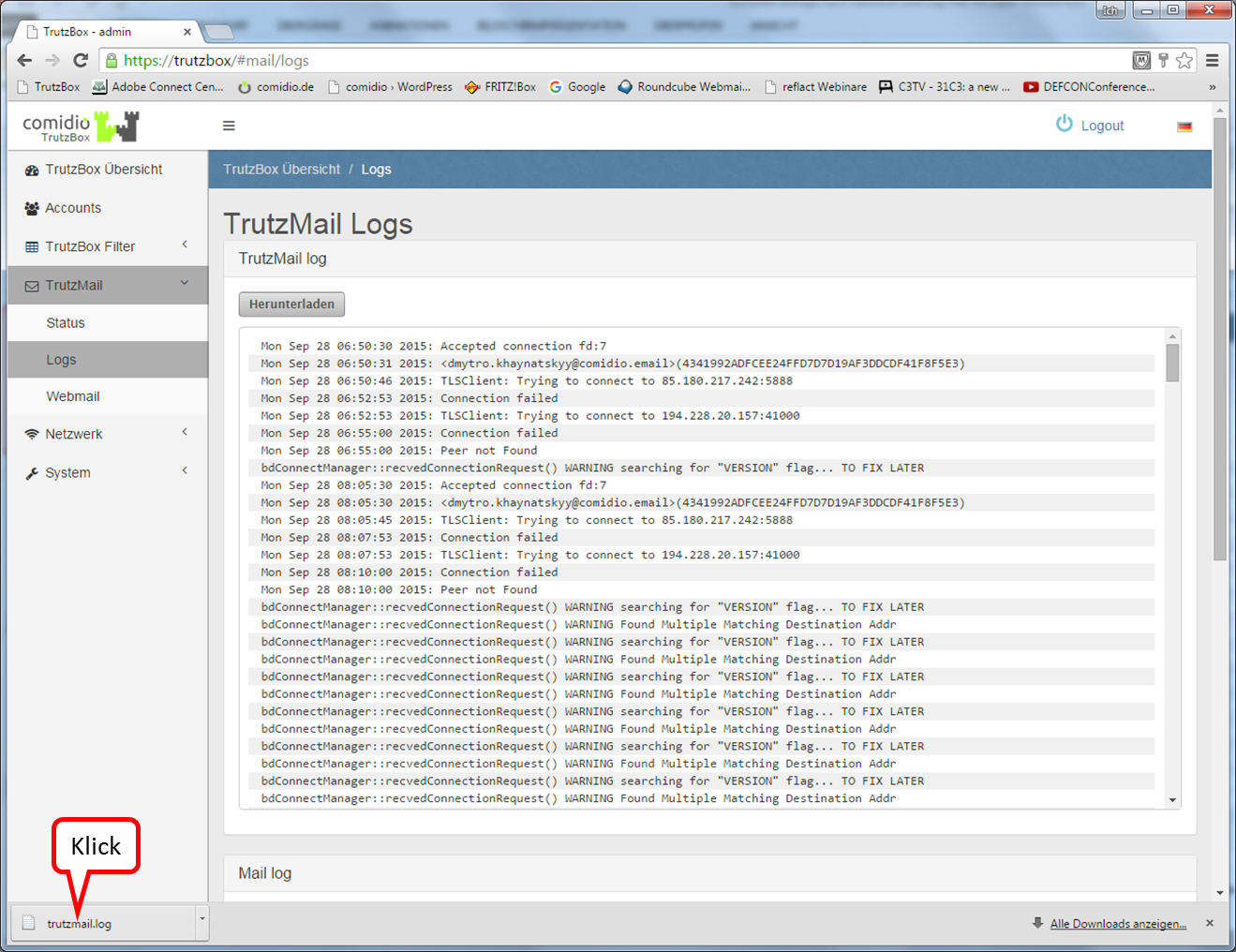
After downloading, a file icon and the name of the "trutzmail.log" file appear at the bottom left.
Double-click on the file name to open an editor window with the log file.
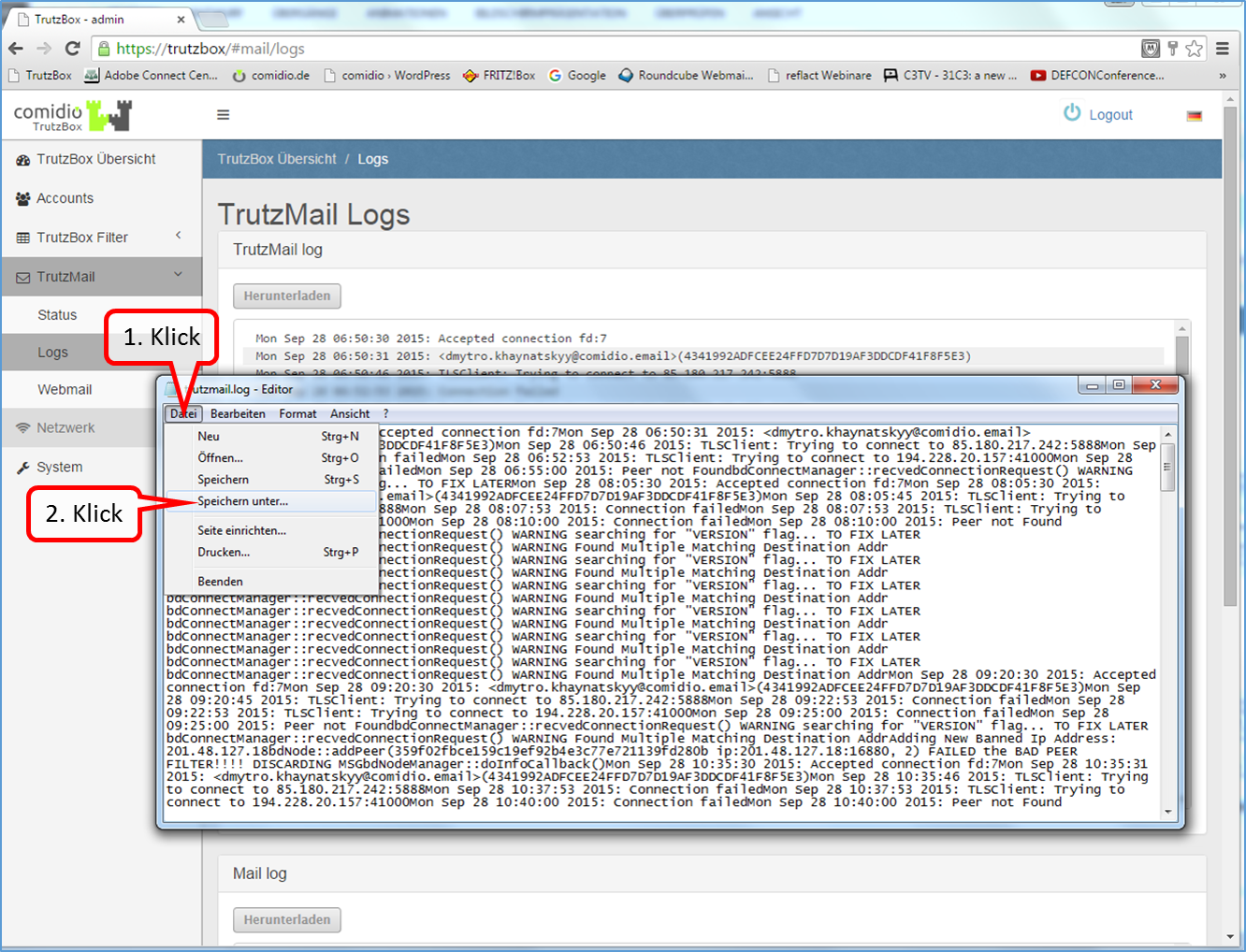
- Click on "Datei" (1),
- Click on "Save as..." (2) and save the log file "trutzmail.log" on the PC.
- Proceed in the same way with the log file "Mail log".
- Finally, please mail log files "trutzmail.log" and "mail.log" to support@comidio.de
10.3 Find oversized files
(This function is currently being revised.)
10.4 Generate log files (and email)
If Comidio asks you to mail TruzBox log files, please proceed as follows:
Generating the file: logs.zip
Generating the file: '"systeminfo.txt"
10.4.1 File creation: logs.zip
In the TrutzBox user interface in the navigation menu go to:
System -> Debug
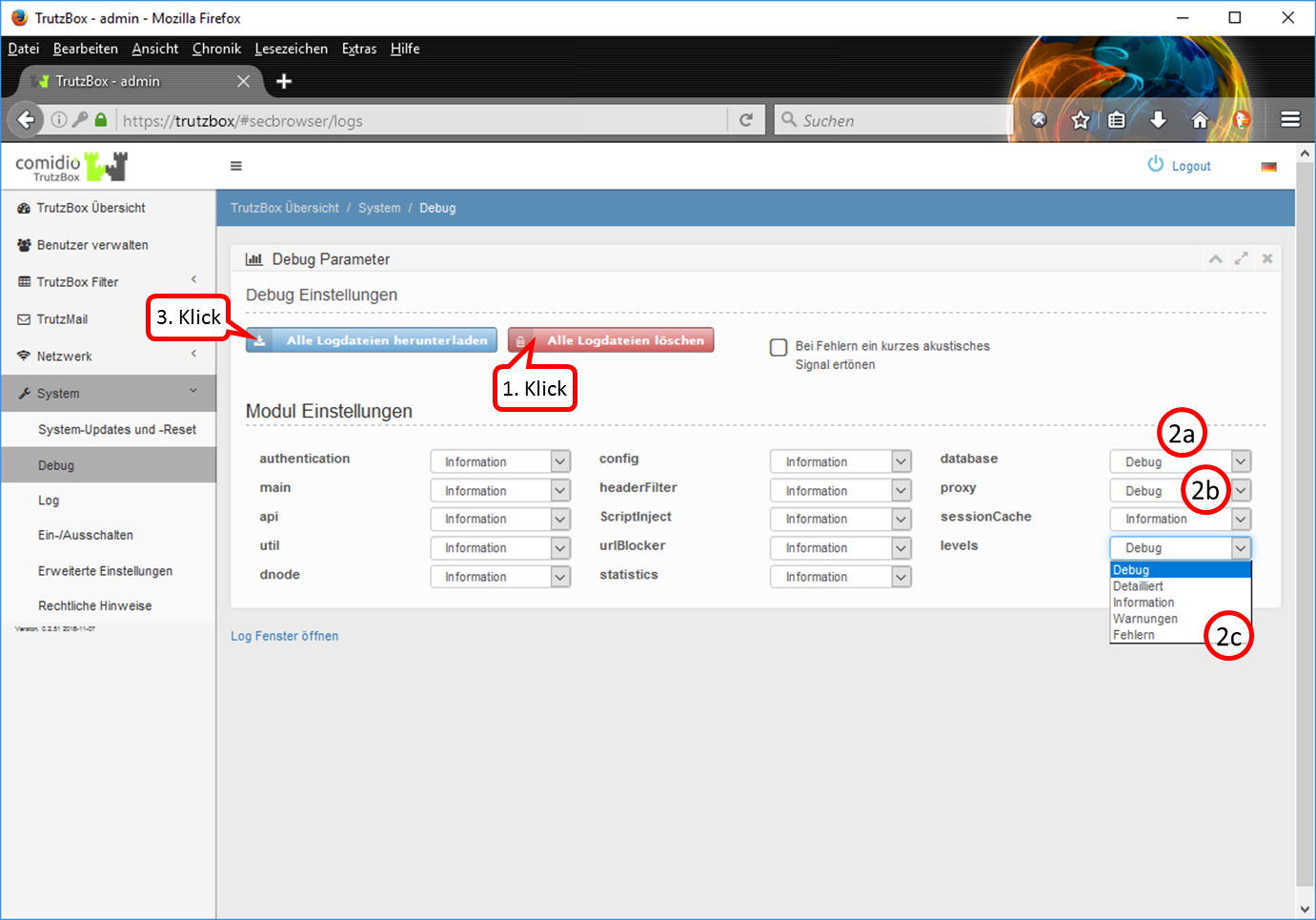
- Delete all log files (1).
- Set the modules requested by Comidio to "Debug", in this example the modules "database", "proxy" and "levels" (2).
- Then please start the application or the device in question (e.g. your TV set)...
- ... after "strange behaviour" occurred, download the files using the " Alle Logdateien herunterladen " button (3).
- Then set all modules back to "information" (no longer to "Debug"), so that the TrutzBox does not permanently write log files and unnecessarily occupies storage space.
-> Table of Contents (of this manual)
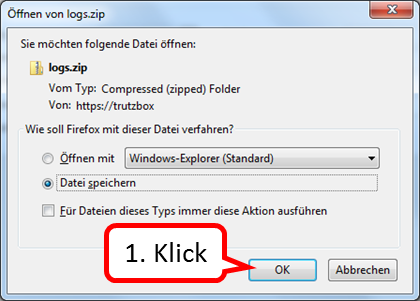
Click on "OK".
-> Table of Contents (of this manual)
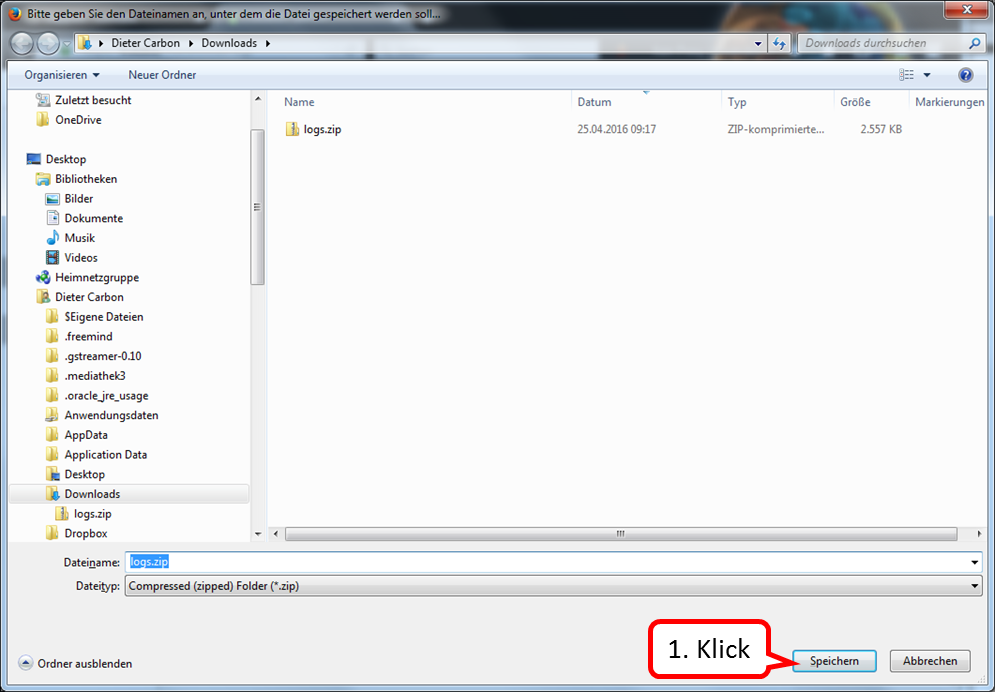
Click on "Speichern".
Then please mail the file logs.zip to support@comidio.de Thank you very much!
>
-> Table of Contents (of this manual)
10.4.2 Creation of the file: systeminfo.txt
In the TrutzBox user interface in the navigation menu go to:
System -> Erweiterte Einstellungen
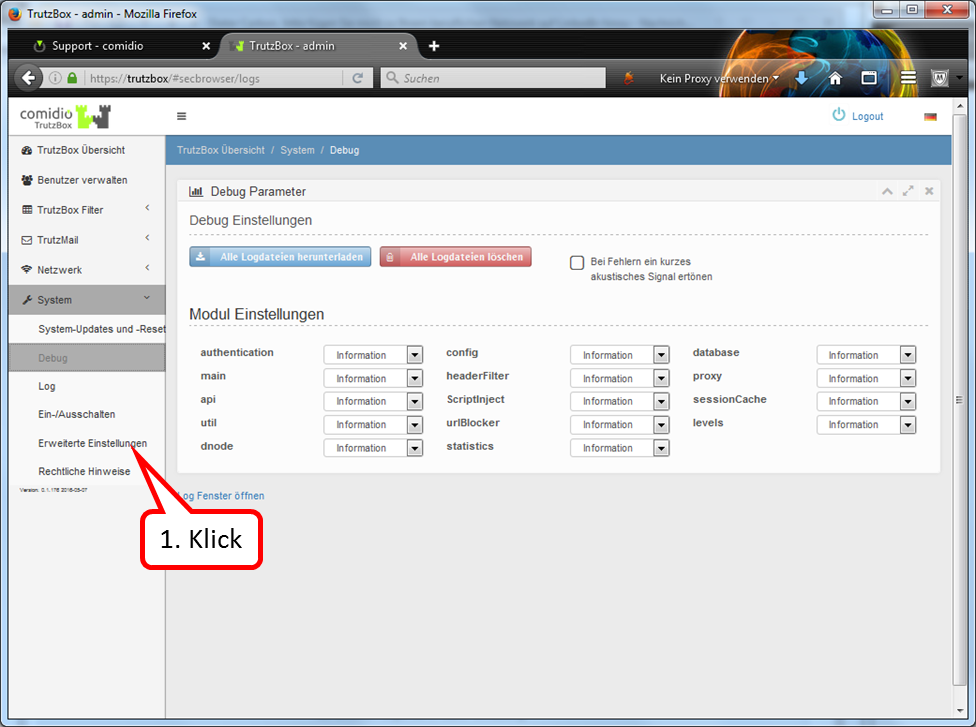
Click on "Erweiterte Einstellungen".
-> Table of Contents (of this manual)
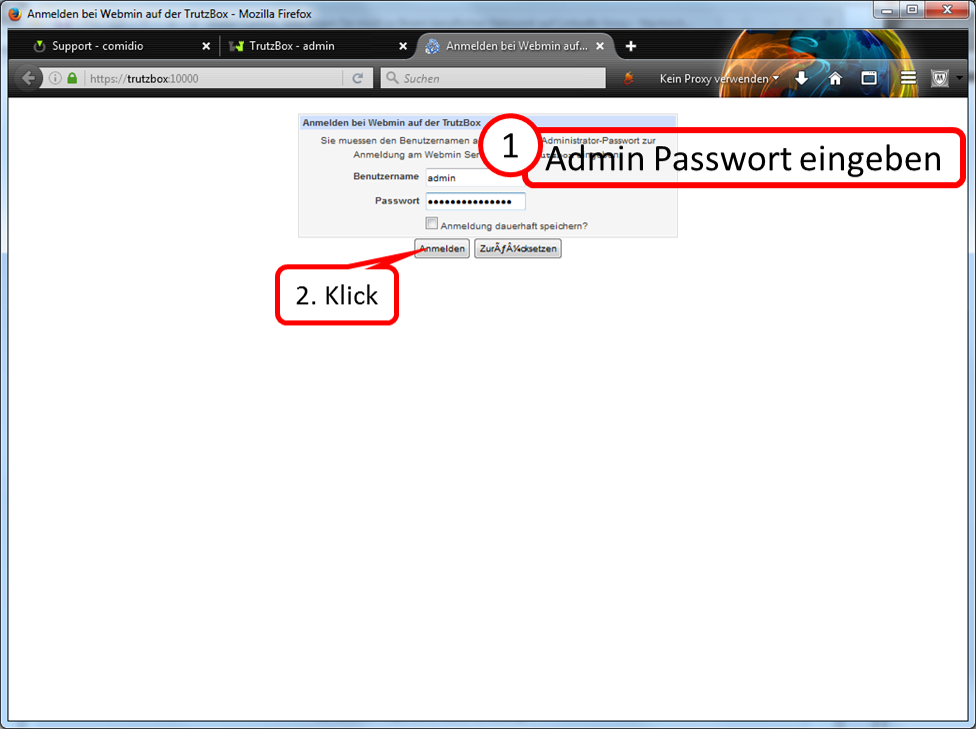
Enter the user name "admin" and the corresponding password.
Click on "Anmelden".
-> Table of Contents (of this manual)
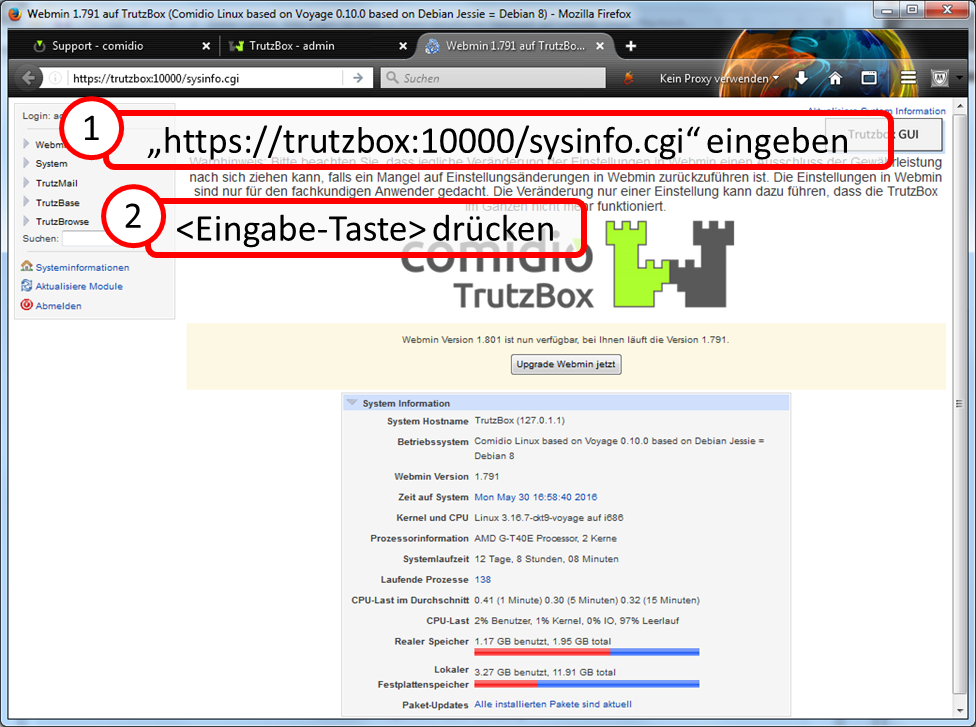
Enter in URL line "https://trutzbox:10000/sysinfo.cgi".
Press the Enter key.
-> Table of Contents (of this manual)
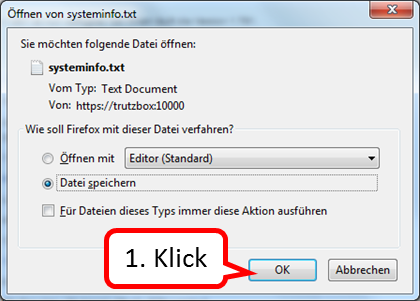
Click on "OK".
-> Table of Contents (of this manual)
The file is automatically stored in the "Downloads" directory (or in the directory specified by the user).
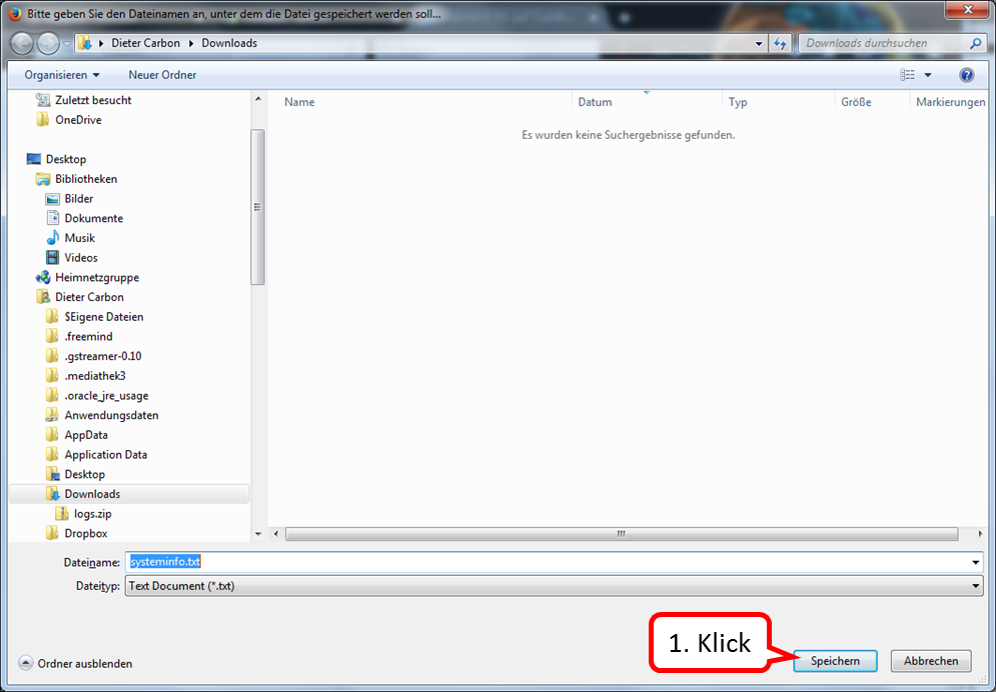
Click on "Speichern".
-> Table of Contents (of this manual)
Please then mail both files (logs.zip and systeminfo.txt) to support@comidio.de Thank you!
10.5 Screen sharing at TrutzRTC via Comidio Server
Comidio-Support has the possibility to invite participants to a TrutzRTC meeting on the Comidio server.
The participant only needs a Chrome or FireFox browser to access the shared room URL and attend the TrutzRTC Meeting.
<
If the participant wants to share (= show) his screen, this can be done with the Chrome Browser, in which the "Comidio Conference Screen Sharing" extension was previously activated.
The following screenshots show how to find and activate this extension.
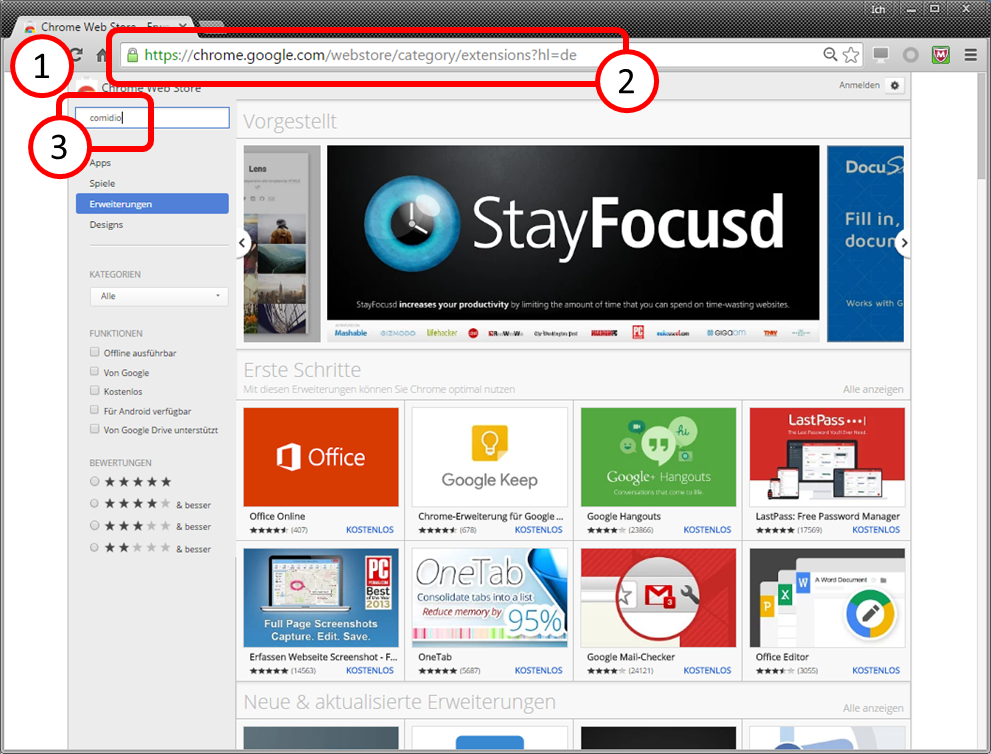
Call the current Chrome Browser (1).
Enter in the URL field "https://chrome.google.com/webstore/category/extensions?hl=de" (2).
Enter into the search field "comidio" (3).
-> Table of Contents (of this manual)
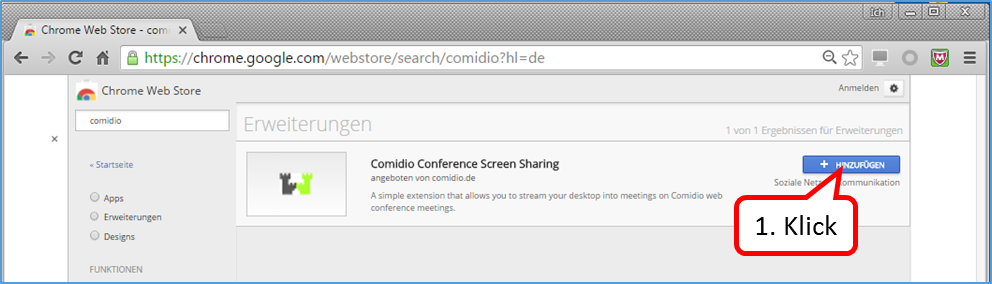
Click on "+ HINZUFÜGEN" (1).
-> Table of Contents (of this manual)
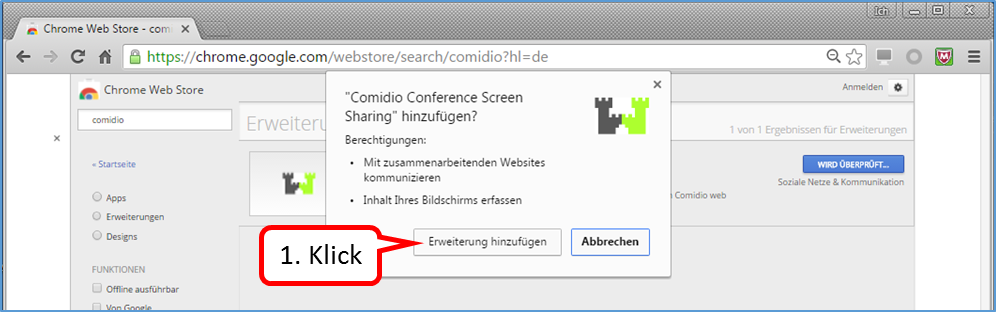
Click on "Erweiterung hinzufügen" (1).
-> Table of Contents (of this manual)
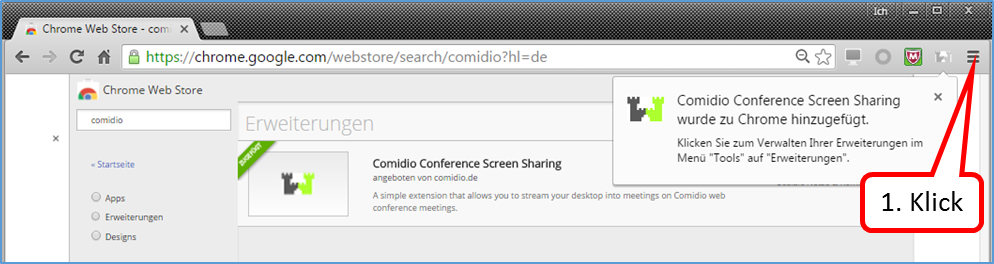
Click on logo for settings (3 horizontal lines) (1).
-> Table of Contents (of this manual)
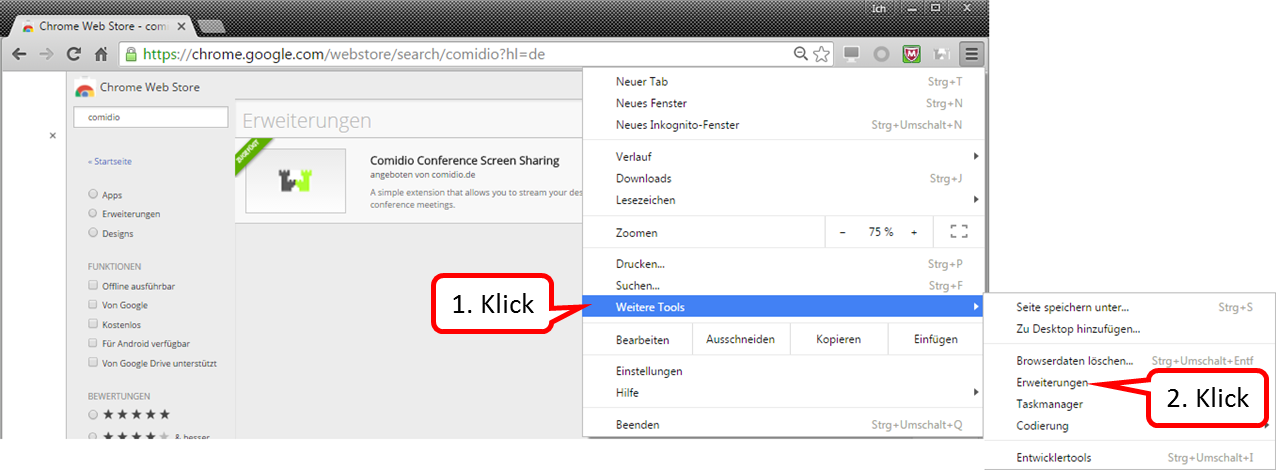
Click on "Weitere Tools" (1).
Click on "Erweiterungen" (2).
-> Table of Contents (of this manual)
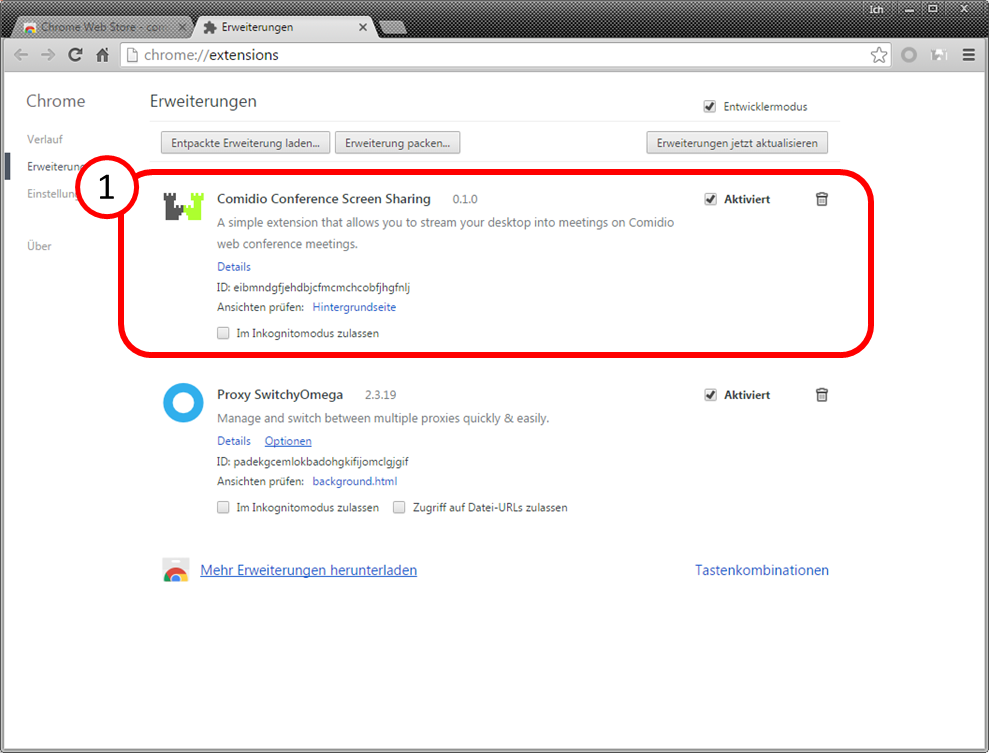
The installed extensions are displayed here, including the new screen sharing extension (1).
-> Table of Contents (of this manual)
<
10.6 exchange of SD cards
In exceptional situations it may be necessary to replace an SD card in the TrutzBox.
The following illustrations show how to replace the SD card.
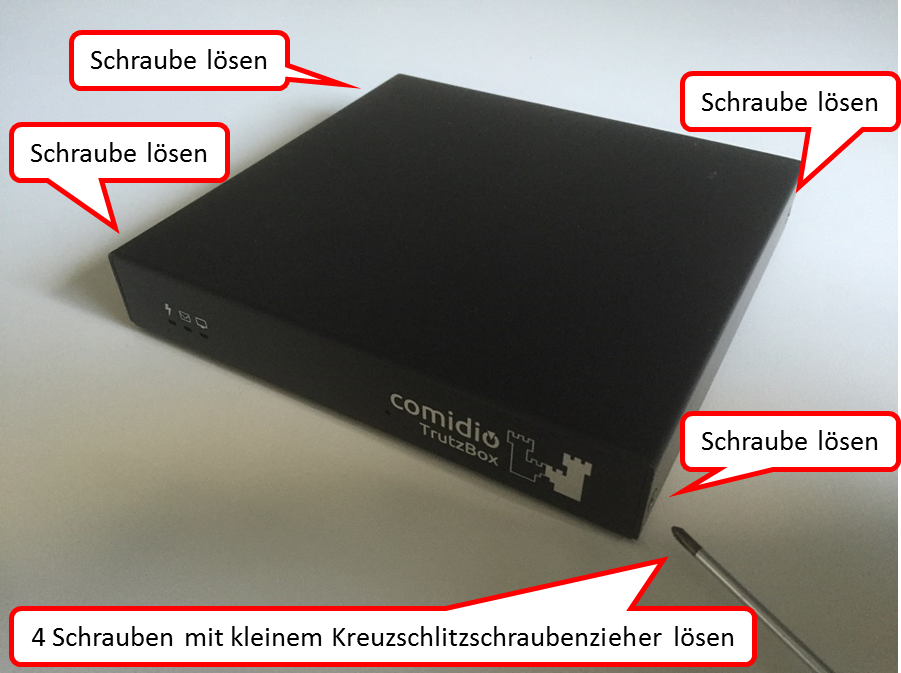
Loosen the four screws with a small cross-head screwdriver.
-> Table of Contents (of this manual)
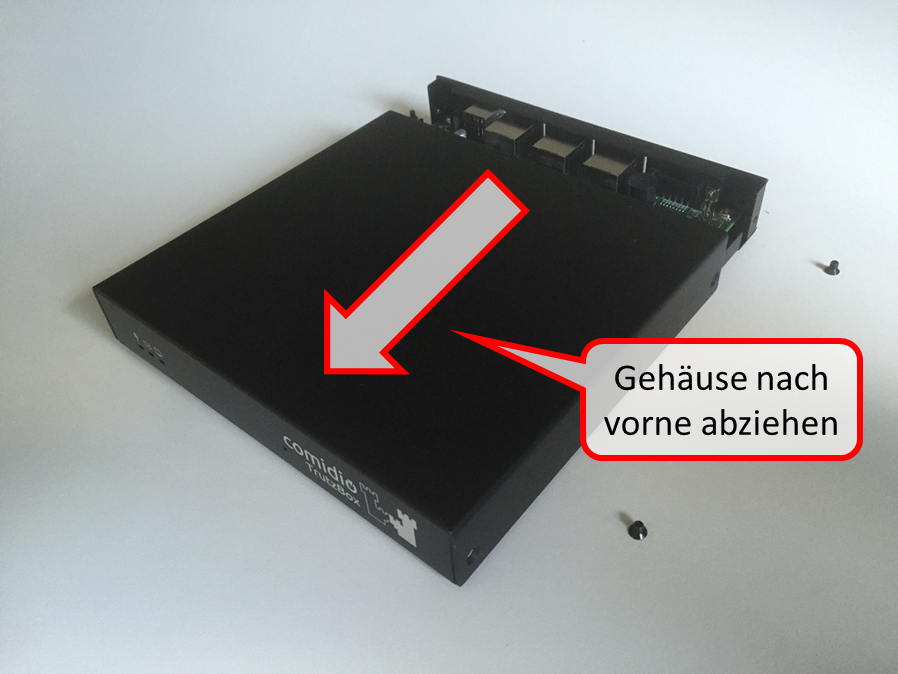
Pull the housing off to the front.
-> Table of Contents (of this manual)
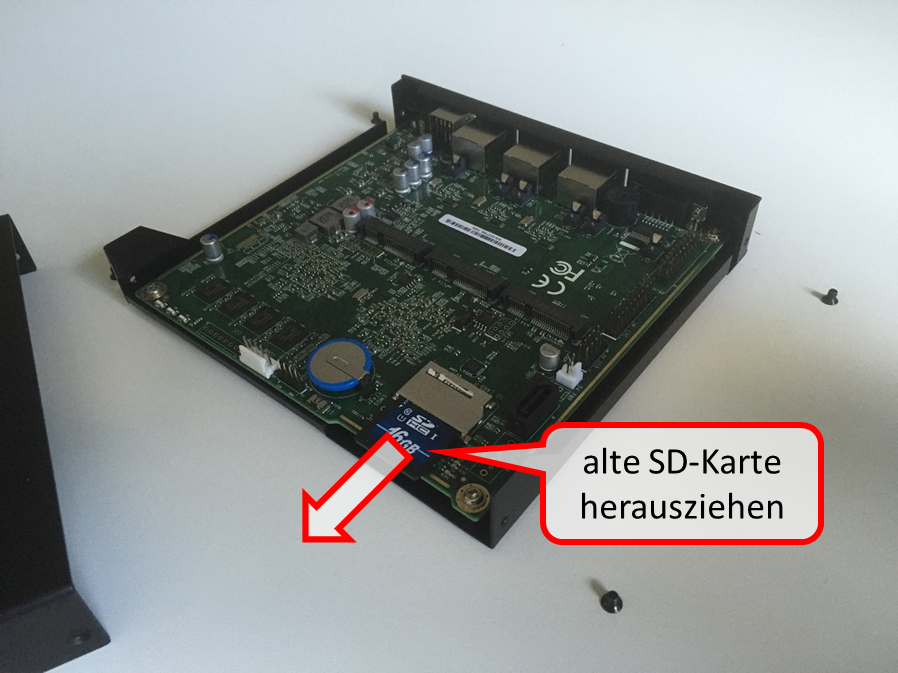
Carefully pull out the old SD card.
-> Table of Contents (of this manual)
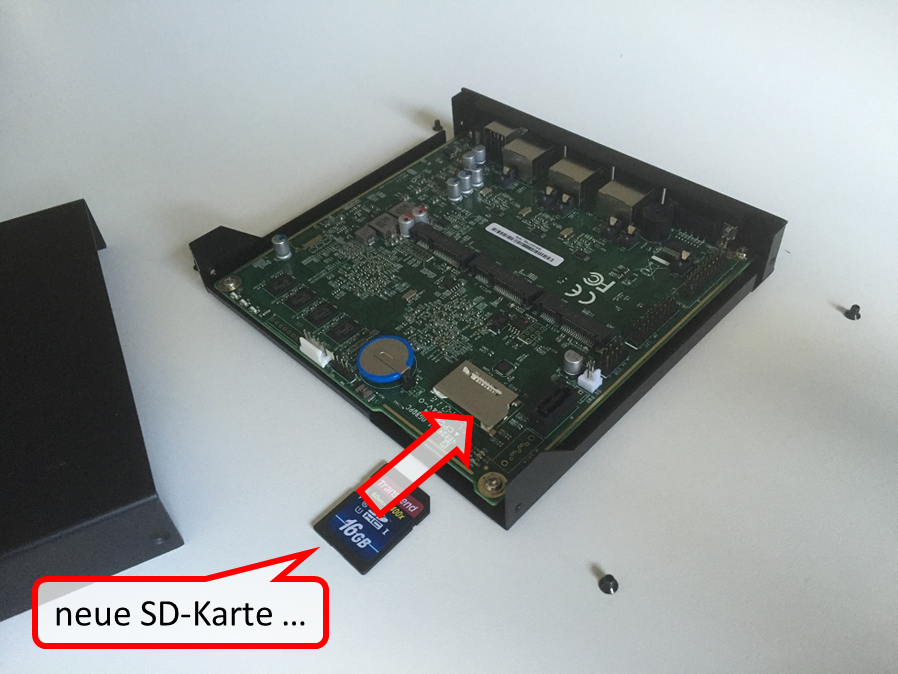
New SD card ...
-> Table of Contents (of this manual)
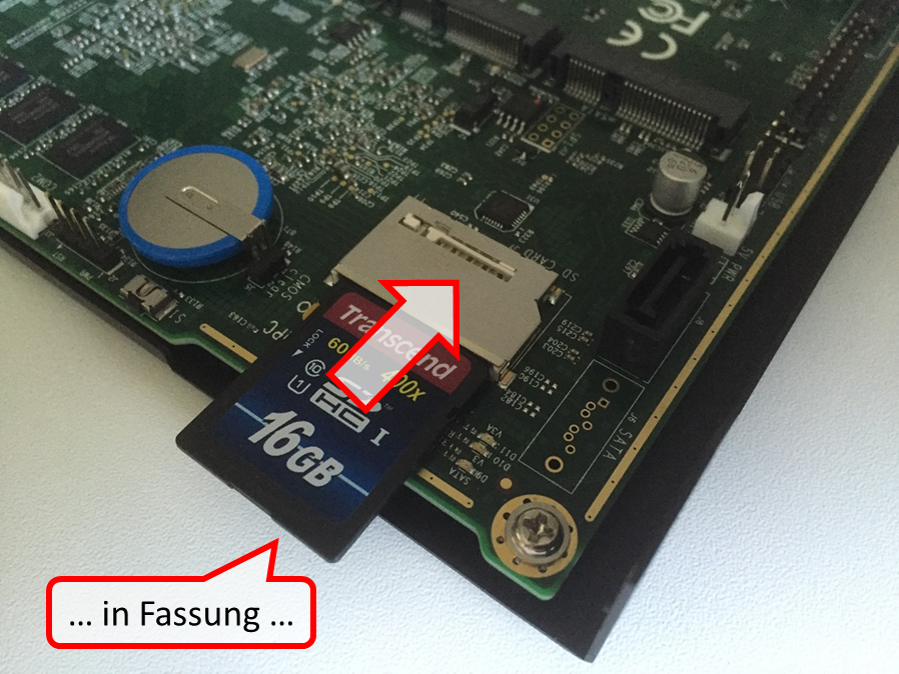
... in setting ...
-> Table of Contents (of this manual)
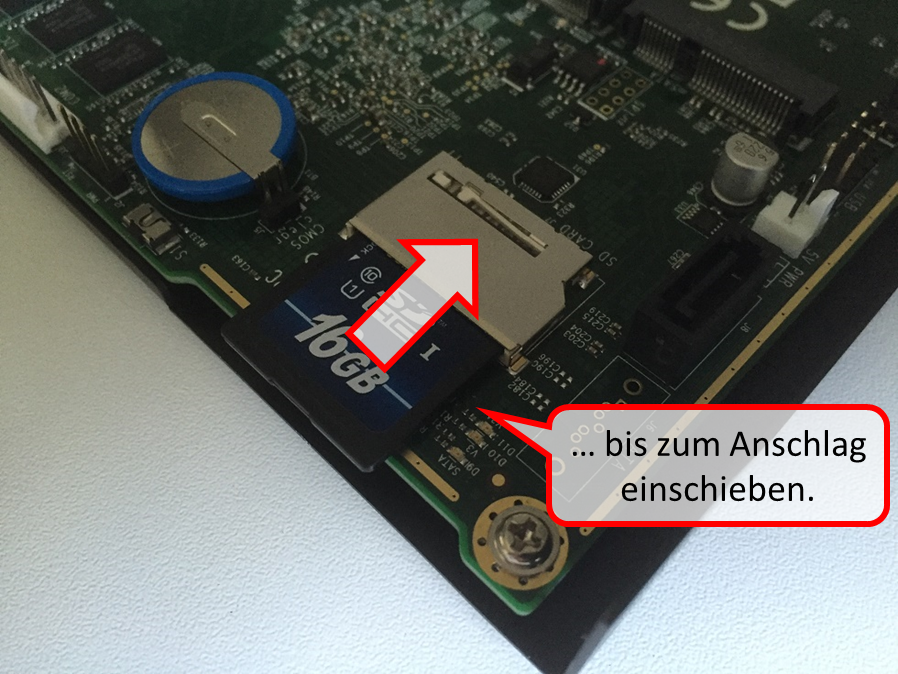
... insert as far as it will go.
-> Table of Contents (of this manual)
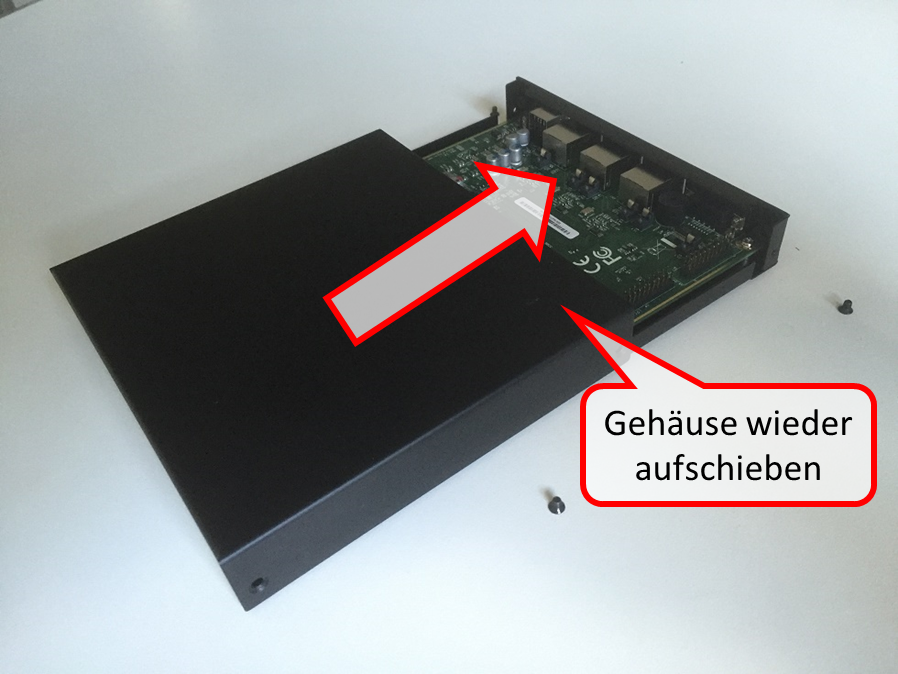
Push the housing back on ...
-> Table of Contents (of this manual)
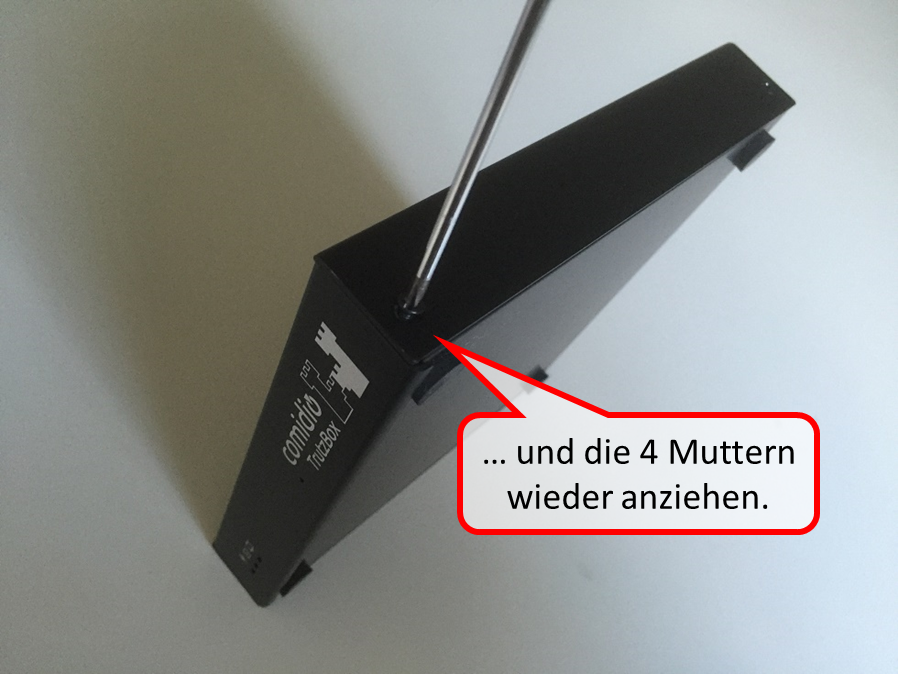
... and re-tighten the four nuts.
-> Table of Contents (of this manual)
10.7 Instructions for writing (fuelling) the SSD
To reload the SSD disk installed in the Trutzbox, a "tank USB stick" must first be created, with which the built-in SSD disk can then be "fueled" with a new TrutzBox image (previous image overwritten).
The tank USB stick must be 32GB in size.
First download an image for the USB tank stick from https://trutzbox.de/download/Tank_V67_dev_11.zip. Unpack the file (is then approx. 19GB in size) and upload it with a PC and the program "etcher" (https://etcher.io/) to a 32GB USB stick. Use it to create a bootable USB stick. When you boot the TrutzBox with this USB stick (i.e. insert the tank USB stick into the TrutzBox before the TrutzBox boot), a program is started from the USB stick which copies a TrutzBox image from the USB stick to the built-in storage medium in the TrutzBox.
<
The copy program outputs information via the TrutzBox LEDs with which you can check the copy process.
<
Description of the LED signals (LEDs on the front of the TrutzBox; LED 1 is left):
| LEDs 1, 2, 3 | Meaning |
| 1 an; 2,3 aus | Trutzbox booting |
| 1 on; 2 blinking; 3 off | Search USB stick |
| 1,2 on; 3 blinking | Search target medium (SD card or mSSD) |
| Write image to target medium (takes a long time with old TrutzBox, since USB2 is still..., on new TrutzBox with USB3 stick approx. 5-10min) | |
| Check written data (with old TrutzBox, since USB2 is still very long..., on new TrutzBox with USB3 stick approx. 5-10min) | |
| 1,2,3 blink synchronously, 3*beeps | |
| . | |
| Error | |
| outside inside rhythm: 1 on, 2 off, 3 on |
Error display is shown together with beep every 60 seconds. Copy did not work. |
Then remove the TrutzBox from the power supply, remove the USB stick, reconnect the TrutzBox to the power supply and run the TrutzBox setup again.
Please note that the TrutzBox generates new certificates during setup. Therefore, you must delete the previously imported certificates on your mobile devices before setup.
It may happen that the TrutzBox does not want to boot from the USB stick when "refuelling". Then only a serial cable helps to connect to the TrutzBox and adjust the boot order with a terminal in the TrutzBox-BIOS. Or remove the storage medium and send it to us.
-> Table of Contents (of this manual)
10.8 Installation and start of PuTTY (terminal program under Windows)
As an alternative to Webmin, it may be necessary to execute commands directly on the Trutzbox via SSH (secure shell). A terminal program is required for this. Under MacOS, a terminal application is already available by default and can be searched for and started there in Spotlight with "terminal". Under Windows, the "PuTTY" terminal program must first be installed.
<
The installation and use of PuTTY under Windows' is described below.
<
Calling of:
https://www.chiark.greenend.org.uk/~sgtatham/putty/latest.html
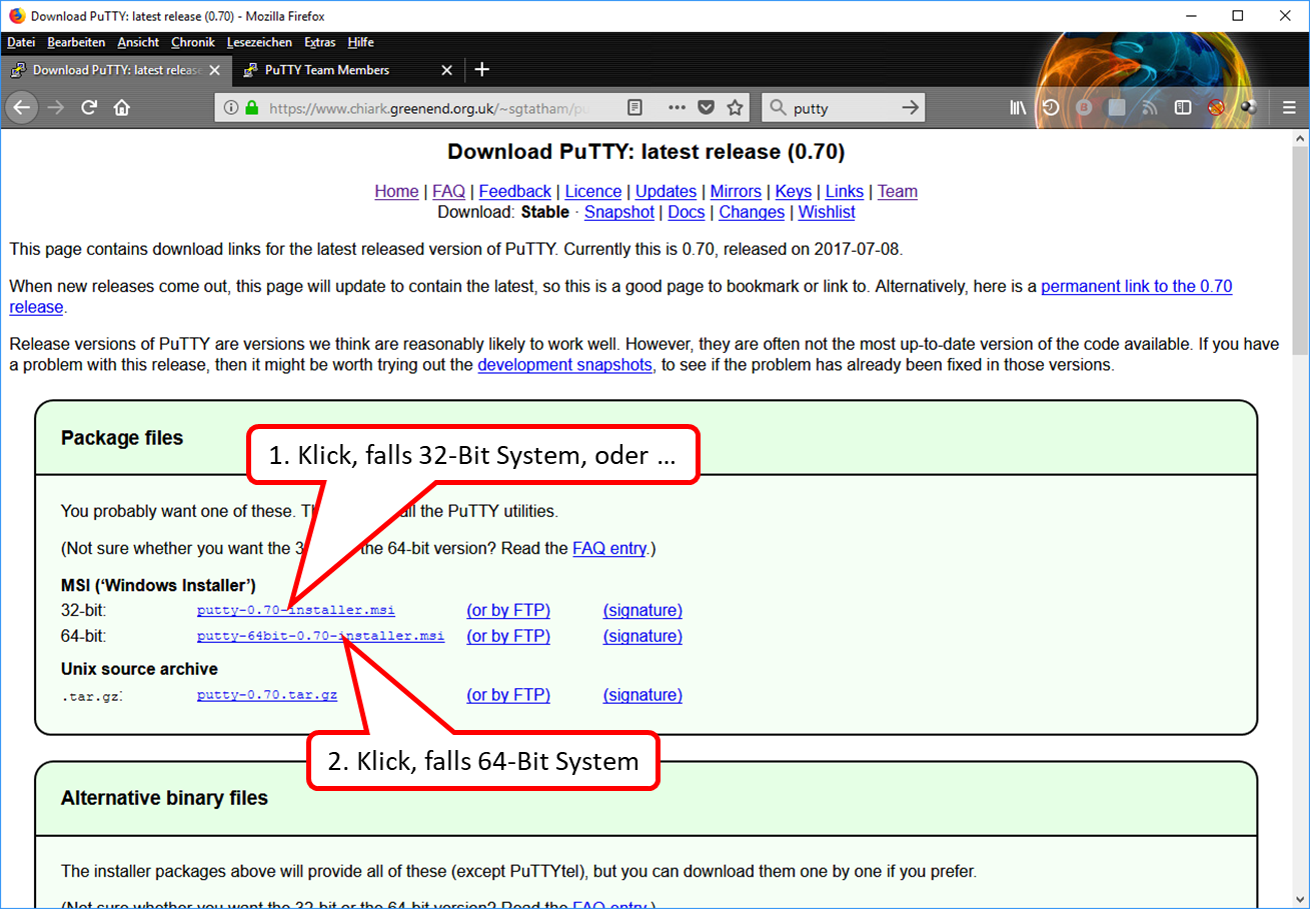
- Click on (1), falls 32-Bit System, oder …
- Click on (2), falls 64-Bit System.
-> Table of Contents (of this manual)
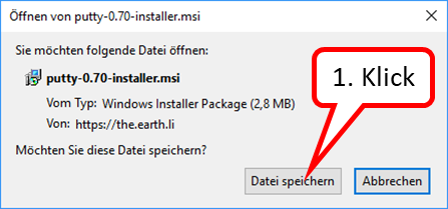
- Click on "Datei speichern" (1).
-> Table of Contents (of this manual)
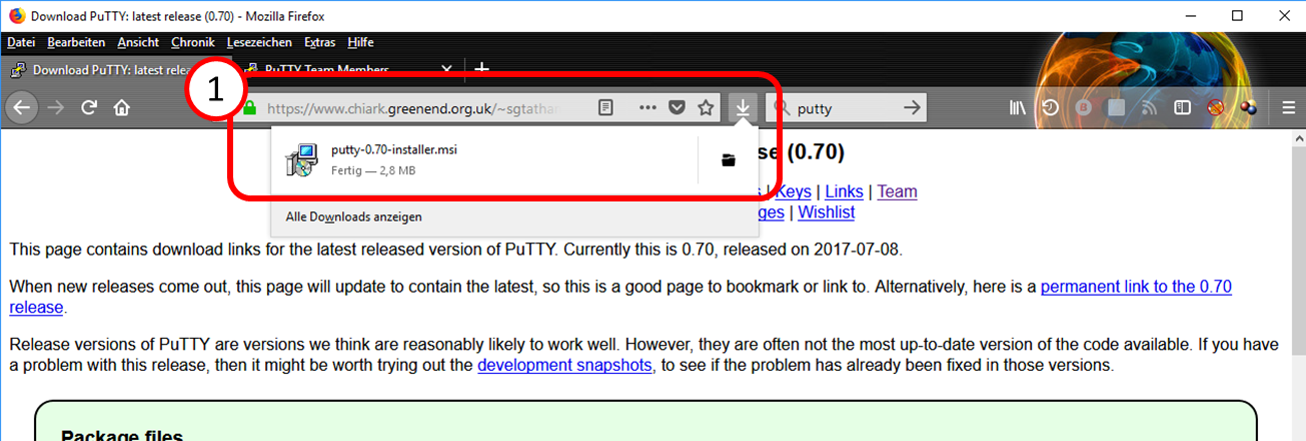
- PuTTY Installer downloaded to download directory (1).
-> Table of Contents (of this manual)
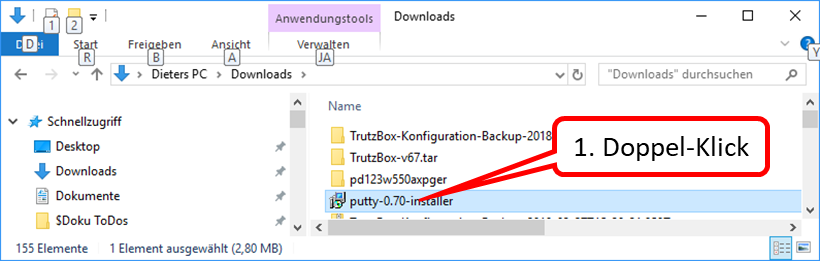
- Change to the download directory.
Double click on PuTTy Installer (1).
-> Table of Contents (of this manual)
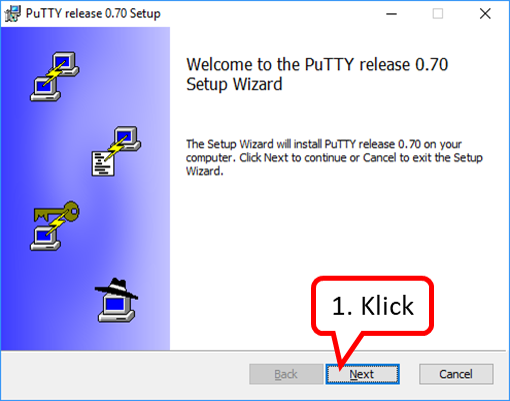
- Click on "Next" (1).
-> Table of Contents (of this manual)
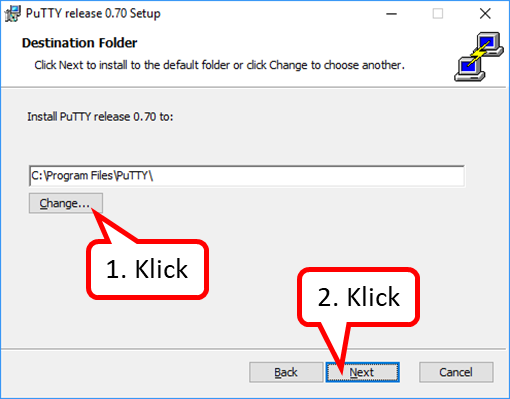
- Change the destination directory (1), and/or ...
- Click on "Next" (2).
-> Table of Contents (of this manual)
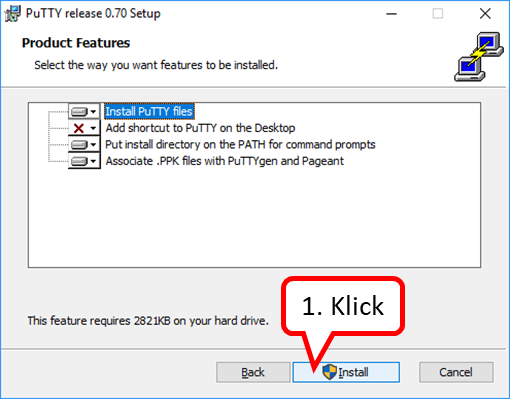
- Click on "Install" (1).
-> Table of Contents (of this manual)
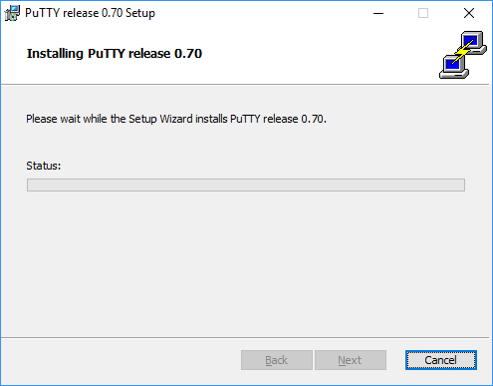
- PuTTY is being installed ...
-> Table of Contents (of this manual)
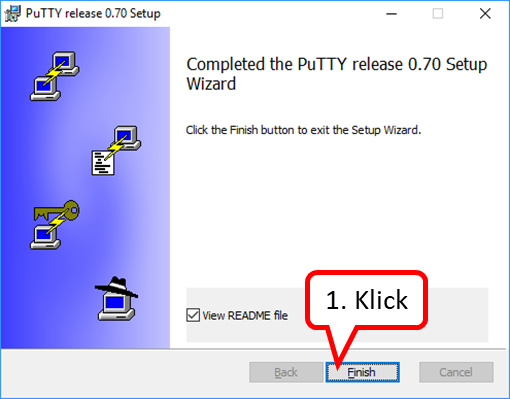
PuTTY is now installed and can be called and started in the program directory ...
-> Table of Contents (of this manual)
... to simplify the call, a desktop shortcut can also be set up:
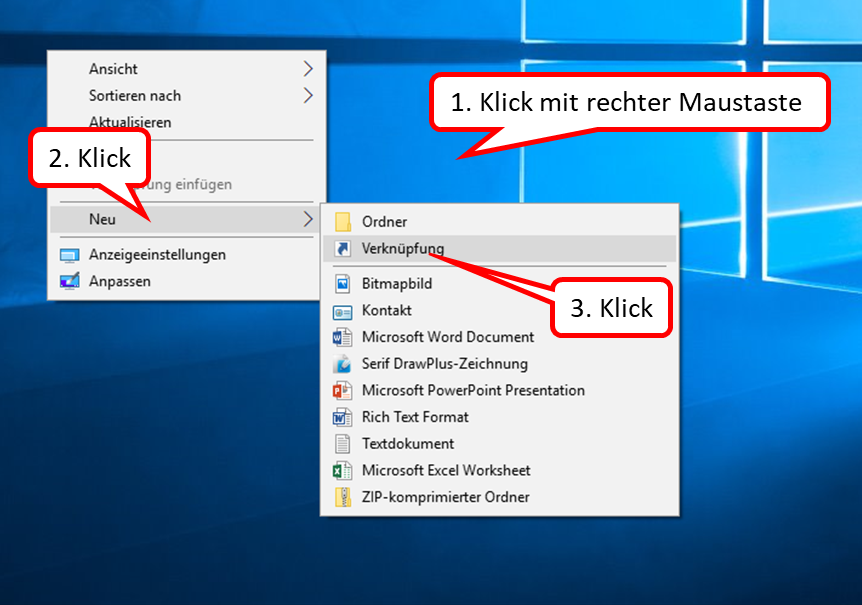
- Right-click on desktop surface (1).
- Click on "Neu" (2).
- Click on "Verknüpfung" (3).
-> Table of Contents (of this manual)
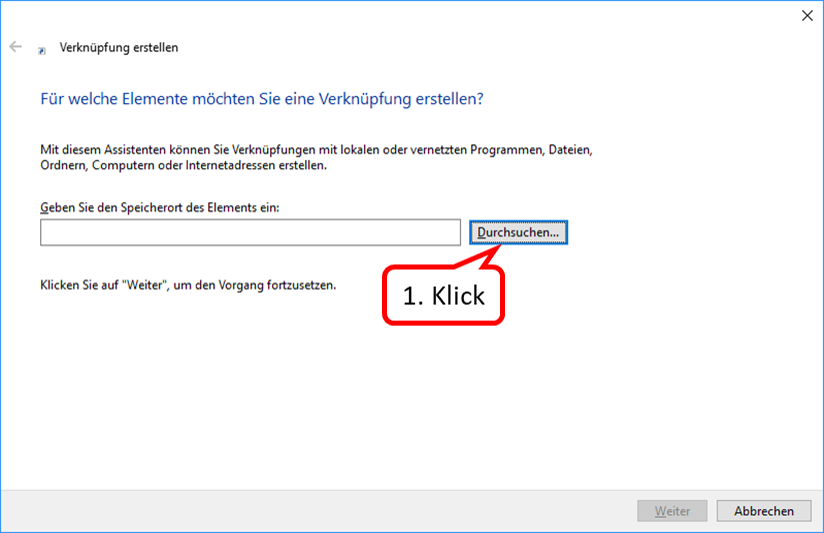
- Click on "Durchsuchen..." (1).
Click through to the PuTTY directory and there to the PuTTY application:
C: -> Program Files -> PuTTY
-> Table of Contents (of this manual)
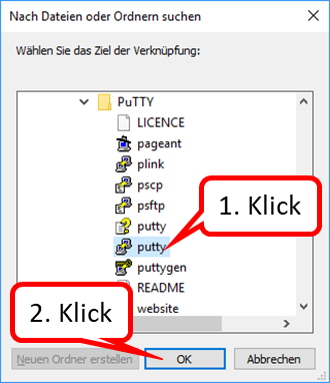
- Click on PuTTY-Programm (1).
- Click on "OK" (2).
-> Table of Contents (of this manual)
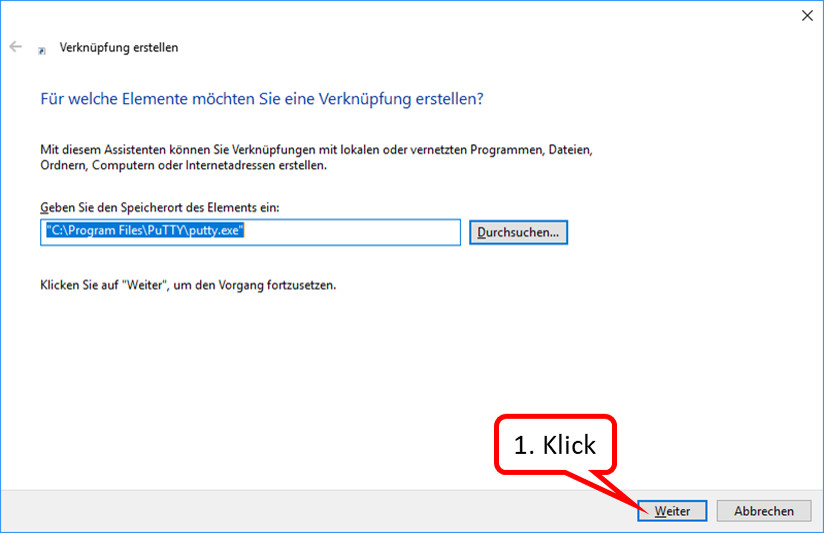
- Click on "Weiter" (1).
-> Table of Contents (of this manual)
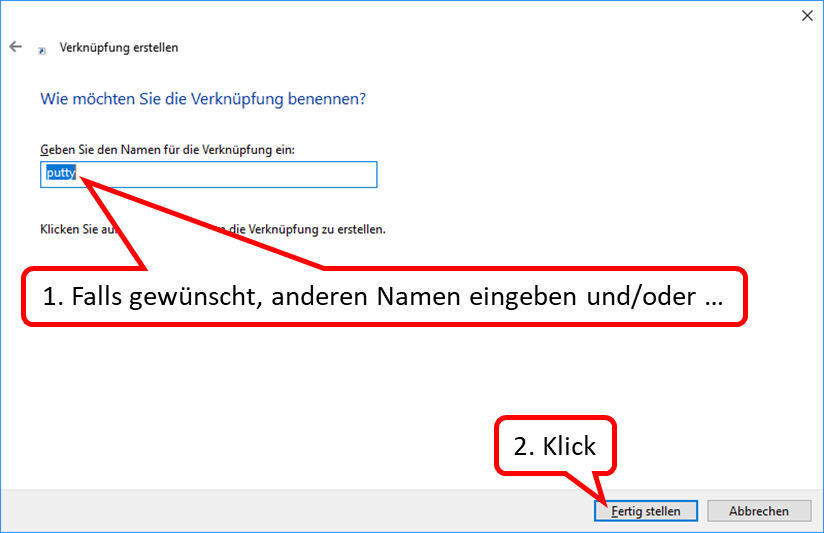
- If desired, enter another name and/or ... (1).
- Click on "Fertig stellen" (2).
Shortcut from desktop to PuTTY program is now set up and PuTTY can be called from desktop by double-clicking the shortcut icon...
-> Table of Contents (of this manual)
The call is made as follows:
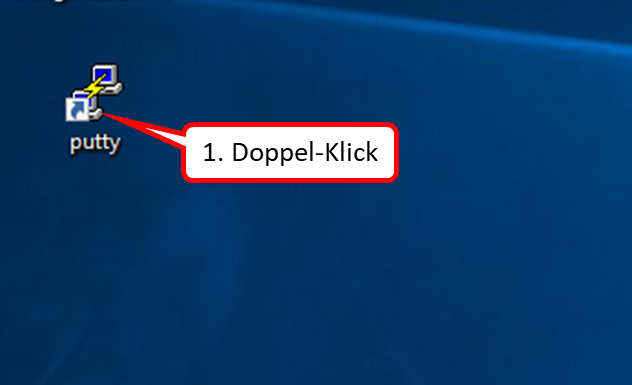
- Double-click on desktop on shortcut icon (1).
-> Table of Contents (of this manual)
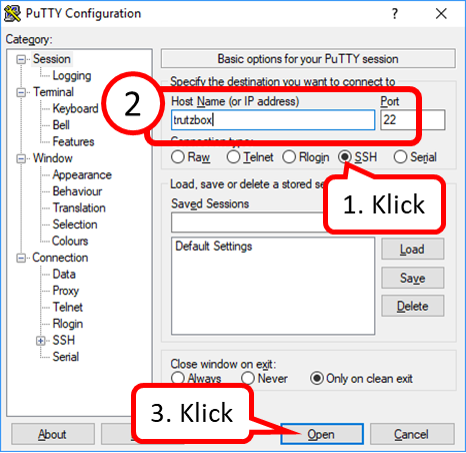
- Click on "SSH" (1).
- Enter "trutzbox" as host name and port "22“ (2).
- Click on "Open" (3).
-> Table of Contents (of this manual)
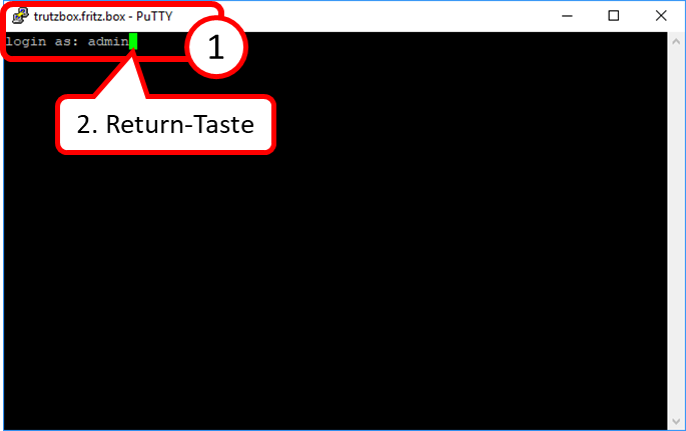
- To log in: Enter "admin" (1).
- ... and press the Return key (2).
-> Table of Contents (of this manual)
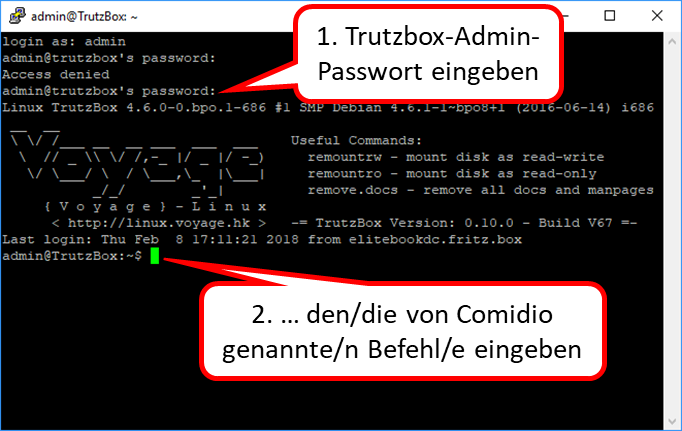
- Enter the Trutzbox admin password as the password and press the Return key (1).
Then enter the command(s) named by Comidio ... (2).
-> Table of Contents (of this manual)
11 Access and passwords
The following accesses and passwords are used chronologically to operate and use the TrutzBox®:
Registration on website (for purchase TrutzBox®) invocation: comidio.de -> Login / Register (https://comidio.de/mein-konto)
| Name | Password |
| Existing e-mail address of the prospect / customer | assigns the user by entering |
|
Purpose:
|
Setting up the TrutzBox ®
Call: http://trutzbox
| Name | Password |
| „ admin"; automatically created by TrutzBox® | user assigns by entering |
|
Purpose:
|
| Name | Password |
| TrutzKennung
(see the document "TrutzLegitimierung") |
TrutzSchlüssel
(see the document "TrutzLegitimierung") |
|
Purpose:
|
Administration of the TrutzBox® (e.g. create e-mail address)
Call: http://trutzbox
| Name | Password |
| ( not required; is automatically "admin") |
|
Purpose:
|
-> Table of Contents (of this manual)
Administration of the Comidio account
Call: comidio.de -> Login / Register (https://comidio.de/mein-konto)
| Name | Password |
| E-mail address used for registration (by interested parties) | Password defined at registration (by interested parties) |
|
Purpose:
|
12 Information and statements
12.1 Headline information that PGP- and S/MIME-encrypted emails are no longer secure
The last few days have seen headlines saying that PGP and S/MIME encrypted emails are no longer secure. This raises the question of whether this also applies to the TrutzBox.
First, a brief explanation of how attackers can read traditional PGP or S/MIME encrypted emails: The prerequisite is that the attacker can intercept and manipulate the encrypted e-mail during transmission. Since with conventional e-mail transmission at least both the sender's and the recipient's e-mail provider are able to do this, this prerequisite is always met. The attacker then inserts a link into the encrypted e-mail that is retrieved by the e-mail client and thereby sends the e-mail to the attacker after decryption. Details about this attack scenario here: https://www.efail.de/
How does e-mail work with TrutzBox?
The TrutzBox is a server that can also send and receive secure e-mails. When designing the TrutzBox, we attached great importance to the fact that communication via the TrutzBox is not only easier to use, but also offers even more privacy than PGP-encrypted e-mails. This was achieved by TrutzBoxes exchanging their e-mails via Tor hidden services. In contrast to PGP-encrypted e-mails, the TrutzBox offers the following advantages if both sender and recipient have a TrutzBox:
- the key management is fully automatic. The user never comes into contact with any keys. Unlike PGP-encrypted emails, which require manual key management on all devices in use.
- no extension is necessary on the end devices (e-mail clients). All email clients can still be used in their full functionality.
- an attacker who can monitor Internet communication cannot see that an e-mail is being exchanged here, nor which IP addresses are communicating here. With PGP-encrypted emails, anyone who has access to the mail servers or Internet connections can read all meta data of the mail.
- for security reasons the TrutzBox always encrypts e-mails additionally with PGP
- since the TrutzBoxes exchange e-mails via the Tor network and there is no "e-mail provider" in between, no third party can change the e-mail on the move.
As a result of this last point: if the communication partner also has a TrutzBox, the e-mail cannot be manipulated while on the move and is safe from this attack,
These same features are also used by the chat function of the TrutzBox. Due to this increased security against PGP, the TrutzBox is also used by journalists, doctors, lawyers... which require special protection.
If the communication partner does not have a TrutzBox, the TrutzBox can also send and receive PGP-encrypted e-mails via normal mail servers and automatically encrypt and decrypt them. In this case, the email client retrieves the decrypted email from its TrutzBox.
But since in this case the PGP-encrypted mail is exchanged with a normal e-mail account, it can be manipulated on the way. The TrutzBox decrypts the mail correctly and does not send any mail to the attacker, but if the e-mail program on the client is configured to load references from the e-mail, then the attacker would also receive the mail from the e-mail client. If, as in this attack, the mail was tampered with on the way, the TrutzBox would detect this, however, since it cannot verify the signature and would mark the mail accordingly.
However, it is quite easy to fend off this attack. To do this, simply deactivate automatic reloading in the e-mail program.